Search results
Query: ham grid square
Links: 15 | Categories: 1
Categories
-
 Over 200 Telnet DX cluster entries are meticulously cataloged, each providing the cluster's callsign, IP address or hostname, and the specific port for connection. The resource details the geographic location for each cluster, often including grid square information or city/country, which is crucial for operators seeking regional or local spotting networks. For instance, **AB5K** offers both worldwide and USA/Canada-only spot feeds, while **K2LS** explicitly limits spots to USA/Canada/Caribbean Zones 1-8, excluding chat messages. The compilation serves as a practical reference for amateur radio operators who utilize traditional Telnet clients for real-time DX spotting. It presents a raw, unadorned list, prioritizing direct access information over elaborate interfaces. This format allows for quick integration into logging software or terminal programs that support Telnet connections. Distinctively, the resource focuses exclusively on Telnet access, differentiating it from web-based or aggregated cluster services. The sheer volume of listed clusters, spanning continents from Europe and North America to Asia and Oceania, makes it a robust tool for DXers and contesters aiming to monitor propagation and identify rare DX stations across various bands.
 -
 Windows application that will allow you to perform calculations with the popular Maidenhead Grid Square system. This grid system is used worldwide by amateur radio operators for many aspects of ham radio.
 -
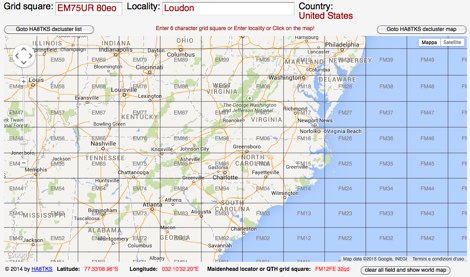 Ham Radio Maidenhead Grid Square Locator Geocoding with Google Maps by by HA8TKS
 -
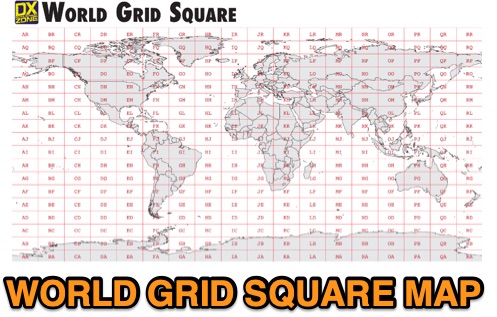 This free PDF file contains two Worldwide grid square maps. The first map displays the fields (first two letters of a maidenhead locator) while the second includes also squares (third and fourth digit) and it can be useful to determine what is your ham radio grid square. PDF file can be enlarged and scaled to A3 and higher dimensions.
 -
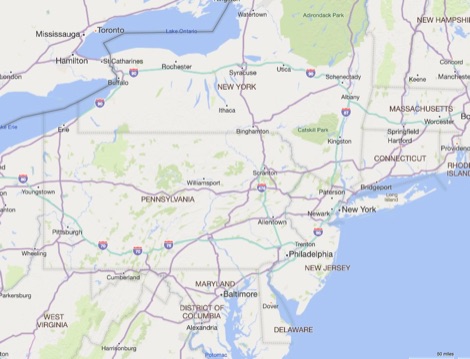 Amateur Radio Ham Radio Maidenhead Grid Square Locator Map online. This map allow just a point and click to determine dynamically the correct six characters locator. Other functions allow to calculate the distances among two given locators, or coordinates. Hover over map, specify grid, or enter latitude and longitude to show grid and/or calculate distance. Map is powered by Bing Maps.
 -
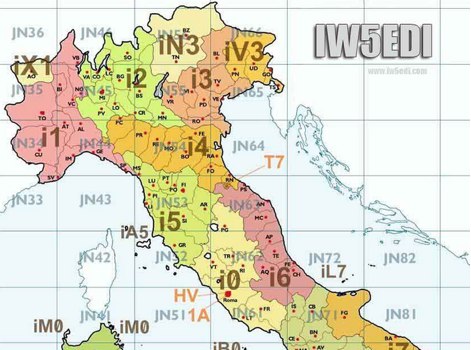 Map of italy with amateur radio prefixes and grid squares
 -
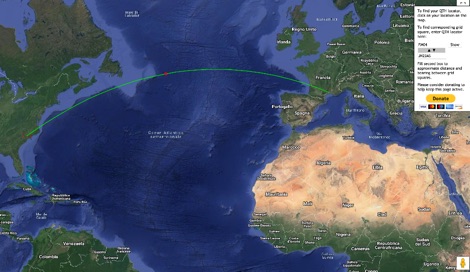 This grid locator map uses Google map apis to find your QTH locator by simply clicking on the map. You can either enter your QTH locator and find the calculated distance and bearing between your QTH and another grid square.
 -
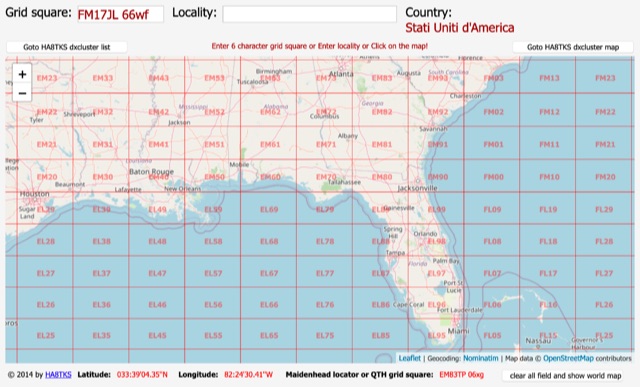 An online interactive grid square map made with openstreet map. Just point and click and zoom in to determine an accurate grid square locator till 10 digit resolution
 -
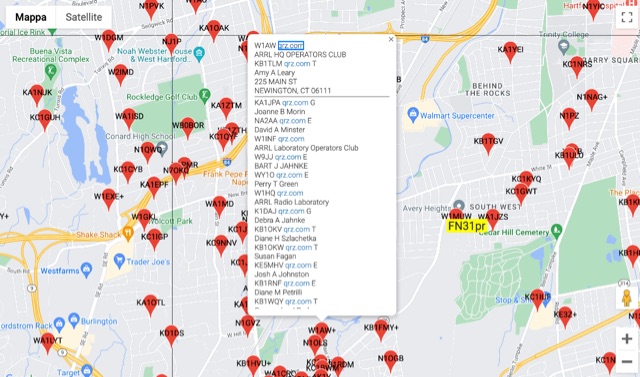 The resource provides an interactive map interface for locating amateur radio license holders across the United States. Users can input a _callsign_, _gridsquare_, zip code, or street address to center the map, which then dynamically populates with station markers. This functionality allows for precise geographical searches, revealing the distribution of hams within specific areas. Upon initial search, the map renders with adjustable zoom and pan capabilities. A key feature is its automatic reload mechanism: after two seconds of inactivity, the map updates to display stations within the newly viewed area. This ensures that the displayed data remains relevant to the user's current focus, whether exploring a densely populated urban center or a more remote region. Further interactive elements include clickable gridsquare labels, which re-center the map, and a "Show gridsquares" checkbox for toggling grid line visibility. Clicking on individual station markers reveals a popup containing the licensee's name and address information, making it a practical tool for geographical station identification.
 -
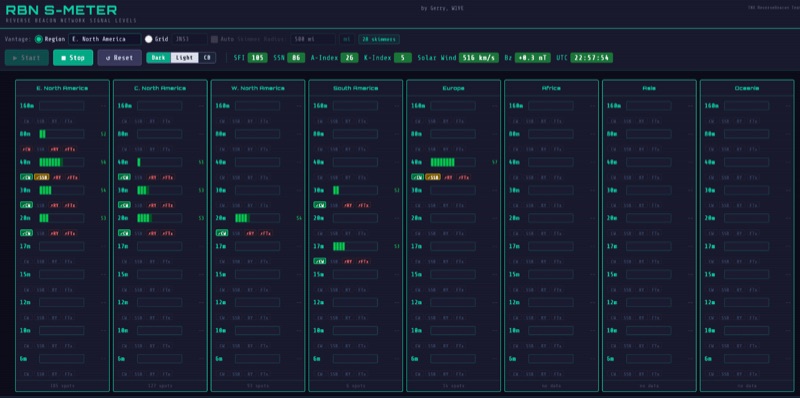 The RBN S-Meter visualizes real-time HF propagation data from the Reverse Beacon Network (RBN). It processes thousands of automated spots per hour, providing a real-time picture of active RF paths on HF bands. Users can set their vantage point using _Region Mode_ or _Grid Square Mode_. Region Mode allows selection from broad geographic areas like E. North America or Europe, while Grid Square Mode uses a Maidenhead grid square and radius for more precise data. The app displays eight region panels, each with horizontal bars for bands 160m through 6m, indicating signal strength with a color ramp from green to red. A dimmer trail shows peak hold values, and an S-unit readout provides additional detail. The app is a free web application accessible on any device, offering a practical tool for ham radio operators interested in CW, RTTY, and FT8 signals. It features a Progressive Web App installation option for enhanced usability on mobile and desktop platforms. Users can install it on Android, iOS, and Windows devices, providing a native app-like experience. The app replaces the previous Windows standalone executable, incorporating user feedback to improve features like grid square mode and automatic location detection.
 -
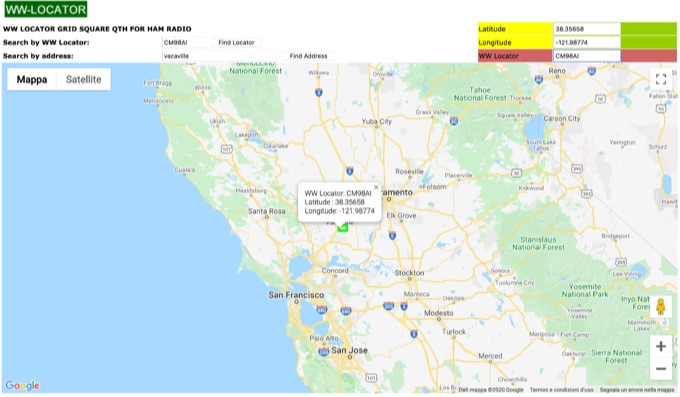 WW Locator grid square map and QTH locator made with google maps for ham radio
 -
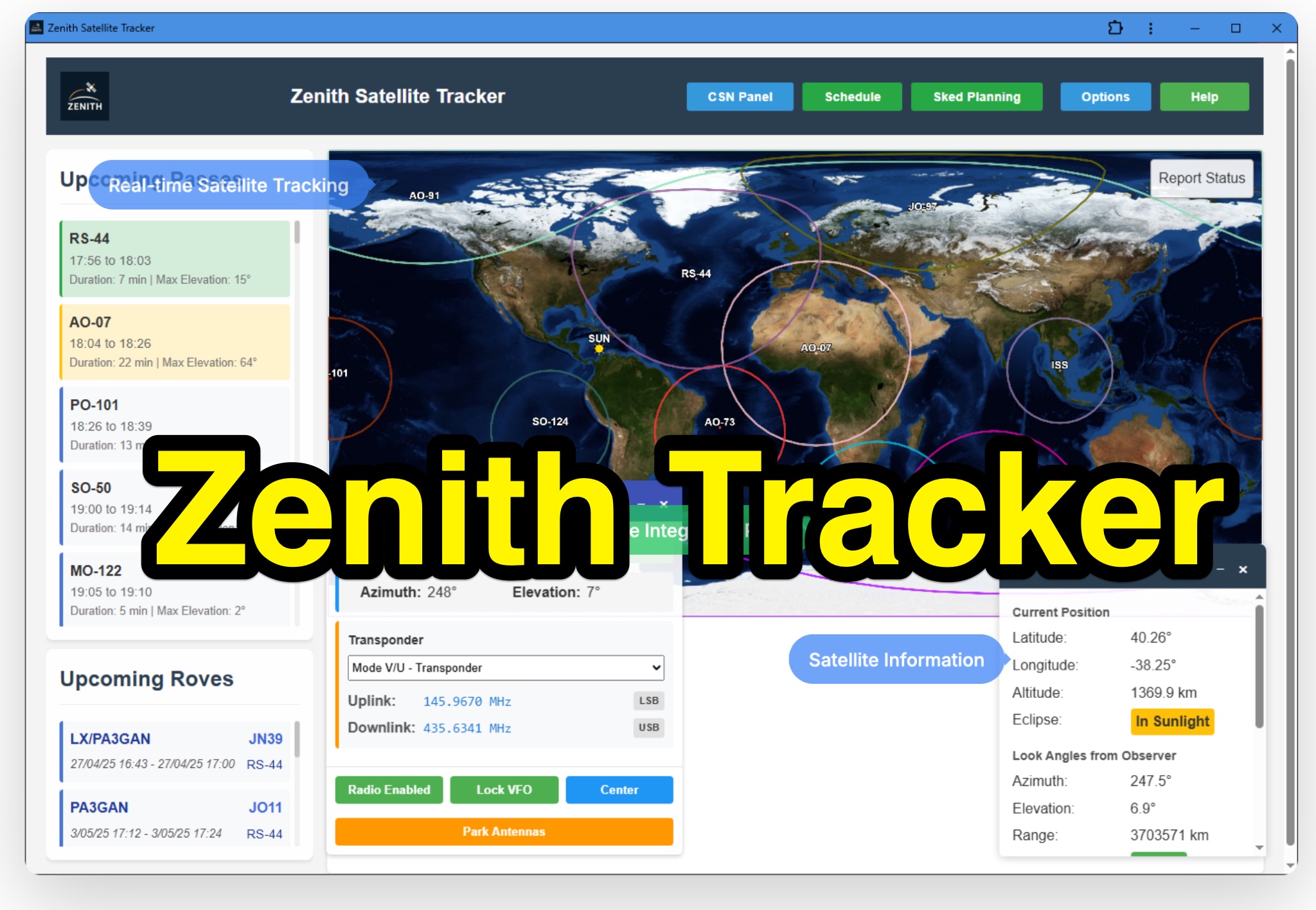 Zenith Tracker offers real-time satellite tracking, pass predictions, and radio hardware integration for ham radio operators. The platform includes an interactive world map showing satellite positions, footprints, and ground tracks, as well as a polar radar visualization for detailed pass analysis. Users can view upcoming passes, set filters, and receive notifications. Integration with CSN Technologies S.A.T Hardware and QTRigDoppler allows for automatic radio control, antenna tracking, and transponder management. The platform also offers APRS message interface, grid square-based location input, and API integration for rover activations. Zenith Tracker is recommended for both general users and those needing advanced hardware integration.
 -
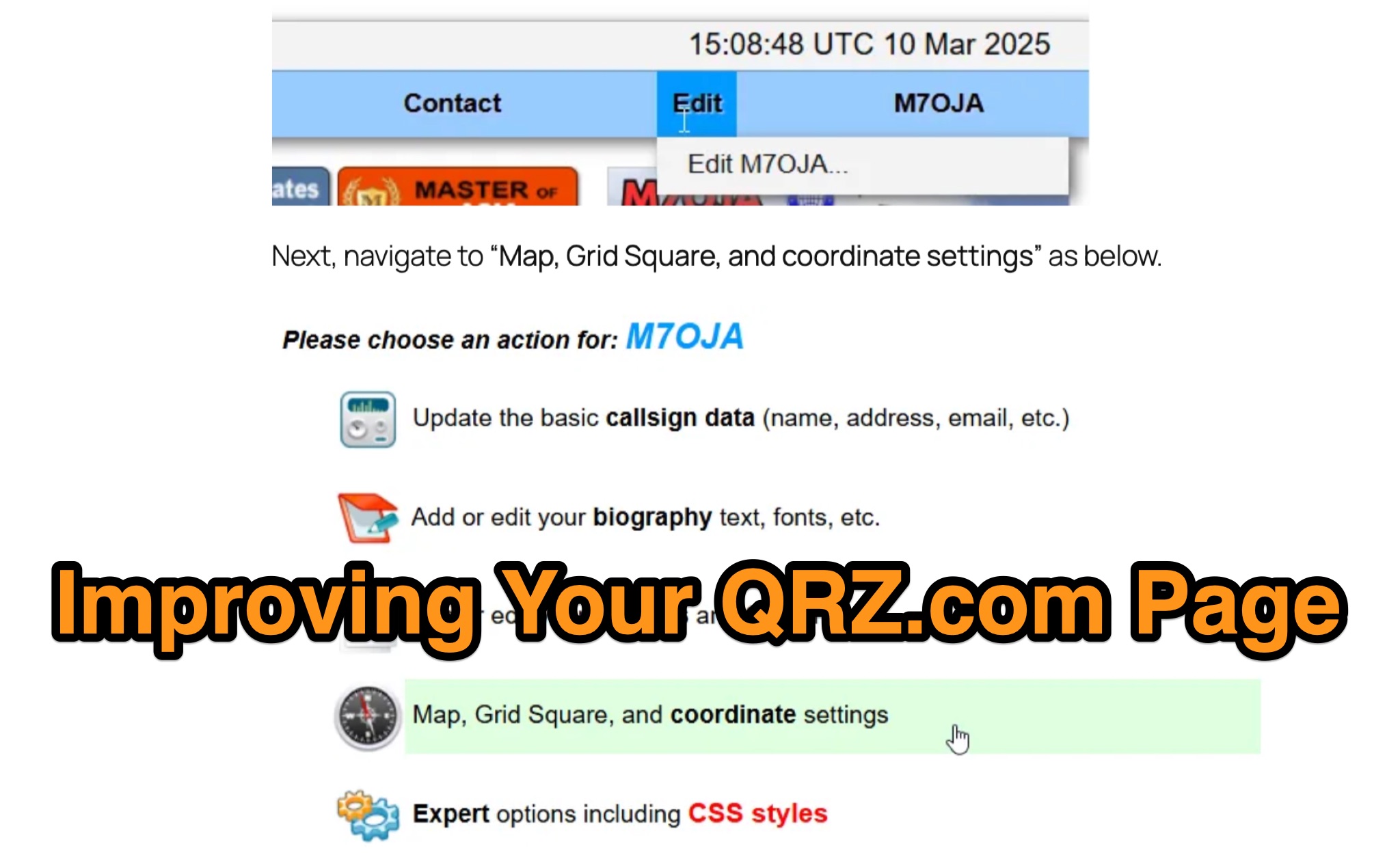 Optimizing a QRZ.com page involves adding essential callsign data, ensuring correct _Maidenhead Gridsquare_ and DXCC information in the Detail tab, and populating the Biography section with relevant station details. Operators should include their operating conditions, specific country references like WAB square, club affiliations, and detailed QSL information, specifying preferences for electronic confirmations (e.g., _LoTW_, Clublog) and paper QSLs (direct, bureau, SASE). The guide emphasizes the importance of accurate data for electronic logging software integration, which fetches Gridsquare, DXCC, and CQ/ITU zones to populate contact logs correctly. Further enhancements include leveraging the QRZ.com photo gallery for images and setting a primary image that logging software like _Log4OM_ can display. Advanced customization involves embedding external services via HTML source code. Examples include integrating HamAlert for DX Cluster spots, Clublog for log searches and Online QSL Requesting (OQRS), and Parks on the Air (POTA) statistics widgets from WD4DAN. Additionally, live weather information from Weather&Radar and solar data banners from HamQSL can be embedded, providing real-time environmental context for visitors to the QRZ page. These embedded tools require creating accounts on respective platforms and often involve copying specific source code snippets into the QRZ biography's HTML editor, ensuring callsign placeholders are updated.
 -
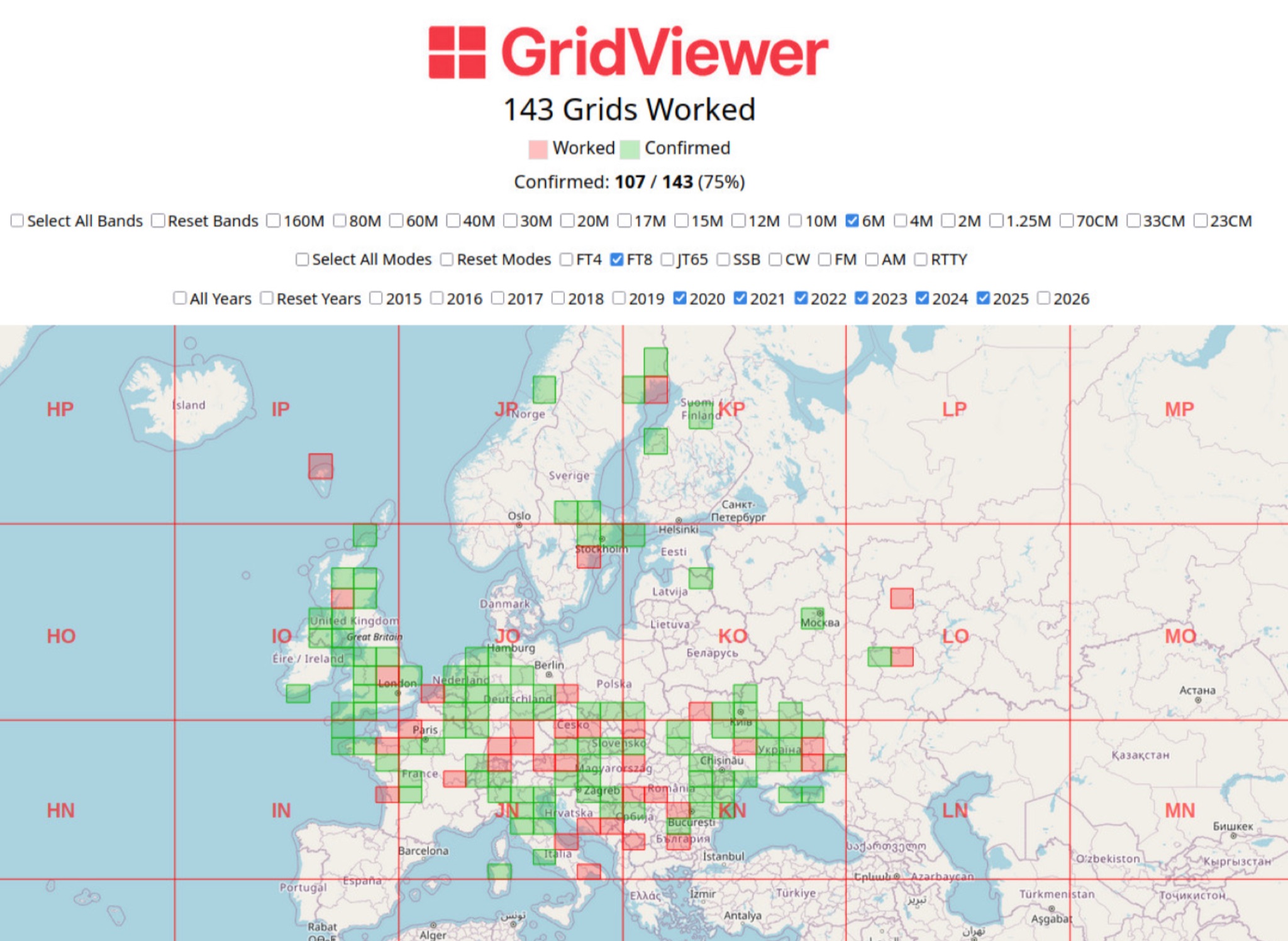 GridViewer is an interactive and lightweight open source web-based tool designed for ham radio operators to visualize and analyze their worked grid squares from ADIF-log files. GridViewer was developed to address a real-world challenge faced by many ham radio operators using lightweight or single-board computers like the Rock 4 SE (in my case) or Raspberry Pi.
 -
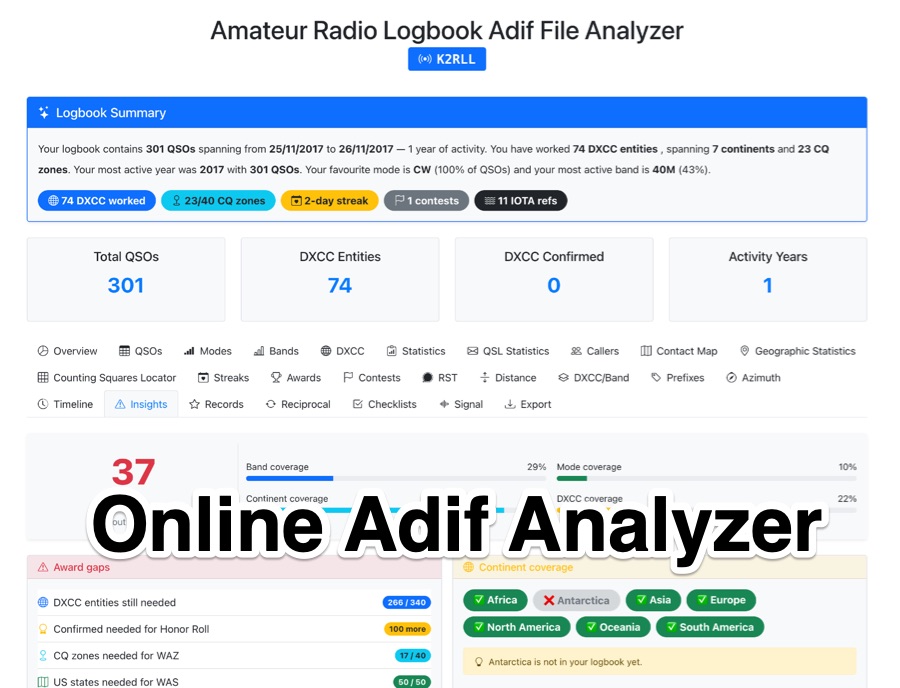 The _Amateur Radio Logbook ADIF File Analyzer_ processes ADIF files locally within the user's browser, ensuring no QSO data is uploaded to a server. It generates a visual map of contacts and detailed statistics across various parameters, including band, mode, time, grid squares, and DXCC entities. The tool offers insights into operating patterns and station performance without requiring any software installation. Users upload their ADIF log files directly, and the analysis is performed client-side, providing immediate results. The output includes charts and graphs that visualize QSO distribution and activity. This approach prioritizes user privacy and data security, as logbook information remains on the user's computer throughout the analysis process. The analyzer supports standard ADIF formats, enabling hams to quickly review their log data for trends and achievements. It is a free, open-source utility designed for general amateur radio log analysis.