Search results
Query: morse windows phone
Links: 2 | Categories: 0
-
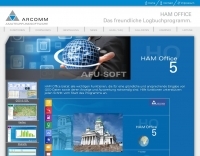 Managing extensive QSO data efficiently requires robust logging software capable of handling diverse operational needs, from casual ragchewing to competitive contesting. HAM OFFICE provides a comprehensive solution for amateur radio operators, integrating essential logging functionalities with advanced features for analysis and award tracking. It supports detailed QSO entry, offers various display and evaluation options, and includes helpful functions to guide users through its interface, ensuring a smooth workflow for both new and experienced hams. The software's design emphasizes user-friendliness while incorporating a wide array of functions, making it suitable for different screen sizes and operating preferences. It features innovative databases for enhanced data protection, improved handling despite increased functionality, and significant speed gains from new background calculations. The program runs stably on Windows XP through 11 (32 and 64 bit) and offers a mobile app for QSO entry and analysis on _tablet PCs_ and smartphones. HAM OFFICE is widely adopted, with an estimated **80%** of German contests logged using the software, and it is utilized by amateurs in **58** DXCC entities. The program supports various aspects of amateur radio, including contest logging, detailed evaluations, and integration with internet resources and shack equipment. It also provides specific support for new license classes like DN9 and actively supports initiatives such as the recognition of _Morse Telegraphy_ as a cultural heritage.
 -
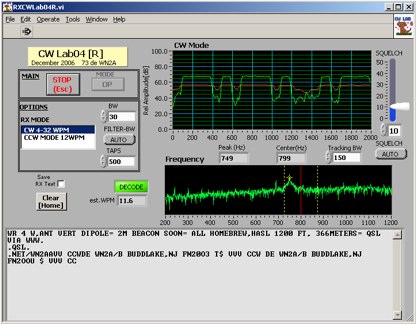 Deciphering weak or noisy **CW** (Continuous Wave) signals often presents a challenge for amateur radio operators, particularly in contest environments or during DXpeditions. CWLab04X addresses this by providing a software solution that leverages **DSP** (Digital Signal Processing) capabilities of a soundcard to decode Morse code. It functions as both a receiver and a sender, supporting traditional CW and a unique "CCW" mode designed to enhance copyability of signals struggling against high noise floors. The program offers two installation methods: a Windows-specific installer for straightforward setup or a zipped package compatible with Windows and Linux systems running Wine. Users must first download and review the accompanying PDF documentation, CWLab04.pdf and CWLab04_Hardware.pdf, which detail the software's operation and the necessary soundcard interface circuit. The hardware PDF outlines a direct connection from the receiver audio output to the soundcard input, with optional conversion of the soundcard output for hard-keying or microphone input. CWLab04X is intended as an operational aid rather than a replacement for skilled human copy, particularly highlighting the effectiveness of its CCW mode in adverse signal conditions. The software was last revised in April 2009, with installation requiring the LV Runtime 602.