Search results
Query: audio to computer
Links: 30 | Categories: 1
Categories
-
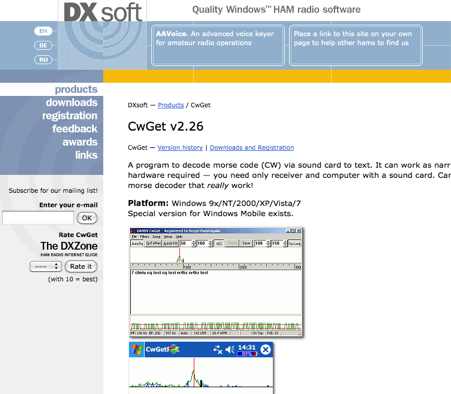 CwGet v2.55 is a software application for amateur radio operators designed to decode Morse code (CW) signals into text using a standard computer sound card, eliminating the need for specialized hardware. The program features a customizable interface with a spectrum display for visualizing signal frequencies and peaks, an oscillogram for monitoring signal presence and setting detection thresholds, and a received symbols window for displaying decoded text. Key functionalities include Automatic Frequency Control (AFC) to lock onto signals, adjustable FIR and IIR filters for noise reduction, and a burst filter to mitigate short noise impulses. It also supports automatic CW speed detection, multiple character sets, and the ability to record and replay received audio. Integration with logging software like AALog is facilitated through double-click word transfer, and transceiver frequency control is possible via the Omni-Rig interface, allowing for automatic tuning of the radio's VFO or RIT. The multi-channel decoder feature can simultaneously decode up to five strong signals within a 1600 Hz bandwidth, displayed in a separate Multi-RX Window with an adjustable squelch. CwGet also offers the capability to decode signals from pre-recorded WAVE files and can function as a narrow-band sound DSP filter for aural decoding. This is a commercial version and it has been tested on latest MS Winows versions.
 -
 CW Decoder provides a robust solution for amateur radio operators aiming to decode Morse code directly on their computer. The software processes incoming audio, presenting the decoded CW as text on the screen, which can be particularly useful during crowded band conditions or for those refining their copying skills. Additionally, it offers the capability to generate a sidetone, allowing operators to monitor the decoded audio in real-time. The application features a **spectrum display** of the audio input, complete with a sliding cursor. This visual aid enables precise selection of a specific audio frequency for decoding, helping to isolate desired signals from QRM. My field experience with similar decoders confirms that a clear visual representation of the signal greatly improves decoding accuracy, especially when dealing with weak signals or multiple stations. Beyond decoding, the program integrates a **keying function**, allowing users to transmit CW directly from their keyboard. This feature supports full CW break-in operation, which is essential for efficient contesting and DXing, providing immediate switching between transmit and receive modes without manual intervention.
 -
 MRP40, a successor to the well-regarded MRP37, offers robust Morse code decoding capabilities by processing analog audio signals via a sound card and displaying the decoded text on a computer monitor. My own field tests with similar sound card decoders confirm that the quality of the audio input and proper signal conditioning are paramount for achieving reliable decoding, especially with _weak signals_. The program also facilitates CW transmission, converting keyboard input into Morse code to key a transceiver, a feature I've found useful for practicing sending or for quick contest exchanges. Beyond its core CW functions, MRP40 incorporates a convenient mini-logbook, which automatically checks for prior contacts and allows for quick logging by double-clicking callsigns in the receive window. This integration streamlines the logging process, a significant advantage during busy operating sessions where every second counts. The software also generates Morse tones using the sound card, a handy utility for testing tone sequences or for basic code practice. Additionally, the suite includes a DTMF decoder and generator, which can be used for decoding telephone dial tones or data transmissions over amateur radio frequencies. It also features MF-TeleType, a sound card-based audio data modem for transmitting text via radio, utilizing a principle similar to DTMF for encoding and decoding, offering a simple method for digital text communication.
 -
 This resource provides access to the 59+ software collection, specifically highlighting the **59+ CW** module. The software enables the generation of Morse code signals for transmission through a COM port to a transceiver, or for audio output via a computer speaker, facilitating both keying and listening practice. Users can customize various parameters, including CW speed, tone frequency, dash/dot ratios, and PTT line delay, alongside defining keyboard shortcuts for common QSO fields such as callsign, QTH, name, and RST. The collection also includes the 59+ Logbook, which operates smoothly on Windows XP according to testing notes, though the CW application experienced startup issues on the same OS. The software was originally designed for older Windows operating systems, specifically Windows 95, 98, ME, and 2000. It is noted that the original idealog.net site is no longer active, and development for the 59+ suite appears to be discontinued. Analyzer and converter modules within the collection require registration and do not function in trial mode.
 -
 The VTDATA software package is a complete vacuum tube manual on your computer. It has all the information you'd expect in a tube manual. VTDATA's database also includes vacuum tubes of historical interest, such as the early "two digit" types (45, 80, etc.) and hi-fi audio types.
 -
 The SoftRock-40 is a small, low-cost, good-performing "software defined radio" receiver that plugs into a computer USB port and delivers I-Q audio signals to the computer's sound card. It was designed by Tony Parks, KB9YIG and Bill Tracey, KD5TFD as an "SDR sampler project" for hams everywhere to easily try out software defined radio.
 -
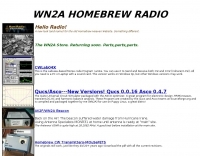 CWLab02 demonstrates a Windows-based software solution for Morse code enthusiasts, enabling both CW and CCW (Computer-Generated CW) sending and receiving within a single, integrated window. The program incorporates an improved CW interface, aiming to simplify the process of decoding and generating Morse code signals. It provides a straightforward method for hams to practice their CW skills or integrate computer-generated code into their operations, supporting real-time interaction with Morse code transmissions. The software's design focuses on ease of use for CCW operations, allowing operators to quickly generate and transmit code. While specific technical details on its decoding algorithms or WPM range are not provided, the emphasis on an "improved CW" suggests refinements in its signal processing capabilities. The ability to send and receive in the same window streamlines the user experience, offering a practical tool for training, casual QSOs, or integrating into a digital shack setup.
 -
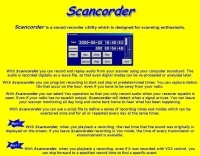 With Scancorder you can record and replay audio from your scanner using your computer soundcard. The audio is recorded digitally as a wave file, so that even digital modes can be re-processed or analysed later.
 -
 RSCW demonstrates a Linux/Unix command-line utility engineered for **Morse code** decoding via a computer's sound card. It specifically targets the extraction of weak CW signals from noise, operating on 8-bit, 8000 samples/second audio input, typically from `/dev/dsp`. The program outputs decoded characters to `stdout`, supporting user-specified speeds in words per minute (WPM) and carrier frequencies. While effective for machine-sent signals, it exhibits a 2-second decoding lag and requires manual speed input, making it less suitable for general-purpose, real-time contest operation. The resource details the program's components, including `rscw` (the main decoder), `rscwx` (an X11 graphical auxiliary for spectrum and internal signal visualization), `rs12tlmdec` (a specialized decoder for RS-12 amateur radio satellite telemetry), and `noisycw` (a utility for generating noisy Morse signals for testing). Installation instructions involve downloading a `.tgz` file, compiling with `Make`, and requiring the FFTW library (and GTK 2.0 for `rscwx`). Performance is illustrated with a .wav file example of a 12 WPM, 800 Hz CW signal at 12 dB Eb/N0, showcasing RSCW's near-error-free decoding of a test message. The site provides command-line examples utilizing `sox` for audio conversion and `noisycw` for signal generation, inviting comparisons with other decoding software and human operators, particularly for weak signal conditions.
 -
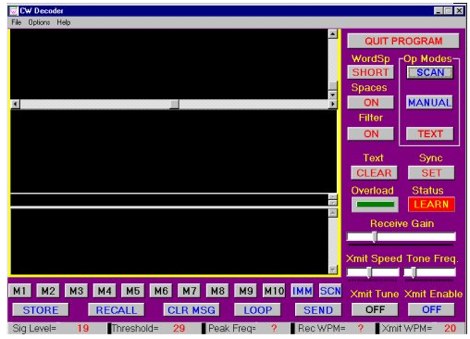 The CW Decoder program facilitates copying Morse code with a computer, displaying decoded CW as text, and generating a sidetone. It incorporates a spectrum display of the audio, allowing operators to select a specific audio frequency for decoding via a sliding cursor. This utility also enables keyboard-based transmitter keying, supporting full CW break-in operation for efficient QSO management. Developed by WD6CNF, the software is a Windows-compatible application designed to assist amateur radio operators in their CW activities. Its features cater to both decoding received signals and transmitting via keyboard input, streamlining the CW operating experience. Functionality includes real-time audio analysis and signal processing, providing a visual representation of the CW signal. The program's integrated keying capability offers a direct interface for transmitting, enhancing its utility as a comprehensive CW station tool.
 -
 Presented here is a transceiver to computer sound card interface complete with automated transmit key function. A sound card interface is simply the audio coupling of a computer soundcard and a transceiver to allow various computer applications that send and receive SSTV, RTTY, PSK31 and other similar modes based on soundcard generated signals.
 -
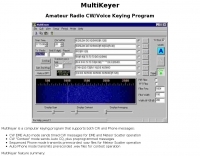 MultiKeyer is a dedicated computer keying program designed for amateur radio operators engaging in specialized operating activities such as Earth-Moon-Earth (EME) and Meteor Scatter, as well as general contest operations. It provides distinct modes for both CW and Phone transmissions, enabling automated message sequencing and playback of pre-recorded audio files. The software's interface shares a similar "look and feel" to the popular WSJT Meteor Scatter/EME program, facilitating ease of use for operators familiar with that platform. For CW operations, MultiKeyer offers an EME Auto mode for sending timed messages crucial for EME and Meteor Scatter, alongside a Contest mode that handles automatic CQ calls and preprogrammed messages. On the Phone side, it features a Sequenced Phone mode for transmitting prerecorded .wav files during Meteor Scatter events and an Auto Phone mode for contest use. The program leverages serial COM ports for CW and PTT signaling, and the soundcard for .wav file playback, with configurable PTT interrupt options. MultiKeyer integrates with TRX-Manager for PTT and CW keying, and can send callsigns for logging. It also supports WSJT-style "callsign.txt" files for lookups and adheres to the SO2R protocol for parallel port connections. Designed for Windows 98 and NT, it generally functions on Windows 95, ME, XP, and 2000, requiring a 133 MHz Pentium-class processor.
 -
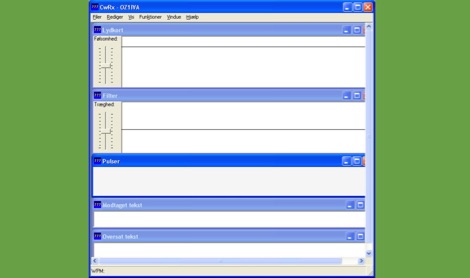 CWRX, a freeware Windows application, decodes Morse code (CW) signals directly from a sound card's audio input, presenting the decoded text on screen. It supports various receive bandwidths and filtering options, allowing operators to optimize signal reception in different QRM conditions. The program's core functionality focuses on robust CW decoding algorithms, crucial for weak signal work and contesting environments. Developed by OZ1IVA, Lars Harbo, this utility provides a straightforward interface for real-time CW interpretation. It integrates basic logging capabilities, enabling users to record decoded transmissions for later review or contest submission. The software is specifically tailored for the Windows operating system, ensuring compatibility with common shack computer setups. Its design emphasizes ease of use for amateur radio operators seeking a dedicated CW decoding solution. The program's small footprint and direct functionality make it a practical tool for both casual listening and more intensive operating sessions, without requiring extensive system resources.
 -
 Need to interface both a TNC and the computer soundcard? This is a ICOM 756PRO ACC1 audio/keying/FSK interface by WA0SXV
 -
 The Elecraft K2 transceiver requires specific modifications for optimal soundcard digital mode operation, particularly for PSK31. The original article, circa 2001, details initial challenges with manual PTT and speech compression settings. A key modification involves adding headphone audio and a compression disable signal to the K2's microphone jack, utilizing pins 4 and 5. The **COMP0** signal, active low, is shorted to ground via a non-inverting open collector switch circuit, comprising two resistors and two transistors, mounted on the SSB board near U3. This circuit provides effective control of an analog signal line with good noise immunity. The switchbox itself repurposes a computer COM port switch, using only two of its original connectors and four of the nine poles. It integrates a microphone preamplifier, a PTT circuit built with 'flying leads' construction, and RCA jacks for soundcard connections. A trimpot adjusts the audio drive to the K2. The central DB9 connector links to the K2's mic connector via a shielded RS232 serial cable, ensuring proper grounding and signal routing. An external footswitch PTT jack is also included. Further enhancements include a **noise-canceling microphone** preamp based on a QST December 2000 article, adapted for Heil mic elements. This preamp, built with pseudo-Manhattan style construction, provides a gain of approximately 2 by changing emitter resistors (R9 and R16) from 680 ohms to 330 ohms. A 10-ohm series resistor and 47 µF capacitor on the +5V supply mitigate noise spikes.
 -
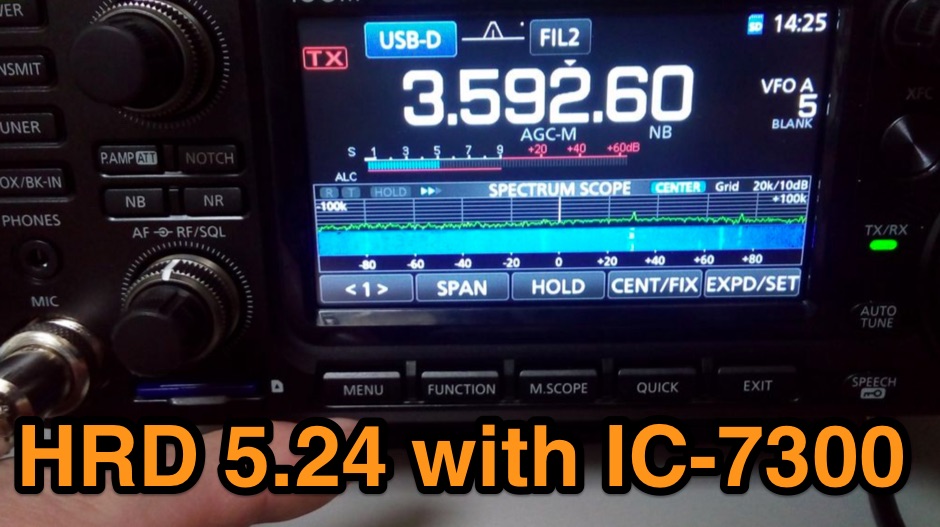 The Icom IC-7300 is a popular HF transceiver among amateur radio operators, known for its advanced features and ease of use. However, integrating it with software like Ham Radio Deluxe (HRD) can be challenging due to compatibility issues. This guide provides step-by-step instructions on how to configure the IC-7300 to work seamlessly with HRD 5.24, the last freeware version available. It covers the installation of necessary drivers, setting up virtual COM ports, and configuring audio settings for digital modes. To begin, users must download and install the Icom USB driver, which creates a virtual serial COM port for communication between the radio and the computer. The guide details how to check for this new port and adjust the CI-V address settings to ensure proper communication. It also explains how to set up the soundcard settings in HRD for digital modes, allowing operators to transmit and receive audio effectively. Following these instructions will enable IC-7300 owners to maximize their radio's capabilities with HRD.
 -
 Breakaway Pipeline allows you to send audio to or from another program on the same computer. This will permit to forward audio streams, virtually like connected via a cable taken form any radio receivers, like online web sdr or your digital modes receiver like WSJT-X or fldigi to anther application running on the same PC.
 -
 The CAT and audio interface version 3 project by PA5CA presents a comprehensive solution for integrating amateur radio transceivers with computer sound cards, facilitating digital mode operation and CAT control. It includes detailed schematics for the interface circuitry, illustrating the isolation transformers for audio paths and optocouplers for CAT data lines, ensuring robust electrical separation between radio and PC. The resource also provides PCB layouts, enabling constructors to fabricate their own boards for this specific design. The project outlines the component selection and assembly process, emphasizing the use of readily available parts to build a reliable interface. It addresses common challenges in sound card interfacing, such as ground loops and RF interference, through its isolated design. This construction guide offers practical insights into building a functional interface, making it suitable for hams interested in DIY radio accessories for digital modes like FT8, RTTY, and PSK31.
 -
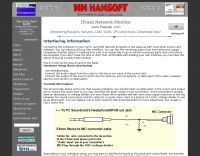 Demonstrates the fundamental principles for connecting a personal computer to a ham radio transceiver, specifically for utilizing sound card-based digital mode software like those in the MM Hamsoft suite. It details the basic hardware setup, emphasizing the use of shielded leads and proper audio routing from the radio's output to the sound card's input, and from the sound card's output to the radio's microphone or data input. The resource highlights the critical need for transmit attenuation, suggesting a 100:1 voltage divider to prevent overdriving the transmitter's audio stage, and mentions the optional addition of ferrite beads and decoupling capacitors for RFI mitigation. The guide also points to external resources for more detailed pin-outs and interface schematics, such as a specific QSL.net page, and recommends consulting the help files within MM Hamsoft programs for interfacing specifics. It underscores that while the process is straightforward, understanding the audio level management and proper cabling is key to successful operation. The author, VE5KC, provides practical advice drawn from common issues encountered by operators setting up digital mode stations.
 -
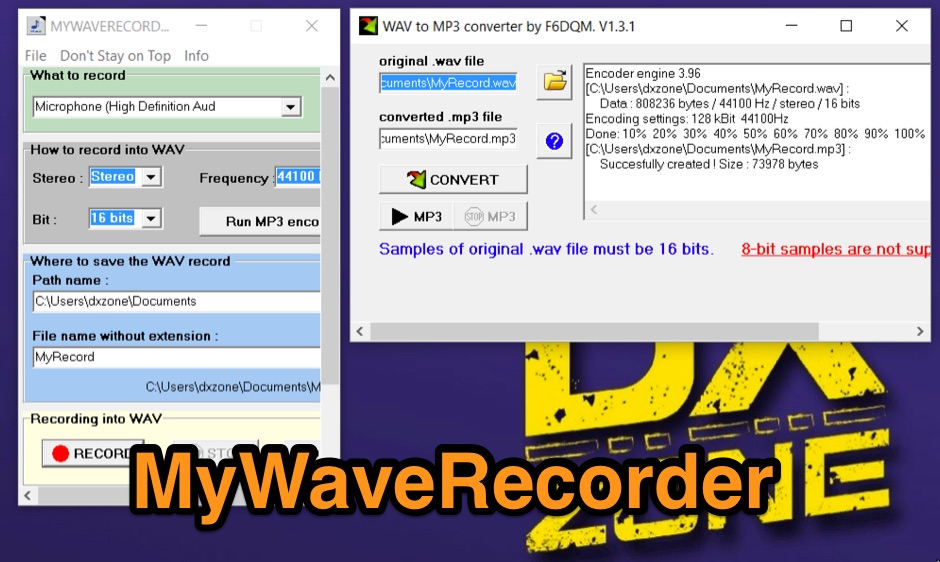 Windows free sound recorder. What you save is what you hear ! Small utility program to capture and save any sound played by your computer. Audio recorded can be converted in MP3 format.
 -
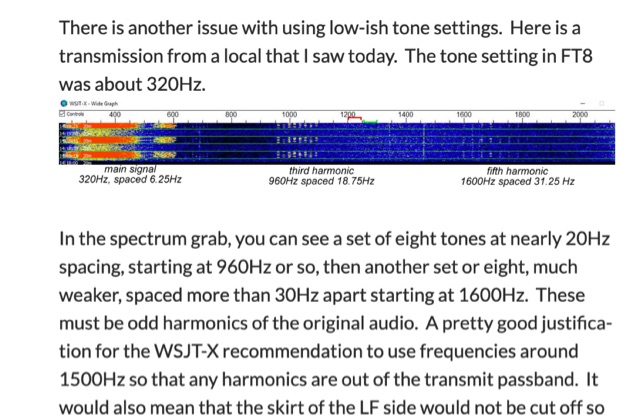 A guide to properly use FT8 ALC and power when transmitting in FT8 Mode. Incorrect usage of power and audio from your computer may cause unreadable signals and transmit harmonics that can didturb other signals.
 -
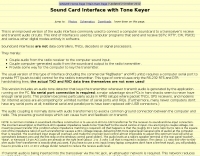 An improved version of the audio interface commonly used to connect a computer soundcard to a transceiver\'s receive and transmit audio circuits
 -
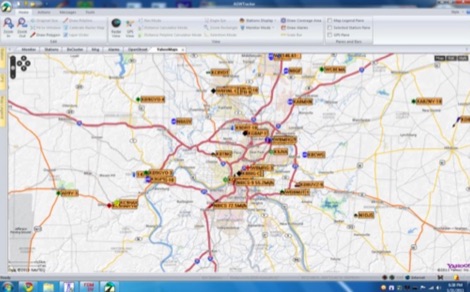 How-to decode and Display APRS Packets from WebSDR Audio using linux computer
 -
 Documents S21RC's construction of an impedance transformer harness for a VHF/UHF cross yagi, utilizing 20m of _RG179_ cable. Details the creation of a DIY RF sampler with a -50dB sampling output, primarily for measuring HF radio PA section output with a Spectrum Analyzer, also applicable for _Pure Signal_ transmission. Chronicles the deployment of a 200m long beverage antenna for the _S21DX IOTA_ operation in 2022, positioned 2m above ground. Discusses the construction of a 3-element short beam for 10m to replace a previous 2-element antenna, with assistance from S21DW. Provides guidance on operating cheap _PA-70_ and _PA-100_ type Chinese SSPAs using IRF530 MOSFETs, emphasizing the necessity of a final LPF. Outlines the design and construction of a fully isolated interface for radio-to-computer connections, supporting various digital modes with isolated ground, audio transformers for IN/OUT, optical isolation for CAT/CIV, and isolated PTT/COS lines. Includes a log of software updates, such as the _HMI/TFT for NX8048K070_ and _2.1.14 Lite_ release with bug fixes for PEP hold and gradual watt decay.
 -
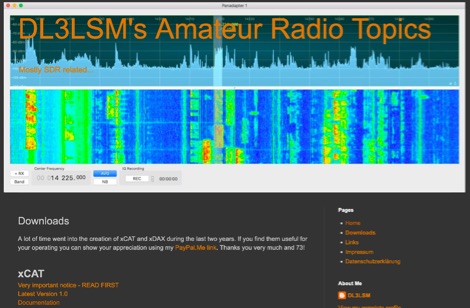 xCAT is an helper application for the FlexRadio 6000 series running on macOS computers to control via CAT protocol tranceivers, while xDAX purpose is to provide a way for Digital Mode Software like Fldigi, WSJT-X to access the digital audio data (DAX) of the FlexRadioTM
 -
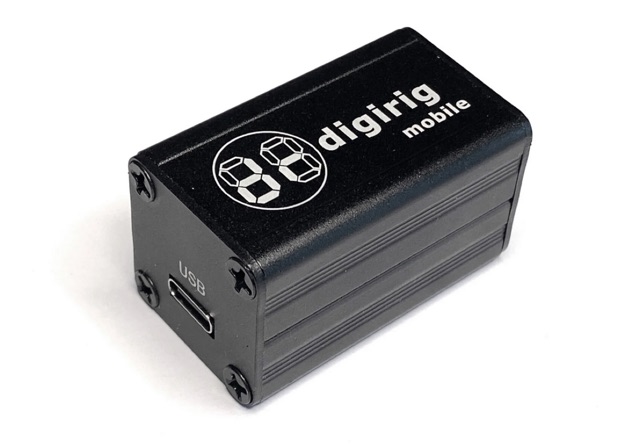 Digirig is an open-source integrated digital modes interface for amateur radio. As a differentiating feature, Digirig only requires a single USB connection to the computer with all the digital goodness packed in a single small enclosure. The internals include a USB hub, audio codec, a fully featured serial CAT (Computer Aided Transceiver) interface, and potentially other modules such as GPS receiver for time synchronization.
 -
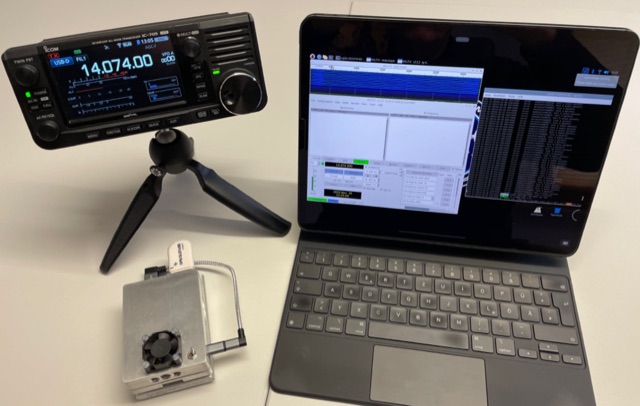 The IC-705 has a built-in server to to send and receive audio and radio control via WLAN. This allows the IC-705 to be connected directly to the user’s computer without the need for an additional server computer. Perfect to run e.g. digital operation modes completely cordless.
 -
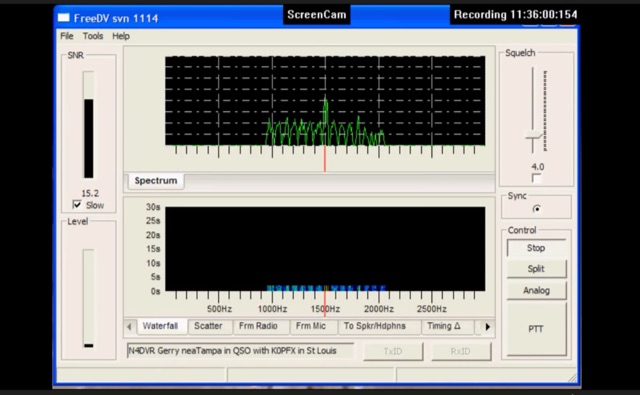 FreeDV uses an audio codec as a software based modem to decode and encode the voice and text data from your computer. The data is encoded and then is transmitted over the HF radio using AF signals that can then in turn be decoded by the receiving station.
 -
 MyWaveRecorder is a lightweight utility designed to capture and save any audio played on your computer. Whether it’s sounds generated by programs like CW_PLAYER, WX_PLAYER, MyWaveRecorder itself, your microphone, your sound card, or even streaming audio from the internet, this tool records them all with a single click.
 -
 Andrew Roos (ZS6AA) details his practical approach to building a Single Operator Two Radio contest station within suburban constraints. The article explains how he leveraged a Force-12 C-31XR triband beam's unique separate feed arrangement to operate on two bands simultaneously. Using band-pass filters and an antenna switch, he achieved sufficient isolation between bands without requiring multiple towers. The setup includes automatic band selection, audio switching, and computer control. Testing during the 2007 CQ WPX CW contest confirmed the system's effectiveness, demonstrating that competitive SO2R operation is achievable with limited space and budget.