Search results
Query: morse qso
Links: 29 | Categories: 0
-
 This resource provides access to the 59+ software collection, specifically highlighting the **59+ CW** module. The software enables the generation of Morse code signals for transmission through a COM port to a transceiver, or for audio output via a computer speaker, facilitating both keying and listening practice. Users can customize various parameters, including CW speed, tone frequency, dash/dot ratios, and PTT line delay, alongside defining keyboard shortcuts for common QSO fields such as callsign, QTH, name, and RST. The collection also includes the 59+ Logbook, which operates smoothly on Windows XP according to testing notes, though the CW application experienced startup issues on the same OS. The software was originally designed for older Windows operating systems, specifically Windows 95, 98, ME, and 2000. It is noted that the original idealog.net site is no longer active, and development for the 59+ suite appears to be discontinued. Analyzer and converter modules within the collection require registration and do not function in trial mode.
 -
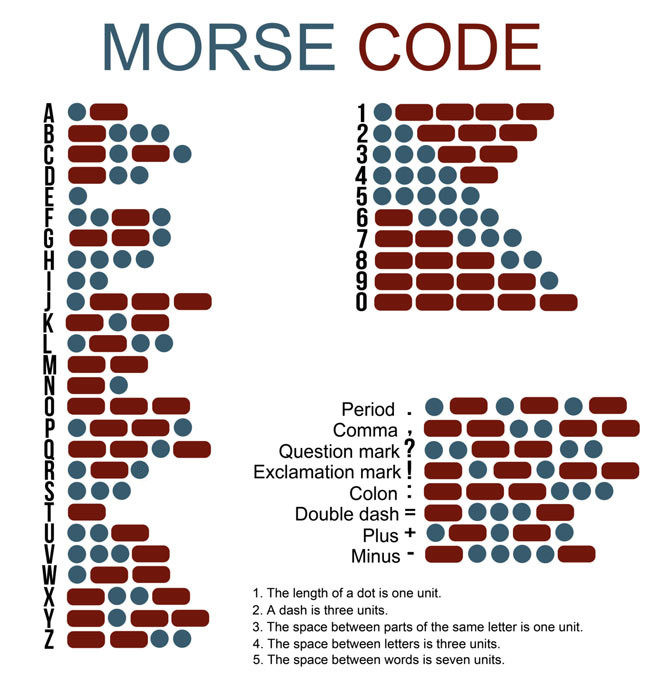 This step-by-step tutorial contains everything you need, not only to survive that first contact, but also to learn to enjoy Code and actually do it well. Even if you detested learning it in the first place
 -
 CWLab02 demonstrates a Windows-based software solution for Morse code enthusiasts, enabling both CW and CCW (Computer-Generated CW) sending and receiving within a single, integrated window. The program incorporates an improved CW interface, aiming to simplify the process of decoding and generating Morse code signals. It provides a straightforward method for hams to practice their CW skills or integrate computer-generated code into their operations, supporting real-time interaction with Morse code transmissions. The software's design focuses on ease of use for CCW operations, allowing operators to quickly generate and transmit code. While specific technical details on its decoding algorithms or WPM range are not provided, the emphasis on an "improved CW" suggests refinements in its signal processing capabilities. The ability to send and receive in the same window streamlines the user experience, offering a practical tool for training, casual QSOs, or integrating into a digital shack setup.
 -
 These are 200 Morse Code QSO`s which might typically be heard on the HF bands.
 -
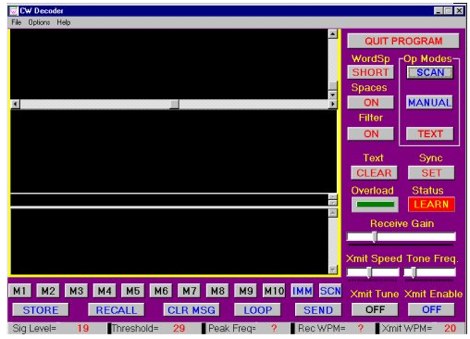 The CW Decoder program facilitates copying Morse code with a computer, displaying decoded CW as text, and generating a sidetone. It incorporates a spectrum display of the audio, allowing operators to select a specific audio frequency for decoding via a sliding cursor. This utility also enables keyboard-based transmitter keying, supporting full CW break-in operation for efficient QSO management. Developed by WD6CNF, the software is a Windows-compatible application designed to assist amateur radio operators in their CW activities. Its features cater to both decoding received signals and transmitting via keyboard input, streamlining the CW operating experience. Functionality includes real-time audio analysis and signal processing, providing a visual representation of the CW signal. The program's integrated keying capability offers a direct interface for transmitting, enhancing its utility as a comprehensive CW station tool.
 -
 The **Black Cat CW Keyer** is a macOS application designed for amateur radio operators to transmit Morse code directly from their computer. It provides functionality for typing text to be sent, either immediately or buffered, and allows for the creation and transmission of pre-defined messages via single-key shortcuts. This software addresses the need for a flexible and accessible CW keying solution, particularly for Mac users who might find fewer dedicated ham radio applications compared to other operating systems. It integrates basic text-to-CW conversion, offering a straightforward interface for generating Morse code signals. Operators can utilize the Black Cat CW Keyer for various CW activities, including casual QSOs, contesting, or beacon operation. Its ability to buffer text allows for smoother transmission, while the single-key macro feature streamlines repetitive message sending, such as CQ calls or contest exchanges. While specific comparisons to other CW keying software are not detailed, its macOS focus provides a niche solution for Apple users. The program's utility lies in its direct approach to computer-based CW transmission, making it a practical tool for those seeking a dedicated **CW keyer** on the Macintosh platform.
 -
 Managing extensive QSO data efficiently requires robust logging software capable of handling diverse operational needs, from casual ragchewing to competitive contesting. HAM OFFICE provides a comprehensive solution for amateur radio operators, integrating essential logging functionalities with advanced features for analysis and award tracking. It supports detailed QSO entry, offers various display and evaluation options, and includes helpful functions to guide users through its interface, ensuring a smooth workflow for both new and experienced hams. The software's design emphasizes user-friendliness while incorporating a wide array of functions, making it suitable for different screen sizes and operating preferences. It features innovative databases for enhanced data protection, improved handling despite increased functionality, and significant speed gains from new background calculations. The program runs stably on Windows XP through 11 (32 and 64 bit) and offers a mobile app for QSO entry and analysis on _tablet PCs_ and smartphones. HAM OFFICE is widely adopted, with an estimated **80%** of German contests logged using the software, and it is utilized by amateurs in **58** DXCC entities. The program supports various aspects of amateur radio, including contest logging, detailed evaluations, and integration with internet resources and shack equipment. It also provides specific support for new license classes like DN9 and actively supports initiatives such as the recognition of _Morse Telegraphy_ as a cultural heritage.
 -
 Learn the Morse Code. Learn from random text or simulated QSO (contact) sources. Create character sequences that you find difficult. Compare your results with what the program sent and view error statistics. Take simulated tests. Sound card not essential. Evaluation version not time limited.
 -
 CWQSO allows you to practice sending and receiving CW in a real QSO!
 -
 Amateur radio operators frequently seek efficient methods for logging contacts, particularly during contests or DXing sessions where speed and accuracy are paramount. MiniLogBook addresses this need by providing a streamlined logging utility designed for Windows environments. The software facilitates rapid entry of QSO data, offering an automated lookup feature for previous contacts based on recent callsigns, which significantly reduces redundant data entry. The application's distinctive utility lies in its integration capabilities with other ham radio software, specifically _MRP40_. Users can select text within the MRP40 receive window and, with a double-click, automatically insert that text into MiniLogBook. This feature is particularly advantageous for operators engaged in digital modes like RTTY or PSK, where copying callsigns and exchange information accurately and quickly is critical. The tool aims to simplify the logging workflow, allowing operators to focus more on the contact itself rather than manual data transcription. While primarily a logging tool, its focus on quick entry and interoperability with specific third-party software distinguishes it from more feature-rich logging suites. The software is distributed as freeware by _Polar Electric_, making it accessible without cost. Its small footprint and direct functionality cater to operators who prefer a minimalist approach to logging, prioritizing efficiency over extensive database management or advanced reporting features.
 -
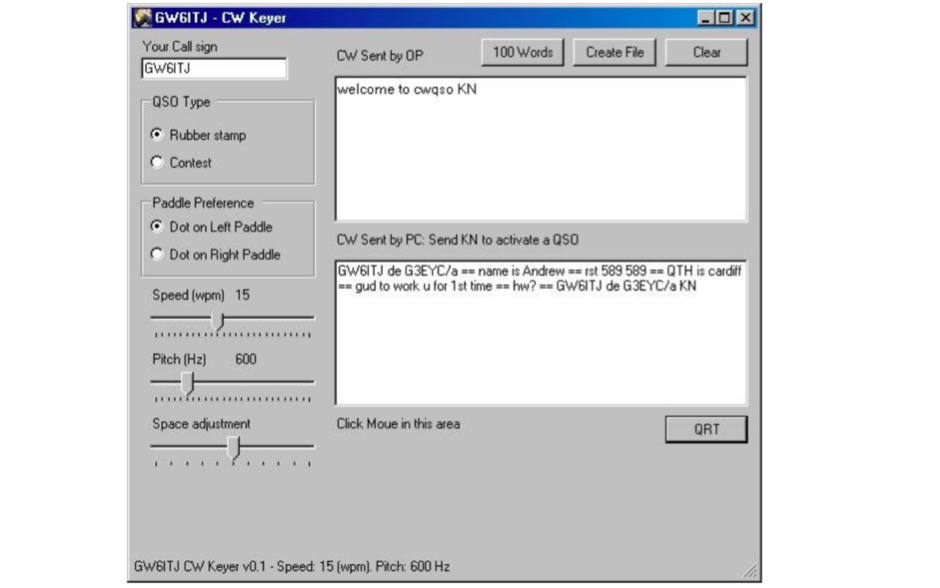 CWQSO allows you to practice sending and receiving morse code in a real QSO. You can send CW via the mouse buttons or an attached paddle, the CW you send is displayed on CWQSO
 -
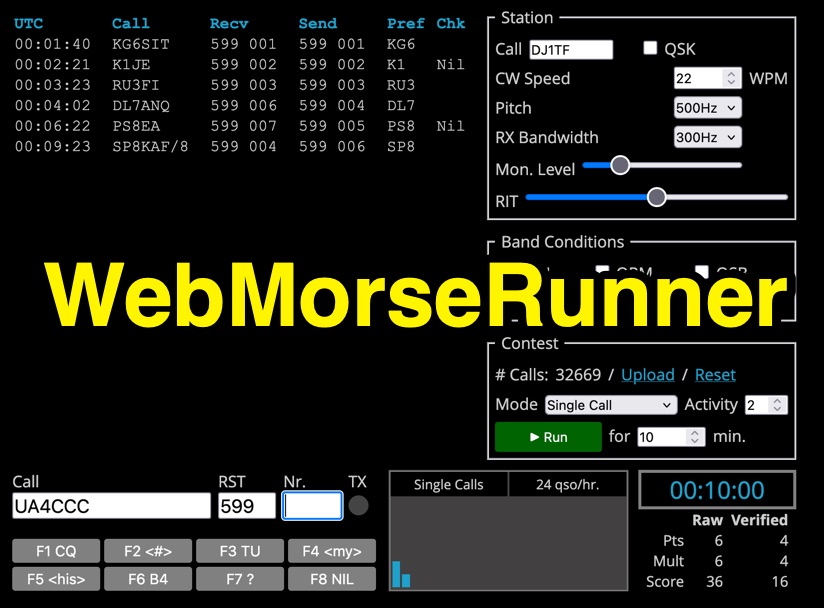 Web Morse Runne is an online CW (Morse code) contest simulator developed by DJ1TF - Thomas Fritzsche. This tool allows users to practice their Morse code receiving and sending skills in a simulated contest environment. Key configurable parameters include CW speed, with options ranging from 300Hz to 900Hz, and RX bandwidth, adjustable from 100Hz to 600Hz. Users can also set a monitor level and simulate various band conditions. The interface includes counters for calls and QSOs per hour, along with a timer. Pre-defined function keys are available for common contest exchanges such as F1 (CQ), F3 (TU), F6 (B4), F7 (?), and F8 (NIL). The simulator is designed for ham radio operators looking to improve their CW contesting proficiency.
 -
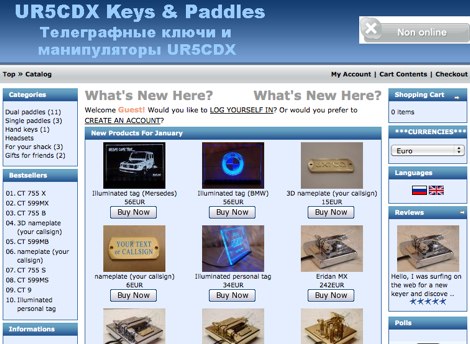 Showcasing a range of precision-engineered Morse code paddles, UR5CDX emphasizes craftsmanship in both dual and single paddle designs. Each key, such as the _Eridan MX_ or _CT 73 MB_, is engineered for optimal performance, catering specifically to the needs of CW operators. The paddles are not merely tools; they reflect the artistry inherent in ham radio equipment, with options for personalization like _Callsign engraving_ and _3D nameplate_ tags. The commitment to quality is evident in the materials used and the precision of the mechanics, ensuring reliable operation during contests or casual QSOs. Yury, UR5CDX, also engages with the community, sharing insights on the manufacturing process and the impact of current events on production timelines, fostering camaraderie among operators who appreciate the nuances of Morse code communication.
 -
 Pages fully dedicated to beginners guides, includes an interesting sample of a CW QSO, and a list of frequencies to practise morse code, useful for beginners,
 -
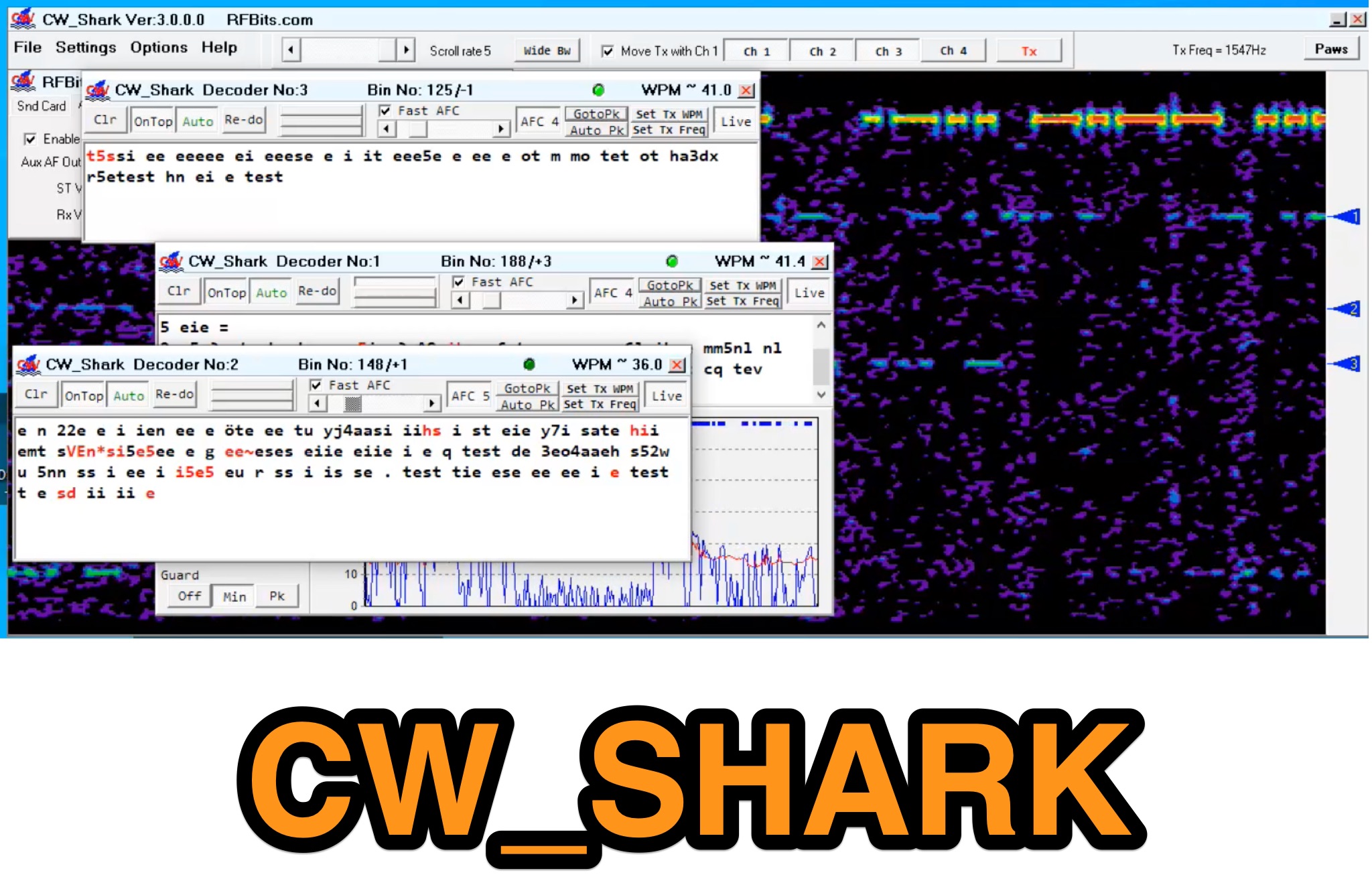 Demonstrates the capabilities of CW_Shark, a dedicated 32-bit Windows application for Morse code operations. This software facilitates the analysis, decoding, and encoding of CW signals, providing hams with a versatile tool for various aspects of amateur radio communication. It supports four distinct modes: Decode Only, Keyboard QSO, Straight or Paddle Key QSO, and Straight or Paddle Key Practice, catering to different user needs from passive listening to active keying. Operators can utilize the Decode Only mode for signal analysis, while the Keyboard QSO mode allows for text-based interaction. The Straight or Paddle Key QSO mode offers a direct interface for traditional keying, enabling real-time communication. For skill development, the Straight or Paddle Key Practice mode provides a structured environment to hone Morse code proficiency. CW_Shark integrates essential functions for CW enthusiasts, supporting both learning and active participation in Morse code exchanges. Its focused design aims to assist operators in mastering and enjoying the art of _CW communication_.
 -
 Marshall G. Emm, N1FN, meticulously examines iambic keying, dissecting its historical introduction in the late 1950s with transistorized electronic keyers and its purported advantages. The resource defines keying systems, electronic keyers, and various paddle types, including single-lever and dual-lever paddles, clarifying the distinction between iambic keyers and the iambic sending technique itself. It details the two main types of squeeze keying: true squeeze for alternating dot-dash strings and character insertion for specific elements within a character. N1FN critically evaluates the actual efficiency gains of iambic keying, referencing Chuck Adams, K7QO's, keystroke analysis. While a straight key to bug transition yields a 34.1% reduction and a bug to non-iambic keyer offers 16.1%, iambic keying provides only an 11% theoretical improvement. However, considering typical QSO text and Morse code's inherent optimization for common letters, the practical efficiency gain is estimated at a modest 4-6%. The article also highlights how iambic keying's reliance on precise timing gates can impose a speed limit, making it less effective above 40 WPM, where many operators revert to non-iambic methods or single-lever paddles.
 -
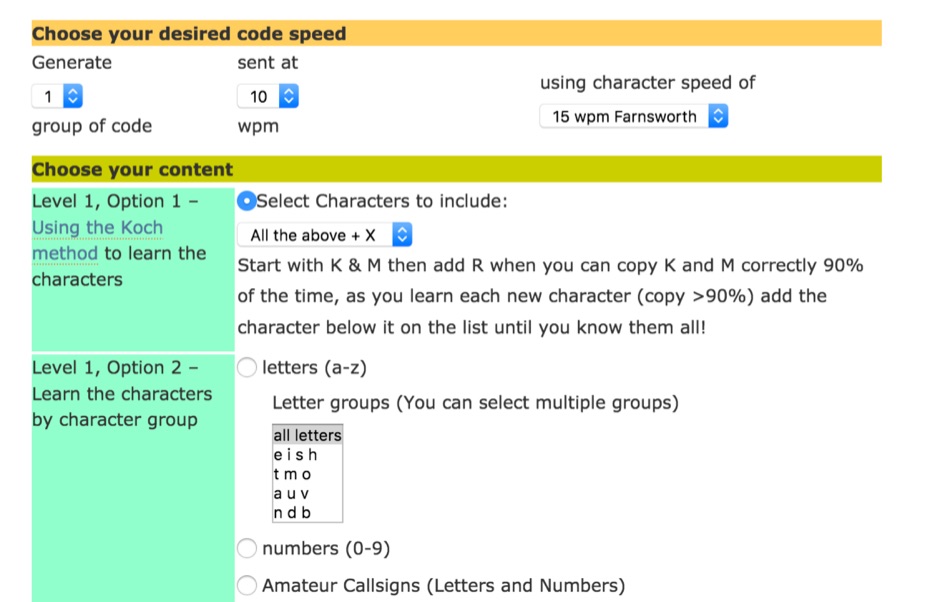 Gnerate morse code at various speeds and with lots of different types of content, everything from individual letters up to a full QSO.
 -
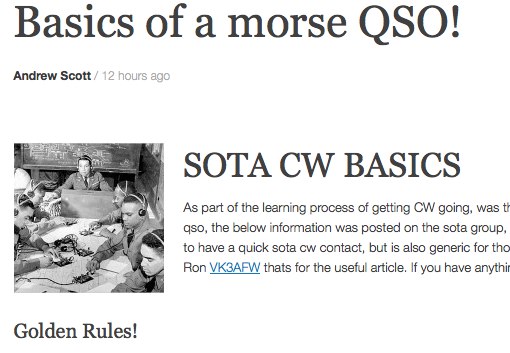 A nice guide to make basic contacts in morse code with a particular reference to SOTA operations by VK3BQ
 -
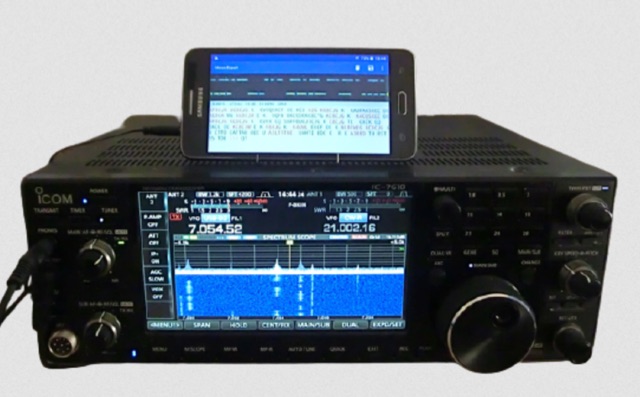 MorseExpert 1.15 decodes Morse Code audio to text, leveraging algorithms from CW Skimmer for optimal performance on weak, fading signals amidst interference on amateur radio bands. It processes audio from the device's built-in microphone or an external radio receiver via cable, optionally highlighting Ham callsigns and keywords. The application features a waterfall display with a bandwidth of 200-1200 Hz, decodes frequencies between 300-1100 Hz, and supports keying speeds from 12-45 WPM with automatic CW pitch detection. Recent updates include support for Android 15, edge-to-edge mode, improved stability, and a pause decoding button. A premium version offers an ad-free experience and user-selected text colors. Users can switch between General Text mode and Ham Radio QSO mode, which enhances word segmentation and highlights callsigns. The app also includes a frequency lock mode, text selection capabilities for copying, sharing, or saving decoded text, and provides guidance on reducing acoustic echo and constructing an audio attenuator for optimal radio interfacing.
 -
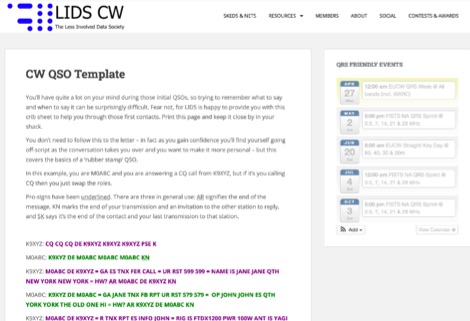 A sample morse code QSO template. In this page you can find a standard QSO message protocol between two operators.
 -
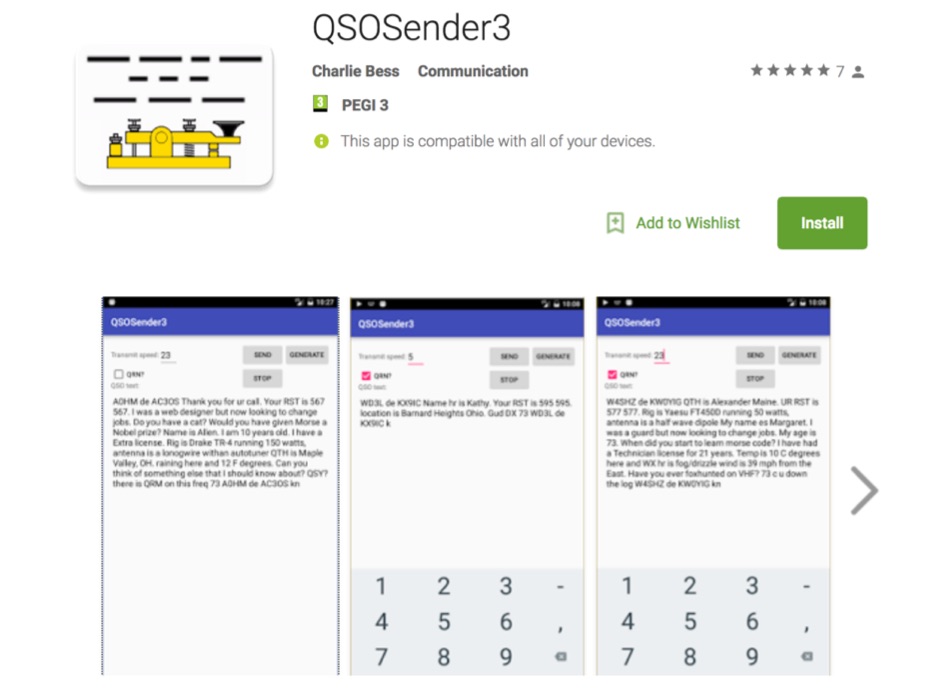 An Android based CW practice program based on simulated QSOs. The app will generate Morse code sounds from 5-50 words per minute.
 -
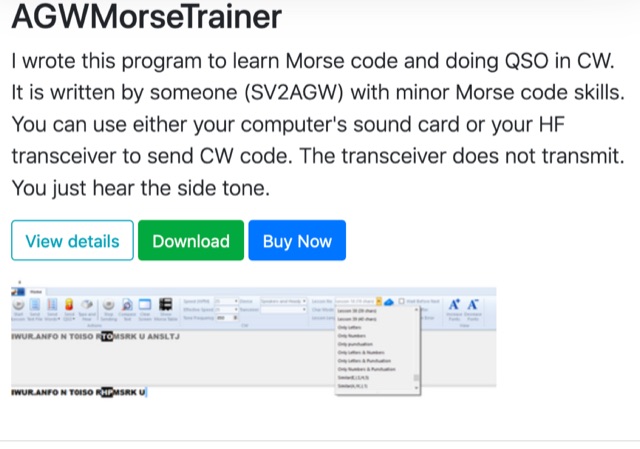 A windows program to learn Morse code and doing QSO in CW. The training course contains 39 Lessons based on Koch method. It can sends only letters, only numbers, only punctuation
 -
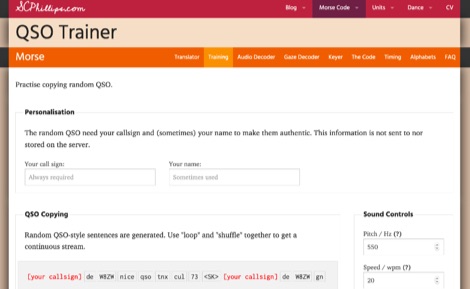 This online web application allows you to train the decoding of Morse code by copying random QSO sentences that can be looped or even mixed.
 -
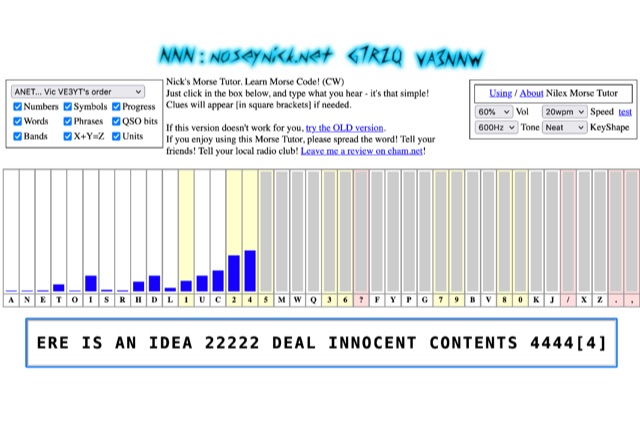 The **Nilex Morse Tutor** is an HTML5 web application designed to teach Morse code reception, adapting to user proficiency by adding new characters as readiness is detected. It prioritizes practice on less familiar letters, numbers, symbols, words, and phrases, while minimizing repetition of already mastered elements. The program offers multiple learning orders, including "Q7ZG..." (Ward/Jim's), "KMRS..." (PU5EPX/Koch), "KMUR..." (lcwo.net), "AENT..." (CWops CW Academy), "TEAN..." (Stephen C Phillips), "ANET..." (Vic VE3YT), and "ETI5..." (Ham Whisperer), alongside an alphabetical option. Users can customize the learning experience by enabling or disabling automatic progression, and selecting specific content categories such as numbers, symbols, words, phrases, QSO bits, Ham Radio Bands, X+Y=Z math, and units. Audio settings are adjustable for volume, speed (WPM), tone frequency, and keyshape/keying envelope, allowing for a personalized auditory environment. The interface provides visual feedback with blue bars indicating practice emphasis and gray bars for reserved characters, with clickable bars for manual character selection. Developed by "Nosey" Nick Waterman, VA3NNW, this tutor is based on earlier versions by Jim Wilson and a 1977 QST article. A significant October 2019 rewrite incorporated a new WebAudio sound library by AwesomeAidenW, improving offline functionality and mobile support. The content library was expanded to include 3000 top Google words, 2284+ General Service List words, ISO country codes, capital cities, US states, Canadian provinces, UK counties, common names, periodic table elements, quotes, Q-codes, electronic components, ham abbreviations, and example call signs. The software is distributed under the GNU GPL V2 license.
 -
 Notes, hints and tips on starting with morse code, how to approach learning the code, how and when to get on the air, learning and using abreviations, common Q-Codes and a sample morse code QSO.
 -
 Morse Walker is a web-based tool for amateur radio operators to practice CW skills. Inspired by Morse Runner by VE3NEA, it simulates pileup scenarios and contest formats like POTA, CWT, and SST. Modes include single-caller exchanges and basic contests, offering realistic experiences to improve speed, accuracy, and QSO handling. Ideal for contest preparation or honing activation skills, Morse Walker helps operators enhance proficiency in CW communication. Start your training today at MorseWalker.com
 -
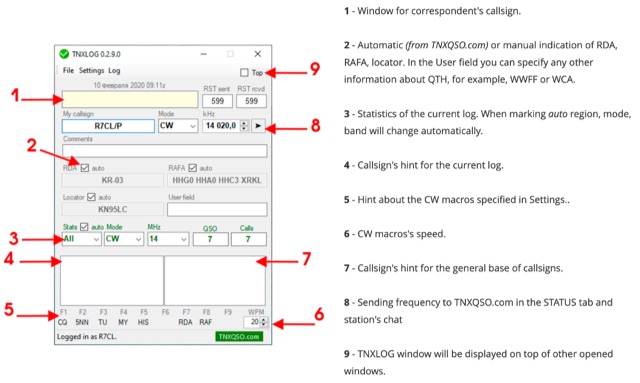 TNXLOG is a specialized logging application designed to complement the TNXQSO.com online service, focusing on real-time data exchange rather than serving as a standalone general-purpose logbook. The software facilitates the transmission of current **QSOs** to the TNXQSO.com server and simultaneously retrieves relevant geographical data such as RDA, Locator, and RAFA from the same server. It maintains real-time QSO statistics, providing operators with immediate feedback on their activity. Additionally, the application supports working with **CW macros** via a COM port, streamlining Morse code operations during contacts. This utility is specifically tailored for users of the TNXQSO.com service, enhancing their operational experience by automating data synchronization and providing instant access to location-specific information. Its design prioritizes integration with the online platform, making it a companion tool for those engaged in specific award programs or regional operating activities that benefit from real-time data exchange and statistics. The software's functionality is distinct from traditional logbook programs, emphasizing its role in a connected operating environment.
 -
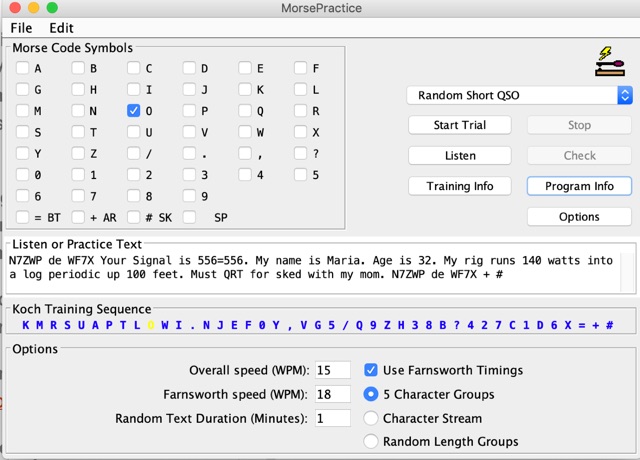 MorsePractice is a Java application originally written by Martin Minow (K6MAM) as an aid to learning Morse code. With morse practice you can select the digits you want the app to be transmitted. Additionally can be selected a random phrase, or random QSO.
 -
 CWoip (CW over internet protocol) Full Duplex morse code audio with high fidelity sound. Allow to conduct morse code CW over the internet. Fast, Full Break-in Qsk, due to low latency, free software. With the ability to conduct an audio CW QSO between 2 to 100 iCW OPS