Search results
Query: paper logs
Links: 3 | Categories: 1
Categories
-
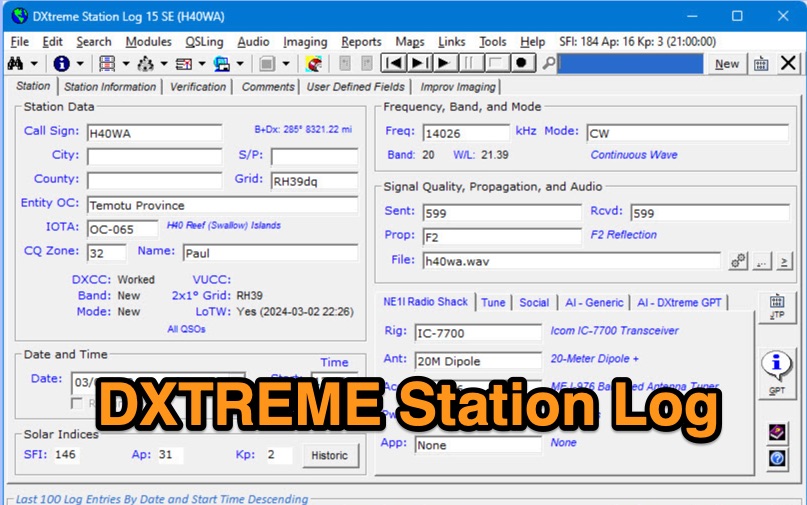 DXtreme Station Log 15 SE provides comprehensive logging functionalities for Amateur Radio operators, featuring robust _Logbook of the World_ (LoTW) support for automatic uploads, QSO record status capture, and QSL processing. The software integrates with _Afreet Omni-Rig_ for rig control and offers worked-before notifications for _WSJT-X_ and JTDX, streamlining digital mode operations. Its DX Spot Checker queries servers to indicate DXCC/VUCC status based on the user's database, utilizing Rich Site Feed or Grid Feed options. Key features include Improv Imaging and QSL Imaging for managing screenshots, documents, and QSLs, alongside Performance Reports for tracking station activity. The application incorporates AI functionalities, such as a Generic AI feature and a dedicated DXtreme GPT for specific instructions. DXtreme Interchange facilitates digitizing paper logbooks into ADIF-based project files, enabling rapid data entry and automatic field population. DXtreme Monitor Log 14, designed for radio monitoring, logs stations across the spectrum, including a Schedule Checker for broadcast stations from Aoki, EiBi, and FCC AM sites. It integrates with Afreet Band Master to identify needed Amateur Radio entities and supports reception report creation for QSLs.
 -
 Managing extensive amateur radio contact logs efficiently requires specialized software that integrates various operational aspects. Aether provides a macOS-native logging solution, designed from the ground up using Apple's Cocoa, to streamline QSO entry, organization, and retrieval for Mac users. It supports modern macOS technologies and offers an intuitive interface, aligning with the user experience expected on Apple platforms. The application includes features such as automatic dupe checking, which quickly identifies previous contacts with a station, and awards tracking, indicating if a new contact is needed for specific operating awards. Aether also integrates rig control via RS-232, automatically populating frequency, mode, and power data from supported Elecraft, Icom, Kenwood, Yaesu, and some TEN-TEC transceivers. This automation reduces manual entry errors and speeds up the logging process. Furthermore, Aether offers comprehensive QSL management, including synchronization with eQSL.cc and Logbook of The World, and the ability to print QSO detail and address labels for paper QSLs. It also incorporates automatic callbook lookup from sources like QRZ.com and HamQTH.com, and calculates distance and beam heading, with Google Maps integration for visualizing contact locations. Full ADIF and Cabrillo import/export capabilities ensure compatibility with other logging software and contest submission platforms.
 -
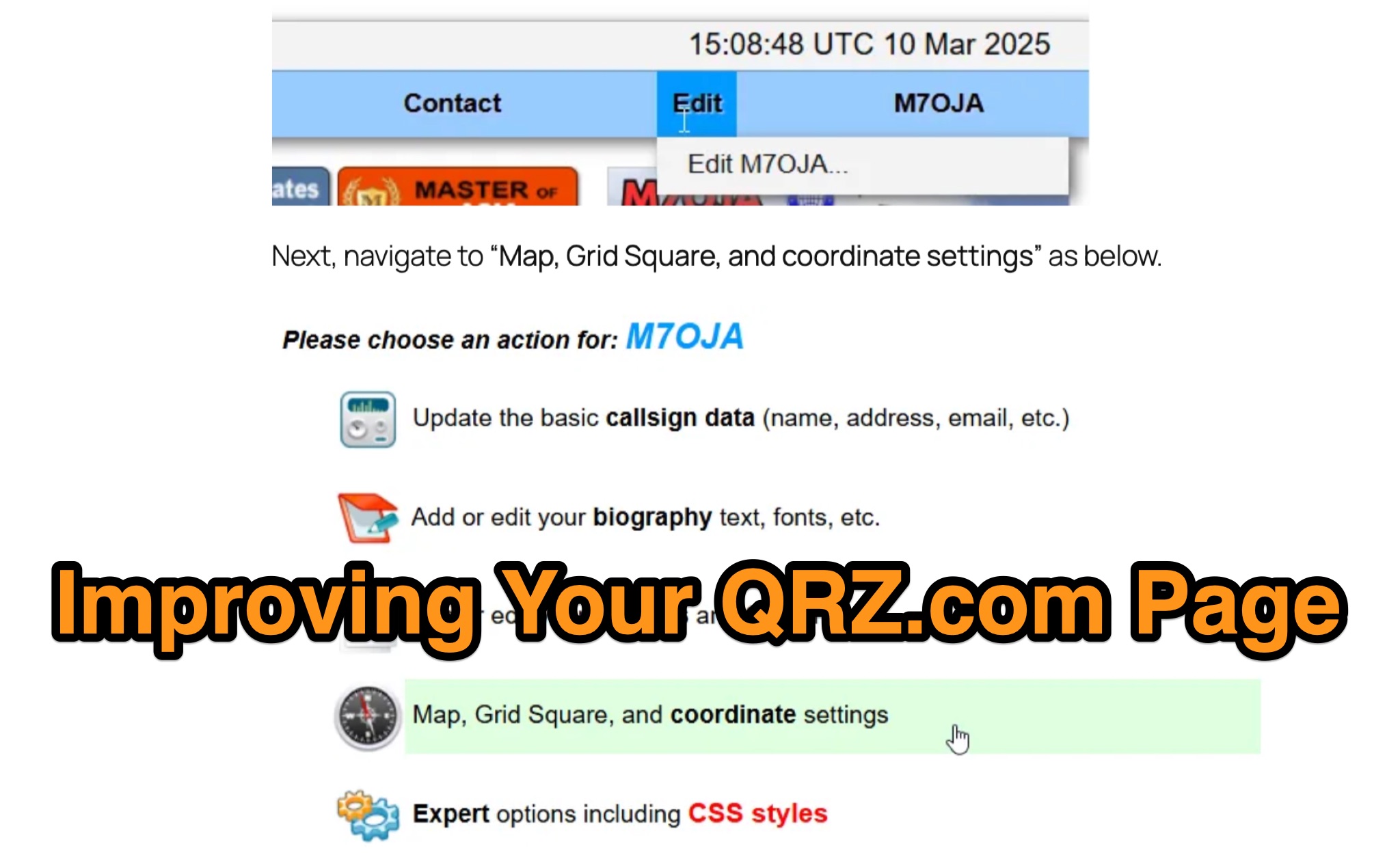 Optimizing a QRZ.com page involves adding essential callsign data, ensuring correct _Maidenhead Gridsquare_ and DXCC information in the Detail tab, and populating the Biography section with relevant station details. Operators should include their operating conditions, specific country references like WAB square, club affiliations, and detailed QSL information, specifying preferences for electronic confirmations (e.g., _LoTW_, Clublog) and paper QSLs (direct, bureau, SASE). The guide emphasizes the importance of accurate data for electronic logging software integration, which fetches Gridsquare, DXCC, and CQ/ITU zones to populate contact logs correctly. Further enhancements include leveraging the QRZ.com photo gallery for images and setting a primary image that logging software like _Log4OM_ can display. Advanced customization involves embedding external services via HTML source code. Examples include integrating HamAlert for DX Cluster spots, Clublog for log searches and Online QSL Requesting (OQRS), and Parks on the Air (POTA) statistics widgets from WD4DAN. Additionally, live weather information from Weather&Radar and solar data banners from HamQSL can be embedded, providing real-time environmental context for visitors to the QRZ page. These embedded tools require creating accounts on respective platforms and often involve copying specific source code snippets into the QRZ biography's HTML editor, ensuring callsign placeholders are updated.