Search results
Query: label printer
Links: 3 | Categories: 0
-
 Home of the ultimate Ham Radio QSL Label Program! Quick QSL for DOS, featuring great color, dot matrix, laser, and inkjet printer support, a user-friendly interface,
 -
 LOGvrr, a **freeware logging software** developed by IN3VRR, provides amateur radio operators with essential tools for managing their contacts. The resource details various downloadable components, including the core LOGvrr application, an international callbook with approximately 1.8 million callsigns, and utility programs for installation and data conversion. It supports functionalities like logging QSOs, managing awards, and interfacing with PacketCluster systems, with specific instructions for installation on Windows operating systems, including compatibility notes for Windows 10 and 11 using Hyper-V or DOSBOX. The site also offers external tools and documentation, such as the FAQ_VRR.PDF manual which covers installation, printer configuration, ADIF conversion, and Packet setup. It references third-party software like Mercurio and BV QSL Management for QSL printing, and ADIF2QSL for label printing, highlighting LOGvrr's ability to export QSOs in **ADIF format** for integration with services like LoTW. The resource includes historical updates, with the latest core component update in August 2014, and notes on the CallBook's maintenance up to 2015.
 -
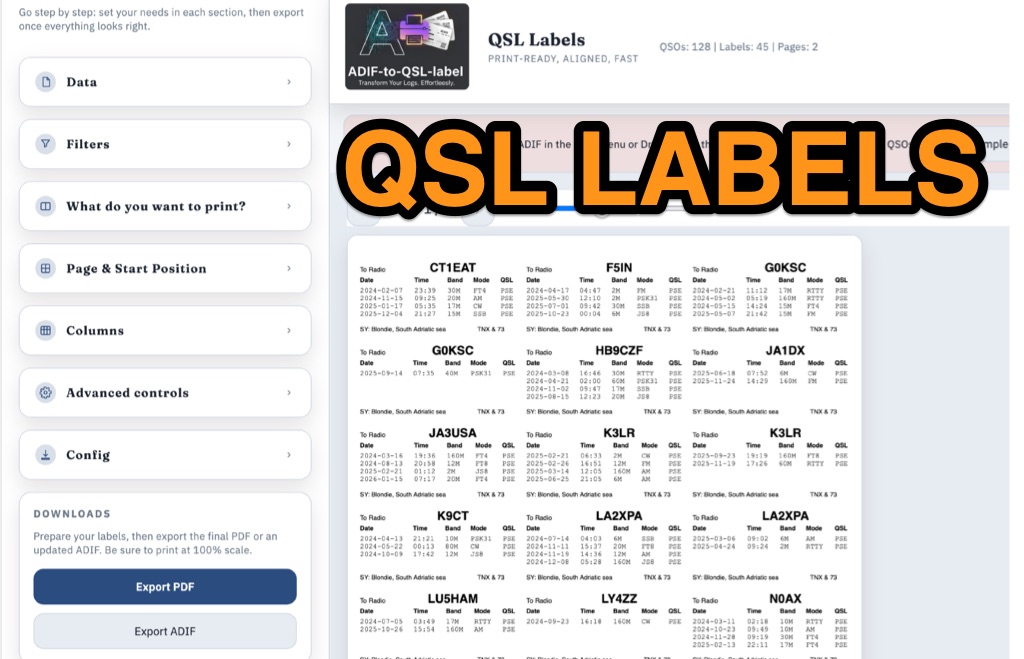 ADIF-to-QSL-label is a GitHub utility designed to generate print-ready PDF QSL labels from ADIF log files. Optimized for the Avery Zweckform 3664 format (A4, 3×8 grid), the tool accommodates up to four QSOs per label. While an HTML version is suggested, the Python script provides extensive customization via the reportlab library. Users can precisely calibrate the layout through single-point configuration, adjusting page margins, global X/Y offsets, and specific column or row nudges. Key features include dynamic column sizing, support for any ADIF field (such as RST or Mode), and debugging tools that print outlines and guides for alignment testing. Configuration is managed via the script, YAML files, or CLI arguments, requiring "Actual size" (100%) printer settings for accuracy.