Getting Started with Packet Radio: A Beginner's Guide
Learn the fundamentals of packet radio operation, from basic concepts to setting up your station and making your first connections.

Packet radio offers hams a way to exchange digital data over radio, much like sending emails or text messages, but using amateur radio frequencies. Its a robust digital mode for passing information, especially useful for emergency communications, DX spotting, and general message handling. Operators use TNCs (Terminal Node Controllers) or sound card interfaces to connect their transceivers to computers, enabling reliable data transfer even under challenging band conditions.
New operators can find detailed tutorials covering the basics of packet radio, from setting up equipment to understanding common commands. Resources explain how to use software like AGWPE for sound card packet, turning a PC into a TNC, or how to configure Direwolf on Linux for HF packet operations. Many guides also introduce the use of packet radio for accessing DX clusters, allowing hams to spot rare DX stations and share information about propagation.
-
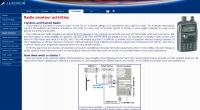 Introduction to the use of clusters and Packet Radio, hardware, settings and commands by ON4SKY
 -
 Eighteen-part tutorial on packet radio in HTML and ASCII format from Larry Kenney, WB9LOZ
 -
 A well done introduction to Packet Radio by WB9LOZ
 -
 Reference Manual developed by the Ventura County ARES AREA 6 Training Group
 -
 The Packet Radio beginners guide to packet radio operating by Buck Rogers K4ABT
 -
 This article provides an overview of setup Direwolf and QtTermTCP for HF packet radio operations. It covers important tasks such as setting up a Direwolf TNC, connecting with stations, and engaging in packet-based chat (K2K). It also looks at how to use nodes as relays and access basic BBS services. The paper also includes HF packet network etiquette recommendations and a description of how to handle common packet transmission issues, making it a useful resource for amateur radio enthusiasts.
 -
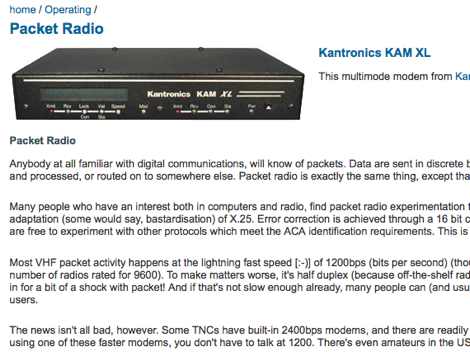 Introduction to packet radio and answers to common questions about this digital mode and about services you can use by VKFAQ
 -
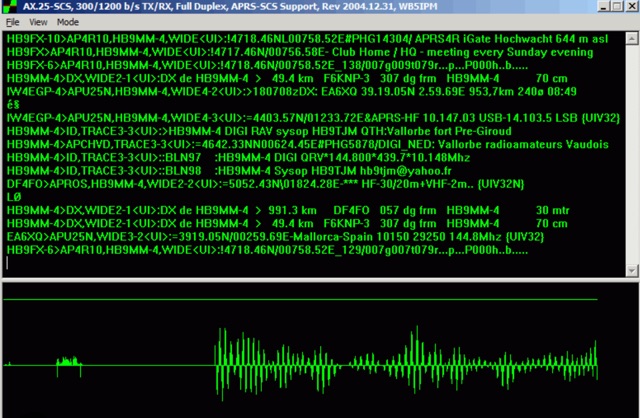 This amateur radio website explains how to use the free AGWPE utility program to send and receive packet data using the sound card of your PC. Note that AGWPE is a Windows-only program. This website, which is hosted on SV2AGW's web site, focuses on support for the sound card packet features of AGWPE.