Search results
Query: FT8
Links: 204 | Categories: 2
Categories
-
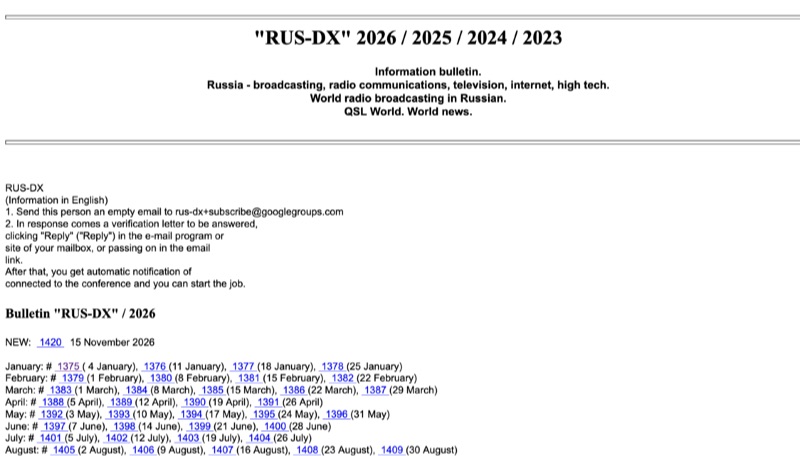 Accessing the RUS-DX PLUS Bulletin reveals a landing page that serves as a gateway to both Russian and English versions of the bulletin. This resource primarily functions as a newsletter, disseminating updates relevant to the amateur radio community. It focuses on general ham radio topics and DX-related activities, rather than specific technical measurements, equipment modifications, or detailed schematics. The content is presented in a textual format, offering news and announcements without performance data or software downloads. The bulletin acts as a communication channel for general amateur radio interest, without specifying particular operating modes like **FT8** or **CW**, or frequency bands such as 20 meters or 40 meters. The information is structured as a collection of articles or announcements, providing a concise overview of current events and interests within the ham radio world.
-
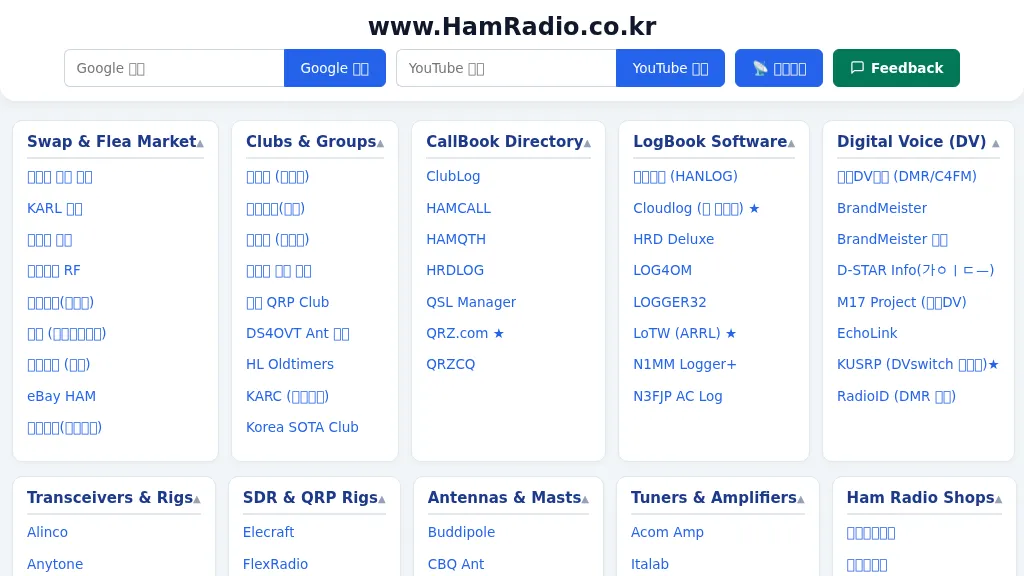 The HamRadio.co.kr portal, maintained by HL3LFB, serves as a comprehensive link directory for amateur radio operators, primarily in South Korea. It categorizes external resources covering a wide array of technical subjects, including SDR and QRP rigs like uBITX and Hermes-Lite 2+, antenna designs from CBQ Ant and JK Antennas, and tuner/amplifier manufacturers such as Acom and LDG. The site also provides links to digital mode software like WSJT-X for FT8/FT4, MMSSTV, and MMTTY, alongside resources for CW operation, electronic components from Digi-Key, and various homebrew project sites like AA5TB Projects and Hans Summers Lab. Practical applications are supported through links to antenna and RF calculation tools, including SimSmith for Smith charts, Coil64 for coil calculations, and calculators for HB9CV, J-Pole, and Magnetic Loop antennas. The portal facilitates operating activities by linking to DX clusters (DX Heat, DX SUMMIT), propagation beacons (IARU HF Beacon, NCDXF Beacon), and award programs like POTA, SOTA, IOTA, and WCA/COTA. It also includes references to official organizations such as KARL and ARRL, QSL managers like LoTW and Cloudlog, and various online marketplaces for ham gear.
-
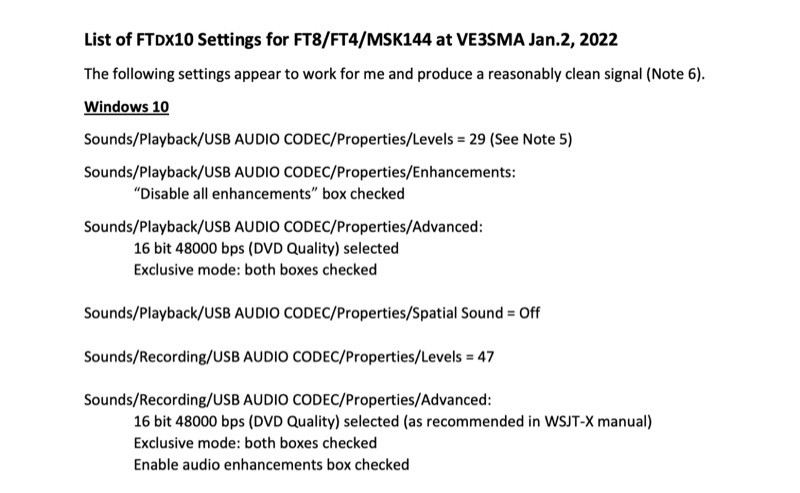 Configuring a Yaesu FTDX10 transceiver for digital modes like FT8, FT4, and MSK144 requires precise adjustments across both the operating system and the digital mode software. This resource details specific Windows 10 audio codec settings, including playback levels at 29 and recording levels at 47, along with advanced 16-bit 48000 bps (DVD Quality) selections for optimal signal fidelity. It also specifies checking the "Disable all enhancements" box for playback and enabling audio enhancements for recording. The document outlines critical WSJT-X v.2.5.1 parameters, such as setting the Rig to FTDX-10, a 1-second poll interval, and a 38400 baud rate for CAT control. The PTT method is configured to RTS, with Split Operation set to "Fake It" or "None." Audio input and output are directed to the USB AUDIO CODEC, with a recommended WSJT-X Pwr Slider setting of -32.0 dB, adjusted to ensure ALC meter readings remain within the white segment on the FTDX10. Transceiver-specific settings include a CAT RATE of 38400 bps, AMC RELEASE TIME set to MID, and DATA SHIFT (SSB) at 1500 Hz. The RPORT GAIN is specified at 70, with notes suggesting lower values (e.g., 30) can also yield clean signals. Transmit bandwidth selection is discussed, recommending 50-3050Hz for wideband modes like MSK144, while suggesting 400-2600Hz for FT4/FT8 to mitigate second harmonics and improve signal purity. The guide also references discussions with W5AJ, DO1YHD, AC6BW, and W9RTB.
-
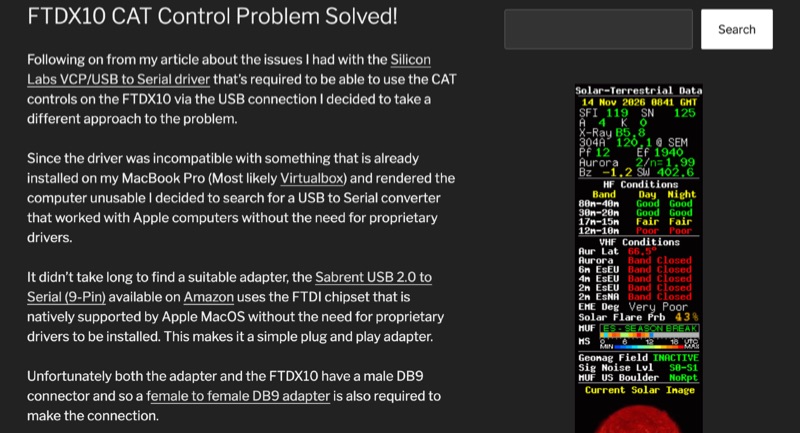 The Yaesu FTDX10 transceiver, a popular HF/50 MHz rig, often presents CAT control challenges on macOS systems due to driver incompatibilities. This resource addresses a specific issue encountered with Silicon Labs VCP/USB to Serial drivers causing system instability on a MacBook Pro running macOS 11.6.2 (Big Sur). The author details a robust solution involving a Sabrent USB 2.0 to Serial (9-Pin) adapter, which incorporates an FTDI chipset, ensuring native driver support within the macOS environment. This setup facilitates direct control of the FTDX10 without requiring proprietary driver installations. Configuration specifics include connecting the Sabrent adapter to the FTDX10 via a female-to-female DB9 adapter, setting the RS232 port to 38400 baud on both the radio and the WSJT-X software. For digital mode audio routing, a standard USB lead connects the FTDX10 directly to a second USB port on the MacBook, leveraging the transceiver's integrated sound card, which macOS natively recognizes. This dual-USB approach separates CAT control from audio I/O. The methodology was successfully validated through FT8 operation on the 30-meter band, confirming stable CAT communication and proper audio interfacing. This guide provides a practical workaround for macOS users seeking reliable digital mode operation with their FTDX10, avoiding common driver-related frustrations.