Search results
Query: online renewal
Links: 3 | Categories: 0
-
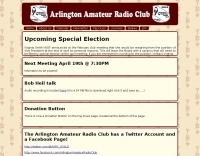 The **Arlington Amateur Radio Club** (K5SLD) website details club activities, including a weekly Taco Tuesday net on their 147.140 MHz repeater with a 110.9 Hz PL tone. The club, organized in July 1955 by 22 hams, also hosts monthly dining events and promotes Community Emergency Response Team (CERT) training through the Arlington Fire Department. Membership renewal information for 2026 dues is prominently featured, with an online payment option and a donation button available on the "Pay Dues" page. Club communications extend to a dedicated Facebook page for members and the wider amateur radio community. The site lists upcoming contests and encourages participation in local events. The 2-meter repeater net is open to all, fostering local camaraderie and technical exchange among hams in the Arlington, Texas area, regardless of club affiliation.
 -
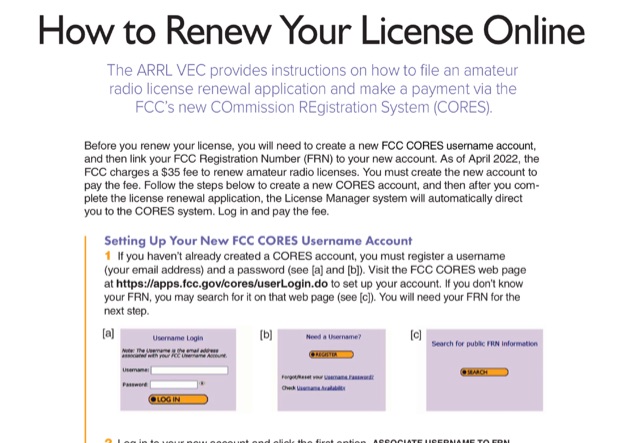 This document provides a comprehensive guide on renewing an US amateur radio license through the Federal Communications Commission (FCC) using the new COmmission REgistration System (CORES). Published on QST October 23, it outlines the necessary steps for creating a CORES account, associating it with a Federal Registration Number (FRN), and completing the renewal application. Key points include the requirement of a $35 fee for the renewal process, which must be paid online after the application is submitted. The guide emphasizes the importance of logging into the FCC License Manager system during the renewal window and provides instructions on how to navigate the renewal process, including obtaining confirmation and access to the renewed license. Additionally, it offers contact information for FCC support and links to further resources for assistance.
 -
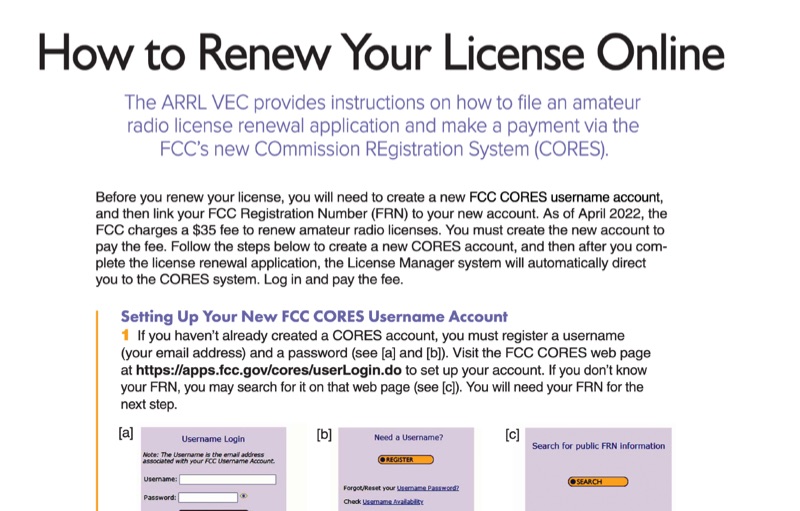 This resource provides a procedural guide for renewing an amateur radio license online through the FCC's COmmission REgistration System (CORES) and Universal Licensing System (ULS). It details the steps for creating a new FCC CORES username account, linking an FCC Registration Number (FRN) to the account, and managing FRN passwords. The document outlines the process for submitting a renewal application via the FCC ULS License Manager system, including payment of the **$35** renewal fee. Instructions cover license renewal eligibility within **90 days** before expiration and during the 2-year grace period post-expiration. The guide specifies the use of the FCC CORES web page at `https://apps.fcc.gov/cores/userLogin.do` for account setup and the FCC ULS License Manager system at `https://wireless2.fcc.gov/UlsEntry/licManager/login.jsp` for application submission. The process concludes with receiving an email from the FCC containing a link to the official license, valid for 30 days.