Search results
Query: transceiver configuration
Links: 54 | Categories: 2
-
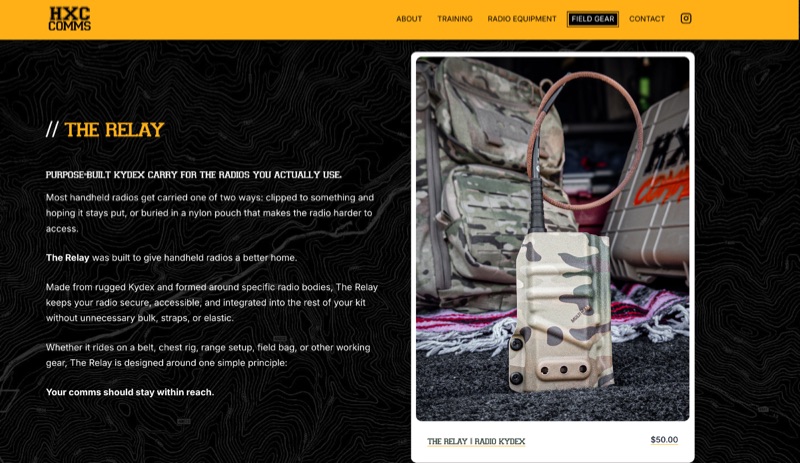 The Relay, a Kydex carry solution, addresses the common issue of securing handheld transceivers effectively in the field. Many operators struggle with radios clipped precariously or buried in bulky nylon pouches, hindering quick access. This product provides a dedicated, molded Kydex holster for specific radio platforms, ensuring positive retention, fast access, and reduced bulk compared to traditional universal pouches. It integrates the radio into an operator's kit, whether on a belt, chest rig, or field bag, making it a reliable component of mission-critical gear. Each version of The Relay is precisely molded around a specific radio body, including the **BTECH UV-Pro**, VGC/VERO VR-N76, Radioddity GA-5WB, and **Baofeng UV-5R** (standard battery). This precision molding ensures optimal fit, retention, and accessibility, contrasting with generic, one-size-fits-most solutions. The Kydex material offers durability, resistance to water absorption, and maintains its shape in demanding environments, providing repeatable placement for the radio. Operators can customize The Relay with various Kydex colors, textures, and patterns, along with multiple attachment options to suit individual kit configurations. However, it's important to note that the UV-Pro platform configuration covers the K1-style PTT accessory port, making it incompatible with K1-connected speaker microphones or headsets while the radio is holstered.
-
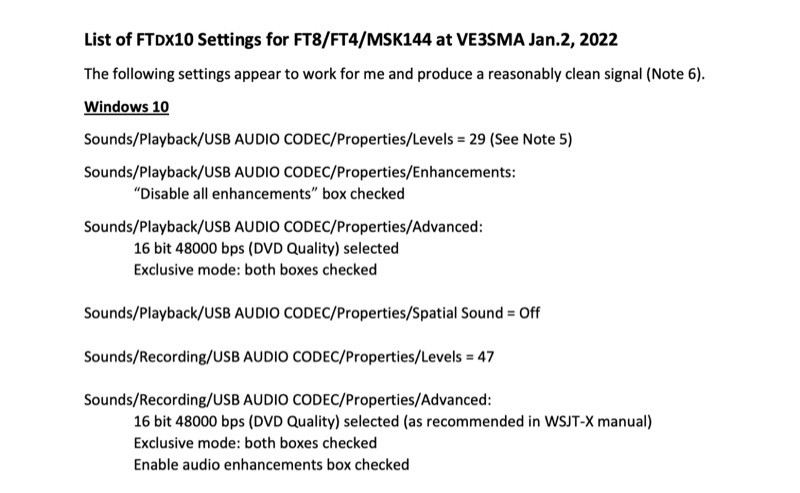 Configuring a Yaesu FTDX10 transceiver for digital modes like FT8, FT4, and MSK144 requires precise adjustments across both the operating system and the digital mode software. This resource details specific Windows 10 audio codec settings, including playback levels at 29 and recording levels at 47, along with advanced 16-bit 48000 bps (DVD Quality) selections for optimal signal fidelity. It also specifies checking the "Disable all enhancements" box for playback and enabling audio enhancements for recording. The document outlines critical WSJT-X v.2.5.1 parameters, such as setting the Rig to FTDX-10, a 1-second poll interval, and a 38400 baud rate for CAT control. The PTT method is configured to RTS, with Split Operation set to "Fake It" or "None." Audio input and output are directed to the USB AUDIO CODEC, with a recommended WSJT-X Pwr Slider setting of -32.0 dB, adjusted to ensure ALC meter readings remain within the white segment on the FTDX10. Transceiver-specific settings include a CAT RATE of 38400 bps, AMC RELEASE TIME set to MID, and DATA SHIFT (SSB) at 1500 Hz. The RPORT GAIN is specified at 70, with notes suggesting lower values (e.g., 30) can also yield clean signals. Transmit bandwidth selection is discussed, recommending 50-3050Hz for wideband modes like MSK144, while suggesting 400-2600Hz for FT4/FT8 to mitigate second harmonics and improve signal purity. The guide also references discussions with W5AJ, DO1YHD, AC6BW, and W9RTB.
-
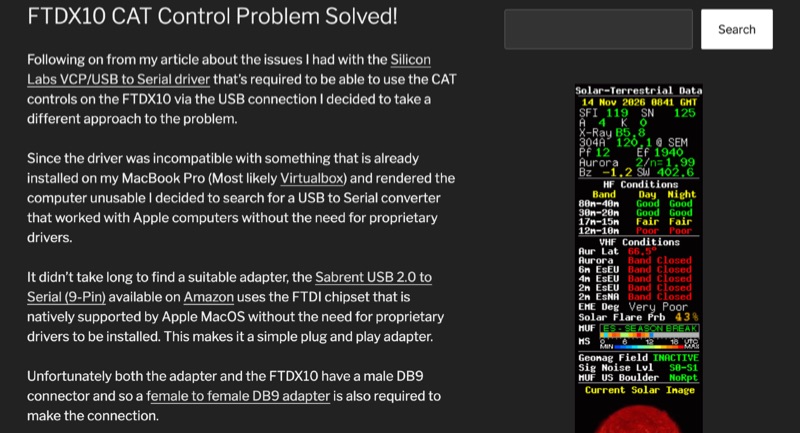 The Yaesu FTDX10 transceiver, a popular HF/50 MHz rig, often presents CAT control challenges on macOS systems due to driver incompatibilities. This resource addresses a specific issue encountered with Silicon Labs VCP/USB to Serial drivers causing system instability on a MacBook Pro running macOS 11.6.2 (Big Sur). The author details a robust solution involving a Sabrent USB 2.0 to Serial (9-Pin) adapter, which incorporates an FTDI chipset, ensuring native driver support within the macOS environment. This setup facilitates direct control of the FTDX10 without requiring proprietary driver installations. Configuration specifics include connecting the Sabrent adapter to the FTDX10 via a female-to-female DB9 adapter, setting the RS232 port to 38400 baud on both the radio and the WSJT-X software. For digital mode audio routing, a standard USB lead connects the FTDX10 directly to a second USB port on the MacBook, leveraging the transceiver's integrated sound card, which macOS natively recognizes. This dual-USB approach separates CAT control from audio I/O. The methodology was successfully validated through FT8 operation on the 30-meter band, confirming stable CAT communication and proper audio interfacing. This guide provides a practical workaround for macOS users seeking reliable digital mode operation with their FTDX10, avoiding common driver-related frustrations.
-
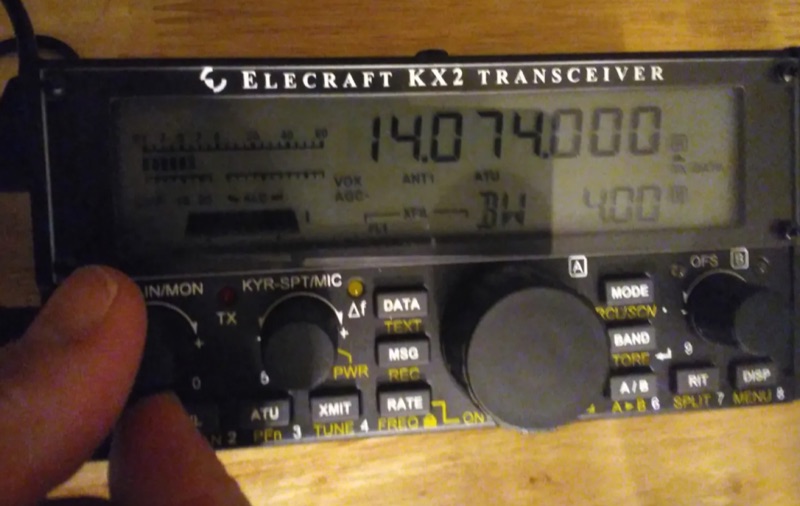 Approximately 15 watts of RF output can be achieved by carefully adjusting the **Elecraft KX2** transceiver's settings for digital mode operation with **WSJT-X**. This configuration guide focuses on direct integration with a Windows 10 laptop, eliminating the need for an external soundcard. It details the precise menu settings within the KX2, such as Menu 38 (DATA A), Menu 39 (DATA B), and Menu 40 (DATA C), which control audio input, output, and data mode activation, respectively. The process also covers critical adjustments within WSJT-X, including selecting the correct audio input/output devices and configuring the CAT control interface for the KX2. Successful setup involves verifying proper transmit power on the KX2's RF meter and troubleshooting common issues like incorrect SSB transmission settings. The guide emphasizes using the KX2's internal soundcard capabilities, leveraging its USB interface for audio and CAT control. Specific attention is given to ensuring the KX2's internal soundcard is recognized and properly selected within Windows 10 sound settings and WSJT-X. This methodology enables operators to establish a functional FT8 station with minimal external hardware, streamlining the setup for portable or QRP operations. It provides step-by-step instructions for both radio and software adjustments, ensuring reliable digital mode communication.