Search results
Query: usb
Links: 162 | Categories: 0
-
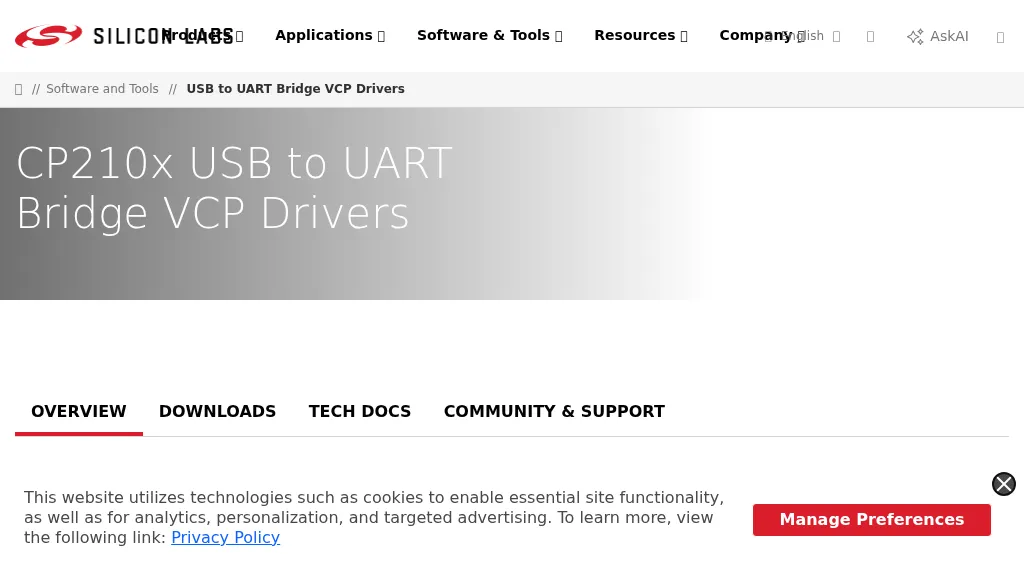 Details the Virtual COM Port (VCP) drivers for Silicon Labs CP210x USB to UART Bridge devices, which are crucial for establishing serial communication between a host system and CP210x-based hardware. It covers driver availability for Windows, macOS, Linux, and Android, highlighting the necessity of these drivers for operating CP210x products as a virtual COM port. The resource also mentions the option for direct access drivers and references _Application Note 197_ for comprehensive serial communication guidance. The page specifies that the CP210x Manufacturing DLL and Runtime DLL have been updated, requiring their use with v6.0 and later of the Windows VCP Driver, impacting specific application note software downloads like AN144SW.zip. It notes that Linux 3.x.x and 4.x.x driver versions are maintained within the _Linux kernel tree_ at www.kernel.org, ensuring ongoing support. Legacy OS software is also provided for users requiring support for 5.x drivers, ensuring broad compatibility.
-
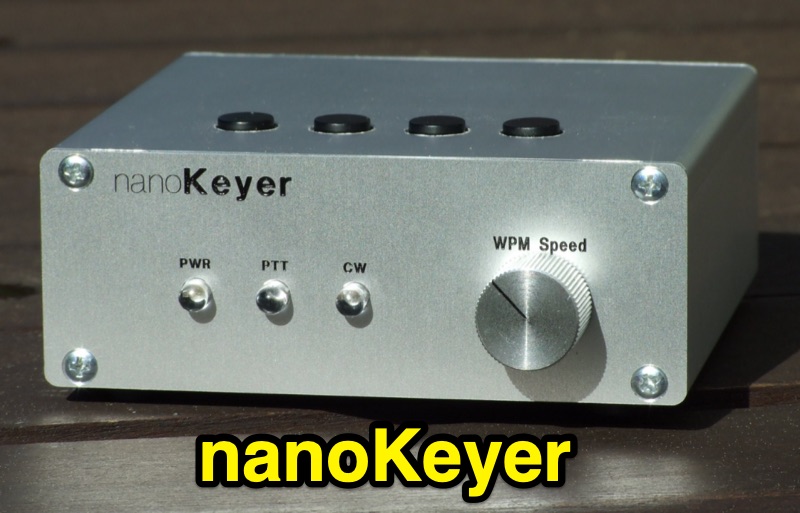 The _nanoKeyer_ is an Arduino Nano-based CW contest keyer, specifically designed for use with the _K3NG Arduino keyer_ open-source firmware. It supports CW speeds from 1 to 999 WPM and emulates the _K1EL Winkeyer_ interface protocol, making it compatible with major logging applications such as N1MM and HRD via its USB port. The device also features SO2R compatibility through K1EL Winkeyer 2 protocol emulation. Keyer functionalities include a command mode for settings adjustment, up to 12 memories with macro and serial number support, QRSS and HSCW modes, and Iambic A and B, Ultimatic, and Bug keying. It also offers Farnsworth Timing, Autospace, Wordspace Adjustment, Keying Compensation, Dah to Dit Ratio, and Weighting adjustment, with most settings stored in non-volatile memory. The nanoKeyer includes one optically isolated radio port for PTT and CW keying, a standard 6.3mm stereo jack for paddle connection, and a mini DIN jack for a PS2 keyboard for computerless operation. It can be powered via USB or an external battery/power supply.
-
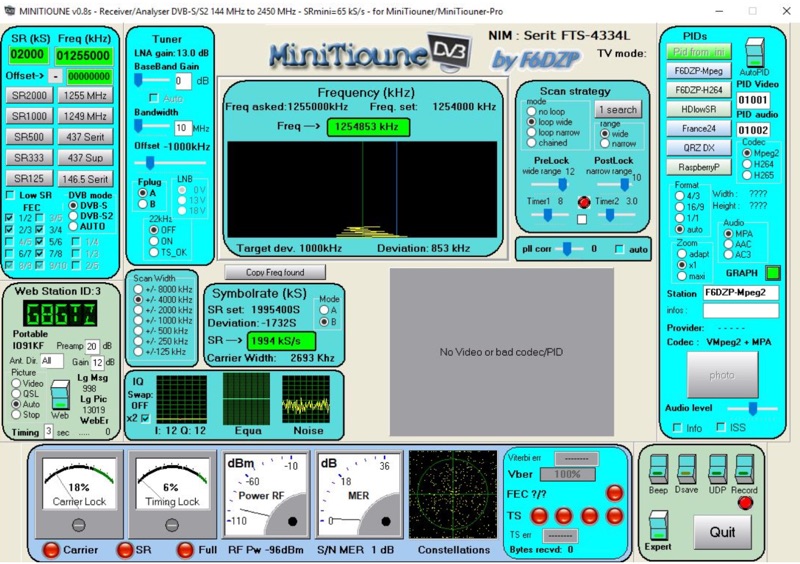 Receiving Digital Amateur Television (DATV) signals requires specialized software to interface with hardware tuners and decode the video stream. The _MiniTioune_ software, developed by F6DZP, serves this purpose, providing a Windows-based application for DVB-S and DVB-S2 reception and analysis. It is designed to work in conjunction with _MiniTiouner_ hardware, enabling hams to monitor DATV transmissions, including those from the QO-100 geostationary satellite. The resource outlines the initial setup process, including connecting the MiniTiouner hardware via a high-quality USB2 mini cable and running diagnostic test software. It details how to configure essential parameters such as symbol rate (SR), FEC rate, and DVB mode for various signal sources, from domestic satellite dishes to local DATV transmitters. Troubleshooting steps for common issues like "no video displayed" are also provided, often pointing to corrupted software filters or incorrect _Auto PID_ settings. Advanced features like the Web monitor for remote signal reporting and integration with _VLC_ media player for more tolerant decoding of non-DVB compliant signals are covered. The document also references a comprehensive user guide by W6HHC for the _MiniTiouner-Express_ system, which utilizes the same software, offering further in-depth assistance for operators.
-
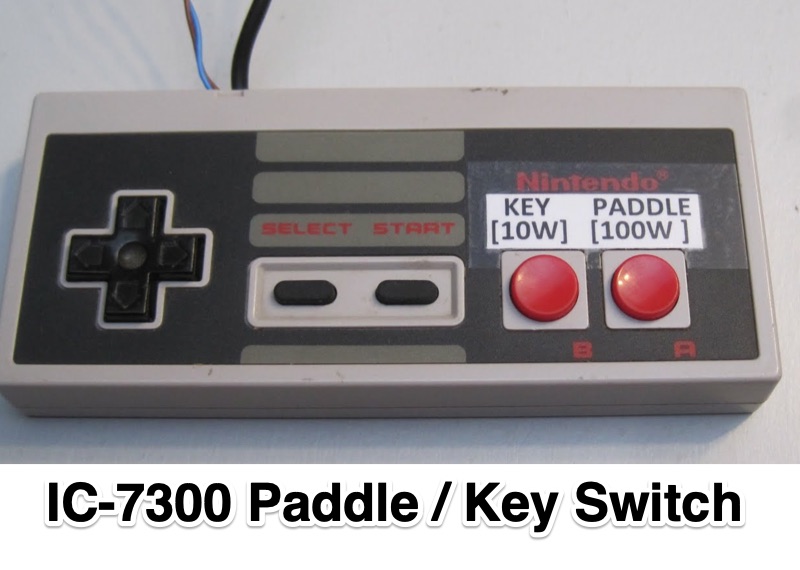 Demonstrates an **Arduino-based** solution for the Icom IC-7300 transceiver, specifically addressing the operational inconvenience of switching between a CW paddle and a straight key. The project leverages the IC-7300's **CI-V bus** (Computer Interface 5) to provide instant keyer type selection and two preset power levels, bypassing the rig's menu system which otherwise requires eight button presses. This implementation utilizes the 3.5mm CI-V connector, leaving the USB port free for CAT control and the internal soundcard, a critical design choice for integrated station setups. The system's utility is particularly evident for CW operators who frequently alternate between keying methods during contesting or general operating. The article details the hardware setup, including an Arduino Nano, a 3.5mm jack for CI-V, and pushbuttons for control. An update in 2023 expanded the project to incorporate an 8-button Nintendo controller, enhancing user interface flexibility and demonstrating the adaptability of the initial design for further customization and feature integration.
-
 The Yaesu FTDX-10 transceiver requires specific configuration adjustments to achieve seamless interoperability with WSJT-X for FT8 digital mode operation. As KI5GFU discovered, the out-of-the-box settings, even when migrating from a Yaesu FT-991 setup, do not immediately provide full functionality, necessitating careful modification of both the radio and the software parameters. Key FTDX-10 adjustments include setting the mode to DATA-U, optimizing attenuator, preamp, roof filter, and AGC. Further modifications involve factory 'REAR SELECT', 'RPORT GAIN', and 'RPTT SELECT' settings, alongside fine-tuning 'LCUT FREQ', 'LCUT SLOPE', 'HCUT FREQ', and 'DATA SHIFT (SSB)' values to enhance signal quality, a point often highlighted by experienced operators. For WSJT-X, the setup involves selecting the FTDX-10 radio model, configuring the serial port to a virtual port like cu.SLAB_USBtoURAT with a baud rate of 38400, eight data bits, two stop bits, and no handshake. PTT method is set to CAT, mode to Data/Pkt, and appropriate USB Audio CODEC drivers, such as Silicon Labs (SLAB) on a MacBook Pro, are selected for audio input and output.
-
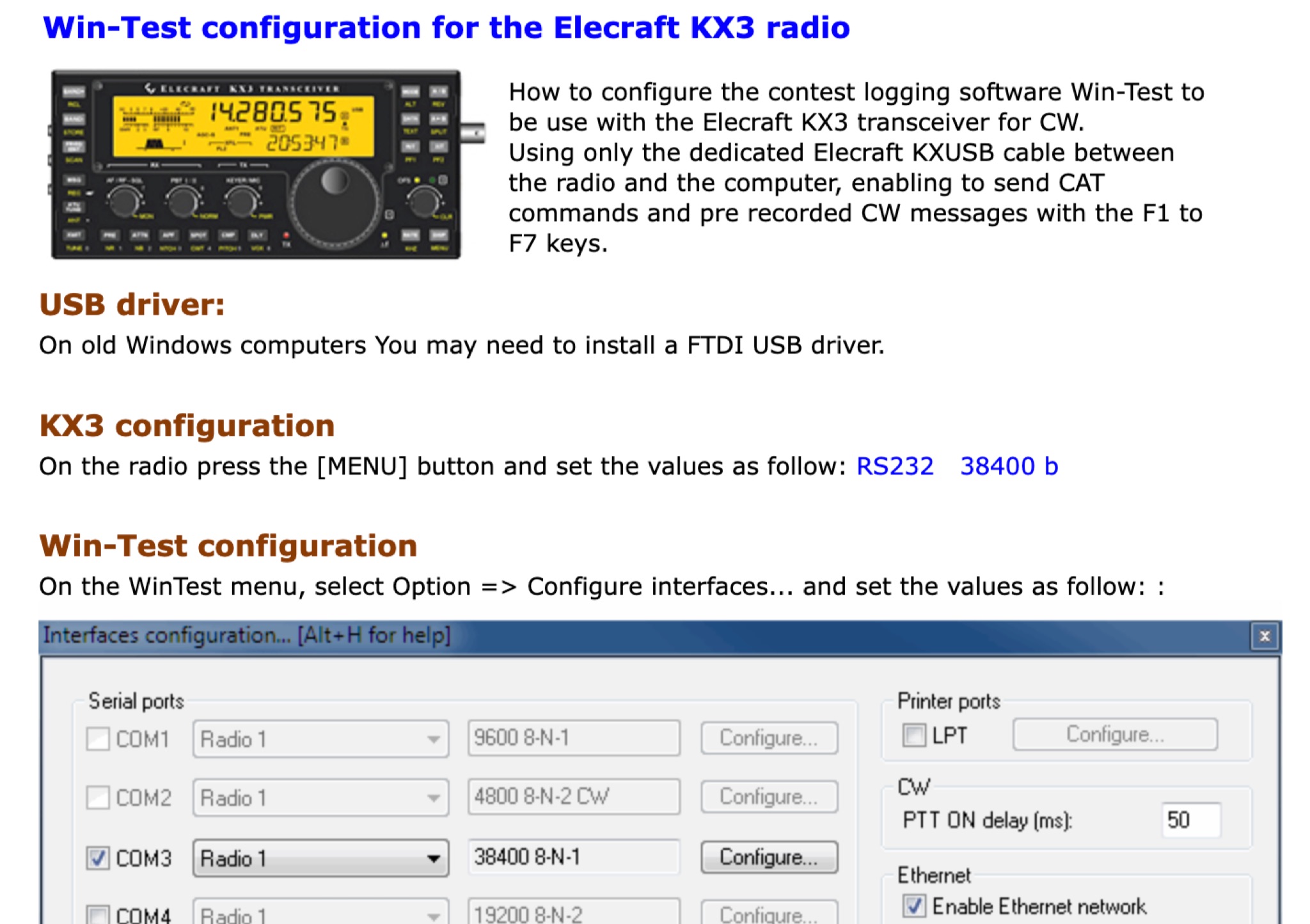 This page provides a detailed instructions on how to setup the KX3 transceiver with the Win-Test software. How to configure the contest logging software Win-Test to be use with the Elecraft KX3 transceiver for CW. Using only the dedicated Elecraft KXUSB cable between the radio and the computer, enabling to send CAT commands and pre recorded CW messages with the F1 to F7 keys.
-
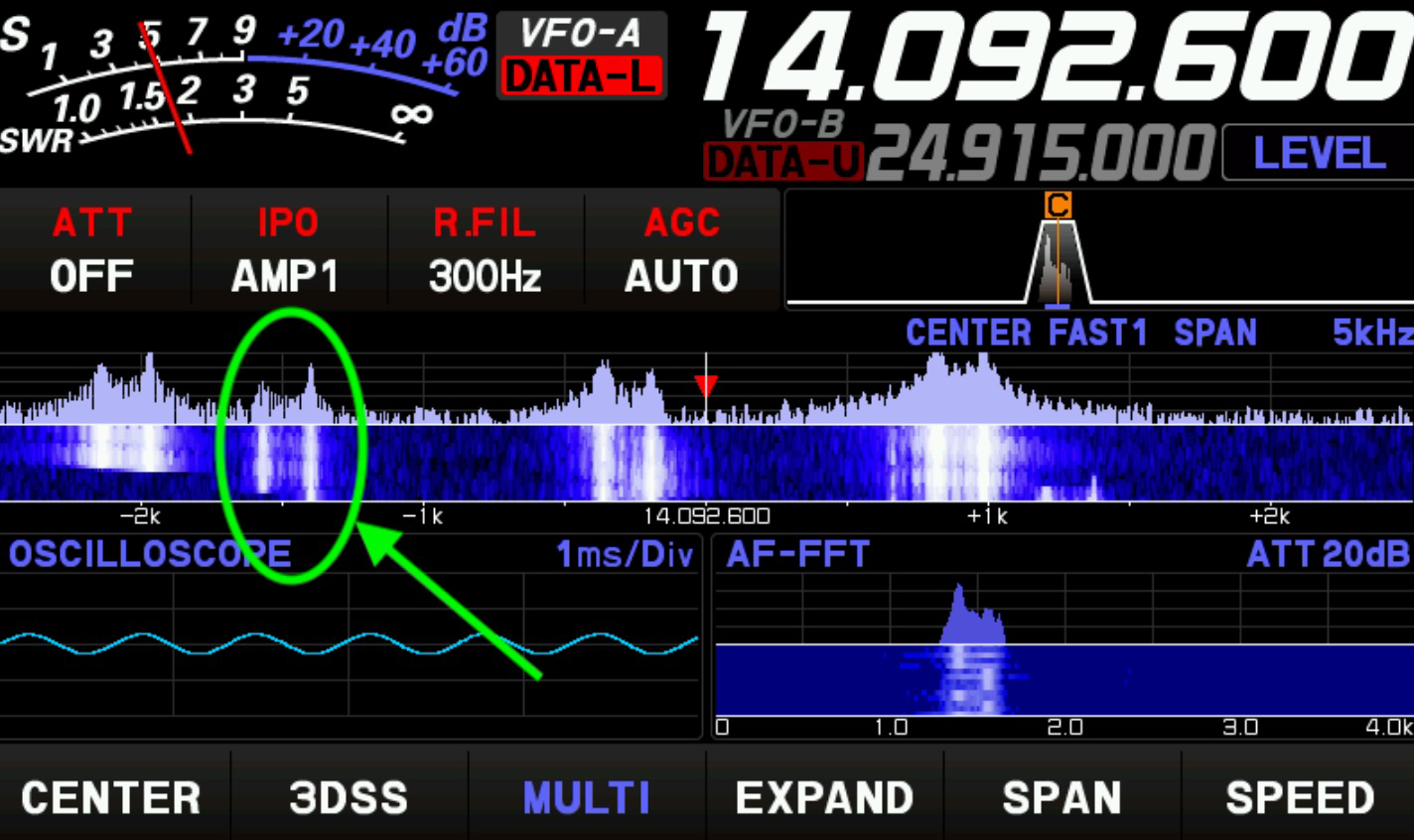 Setting up a digital mode station for Radioteletype (RTTY) contesting requires careful integration of transceiver and logging software. This guide outlines the specific configuration for a Yaesu FTDX10 and N1MM Logger, focusing on settings relevant for the 2025 CQ WW RTTY contest. It covers digital mode setup within N1MM, mode control, and RTTY-specific parameters, including the use of the FTDX10's DATA-L or RTTY-L modes. Operational guidance includes leveraging the 300Hz CW roofing filter for enhanced adjacent signal rejection and proper MMTTY window resizing to ensure accurate FFT and XYScope displays. The author notes a consistent received signal offset of -1.5 kHz from the VFO frequency during operation. Specific software versions used are N1MM V1.0.10936.0, MMTTY 1.70, and various FTDX10 firmware versions. The document also mentions an unsuccessful attempt to integrate a WinKeyer USB (WKSMT, firmware 31.03) for FSK waveform generation, where N1MM could key the radio and 100W was measured, but no tones were observed on the FTDX10's scope displays.
-
 The Yaesu FTDX-10 transceiver features a hybrid receiver design, integrating a dual superheterodyne front end with an SDR chip for advanced DSP. This architecture aims to mitigate front-end overload, a critical consideration for HF operations. Performance data indicates a Reciprocal Mixing Dynamic Range (RMDR) that places the FTDX-10 at number two on Sherwood Engineering's ranking, highlighting its strong signal handling capabilities. The unit includes a 5-inch TFT touch screen and an internal antenna tuner effective up to 3:1 SWR, covering receiver frequencies from 30 kHz to 75 MHz. Operational aspects include a spectrum scope with 2D and 3DSS display modes, offering adjustable frequency spans from 1 kHz to 1000 kHz and five waterfall speeds. The review evaluates the efficacy of the noise blanker and Digital Noise Reduction (DNR) functions, essential for mitigating interference in various operating environments. Connectivity is supported via USB drivers for N1MM and HRD software, alongside DVI output for external display mirroring. The Multi-Purpose VFO Outer Dial (MPVD) enhances user interaction. The FTDX-10's design and features cater to serious amateur radio operators seeking high performance in a compact HF/50 MHz platform.
-
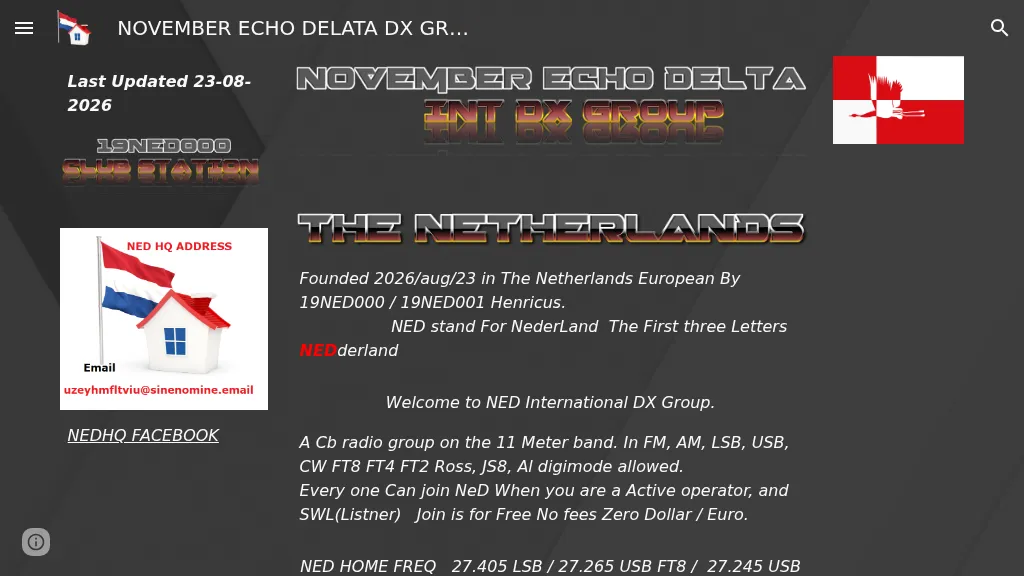 Presents the NED International DX Group, a **CB radio** organization established in the Netherlands on August 23, 2026, by 19NED000 and 19NED001 Henricus. The group primarily operates on the **11-meter band**, utilizing various modes including FM, AM, LSB, USB, CW, FT8, FT4, FT2 Ross, and JS8, with all digital modes permitted. Membership is free and open to active operators and SWLs. Key operating frequencies include 27.405 LSB, 27.265 USB for FT8, and 27.245 USB for JS8. The group also maintains activity on PMR Channel 10 at 446.11875 MHz FM. The organization is actively seeking volunteers for roles such as webmaster (proficient in PHP, MySQL, and security), digital eQSL and paper QSL card management, logo and banner design, and country/province directors.
-
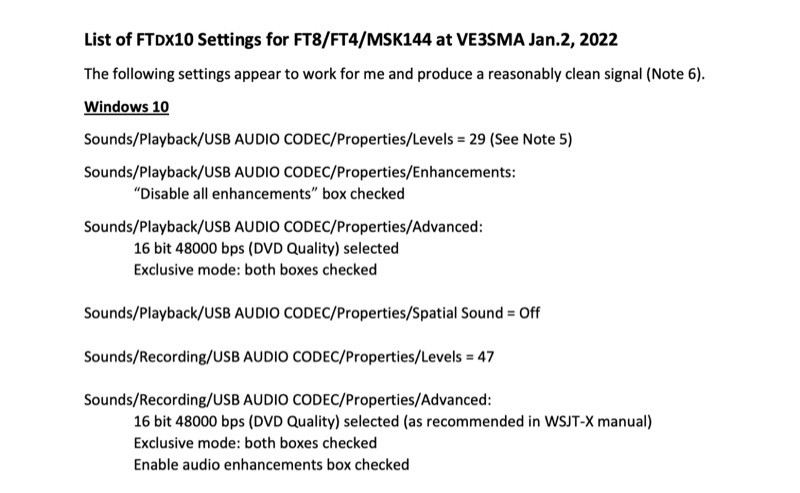 Configuring a Yaesu FTDX10 transceiver for digital modes like FT8, FT4, and MSK144 requires precise adjustments across both the operating system and the digital mode software. This resource details specific Windows 10 audio codec settings, including playback levels at 29 and recording levels at 47, along with advanced 16-bit 48000 bps (DVD Quality) selections for optimal signal fidelity. It also specifies checking the "Disable all enhancements" box for playback and enabling audio enhancements for recording. The document outlines critical WSJT-X v.2.5.1 parameters, such as setting the Rig to FTDX-10, a 1-second poll interval, and a 38400 baud rate for CAT control. The PTT method is configured to RTS, with Split Operation set to "Fake It" or "None." Audio input and output are directed to the USB AUDIO CODEC, with a recommended WSJT-X Pwr Slider setting of -32.0 dB, adjusted to ensure ALC meter readings remain within the white segment on the FTDX10. Transceiver-specific settings include a CAT RATE of 38400 bps, AMC RELEASE TIME set to MID, and DATA SHIFT (SSB) at 1500 Hz. The RPORT GAIN is specified at 70, with notes suggesting lower values (e.g., 30) can also yield clean signals. Transmit bandwidth selection is discussed, recommending 50-3050Hz for wideband modes like MSK144, while suggesting 400-2600Hz for FT4/FT8 to mitigate second harmonics and improve signal purity. The guide also references discussions with W5AJ, DO1YHD, AC6BW, and W9RTB.
-
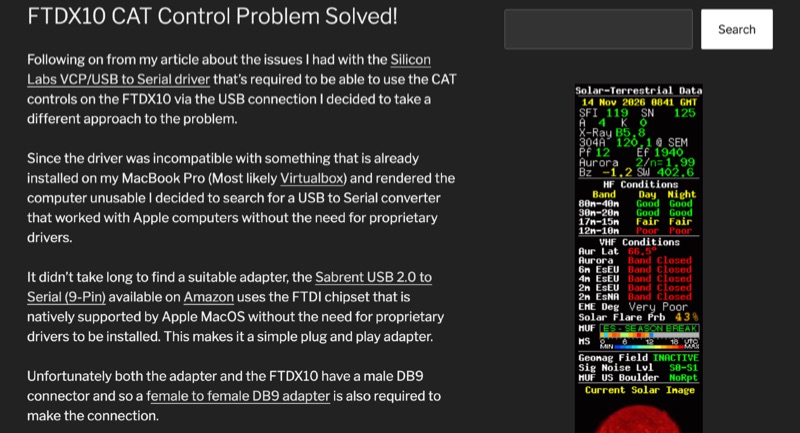
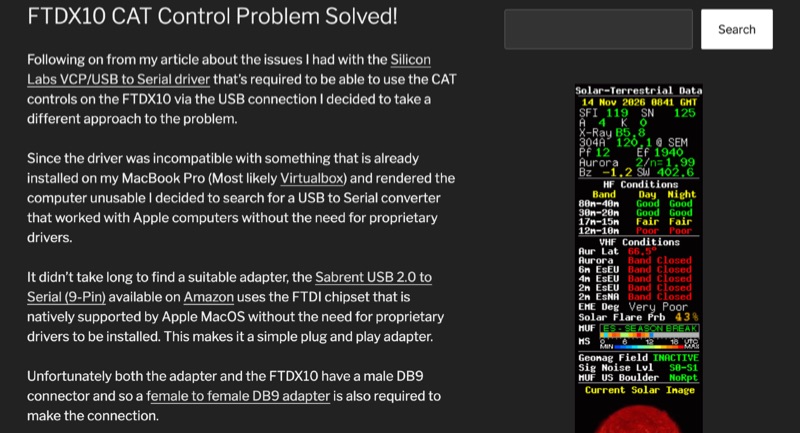 The Yaesu FTDX10 transceiver, a popular HF/50 MHz rig, often presents CAT control challenges on macOS systems due to driver incompatibilities. This resource addresses a specific issue encountered with Silicon Labs VCP/USB to Serial drivers causing system instability on a MacBook Pro running macOS 11.6.2 (Big Sur). The author details a robust solution involving a Sabrent USB 2.0 to Serial (9-Pin) adapter, which incorporates an FTDI chipset, ensuring native driver support within the macOS environment. This setup facilitates direct control of the FTDX10 without requiring proprietary driver installations. Configuration specifics include connecting the Sabrent adapter to the FTDX10 via a female-to-female DB9 adapter, setting the RS232 port to 38400 baud on both the radio and the WSJT-X software. For digital mode audio routing, a standard USB lead connects the FTDX10 directly to a second USB port on the MacBook, leveraging the transceiver's integrated sound card, which macOS natively recognizes. This dual-USB approach separates CAT control from audio I/O. The methodology was successfully validated through FT8 operation on the 30-meter band, confirming stable CAT communication and proper audio interfacing. This guide provides a practical workaround for macOS users seeking reliable digital mode operation with their FTDX10, avoiding common driver-related frustrations.
-
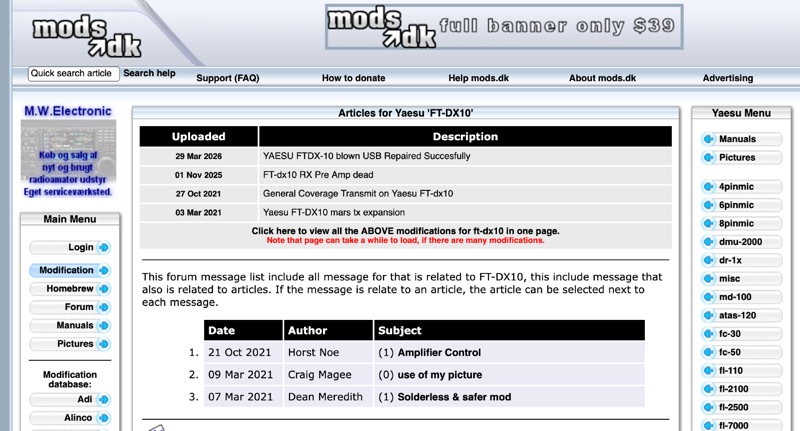
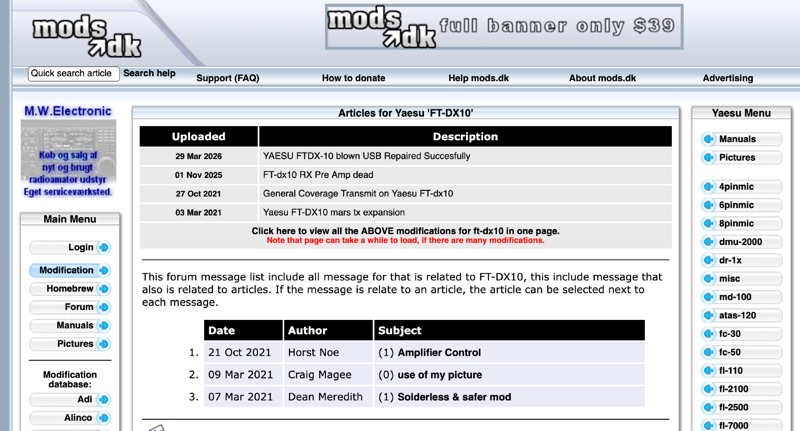 The Yaesu FT-DX10 Transceiver Modifications and Repair Database compiles technical articles and user-contributed messages specifically for the FT-DX10 HF transceiver. It features documented procedures such as "YAESU FTDX-10 blown USB Repaired Succesfully" and an entry detailing a "FT-dx10 RX Pre Amp dead" issue. The resource also includes instructions for "General Coverage Transmit on Yaesu FT-dx10" and "Yaesu FT-DX10 mars tx expansion," providing specific adjustments for the radio's operational parameters. This platform organizes content to allow viewing all modifications for the FT-DX10 on a single page, streamlining access to various technical adjustments. Users can find discussions on topics like amplifier control and solderless modifications, offering practical insights from the amateur radio community. The database serves as a central point for operators seeking to enhance or repair their FT-DX10 units. Each entry is dated, with examples like a March 2026 article on USB repair and a November 2025 entry concerning the RX pre-amplifier. The site also facilitates user interaction through a message board, where operators can post comments or new modification ideas not yet documented.