Search results
Query: data editor
Links: 7 | Categories: 0
-
 Freeware windows program by VE3NEA that allow to view and edit the Master Callsign Database file used in many contesting programs, import and export callsigns, auto-download announced DX operations.
 -
 The _National Contest Journal_ (NCJ) serves as a dedicated resource for amateur radio contesters, providing in-depth articles, operational strategies, and technical insights. Published bimonthly by the ARRL, it covers a wide array of contesting topics, including antenna systems, station optimization, operating techniques, and rule interpretations for major events like the NA Sprint and various QSO Parties. The journal aims to enhance the competitive edge of participants across all skill levels, from casual operators to serious multi-operator teams, by sharing experiences and data from high-scoring stations. NCJ content frequently includes detailed analyses of contest results, offering breakdowns of scores, participant statistics, and comparisons of operating strategies. Readers can find practical advice on improving their contest performance, such as optimizing logging software usage or maximizing **run rates**. The journal also features columns on specific contest modes like RTTY and provides updates on rule changes and upcoming events, helping contesters prepare for future competitions and achieve better results, often leading to **top 10** finishes in their respective categories.
 -
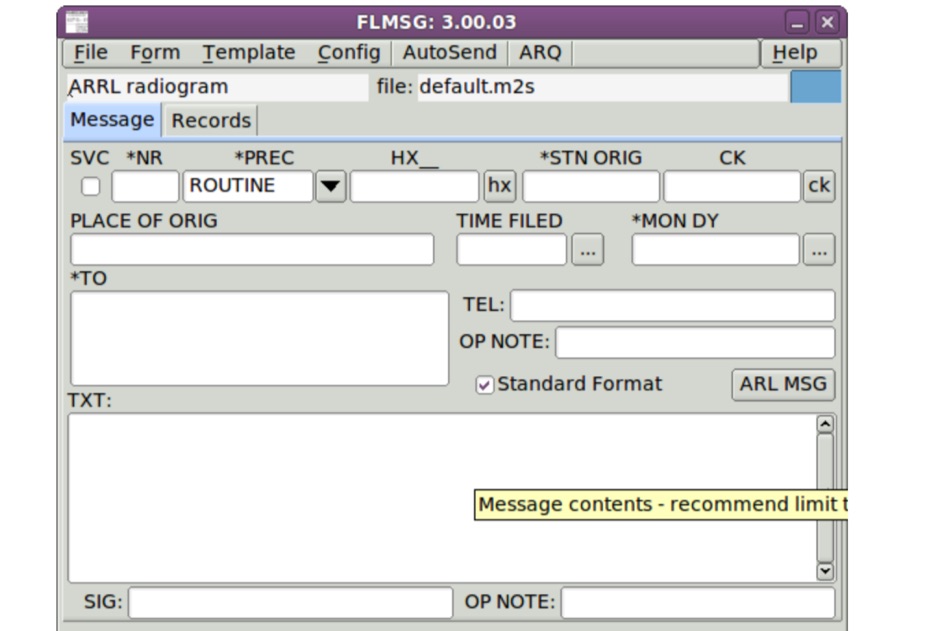 FLMSG is a simple forms management editor for the amateur radio supported standard message formats. Form data can be transferred between computers either using standard internet email or via radio frequency broadcasts typically made by an amateur radio operator on your behalf.
 -
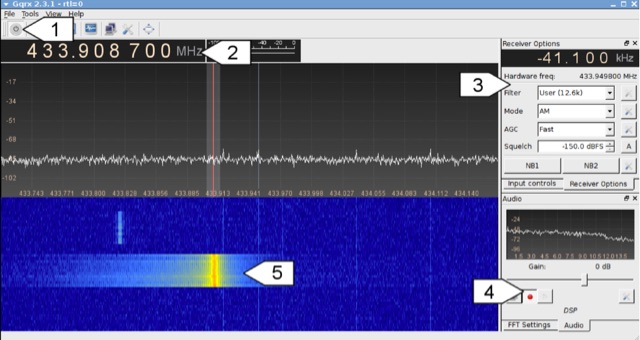 Analyzing 433 MHz radio signals from common wireless devices, such as temperature sensors and remote controls, involves understanding **On-Off Keying (OOK)** modulation. This resource details the process of capturing these signals using a Software Defined Radio (SDR) like Gqrx and then visually inspecting the captured audio data in a sound editor such as Audacity. It differentiates between **Pulse Width Modulation (PWM)** and Pulse Position Modulation (PPM) encoding schemes, illustrating how to identify and decode binary data by eye based on pulse and gap durations. The article provides a step-by-step walkthrough for decoding a wireless thermometer's data, correlating bit patterns with known temperature, humidity, and channel values. It also demonstrates decoding an RF remote control's button presses, highlighting the constant and varying parts of the transmitted packets. The content further introduces automated decoding using tools like RTL_433, explaining its capabilities in parsing various device protocols and showing how to interpret its output, including modulation type and decoded data. Specific examples include analyzing Prologue sensor protocol specifications from RTL_433's source code and noting common operating frequencies like 433.92 MHz in Europe and 915 MHz in the US.
 -
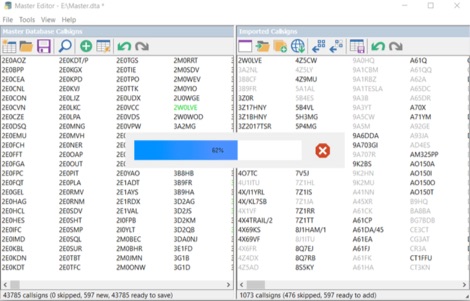 Master Callsign Database Editor allows to create and modify Super Check Partial database files used by many contesting programs in DTA and SCP formats. The files produced by Master Editor in DTA format can be used with CT, WriteLog, TRlog, SD, and others. The SCP versions of the produced files are for use with Win-Test, N1MM+, and others. Master Editor allows to create a callsign database from a separate log or from a set of logs in the Batch Import mode.
 -
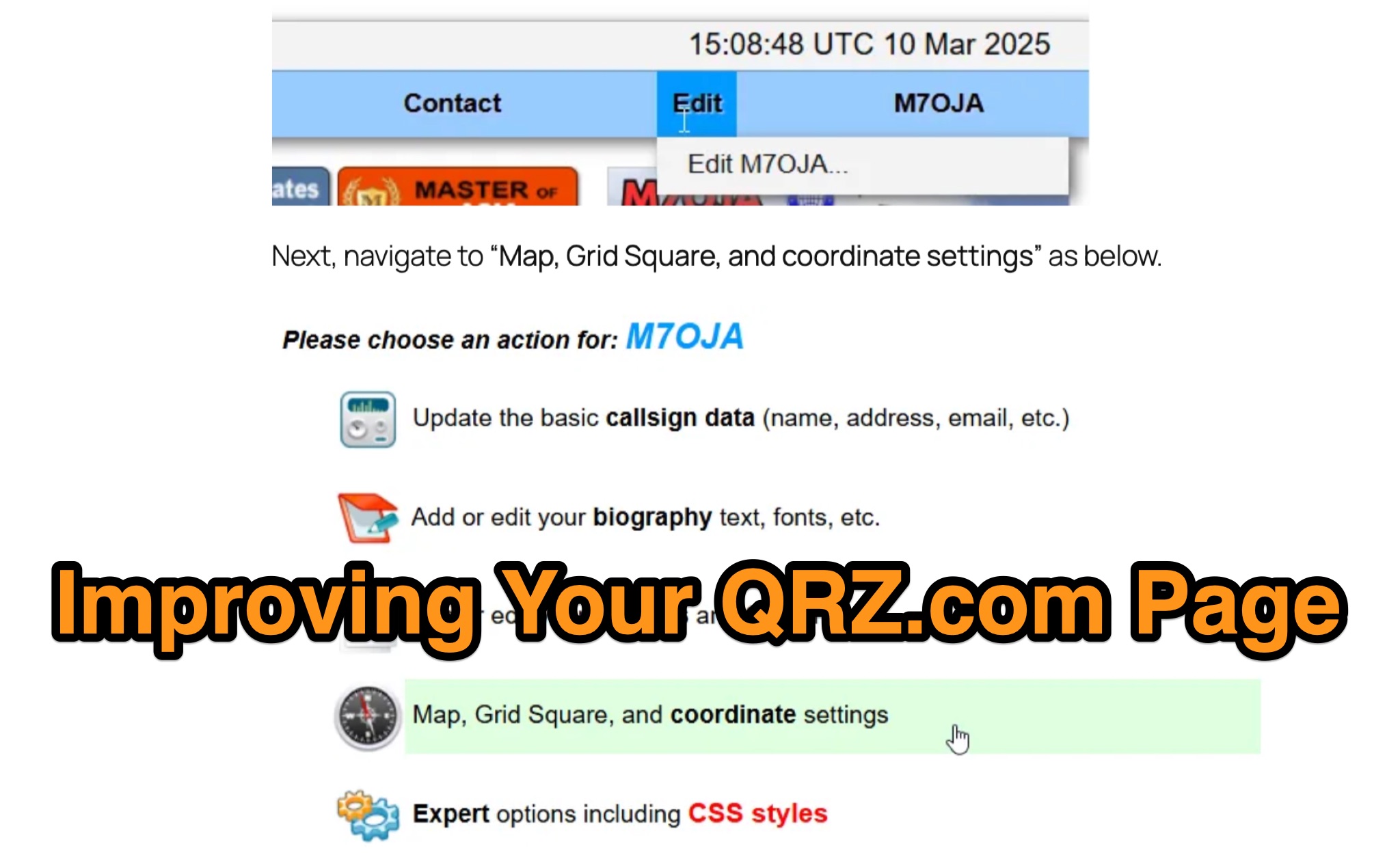 Optimizing a QRZ.com page involves adding essential callsign data, ensuring correct _Maidenhead Gridsquare_ and DXCC information in the Detail tab, and populating the Biography section with relevant station details. Operators should include their operating conditions, specific country references like WAB square, club affiliations, and detailed QSL information, specifying preferences for electronic confirmations (e.g., _LoTW_, Clublog) and paper QSLs (direct, bureau, SASE). The guide emphasizes the importance of accurate data for electronic logging software integration, which fetches Gridsquare, DXCC, and CQ/ITU zones to populate contact logs correctly. Further enhancements include leveraging the QRZ.com photo gallery for images and setting a primary image that logging software like _Log4OM_ can display. Advanced customization involves embedding external services via HTML source code. Examples include integrating HamAlert for DX Cluster spots, Clublog for log searches and Online QSL Requesting (OQRS), and Parks on the Air (POTA) statistics widgets from WD4DAN. Additionally, live weather information from Weather&Radar and solar data banners from HamQSL can be embedded, providing real-time environmental context for visitors to the QRZ page. These embedded tools require creating accounts on respective platforms and often involve copying specific source code snippets into the QRZ biography's HTML editor, ensuring callsign placeholders are updated.
 -
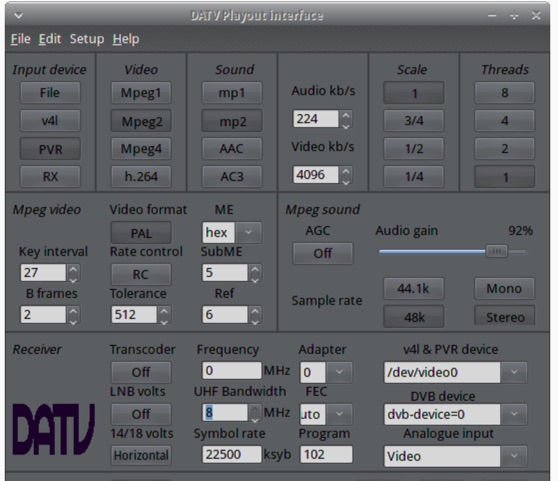 The ZL1WTT resource details an experimental software-based Digital Amateur Television (DATV) system, demonstrating the multiplexing of up to six standard-definition (SD) and one high-definition (HD) channel utilizing _h264 compression_. The author encountered peak data rates reaching 32 Mbit/s, necessitating a shift to Freeview and Sky settings (22.5M Sym/s 3/4FEC) to manage bandwidth. The setup employs four networked computers, with a laptop functioning as the multiplexer to re-code PIDs for various inputs, including looped MPEG2 playlists, MPEG2 encoder card input from a VCR, satellite feeds, and an off-air UHF receiver. The system highlights the inherent flexibility of the DVB transport stream, supporting diverse formats such as MPG2, h264, AC3, and AAC. A significant advantage of this software-defined approach is the absence of video quality degradation from stored MPEG2 files to the displayed output, coupled with the ease of reconfiguring settings for MPEG2 encoder cards (e.g., size, bit-rate, frame rate, video input, coding format) and satellite receiver cards (e.g., frequency, LNB volts, symbol rate, FEC). The author also discusses the development of a new graphical user interface (GUI) using _Gambas_ for Linux, aiming to simplify configuration for this DATV project. Specific hardware components mentioned include Hauppauge WinTV PVR-150 and Nova-S plus cards, with a focus on optimizing analog video input via Y/C (S-video) to minimize frequency roll-off. The resource also provides insights into data rates for HD (1080i) content, recommending 8 to 12 Mb/s for optimal performance. Software utilized includes _Ubuntu Studio 10.04_, WinFF, VLC, and TMPGEnc Editor, underscoring the project's reliance on open-source tools and a foundational understanding of LAN networks and DVB transport streams.