Search results
Query: rtlsdr
Links: 15 | Categories: 1
-
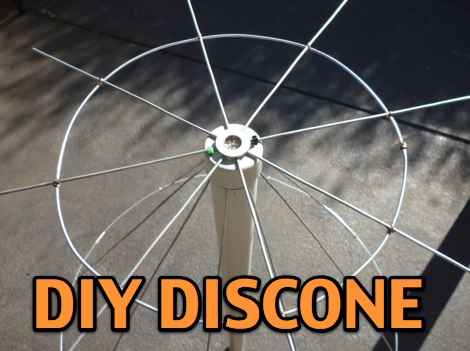 A DIY discone antenna project made to improve receiveing performance of an RTLSDR receiver.
 -
-
 Getting started with RTLSDR on MacOSX
 -
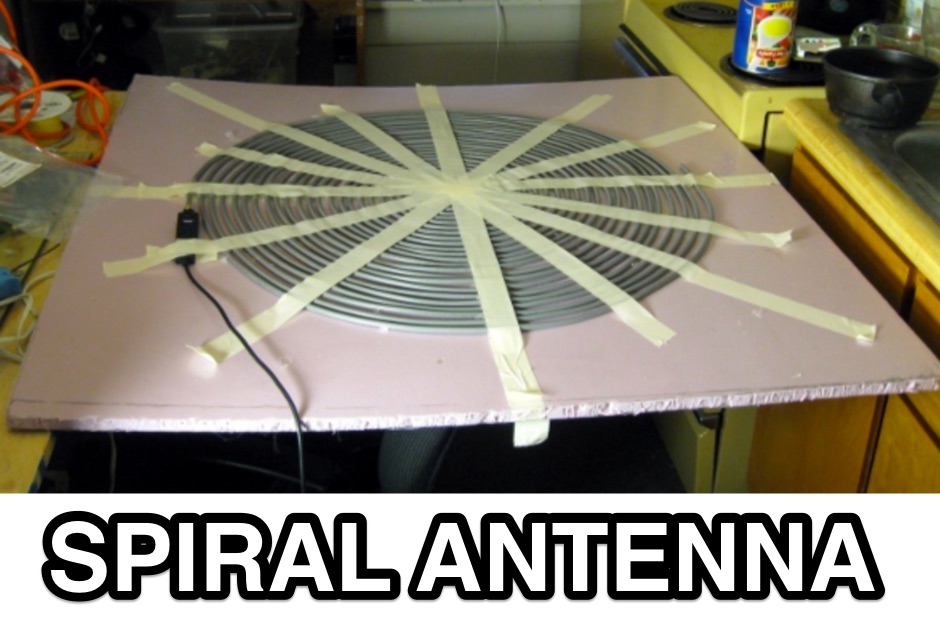 Dodgy plans to make Archimedean spiral antenna for RTLSDR software defined radio receiver. Made of two equal lengths of coaxial cable seems to be the easiest circularly polarized antenna to make that will cover a broad range of the rtlsdr dongles E4000 tuners
 -

-
 Round-Up of different HF Upconverters for RTLSDR by KF7LZE
 -
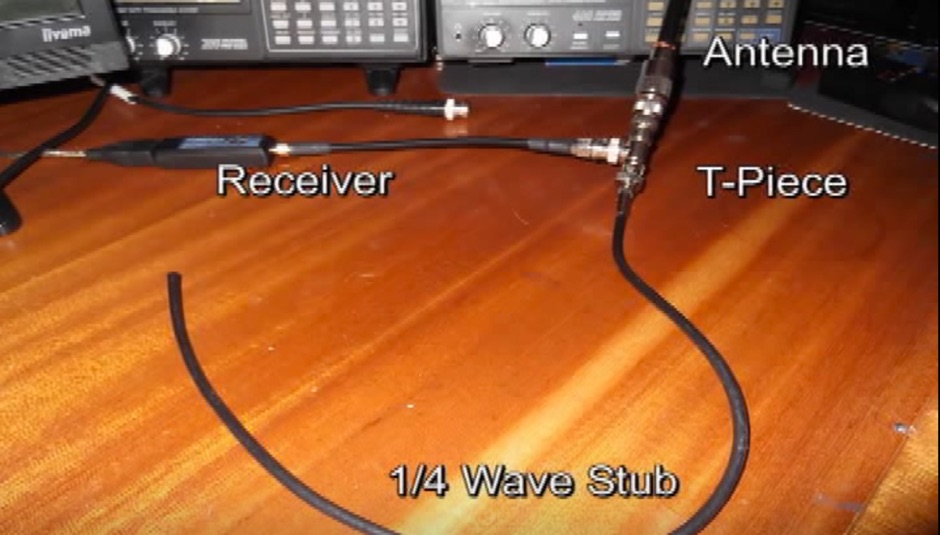 Cutting out the noise using a simple coax filter to improve the poor front end filtering
 -
 A guide to setup a RTL-SDR on Windows, by installing the Zadig dongle software and setting up SDR Sharp for the very first time
 -
 A wiki dedicated to RTL SDR, cover all aspects in getting started into RTL SDR, from software setup and hardware configuration to start using your RTLSDR dongle
 -
 A great page about RTL-SDR and GNU Radio with Realtek RTL2832U [Elonics E4000/Raphael Micro R820T] software defined radio receiver.
 -
 Instruction on setting up an RTLSDR dongle under Linux Windows and MacOSx
 -
 Discussion group about RTLSDR Dongles, software support and hardware mods for these Software Defined Radio systems based on RTL2832U
 -
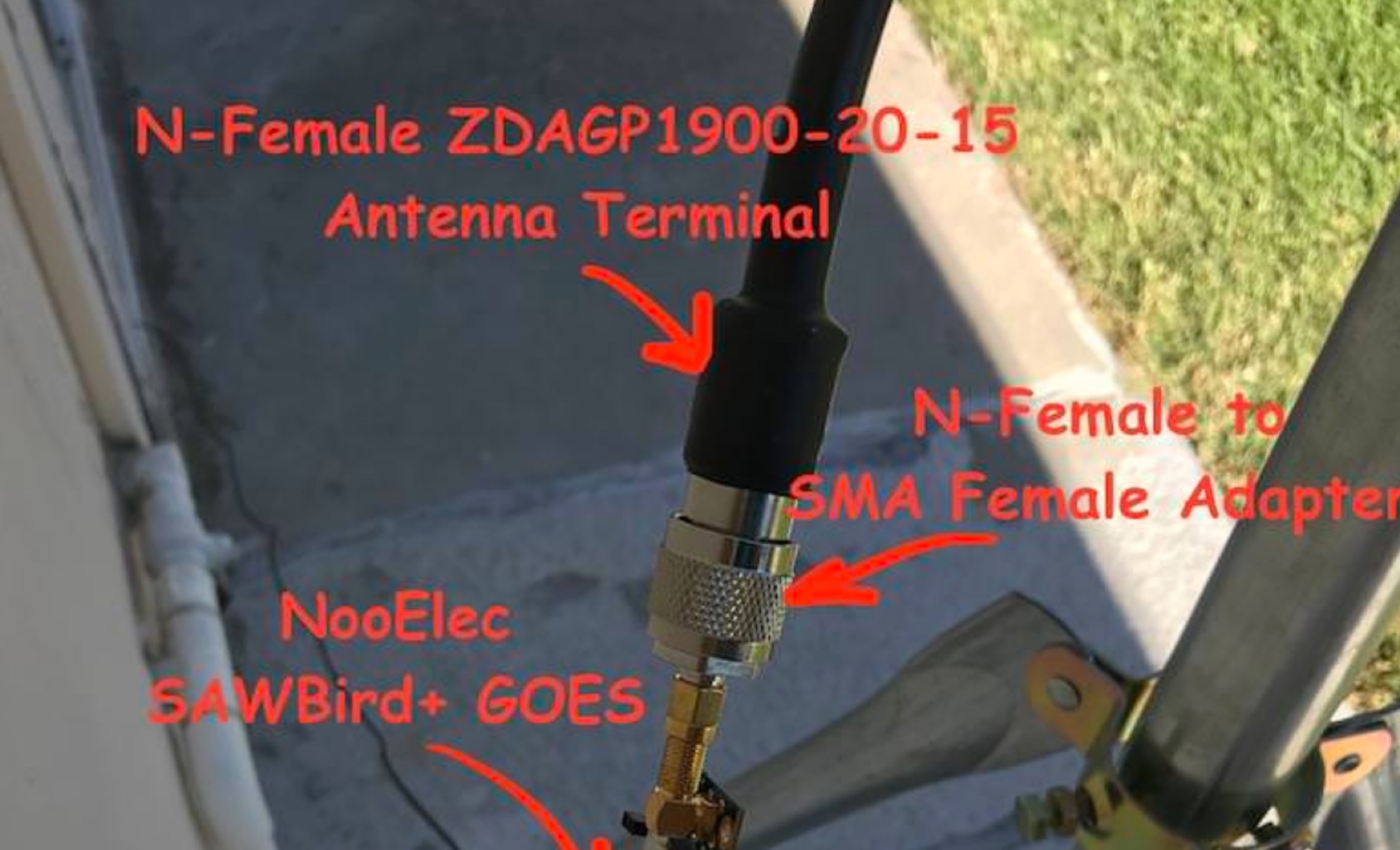 Receiving **GOES-16** and **GOES-17** weather satellite imagery requires a specific hardware and software configuration, detailed in this practical guide. The author outlines the necessary components, including a Raspberry Pi, an RTL-SDR dongle, a suitable LNA with SAW filter for 1.69 GHz, and a parabolic grid antenna. This setup enables direct reception of high-resolution weather data, a fascinating aspect of amateur radio satellite operations. The installation process begins with preparing the Raspberry Pi, followed by updating the system and installing essential dependencies like `git`, `build-essential`, and `cmake`. A critical step involves compiling and installing `librtlsdr` from source, ensuring proper driver setup and blacklisting conflicting DVB drivers. The guide then walks through testing the RTL-SDR dongle to confirm device recognition and troubleshoot common issues like USB power or driver installation problems. Finally, the instructions cover cloning and building `goestools`, a software suite essential for processing the satellite signals. This compilation, while time-consuming on a Raspberry Pi, is crucial for decoding the raw data into usable imagery. The guide concludes with the initial steps for creating the `goesrecv.conf` configuration file, preparing the system for active satellite reception.
 -
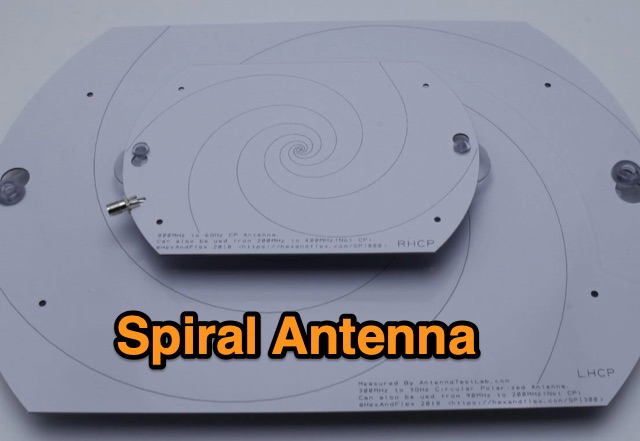 Designing and Testing a PCB Wideband Spiral Antenna. The 800 MHz+ and 300 MHz+ spiral antennas by Hexandflex
 -
 This page discusses the use of the new Version 4 RTL-SDR dongle for simple QRSS reception. The author shares their experience with connecting the dongle to a PA0RDT miniwhip antenna and using RTLSDRlop QRSS software. They encountered issues with Linux but found a solution with a new driver. The page also provides information on coupling multiple dongles to one antenna and adding selectivity with a divider-filter box. Hams interested in experimenting with RTL-SDR technology, antenna setups, and software for QRSS reception will find this content useful.