Search results
Query: usb audio codec
Links: 6 | Categories: 0
-
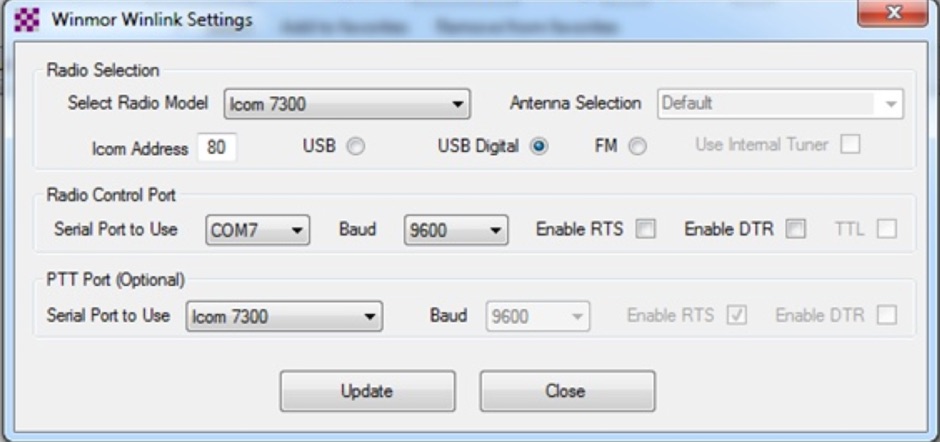 This tutorial provides step-by-step instructions for setting up the ICOM IC-7300 to work with WinLink and WinMor. The process begins with downloading the necessary USB driver from ICOM Japan, followed by configuring the radio settings through the menu. Key settings include selecting the correct output and data modes, as well as ensuring the USB serial function is properly set. Once the radio is connected to the PC via USB, the drivers will install automatically, allowing for seamless communication. After confirming the installation of the USB Audio CODEC and COM port, users are guided to download the RMS Client Software for WinLink. The tutorial emphasizes the importance of understanding the WinLink system and provides links to additional resources for setup. Finally, it details how to configure the WinMor modem settings, ensuring the ICOM IC-7300 is ready for effective digital communication. This guide is essential for operators looking to enhance their digital capabilities using the IC-7300.
-
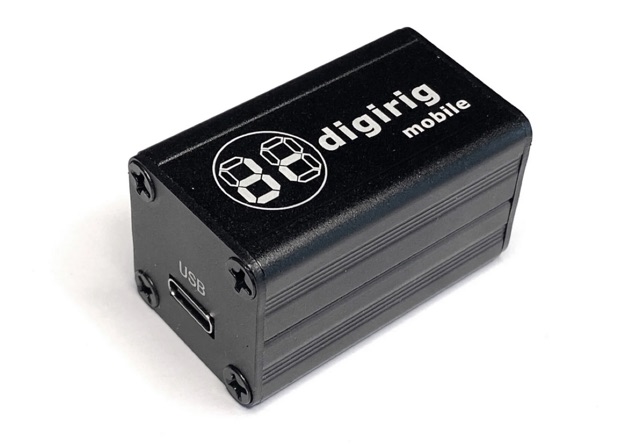 Digirig is an open-source integrated digital modes interface for amateur radio. As a differentiating feature, Digirig only requires a single USB connection to the computer with all the digital goodness packed in a single small enclosure. The internals include a USB hub, audio codec, a fully featured serial CAT (Computer Aided Transceiver) interface, and potentially other modules such as GPS receiver for time synchronization.
-
 VE3SMA's document addresses several operational issues encountered with the Yaesu FTDX10 HF transceiver, offering practical solutions and technical explanations. It specifically tackles the high-frequency headphone hiss during CW operation with narrow filters, providing a schematic for a homebrew audio filter to mitigate this. The resource also investigates the FTDX10's behavior of transmitting CW via USB even when BK-IN is set to OFF, particularly when using N1MM+ contest software, and suggests tuning outside ham bands as a workaround. Furthermore, the document notes the rapid disappearance of band and mode selection screens, acknowledging a December 2021 software update that extended their display times. The analysis extends to audio harmonics generated in digital modes like FT8 and JS8CALL when using USB audio input, attributing the issue to unattenuated USB CODEC output and a low PRESET RPORT GAIN value. VE3SMA proposes a solution involving a higher RPORT GAIN setting (between 30 and 70) and a lower transmit audio level from the computer, demonstrating how to achieve a clean signal using the FTDX10's built-in spectrum scope. The document also discusses unstable power output in FT4/FT8 modes when driving an amplifier, recommending the use of Fake It or Rig Split modes in WSJT-X and operating with some ALC action. Finally, it explores methods for achieving a low-power continuous carrier for adjusting external antenna tuners, offering various techniques depending on the operating mode.
-
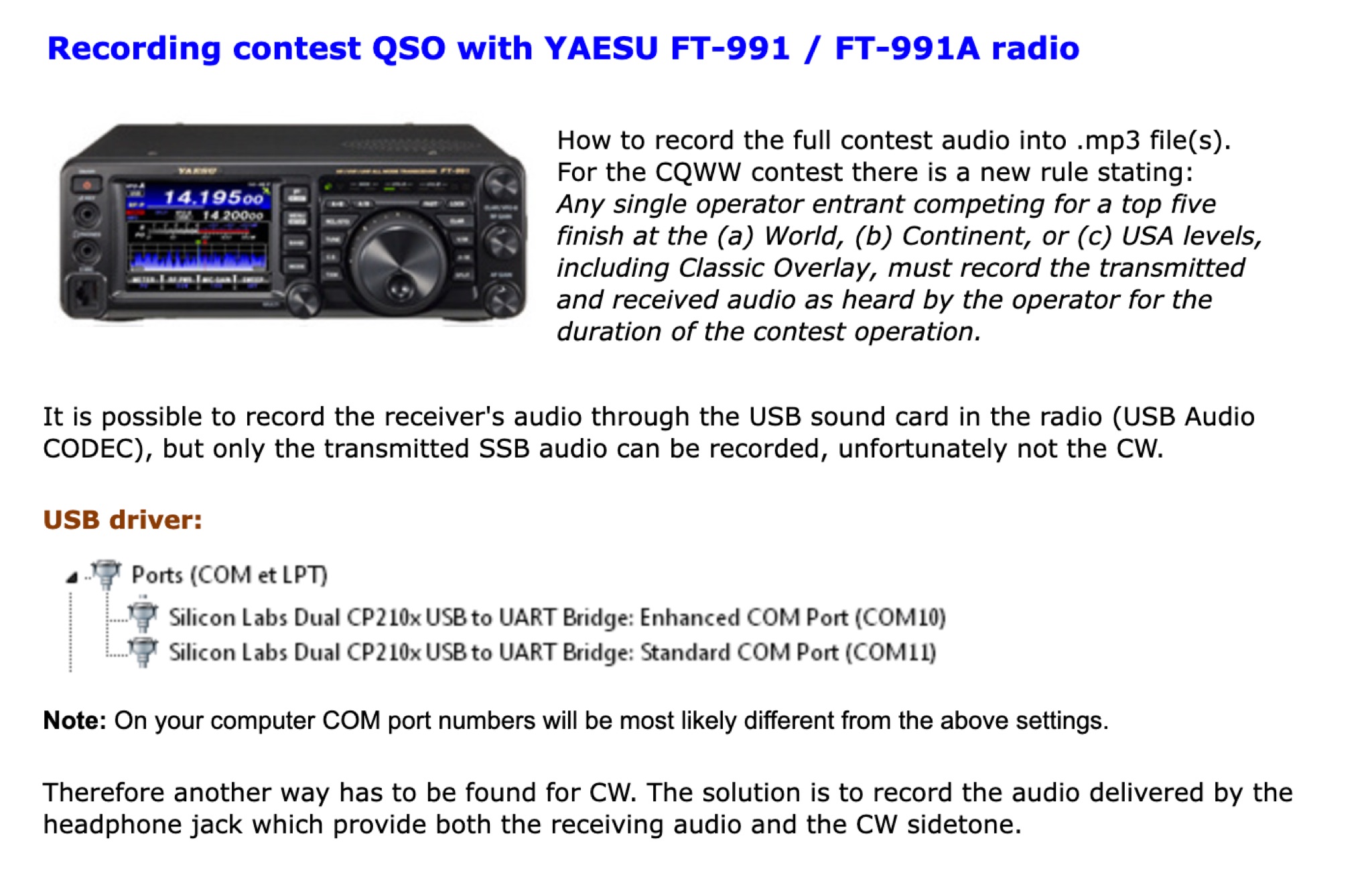 How to record the full contest audio into .mp3 file(s). t is possible to record the receiver's audio through the USB sound card in the radio (USB Audio CODEC), but only the transmitted SSB audio can be recorded, unfortunately not the CW.
-
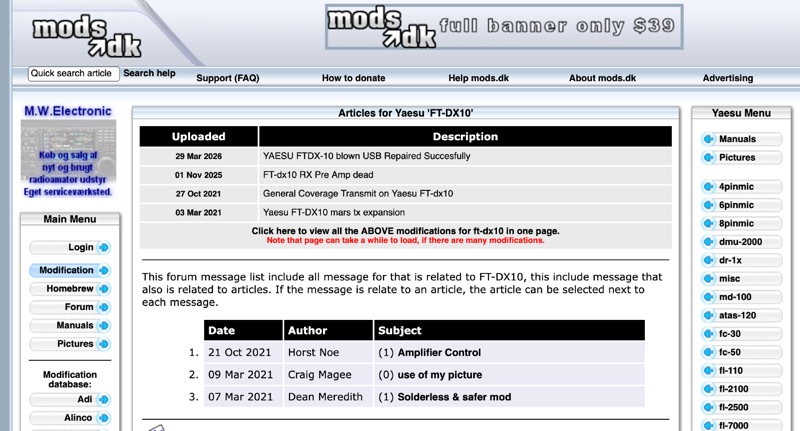 This resource details the configuration adjustments required for integrating a Yaesu _FTDX-10_ transceiver with WSJT-X software for FT8 digital mode operation. It addresses specific settings for the _FTDX-10_ radio, including setting the mode to DATA-U, adjusting attenuator, preamp, roof filter, and AGC parameters. The document also covers modifications to factory 'REAR SELECT', 'RPORT GAIN', and 'RPTT SELECT' settings. Furthermore, it specifies changes to 'LCUT FREQ', 'LCUT SLOPE', 'HCUT FREQ', and 'DATA SHIFT (SSB)' values. For WSJT-X, the configuration includes selecting the _FTDX-10_ radio model, setting the serial port to a virtual port (e.g., cu.SLAB_USBtoURAT), and configuring a baud rate of **38400**. Data bits are set to eight, stop bits to two, and handshake to none. PTT method is configured as CAT, and the mode is set to Data/Pkt. Audio settings involve selecting the appropriate USB Audio CODEC, such as those associated with Silicon Labs (SLAB) drivers on a MacBook Pro. The methodology focuses on achieving functional interoperability between the transceiver and the digital mode software.
-
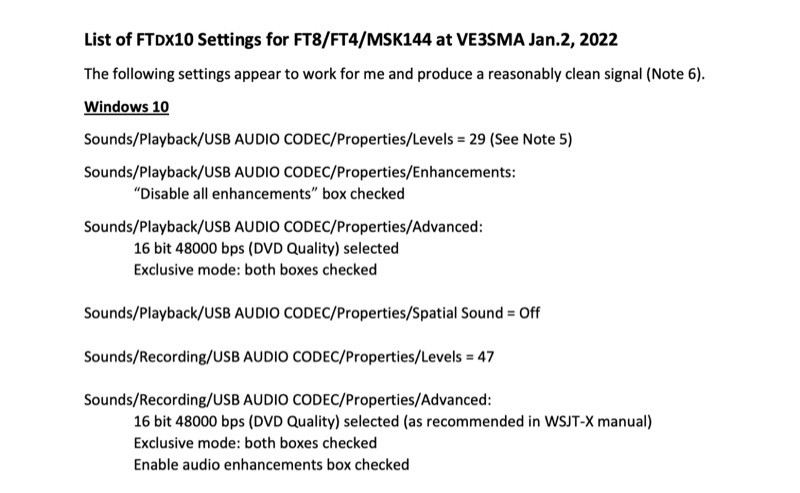 Configuring a Yaesu FTDX10 transceiver for digital modes like FT8, FT4, and MSK144 requires precise adjustments across both the operating system and the digital mode software. This resource details specific Windows 10 audio codec settings, including playback levels at 29 and recording levels at 47, along with advanced 16-bit 48000 bps (DVD Quality) selections for optimal signal fidelity. It also specifies checking the "Disable all enhancements" box for playback and enabling audio enhancements for recording. The document outlines critical WSJT-X v.2.5.1 parameters, such as setting the Rig to FTDX-10, a 1-second poll interval, and a 38400 baud rate for CAT control. The PTT method is configured to RTS, with Split Operation set to "Fake It" or "None." Audio input and output are directed to the USB AUDIO CODEC, with a recommended WSJT-X Pwr Slider setting of -32.0 dB, adjusted to ensure ALC meter readings remain within the white segment on the FTDX10. Transceiver-specific settings include a CAT RATE of 38400 bps, AMC RELEASE TIME set to MID, and DATA SHIFT (SSB) at 1500 Hz. The RPORT GAIN is specified at 70, with notes suggesting lower values (e.g., 30) can also yield clean signals. Transmit bandwidth selection is discussed, recommending 50-3050Hz for wideband modes like MSK144, while suggesting 400-2600Hz for FT4/FT8 to mitigate second harmonics and improve signal purity. The guide also references discussions with W5AJ, DO1YHD, AC6BW, and W9RTB.