Search results
Query: FT8 configuration
Links: 10 | Categories: 0
-
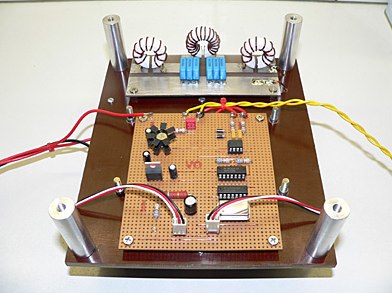 Demonstrates the operational status and reception reports for the SK6RUD/SA6RR QRPP beacons, which transmit on 478.9 kHz, 1995 kHz, 10.131 MHz, and 40.673 MHz. These beacons utilize extremely low power, with the 630-meter beacon operating at approximately 0.1 watt ERP into an L-antenna, showcasing the potential for long-distance contacts under favorable propagation conditions. The site details the specific frequencies and antenna types employed, such as a vertical at 500 kHz and a 1/4 vertical for higher bands. The resource compiles over 10,530 reception reports from amateur radio operators worldwide, logging details such as date, time, band, RST signal report, locator, distance, and receiver setup. Notable long-distance reports include a 500 kHz reception by AA1A-Dave from 5832 km in 2008 and a 10.133 MHz reception by ZL2FT-Jason from 17680 km in 2010, illustrating the global reach of these low-power transmissions. Each log entry provides specific equipment used by the reporting station, including transceivers like the Yaesu FT817, ICOM IC-7300, and various antenna configurations such as coaxial mag loops, inverted Ls, and end-fed wires. The primary objective of the SK6RUD beacons is to challenge conventional notions of power requirements for effective two-way communication, proving that contacts over significant distances are achievable with minimal output. The site also includes a submission form for new reception reports, fostering community engagement and continuous data collection on propagation phenomena across different bands. The detailed logs offer practical insights into real-world propagation characteristics and the efficacy of QRPP operations.
-
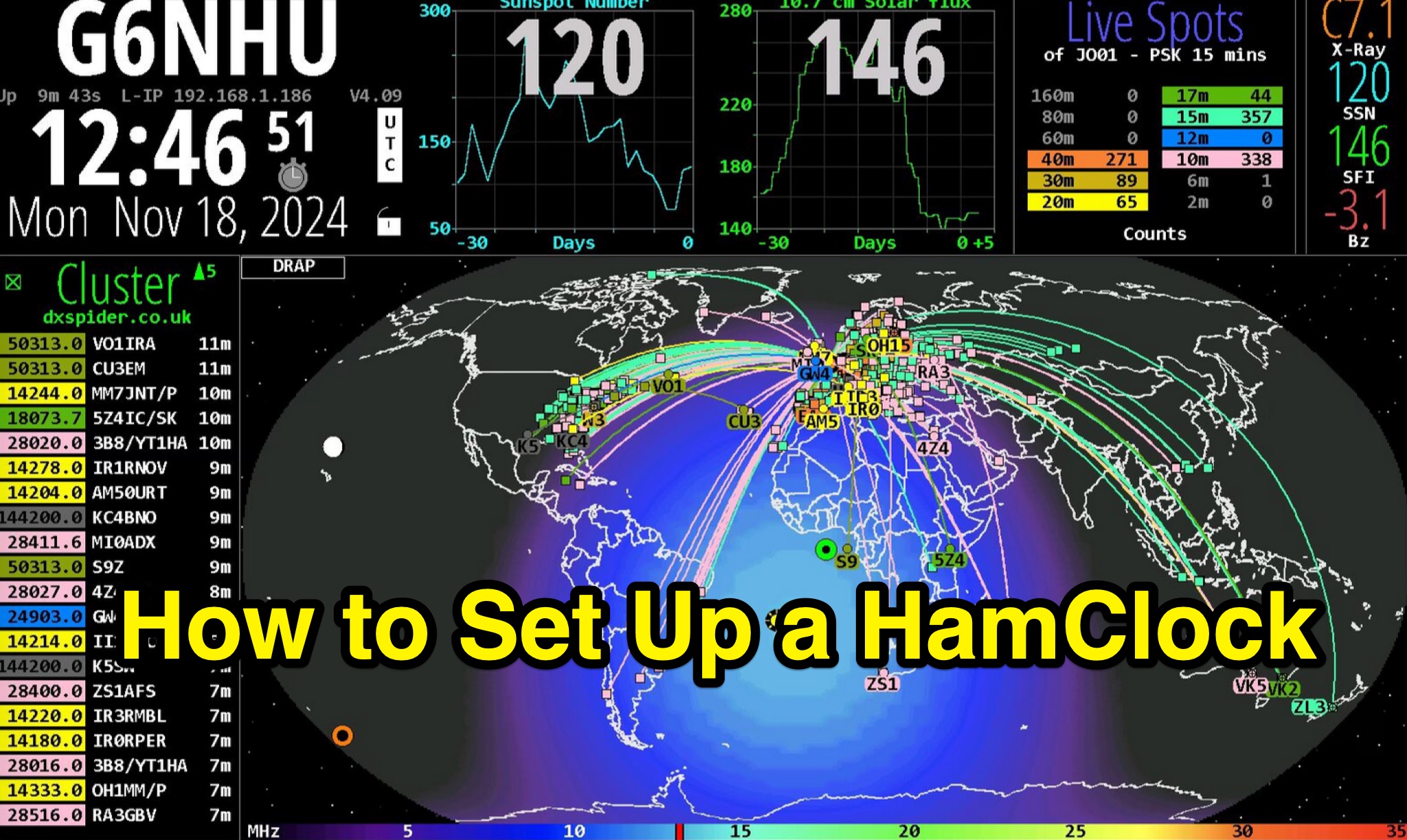 Demonstrates the complete process of setting up a _HamClock_ for an amateur radio shack, utilizing a Raspberry Pi and the HamClock 4.21 software. The guide meticulously covers hardware recommendations, including specific Raspberry Pi models like the Pi 4, suitable SD cards, power supplies, and display options. It provides step-by-step instructions for preparing the SD card with Raspberry Pi OS, performing initial system updates, and executing the HamClock installation script. Detailed configuration steps are outlined for HamClock's seven setup pages, addressing callsign, grid square, DX Cluster settings (e.g., `dxspider.co.uk` port **7300**), map centering, and crucial features like automatic space weather map rotation and auto-upgrades. The resource further explains how to customize HamClock's display panels, such as replacing default panels with a large DX Cluster display or a dedicated Space Weather panel. It illustrates configuring the Live Spots panel to show _PSKReporter_ data, filtering spots by grid square and time (e.g., **15 minutes**), and selecting specific bands for monitoring. The author, G6NHU, shares personal preferences for map types, recommending the DRAP style with Robinson projection for optimal amateur radio utility. Additionally, the guide provides specific DX Cluster filtering commands to manage spot overload, including methods to exclude data modes like FT8 and FT4, ensuring a cleaner display of relevant DX activity.
-
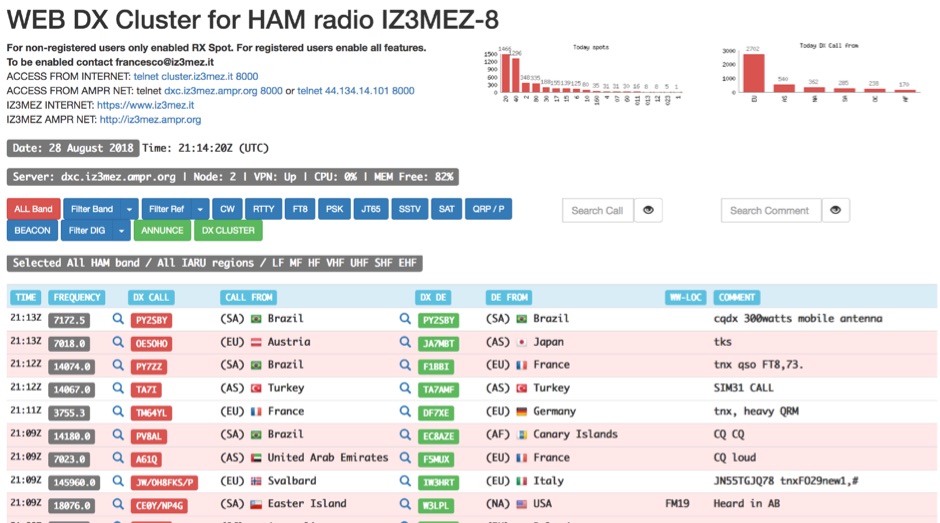 The IZ3MEZ Web DX Cluster presents real-time amateur radio DX spots across 20 distinct frequency bands, spanning from **LF (2190m)** at 135.7 kHz up to **SHF (QO-100)** at 10499 MHz. It displays the DX callsign, frequency, DXCC entity, spotter callsign, and spotter DXCC entity, along with any accompanying comments. The cluster also lists various operating modes such as CW, RTTY, FT8, FT4, FT2, PSK, and SSTV, and supports special operating activities like QRP/P and specific award programs including IOTA, POTA, SOTA, WCA, and JOTA. The cluster's interface provides a dynamic feed of the latest 50 spots, continuously updated with precise timestamps. It offers direct **Telnet protocol** access for users preferring a command-line interface, with configuration instructions provided. The resource also integrates with other spotting networks like RBN and PSK Reporter, enhancing its utility for DXers and contesters seeking propagation information and activity monitoring across a broad spectrum of amateur radio frequencies.
-
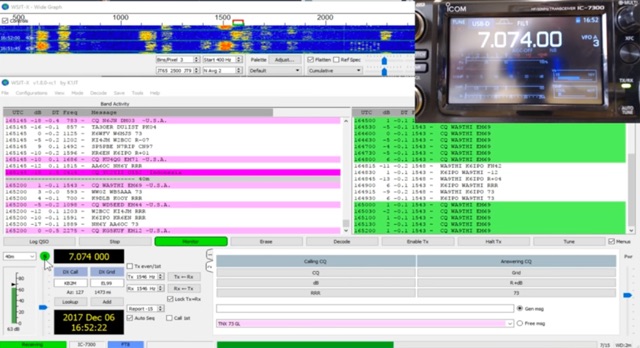 The _Icom IC-7300_ transceiver, a popular SDR rig, can be readily configured for digital modes like FT8 using _WSJT-X_ software. This guide details the necessary steps, from downloading the correct version of WSJT-X to configuring the radio's USB audio and CAT control settings. It emphasizes a straightforward approach, aiming to simplify the often complex initial setup for new digital mode operators. K0PIR shares his practical experience, outlining the specific menu settings on the IC-7300, such as USB SEND/DPT and USB MOD LEVEL, which are crucial for proper signal modulation and transmission. The resource also covers the integration of WSJT-X's built-in logging capabilities, streamlining the process of recording digital contacts without needing external logging software immediately. This setup allows for efficient operation on various HF bands. Two embedded videos further illustrate the configuration process, providing visual aids for each step, from initial software installation to making the first FT8 contact. The author's method focuses on minimizing common setup hurdles.
-
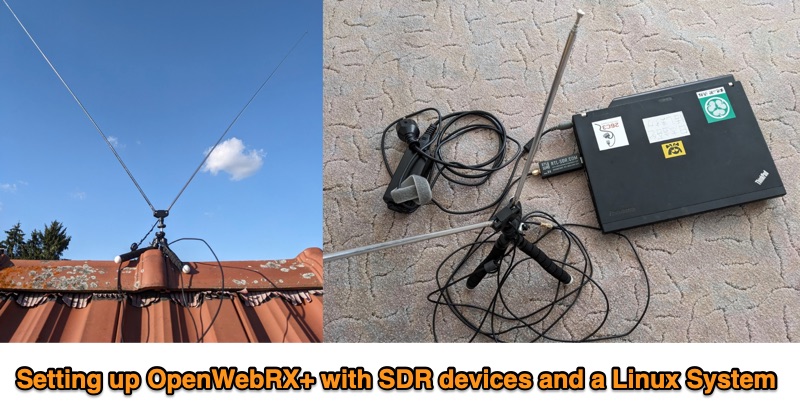 This PDF document outlines the process for establishing an **OpenWebRX+** station utilizing Software Defined Radio (SDR) devices on a Linux platform, specifically Debian Bookworm. It details the capabilities of such a setup, including reception across various frequency bands supported by the SDR hardware and the decoding of multiple modes like FM, WideFM, SSB, AM, ADSB, FT8, and CW, with examples provided for FT8 reception and mapping, sensor data, and ADSB. The guide recommends specific hardware configurations, suggesting older x86-64 laptops with 4GB RAM or Raspberry Pi 4 models for the host system. For SDR devices, it endorses **RTL-SDRv3/v4** or HackRF, noting the necessary driver installations for RTL-SDR. The software installation sequence is meticulously laid out, from installing Debian Bookworm to adding OpenWebRX+ repositories, installing the application, and configuring device-specific drivers. Authored by Christian Horn (JL1AYH), the resource also includes a brief personal background of the author. It concludes with instructions for accessing the OpenWebRX+ interface via a web browser, either locally or remotely over a network, and provides contact information for further inquiries.
-
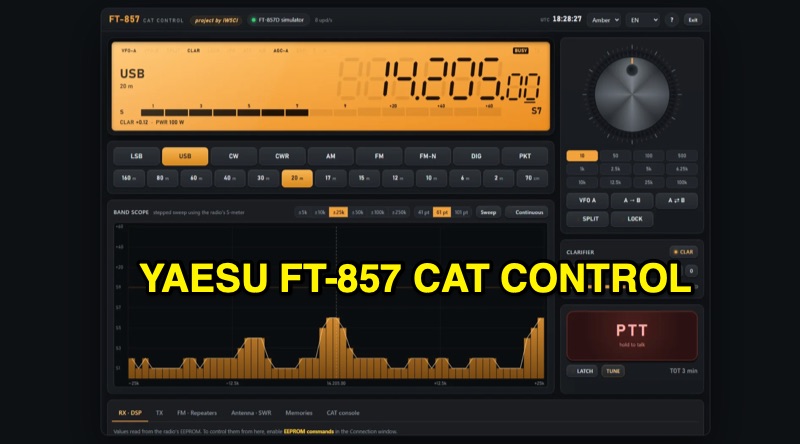 The FT-857 CAT Control program provides a comprehensive software interface for Yaesu FT-857 and FT-857D transceivers, enabling full control via a Windows PC. Key features include a graphical display mirroring the radio's VFO, mouse-controlled frequency tuning, and direct one-click access to various bands and operating modes. The software integrates a _band scope_ for visualizing activity around the current frequency, enhancing situational awareness during operations. Beyond basic CAT functions, the program manages advanced transceiver settings such as AGC, noise blanker, IPO, ATT, DSP, and RF power output. It utilizes EEPROM control with write verification for reliable configuration changes. Support for FM repeater operations includes shift, offset, CTCSS, and DCS settings, alongside an unlimited memory system with naming, search, export, and import capabilities, including direct import from the FT-857 itself. Additional functionalities include a dedicated TUNE key for a **5W FM carrier** output, SWR graphing, and a CAT console for direct command input. The user interface is designed to adapt across PCs, tablets, and phones, and is available in **six languages**, reflecting its global utility for FT-857/D operators.
-
 The Yaesu FTDX-10 transceiver requires specific configuration adjustments to achieve seamless interoperability with WSJT-X for FT8 digital mode operation. As KI5GFU discovered, the out-of-the-box settings, even when migrating from a Yaesu FT-991 setup, do not immediately provide full functionality, necessitating careful modification of both the radio and the software parameters. Key FTDX-10 adjustments include setting the mode to DATA-U, optimizing attenuator, preamp, roof filter, and AGC. Further modifications involve factory 'REAR SELECT', 'RPORT GAIN', and 'RPTT SELECT' settings, alongside fine-tuning 'LCUT FREQ', 'LCUT SLOPE', 'HCUT FREQ', and 'DATA SHIFT (SSB)' values to enhance signal quality, a point often highlighted by experienced operators. For WSJT-X, the setup involves selecting the FTDX-10 radio model, configuring the serial port to a virtual port like cu.SLAB_USBtoURAT with a baud rate of 38400, eight data bits, two stop bits, and no handshake. PTT method is set to CAT, mode to Data/Pkt, and appropriate USB Audio CODEC drivers, such as Silicon Labs (SLAB) on a MacBook Pro, are selected for audio input and output.
-
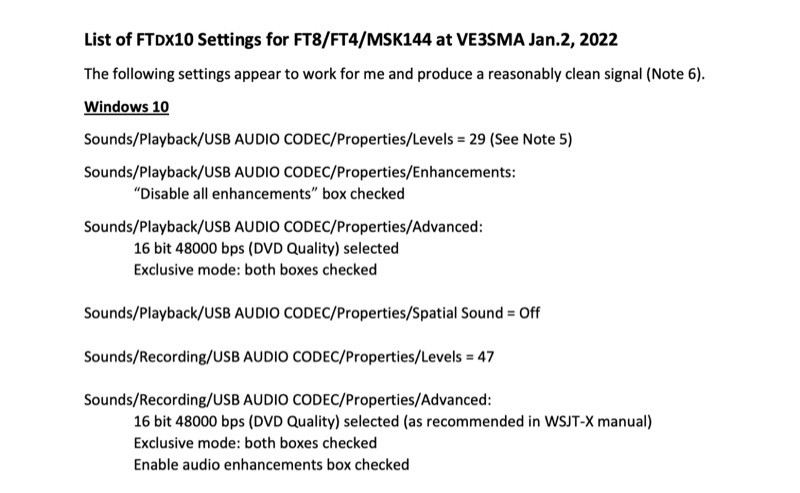 Configuring a Yaesu FTDX10 transceiver for digital modes like FT8, FT4, and MSK144 requires precise adjustments across both the operating system and the digital mode software. This resource details specific Windows 10 audio codec settings, including playback levels at 29 and recording levels at 47, along with advanced 16-bit 48000 bps (DVD Quality) selections for optimal signal fidelity. It also specifies checking the "Disable all enhancements" box for playback and enabling audio enhancements for recording. The document outlines critical WSJT-X v.2.5.1 parameters, such as setting the Rig to FTDX-10, a 1-second poll interval, and a 38400 baud rate for CAT control. The PTT method is configured to RTS, with Split Operation set to "Fake It" or "None." Audio input and output are directed to the USB AUDIO CODEC, with a recommended WSJT-X Pwr Slider setting of -32.0 dB, adjusted to ensure ALC meter readings remain within the white segment on the FTDX10. Transceiver-specific settings include a CAT RATE of 38400 bps, AMC RELEASE TIME set to MID, and DATA SHIFT (SSB) at 1500 Hz. The RPORT GAIN is specified at 70, with notes suggesting lower values (e.g., 30) can also yield clean signals. Transmit bandwidth selection is discussed, recommending 50-3050Hz for wideband modes like MSK144, while suggesting 400-2600Hz for FT4/FT8 to mitigate second harmonics and improve signal purity. The guide also references discussions with W5AJ, DO1YHD, AC6BW, and W9RTB.
-
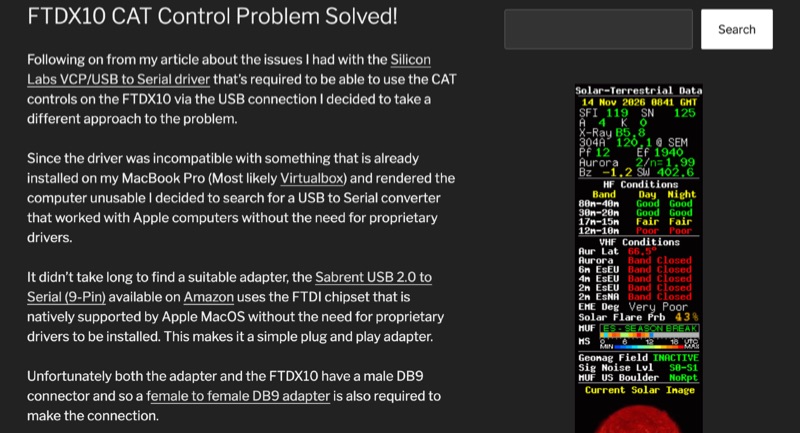 The Yaesu FTDX10 transceiver, a popular HF/50 MHz rig, often presents CAT control challenges on macOS systems due to driver incompatibilities. This resource addresses a specific issue encountered with Silicon Labs VCP/USB to Serial drivers causing system instability on a MacBook Pro running macOS 11.6.2 (Big Sur). The author details a robust solution involving a Sabrent USB 2.0 to Serial (9-Pin) adapter, which incorporates an FTDI chipset, ensuring native driver support within the macOS environment. This setup facilitates direct control of the FTDX10 without requiring proprietary driver installations. Configuration specifics include connecting the Sabrent adapter to the FTDX10 via a female-to-female DB9 adapter, setting the RS232 port to 38400 baud on both the radio and the WSJT-X software. For digital mode audio routing, a standard USB lead connects the FTDX10 directly to a second USB port on the MacBook, leveraging the transceiver's integrated sound card, which macOS natively recognizes. This dual-USB approach separates CAT control from audio I/O. The methodology was successfully validated through FT8 operation on the 30-meter band, confirming stable CAT communication and proper audio interfacing. This guide provides a practical workaround for macOS users seeking reliable digital mode operation with their FTDX10, avoiding common driver-related frustrations.
-
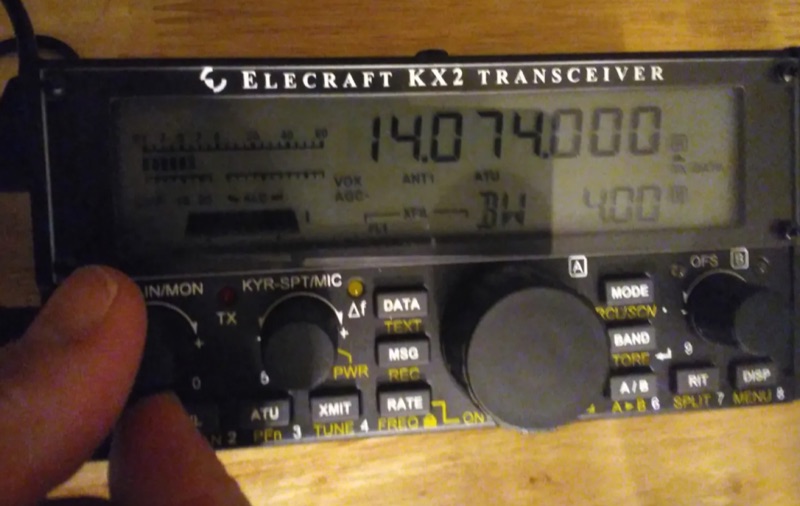 Approximately 15 watts of RF output can be achieved by carefully adjusting the **Elecraft KX2** transceiver's settings for digital mode operation with **WSJT-X**. This configuration guide focuses on direct integration with a Windows 10 laptop, eliminating the need for an external soundcard. It details the precise menu settings within the KX2, such as Menu 38 (DATA A), Menu 39 (DATA B), and Menu 40 (DATA C), which control audio input, output, and data mode activation, respectively. The process also covers critical adjustments within WSJT-X, including selecting the correct audio input/output devices and configuring the CAT control interface for the KX2. Successful setup involves verifying proper transmit power on the KX2's RF meter and troubleshooting common issues like incorrect SSB transmission settings. The guide emphasizes using the KX2's internal soundcard capabilities, leveraging its USB interface for audio and CAT control. Specific attention is given to ensuring the KX2's internal soundcard is recognized and properly selected within Windows 10 sound settings and WSJT-X. This methodology enables operators to establish a functional FT8 station with minimal external hardware, streamlining the setup for portable or QRP operations. It provides step-by-step instructions for both radio and software adjustments, ensuring reliable digital mode communication.