Search results
Query: dxcc zones
Links: 12 | Categories: 0
-
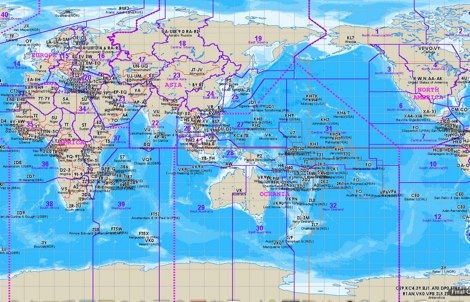 The website provides a free to download large Jpeg DXCC map with amateur radio prefixes and CQ zones. It is a valuable resource for radio amateurs looking to identify DX entities and zones for their operations.
 -
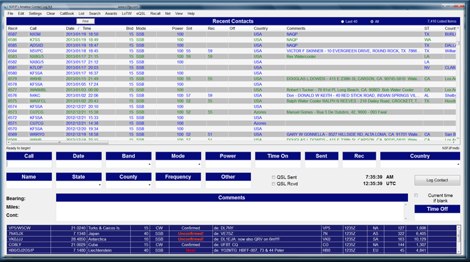 Amateur Contact Log (AC Log) by N3FJP is a commercial Windows-based general logging program designed for amateur radio operators, supporting Windows 7 through 11. It provides comprehensive tracking for various operating awards, including Worked All States (WAS), Worked All Counties, Worked All Countries (WAC), DXCC, VUCC, Grids, Zones, IOTAs, and Lighthouses. The software features a customizable user interface, allowing operators to display specific data fields and adjust font sizes. It includes built-in databases for counties and countries, facilitates queries by band, mode, or power level, and offers a bearing and distance calculator for DX contacts. AC Log also provides DX spotting via Telnet or packet TNC, supports keyboard CW, and can play wave files. The program offers full support for ADIF import and export, enabling seamless integration with external services like eQSL, QRZ, Club Log, and the ARRL's Logbook of the World (LoTW) for QSO uploads and confirmation downloads. It interfaces with popular transceivers from Elecraft, Icom, Kenwood, Ten Tec, and Yaesu, and connects with digital mode software such as WSJT-X, Fldigi, and JTAlert via API. AC Log includes a Net Manager form for group logging, prints basic QSL label strips, and integrates with QRZ and Ham Call lookup services. The software is fully networkable for multi-PC operation, supports Parks on the Air (POTA) logging, and displays worked entities and DX spots on a real-time world map. Full featured Trial version available for 45 days
 -
 Version 7.22 of XMLog provides a fix for an issue where the ARRL LoTW application TQSL produced error messages concerning invalid "MY-COUNTRY" values, ensuring smoother integration for award submissions. The software supports flexible log searching, allowing users to select log subsets based on any field, such as RTTY QSOs on 40 meters during a specific month, or entries for a single country with sent but unreceived QSLs. XMLog tracks DXCC, WAZ, WAS, county hunting, IOTA, and grid square awards, managing QSL sent/received status and submission status to award sponsors, with LoTW crediting for DXCC and WAS. It generates detailed reports summarizing QSL status by band and mode, identifying needed countries/states/zones, and listing critical QSOs that could boost award totals. The system also integrates with callbook services like QRZ.com (subscription required) and WM7D.net for lookups, and facilitates QSL and mailing label printing using standard or custom layouts. Further capabilities include ADIF, Excel, and CSV log import/export, a Packet Window for Internet PacketCluster nodes or TNCs with history and scripting, and vocal/CW alerts for needed QSOs based on PacketCluster spots. Rig control is supported for a wide array of Alinco, Elecraft, Flex, Heath, Icom, JRC, Kenwood, TenTec, and Yaesu transceivers, enabling frequency/mode synchronization and control. CW support is provided via a serial port interface compatible with N1MM or K1EL WinKeyer, allowing CW sending from a keyboard or pre-programmed messages.
 -
 A large jpeg DX World map that include ITU Zones, grid squares and prefixes. This high-resolution DX World Map is an essential tool for amateur radio operators. It clearly displays ITU zones, CQ zones, grid squares (Maidenhead Locator), and DXCC prefixes, helping you to plan QSOs, track propagation paths, and participate in global contests. Whether you are a seasoned DXer or a beginner, this map provides a clear, detailed view of the radio world, improving your station's efficiency and geographic awareness. Available in JPEG format, it's perfect for display
 -
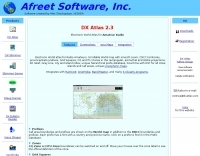 Electronic World atlas for radio amateurs. DXCC and province prefixes, CQ and ITU Zones in the rectangular and azimuthal projections, continuous zoom and scrolling, Gray Line, city and island index, unique hierarchical prefix database. COM/OLE Automation for easy integration with 3-rd party programs.
 -
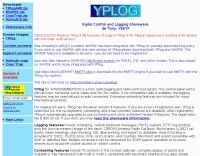 Over 70 international contests are supported by YPlog, a Windows-based logging and radio control program designed for amateur radio operators. This software integrates with various digital mode applications like _WinPSK_, _HamScope_, and _MMTTY_, facilitating partially automated log entry for modes such as PSK31, CW, and RTTY. It provides comprehensive logging capabilities including QSL label printing, beam headings, and dup-checking, alongside award tracking for DXCC, ITU/CQ zones, IOTA, Grid Locators, and Counties. The program offers advanced contesting features, including multi-multi or multi-2 networked operations with automatic log data sharing, multiple Cabrillo submission formats, and configurable CW keyboard layouts. Device support extends to TR-compatible CW keying, SO2R control with Top-Ten devices like the DX-DOUBLER, and internal W9XT digital voice keyer integration. YPlog is notable for its support of the _OK1RR DXCC_ country resolution files, providing a robust historical DX compendium. Beyond logging, YPlog includes two freeware utilities: one for computing design parameters for coaxial traps and another for displaying and printing azimuth and Mercator maps from the operator's QTH. The software runs on Windows 95/98/ME/NT/2K, with a recommended screen resolution of 1024x768. Registration costs **$50.00 US** to unlock all features, including full contesting capabilities and rotator control.
 -
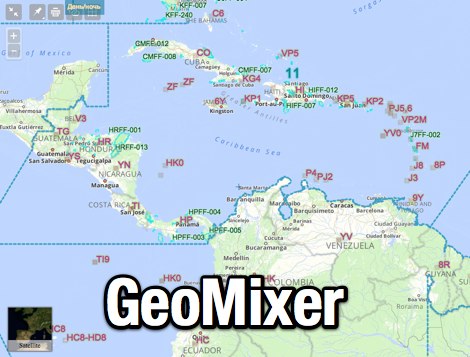 Amateur Radio Maps online mixer of different selectable layers, including DXCC references, IOTA references, ITU and WAZ Zones. Works with most web browsers make heavy javascript usage.
 -
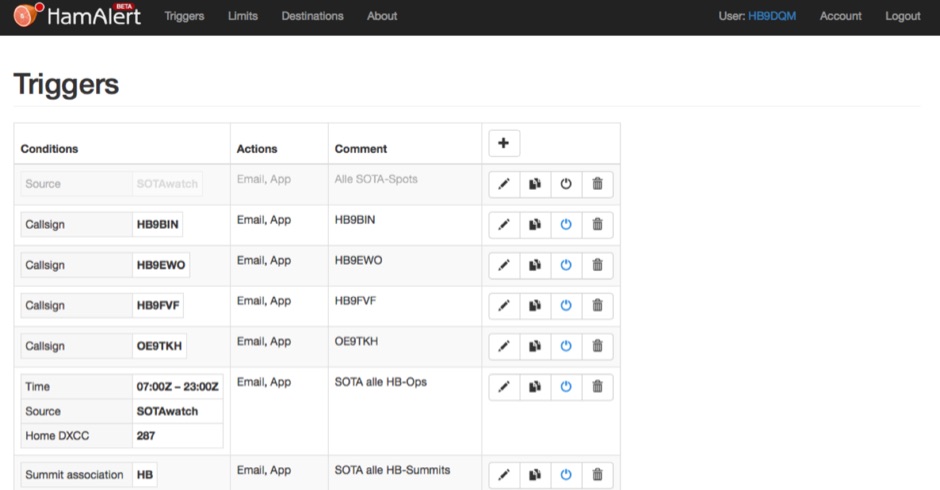 HamAlert let you receive Push,SMS,Email notifications for Cluster,RBN,SOTAwatch spots, with customizable filtering based on many criteria including DXCC, SOTA and WWFF references, CQ zones
 -
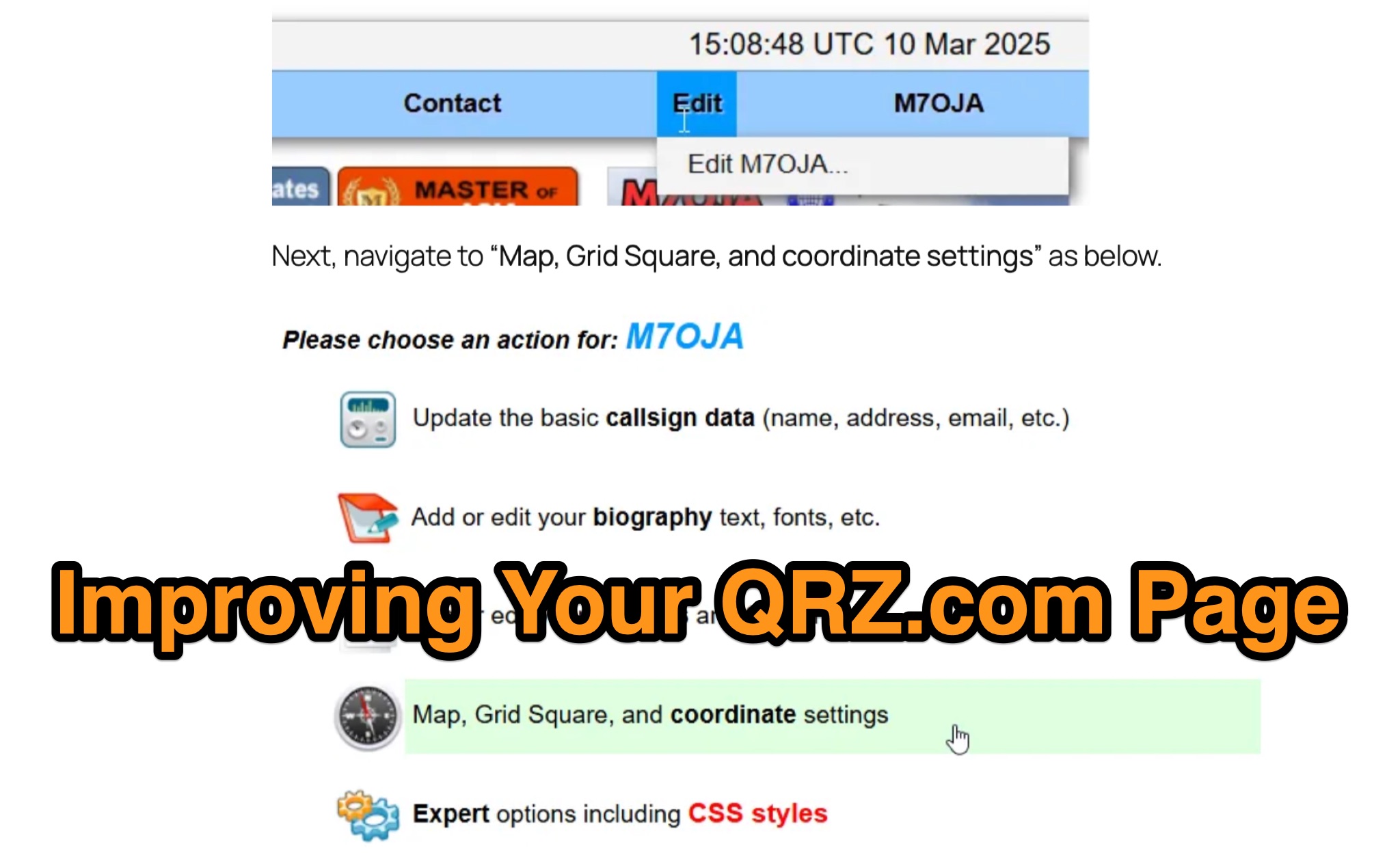 Optimizing a QRZ.com page involves adding essential callsign data, ensuring correct _Maidenhead Gridsquare_ and DXCC information in the Detail tab, and populating the Biography section with relevant station details. Operators should include their operating conditions, specific country references like WAB square, club affiliations, and detailed QSL information, specifying preferences for electronic confirmations (e.g., _LoTW_, Clublog) and paper QSLs (direct, bureau, SASE). The guide emphasizes the importance of accurate data for electronic logging software integration, which fetches Gridsquare, DXCC, and CQ/ITU zones to populate contact logs correctly. Further enhancements include leveraging the QRZ.com photo gallery for images and setting a primary image that logging software like _Log4OM_ can display. Advanced customization involves embedding external services via HTML source code. Examples include integrating HamAlert for DX Cluster spots, Clublog for log searches and Online QSL Requesting (OQRS), and Parks on the Air (POTA) statistics widgets from WD4DAN. Additionally, live weather information from Weather&Radar and solar data banners from HamQSL can be embedded, providing real-time environmental context for visitors to the QRZ page. These embedded tools require creating accounts on respective platforms and often involve copying specific source code snippets into the QRZ biography's HTML editor, ensuring callsign placeholders are updated.
 -
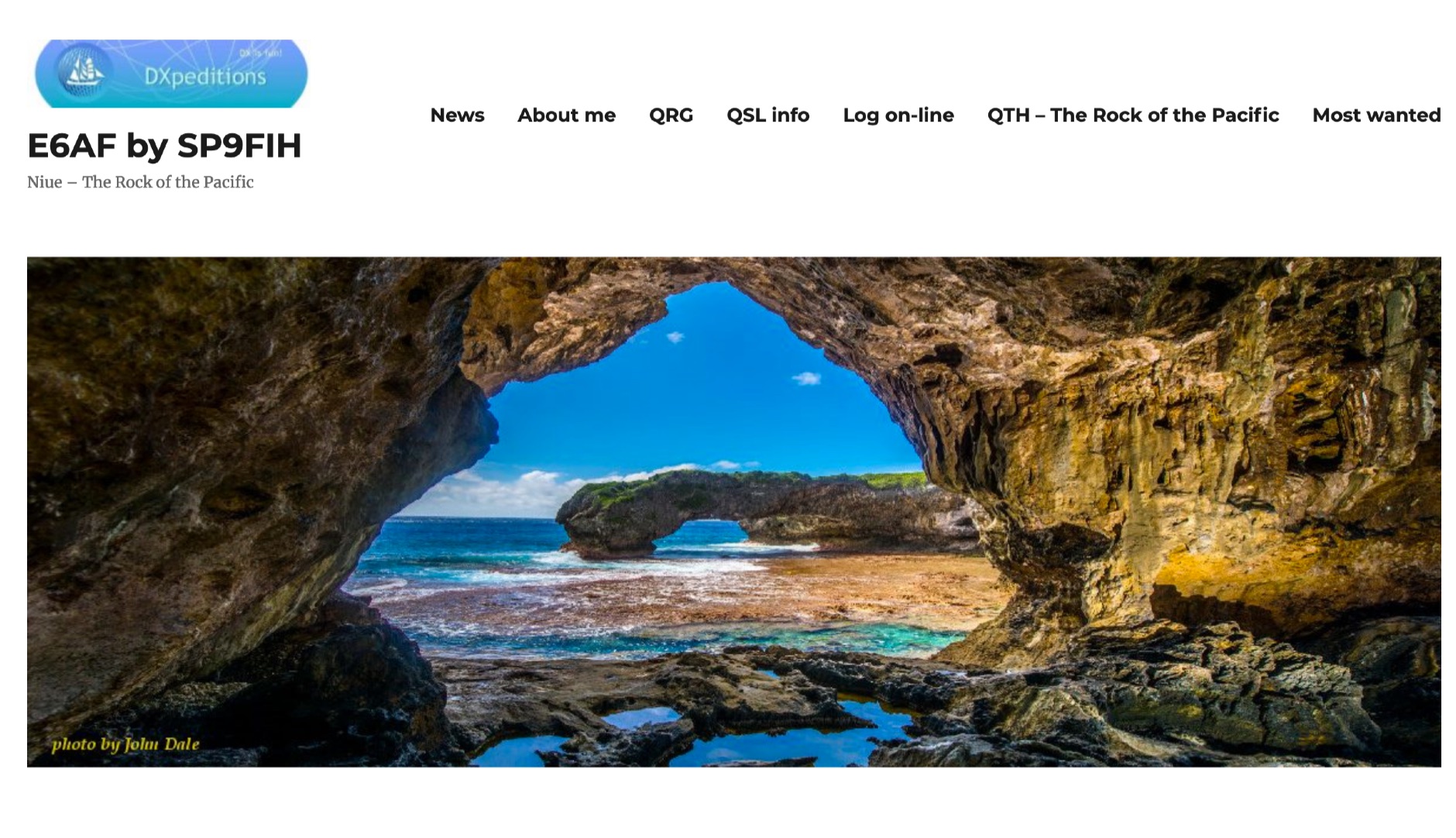 The E6AF DXpedition to Niue (OC-040) in 2019 successfully activated a rare DXCC entity, providing thousands of contacts for the global amateur radio community. Operations focused on maximizing QSOs across various **HF bands** and modes, significantly contributing to the DXCC program. The team, led by SP9FIH, meticulously planned antenna deployments and station setups, including a specific focus on **Fox-Hound mode** for digital operations, to ensure robust signal paths and efficient pile-up management. Operational details included specific schedules for CW, SSB, and digital modes, aiming to accommodate different time zones and propagation windows. QSL information and log search functionalities were made available post-operation, facilitating confirmation for thousands of contacts. The expedition encountered logistical challenges, including power supply failure and strict COVID-19 travel restrictions that delayed licensing. Despite these hurdles, the E6AF and E6CI stations provided valuable contacts from Niue, a sought-after location for many DXers.
 -
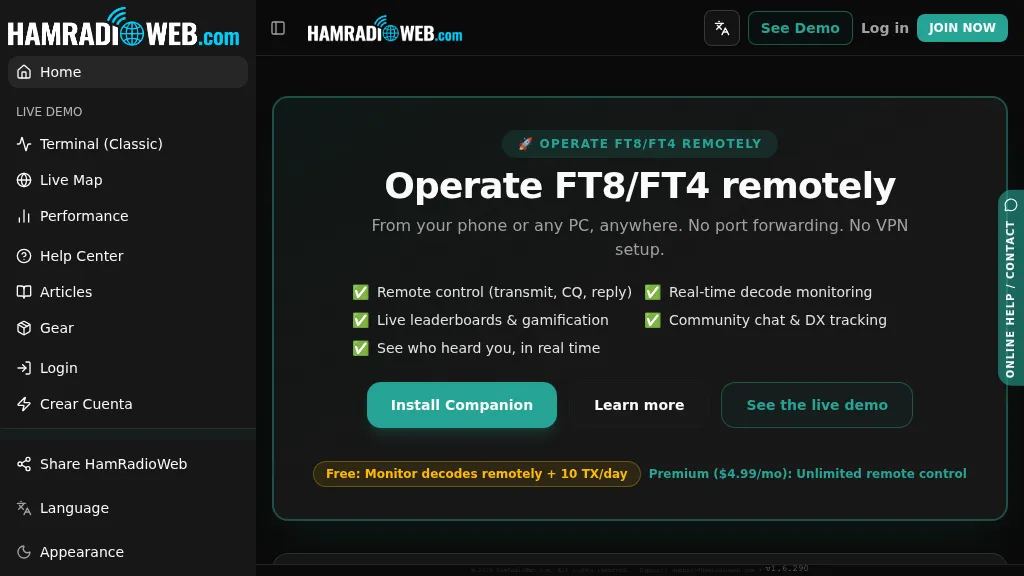 Provides a real-time intelligence layer for **WSJT-X** and **JTDX** operators, enhancing weak-signal digital mode operations. It enables remote monitoring of decodes and transmit control for FT8 and FT4 from any browser or device, eliminating the need for port forwarding or VPNs. The platform integrates with PSKReporter data to compare a station's signal-to-noise ratio (SNR) against nearby operators receiving the same signal, offering immediate feedback on propagation and station performance. Operators can track DXCC entities, grid squares, CQ/ITU zones, and WAC status in real-time through an integrated logbook. A live global band-activity map visualizes who is decoding a station's transmissions, providing tactical intelligence updated every 15 seconds. The system also includes social features like community chat, allowing operators to share station metrics and engage with others. The Companion app, a small bridge application, runs on the shack PC, facilitating seamless remote access and control. This setup transforms the weak-signal operating experience by providing actionable data and real-time insights into propagation openings and station effectiveness.
 -
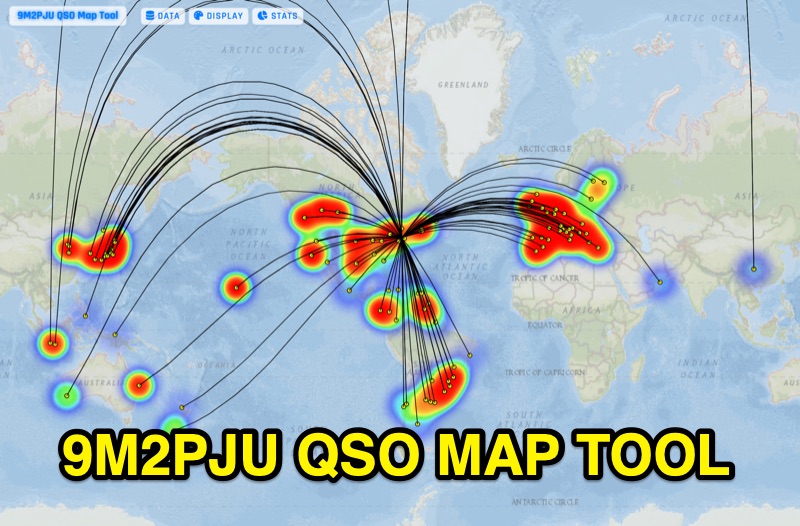 Presents the 9M2PJU QSO Map Tool, a web-based utility designed by Ian Renton for visualizing amateur radio contacts. This tool processes ADIF, Cabrillo, and SOTA CSV log files, allowing operators to plot their QSOs on a selection of base maps, including ESRI NatGeo World Map and OpenStreetMap Mapnik. Users can configure display options such as simple dot markers or xOTA hunter markers, QTH location, outlines, shadows, and geodesic lines, with coloring by band or a fixed hue. The application supports drawing per-band heatmaps and offers overlays for Maidenhead grid squares, CQ zones, ITU zones, and Worked All Britain/Ireland grids. It also provides QSO filtering capabilities and displays comprehensive log statistics, including unique calls, grid squares, CQ zones, ITU zones, and worked DXCCs. Customizable band and mode colors, alongside specific xOTA icons for programs like POTA, SOTA, WWFF, IOTA, and WCA, enhance the visual analysis of operating activity.