Search results
Query: video stream
Links: 7 | Categories: 0
-
 Stream your radio audio output with free version on unreal media server. Support live audio and video broadcasting via internet
 -
 The Voice of America (VOA) website serves as a primary digital platform for its international news and information services, broadcasting in 44 languages. The resource presents a wide array of current events, geopolitical analyses, and cultural reports, reflecting a global perspective on news originating from the United States. Content spans various regions, including Africa, Asia, the Middle East, and specific country-focused reports from VOA's language services, such as VOA Uzbek, VOA Kurdish, and VOA Russian. The site features top stories, special reports, and sections like "All About America" and "VOA Explains," providing in-depth context on US-related topics and global issues. The VOA platform offers a continuous stream of updated news articles, covering political developments like government shutdowns, diplomatic relations, and international conflicts, alongside social and economic issues. It also includes sections for "Worth Watching" videos and "From VOA's Language Services," highlighting the breadth of its multimedia output. The content is designed to inform a worldwide audience, often presenting multiple perspectives on complex international events and US foreign policy, making it a significant reference for those monitoring global news and shortwave broadcast content.
 -
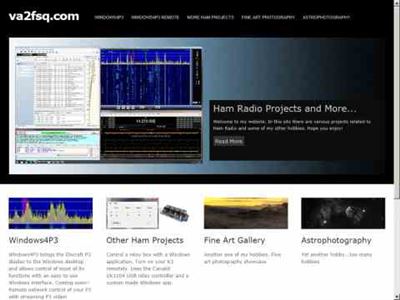 Win4K3Suite is an integrated control program for the entire Elecraft K-Line. It supports the K3, the KPA500, the KAT500 and the P3 Panadapter. Has a remote server mode as well, that supports P3 streaming video.
 -
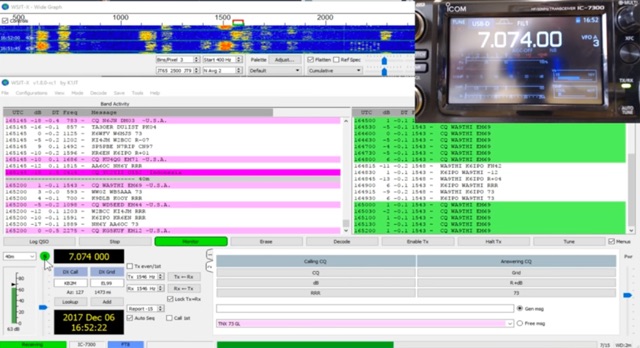 The _Icom IC-7300_ transceiver, a popular SDR rig, can be readily configured for digital modes like FT8 using _WSJT-X_ software. This guide details the necessary steps, from downloading the correct version of WSJT-X to configuring the radio's USB audio and CAT control settings. It emphasizes a straightforward approach, aiming to simplify the often complex initial setup for new digital mode operators. K0PIR shares his practical experience, outlining the specific menu settings on the IC-7300, such as USB SEND/DPT and USB MOD LEVEL, which are crucial for proper signal modulation and transmission. The resource also covers the integration of WSJT-X's built-in logging capabilities, streamlining the process of recording digital contacts without needing external logging software immediately. This setup allows for efficient operation on various HF bands. Two embedded videos further illustrate the configuration process, providing visual aids for each step, from initial software installation to making the first FT8 contact. The author's method focuses on minimizing common setup hurdles.
 -
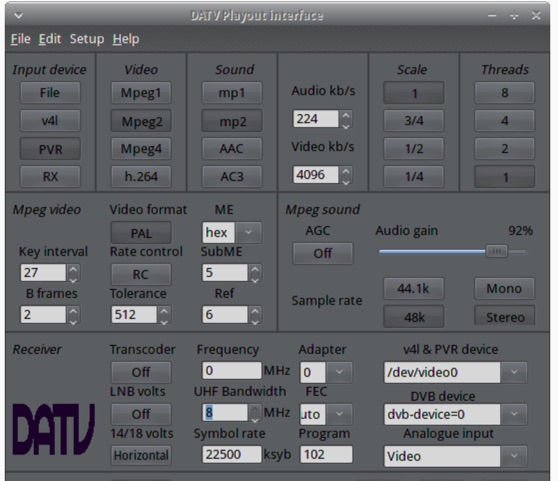 The ZL1WTT resource details an experimental software-based Digital Amateur Television (DATV) system, demonstrating the multiplexing of up to six standard-definition (SD) and one high-definition (HD) channel utilizing _h264 compression_. The author encountered peak data rates reaching 32 Mbit/s, necessitating a shift to Freeview and Sky settings (22.5M Sym/s 3/4FEC) to manage bandwidth. The setup employs four networked computers, with a laptop functioning as the multiplexer to re-code PIDs for various inputs, including looped MPEG2 playlists, MPEG2 encoder card input from a VCR, satellite feeds, and an off-air UHF receiver. The system highlights the inherent flexibility of the DVB transport stream, supporting diverse formats such as MPG2, h264, AC3, and AAC. A significant advantage of this software-defined approach is the absence of video quality degradation from stored MPEG2 files to the displayed output, coupled with the ease of reconfiguring settings for MPEG2 encoder cards (e.g., size, bit-rate, frame rate, video input, coding format) and satellite receiver cards (e.g., frequency, LNB volts, symbol rate, FEC). The author also discusses the development of a new graphical user interface (GUI) using _Gambas_ for Linux, aiming to simplify configuration for this DATV project. Specific hardware components mentioned include Hauppauge WinTV PVR-150 and Nova-S plus cards, with a focus on optimizing analog video input via Y/C (S-video) to minimize frequency roll-off. The resource also provides insights into data rates for HD (1080i) content, recommending 8 to 12 Mb/s for optimal performance. Software utilized includes _Ubuntu Studio 10.04_, WinFF, VLC, and TMPGEnc Editor, underscoring the project's reliance on open-source tools and a foundational understanding of LAN networks and DVB transport streams.
 -
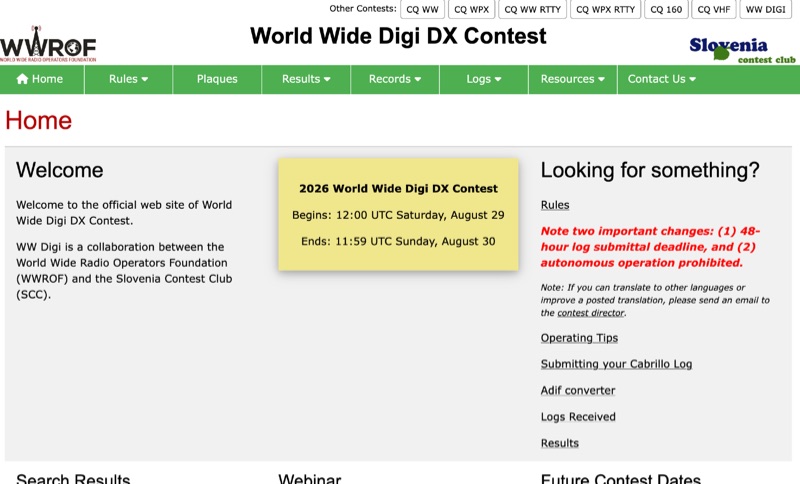 The **World Wide Digi DX Contest** website serves as the official hub for this annual digital DX event, a joint effort by the World Wide Radio Operators Foundation (WWROF) and the Slovenia Contest Club (SCC). It details critical operational changes, such as a strict 48-hour log submittal deadline and the prohibition of autonomous operation, ensuring fair play and adherence to contest guidelines. Participants can find comprehensive operating tips, instructions for submitting **Cabrillo logs**, and access to an ADIF converter to streamline their post-contest workflow. The resource clearly outlines future contest dates, consistently held on the last full weekend of August, with specific dates listed through 2029, including August 29-30, 2026, and August 28-29, 2027. Beyond the WW DIGI contest, the site also references other major contests like CQ WW, CQ WPX, and CQ 160, providing a broader context for digital and traditional contesting. A video recording and presentation PDF from the 2019 event are also available, offering insights into past operations.
 -
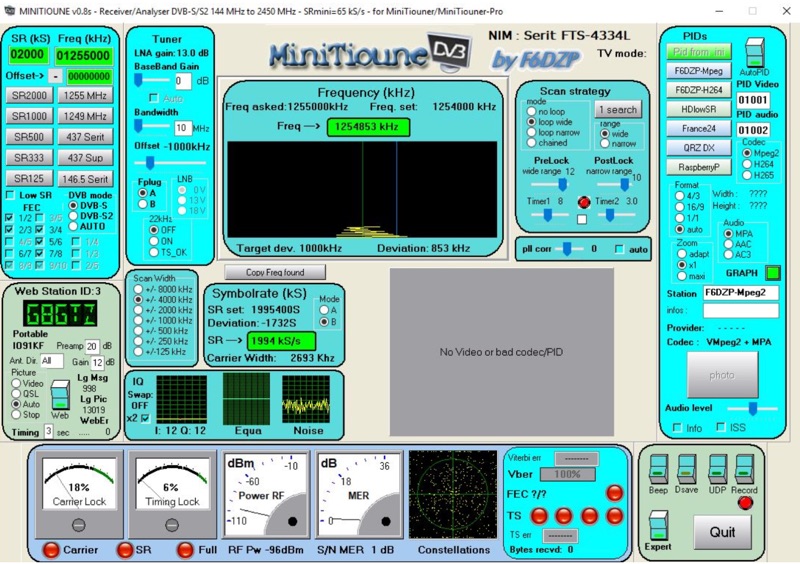 Receiving Digital Amateur Television (DATV) signals requires specialized software to interface with hardware tuners and decode the video stream. The _MiniTioune_ software, developed by F6DZP, serves this purpose, providing a Windows-based application for DVB-S and DVB-S2 reception and analysis. It is designed to work in conjunction with _MiniTiouner_ hardware, enabling hams to monitor DATV transmissions, including those from the QO-100 geostationary satellite. The resource outlines the initial setup process, including connecting the MiniTiouner hardware via a high-quality USB2 mini cable and running diagnostic test software. It details how to configure essential parameters such as symbol rate (SR), FEC rate, and DVB mode for various signal sources, from domestic satellite dishes to local DATV transmitters. Troubleshooting steps for common issues like "no video displayed" are also provided, often pointing to corrupted software filters or incorrect _Auto PID_ settings. Advanced features like the Web monitor for remote signal reporting and integration with _VLC_ media player for more tolerant decoding of non-DVB compliant signals are covered. The document also references a comprehensive user guide by W6HHC for the _MiniTiouner-Express_ system, which utilizes the same software, offering further in-depth assistance for operators.