Search results
Query: step by step instruction
Links: 63 | Categories: 0
-
 This document provides comprehensive guidance on modeling and constructing multiband dipole antennas using traps. It addresses common segmentation issues in EZNEC modeling software, recommends optimal segment lengths for trap models, and compares trapped dipoles with paralleled multiband dipoles. While trap dipoles are significantly shorter, they exhibit lower gain and narrower bandwidth. Detailed instructions for building weatherproof coaxial traps include material lists, construction steps, and tuning methods. The guide notes that properly constructed coaxial traps introduce only minimal signal loss (0.6 dB) while offering practical multiband performance in a compact design.
 -
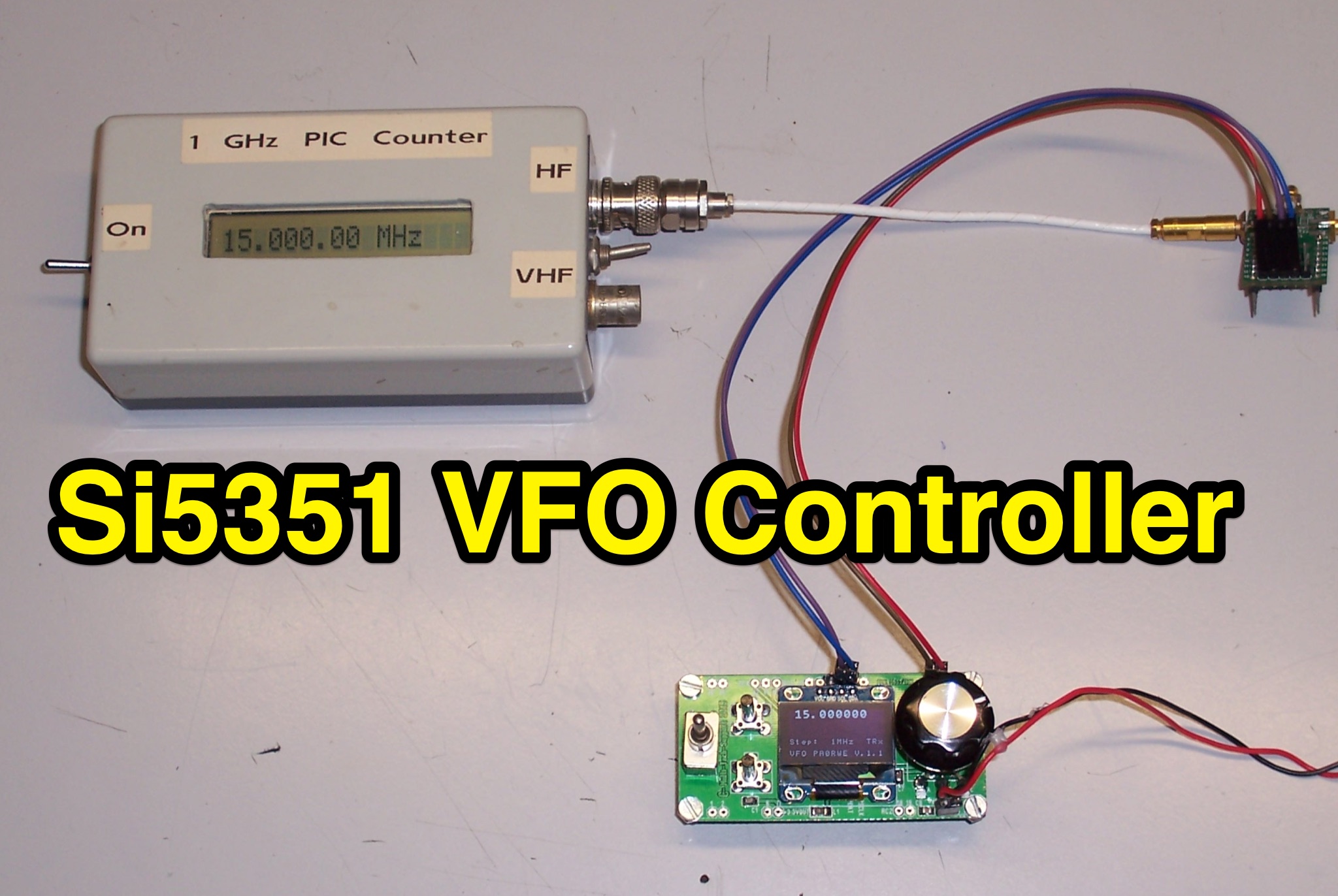 Learn how to build a VFO controller based on the Si5351 for ham radio operators. This controller consists of a PIC16F1825 and OLED SSD1306 display, with clock outputs for Tx, Rx, and IF frequencies. Features include calibration, RIT function, and the ability to tune frequencies separately. With step-by-step instructions and schematics, you can easily create your own VFO controller for your amateur radio setup.
 -
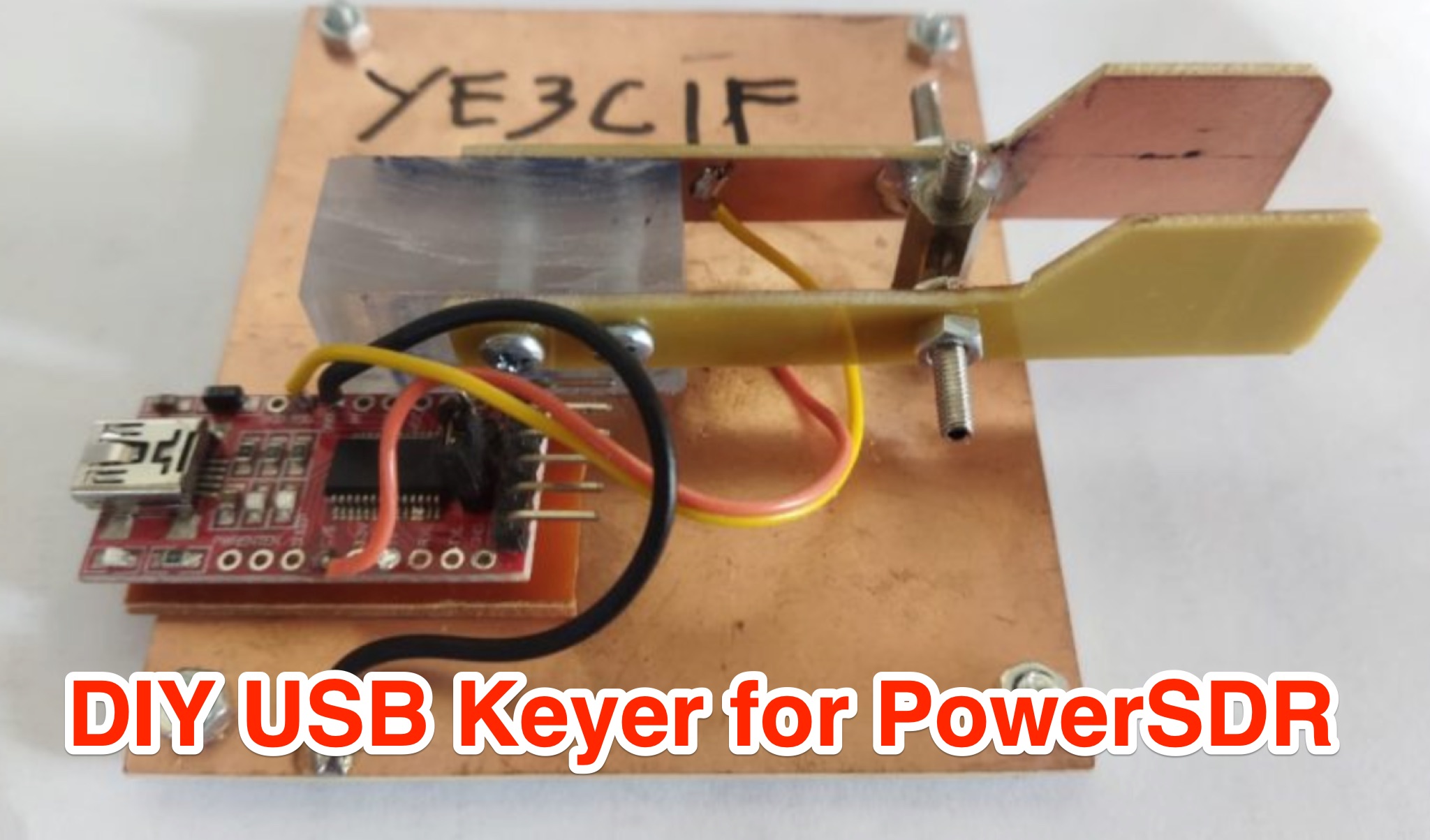 Learn how to create a USB Keyer for PowerSDR to enhance your CW experience. This article provides a step-by-step guide using affordable materials like a USB to TTL Module (FT232RTL) and a Keyer iambic. The tutorial includes a detailed wiring diagram and instructions for configuring the Keyer in the PowerSDR menu. The author also shares a helpful video demonstration to ensure smooth operation. Whether you're a seasoned ham operator or new to CW, this DIY project can improve your radio setup. Follow these instructions to build your USB Keyer and elevate your PowerSDR experience.
 -
 Improve the FRG-7 operation adding a home made digital frequency display. The author explains the challenges of using the analogue dial on the FRG-7 and how a digital display can be a useful solution. The page provides detailed information about the FRG-7's design and frequency conversion process. It also includes step-by-step instructions on how to connect an external frequency counter to display the kHz part of the frequency.
 -
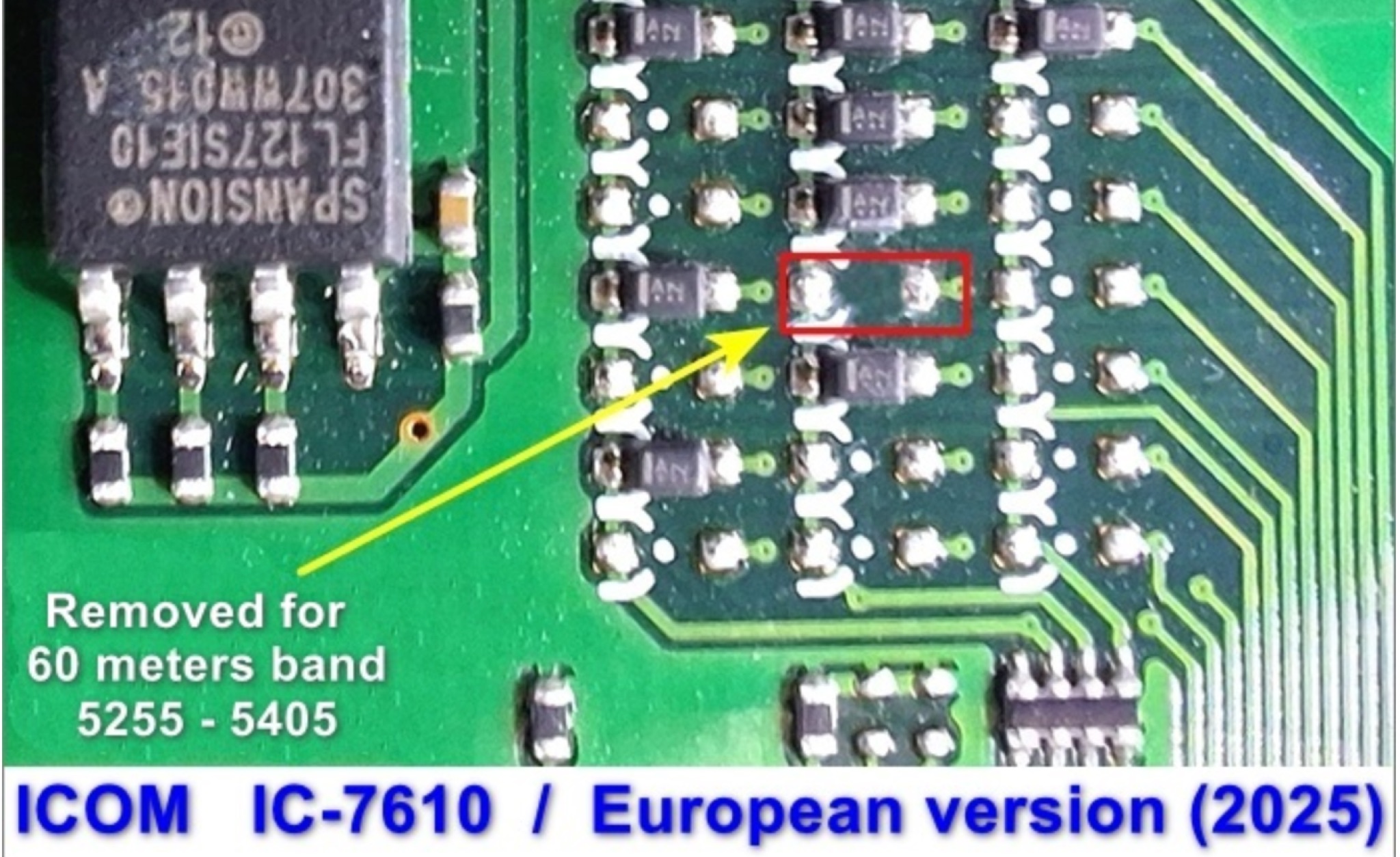 This page provides instructions for unlocking additional frequency bands on your IC-7610 transceiver to access the 60m band. The step-by-step guide is useful for hams looking to expand their operating capabilities and communicate on this popular band. By following these instructions, you can ensure that your transceiver is set up correctly to operate within the regulations of the 60m band.
 -
 This page details the construction project of the 'Stone', a QRP double conversion superhet SSB transceiver for the 40m band. The project is based on a kit from Tim Walford, G3PCJ, and includes step-by-step instructions for building and testing each stage. The author has added enhancements such as a three digit frequency counter and an automatic gain control. The content is aimed at hams interested in DIY transceiver construction and includes technical details of the build process.
 -
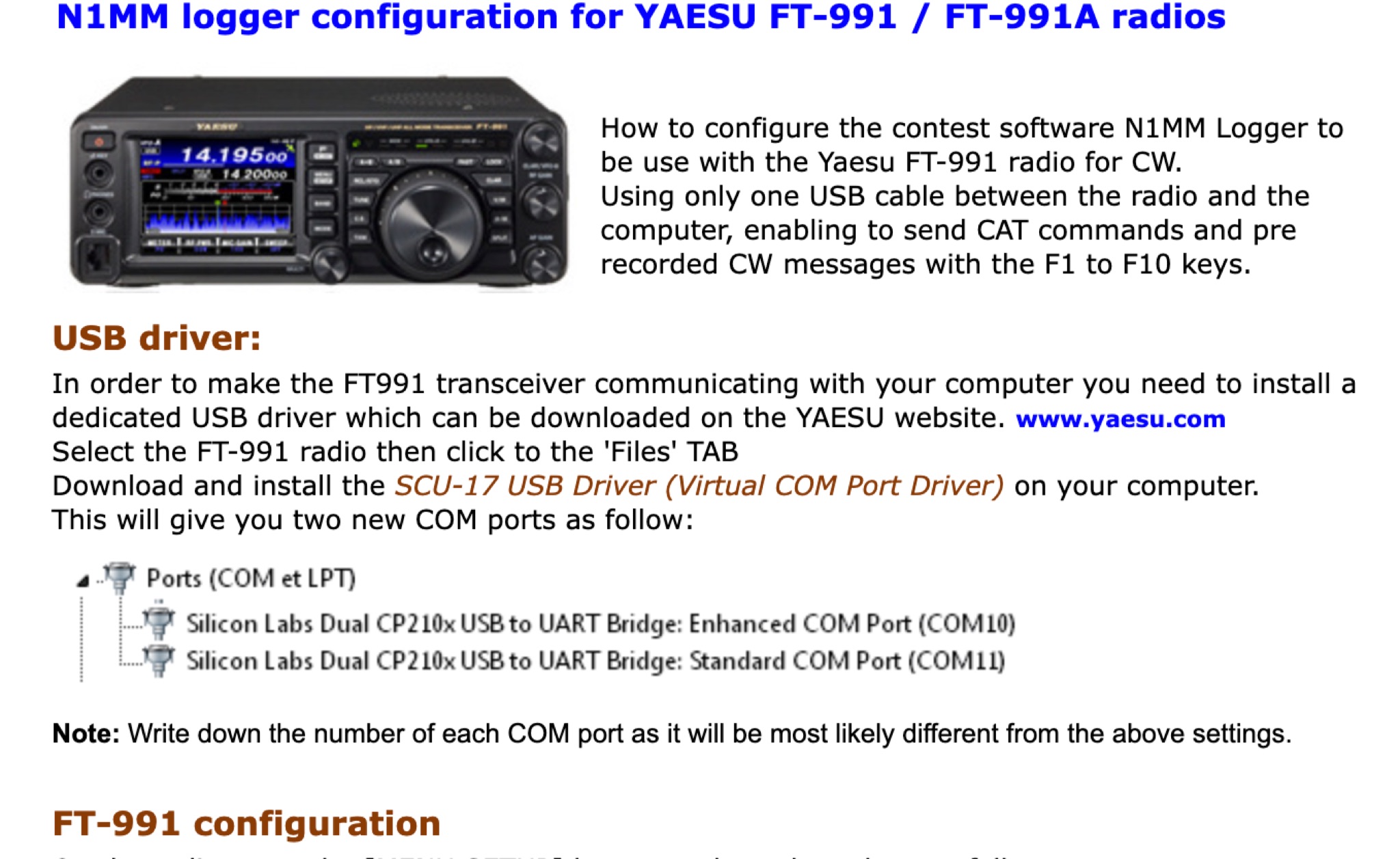 Learn how to set up N1MM Logger+ software for your FT-991 transceiver. This article provides a step-by-step guide on configuring your transceiver settings to work seamlessly with the N1MM Logger+ program. By following these instructions, hams can enhance their contesting and logging experience with improved efficiency and accuracy. Whether you are a beginner or an experienced operator, this tutorial will help you optimize your FT-991 setup for contesting and general ham radio operations.
 -
 Learn how to connect your AllStar Node to 44Net in this blog post. Discover step-by-step instructions and tips to make the process easier for hams interested in expanding their networks. Find out how to improve your communication capabilities and enhance your overall ham radio experience with this helpful guide.
 -
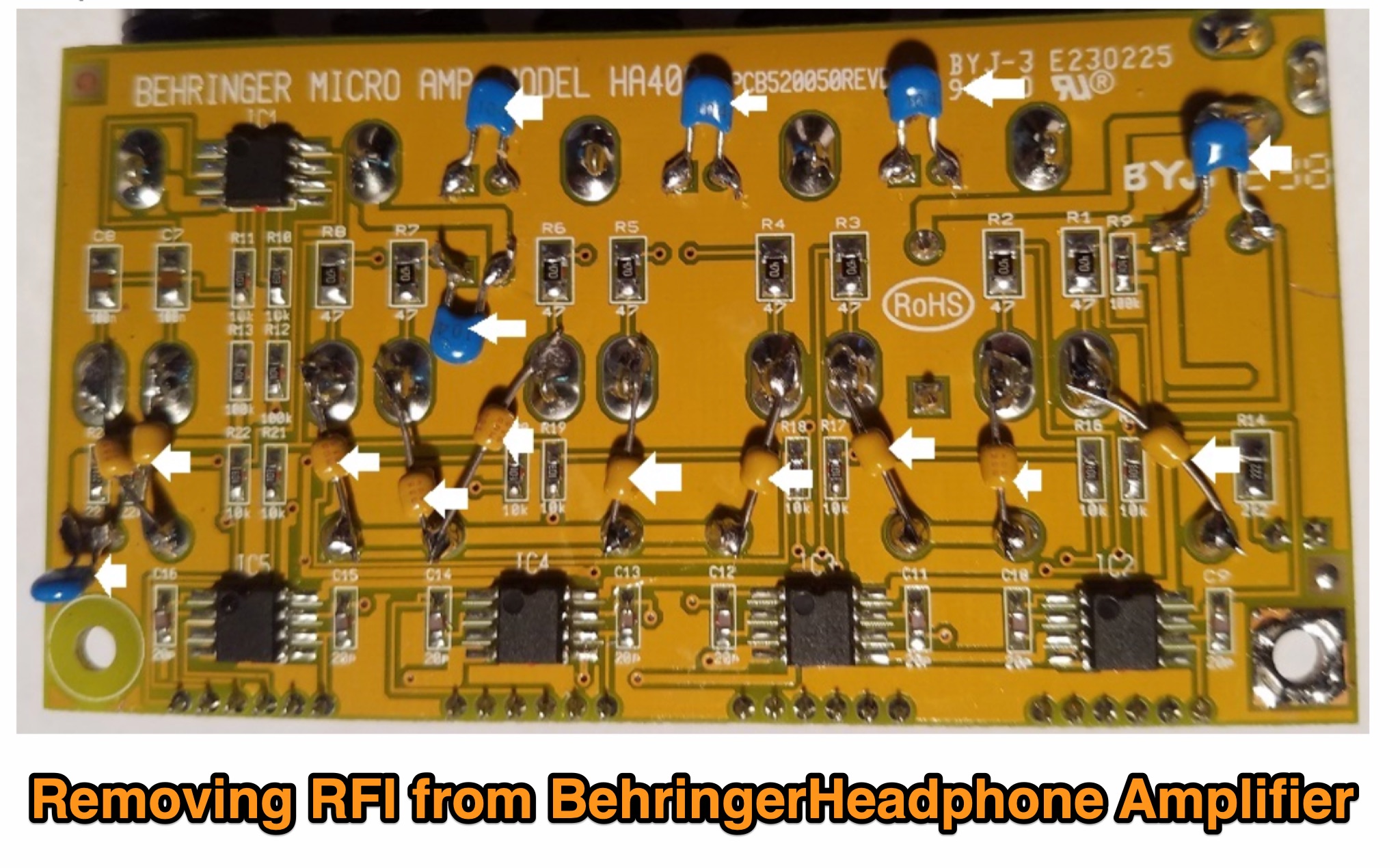 Learn how to eliminate RF interference from your Behringer HA400 headphone amplifier for a better listening experience. Discover the simple modifications needed to prevent distortion caused by RF in your audio setup. Follow the step-by-step instructions provided by WB5NHL Ham Radio to improve the performance of your headphone amplifier in ham radio activities.
 -
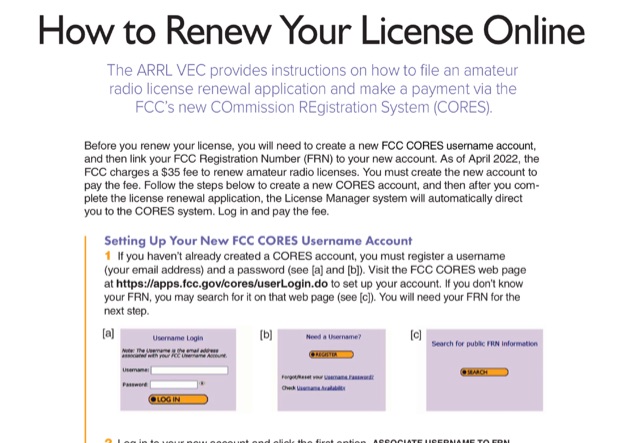 This document provides a comprehensive guide on renewing an US amateur radio license through the Federal Communications Commission (FCC) using the new COmmission REgistration System (CORES). Published on QST October 23, it outlines the necessary steps for creating a CORES account, associating it with a Federal Registration Number (FRN), and completing the renewal application. Key points include the requirement of a $35 fee for the renewal process, which must be paid online after the application is submitted. The guide emphasizes the importance of logging into the FCC License Manager system during the renewal window and provides instructions on how to navigate the renewal process, including obtaining confirmation and access to the renewed license. Additionally, it offers contact information for FCC support and links to further resources for assistance.
 -
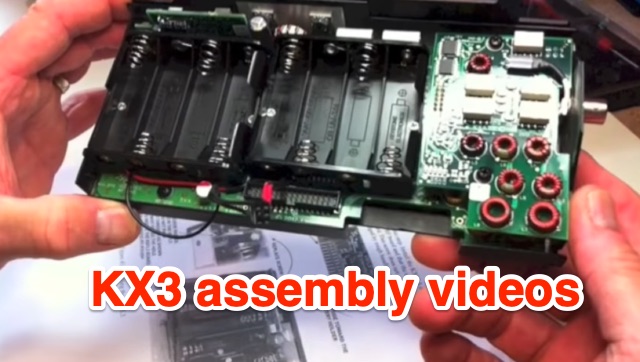 Presents a four-part video series documenting the assembly of the Elecraft KX3 QRP transceiver, offering insights into the construction process. The author, VE9KK, shares practical tips and addresses challenges encountered during his own build, providing guidance to help other builders achieve a smoother experience. The videos, while not a step-by-step instructional guide, showcase completed assembly stages and discuss lessons learned. This approach allows builders to anticipate potential pitfalls and apply proven solutions, drawing from the author's direct experience with the _KX3_ kit. Specific attention is given to areas where builders often face difficulties, ensuring that critical details are covered to facilitate successful completion of the transceiver, which is renowned for its **10-watt** output and versatile operating modes.
 -
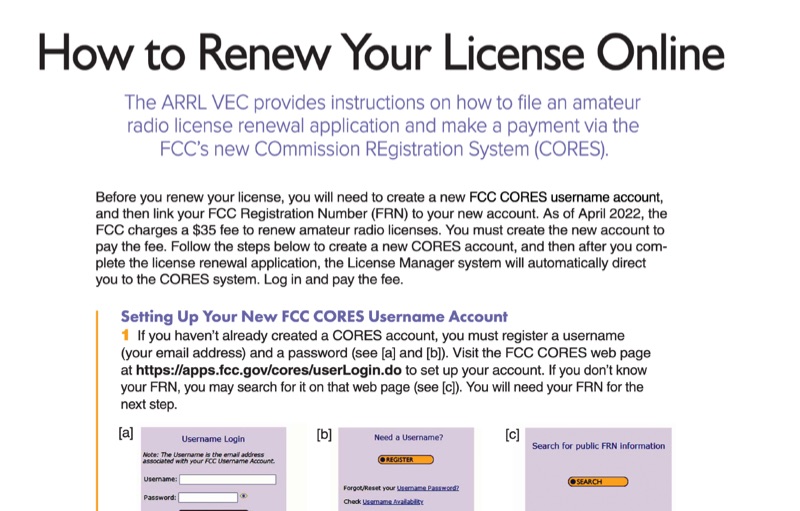 This resource provides a procedural guide for renewing an amateur radio license online through the FCC's COmmission REgistration System (CORES) and Universal Licensing System (ULS). It details the steps for creating a new FCC CORES username account, linking an FCC Registration Number (FRN) to the account, and managing FRN passwords. The document outlines the process for submitting a renewal application via the FCC ULS License Manager system, including payment of the **$35** renewal fee. Instructions cover license renewal eligibility within **90 days** before expiration and during the 2-year grace period post-expiration. The guide specifies the use of the FCC CORES web page at `https://apps.fcc.gov/cores/userLogin.do` for account setup and the FCC ULS License Manager system at `https://wireless2.fcc.gov/UlsEntry/licManager/login.jsp` for application submission. The process concludes with receiving an email from the FCC containing a link to the official license, valid for 30 days.
 -
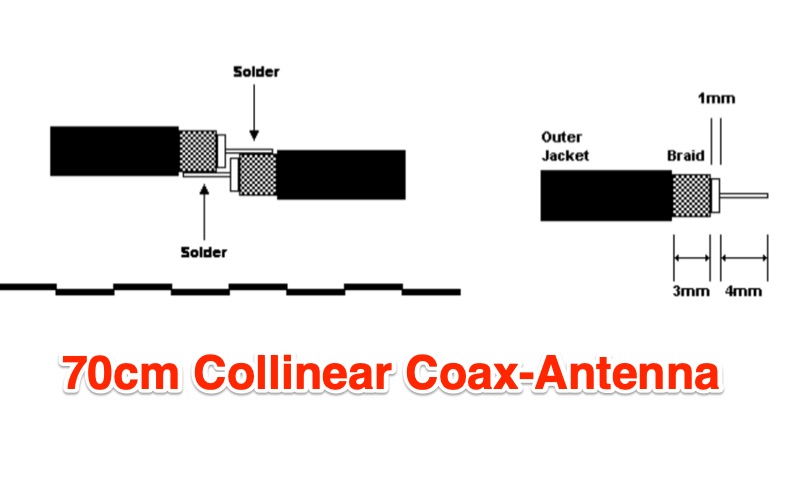 The 9 dB gain 70cm collinear antenna project details the construction of an 8-element array using RG58/U coaxial cable, designed for the 444 MHz band. Each half-wavelength section of RG58/U is precisely calculated, accounting for a velocity factor of 0.66, ensuring optimal resonance and performance. The design incorporates a quarter-wave wire element at the top and a quarter-wave aluminum or copper tube at the bottom, with specific length calculations provided for each component. Construction involves careful cutting and soldering of the coax elements, exposing the center conductor and braid, and tinning the braid for robust connections. The feed point connection to the main RG58/U coax is also thoroughly described, ensuring proper impedance matching for the UHF band. Encased in PVC pipe for weather protection, this homebrew antenna offers a cost-effective solution for amateur radio operators seeking a reliable UHF antenna. The article includes step-by-step instructions, making it accessible for those interested in building their own antennas.