Search results
Query: browser-based
Links: 7 | Categories: 0
-
 Presents the _K7AR DX NorthWest Web Cluster_, an online service for amateur radio operators to access real-time DX spots. The resource functions as a web-based interface, enabling users to monitor current band activity, identify rare DX stations, and track propagation conditions across various amateur bands. It aggregates spotting data, making it accessible without requiring a dedicated telnet client, thus simplifying access for many hams. The cluster integrates with the broader DX spotting network, offering a continuous stream of reported contacts. While specific performance metrics are not detailed, such web clusters typically update spots within **seconds** of submission, providing timely information crucial for DXing and contesting. Its utility lies in offering a quick, browser-based overview of the airwaves, comparable to traditional telnet clusters but with enhanced accessibility.
 -
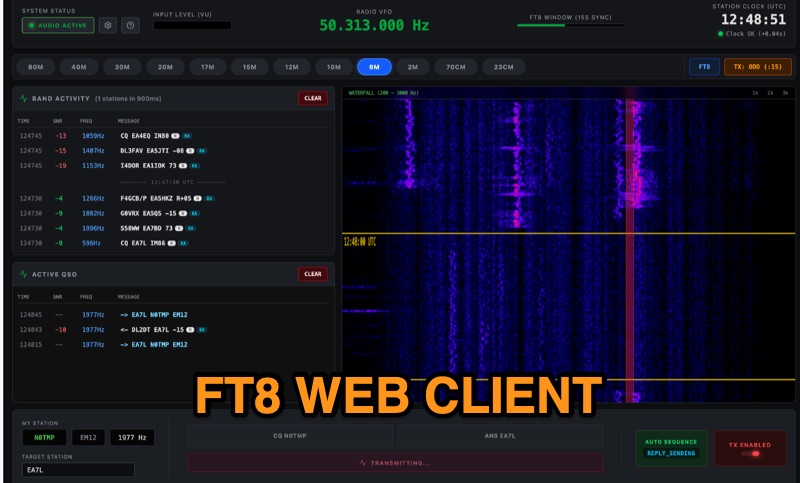 Demonstrates FT8Web, a browser-based FT8/FT4 client developed by OK1CDJ, which operates entirely within a web browser without requiring any installation. This free, open-source software functions as an installable Progressive Web App (PWA), enabling offline use, making it particularly suitable for portable operations like SOTA, POTA, and Field Day. The client integrates CAT control via WebSerial for desktop environments and WebUSB for Android devices, offering automated QSO handling, a real-time waterfall display, and ADIF logbook export for seamless logging. FT8Web has undergone testing with popular Icom transceivers, specifically the IC-7300 and IC-705, confirming its compatibility and performance with these rigs. Its browser-native design eliminates the complexities of traditional software installations, providing a streamlined experience for digital mode enthusiasts. The project is licensed under GPLv3, with its source code readily available on GitHub, fostering community contributions and transparency.
 -
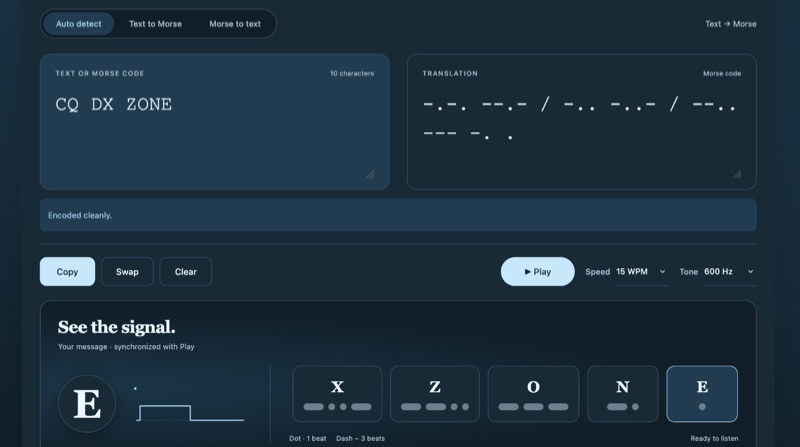 Txtopia provides a browser-based Morse code translator that converts plain text to International Morse Code and decodes Morse back into text, supporting various Unicode dot and dash representations. The tool automatically detects translation direction, normalizes common input variations like middle dots (·), bullets (•), em dashes, and underscores, and explicitly flags unsupported characters or ambiguous sequences with visible placeholders rather than silently dropping them. It accepts spaces, tabs, newlines, and pipes as letter separators, and slashes or blank lines for word boundaries, recording collapsed separators for user review. Users can adjust playback speed from 5 to 40 WPM and tone frequency from 300 to 1000 Hz for CW practice, with playback adhering to international Morse timing. The application operates entirely client-side, ensuring user input remains in the browser without server transmission. It includes a comprehensive reference for the supported Morse alphabet, numbers, and punctuation, aiding in learning and verification. The tool is suitable for checking game clues, verifying tattoo designs, and transcribing messages for ham radio CW practice.
 -
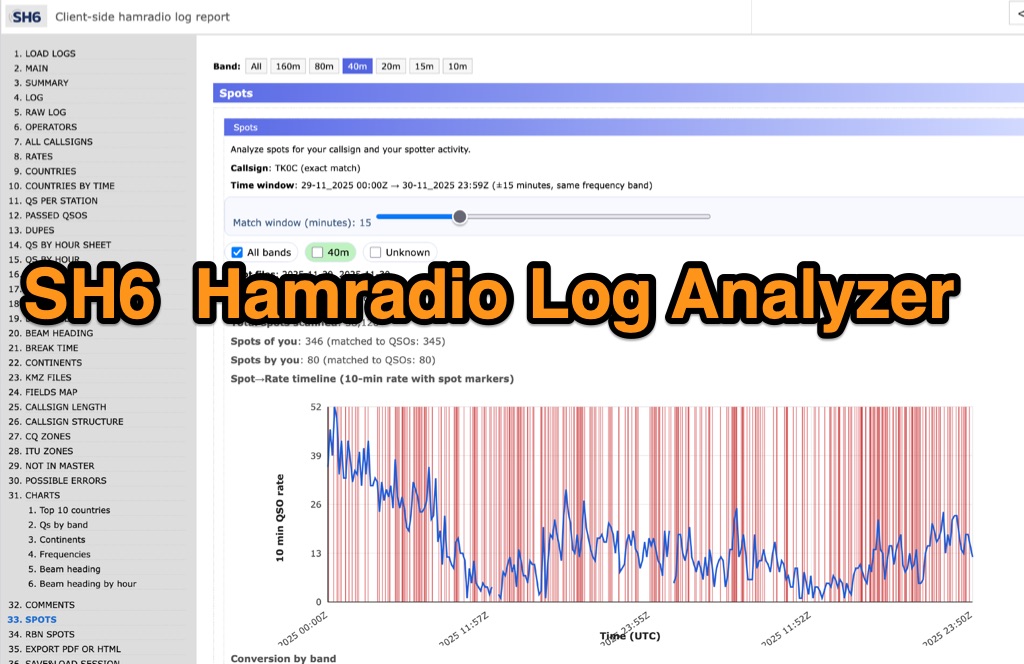 SH6 is a versatile, browser-based utility designed for the detailed analysis and visualization of amateur radio contest logs. Supporting standard formats such as Cabrillo and ADIF, the tool allows operators to upload personal files via drag-and-drop or access a searchable public archive containing over one million logs. Key capabilities include comprehensive performance metrics, offering summaries of band breakdowns, QSO rates, and beam headings. Furthermore, SH6 provides advanced geographic visualization through interactive maps, analyzing contacts by country, zone, and continent. A standout feature is the side-by-side comparison mode, enabling users to contrast two distinct logs for strategic assessment. SH6 transforms raw log data into actionable insights regarding operator performance without requiring software installation.
 -
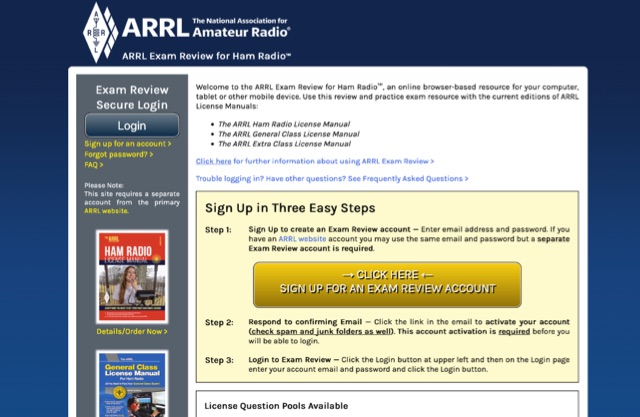 Online browser-based resource for your computer, tablet or other mobile device. Use this review and practice exam resource with the current editions of ARRL License Manuals.
 -
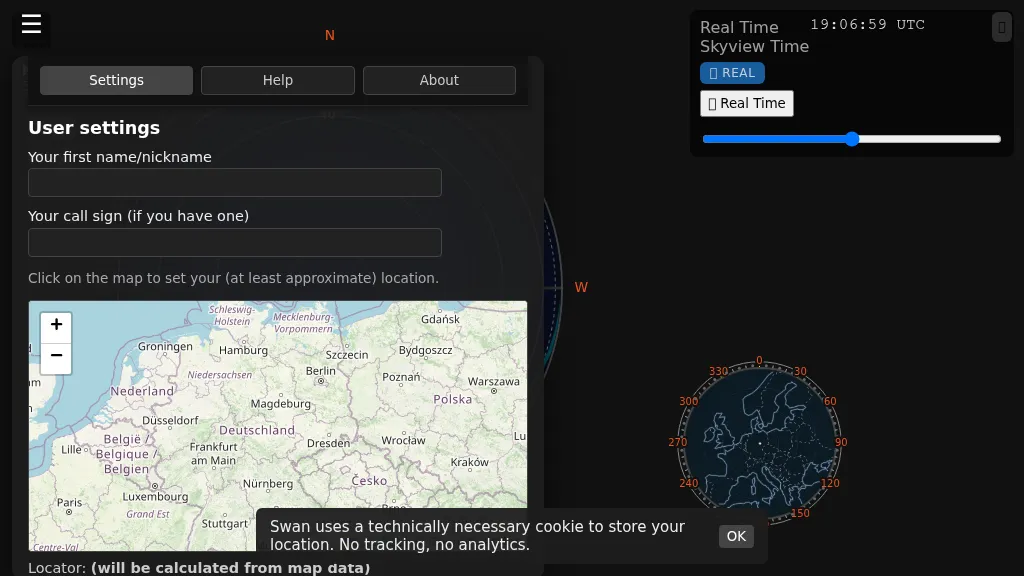 Swan provides a real-time, browser-based visualization of **meteor radiants** and forward scatter corridors, serving as a modern re-imagining of the classic Virgo meteor sky visualization tool. It displays meteor radiant and radio scatter geometry, offering both visual and numerical skyview data. The tool updates in real-time, showing current sky conditions and allowing users to pause and review specific timeframes for analysis of meteor shower activity and potential radio propagation paths. This enables operators to identify optimal windows for **meteor scatter** contacts. Operators can utilize Swan to predict and optimize their meteor scatter DX attempts by understanding the geometry between their station, meteor radiants, and potential receive stations. The interface presents critical data points for assessing forward scatter opportunities, which is crucial for maximizing short-duration meteor burst communications. By observing the real-time skyview, users can correlate meteor activity with observed signal enhancements, refining their operating strategies for specific meteor showers or random meteor pings.
 -
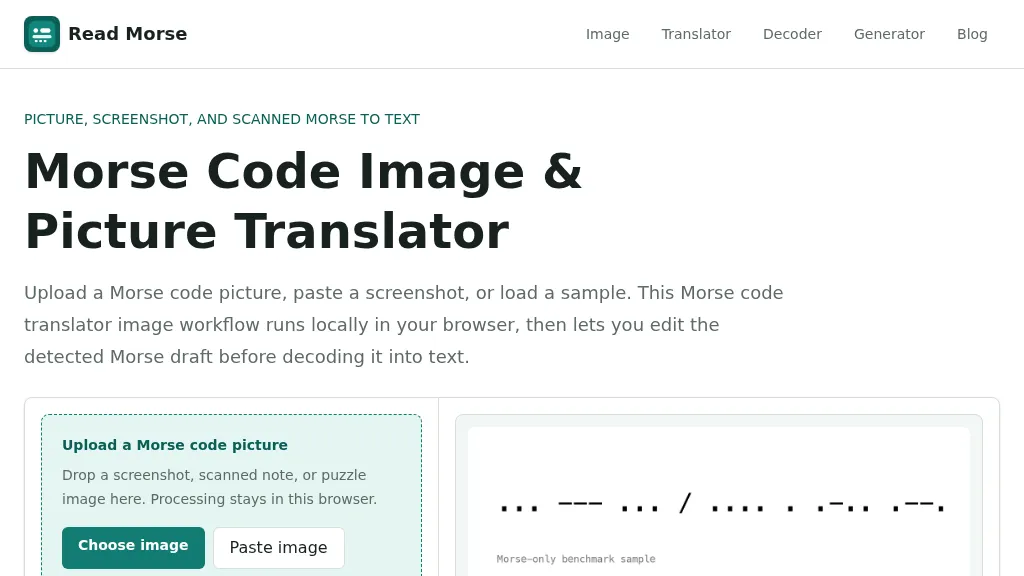 Decoding Morse code from visual sources like screenshots, scanned documents, or photographs presents unique challenges compared to audio-based reception. This web-based utility addresses these by allowing users to upload or paste images containing Morse code, which is then processed entirely within the user's browser, ensuring privacy. The tool identifies individual marks, classifying them as dots or dashes, and estimates letter and word spacing to generate an editable Morse draft. Users can refine the detection by utilizing controls for cropping, rotation, contrast boosting, and manual threshold adjustment, which are crucial for overcoming issues like low contrast, skewed baselines, or extraneous graphics. After the initial detection, the generated Morse draft, such as _... --- ... / .... . .-.. .--?_, can be manually corrected before being translated into plain text. The system provides confidence indicators and warnings to highlight potential ambiguities in the decoded output, prompting users to review and make necessary edits. This specialized approach differs from general OCR engines by focusing on the distinct patterns of Morse marks and gaps, rather than attempting to read standard alphanumeric characters. The tool supports common image formats like PNG, JPG, JPEG, and WebP, and includes sample images for benchmarking its performance, demonstrating its capability to handle various image qualities and complexities.