Search results
Query: online cw practice
Links: 9 | Categories: 0
-
 Enables users to convert plain text into _Morse Code_ and, conversely, decode Morse sequences back into readable text. This web-based utility provides a straightforward interface for rapid translation, proving useful for both learning and practical application. It processes input efficiently, displaying the corresponding Morse or text output instantly. Operators can leverage this tool for generating practice copy or for deciphering received CW signals, making it a handy resource for those honing their code skills. The translator handles various character inputs, converting them into standard International Morse Code elements. This simple utility supports quick lookups and real-time conversions, facilitating a better understanding of CW structure and timing. It operates entirely online, requiring no software installation.
 -
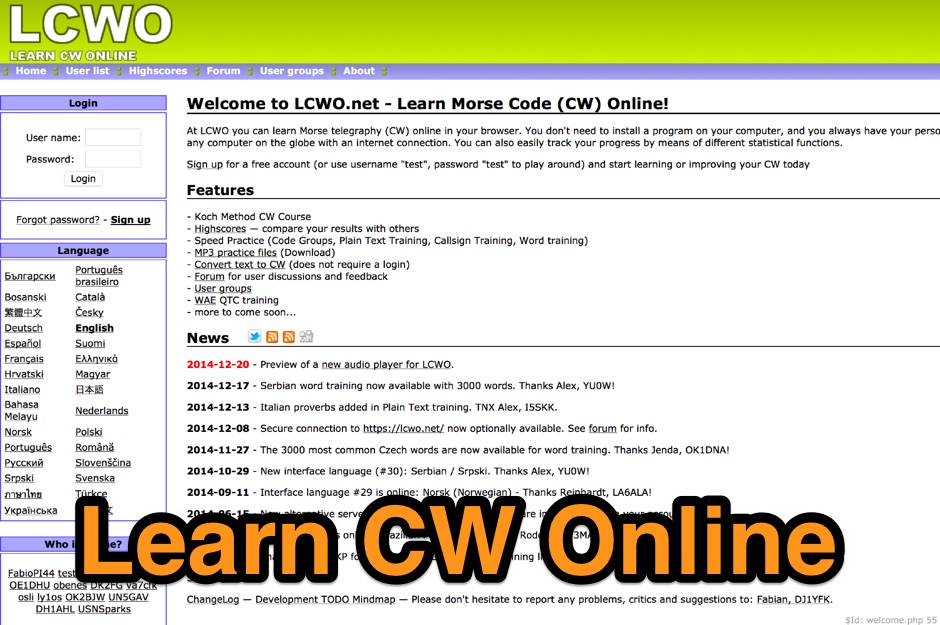 At LCWO you can learn Morse telegraphy (CW) online in your browser, use Koch Method, compare your results with others, speed practice and more
 -
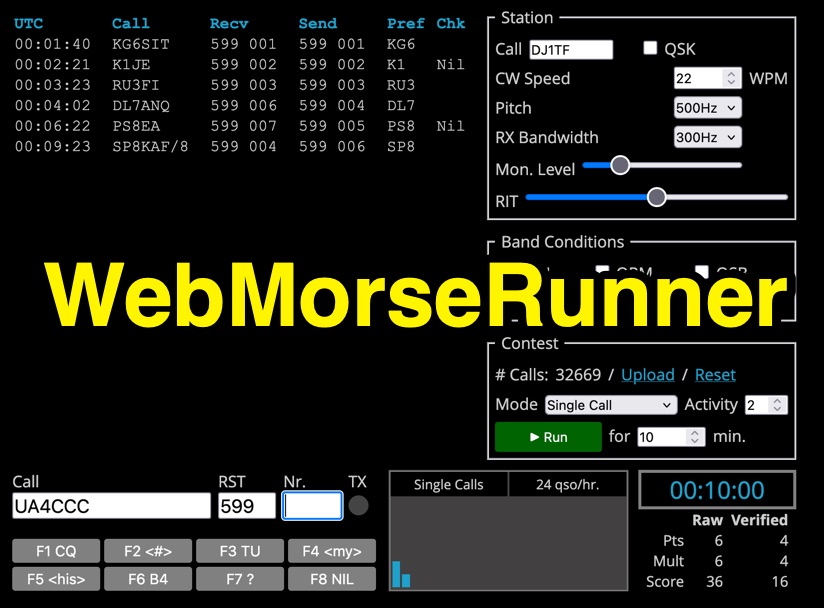 Web Morse Runne is an online CW (Morse code) contest simulator developed by DJ1TF - Thomas Fritzsche. This tool allows users to practice their Morse code receiving and sending skills in a simulated contest environment. Key configurable parameters include CW speed, with options ranging from 300Hz to 900Hz, and RX bandwidth, adjustable from 100Hz to 600Hz. Users can also set a monitor level and simulate various band conditions. The interface includes counters for calls and QSOs per hour, along with a timer. Pre-defined function keys are available for common contest exchanges such as F1 (CQ), F3 (TU), F6 (B4), F7 (?), and F8 (NIL). The simulator is designed for ham radio operators looking to improve their CW contesting proficiency.
 -
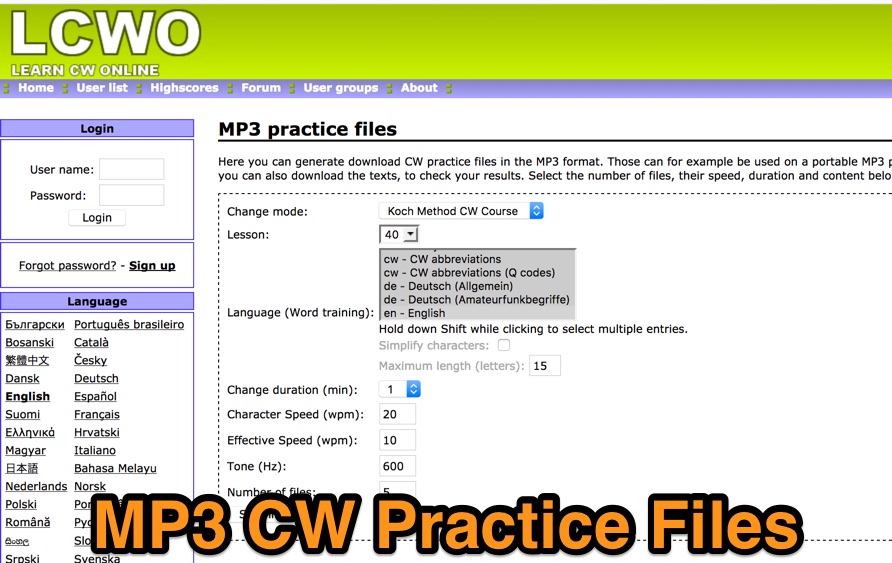 Generate and download morse code practice files in the mp3 format. You can even download the texts to check the resources. Files can be generated online by selecting speed, tone and duration.
 -
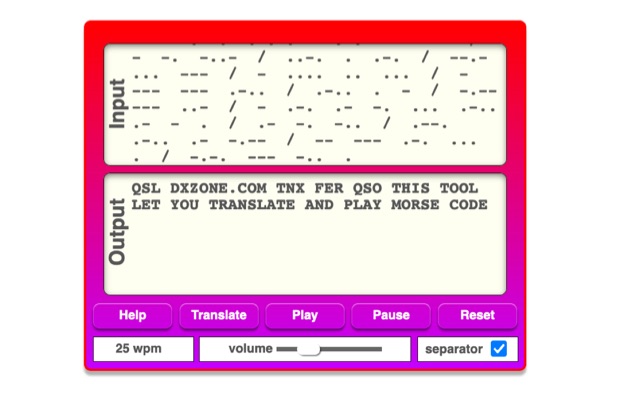 The online Morse code translator and decoder provides functionality for converting plain text into Morse code and decoding Morse code back into text. Users can input text directly into a designated box for translation to Morse, with the tool ignoring characters that lack a Morse equivalent. Conversely, Morse code can be entered using periods for dots and minus signs for dashes, requiring a single space to separate letters and a forward slash to delineate words. The interface also supports direct Morse input via a button, where a half-second pause separates letters and a 1.5-second pause separates words. The resource details the historical context of Morse code, noting its invention by _Samuel F.B. Morse_ in the 1830s for telegraphy, and its continued use by amateur radio operators for recreational purposes and emergency signaling, such as the **SOS distress signal**. Guidance on learning Morse code suggests using online translators for practice and listening to amateur radio transmissions. The tool offers an audio playback feature for translated Morse, allowing users to hear the code at various words per minute (WPM) settings. It also includes a visual chart to aid in memorizing the dot and dash sequences for the alphabet.
 -
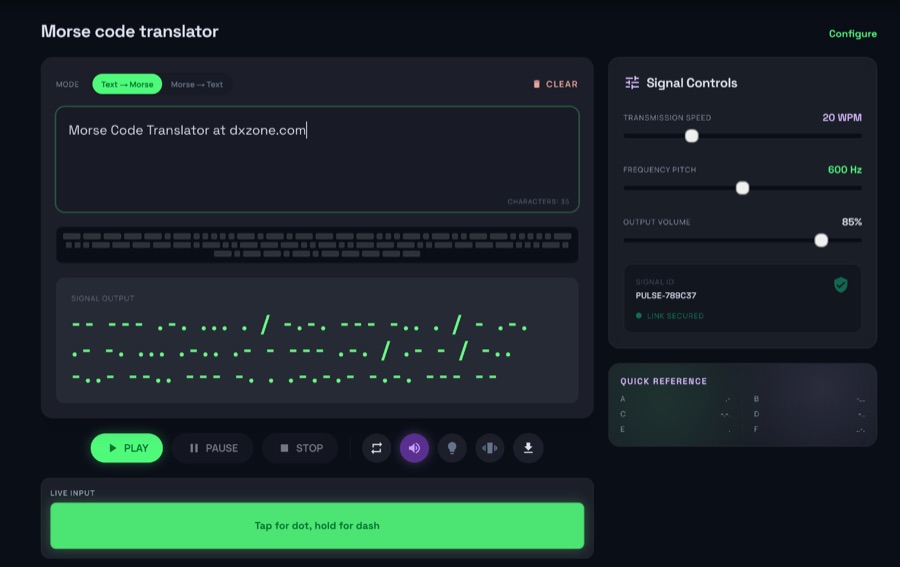 The morsecodeworld.org web application provides an online Morse code decoder and encoder, facilitating real-time conversion between text and International Morse code. It supports adjustable transmission speed (Words Per Minute), sidetone frequency pitch (Hz), and output volume, allowing users to customize their learning and practice environment. The tool includes a quick reference chart for the Morse alphabet and focuses exclusively on International Morse, aligning with contemporary amateur radio licensing and on-air practices, distinguishing it from historical American Morse code. This web-based utility enables users to type text for encoding into Morse audio or paste Morse code for decoding into plain text, offering immediate feedback on timing and character spacing. It supports both visual and auditory learning by providing adjustable parameters for speed and tone. The platform is designed for self-assessment, encouraging users to practice copying and sending, and to identify and correct common errors in character recognition and timing.
 -
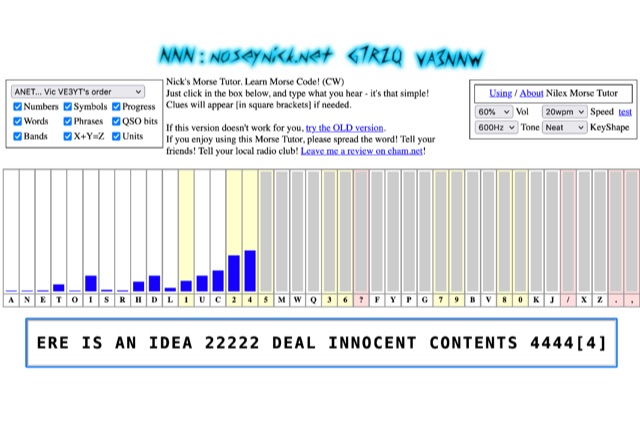 The **Nilex Morse Tutor** is an HTML5 web application designed to teach Morse code reception, adapting to user proficiency by adding new characters as readiness is detected. It prioritizes practice on less familiar letters, numbers, symbols, words, and phrases, while minimizing repetition of already mastered elements. The program offers multiple learning orders, including "Q7ZG..." (Ward/Jim's), "KMRS..." (PU5EPX/Koch), "KMUR..." (lcwo.net), "AENT..." (CWops CW Academy), "TEAN..." (Stephen C Phillips), "ANET..." (Vic VE3YT), and "ETI5..." (Ham Whisperer), alongside an alphabetical option. Users can customize the learning experience by enabling or disabling automatic progression, and selecting specific content categories such as numbers, symbols, words, phrases, QSO bits, Ham Radio Bands, X+Y=Z math, and units. Audio settings are adjustable for volume, speed (WPM), tone frequency, and keyshape/keying envelope, allowing for a personalized auditory environment. The interface provides visual feedback with blue bars indicating practice emphasis and gray bars for reserved characters, with clickable bars for manual character selection. Developed by "Nosey" Nick Waterman, VA3NNW, this tutor is based on earlier versions by Jim Wilson and a 1977 QST article. A significant October 2019 rewrite incorporated a new WebAudio sound library by AwesomeAidenW, improving offline functionality and mobile support. The content library was expanded to include 3000 top Google words, 2284+ General Service List words, ISO country codes, capital cities, US states, Canadian provinces, UK counties, common names, periodic table elements, quotes, Q-codes, electronic components, ham abbreviations, and example call signs. The software is distributed under the GNU GPL V2 license.
 -
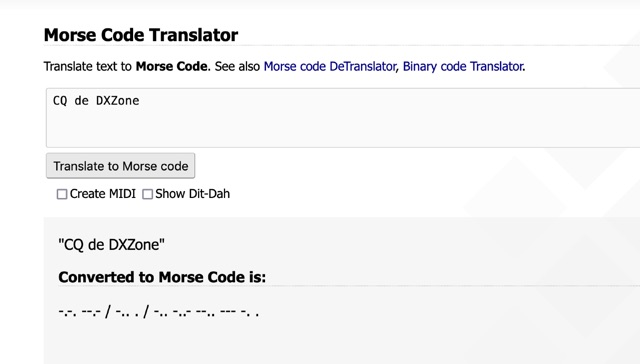 One primary function of this online utility is to convert plain text into _Morse code_, presenting the output in either a visual dit-dah sequence or as a downloadable MIDI file for auditory practice. The tool also provides the reverse capability, allowing operators to input Morse code and receive a decoded text translation. This bidirectional functionality supports both encoding messages for transmission practice and decoding received signals for improved copy. Operators can utilize the web interface for quick translations, making it accessible without software installation. The resource focuses on the fundamental aspects of CW communication, aiding in both learning and practical application of the code. Its design emphasizes simplicity and direct utility for amateur radio enthusiasts working with CW.
 -
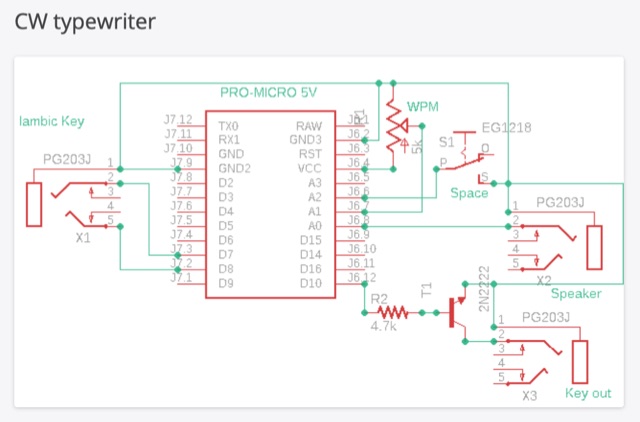 The CW typewriter is a compact adapter board that transforms Morse code into ASCII characters using an Iambic key. It connects to a computer via USB, emulating the keyboard. The device features inputs for Iambic keying and a WPM speed potentiometer, and outputs for a key and a speaker for side tone. The device can be used with various software and online typing games for practice, offering a unique and interactive way to learn and use Morse code.