Search results
Query: codec
Links: 15 | Categories: 1
Categories
-
 Loop Recorder, a Windows-based software, offers continuous audio recording capabilities, specifically designed for capturing broadcasts from radio or internet radio sources. It features a **looping buffer** that prevents missing the beginning of desired audio segments, such as songs or specific transmissions. The application supports various audio formats including **MP3**, WMA, Ogg Vorbis, and WAV, allowing users to save recordings in their preferred codec. The software provides functionalities for scheduled recordings, enabling automated capture of content at predefined times. It caters to a range of users, from radio enthusiasts monitoring air traffic and scanner amateurs archiving communications, to professional environments requiring 24/7 broadcast storage or call center monitoring. The Pro version extends these capabilities for more demanding, continuous operational tasks. Compatibility spans multiple Windows operating systems, from Windows 9x up to Windows 10, ensuring broad usability across different system generations.
-
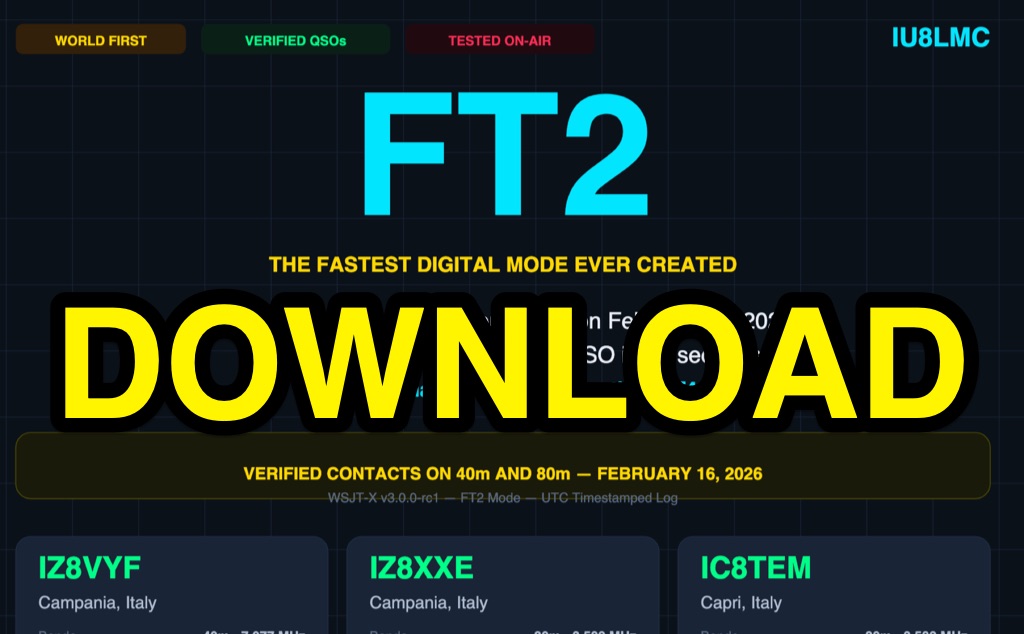 FT2 is an innovative digital mode for amateur radio, developed by IU8LMC with support from ARI Caserta. It utilizes the same codec as FT8 and FT4 but compresses the transmission cycle to just 3.8 seconds, allowing for a complete QSO in as little as 11 seconds. This remarkable speed enables operators to achieve approximately 240 QSOs per hour, making it particularly advantageous for contests and DXpeditions. The FT2 protocol has been rigorously tested on-air, with successful QSOs verified down to -12 dB SNR on both 40m and 80m bands. The mode's efficiency and speed are a significant advancement in digital communications, providing a new tool for amateur radio operators looking to maximize their contact rates. As an experimental release, the software is subject to updates, ensuring continuous improvement and adaptation to user feedback.
-
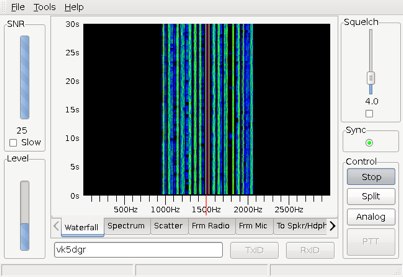 The FreeDV project offers a suite of digital voice modes for HF radio, with its flagship mode being the Radio Autoencoder (RADE). This free GUI application for Windows, Linux, and macOS allows any SSB radio to be used for high-quality digital voice communications. The technology, including the Codec 2 speech codec, is 100% open source under the GNU Lesser Public License v2.1 and two-clause BSD license, fostering experimentation and innovation in amateur radio digital voice. Development is managed by a six-person Project Leadership Team and funded by an ARDC grant, with Software Freedom Conservancy as the financial sponsor. Controlled testing indicates that RADE technology performs comparably to SSB on both high and low SNR channels. The resource lists various FreeDV nets and activities, including a worldwide activity day, and specific nets in Argentina (7.045 MHz LSB), Australia (7.197 MHz LSB), the UK (3.640 MHz LSB, 5.3685 MHz USB), and the USA (7.181.5 MHz LSB, 7.177 MHz LSB). Support resources include a mailing list, Discord channels, and a Zoom channel. Documentation such as the FreeDV GUI User Manual and the SM1000 Manual are provided, alongside access to source code for RADE, FreeDV GUI, and Codec 2.
-
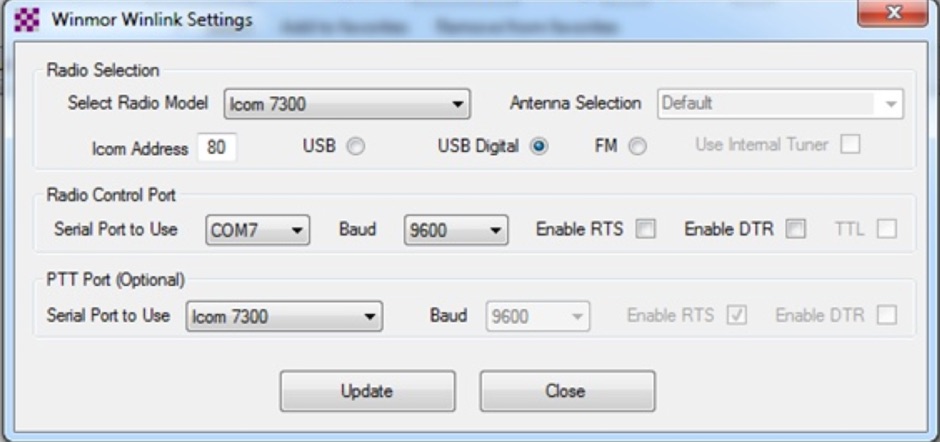 This tutorial provides step-by-step instructions for setting up the ICOM IC-7300 to work with WinLink and WinMor. The process begins with downloading the necessary USB driver from ICOM Japan, followed by configuring the radio settings through the menu. Key settings include selecting the correct output and data modes, as well as ensuring the USB serial function is properly set. Once the radio is connected to the PC via USB, the drivers will install automatically, allowing for seamless communication. After confirming the installation of the USB Audio CODEC and COM port, users are guided to download the RMS Client Software for WinLink. The tutorial emphasizes the importance of understanding the WinLink system and provides links to additional resources for setup. Finally, it details how to configure the WinMor modem settings, ensuring the ICOM IC-7300 is ready for effective digital communication. This guide is essential for operators looking to enhance their digital capabilities using the IC-7300.
-
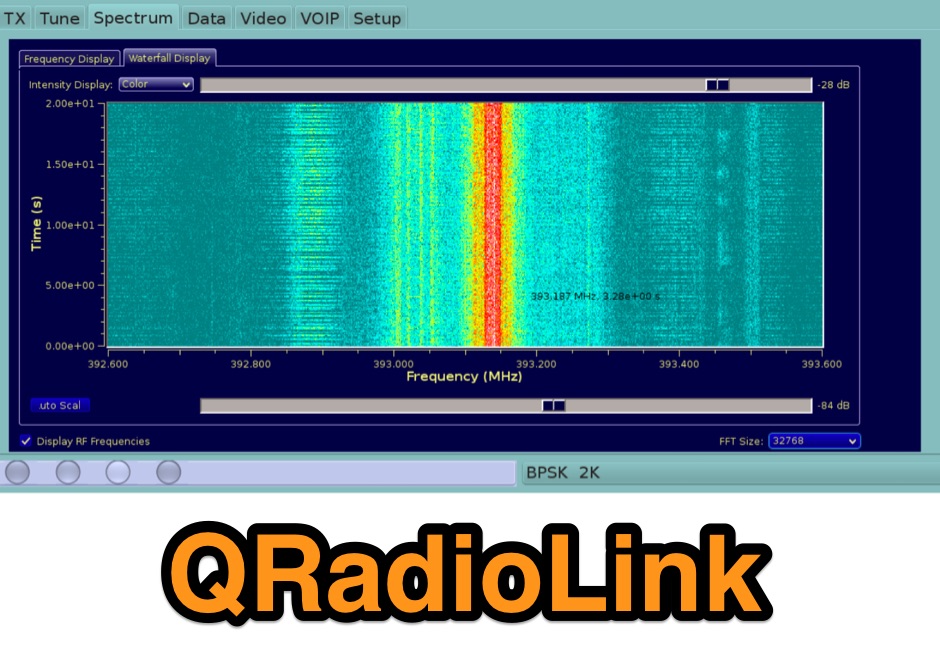 QRadioLink is a Linux analog/digital SDR transceiver application with Codec2 digital voice mode support.
-
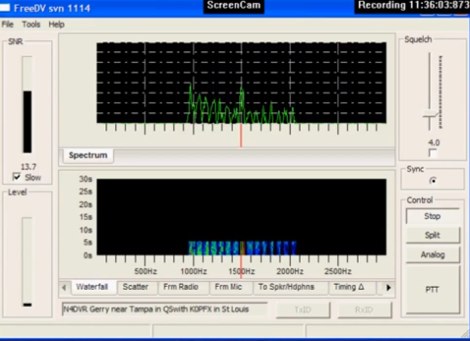 Operating Free DV, the open source digital voice codec for HF, allows any SSB radio to be used for low bit rate digital voice.
-
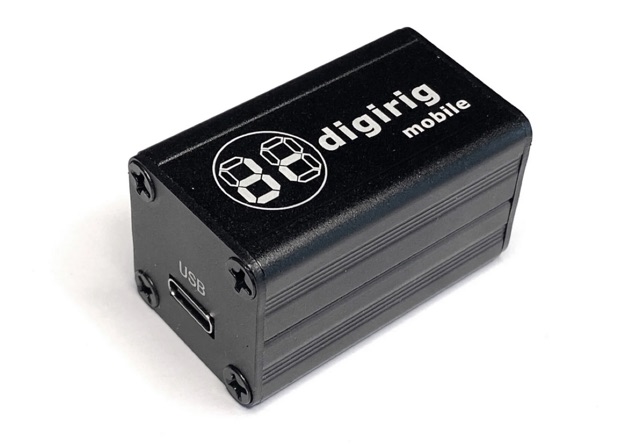 Digirig is an open-source integrated digital modes interface for amateur radio. As a differentiating feature, Digirig only requires a single USB connection to the computer with all the digital goodness packed in a single small enclosure. The internals include a USB hub, audio codec, a fully featured serial CAT (Computer Aided Transceiver) interface, and potentially other modules such as GPS receiver for time synchronization.
-
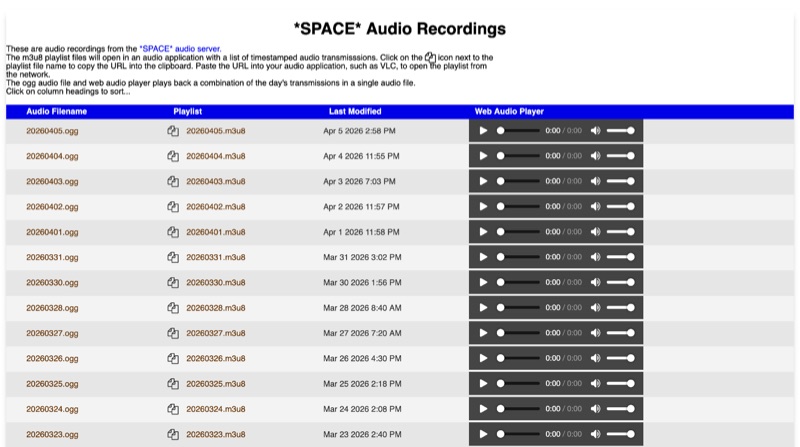 The *SPACE* Amateur Radio over Internet Protocol (RoIP) system offers public audio transmissions from NASA Mission Control and astronauts, primarily for educational purposes. This service streams NASA public media sources, including *Artemis II* and the ISS public audio channel 2 feed, which predominantly features English communications. Astronaut activities on the ISS typically occur between 0700 UTC and 19:00 UTC, with transmissions most common during early mornings USA time, alongside special events such as launches or spacewalks. Users can connect to the live stream via EchoLink to the *SPACE* conference, via IRLP to the 0100 experimental reflector, or via Allstar to node 516221. EchoLink connections utilize the GSM CODEC, while IRLP and other connections default to uncompressed or u-law CODEC. The service notes that long periods of silence are common, and NASA audio sources can be periodically unavailable or noisy. Daily recordings of these transmissions are published at space.rfnet.link/recordings/, available as .ogg audio files for direct playback or .m3u8 playlist files for network streaming in applications like VLC. Each playlist file provides a list of timestamped audio transmissions, allowing users to review specific segments of interest.
-
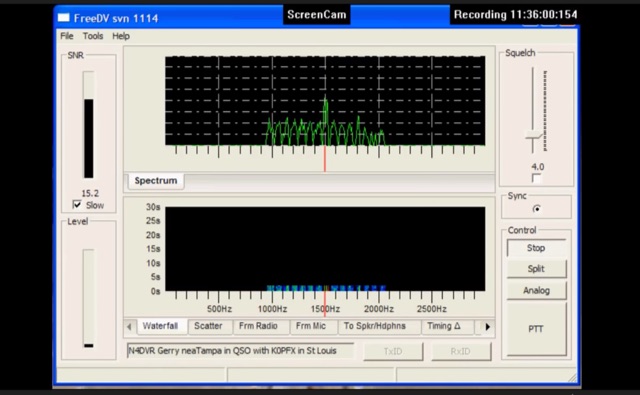 FreeDV uses an audio codec as a software based modem to decode and encode the voice and text data from your computer. The data is encoded and then is transmitted over the HF radio using AF signals that can then in turn be decoded by the receiving station.
-
 M17 is a community of open source developers and radio enthusiasts. We are building understandable systems in support of the hackers and experimenters' history of ham radio. M17 is developing open source hardware, software, and offers a complete digital radio protocol for data and voice, made by and for amateur radio operators. M17 voice mode uses the free and open Codec 2 voice encoder.
-
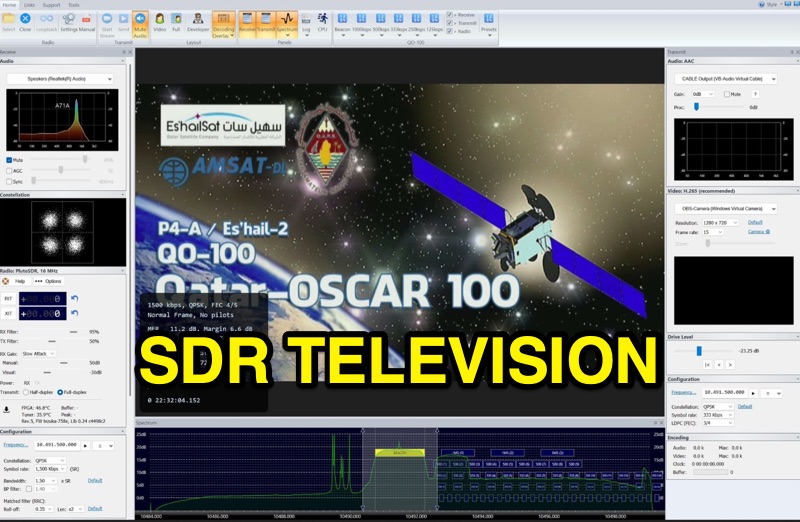 SDR Television v1.0 operates as a DVB-S2 / AAC / H264 / H265 program, specifically engineered for QO-100 satellite Digital Amateur Television (DATV) operations. It provides a full-duplex solution on modern x86 computers running Windows 10 or 11 (64-bit, 8+ cores, AVX2 support recommended), leveraging DLLs from _SDR Console_ for control of devices like _Pluto_ and _LibreSDR.TV_. The software requires installation of the SDR Radio kit for wideband mode support. Initial development focused on a proof-of-concept for QO-100, with future enhancements planned to include H266 / AV1 / Opus codecs and an improved cross-band user interface. The current stable release functions reliably for QO-100 DATV. Users must install the SDR Radio kit, followed by the SDR Television kit, into the same directory. Support inquiries are handled via the SDR-Radio.com mailing list, ensuring direct assistance for operational questions.
-
 VE3SMA's document addresses several operational issues encountered with the Yaesu FTDX10 HF transceiver, offering practical solutions and technical explanations. It specifically tackles the high-frequency headphone hiss during CW operation with narrow filters, providing a schematic for a homebrew audio filter to mitigate this. The resource also investigates the FTDX10's behavior of transmitting CW via USB even when BK-IN is set to OFF, particularly when using N1MM+ contest software, and suggests tuning outside ham bands as a workaround. Furthermore, the document notes the rapid disappearance of band and mode selection screens, acknowledging a December 2021 software update that extended their display times. The analysis extends to audio harmonics generated in digital modes like FT8 and JS8CALL when using USB audio input, attributing the issue to unattenuated USB CODEC output and a low PRESET RPORT GAIN value. VE3SMA proposes a solution involving a higher RPORT GAIN setting (between 30 and 70) and a lower transmit audio level from the computer, demonstrating how to achieve a clean signal using the FTDX10's built-in spectrum scope. The document also discusses unstable power output in FT4/FT8 modes when driving an amplifier, recommending the use of Fake It or Rig Split modes in WSJT-X and operating with some ALC action. Finally, it explores methods for achieving a low-power continuous carrier for adjusting external antenna tuners, offering various techniques depending on the operating mode.
-
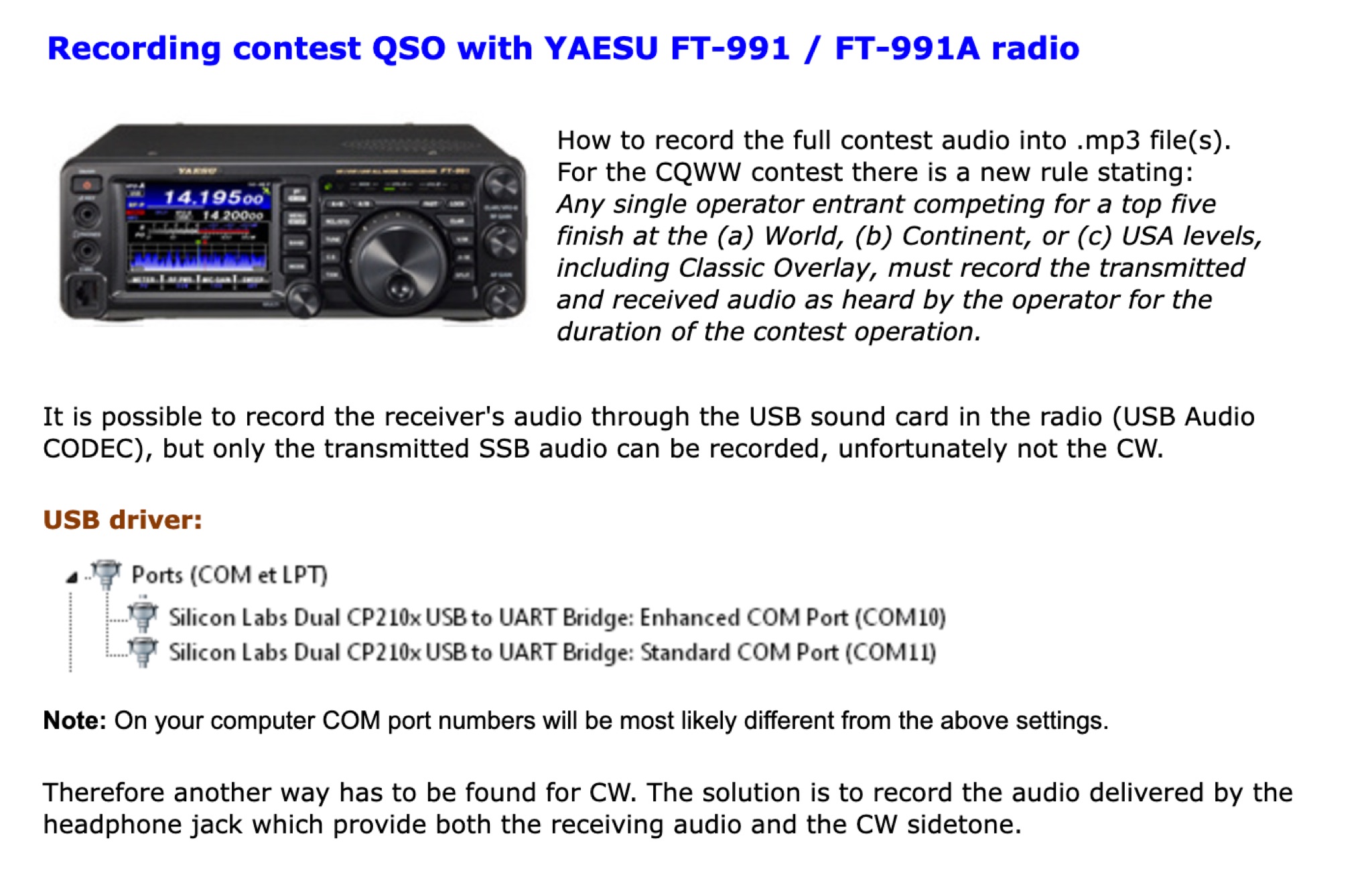 How to record the full contest audio into .mp3 file(s). t is possible to record the receiver's audio through the USB sound card in the radio (USB Audio CODEC), but only the transmitted SSB audio can be recorded, unfortunately not the CW.
-
 The Yaesu FTDX-10 transceiver requires specific configuration adjustments to achieve seamless interoperability with WSJT-X for FT8 digital mode operation. As KI5GFU discovered, the out-of-the-box settings, even when migrating from a Yaesu FT-991 setup, do not immediately provide full functionality, necessitating careful modification of both the radio and the software parameters. Key FTDX-10 adjustments include setting the mode to DATA-U, optimizing attenuator, preamp, roof filter, and AGC. Further modifications involve factory 'REAR SELECT', 'RPORT GAIN', and 'RPTT SELECT' settings, alongside fine-tuning 'LCUT FREQ', 'LCUT SLOPE', 'HCUT FREQ', and 'DATA SHIFT (SSB)' values to enhance signal quality, a point often highlighted by experienced operators. For WSJT-X, the setup involves selecting the FTDX-10 radio model, configuring the serial port to a virtual port like cu.SLAB_USBtoURAT with a baud rate of 38400, eight data bits, two stop bits, and no handshake. PTT method is set to CAT, mode to Data/Pkt, and appropriate USB Audio CODEC drivers, such as Silicon Labs (SLAB) on a MacBook Pro, are selected for audio input and output.
-
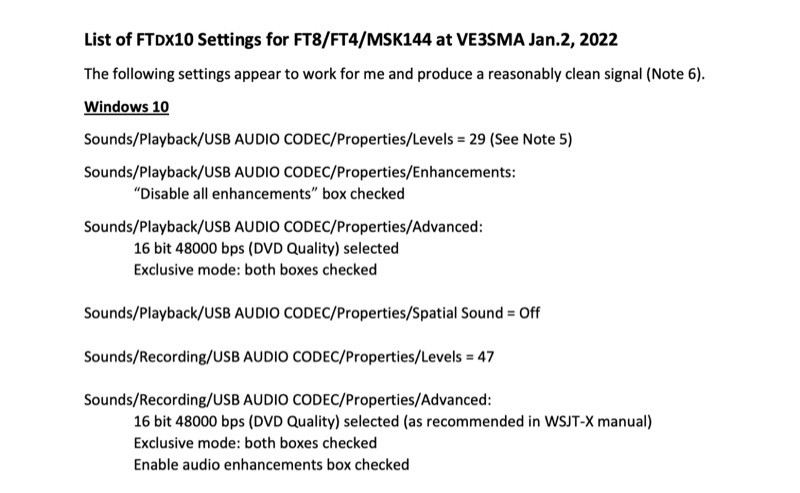 Configuring a Yaesu FTDX10 transceiver for digital modes like FT8, FT4, and MSK144 requires precise adjustments across both the operating system and the digital mode software. This resource details specific Windows 10 audio codec settings, including playback levels at 29 and recording levels at 47, along with advanced 16-bit 48000 bps (DVD Quality) selections for optimal signal fidelity. It also specifies checking the "Disable all enhancements" box for playback and enabling audio enhancements for recording. The document outlines critical WSJT-X v.2.5.1 parameters, such as setting the Rig to FTDX-10, a 1-second poll interval, and a 38400 baud rate for CAT control. The PTT method is configured to RTS, with Split Operation set to "Fake It" or "None." Audio input and output are directed to the USB AUDIO CODEC, with a recommended WSJT-X Pwr Slider setting of -32.0 dB, adjusted to ensure ALC meter readings remain within the white segment on the FTDX10. Transceiver-specific settings include a CAT RATE of 38400 bps, AMC RELEASE TIME set to MID, and DATA SHIFT (SSB) at 1500 Hz. The RPORT GAIN is specified at 70, with notes suggesting lower values (e.g., 30) can also yield clean signals. Transmit bandwidth selection is discussed, recommending 50-3050Hz for wideband modes like MSK144, while suggesting 400-2600Hz for FT4/FT8 to mitigate second harmonics and improve signal purity. The guide also references discussions with W5AJ, DO1YHD, AC6BW, and W9RTB.