Search results
Query: automatic
Links: 227 | Categories: 8
-
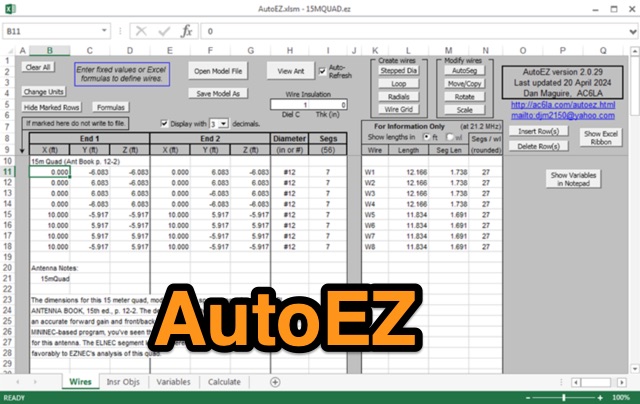 AutoEZ, Automated use of EZNEC, is an Excel workbook that works alongside EZNEC antenna modeling software version 5.0 or later. With AutoEZ, you can control different aspects of your model using variables and run multiple EZNEC test cases automatically. Formulas in Excel allow you to modify any part of the model. AutoEZ's interface resembles EZNEC's. Enabling macros in Excel might be necessary before using AutoEZ. The program opens various model file formats including EZNEC (.ez), NEC (.nec or .inp), AO and NEC/Wires (.ant), and MMANA-GAL (.maa). You can set the frequency and/or variable values for the test cases to be run through EZNEC. AutoEZ allows you to create animations showcasing how the pattern changes as the model configuration is modified. You can download a fully working, but limited demo copy from this site.
 -
 Automatically input GPS location data from an Android device to the transceiver, Compatible with IC-7100, IC-9100, IC-9700, ID-4100A/E, and ID-5100A/E.
 -
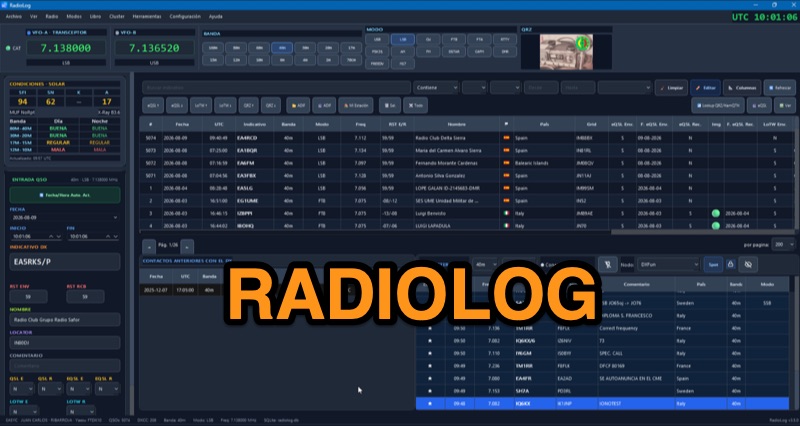 RadioLog is a free amateur radio logbook software for Windows 10/11 (x64) that integrates QSO logging with real-time DX Cluster spots and _RigControl_ capabilities. It supports ADIF, eQSL, and LoTW for logging and export, along with specific modules for contest operation, including automatic scoring and _Cabrillo_/EDI export for HF and VHF contests. The software also features a dedicated portable mode for SOTA, POTA, WWFF, and CB/11m activations, offering a distinct logbook for these activities. The application includes an integrated _RTL-SDR_ auxiliary monitor for visual and audio support during operation, and offers three CAT connection methods: direct RadioLog control, Hamlib managed by RadioLog, or an external rigctld server. Recent updates, such as those in v4.0.2, focus on interface polish, consistent dark theme application, and layout bug fixes, including VFO frequency display with thousands separators. The software also provides reciprocal synchronization with QRZ.com Logbook, allowing both upload and download of QSOs, and supports various digital voice modes like DMR, C4FM, D-STAR, FreeDV, and M17.
 -
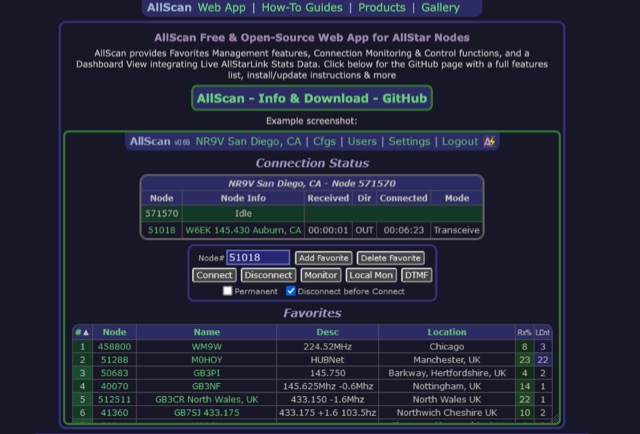 AllScan is a free and open-source web app for AllStar nodes that provides Favorites Management features, AllStarLink Stats integration, and connection monitoring and control functions. Shows your favorites in a Dashboard summary table with Keyed status, Connected Node count and other statistics. Continually scans the status of each favorite using ASL's Stats API data showing which favorites are active and have recently been active. Allows favorites to be connected with a single click (optionally automatically disconnecting any currently connected nodes first). Allows the Favorites Table to be sorted by Node#, Name, Description, Location, etc. Favorites can be added/deleted simply by entering the node# and clicking a button. These features finally give AllStar nodes similar memory management and scan capabilities that analog radios have had for decades. AllScan is mobile-friendly and optimized for ease of use on both small and large screens. AllScan follows the latest web development standards, with PHP, JavaScript, HTML, and CSS cleanly partitioned, runs on both ASL and HamVOIP, and is very easy to install, configure, and update.
 -
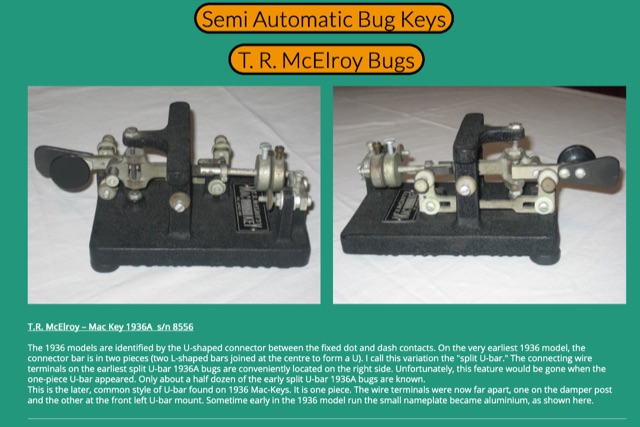 A collection of morse telegraph and radio items
 -
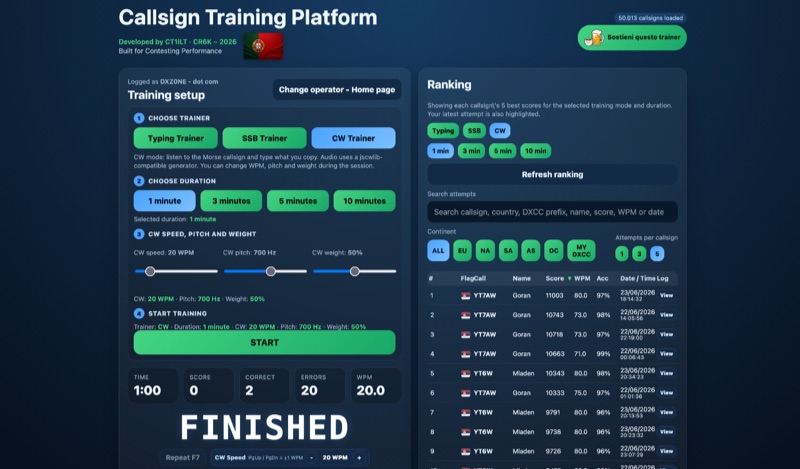 Improving callsign recognition and copying skills is fundamental for effective amateur radio operation, particularly in high-stress environments like contesting or DXing. The CW4EVER Callsign Training Platform provides a focused environment for operators to hone these abilities. It offers three distinct training modes: a Typing Trainer for visual recognition, an SSB Trainer for voice callsign practice, and a CW Trainer for Morse code proficiency, allowing users to tailor their practice to specific operational needs. Operators can select training durations of 1, 3, 5, or 10 minutes, providing flexibility for quick drills or extended practice sessions. For CW training, the platform allows granular control over parameters such as CW speed, adjustable up to **80 WPM**, pitch in Hz, and weight in percentage, enabling personalized learning curves. The system stores operator preferences locally and includes server-side anti-cheat protection, stricter callsign validation, and automatic score archives, ensuring fair competition and persistent training history. Recent enhancements include separate saved CW preferences per operator and _MY DXCC_ ranking positions. The platform also tracks global statistics, including total attempts worldwide, unique callsigns encountered, and total training hours logged, offering a broad perspective on user engagement and progress. These features collectively support operators in achieving higher accuracy and speed in callsign reception.
 -
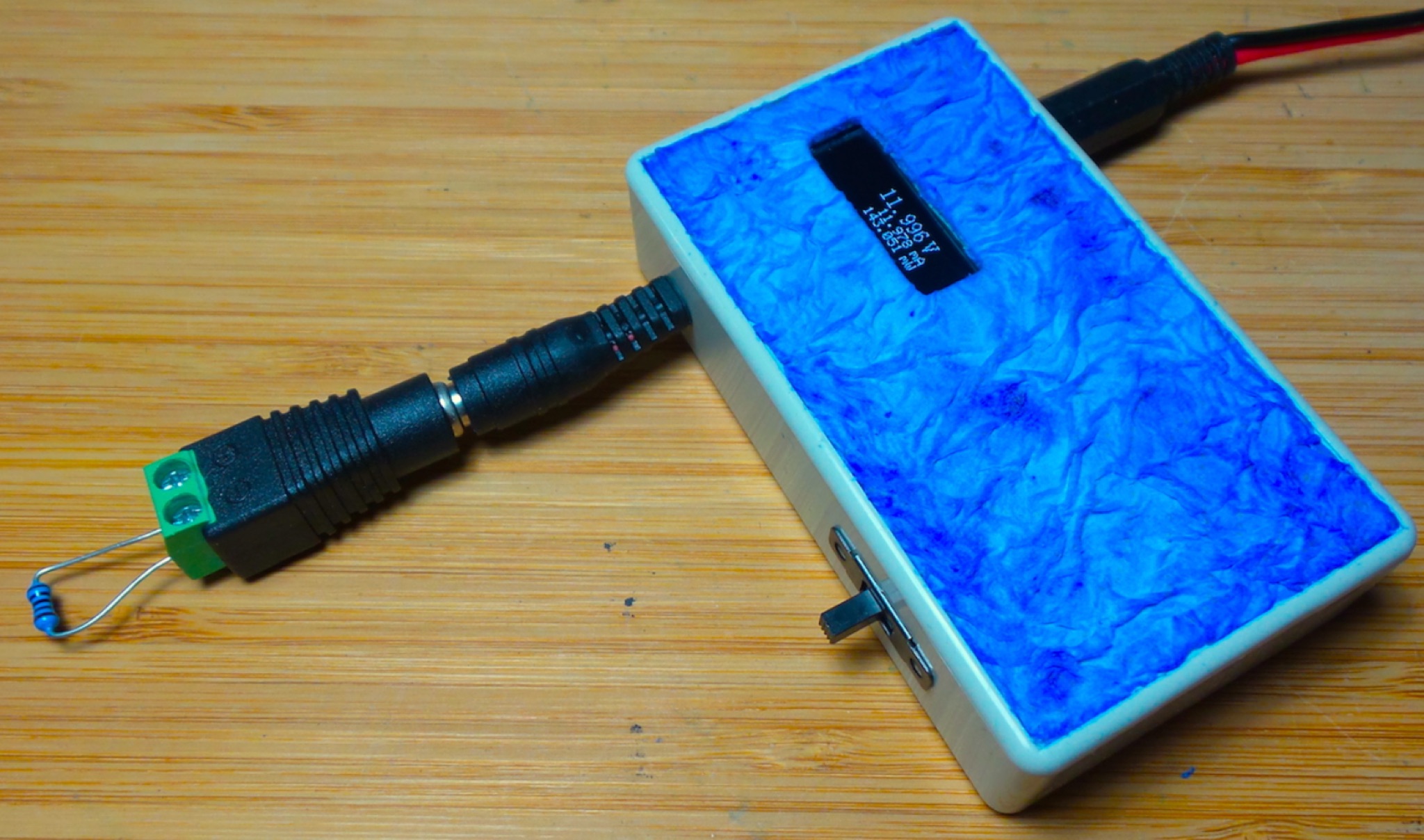 The DIY Power Meter project utilizes the _INA226_ high-side power monitoring chip, paired with an ATtiny85 microcontroller, to measure voltage, current, and power, displaying the results on a 128x32 OLED screen. The INA226 communicates via an I2C interface and is programmed with a calibration factor based on the shunt resistance and current register LSB. The project is designed to handle a maximum current of 500mA using a 0.16ohm shunt resistor, which can be adjusted to a 0.2ohm resistor, reducing the full-scale current range to 409mA with a resolution of **12.5uA**. The shunt resistor dissipates only 33mW at maximum current, making 1/4 watt resistors suitable for the setup. The PowerMeter.ino sketch configures the shunt resistance and maximum design current, automatically calculating the calibration factor. The project can be prototyped on a breadboard using an Arduino Uno, employing the Wire library for INA226 and OLED communication, and the u8g2lib library for the OLED display. For the ATtiny85 version, the Adafruit-TinyWireM and Tiny4kOLED libraries are used. The power meter is independently powered by a 3V CR2032 cell, with power switching options including manual switches or DC switched jacks. The low-side n-channel MOSFET switch configuration is tested but introduces voltage drop issues, making manual switching a more reliable option until a suitable DC switched jack is found. DXZone Technical Profile: INA226 | ATtiny85 | OLED Display | Power Meter
 -
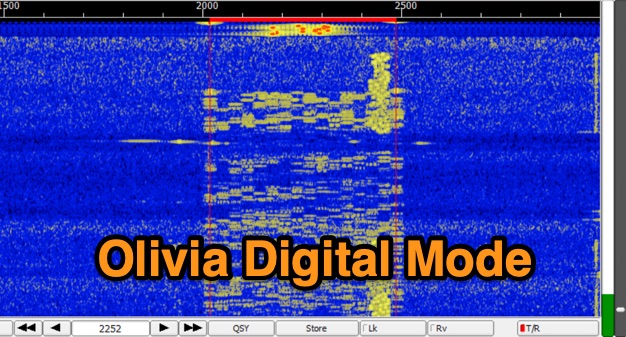 The Olivia digital mode, a **Multi-Frequency Shift Keying (MFSK)** radioteletype protocol, is specifically engineered for robust communication under difficult propagation conditions on shortwave radio bands from 3 MHz to 30 MHz. Developed by Pawel Jalocha in 2003, Olivia signals can be decoded even when the noise amplitude exceeds the digital signal by over ten times, making it highly effective for transmitting ASCII characters across noisy channels with significant fading and propagation phasing. Early on-the-air tests by Fred OH/DK4ZC and Les VK2DSG on the Europe-Australia 20-meter path demonstrated intercontinental contacts with as little as one-watt RF power under favorable conditions. Common Olivia modes are designated as X/Y, where X represents the number of tones and Y is the bandwidth in Hertz, with examples including 8/250, 16/500, and 32/1000. The resource clarifies that Olivia, unlike some other digital modes, produces a constant envelope, allowing RF power amplifiers to achieve greater conversion efficiencies and making it less prone to non-linearity. Operators are advised that **Automatic Level Control (ALC)** can be set higher than no meter movement for MFSK modulation, as long as it's not driven past its high limit, contrary to common misinformation about other digital modes. The Olivia community encourages voluntary channelization on suggested calling frequencies, such as 14.0725 MHz for 8/250, to facilitate initial contacts, especially for signals below the noise floor. The Olivia Digital DXers Club provides links to Groups.io, Facebook, and Discord for community engagement and offers details on QSO parties.
 -
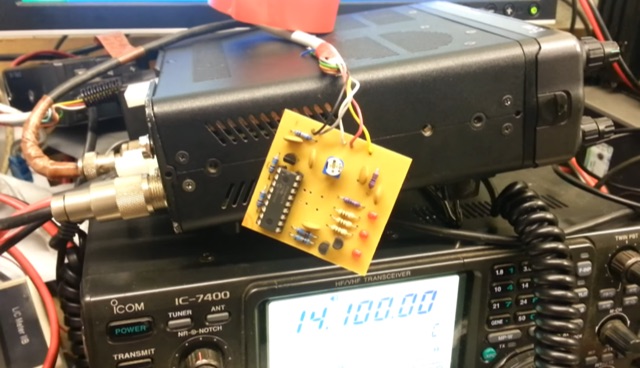 This project details an automatic roger beep circuit for VHF/UHF contests. Built around a Microchip PIC microcontroller, the design detects PTT (Push-To-Talk) activation and generates a brief tone upon release, mimicking a "roger beep" to signal the end of transmission. The circuit utilizes readily available components and includes downloadable resources for PCB layout and firmware.
 -
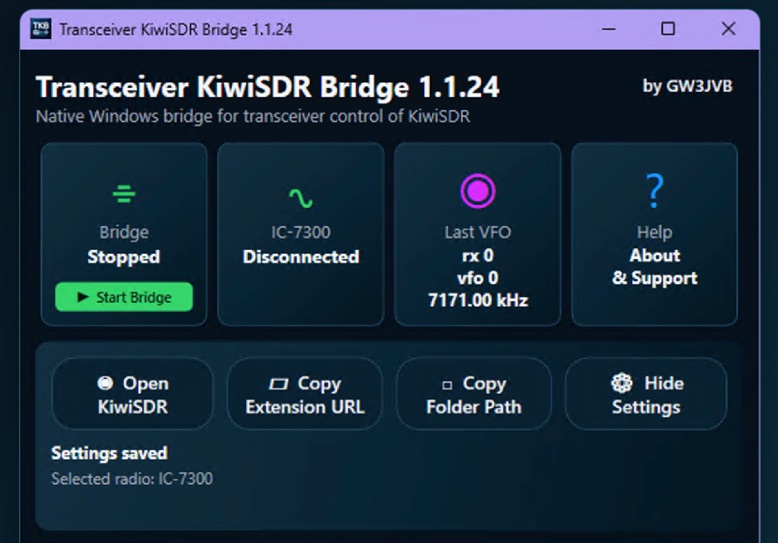 Demonstrates a practical solution for remote reception, the Transceiver-KiwiSDR Bridge, a free Windows utility by GW3JVB. This software links a local amateur radio transceiver to a remote **KiwiSDR** receiver, allowing the KiwiSDR to automatically track the transceiver's VFO frequency and mode. This capability proves invaluable for mitigating local noise, enhancing reception, or simply leveraging the superior receive capabilities of a remote station located globally. The bridge supports a diverse range of transceivers through COM port/CAT connections or **TCI** over a network. Specific compatibility extends to popular models like the Icom IC-7300, systems utilizing the TCI Protocol (such as Thetis, Expert Electronics, Apache Labs ANAN, and Hermes Lite 2), and many radios supported by Hamlib. Experimental Yaesu CAT options are also included, broadening its utility for various shack configurations. Key features encompass automatic mode changes, updates to RX filter bandwidth, and even IC-7300 PBT/filter adjustments. The application integrates a browser extension for Chrome, Brave, and Microsoft Edge, and offers an optional KiwiSDR audio mute during local transmission, ensuring a seamless operating experience. The compact view keeps the interface unobtrusive, with full settings readily accessible.
 -
 This page details the construction project of the 'Stone', a QRP double conversion superhet SSB transceiver for the 40m band. The project is based on a kit from Tim Walford, G3PCJ, and includes step-by-step instructions for building and testing each stage. The author has added enhancements such as a three digit frequency counter and an automatic gain control. The content is aimed at hams interested in DIY transceiver construction and includes technical details of the build process.
 -
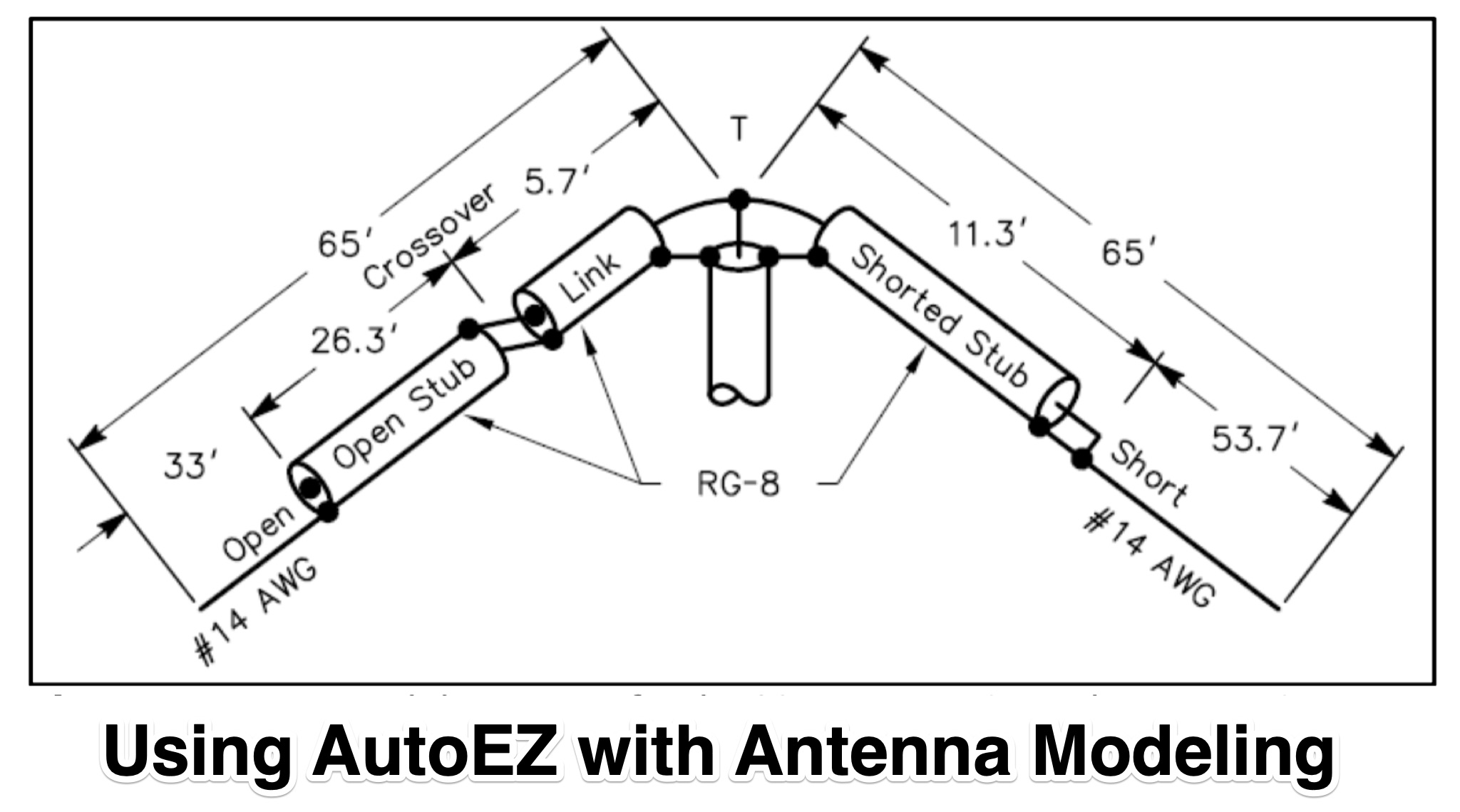 This article explores the powerful features of AutoEZ as an Excel application working with EZNEC antenna modeling software. The article demonstrates how variables, equations, and formulas enable versatile antenna design and automatic optimization. Through practical examples including dipoles, inverted vees, delta loops, and monopoles, the author shows techniques for achieving resonance, implementing transmission line resonators for broadbanding, and optimizing antennas across frequency ranges. The step-by-step demonstrations cover unit conversion, coordinate calculations, segmentation considerations, and SWR optimization. This practical guide illustrates how AutoEZ extends EZNEC's capabilities, making complex antenna modeling more efficient and accessible.
 -
 The Canadian Amateur (TCA), Canada’s premiere national magazine devoted to Amateur Radio, is published six times per year and is the membership journal of the Radio Amateurs of Canada (RAC). It is available in both print and digital versions (eTCA). Members of RAC, Canada’s sole national Amateur Radio organization, receive TCA automatically. A subscription to TCA also provides membership in Radio Amateurs of Canada. RAC is also the publisher of TCA. For information on how to join Radio Amateurs of Canada and subscribe to TCA please visit our Membership Sign Up page.
 -
 DXLog.net Cluster functions as a dedicated client application designed to enhance DXLog.net contest logging operations. It facilitates simultaneous connections to multiple DX cluster nodes, providing a consolidated view of DX spots. The software also supports integration with local CW skimmers, enabling real-time reception of CW signals and their automatic decoding into spots. The utility broadcasts UDP data across the local area network, allowing DXLog.net to receive and process these spots efficiently. A key feature includes CAT control integration, which automatically QSYs connected CW skimmers to the frequency of interest, optimizing spot acquisition. The system also incorporates duplicate spot filtering to reduce redundancy and offers blacklist management for unwanted callsigns or frequencies. Programmable commands and dynamic skimmer bandwidth control further refine its operation, adapting to varying band conditions and contest strategies. Automatic reconnection capabilities ensure continuous operation, maintaining reliable access to DX information crucial for competitive contesting.
 -
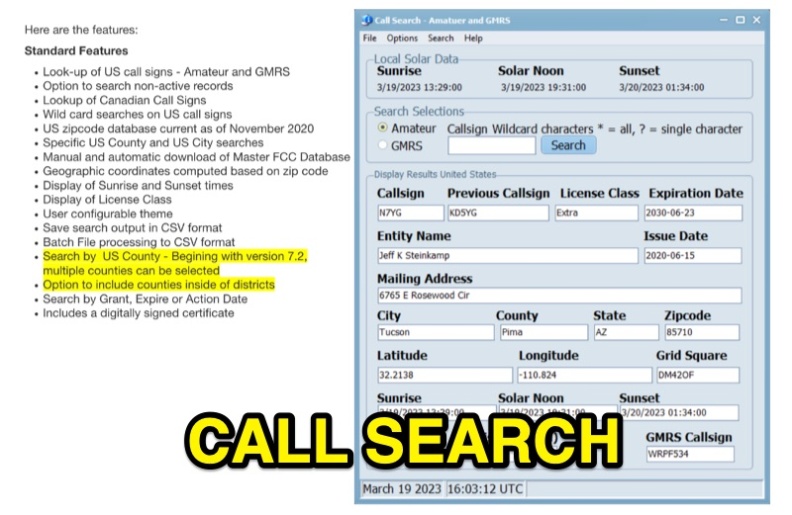 Callsearch is a Windows-compatible software application, version 7.3.6.1, designed for looking up **US** and **Canadian** amateur radio **call signs**, as well as US GMRS call signs. It replaces the previous FCC Lookup program, offering similar functionality with some scaling down, notably replacing Ten-Ten lookup with GMRS call sign search. Key features include searching active and non-active US records, wild card searches for US call signs, and specific US county and city searches using a November 2020 zipcode database. The software provides geographic coordinates, sunrise/sunset times, and license class display. Users can configure themes, save search output in CSV format, and perform batch file processing to CSV. Version 7.2 and later support multiple county selections and an option to include counties within districts. It includes a digitally signed certificate and supports manual and automatic updates of the Master FCC Database. The program runs on Windows 32 and 64-bit platforms, and on Mac and Linux using the WINE emulator with WINEPFX set for Windows 8 or later.
 -
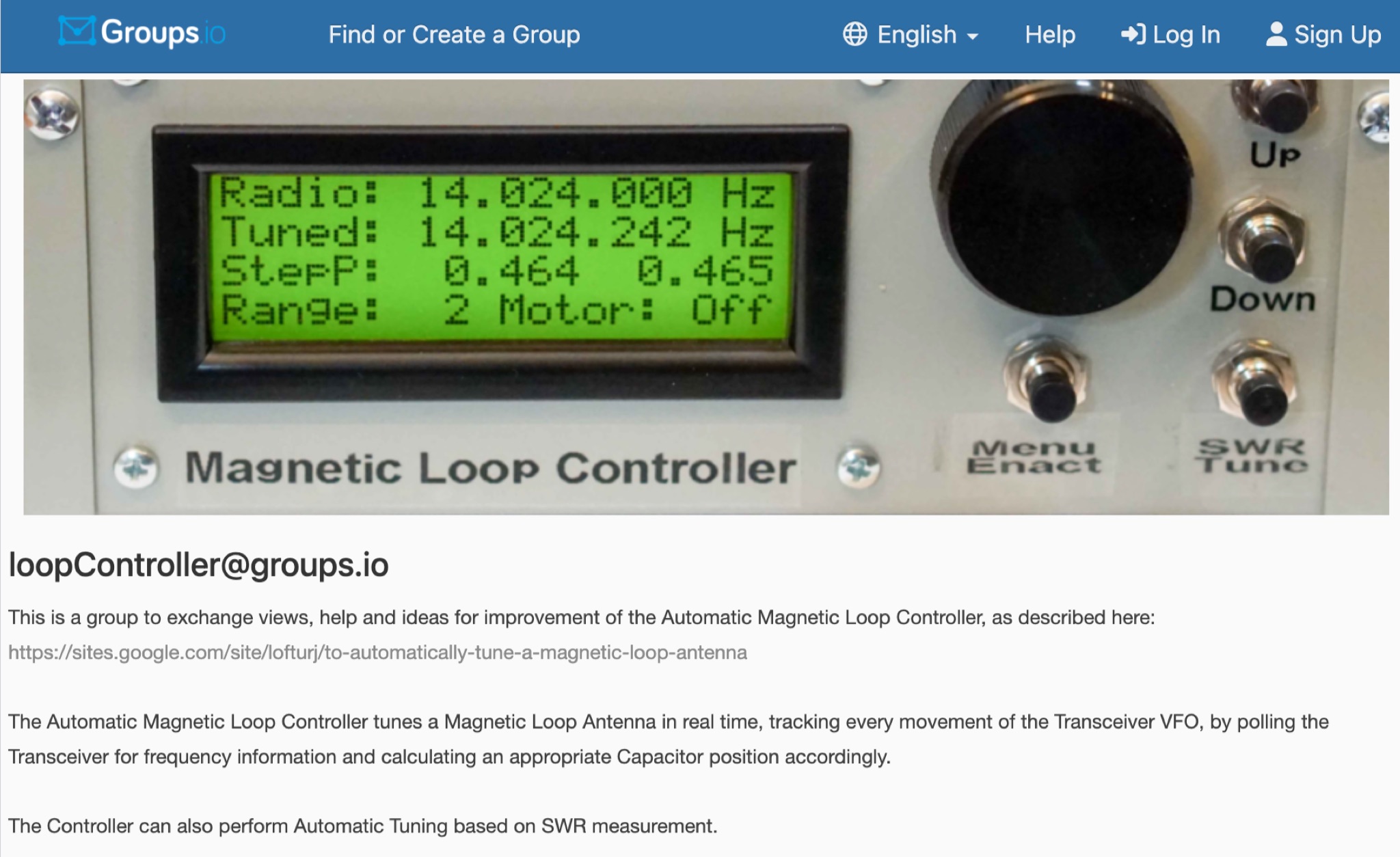 This is a group to exchange views, help and ideas for improvement of the Automatic Magnetic Loop Controller, as described at VE2AO web site. The Automatic Magnetic Loop Controller tunes a Magnetic Loop Antenna in real time, tracking every movement of the Transceiver VFO, by polling the Transceiver for frequency information and calculating an appropriate Capacitor position accordingly. The Controller can also perform Automatic Tuning based on SWR measurement.
 -
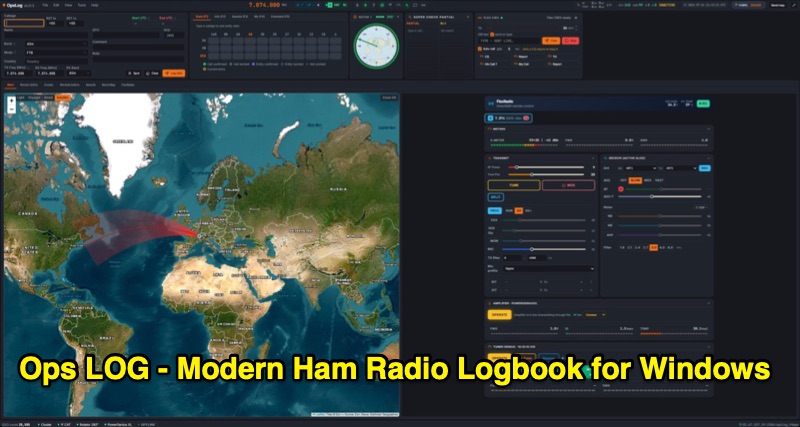 OpsLog is a modern amateur radio logbook application for Windows, designed to consolidate station operations into a single, integrated interface. It provides fast, single-strip QSO entry with automatic lookup from QRZ.com or HamQTH, populating callsign, name, QTH, and grid square. The software offers real-time CAT control supporting OmniRig, native FlexRadio/SmartSDR, Icom CI-V (via USB or internet), and TCI protocols. Key logging features include ADIF 3.1.7 compliance, offline DXCC resolution, a worked-before matrix, and dupe detection. It also incorporates a great-circle map for short/long path calculations and a clickable rotor compass, displaying antenna direction accurately. The application integrates DX cluster functionality with multiple server connections, band map spot display, and customizable alert rules for callsign, country, band, mode, or spotter, delivering notifications via sound, on-screen alerts, and email. OpsLog tracks numerous awards such as DXCC, WAS, WAZ, WAC, WPX, IOTA, POTA, SOTA, WWFF, and DDFM, with synchronization capabilities for ClubLog, LoTW, QRZ.com, and eQSL. For contesting and multi-operator environments, it offers serial number auto-fill, enforced contact windows, live dupe flagging, and shared MySQL logbook support for real-time status updates among operators. Additionally, it includes a QSL card designer with automated layout suggestions.
 -
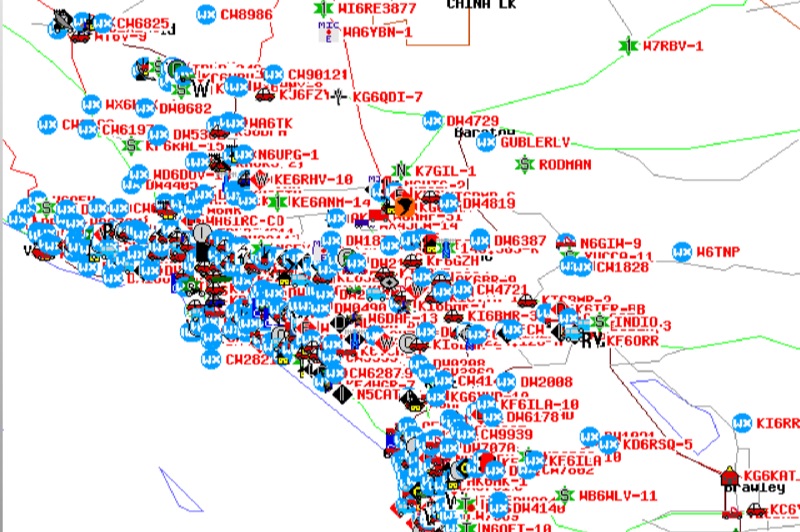 Demonstrates the Automatic Packet Reporting System (APRS) as a radio-based system for real-time tactical data exchange, leveraging the internet for messages, alerts, and bulletins to enhance situational awareness. It explains how APRS displays data on a map, integrating objects with GPS coordinates, weather stations, and alerts, clarifying its primary function as vehicle tracking despite broader capabilities. The document traces APRS development from the late 1980s by Bob Bruninga, WB6APR, through its evolution from Connectionless Emergency Traffic System (CETS) to Automatic Position Reporting System, and finally to Automatic Packet Reporting System with widespread GPS availability. Specific functionalities covered include real-time position and status reporting, message and bulletin exchange, weather data, DF bearings, RF connectivity plots, and local object display. Newer features like Global Email, CQSRVR, APRStt (APRS touchtone) for DTMF-based position reporting on frequencies like 146.58 MHz, and AVRS (Automatic Voice Relay System) for callsign-to-callsign linking via Echolink or IRLP, particularly with transceivers like the D710, are detailed. The resource also mentions AI-FI (APRS WIFI) for laptop integration and the use of the AX.25 protocol on 144.390 MHz in North America. It further describes the role of digipeaters and Internet Gateway stations (IGates) in transporting packets and connecting the on-air APRS network to the APRS Internet System (APRS-IS). The document explains APRS as a random ALOHA network, emphasizing channel loading considerations.
 -
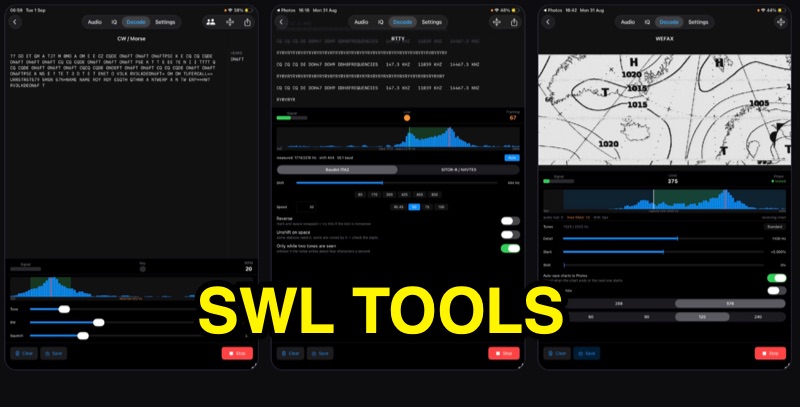 SWLTools, an iOS application for iPhone and iPad running iOS 17+, provides real-time decoding of various digital modes. It automatically locks onto CW tones, measures sending speed, and collects callsigns, distinguishing valid entries from misreads for a reliable log. For RTTY and SITOR-B, the app allows users to set shift and speed, then automatically tunes to the two tones for text reception, supporting marine bulletins, press agencies, and NAVTEX. The application also decodes WEFAX, building charts line by line for direct saving to the photo library, and processes ACARS aircraft messages, including CRC checks for data integrity and mapping of position reports. Beyond decoding, SWLTools integrates a GPU-accelerated FFT spectrum analyzer, a scrolling waterfall display with frequency cursors, and an adjustable FIR bandpass filter to isolate signals. It supports IQ signal analysis from receivers via two-channel audio interfaces, correcting mirror images. Flexible audio input options include the built-in microphone, USB audio dongles, and Bluetooth sources, with diagnostics for audio routing and buffer status. The app records audio, plays it back, and converts recordings into shareable videos, while decoded texts and charts are also savable and shareable, with all timestamps in UTC.
 -
 Andrew Roos (ZS6AA) details his practical approach to building a Single Operator Two Radio contest station within suburban constraints. The article explains how he leveraged a Force-12 C-31XR triband beam's unique separate feed arrangement to operate on two bands simultaneously. Using band-pass filters and an antenna switch, he achieved sufficient isolation between bands without requiring multiple towers. The setup includes automatic band selection, audio switching, and computer control. Testing during the 2007 CQ WPX CW contest confirmed the system's effectiveness, demonstrating that competitive SO2R operation is achievable with limited space and budget.
 -
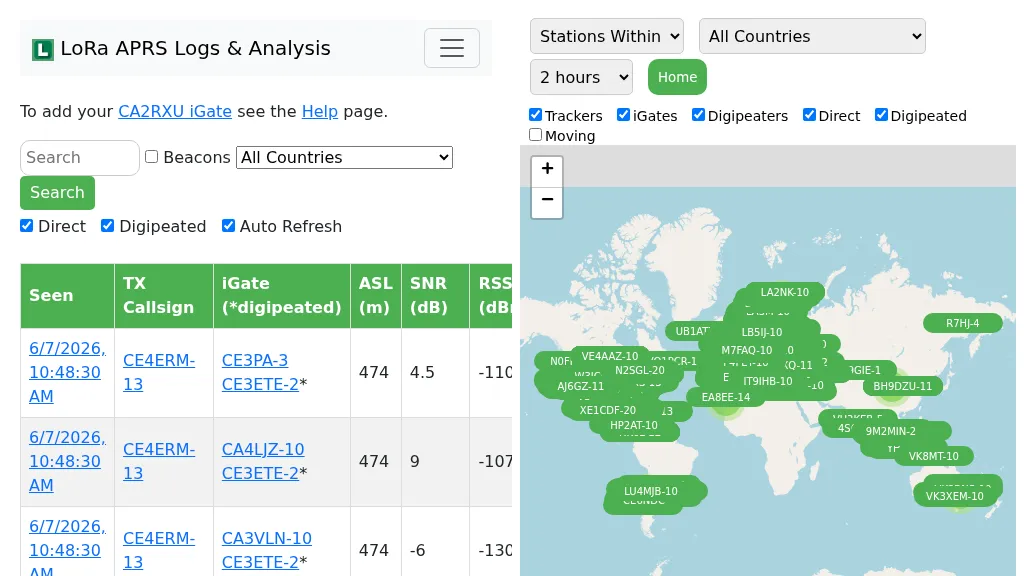 Demonstrates the operational status and reach of the LoRa APRS infrastructure, providing a live mapping and logging service for network participants. Users can verify network coverage, monitor _iGates_, and track mobile stations, observing messages and real-time network activity. The platform offers insights into station locations and data flow within the LoRa APRS system, which is crucial for understanding the performance of LoRa technology in Automatic Packet Reporting System applications. This utility helps amateur radio operators understand where transmissions are being received and processed by iGates, and how mobile units are moving within the network. The site's analysis tools provide RF performance monitoring and metrics, enabling users to assess network efficiency and identify areas for improvement. For example, operators can see how many packets are received by specific iGates, or track the path of a mobile station over a **100 km** range, offering practical insights into signal propagation and network reliability for _packet radio_ enthusiasts.
 -
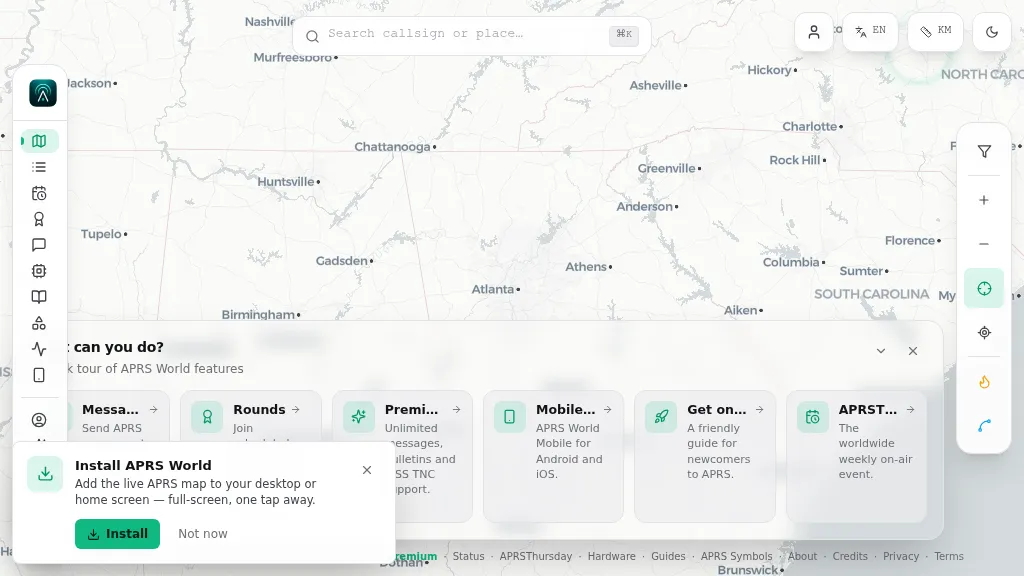 Operating on the Automatic Packet Reporting System (APRS) network, this platform provides a real-time, visual representation of amateur radio stations globally. Users can track callsigns, locate nearby stations, and even send APRS messages directly from a web browser, all without requiring a login. The system integrates live APRS-IS data, presenting it in an intuitive, map-based interface that supports 11 different languages, making it accessible to a broad international audience. Beyond basic station tracking, the platform offers detailed per-station pages, including historical weather data and telemetry logs. This functionality extends to companion Android and iOS applications, which incorporate an RF / KISS-TNC mode, allowing mobile devices to interface directly with APRS via radio. My own field experience with similar APRS visualization tools confirms the utility of such a resource for situational awareness during events or simply monitoring local and regional ham radio activity. The inclusion of weather and telemetry history adds significant value for those interested in environmental data or remote station performance.
 -
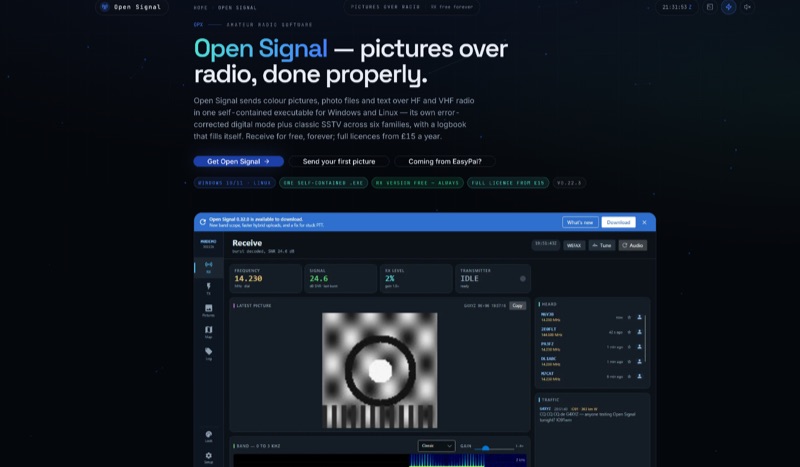 Open Signal, a software application for Windows 10/11 and 64-bit Linux, facilitates the transmission of color pictures, photo files, and text over HF and VHF amateur radio bands. It integrates its own error-corrected OFDM digital picture mode, delivering pixel-exact images in under a minute, with classic analog SSTV across six families: Martin, Scottie, Robot, Wraase, PD, and MMSSTV's MP/MR, featuring automatic VIS mode detection on receive. The application offers four distinct sending methods, including byte-exact JPEG transfer, a hybrid mode utilizing internet for full quality with a short RF link, and its proprietary digital waveform. This self-contained executable eliminates the need for external software like FLDIGI, Hamlib, or virtual audio cables, simplifying setup. It includes a self-filling logbook that integrates with Wavelog/Cloudlog, eQSL, and provides UDP ADIF broadcast. Built-in spotting features include PSK Reporter, DX cluster announcements, and APRS-IS position beacons. The receive-only version is permanently free, while a full license, enabling transmit capabilities and access to the live network, is available for an annual or lifetime fee. The software is actively maintained, unlike EasyPal, which has not seen updates since 2014.
 -
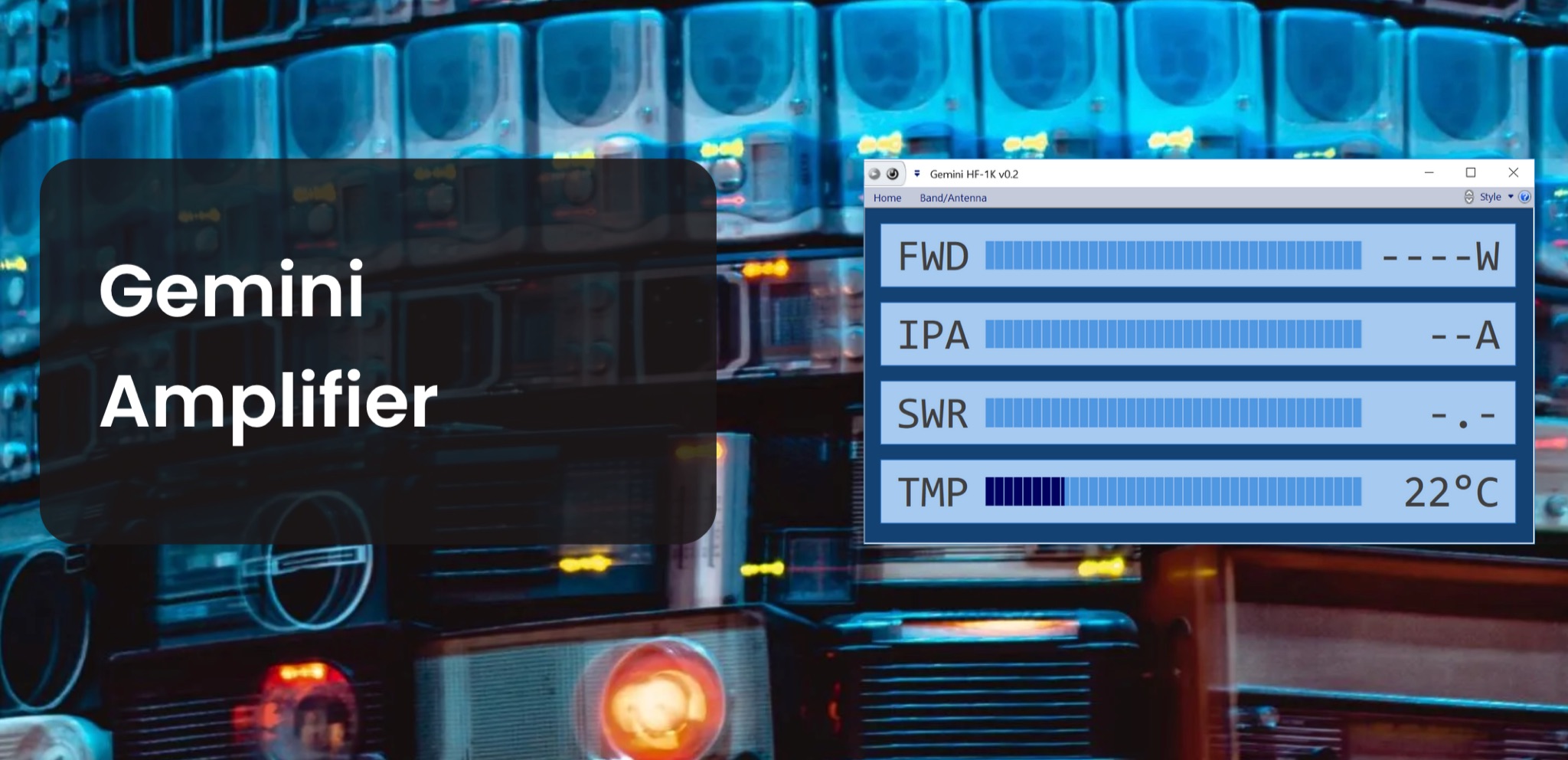 The Gemini Amplifier Remote Control software operates on Windows 7 and above, facilitating remote management of the Gemini HF-1K and DX-1200 amplifiers. Users connect via Ethernet, configuring the amplifier's IP address through the front panel. The software allows seamless band and antenna selection, saving settings for each band without requiring transmission. Integration with _OmniRig_ from Afreet Software, Inc. enables automatic band adjustments based on the radio's frequency changes. Users can configure serial or virtual serial connections, with tracking options accessible through the ribbon bar. The software supports speech functionality, enhancing accessibility for operators. Firmware updates, such as version 2.5Ee, introduce features like background datalogging and power output control, uploaded via FTP. Version 1.2.0 allows users to offload internal parameter data for support purposes. The firmware upload process requires the amplifier's IP address and port 21, taking approximately 90 seconds. Users are encouraged to upgrade to the latest firmware for improved performance and remote diagnostics.
 -
 This Instruction Manual covers the TS-440S, with and without AT (Automatic Antenna Tuner) unit. When there are differences in operation. Separate instructions will be given for each model. If disregarded, inconvenience only, no risk of equipment damage or personal injury.
 -
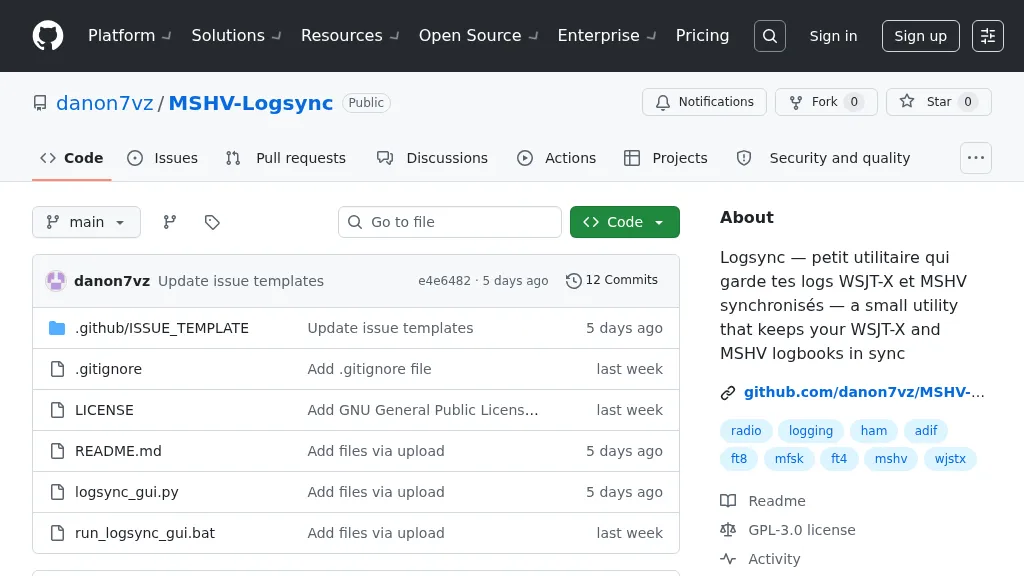 Manages log consistency across multiple digital mode applications, specifically addressing the common issue of log divergence between _MSHV_ and _WSJT-X_ for FT8, FT4, and other weak-signal modes. This prevents duplicate contacts and ensures accurate DX tracking when using both programs. The utility computes a deduplicated union of entries from both `_mshvlog.edim` and `_wsjtx.log` files, then updates each log with missing QSOs. It supports a deduplication key based on callsign, date, time (to the minute), band (derived from frequency), and mode. The tool is available as a standalone Windows executable or a Python version requiring Python 3 with _Tkinter_. Users select log folders, close both applications, and initiate the 'Merge' function. The process includes automatic timestamped backups of log files before any modifications, safeguarding QSO data.
 -
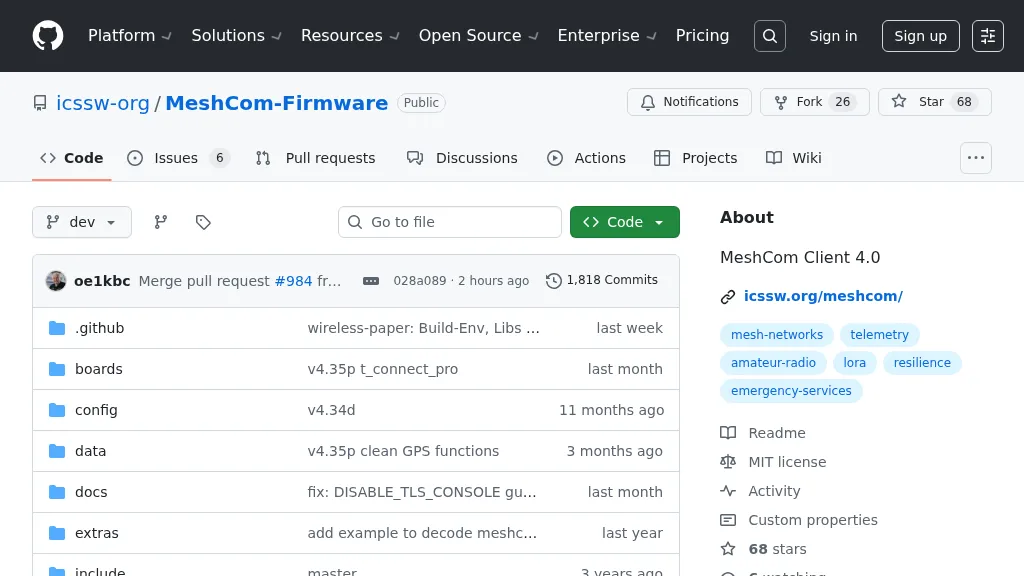 For amateur radio operators seeking resilient, off-grid communication, the _MeshCom_ firmware provides a robust solution for text-based messaging over a mesh network. Utilizing LoRa modulation and the APRS protocol, this firmware is designed for low-energy consumption and cost-effective hardware, primarily operating in the 70cm band. Nodes, identified by amateur radio callsigns, can send short text messages to all participants or directly to specific callsigns, functioning as repeaters to extend network reach. The system supports automatic status and position messages, with optional sensor data for WX-Data and Telemetry. MeshCom nodes can be configured as gateways to HAMNET or the internet, enhancing connectivity options. The project emphasizes a self-building and self-healing mesh network architecture, crucial for emergency communication scenarios. Operating frequencies include **433.175 MHz** (EU, USA, Africa), 439.9125 MHz (UK), and 433.925 MHz (Norway). The firmware is compatible with hardware platforms such as ESP32/LoRa modules, RAK-WISBLOCK, and ESP32-DEV4/E22-LoRa, offering a flexible deployment for various amateur radio applications.