Search results
Query: software control
Links: 210 | Categories: 12
Categories
- Software > Radio Control
- Software
- Software > Repeater Control
- Radio Equipment > HF Amplifiers > Alpha 87A
- Technical Reference > Antenna Rotator
- Software > D-STAR
- Radio Equipment > HF Transceivers > Kenwood TS-2000
- Software > Logging
- Technical Reference > Morse Code Decoder
- Software > Packet
- Software > PIC Programmer
- Software > Satellite tracking
-
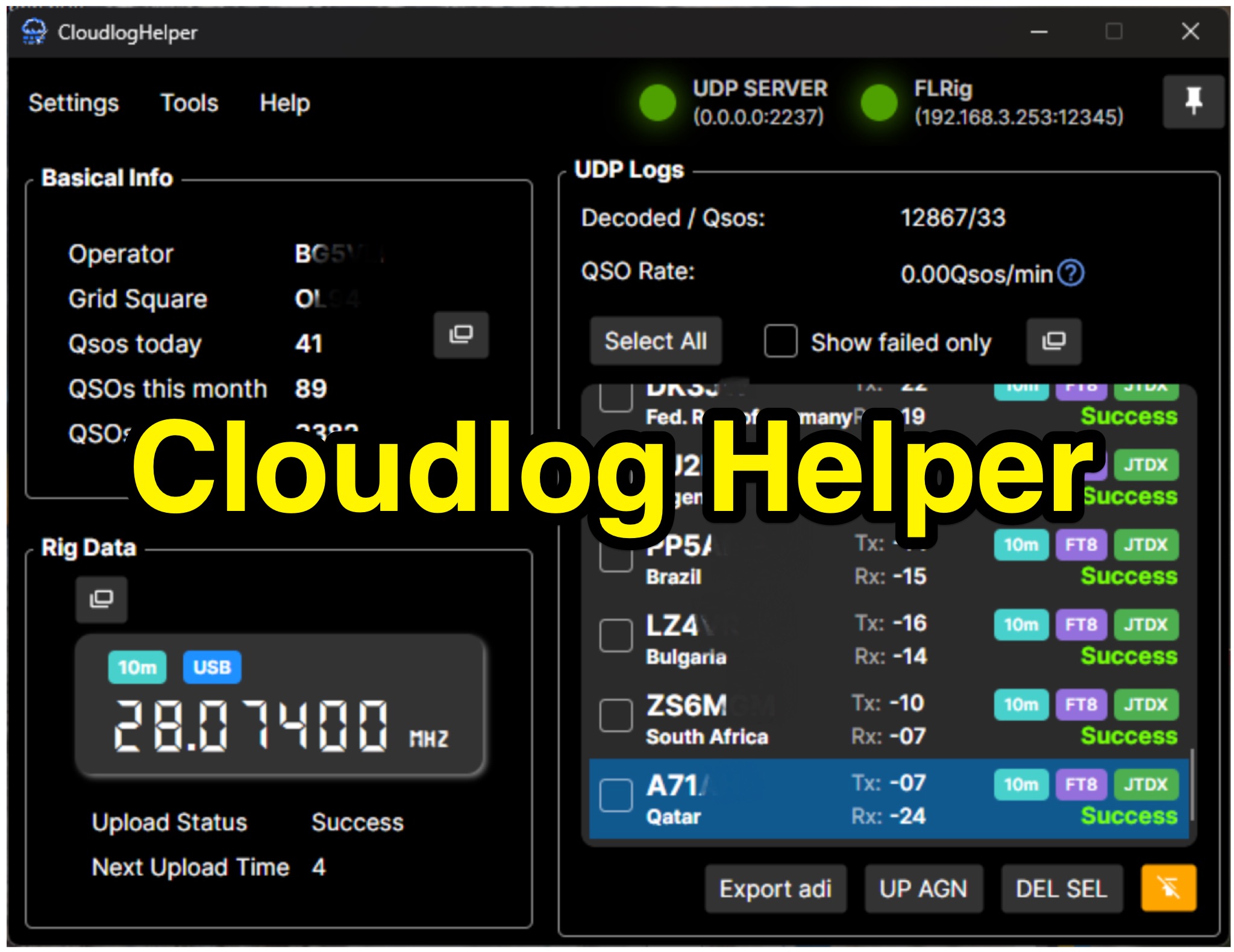 Cloudlog Helper addresses the need for streamlined, automated logging of amateur radio contacts, particularly for operators utilizing digital modes like FT8 or those with limited system resources. This utility syncs real-time rig data and QSO information to various logging platforms, including _Cloudlog_ and Wavelog, supporting mainstream transceivers. It integrates seamlessly with popular digital mode software such as JTDX and WSJT-X, ensuring that contact details are captured and uploaded without manual intervention. Operators can compile the software themselves and configure essential settings, including their Maidenhead locator, Cloudlog server address, API key, and station ID. The application's design prioritizes efficiency and portability, making it a practical solution for hams who prefer automated logging processes. While an unofficial community project, Cloudlog Helper provides a robust framework for automating the often-tedious task of logging, supporting multiple logging services beyond its primary integration. It offers a direct method for hams to maintain accurate and up-to-date logbooks with minimal effort, potentially improving their DXCC or other award tracking by ensuring no QSO is missed.
-
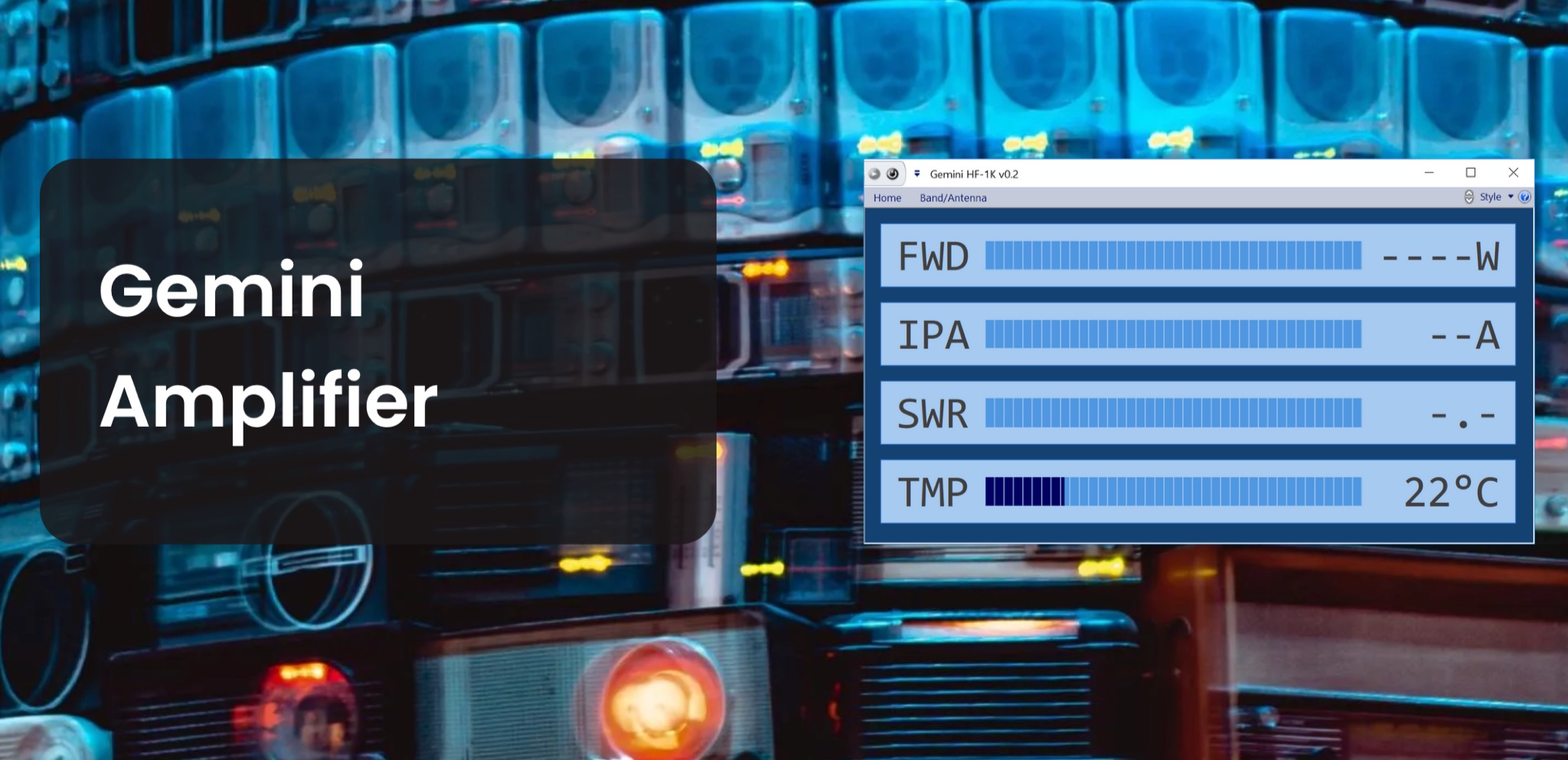 The Gemini Amplifier Remote Control software operates on Windows 7 and above, facilitating remote management of the Gemini HF-1K and DX-1200 amplifiers. Users connect via Ethernet, configuring the amplifier's IP address through the front panel. The software allows seamless band and antenna selection, saving settings for each band without requiring transmission. Integration with _OmniRig_ from Afreet Software, Inc. enables automatic band adjustments based on the radio's frequency changes. Users can configure serial or virtual serial connections, with tracking options accessible through the ribbon bar. The software supports speech functionality, enhancing accessibility for operators. Firmware updates, such as version 2.5Ee, introduce features like background datalogging and power output control, uploaded via FTP. Version 1.2.0 allows users to offload internal parameter data for support purposes. The firmware upload process requires the amplifier's IP address and port 21, taking approximately 90 seconds. Users are encouraged to upgrade to the latest firmware for improved performance and remote diagnostics.
-
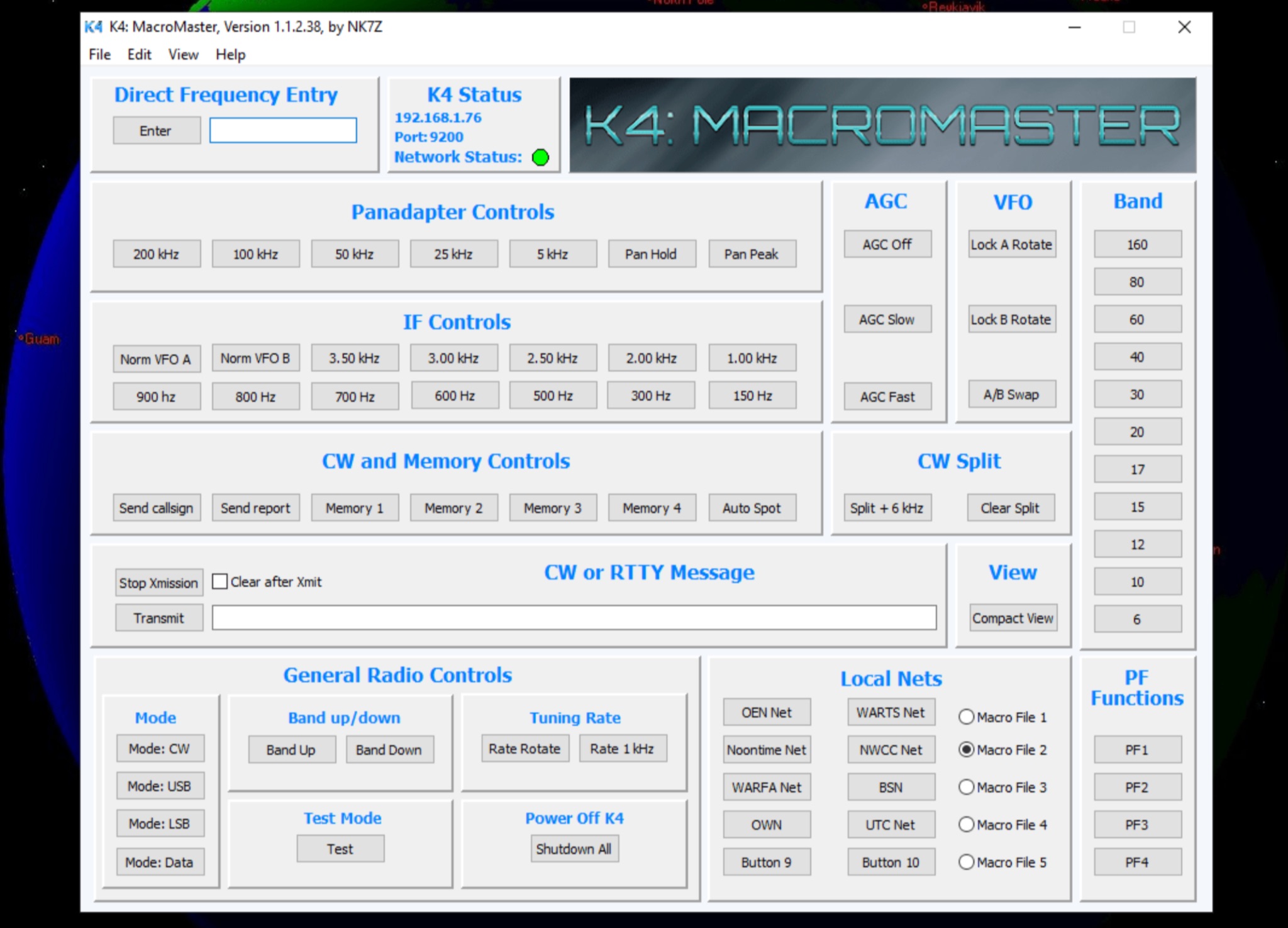 The K4 MacroMaster program facilitates the creation and deployment of macro commands for the Elecraft K4 and K4D transceivers. It provides a structured interface for hams to program up to fifty user-defined macros, organized into five **Macro Clusters** of ten commands each. The software connects to the transceiver via Ethernet or Wi-Fi, allowing for seamless command injection and operational streamlining. The resource details the program's **macro editor**, which supports the creation, storage, and naming of these clusters by their functional purpose. A built-in hint feature offers quick reference for command syntax and usage, aiding in efficient macro development. The review section covers the installation process, initial configuration steps, and practical application scenarios for the K4 MacroMaster, including examples of common macro functions like band changes, mode selections, and contest logging integrations. Operational benefits highlighted include enhanced workflow automation and reduced manual input during demanding operating conditions, such as DXing or contesting.
-
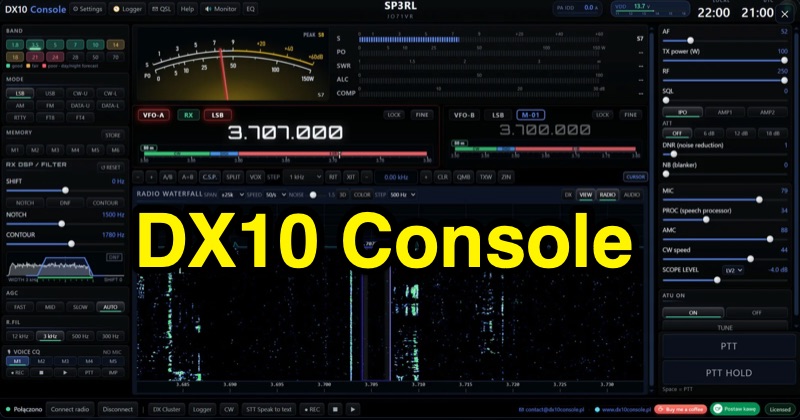 Examines the DX10 Console, a **CAT control** application designed for Yaesu FT-DX10 and other transceivers, detailing its core functionalities such as band control, digital signal processing (DSP), automatic antenna tuner (ATU) management, and integrated metering. The resource also highlights features like DX cluster integration, QSO logging capabilities, and propagation analysis. It further introduces a suite of complementary software: dx10antenne for **KF antenna design** and analysis, dx10logger for comprehensive QSO logging with ADIF export, DX10 Rotator for rotor control via various interfaces, and DX10 Academy for CW and general ham radio education, including a pile-up simulator. The DX10 Console supports real-time CAT control and offers LAN connectivity for multi-computer setups. The dx10logger program facilitates QSO logging with a 3D globe visualization, POTA integration, and ADIF 3.1.0 export. The dx10antenne tool provides functionalities for trap design, multi-band dipole analysis, SWR calculations, Smith chart plotting, and 3D radiation pattern visualization. All components of the DX10 suite are compatible with Windows 10/11 operating systems.
-
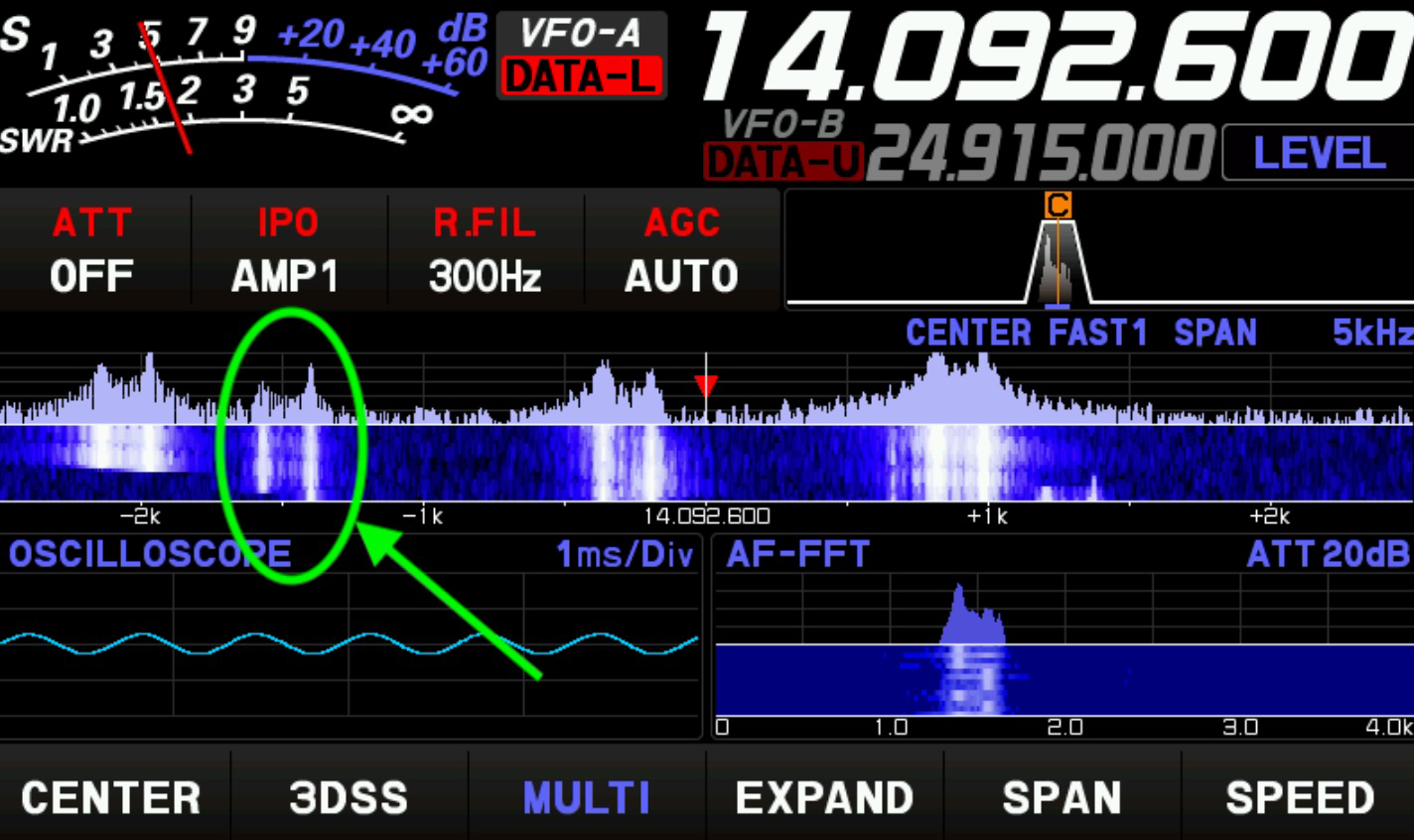 Setting up a digital mode station for Radioteletype (RTTY) contesting requires careful integration of transceiver and logging software. This guide outlines the specific configuration for a Yaesu FTDX10 and N1MM Logger, focusing on settings relevant for the 2025 CQ WW RTTY contest. It covers digital mode setup within N1MM, mode control, and RTTY-specific parameters, including the use of the FTDX10's DATA-L or RTTY-L modes. Operational guidance includes leveraging the 300Hz CW roofing filter for enhanced adjacent signal rejection and proper MMTTY window resizing to ensure accurate FFT and XYScope displays. The author notes a consistent received signal offset of -1.5 kHz from the VFO frequency during operation. Specific software versions used are N1MM V1.0.10936.0, MMTTY 1.70, and various FTDX10 firmware versions. The document also mentions an unsuccessful attempt to integrate a WinKeyer USB (WKSMT, firmware 31.03) for FSK waveform generation, where N1MM could key the radio and 100W was measured, but no tones were observed on the FTDX10's scope displays.
-
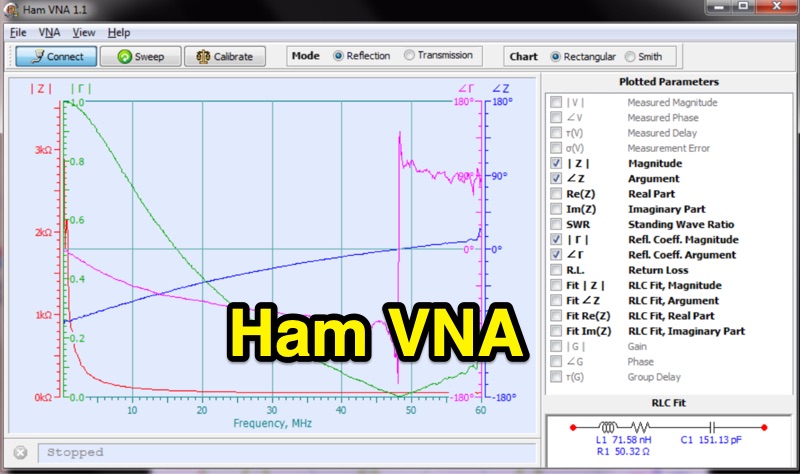 HamVNA presents an alternative Vector Network Analyzer (VNA) software tailored for the Hermes SDR RX/TX board, enhancing its utility for analyzing antenna systems and radio circuits. The software processes measurement data from two distinct sources: direct acquisition via the Hermes hardware, leveraging fixtures like Sam Wetterlin's Series Fixture or reflection bridge, or by importing existing TouchStone format files (*.s1p, *.s2p) from other VNA hardware. It operates on Win2000/WinXP/Vista/Win7 platforms, supporting both 32 and 64-bit architectures. The program incorporates standard Open-Short-Load calibration for reflection mode and Short Circuit calibration for transmission mode, with the capability to save and reload calibration data. A key distinguishing feature is its RLC Fit function, which automatically generates an equivalent RLC circuit matching the impedance-vs-frequency curve of the Device Under Test (DUT), a capability noted as unique among VNA software. This function allows control over circuit complexity via an 'Order' slider. HamVNA also supports remote calibration, enabling the removal of coaxial cable effects from measurements for clearer analysis, as demonstrated with an 80m vertical antenna example. The software is an open-source project, distributed under the MPL v.2.0 license, with both the installation package and source code available for download.
-
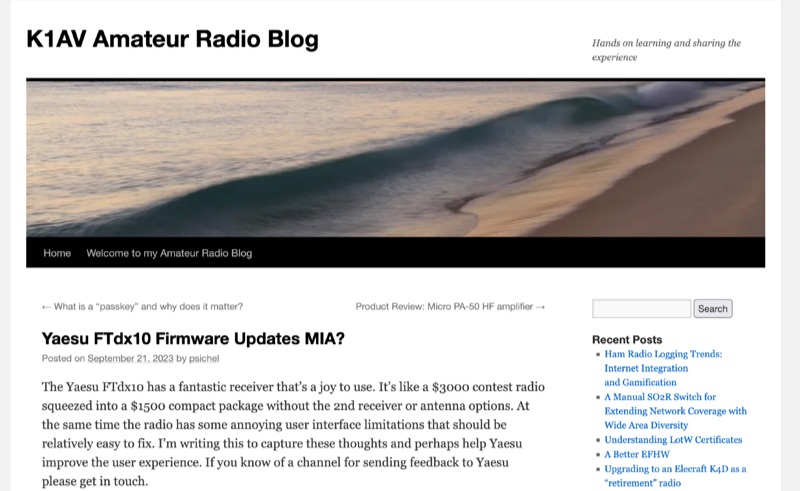 Eight specific user interface limitations are identified in the Yaesu FTdx10 transceiver's firmware, drawing on the author's extensive software engineering background and experience with Icom IC-705 and IC-7300 interfaces. The analysis highlights issues such as the main dial Lock button disabling the RX/TX Clarifier, which impedes net control and pile-up operations. It also points out the FTdx10's spectrum scope display modes lack a "Scroll-F" equivalent for efficient band scanning, a feature common in Icom radios. Further points address the inability to access screen-based settings during transmit, the need for improved antenna tuner behavior with an option to reset settings and intelligent segment recall, and limitations when using an external mouse, such as the scroll wheel not functioning as the main dial or function knob. The author also notes the lack of automatic power reduction when using external LDG tuners and the CW decoder's all-caps display, which hinders readability. These observations aim to guide Yaesu in enhancing the FTdx10's user experience, leveraging its strong receiver performance and advanced features.
-
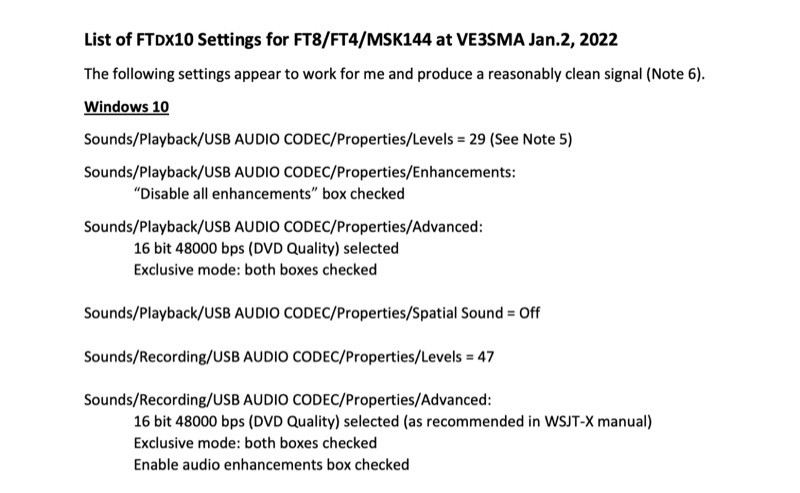 Configuring a Yaesu FTDX10 transceiver for digital modes like FT8, FT4, and MSK144 requires precise adjustments across both the operating system and the digital mode software. This resource details specific Windows 10 audio codec settings, including playback levels at 29 and recording levels at 47, along with advanced 16-bit 48000 bps (DVD Quality) selections for optimal signal fidelity. It also specifies checking the "Disable all enhancements" box for playback and enabling audio enhancements for recording. The document outlines critical WSJT-X v.2.5.1 parameters, such as setting the Rig to FTDX-10, a 1-second poll interval, and a 38400 baud rate for CAT control. The PTT method is configured to RTS, with Split Operation set to "Fake It" or "None." Audio input and output are directed to the USB AUDIO CODEC, with a recommended WSJT-X Pwr Slider setting of -32.0 dB, adjusted to ensure ALC meter readings remain within the white segment on the FTDX10. Transceiver-specific settings include a CAT RATE of 38400 bps, AMC RELEASE TIME set to MID, and DATA SHIFT (SSB) at 1500 Hz. The RPORT GAIN is specified at 70, with notes suggesting lower values (e.g., 30) can also yield clean signals. Transmit bandwidth selection is discussed, recommending 50-3050Hz for wideband modes like MSK144, while suggesting 400-2600Hz for FT4/FT8 to mitigate second harmonics and improve signal purity. The guide also references discussions with W5AJ, DO1YHD, AC6BW, and W9RTB.
-
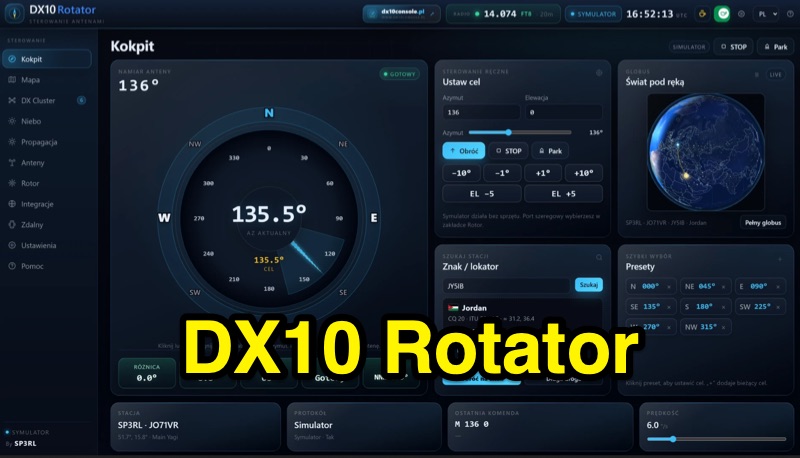 DX10 Rotator is a free software application for controlling antenna rotors, available for Windows and Android. It supports various rotor protocols including Yaesu GS-232, Hy-Gain DCU-1/2, MDS RC-1, Green Heron, AlfaSpid, Prosistel, M2, and Easycomm via serial COM port. The software also supports ESP32 via Wi-Fi (TCP 8765) for wireless rotor control. Features include a cockpit with compass, azimuth, target, beam, and presets, a 3D globe, 2D map with satellite passes, Doppler RX/TX, and AZ/EL tracking. Users can create antenna profiles with beam width, gain, and offset. It displays live propagation data (SFI, SN, A, K, X-ray, Bz, band conditions 160-10m, Kp forecast) and local wind conditions from Open-Meteo. The interface is available in Polish, English, German, French, and Spanish. It integrates with DX10 Console for automatic antenna rotation based on radio frequency and station bearing via rigctld (127.0.0.1:4532).
-
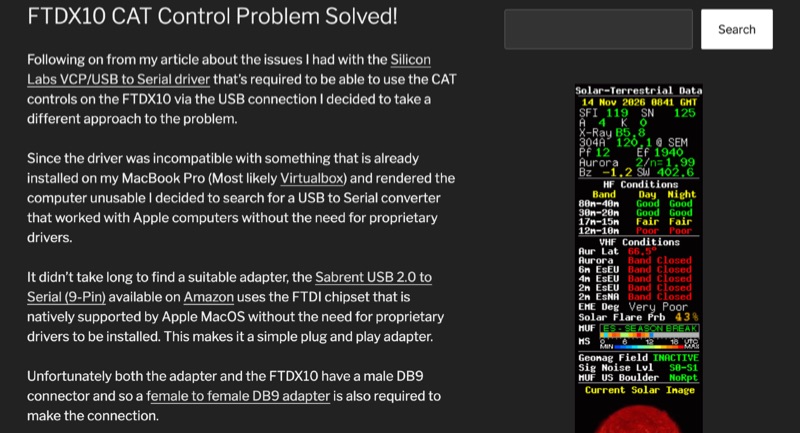 The Yaesu FTDX10 transceiver, a popular HF/50 MHz rig, often presents CAT control challenges on macOS systems due to driver incompatibilities. This resource addresses a specific issue encountered with Silicon Labs VCP/USB to Serial drivers causing system instability on a MacBook Pro running macOS 11.6.2 (Big Sur). The author details a robust solution involving a Sabrent USB 2.0 to Serial (9-Pin) adapter, which incorporates an FTDI chipset, ensuring native driver support within the macOS environment. This setup facilitates direct control of the FTDX10 without requiring proprietary driver installations. Configuration specifics include connecting the Sabrent adapter to the FTDX10 via a female-to-female DB9 adapter, setting the RS232 port to 38400 baud on both the radio and the WSJT-X software. For digital mode audio routing, a standard USB lead connects the FTDX10 directly to a second USB port on the MacBook, leveraging the transceiver's integrated sound card, which macOS natively recognizes. This dual-USB approach separates CAT control from audio I/O. The methodology was successfully validated through FT8 operation on the 30-meter band, confirming stable CAT communication and proper audio interfacing. This guide provides a practical workaround for macOS users seeking reliable digital mode operation with their FTDX10, avoiding common driver-related frustrations.