Search results
Query: log
Links: 1310 | Categories: 64
This query is too generic. Please try adding an additional term to focus your research.
Categories
- Operating Modes > Satellites > Analog Satellites
- Ham Radio > Blogs
- Software > Log Analysis
- DX Resources > Log Analysis
- Software > Log Converters
- Operating Aids > Log Formats
- Manufacturers > Antennas > HF > Log Periodic Antennas
- Operating Aids > Logbook
- Software > Logging
- DX Resources > Logs
- DX Resources > IOTA > Blogs & Personal homepages
- Antennas > Log Periodic
- DX Resources > Logs Search Services
- DX Resources > DX Peditions > 2010 DXpeditions
- DX Resources > DX Peditions > 2011 DXpeditions
- DX Resources > DX Peditions > 2012 DXpeditions
- DX Resources > DX Peditions > 2014 DXpeditions
- DX Resources > DX Peditions > 2017 DXpeditions
- DX Resources > DX Peditions > 2022 DXpeditions
- Software > Android
- Ham Radio > Blogs > Asia
- Software > Awards tracking
- Shortwave Radio > BCL Resources
- Technical Reference > Software Defined Radio > Beginner's Guides to SDR
- Technical Reference > Radio Frequency Interference > BPL
- DX Resources > Contest
- Software > Contesting
- DX Resources > County Hunting
- Operating Modes > D-STAR
- Software > Decoders
-
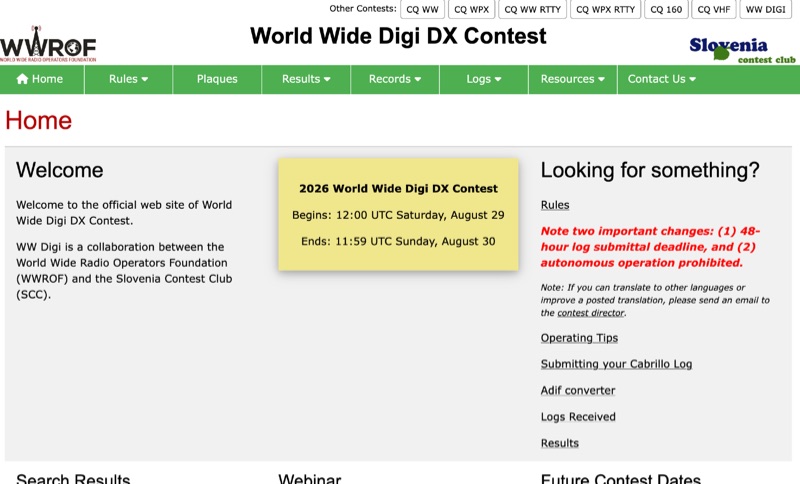 The **World Wide Digi DX Contest** website serves as the official hub for this annual digital DX event, a joint effort by the World Wide Radio Operators Foundation (WWROF) and the Slovenia Contest Club (SCC). It details critical operational changes, such as a strict 48-hour log submittal deadline and the prohibition of autonomous operation, ensuring fair play and adherence to contest guidelines. Participants can find comprehensive operating tips, instructions for submitting **Cabrillo logs**, and access to an ADIF converter to streamline their post-contest workflow. The resource clearly outlines future contest dates, consistently held on the last full weekend of August, with specific dates listed through 2029, including August 29-30, 2026, and August 28-29, 2027. Beyond the WW DIGI contest, the site also references other major contests like CQ WW, CQ WPX, and CQ 160, providing a broader context for digital and traditional contesting. A video recording and presentation PDF from the 2019 event are also available, offering insights into past operations.
 -
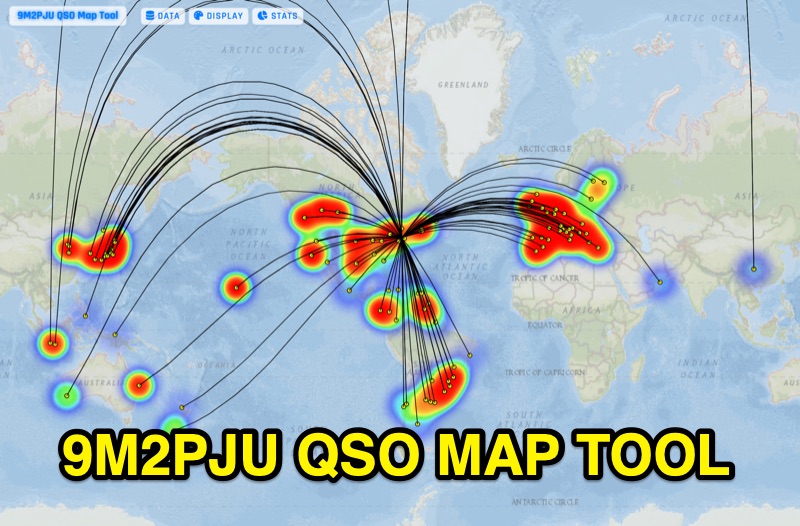 Presents the 9M2PJU QSO Map Tool, a web-based utility designed by Ian Renton for visualizing amateur radio contacts. This tool processes ADIF, Cabrillo, and SOTA CSV log files, allowing operators to plot their QSOs on a selection of base maps, including ESRI NatGeo World Map and OpenStreetMap Mapnik. Users can configure display options such as simple dot markers or xOTA hunter markers, QTH location, outlines, shadows, and geodesic lines, with coloring by band or a fixed hue. The application supports drawing per-band heatmaps and offers overlays for Maidenhead grid squares, CQ zones, ITU zones, and Worked All Britain/Ireland grids. It also provides QSO filtering capabilities and displays comprehensive log statistics, including unique calls, grid squares, CQ zones, ITU zones, and worked DXCCs. Customizable band and mode colors, alongside specific xOTA icons for programs like POTA, SOTA, WWFF, IOTA, and WCA, enhance the visual analysis of operating activity.
 -
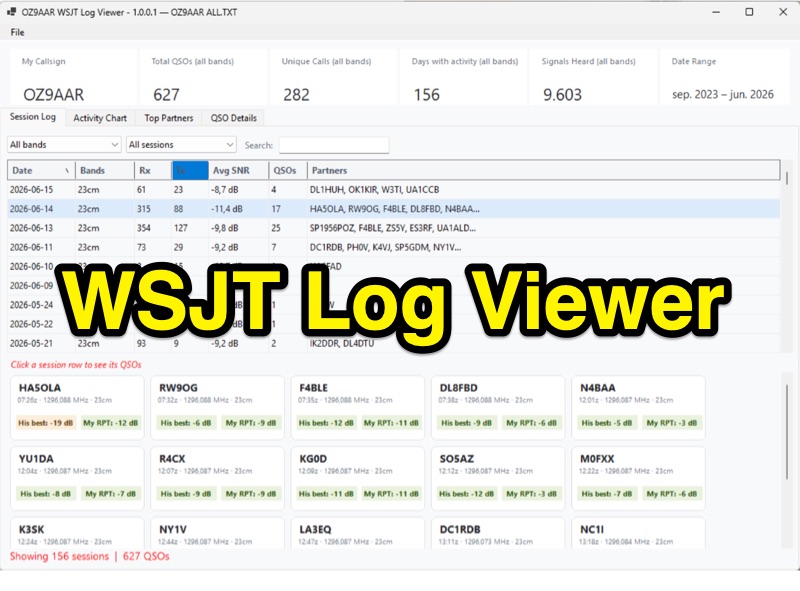 The WSJT Log Viewer, version 1.0.0.10 as of 2026-08-02, is a freeware Windows application developed by Carsten Groen (OZ9AAR) for analyzing signal strengths from WSJT digital mode contacts. It processes the ALL.TXT log file generated by WSJT-X, extracting and presenting data from decoded TX and RX messages. Initially designed for EME operations on 70cm and 23cm, the software has expanded to include all HF bands, 6m, 4m, 2m, 1.25m, 70cm, 23cm, 24GHz, and 47GHz. Key features include displaying total QSOs, unique callsigns, days with activity, and signals heard, with filtering options by band and completed QSOs. The application also monitors the ALL.TXT file for live updates every two seconds, reflecting new decodes in real-time. Users can view session logs, activity charts showing daily signal counts and decoded signals, and a "Top Partners" tab listing the 25 most frequent contacts. The software provides detailed QSO information, including best received SNR and sent reports, with graphical representations of SNR over time. It supports multiple "My Callsign" entries within a single ALL.TXT file and offers a function to generate a text list of initials worked per band. The program is distributed as a single executable file, requiring no installation, and stores its configuration in a LogViewer.cfg file, allowing for different setups via command-line arguments.
 -
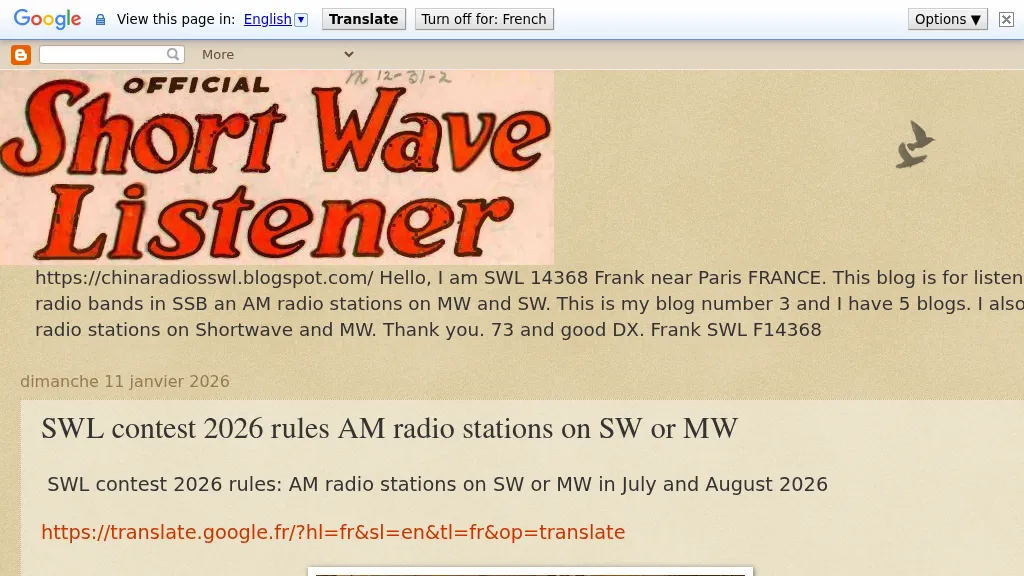 Define the SWL contest 2026 as an event for monitoring a variety of languages on _medium wave_ (MW) and _shortwave_ (SW) AM radio stations. Participants can utilize either traditional radio receivers or _WEB SDR_ platforms to log their findings. The contest encourages the use of both analog and digital methods to maximize the diversity of languages captured. The contest rules specify that entries must include detailed logs of the stations received, including frequency, time, and language identified. Logs should be submitted in a standardized format to ensure consistency and accuracy in judging. The use of WEB SDR is particularly highlighted for its ability to access distant stations that may not be reachable with local equipment. The contest is open to all SWL enthusiasts worldwide, with a focus on European WEB SDR access. The event aims to foster a deeper understanding of global broadcasting patterns and linguistic diversity. Participants are encouraged to explore various bands within the MW and SW spectrum, enhancing their skills in signal identification and language recognition. The contest offers a unique opportunity to engage with the global SWL community and share insights into the art of listening.
 -

-
 A blog that provides news and updates about CubeSats, as well as information about CubeSat-related events and projects.
 -
-
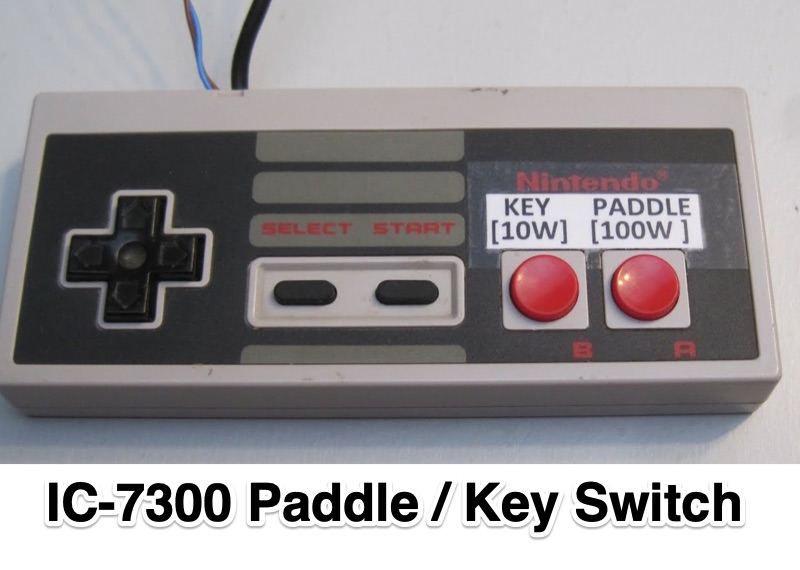 Demonstrates an **Arduino-based** solution for the Icom IC-7300 transceiver, specifically addressing the operational inconvenience of switching between a CW paddle and a straight key. The project leverages the IC-7300's **CI-V bus** (Computer Interface 5) to provide instant keyer type selection and two preset power levels, bypassing the rig's menu system which otherwise requires eight button presses. This implementation utilizes the 3.5mm CI-V connector, leaving the USB port free for CAT control and the internal soundcard, a critical design choice for integrated station setups. The system's utility is particularly evident for CW operators who frequently alternate between keying methods during contesting or general operating. The article details the hardware setup, including an Arduino Nano, a 3.5mm jack for CI-V, and pushbuttons for control. An update in 2023 expanded the project to incorporate an 8-button Nintendo controller, enhancing user interface flexibility and demonstrating the adaptability of the initial design for further customization and feature integration.
 -
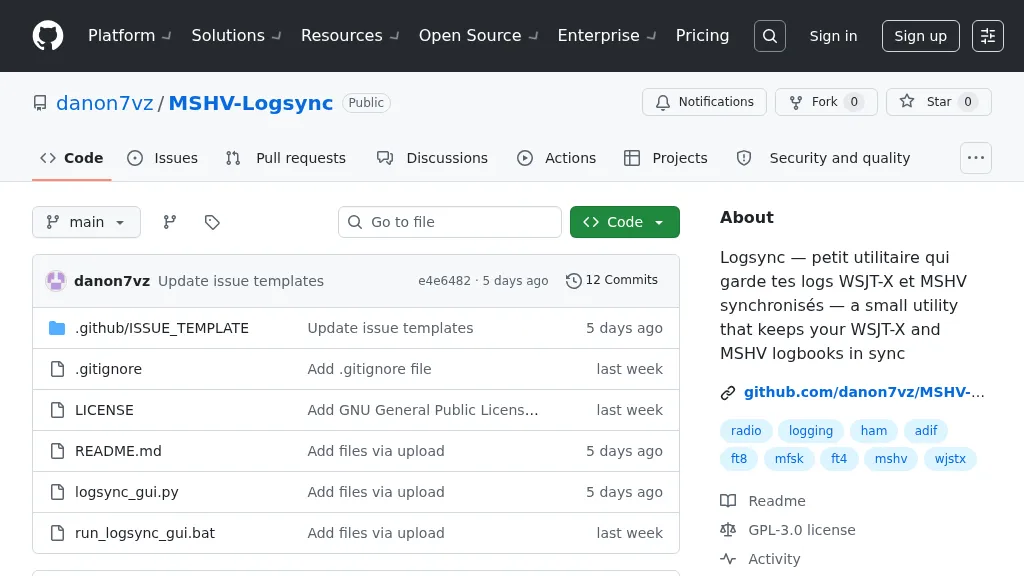 Manages log consistency across multiple digital mode applications, specifically addressing the common issue of log divergence between _MSHV_ and _WSJT-X_ for FT8, FT4, and other weak-signal modes. This prevents duplicate contacts and ensures accurate DX tracking when using both programs. The utility computes a deduplicated union of entries from both `_mshvlog.edim` and `_wsjtx.log` files, then updates each log with missing QSOs. It supports a deduplication key based on callsign, date, time (to the minute), band (derived from frequency), and mode. The tool is available as a standalone Windows executable or a Python version requiring Python 3 with _Tkinter_. Users select log folders, close both applications, and initiate the 'Merge' function. The process includes automatic timestamped backups of log files before any modifications, safeguarding QSO data.
 -
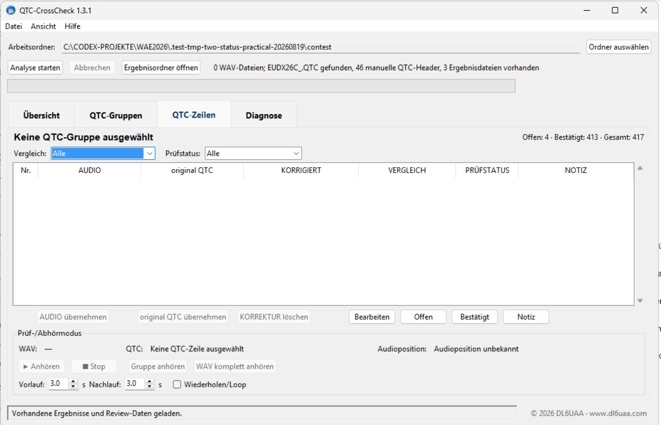 QTC-CrossCheck 1.5.0 is a free offline Windows tool for reviewing WAEDC CW QTC traffic. It analyzes QTC groups from local WAV recordings and supports comparison with UCXLog QTC data. Integrated audio playback helps verify individual QTC rows and resolve discrepancies. The portable application requires no installation or internet connection. Download the Windows ZIP archive and extract it fully before running QTC-CrossCheck.exe. A SHA-256 checksum is provided for download verification.