Search results
Query: sdr radio software
Links: 120 | Categories: 7
-
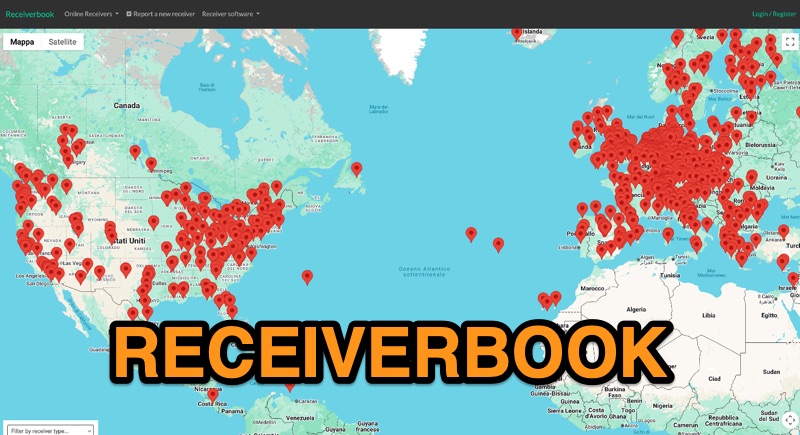 Monitoring radio communications through web-accessible Software Defined Radios (SDRs) has become a popular facet of the hobby, and Receiverbook serves as a centralized directory for locating these remote assets. The platform aggregates listings for both **OpenWebRX+** and **KiwiSDR** installations, providing a gateway to a diverse array of frequencies and operating modes. My own experience with similar directories highlights their utility for casual listening, DXing, and even troubleshooting local RFI by comparing signals across different geographic locations. The directory details specific receiver locations, from Bedford, England, to Marahau, New Zealand, and Berlin, Germany. Each entry often specifies the supported frequency ranges, which can span LF, MF, HF, VHF, and UHF bands, including dedicated segments like 80m, 40m, 2m, and 70cm. Many listings explicitly note support for HAM radio, broadcast services, and public two-way radio, making it a versatile tool for various listening interests. Beyond general frequency coverage, some entries provide granular details about the underlying hardware, such as the **SDRPlay RSP1A** or RTL-SDR Blog V3, and even the antenna types employed, like the Sirio Gain-Master. This level of detail is invaluable for serious SWLs and hams looking to understand the capabilities and limitations of a particular remote receiver before tuning in.
 -
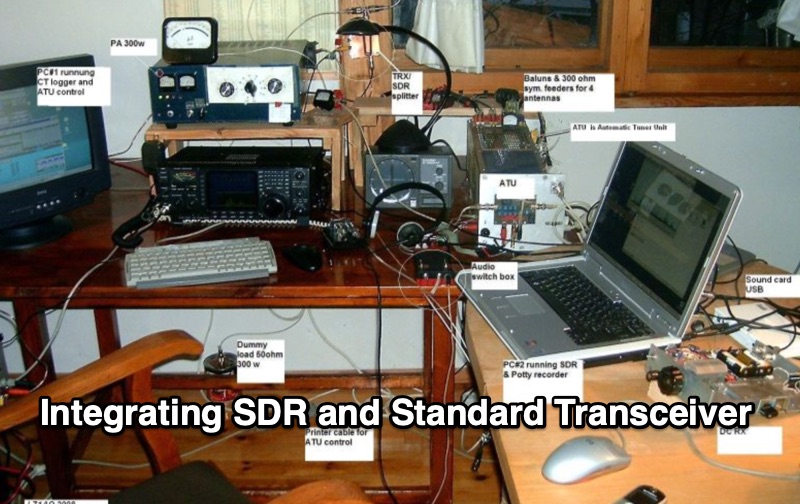 Integrating a _Software Defined Radio_ (SDR) into an existing ham radio setup involves connecting it with a standard transceiver (TRX), power amplifier (PA), and antennas. The core component is a splitter box that facilitates the connection between the TRX and the SDR, allowing for simultaneous operation without modifying existing equipment. In receive mode, the splitter ties the antenna inputs of both the TRX and a direct conversion receiver (DC RX) together. During transmission, the DC RX input is grounded via a fast telecom relay controlled by the transceiver's -SEND signal, incorporating a 10ms delay for safety. The splitter box includes a 3.7 dB input attenuator for impedance matching and acts as a protective fuse for the DC RX input. Ground loops are mitigated using common mode balun transformers, while the DC RX input is insulated with a broadband transformer. An audio switch box complements the setup, enabling users to listen to either the main transceiver, the SDR output, or both simultaneously. This configuration ensures noise immunity and safety, with the splitter housed in a screened box made from PCB material. On-air tests, such as the CQ WW 160m CW DX Contest, demonstrate the system's effectiveness, showcasing the SDR's ability to handle crowded band conditions with superior selectivity and dynamic range. The SDR's narrow bandwidth filters and waterfall display provide significant advantages, allowing operators to detect weak signals amidst strong interference. The integration of SDR with conventional radios offers enhanced operational flexibility and performance in challenging environments.
 -
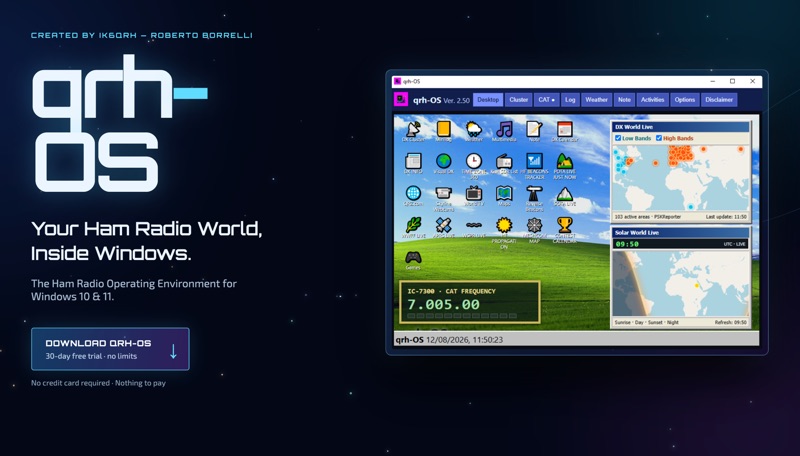 The **qrh-OS** application functions as a dedicated ham radio operating environment within Windows 10 and 11 systems, providing a consolidated platform for various amateur radio activities. It does not alter core system settings but instead presents a virtual desktop populated with specialized utilities and an integrated CAT radio system. This design aims to streamline the operator's workflow by centralizing tools often used for DXing, contesting, and general operating. Key features include a Telnet terminal for DX Cluster connections, real-time APRS tracking, and **CAT control** for transceivers, enabling one-click tuning from various integrated modules like Cluster, POTA, SOTA, WWFF, and Visual DX. The software also incorporates a worldwide Amateur Radio contest calendar, tools for Flora & Fauna activations, and displays for HF Low Bands Beacons and HF propagation conditions. Further utilities encompass a MeshCom Map, POTA Tunable, Reverse Beacons for WSPR network monitoring, SOTA Tunable, and a Timezone display. Visual DX offers an interactive globe showing DX stations and frequencies, while WebSDR/KiwiSDR access extends listening capabilities. An integrated IPTV player and real-time weather maps round out the comprehensive suite, all accessible within a single-window interface.
 -
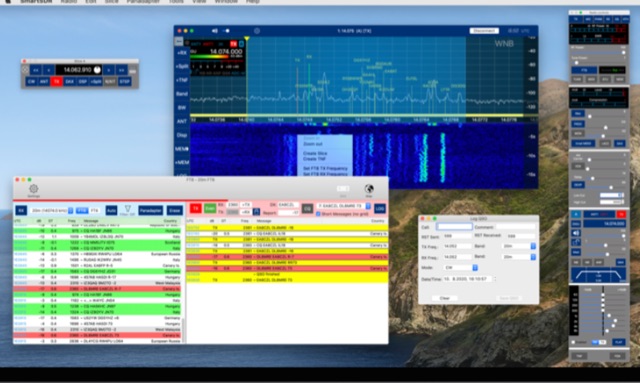 SDR control for FlexRadio Signature Series Rig for Apple Mac. FT8 integration, External Software support, Several additional Tools, display as many panadapters and slices your Radio is capable of.
 -
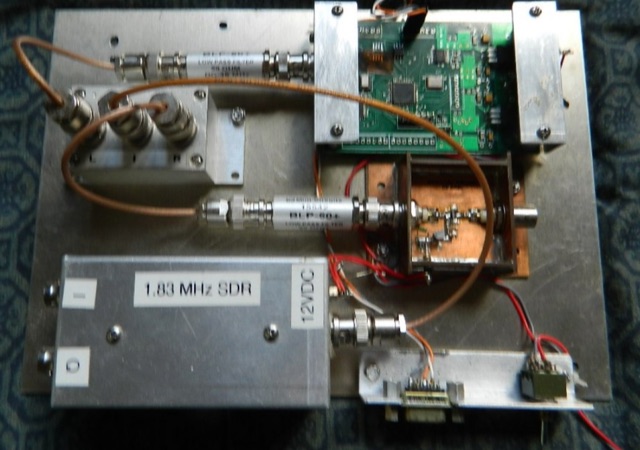 This Hybrid SDR is a combination of a current technology analog radio techniques, used with a direct conversion software defined radio to create a single conversion "hybrid" radio that is usable over a wide range of frequencies
 -
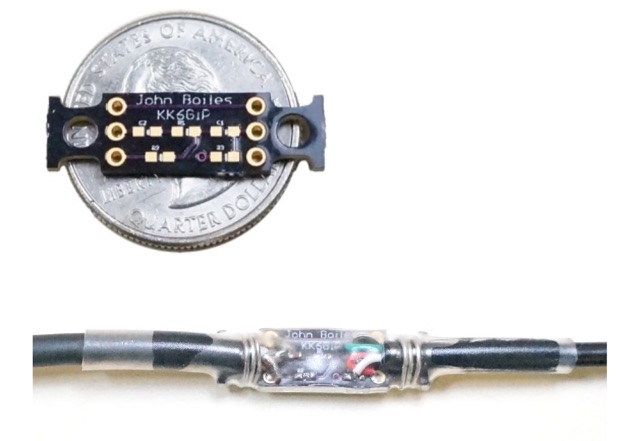 A tiny board, which allows a smartphone or similiar device to connect to the Baofeng UV5R radio via a TRRS audio connector. It allows for connecting the radio to a software TNC app such as APRSDroid or PocketPacket. Solder on the components, solder on the cables, then provide some stress relief, (I use solid-core wire and heat shrink tubing), and you can use your UV5R with your smartphone for APRS on the cheap.
 -
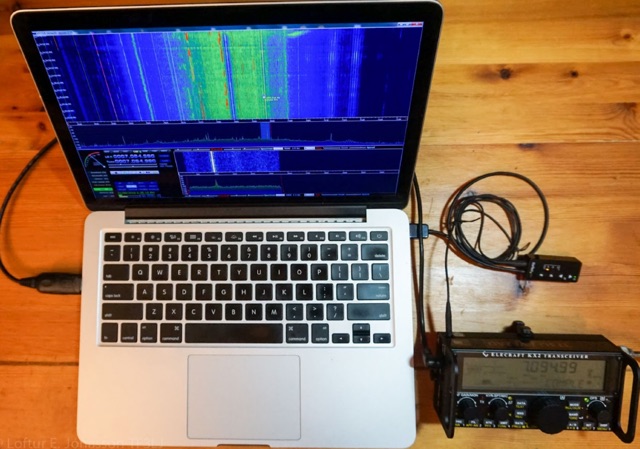 Documents a hardware modification for the _Elecraft KX2_ QRP transceiver, specifically adding an I/Q output to facilitate its use with Software Defined Radio (SDR) applications. The article presents the rationale, despite the author's cautionary note regarding warranty voidance, and details the internal connections required for this upgrade. It illustrates the integration of a small custom board within the transceiver's compact chassis. The resource provides several high-resolution internal photographs of the KX2, highlighting the specific solder points for tapping into the receiver's intermediate frequency (IF) signal path. It also includes a basic schematic diagram of the simple buffer amplifier circuit used to condition the I/Q signals before external output, ensuring minimal impact on the transceiver's primary operation. Component values for the buffer are specified, guiding potential builders. This project demonstrates a practical approach to extending the capabilities of a popular portable HF rig, offering insights into internal transceiver architecture and the challenges of adding custom circuitry in confined spaces. The author, TF3LJ, shares his personal experience and the results obtained, including a screenshot of the I/Q output displayed on an SDR waterfall.
 -
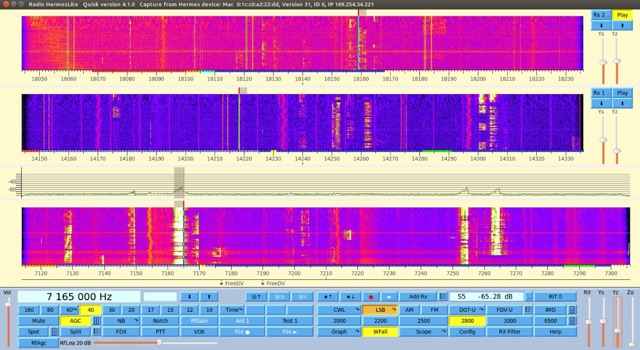 Quisk is a Software Defined Radio (SDR) and is the software that controls my receiver and transmitter. Quisk can control the HiQSDR, Hermes-Lite hardware, SoftRock hardware, SDR-IQ by RfSpace
 -
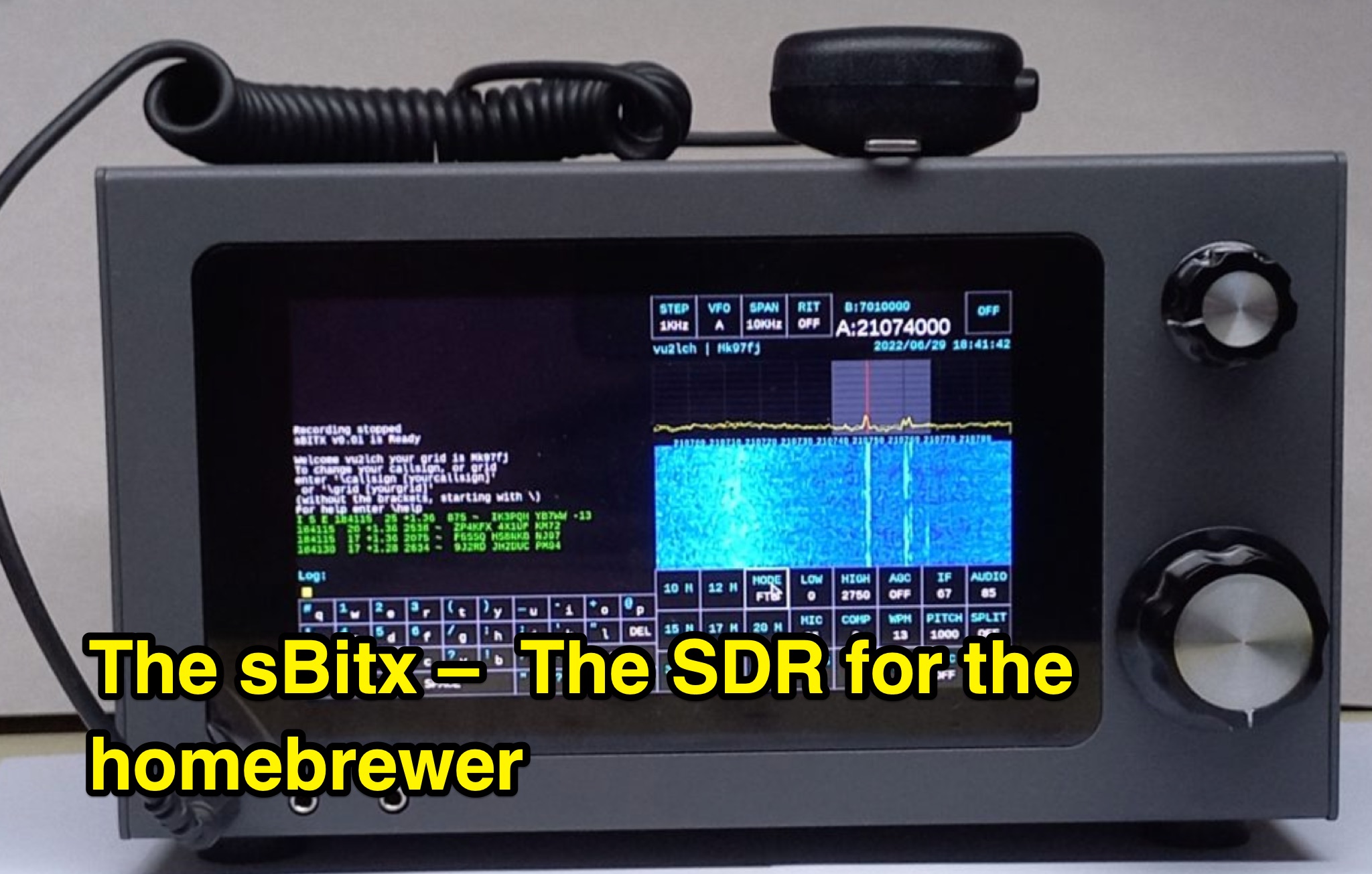 This page, authored by VU2ESE, delves into the sBitx, a Software-Defined Radio (SDR) designed for homebrewers. The content covers the hybrid SDR circuit, software, user interface, hacking/modifying the sBitx, performance, and more. It explores the various components of the sBitx, including the exciter, filters, amplifiers, digital circuit, and modems. The page aims to provide information and guidance for hams interested in building their own SDR. Readers will learn about the capabilities, features, and adaptability of the sBitx, making it a valuable resource for DIY radio enthusiasts.
 -
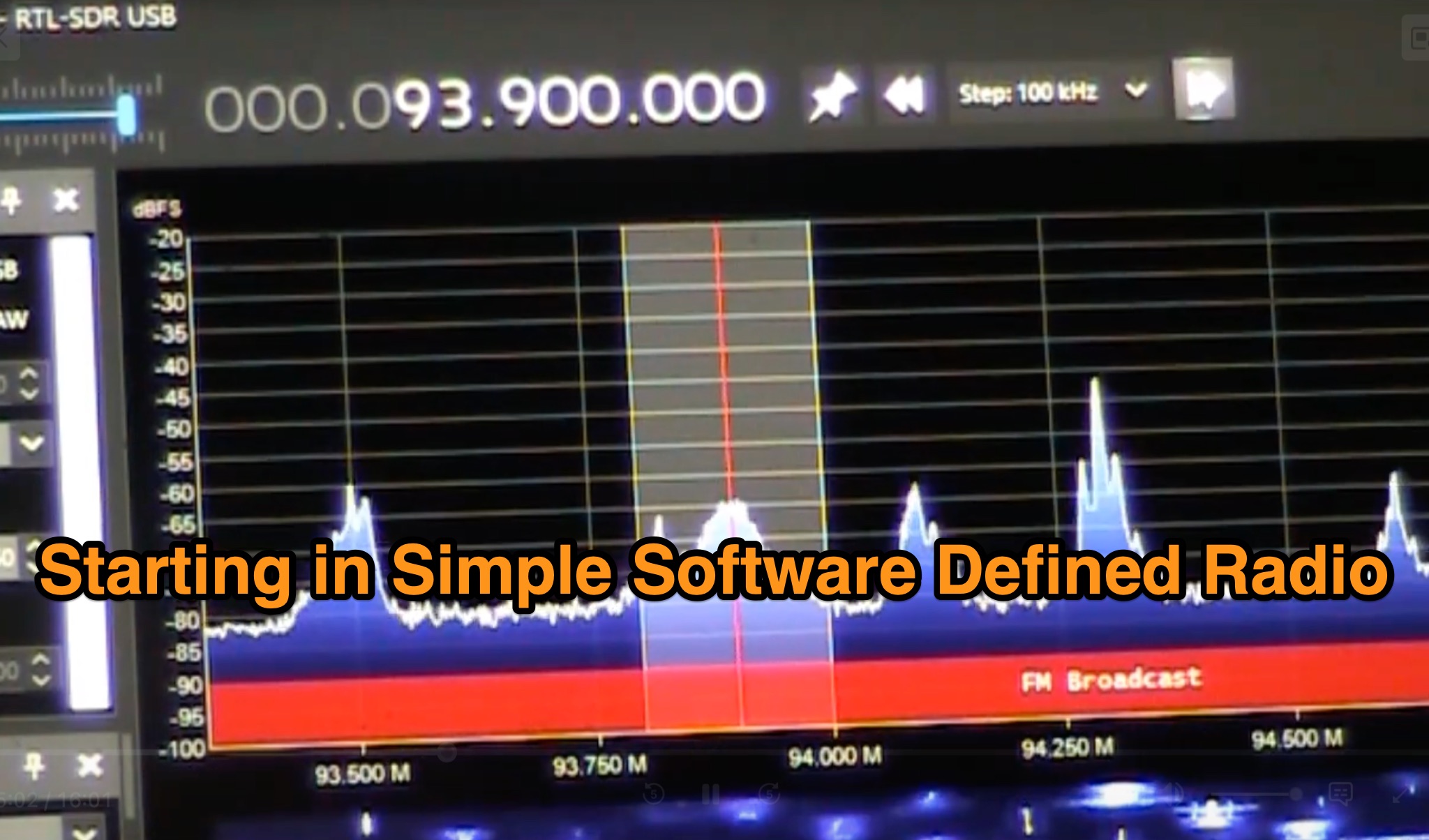 This page explores the world of Software Defined Radios (SDRs) in the context of amateur radio. It discusses how SDRs have revolutionized the hobby by reducing costs and enabling remote operation. The article provides ideas for projects and experiments that hams can undertake with SDR technology, highlighting the educational and experimental opportunities it offers. It also mentions specific examples of SDR projects like the Stoke on Trent SDR and SDR.HU. The content is aimed at amateur radio operators looking to explore and harness the potential of SDRs in their stations.
 -
 The RTL-SDR tuner dongle is a popular tool for amateur radio enthusiasts, transforming a $10 device into a wide-band software-defined radio. This guide outlines using the RTL-SDR as a full-band pan-adapter for conventional receivers, focusing on hardware setup and software integration with HDSDR. Future sections will address RTL-SDR performance compared to native receivers, enhancing digital mode operations with virtual serial ports and audio cables.
 -
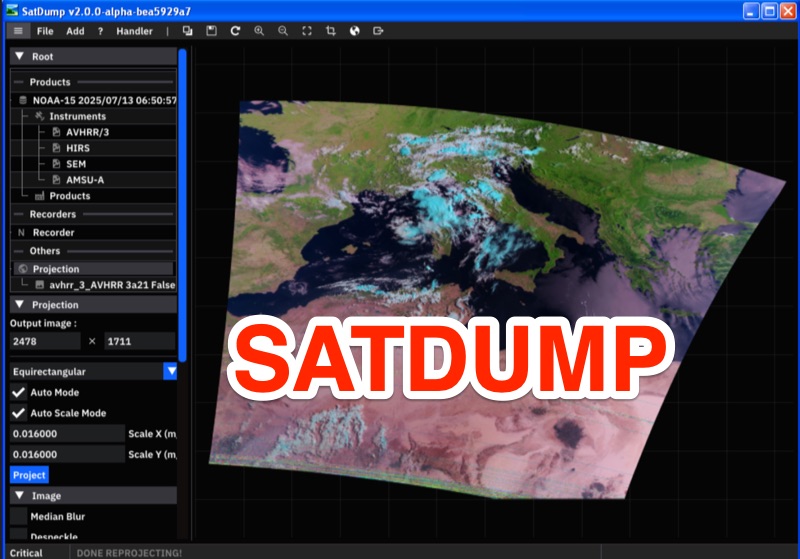 For amateur radio operators interested in satellite reception, SatDump provides a comprehensive software solution for acquiring and processing live data from various orbital platforms. This general-purpose application handles all stages from the raw satellite transmission to the generation of usable products, supporting a wide array of _Software-Defined Radio_ (SDR) devices such as RTL-SDR, Airspy, and HackRF across Linux, macOS, Windows, and Android operating systems. It enables hams to decode and process signals from over 90 satellites and probes, including NOAA 15-18-19, Meteor-M, GOES, and Metop, facilitating live decoding of APT, LRPT, HRPT, LRIT, and HRIT links. The software's capabilities extend beyond basic image reception, allowing for the output of calibrated and georeferenced L1b products, including Sea Surface Temperature and Microphysics, which are suitable for scientific analysis. SatDump's robust DSP system is extensible, offering advanced users the ability to develop new RF links or test hardware TX chains using its _DSP Flowgraph_. Thousands of hams utilize SatDump to receive stunning real-time pictures and data, with the software capable of producing L1b products from more than **five satellite constellations** almost as fast as the satellite transmits the data.
 -
 The article discusses the use of SDR# (SDR SHARP) software for SDR receivers, highlighting its Band Plan feature that visually represents RF spectrum allocations. The author modified SDR# to display detailed IARU HF band plans, creating three XML files for different IARU regions. These files include various operational modes and specific frequency allocations. Despite potential errors, the modifications aim to enhance the usability of SDR# for ham radio operators. The article includes references and download links for the XML files and IARU band plans.
 -
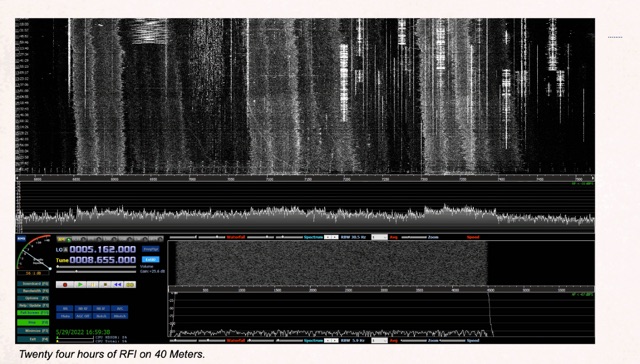 Demonstrates the application of Software-Defined Radios (SDRs) as effective tools for conducting Radio Frequency Interference (RFI) site surveys. The resource details the methodology for capturing and analyzing RFI, specifically focusing on the 80-meter band over a 24-hour period. It outlines the setup of an SDR-based survey tool, utilizing software like _S-Meter Lite_ and _Spectrum Lab_ to visualize and quantify noise sources. The article emphasizes the SDR's wideband capabilities, which allow for comprehensive identification and documentation of RFI across broad frequency ranges, crucial for effective mitigation strategies. The analysis presents practical results, illustrating how continuous monitoring can reveal intermittent RFI sources that might otherwise go undetected. For instance, the survey identified noise peaks exceeding **S9+20dB** on 80 meters during specific hours, correlating with local appliance usage. The methodology provides a repeatable process for hams to characterize their local noise floor, enabling targeted RFI suppression efforts and improving weak-signal reception, particularly for DXing and contesting.
 -
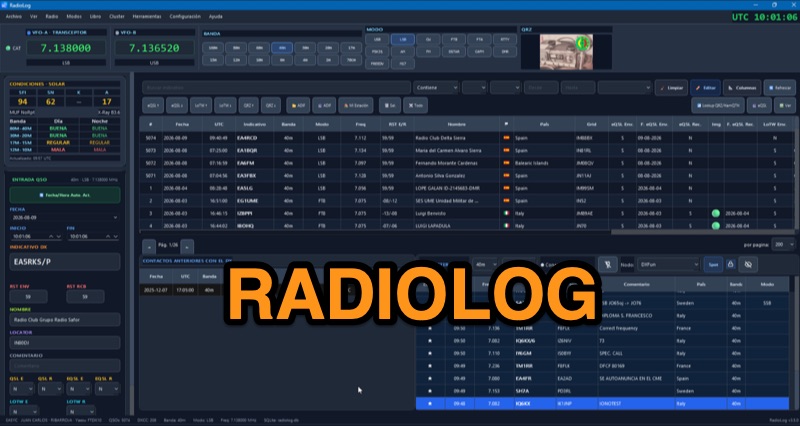 RadioLog is a free amateur radio logbook software for Windows 10/11 (x64) that integrates QSO logging with real-time DX Cluster spots and _RigControl_ capabilities. It supports ADIF, eQSL, and LoTW for logging and export, along with specific modules for contest operation, including automatic scoring and _Cabrillo_/EDI export for HF and VHF contests. The software also features a dedicated portable mode for SOTA, POTA, WWFF, and CB/11m activations, offering a distinct logbook for these activities. The application includes an integrated _RTL-SDR_ auxiliary monitor for visual and audio support during operation, and offers three CAT connection methods: direct RadioLog control, Hamlib managed by RadioLog, or an external rigctld server. Recent updates, such as those in v4.0.2, focus on interface polish, consistent dark theme application, and layout bug fixes, including VFO frequency display with thousands separators. The software also provides reciprocal synchronization with QRZ.com Logbook, allowing both upload and download of QSOs, and supports various digital voice modes like DMR, C4FM, D-STAR, FreeDV, and M17.
 -
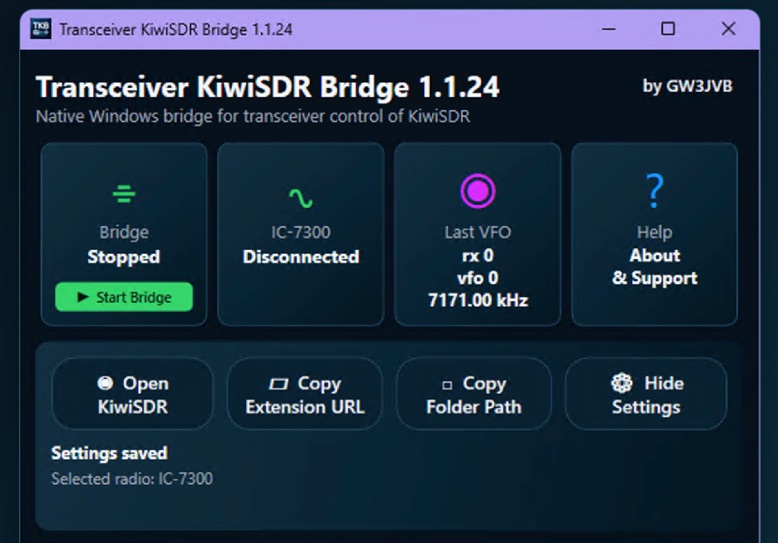 Demonstrates a practical solution for remote reception, the Transceiver-KiwiSDR Bridge, a free Windows utility by GW3JVB. This software links a local amateur radio transceiver to a remote **KiwiSDR** receiver, allowing the KiwiSDR to automatically track the transceiver's VFO frequency and mode. This capability proves invaluable for mitigating local noise, enhancing reception, or simply leveraging the superior receive capabilities of a remote station located globally. The bridge supports a diverse range of transceivers through COM port/CAT connections or **TCI** over a network. Specific compatibility extends to popular models like the Icom IC-7300, systems utilizing the TCI Protocol (such as Thetis, Expert Electronics, Apache Labs ANAN, and Hermes Lite 2), and many radios supported by Hamlib. Experimental Yaesu CAT options are also included, broadening its utility for various shack configurations. Key features encompass automatic mode changes, updates to RX filter bandwidth, and even IC-7300 PBT/filter adjustments. The application integrates a browser extension for Chrome, Brave, and Microsoft Edge, and offers an optional KiwiSDR audio mute during local transmission, ensuring a seamless operating experience. The compact view keeps the interface unobtrusive, with full settings readily accessible.
 -
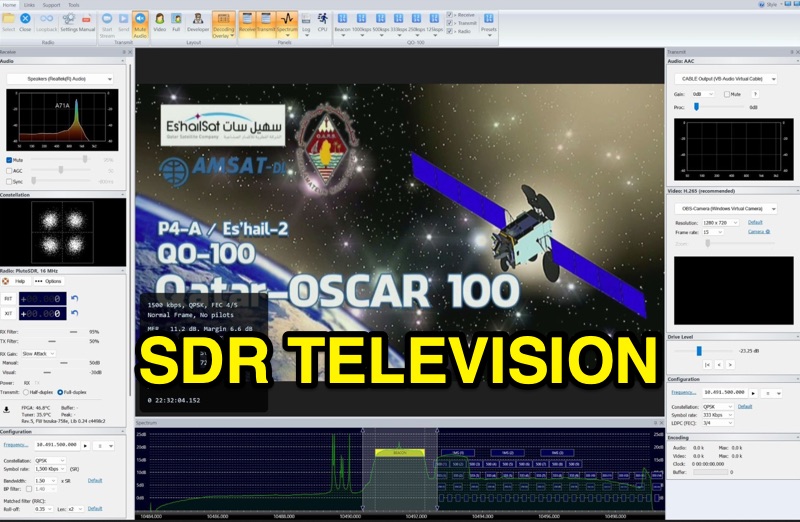 SDR Television v1.0 operates as a DVB-S2 / AAC / H264 / H265 program, specifically engineered for QO-100 satellite Digital Amateur Television (DATV) operations. It provides a full-duplex solution on modern x86 computers running Windows 10 or 11 (64-bit, 8+ cores, AVX2 support recommended), leveraging DLLs from _SDR Console_ for control of devices like _Pluto_ and _LibreSDR.TV_. The software requires installation of the SDR Radio kit for wideband mode support. Initial development focused on a proof-of-concept for QO-100, with future enhancements planned to include H266 / AV1 / Opus codecs and an improved cross-band user interface. The current stable release functions reliably for QO-100 DATV. Users must install the SDR Radio kit, followed by the SDR Television kit, into the same directory. Support inquiries are handled via the SDR-Radio.com mailing list, ensuring direct assistance for operational questions.
 -
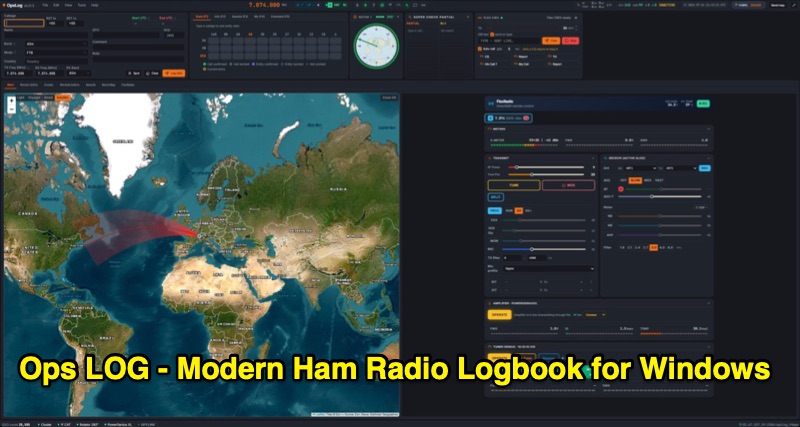 OpsLog is a modern amateur radio logbook application for Windows, designed to consolidate station operations into a single, integrated interface. It provides fast, single-strip QSO entry with automatic lookup from QRZ.com or HamQTH, populating callsign, name, QTH, and grid square. The software offers real-time CAT control supporting OmniRig, native FlexRadio/SmartSDR, Icom CI-V (via USB or internet), and TCI protocols. Key logging features include ADIF 3.1.7 compliance, offline DXCC resolution, a worked-before matrix, and dupe detection. It also incorporates a great-circle map for short/long path calculations and a clickable rotor compass, displaying antenna direction accurately. The application integrates DX cluster functionality with multiple server connections, band map spot display, and customizable alert rules for callsign, country, band, mode, or spotter, delivering notifications via sound, on-screen alerts, and email. OpsLog tracks numerous awards such as DXCC, WAS, WAZ, WAC, WPX, IOTA, POTA, SOTA, WWFF, and DDFM, with synchronization capabilities for ClubLog, LoTW, QRZ.com, and eQSL. For contesting and multi-operator environments, it offers serial number auto-fill, enforced contact windows, live dupe flagging, and shared MySQL logbook support for real-time status updates among operators. Additionally, it includes a QSL card designer with automated layout suggestions.
 -
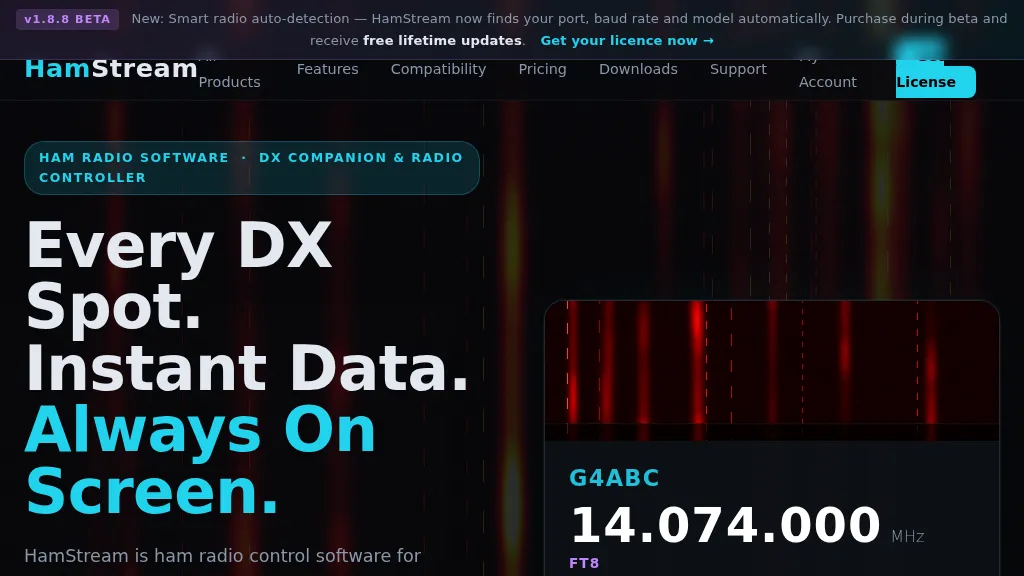 HamStream, a versatile ham radio control software, integrates real-time DX cluster data directly into the operator's workflow, eliminating the need for constant alt-tabbing. As an Extra Class operator, I appreciate how it instantly displays callsign, country, distance, bearing, and QRZ profile data for spotted stations, mirroring the efficiency of a well-organized shack. The software acts as a comprehensive radio controller, reading frequency, mode, and S-meter in real time from connected rigs, supporting CAT via serial, CI-V, _HAMLIB_, and direct connections to _FlexRadio SmartSDR_ and Apache Labs ANAN (via Thetis). Key features include instant QRZ lookups, distance and bearing calculations with a live great-circle minimap, and favorite alerts for specific callsigns. The one-click logging functionality is particularly useful, populating callsign, frequency, and mode into _N1MM+_, Log4OM, DXKeeper, Logger32, StationMaster Pro, and Ham Radio Deluxe via UDP, streamlining contest and casual logging alike. Its smart radio auto-detection for port, baud rate, and model simplifies setup, a welcome relief from manual configuration. Beyond core operating, HamStream also displays 'Also on this frequency' information and can tune the radio to spotted frequencies, enhancing situational awareness. For those who stream their operations, it offers an OBS overlay with live viewer counts and chat integration, making it a compelling tool for modern amateur radio engagement.
 -
 The author discusses ways to display VHF and higher bands using a K3/10 as transverter, NooElec Upconverter, SDR, and SDR-Console. He observed that the results were remarkable, with the tuned frequency visible at +/-100kHz. The K3 Interface Option (KXV3A) produces a buffered IF output at 8.213MHz, which is received using a NooElec NESDR SMArt SDR dongle and Ham It UP Upconverter. The SDR-Console program is utilized, with Omnirig synchronizing the SDR and K3. To configure the system, particular parameters are required, such as adjusting the IF frequency to 133.213MHz (125MHz + IF frequency) and inverting the spectrum. The Panadapter demonstrated ES activity at 10m, and modest software tweaks may be required for improved performance.