Search results
Query: decode
Links: 161 | Categories: 6
-
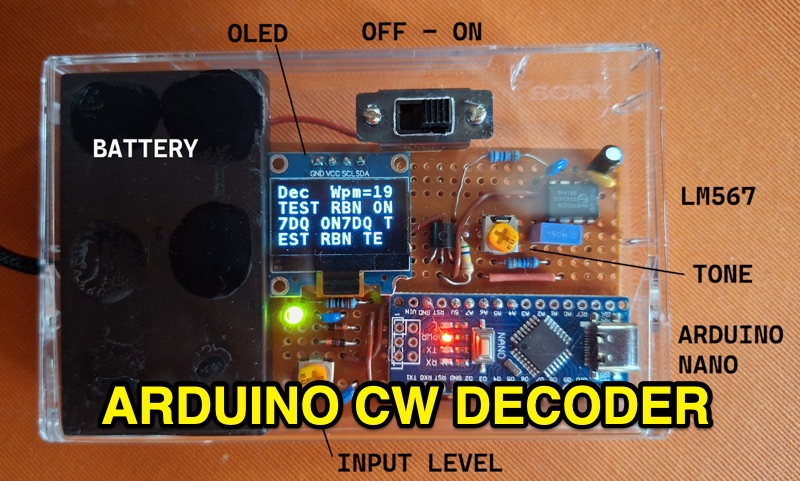 The project details the construction of a small, portable **CW decoder** built around an Arduino Nano and an LM567 tone decoder circuit. It integrates an OLED display for output and is powered by a 1200 mAh Li-Po battery. The Arduino Nano is programmed with a modified version of the OST Morse Box firmware, originally based on Budd, WB7FHC's work, provided as a HEX file for flashing. The LM567 output connects to Arduino pin D2, while pins A6 and A7 are grounded due to the absence of potentiometers, simplifying the circuit. Standard I2C connections are used for the OLED: SDA to A4 and SCL to A5. The entire assembly, including the Arduino, OLED, and decoder circuit, is mounted on a perfboard to fit precisely within an old cassette tape box. This design emphasizes portability and compact form factor. Parameters for the decoder can be adjusted using a dedicated Windows Control program, offering flexibility in operation. The resource provides practical insights into adapting existing firmware for specific hardware constraints and achieving a self-contained, battery-powered **Morse code** decoding solution.
 -
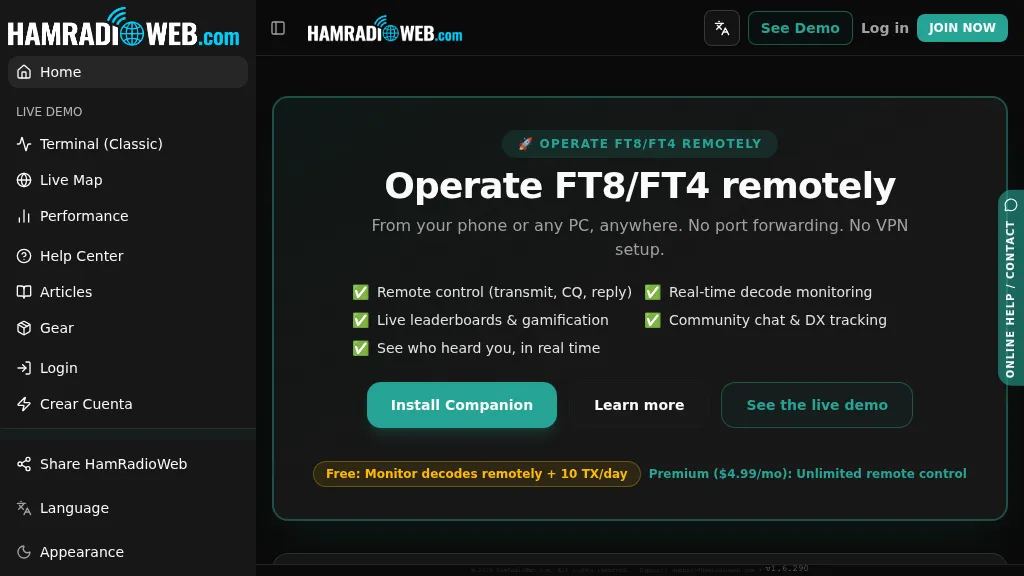 Provides a real-time intelligence layer for **WSJT-X** and **JTDX** operators, enhancing weak-signal digital mode operations. It enables remote monitoring of decodes and transmit control for FT8 and FT4 from any browser or device, eliminating the need for port forwarding or VPNs. The platform integrates with PSKReporter data to compare a station's signal-to-noise ratio (SNR) against nearby operators receiving the same signal, offering immediate feedback on propagation and station performance. Operators can track DXCC entities, grid squares, CQ/ITU zones, and WAC status in real-time through an integrated logbook. A live global band-activity map visualizes who is decoding a station's transmissions, providing tactical intelligence updated every 15 seconds. The system also includes social features like community chat, allowing operators to share station metrics and engage with others. The Companion app, a small bridge application, runs on the shack PC, facilitating seamless remote access and control. This setup transforms the weak-signal operating experience by providing actionable data and real-time insights into propagation openings and station effectiveness.
 -
 This is a basic Arduino project for decoding Morse code. This is an Arduino program that decodes Morse code from an I/O pin and display in to an LCD screen
 -
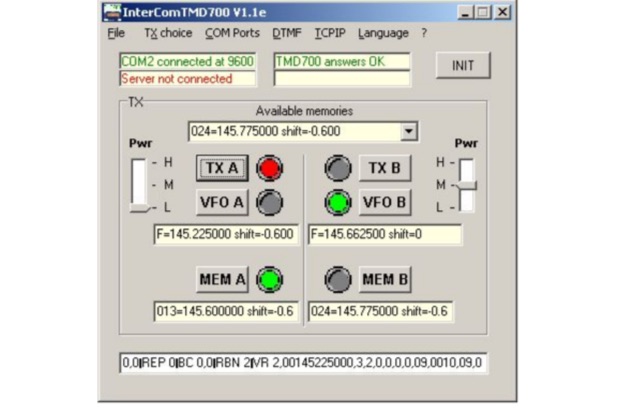 INTERCOM is a freeware application designed for remote control of KENWOOD TMD700/710/V-71 transceivers, as well as other transceivers equipped with UP, DOWN, and PTT commands. Compatible with Windows XP and higher (32 & 64-bit), INTERCOM offers multilingual support in English and French, and can be used on Linux, Ubuntu, or Android platforms via WINE 1.0 or CROSSOVER. The software enables users to send basic commands—such as selecting TX, VFO, memory channels, or power levels—either through manual inputs or over a TCP/IP link. INTERCOM is tailored for SIMPLEX setups, facilitating the interconnection of VHF/UHF repeaters with nearby repeaters. Remote commands are transmitted using DTMF codes, which are decoded by SIMPLEX and forwarded to INTERCOM via TCP/IP. This functionality makes INTERCOM an ideal tool for radio enthusiasts and operators seeking seamless remote management of supported transceivers in simplex configurations.
 -
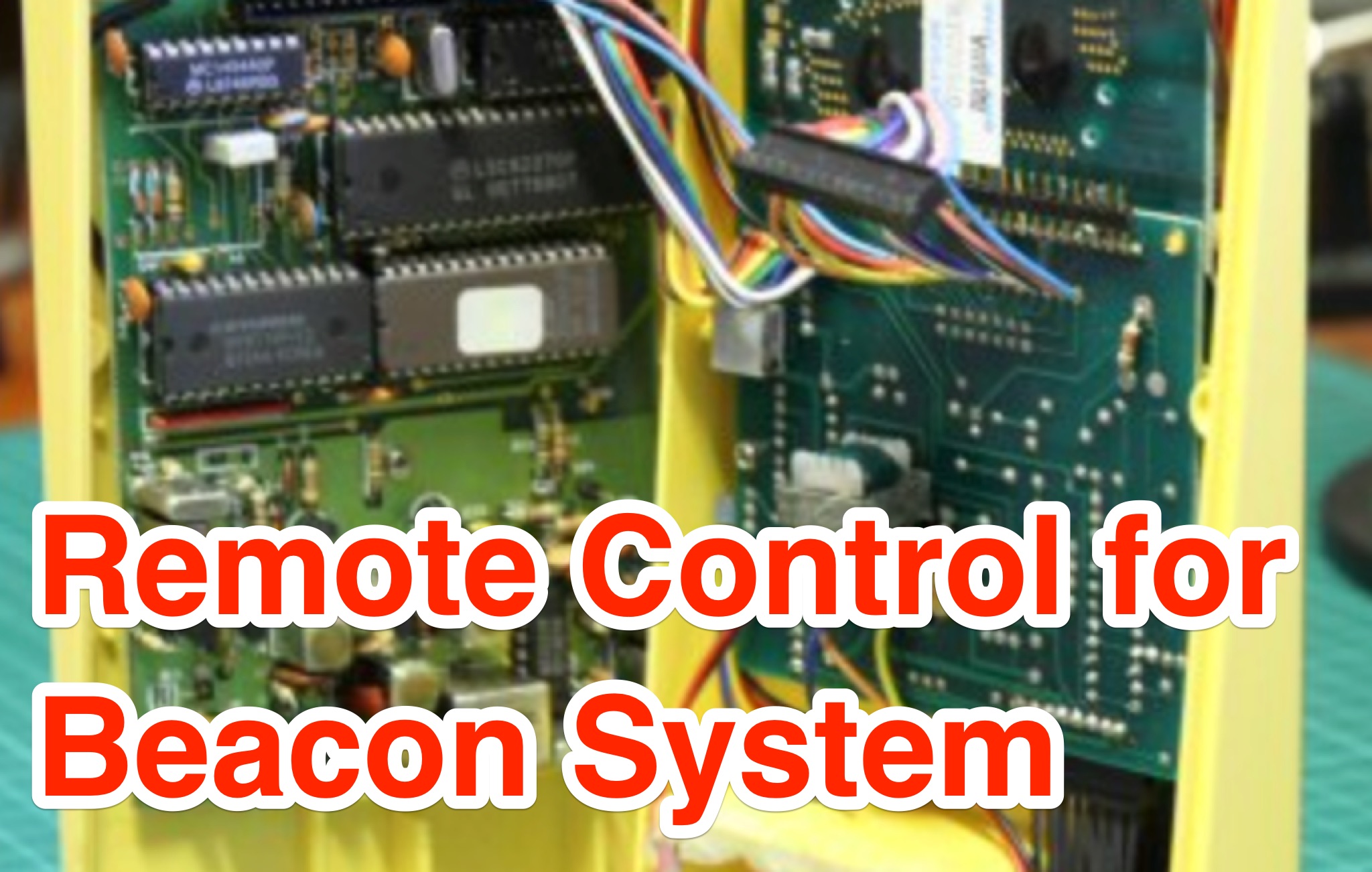 This page describes a project involving repurposing the Weathalert receiver for controlling a radio club's beacon system remotely. The author details the modifications made to the receiver, including changing the crystal frequency and adding a DTMF decode chip and PIC for remote control. The project aims to enable the turning off of beacons to prevent interference, with plans to control each beacon and the Packet Radio digi. The article provides insights into the technical aspects of modifying the receiver and showcases the author's experimentation with different crystals for optimal performance.
 -
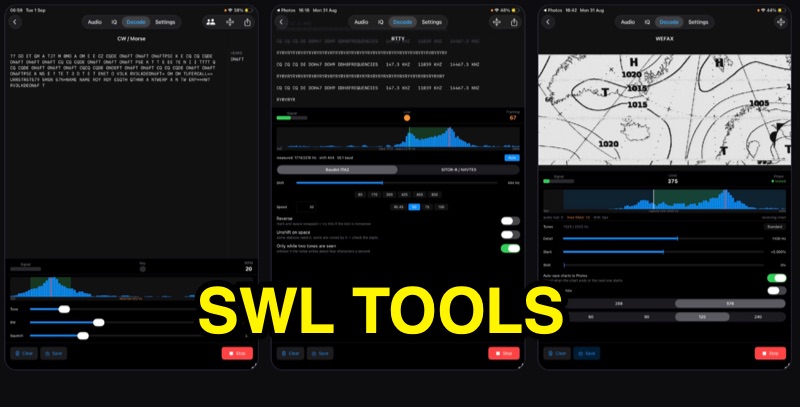 SWLTools, an iOS application for iPhone and iPad running iOS 17+, provides real-time decoding of various digital modes. It automatically locks onto CW tones, measures sending speed, and collects callsigns, distinguishing valid entries from misreads for a reliable log. For RTTY and SITOR-B, the app allows users to set shift and speed, then automatically tunes to the two tones for text reception, supporting marine bulletins, press agencies, and NAVTEX. The application also decodes WEFAX, building charts line by line for direct saving to the photo library, and processes ACARS aircraft messages, including CRC checks for data integrity and mapping of position reports. Beyond decoding, SWLTools integrates a GPU-accelerated FFT spectrum analyzer, a scrolling waterfall display with frequency cursors, and an adjustable FIR bandpass filter to isolate signals. It supports IQ signal analysis from receivers via two-channel audio interfaces, correcting mirror images. Flexible audio input options include the built-in microphone, USB audio dongles, and Bluetooth sources, with diagnostics for audio routing and buffer status. The app records audio, plays it back, and converts recordings into shareable videos, while decoded texts and charts are also savable and shareable, with all timestamps in UTC.
 -
 The project aims to create a remote control system for the VK5RSE beacons located near Millicent, South Australia. The beacons on 144.550, 432.550, and 1296.550 MHz can interfere with nearby amateur radio operations, particularly for EME work on 1296 MHz. The remote control system uses a DTMF decoder and PIC microcontroller to allow turning the beacons on and off individually or in combination. The system is housed in a diecast box and powered from 5-8V. The password-protected control allows authorized users to manage the beacon operations remotely, helping mitigate interference issues for local amateurs.
 -
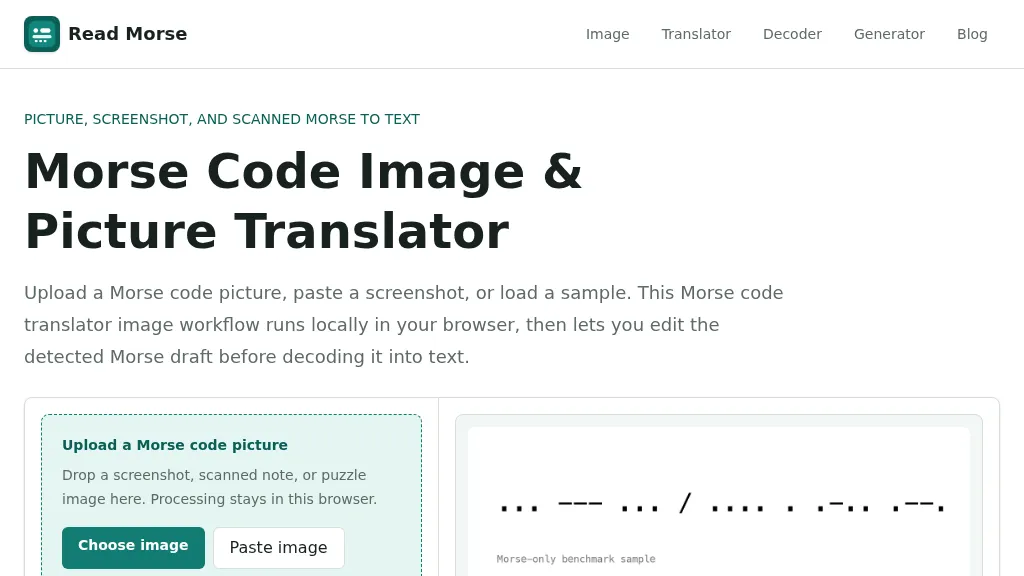 Decoding Morse code from visual sources like screenshots, scanned documents, or photographs presents unique challenges compared to audio-based reception. This web-based utility addresses these by allowing users to upload or paste images containing Morse code, which is then processed entirely within the user's browser, ensuring privacy. The tool identifies individual marks, classifying them as dots or dashes, and estimates letter and word spacing to generate an editable Morse draft. Users can refine the detection by utilizing controls for cropping, rotation, contrast boosting, and manual threshold adjustment, which are crucial for overcoming issues like low contrast, skewed baselines, or extraneous graphics. After the initial detection, the generated Morse draft, such as _... --- ... / .... . .-.. .--?_, can be manually corrected before being translated into plain text. The system provides confidence indicators and warnings to highlight potential ambiguities in the decoded output, prompting users to review and make necessary edits. This specialized approach differs from general OCR engines by focusing on the distinct patterns of Morse marks and gaps, rather than attempting to read standard alphanumeric characters. The tool supports common image formats like PNG, JPG, JPEG, and WebP, and includes sample images for benchmarking its performance, demonstrating its capability to handle various image qualities and complexities.
 -
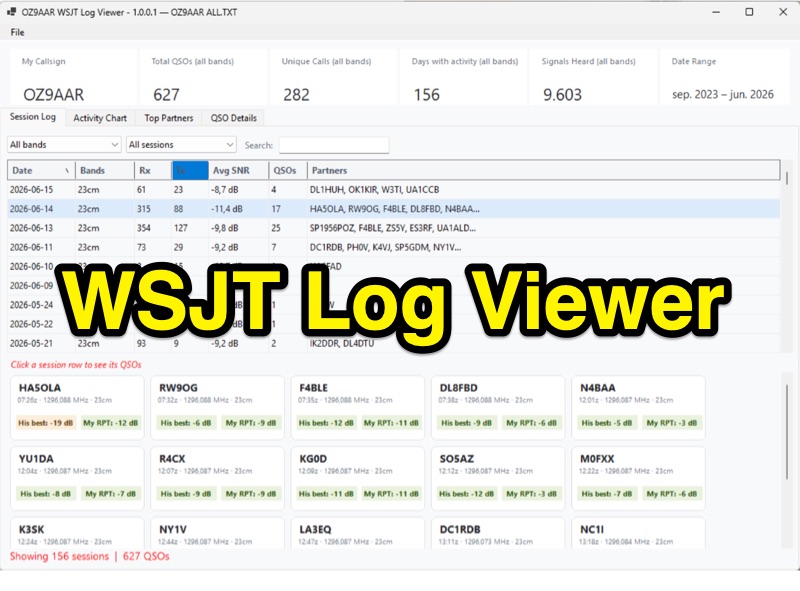 The WSJT Log Viewer, version 1.0.0.10 as of 2026-08-02, is a freeware Windows application developed by Carsten Groen (OZ9AAR) for analyzing signal strengths from WSJT digital mode contacts. It processes the ALL.TXT log file generated by WSJT-X, extracting and presenting data from decoded TX and RX messages. Initially designed for EME operations on 70cm and 23cm, the software has expanded to include all HF bands, 6m, 4m, 2m, 1.25m, 70cm, 23cm, 24GHz, and 47GHz. Key features include displaying total QSOs, unique callsigns, days with activity, and signals heard, with filtering options by band and completed QSOs. The application also monitors the ALL.TXT file for live updates every two seconds, reflecting new decodes in real-time. Users can view session logs, activity charts showing daily signal counts and decoded signals, and a "Top Partners" tab listing the 25 most frequent contacts. The software provides detailed QSO information, including best received SNR and sent reports, with graphical representations of SNR over time. It supports multiple "My Callsign" entries within a single ALL.TXT file and offers a function to generate a text list of initials worked per band. The program is distributed as a single executable file, requiring no installation, and stores its configuration in a LogViewer.cfg file, allowing for different setups via command-line arguments.
 -
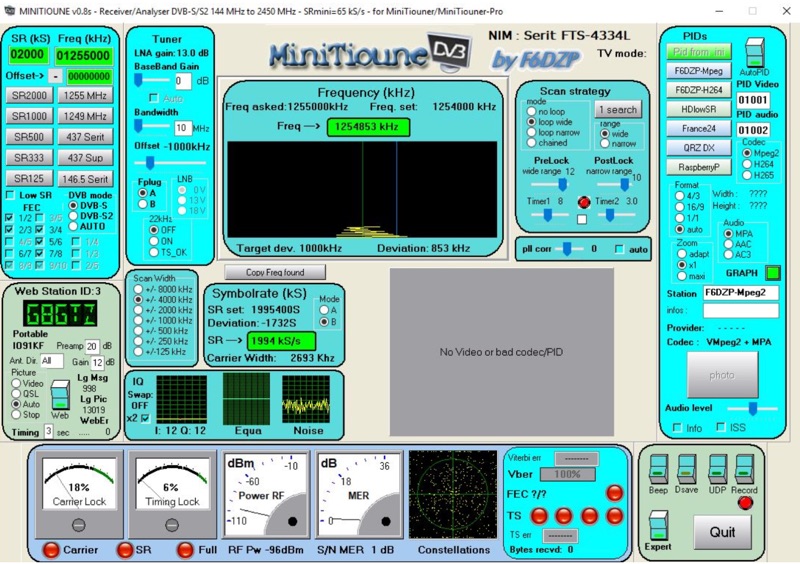 Receiving Digital Amateur Television (DATV) signals requires specialized software to interface with hardware tuners and decode the video stream. The _MiniTioune_ software, developed by F6DZP, serves this purpose, providing a Windows-based application for DVB-S and DVB-S2 reception and analysis. It is designed to work in conjunction with _MiniTiouner_ hardware, enabling hams to monitor DATV transmissions, including those from the QO-100 geostationary satellite. The resource outlines the initial setup process, including connecting the MiniTiouner hardware via a high-quality USB2 mini cable and running diagnostic test software. It details how to configure essential parameters such as symbol rate (SR), FEC rate, and DVB mode for various signal sources, from domestic satellite dishes to local DATV transmitters. Troubleshooting steps for common issues like "no video displayed" are also provided, often pointing to corrupted software filters or incorrect _Auto PID_ settings. Advanced features like the Web monitor for remote signal reporting and integration with _VLC_ media player for more tolerant decoding of non-DVB compliant signals are covered. The document also references a comprehensive user guide by W6HHC for the _MiniTiouner-Express_ system, which utilizes the same software, offering further in-depth assistance for operators.
 -
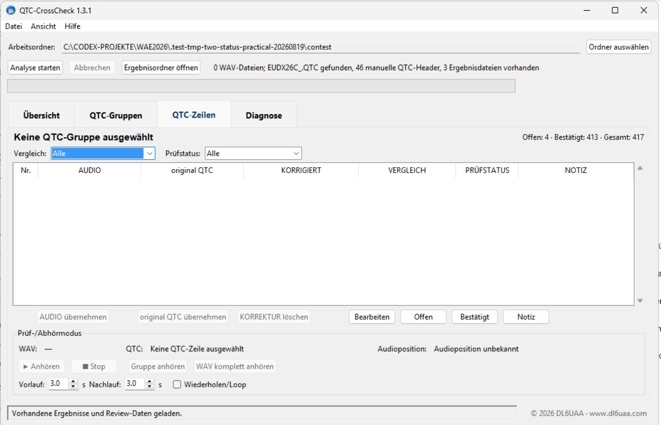 QTC-CrossCheck 1.5.0 is a free offline Windows tool for reviewing WAEDC CW QTC traffic. It analyzes QTC groups from local WAV recordings and supports comparison with UCXLog QTC data. Integrated audio playback helps verify individual QTC rows and resolve discrepancies. The portable application requires no installation or internet connection. Download the Windows ZIP archive and extract it fully before running QTC-CrossCheck.exe. A SHA-256 checksum is provided for download verification.