Search results
Query: grid square map
Links: 30 | Categories: 2
-
 Several grid square maps on the net, including world maps, regional maps and specific country grid square maps, collected by ve2pij
 -
 A large jpeg DX World map that include ITU Zones, grid squares and prefixes. This high-resolution DX World Map is an essential tool for amateur radio operators. It clearly displays ITU zones, CQ zones, grid squares (Maidenhead Locator), and DXCC prefixes, helping you to plan QSOs, track propagation paths, and participate in global contests. Whether you are a seasoned DXer or a beginner, this map provides a clear, detailed view of the radio world, improving your station's efficiency and geographic awareness. Available in JPEG format, it's perfect for display
 -
 Freeware Win98/NT/XP contest logging program, supports over 270 contests, Grid Square distance/heading routines, plus Grid maps by Dave Mascaro W3KM
 -
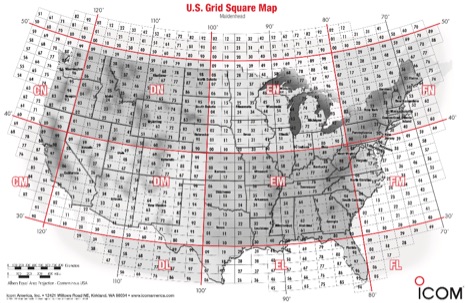 A PDF file containing the US grid square map provided by Icom america.
 -
 DXMaps.com presents a dynamic, real-time mapping service for amateur radio DX spots, integrating data from traditional DX clusters, _PSK Reporter_, and WSPR networks. The platform visually plots global QSO and SWL activity, enabling users to observe propagation conditions across various bands, from 2200m to >450 MHz. It offers distinct overlays such as the magnetic equator, gray line, moon footprint for EME, and VOACAP propagation predictions, providing a comprehensive view of radio wave behavior. The service allows granular filtering of displayed spots, including options to show only DX-Cluster data, PSK Reporter activity, or WSPR signals. Users can refine the map view by selecting specific bands (e.g., 160m, 20m, 6m, 2m), limiting spots to the last 15 minutes, or displaying only contacts exceeding **2600 km**. Additional features include the ability to toggle grid squares, aurora forecasts, and various amateur radio zones (CQ, ITU). Distinctively, the resource updates automatically every minute, ensuring current propagation intelligence without manual refresh. It also supports specialized views for EME, ionospheric scatter, and aircraft scatter, alongside FM DX and APRS activity. The platform emphasizes the importance of accurate locator information in DX spots to enhance data quality and offers a user manual and FAQ for guidance.
 -
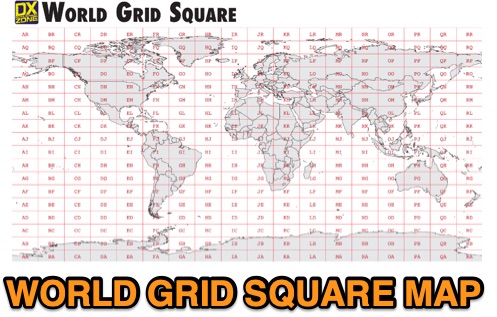 This free PDF file contains two Worldwide grid square maps. The first map displays the fields (first two letters of a maidenhead locator) while the second includes also squares (third and fourth digit) and it can be useful to determine what is your ham radio grid square. PDF file can be enlarged and scaled to A3 and higher dimensions.
 -
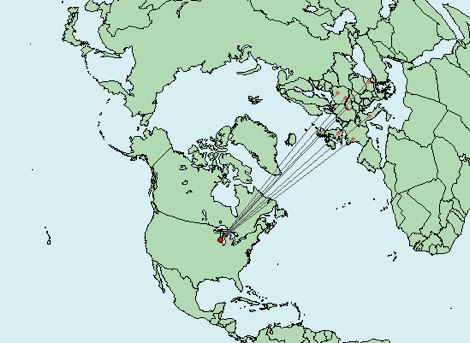 Write down grid squares of your QSOs and this nice online tool will create a World map with all contacts QTH linked to your home QTH. The QSO map picture can be downloaded for resharing.
 -
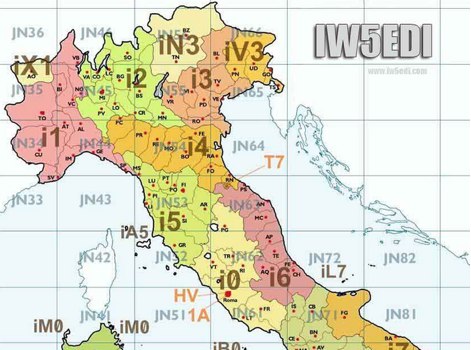 Map of italy with amateur radio prefixes and grid squares
 -
 Mapping software which links a Garmin GPS receiver to your Macintosh. Includes Maidenhead grid squares and beam-pointing maps.
 -
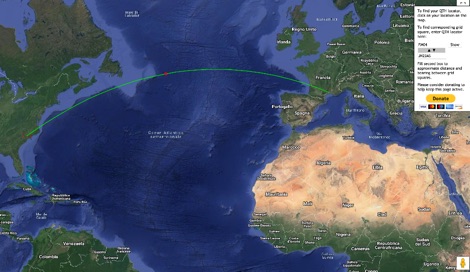 This grid locator map uses Google map apis to find your QTH locator by simply clicking on the map. You can either enter your QTH locator and find the calculated distance and bearing between your QTH and another grid square.
 -
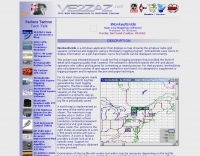 WorkedGrids is a Windows application that displays a map showing the amateur radio grid squares contacted and logged in using a third-party logging program. WorkedGrids uses colors to display information on a per-band basis. Up to four bands can be displayed concurrently by VE2ZAZ Bert
 -
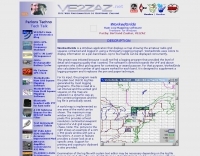 Displays amateur radio grid squares worked from third-party logging programs, providing a visual representation of contacts on a world map. This Windows application uses colors to differentiate up to four bands concurrently, calculating the total number of grid squares worked per band. It reads plain-text log files, including fixed-width, character-delimited, ADIF, and Cabrillo formats, dynamically updating the map as log files are saved during contests or general operation. Primarily targeting **VHF** and above operators, WorkedGrids aids in grid square collection for contesting and awards. The software offers a fixed-resolution continental viewpoint, zoom-in capabilities, and supports printing or copying the map to the clipboard. It operates on Windows 95 through Windows 11, requiring minimal CPU and RAM, and features a non-invasive installation. The program has undergone several updates, with version 7 released on March 3, 2024, addressing minor fixes and improving stability.
 -
 This large, colorful wall map features current geographic detail and labels, grid squares, call sign prefixes, boundaries and more.
 -
 The resource provides specific information regarding amateur radio operations from various French islands, focusing on geographical and visual data. It includes photographic documentation of locations and detailed maps, which are crucial for operators planning DXpeditions or seeking to understand the unique challenges and opportunities presented by island activations. The content aims to support enthusiasts interested in rare grid squares and IOTA (Islands On The Air) awards. While currently under maintenance, the site's stated future enhancements include QSL card examples, which would offer practical insights into confirmation processes for these specific entities. The emphasis on French islands distinguishes it from more general DX resources, providing a concentrated body of information for a niche but active segment of the amateur radio community, particularly those pursuing island-specific operating awards.
 -
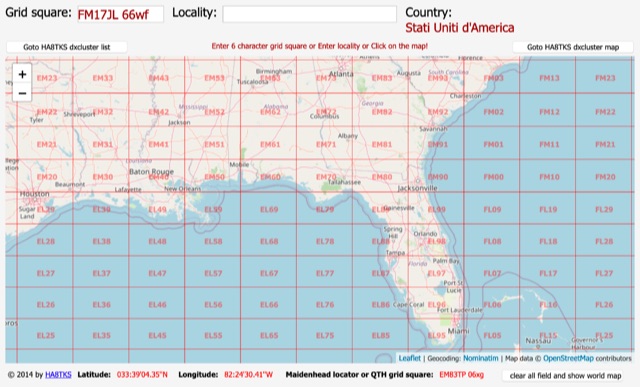 An online interactive grid square map made with openstreet map. Just point and click and zoom in to determine an accurate grid square locator till 10 digit resolution
 -
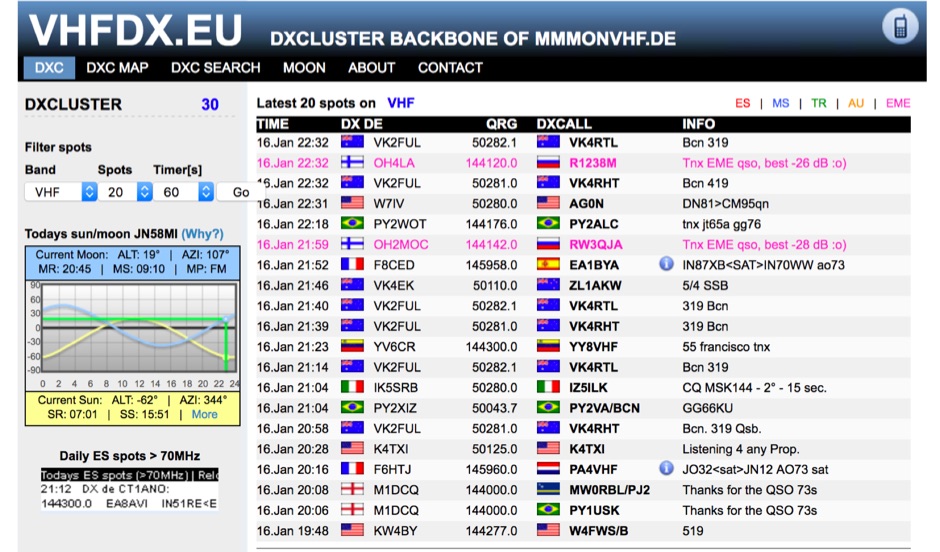 Presents the VHFDX.EU web cluster, a specialized resource for VHF, UHF, and microwave DX spotting. It details the cluster's functionality, including real-time spot aggregation and a DXCluster Map interface for visualizing activity. The resource highlights its integration with the MMMonVHF backbone, ensuring a robust data flow for monitoring band openings and propagation events across higher frequencies. It also references reviews of the ON4KST and N0UK chat systems, which are frequently used in conjunction with VHF DX operations. The platform offers a mobile-optimized view for on-the-go access to DX spots, catering to portable and mobile operators. It further provides daily ES (Sporadic E) spot summaries, a critical feature for VHF operators tracking this specific propagation mode. The cluster serves as a central point for operators to share and receive information on rare grid squares, contest activity, and general band conditions above 50 MHz.
 -
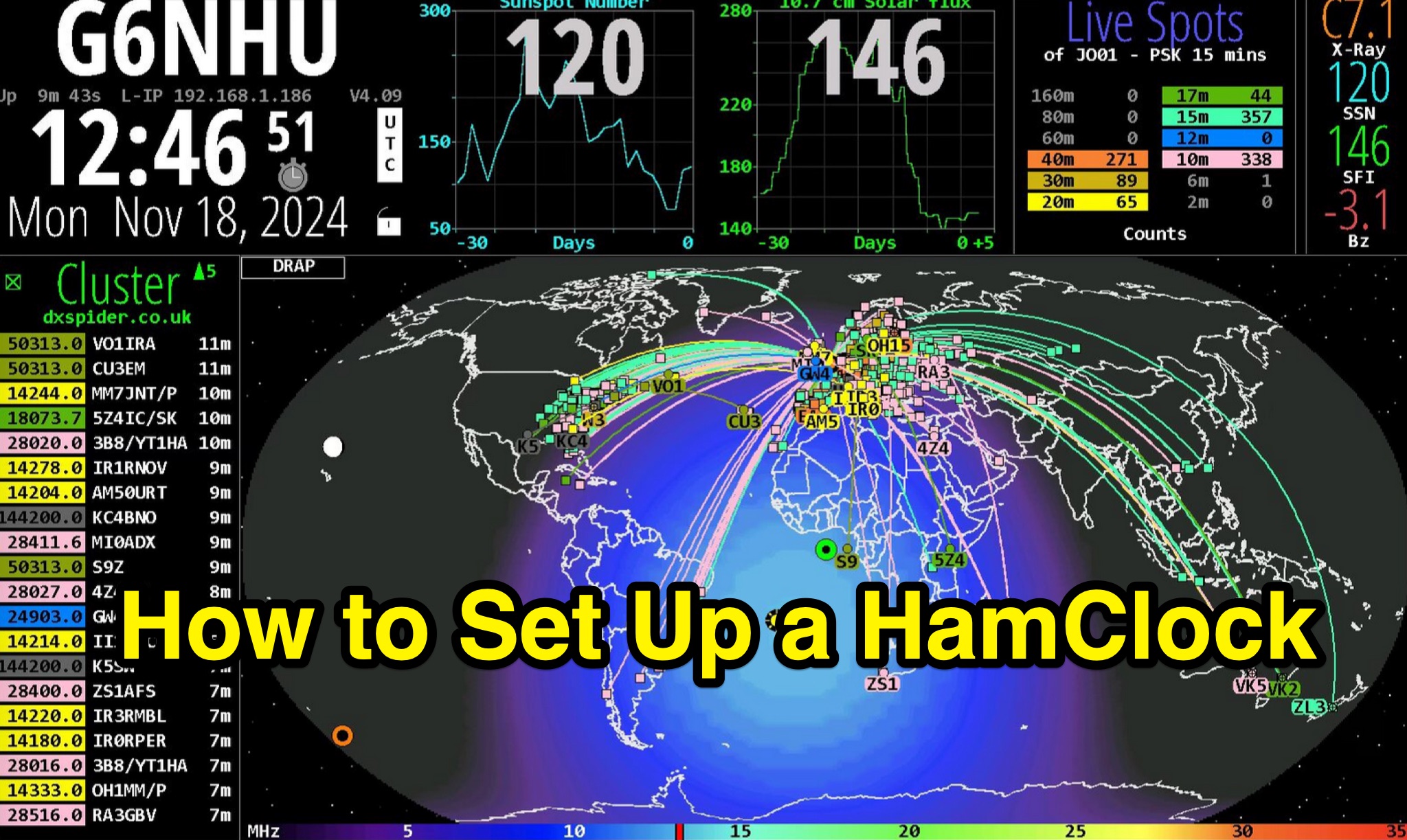 Demonstrates the complete process of setting up a _HamClock_ for an amateur radio shack, utilizing a Raspberry Pi and the HamClock 4.21 software. The guide meticulously covers hardware recommendations, including specific Raspberry Pi models like the Pi 4, suitable SD cards, power supplies, and display options. It provides step-by-step instructions for preparing the SD card with Raspberry Pi OS, performing initial system updates, and executing the HamClock installation script. Detailed configuration steps are outlined for HamClock's seven setup pages, addressing callsign, grid square, DX Cluster settings (e.g., `dxspider.co.uk` port **7300**), map centering, and crucial features like automatic space weather map rotation and auto-upgrades. The resource further explains how to customize HamClock's display panels, such as replacing default panels with a large DX Cluster display or a dedicated Space Weather panel. It illustrates configuring the Live Spots panel to show _PSKReporter_ data, filtering spots by grid square and time (e.g., **15 minutes**), and selecting specific bands for monitoring. The author, G6NHU, shares personal preferences for map types, recommending the DRAP style with Robinson projection for optimal amateur radio utility. Additionally, the guide provides specific DX Cluster filtering commands to manage spot overload, including methods to exclude data modes like FT8 and FT4, ensuring a cleaner display of relevant DX activity.
 -
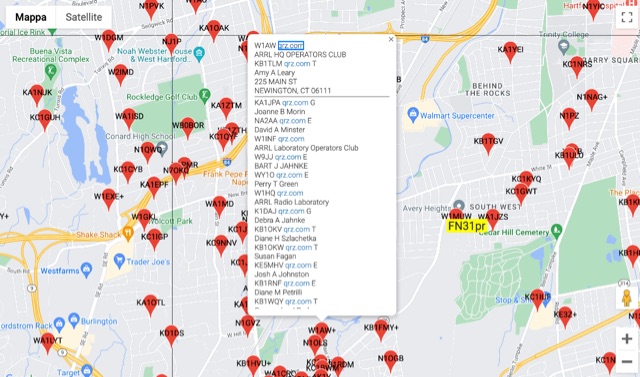 The resource provides an interactive map interface for locating amateur radio license holders across the United States. Users can input a _callsign_, _gridsquare_, zip code, or street address to center the map, which then dynamically populates with station markers. This functionality allows for precise geographical searches, revealing the distribution of hams within specific areas. Upon initial search, the map renders with adjustable zoom and pan capabilities. A key feature is its automatic reload mechanism: after two seconds of inactivity, the map updates to display stations within the newly viewed area. This ensures that the displayed data remains relevant to the user's current focus, whether exploring a densely populated urban center or a more remote region. Further interactive elements include clickable gridsquare labels, which re-center the map, and a "Show gridsquares" checkbox for toggling grid line visibility. Clicking on individual station markers reveals a popup containing the licensee's name and address information, making it a practical tool for geographical station identification.
 -
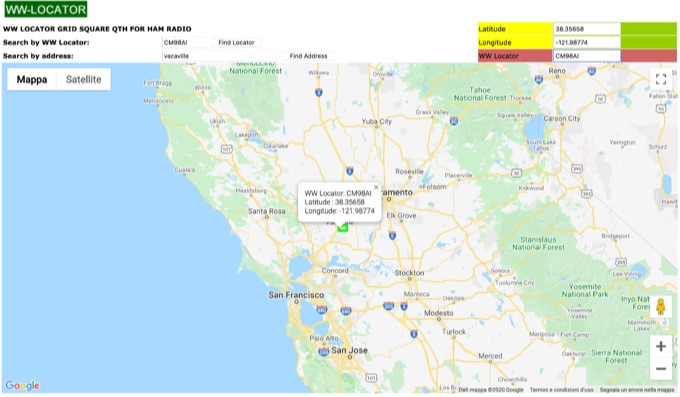 WW Locator grid square map and QTH locator made with google maps for ham radio
 -
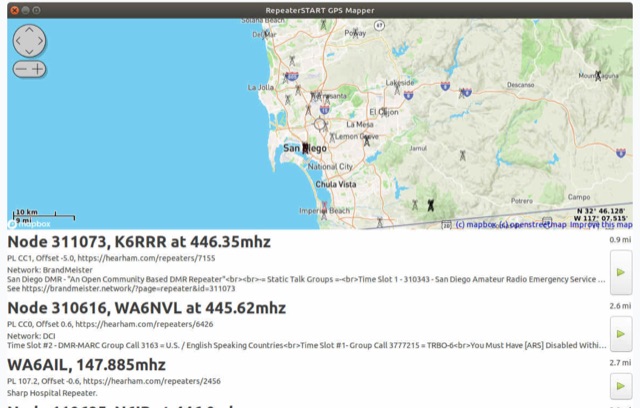 The amateur radio listener for when you're not on the radio. Repeater-START, the offline repeater listing app for Windows, Linux, Raspberry Pi, Ubuntu, Librem Phone is available, Now with grid square display, topographical maps and frequency preferences
 -
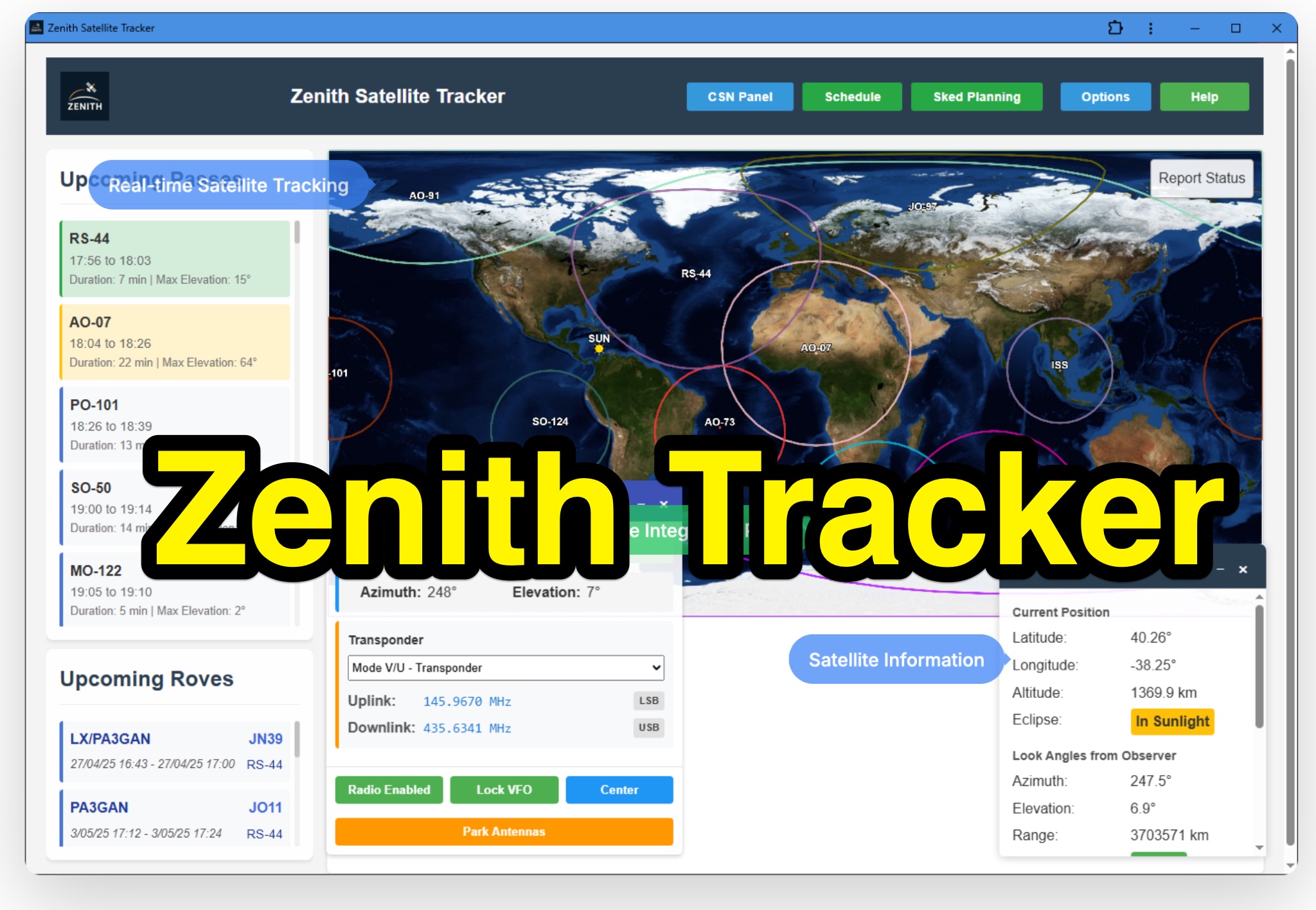 Zenith Tracker offers real-time satellite tracking, pass predictions, and radio hardware integration for ham radio operators. The platform includes an interactive world map showing satellite positions, footprints, and ground tracks, as well as a polar radar visualization for detailed pass analysis. Users can view upcoming passes, set filters, and receive notifications. Integration with CSN Technologies S.A.T Hardware and QTRigDoppler allows for automatic radio control, antenna tracking, and transponder management. The platform also offers APRS message interface, grid square-based location input, and API integration for rover activations. Zenith Tracker is recommended for both general users and those needing advanced hardware integration.
 -
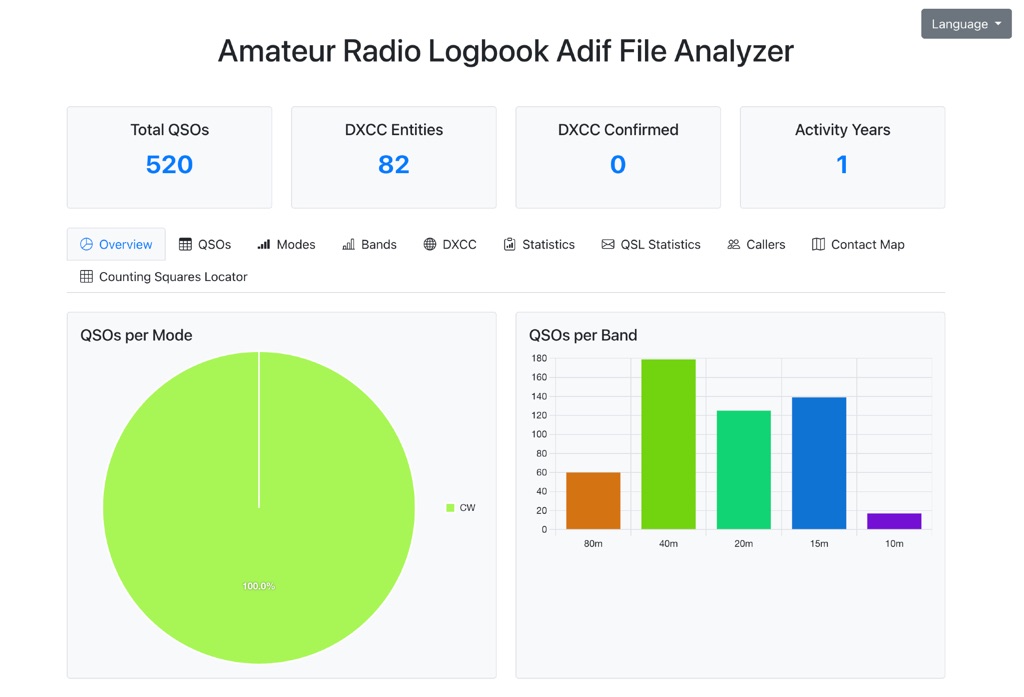 The Amateur Radio Logbook ADIF File Analyzer available at loganalyzer.sv5fri.eu is a convenient web-based tool that allows you to upload your ADIF log and instantly generate a visual map of your QSO contacts along with detailed statistics—by band, mode, time, grid squares, DXCC, and more. It provides an intuitive overview of your operating patterns and performance without requiring any software installation.
 -
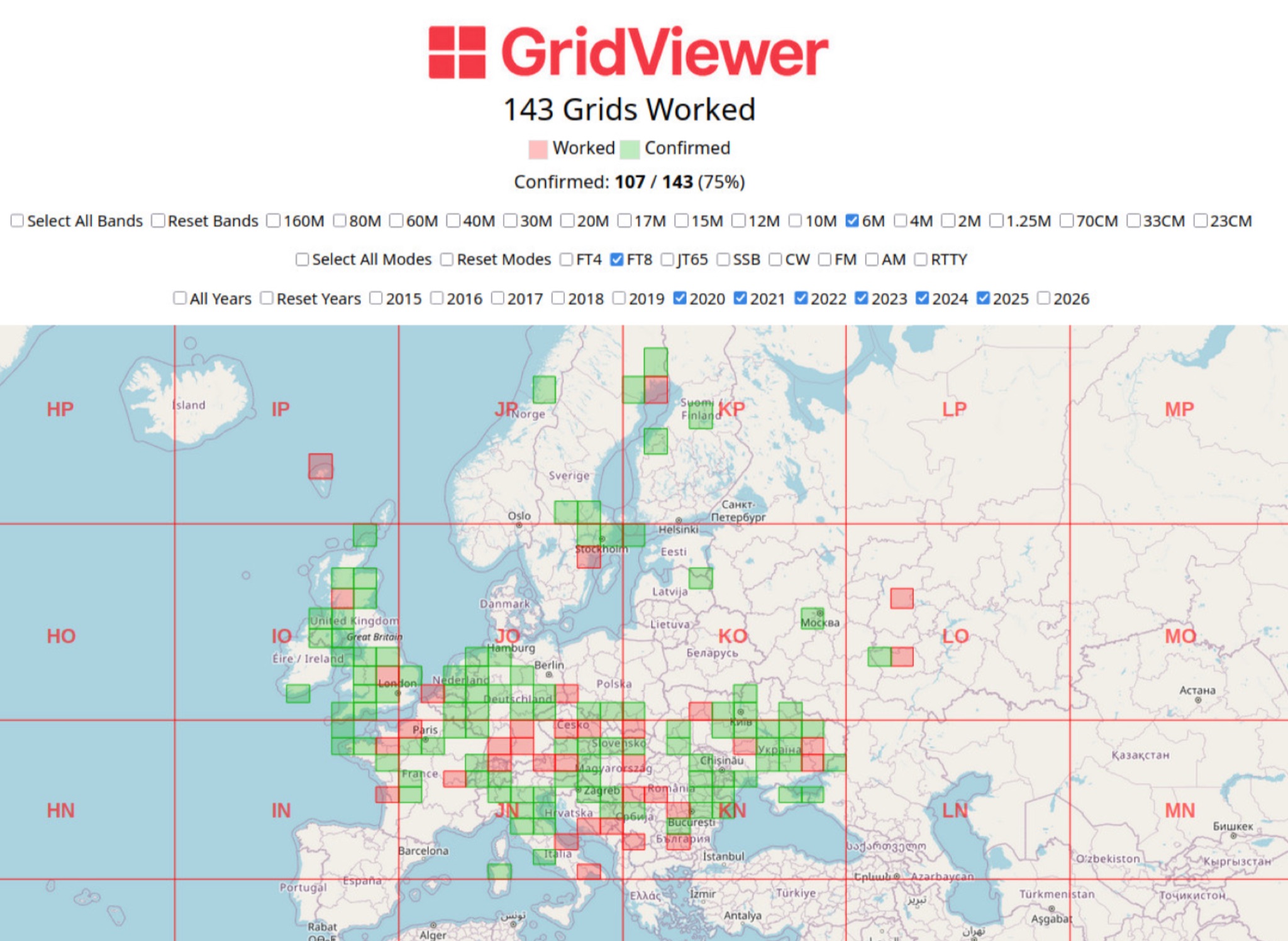 GridViewer is an interactive and lightweight open source web-based tool designed for ham radio operators to visualize and analyze their worked grid squares from ADIF-log files. GridViewer was developed to address a real-world challenge faced by many ham radio operators using lightweight or single-board computers like the Rock 4 SE (in my case) or Raspberry Pi.
 -
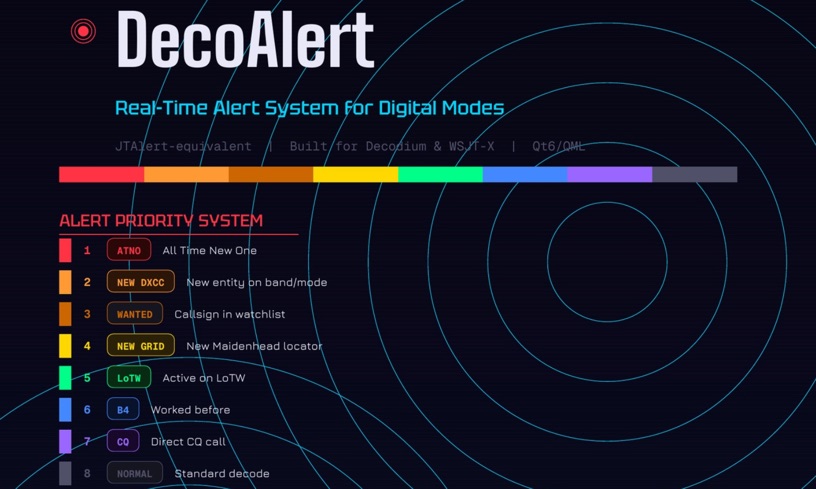 DecoAlert 1.0 Beta is a companion application designed to enhance the digital mode operating experience, specifically for FT8, FT4, and FT2. It operates by monitoring UDP data streams from primary decoding software like _Decodium_ and _WSJT-X_ on port 2237. The software provides real-time, priority-based audio alerts using WAV sounds for various conditions, including All Time New Ones (ATNO), new DXCC entities per band/mode, user-defined watchlist callsigns, new Maidenhead grid squares, and LoTW-active stations. It also highlights previously worked stations (B4) and integrates live DX spots from Telnet clusters, offering a comprehensive suite of tools for serious digital mode operators. The application features a built-in SQLite database for tracking worked stations and integrates with LoTW user lists to identify confirmed contacts. A DX Cluster client supports multiple Telnet servers, providing a broad view of propagation. PSKReporter statistics are available by band and mode, offering insights into signal paths. The QSO log viewer includes search and filter capabilities, while an _OpenStreetMap_ (OSM) interface visualizes spot locations, aiding in situational awareness. DecoAlert requires Windows 10/11 (64-bit) and compatible digital mode software configured to send UDP data.
 -
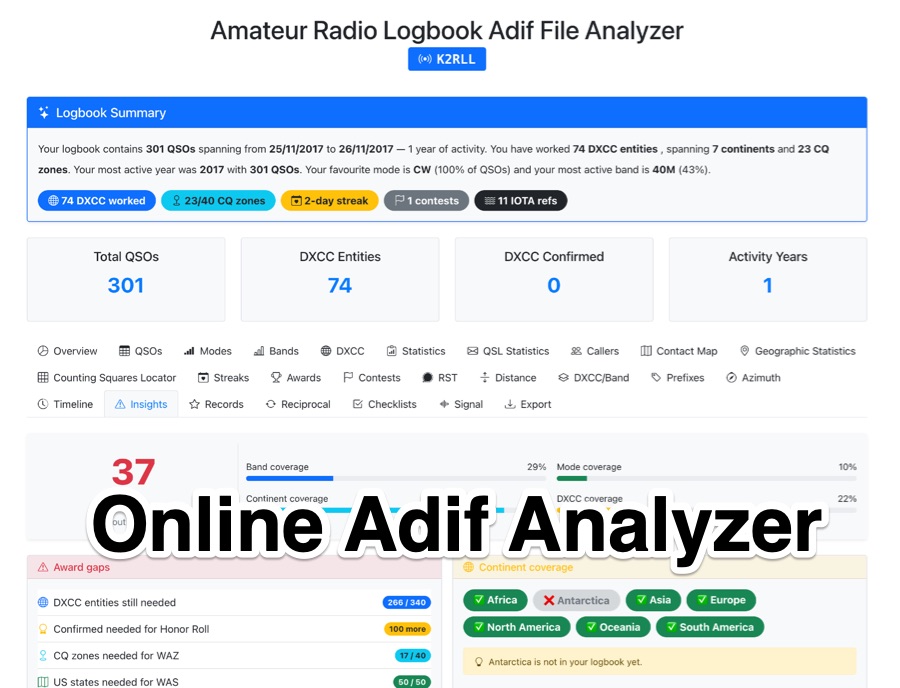 The _Amateur Radio Logbook ADIF File Analyzer_ processes ADIF files locally within the user's browser, ensuring no QSO data is uploaded to a server. It generates a visual map of contacts and detailed statistics across various parameters, including band, mode, time, grid squares, and DXCC entities. The tool offers insights into operating patterns and station performance without requiring any software installation. Users upload their ADIF log files directly, and the analysis is performed client-side, providing immediate results. The output includes charts and graphs that visualize QSO distribution and activity. This approach prioritizes user privacy and data security, as logbook information remains on the user's computer throughout the analysis process. The analyzer supports standard ADIF formats, enabling hams to quickly review their log data for trends and achievements. It is a free, open-source utility designed for general amateur radio log analysis.
 -
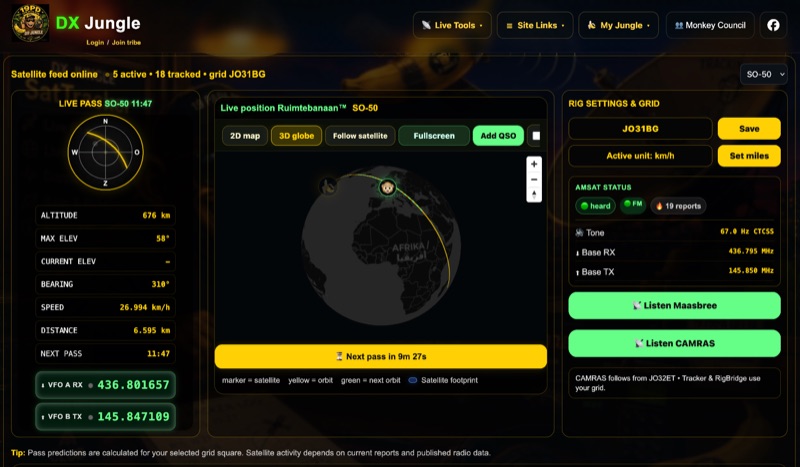 The DX Jungle SatTracker is an interactive online tool designed for real-time amateur radio satellite tracking. It incorporates live Doppler correction, AMSAT satellite status, and pass predictions for various active amateur radio satellites such as ISS, SO-50, FO-29, and RS-44. The platform calculates real-time uplink and downlink frequencies, adjusting for Doppler shift, and displays satellite footprints and orbital paths on a map interface. Users can select specific satellites and input their grid square for localized pass predictions. This service integrates WebSDR support, allowing users to listen to satellite passes live without requiring a physical radio, and offers Companion radio control capabilities. Orbital data is sourced from CelesTrak, while radio frequencies are derived from AMSAT and SatNOGS. The interface provides options to filter for FM repeater-only satellites and displays active passes, ordered by the next available pass, facilitating timely operational planning for satellite enthusiasts.
 -
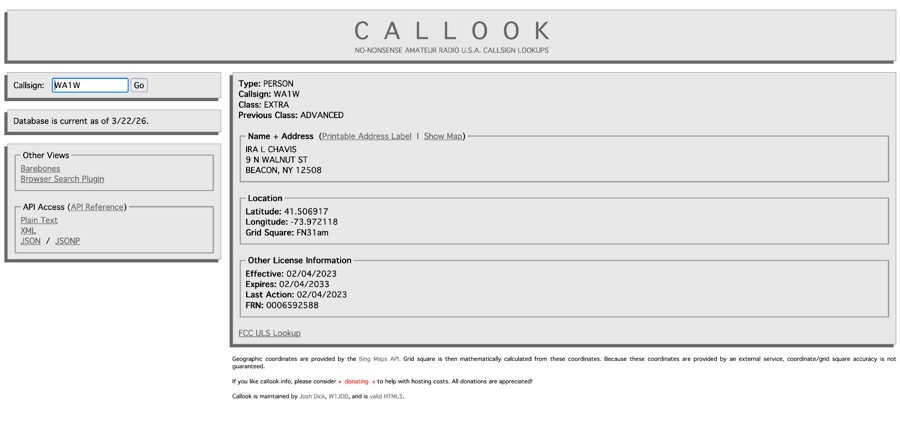 Callook provides a **USA amateur radio callsign lookup service** with data current as of March 25, 2026. The platform allows users to search for valid callsigns and retrieve detailed information, including geographic coordinates sourced from the Bing Maps API. A mathematically calculated **grid square** is derived from these coordinates, though accuracy is not guaranteed due to reliance on external services. The service supports multiple access methods, including a browser search plugin, direct API access with a reference, and plain text output for integration into other applications or scripts. This tool facilitates rapid identification of US amateur radio operators, offering an alternative to other callbook services. Its API access enables developers to integrate callsign lookup functionality into custom applications, streamlining data retrieval for logging software or contest management. The direct presentation of FCC data, combined with grid square calculation, assists DXers and contesters in verifying contact information and location details during on-air operations.
 -
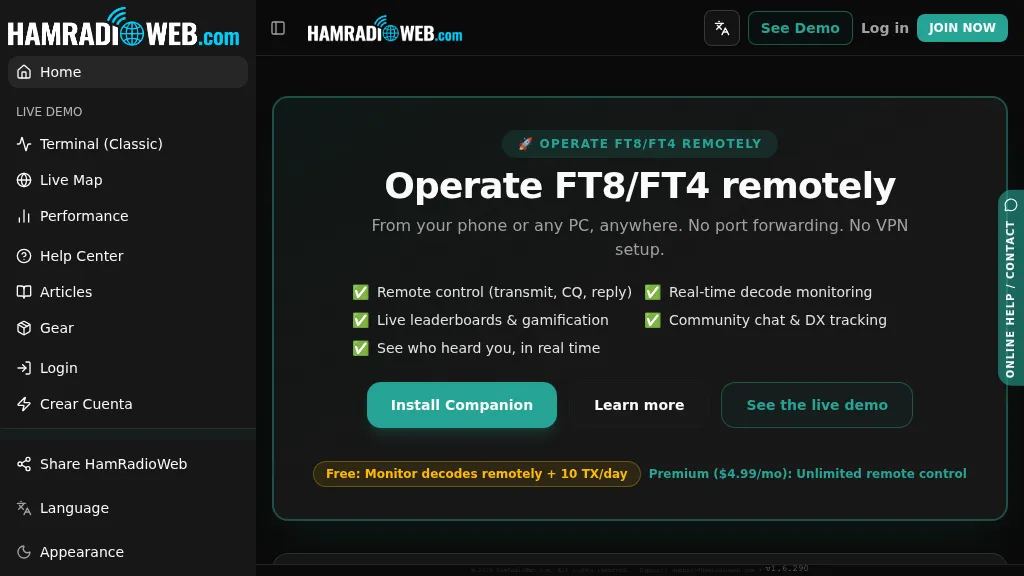 Provides a real-time intelligence layer for **WSJT-X** and **JTDX** operators, enhancing weak-signal digital mode operations. It enables remote monitoring of decodes and transmit control for FT8 and FT4 from any browser or device, eliminating the need for port forwarding or VPNs. The platform integrates with PSKReporter data to compare a station's signal-to-noise ratio (SNR) against nearby operators receiving the same signal, offering immediate feedback on propagation and station performance. Operators can track DXCC entities, grid squares, CQ/ITU zones, and WAC status in real-time through an integrated logbook. A live global band-activity map visualizes who is decoding a station's transmissions, providing tactical intelligence updated every 15 seconds. The system also includes social features like community chat, allowing operators to share station metrics and engage with others. The Companion app, a small bridge application, runs on the shack PC, facilitating seamless remote access and control. This setup transforms the weak-signal operating experience by providing actionable data and real-time insights into propagation openings and station effectiveness.
 -
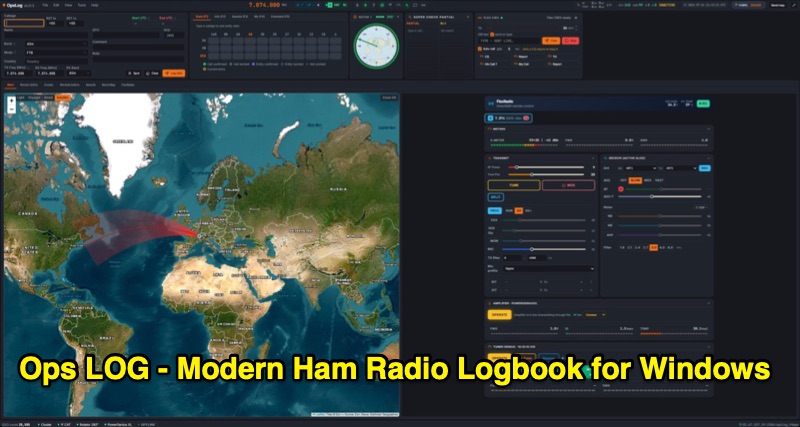 OpsLog is a modern amateur radio logbook application for Windows, designed to consolidate station operations into a single, integrated interface. It provides fast, single-strip QSO entry with automatic lookup from QRZ.com or HamQTH, populating callsign, name, QTH, and grid square. The software offers real-time CAT control supporting OmniRig, native FlexRadio/SmartSDR, Icom CI-V (via USB or internet), and TCI protocols. Key logging features include ADIF 3.1.7 compliance, offline DXCC resolution, a worked-before matrix, and dupe detection. It also incorporates a great-circle map for short/long path calculations and a clickable rotor compass, displaying antenna direction accurately. The application integrates DX cluster functionality with multiple server connections, band map spot display, and customizable alert rules for callsign, country, band, mode, or spotter, delivering notifications via sound, on-screen alerts, and email. OpsLog tracks numerous awards such as DXCC, WAS, WAZ, WAC, WPX, IOTA, POTA, SOTA, WWFF, and DDFM, with synchronization capabilities for ClubLog, LoTW, QRZ.com, and eQSL. For contesting and multi-operator environments, it offers serial number auto-fill, enforced contact windows, live dupe flagging, and shared MySQL logbook support for real-time status updates among operators. Additionally, it includes a QSL card designer with automated layout suggestions.
 -
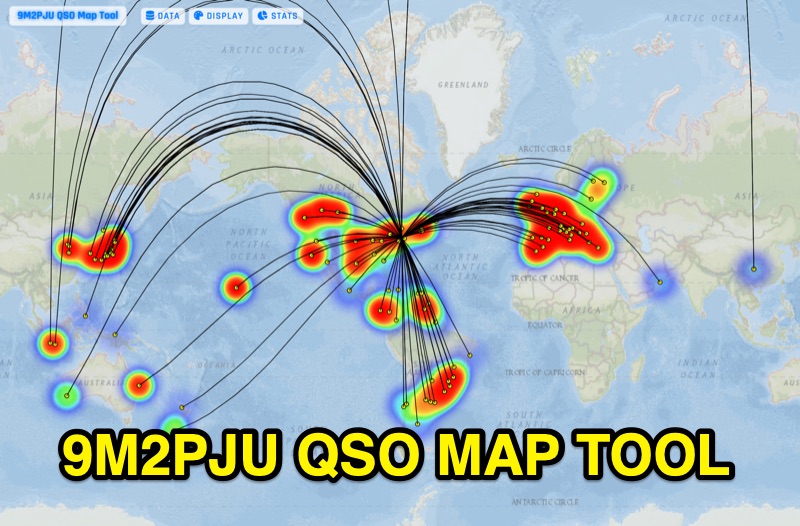 Presents the 9M2PJU QSO Map Tool, a web-based utility designed by Ian Renton for visualizing amateur radio contacts. This tool processes ADIF, Cabrillo, and SOTA CSV log files, allowing operators to plot their QSOs on a selection of base maps, including ESRI NatGeo World Map and OpenStreetMap Mapnik. Users can configure display options such as simple dot markers or xOTA hunter markers, QTH location, outlines, shadows, and geodesic lines, with coloring by band or a fixed hue. The application supports drawing per-band heatmaps and offers overlays for Maidenhead grid squares, CQ zones, ITU zones, and Worked All Britain/Ireland grids. It also provides QSO filtering capabilities and displays comprehensive log statistics, including unique calls, grid squares, CQ zones, ITU zones, and worked DXCCs. Customizable band and mode colors, alongside specific xOTA icons for programs like POTA, SOTA, WWFF, IOTA, and WCA, enhance the visual analysis of operating activity.