Search results
Query: weather images
Links: 17 | Categories: 4
-
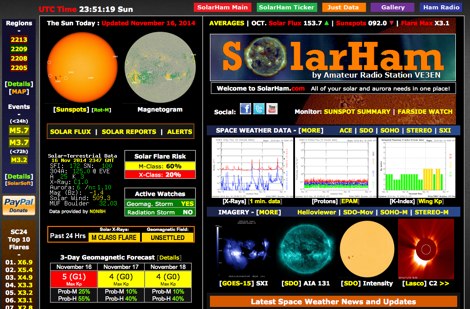 SolarHam is a website all about the Sun and how it affects Earth. This site is routinely updated with breaking news, sometimes hours before other Space News websites. You can trust SolarHam.com for the most up to date and accurate solar information on the net. SolarHam is a trusted and easy-to-use website for anyone interested in solar activity and space weather. It gives daily updates on <b>solar flares</b>, sunspots, geomagnetic storms, and radio blackouts. The site uses data from NOAA and NASA to show what is happening on the Sun and how it may affect radio signals on Earth. Charts and images are clear, and reports are updated often. Many amateur radio operators use SolarHam.net to check band conditions and aurora forecasts before operating. The site is fast, well organized, and focused on the needs of the radio community. Whether you are a beginner or an experienced ham, SolarHam.net is a helpful tool for understanding space weather and its impact on radio communications.
 -
 FindU.com operates as a robust database archiving **APRS** (Automatic Packet Reporting System) data, including weather, position, telemetry, and message reports. It integrates data from both amateur radio APRS systems and the internet-based Citizen Weather Observer Program. This substantial 58 GB database is hosted on dual servers utilizing data replication, processing approximately 20 new reports per second to provide constantly updated information. The system supports various applications, such as displaying weather reports, tracking position data, and facilitating long-term vehicle tracking. A notable function involves forwarding over 100,000 near-realtime weather observations daily to the National Oceanographic and Atmospheric Administration (NOAA) for accuracy checks and use by NOAA and the National Weather Service. Additionally, it archives APRS reports from the International Space Station. Access to the database is primarily via dynamic web pages, with a comprehensive list of available CGIs detailed on a dedicated server page. While direct URL parameter editing is possible for advanced users, alternative web pages with forms simplify query submission. The platform utilizes **PNG** images for dynamic graphics, a choice made due to past GIF patent issues, ensuring broad browser compatibility.
 -
 Images and Radio Shack composition
 -
 If you are interested in the environment, the weather and other natural phenomena then there is something magical about being able to see pictures of the earth from space just as it is right this minute. One way you can do this is by receiving images from weather satellites.
 -
 HF Weather Fax lets you receive marine weather radiofascimile transmissions on your iPad, iPhone and iPod Touch. Just connect it to a shortwave radio tune in a weather fax frequency, and watch the images come in.
 -
 Decoding NOAA APT weather satellite images is achieved with a homebrew receiver and a Turnstile Cross Dipole antenna, feeding data to a Pentium-3 500MHz PC running Windows XP and the WXTOIMG program. This setup, operated by VU2IIA in Mumbai, India, focuses on capturing and processing signals from NOAA satellites to generate visual weather data. The blog documents the technical aspects of constructing the receiving station, including antenna design and receiver integration. It provides insights into the practical challenges and successes of amateur satellite reception, specifically for Automatic Picture Transmission (APT) signals. Operational details cover the software configuration and image processing workflow necessary to transform raw satellite data into usable weather imagery. The content serves as a practical guide for radio amateurs interested in satellite meteorology.
 -
 How to receive images from orbiting noaa weather satellites using simple receiving equipment and a computer by G4ILO
 -
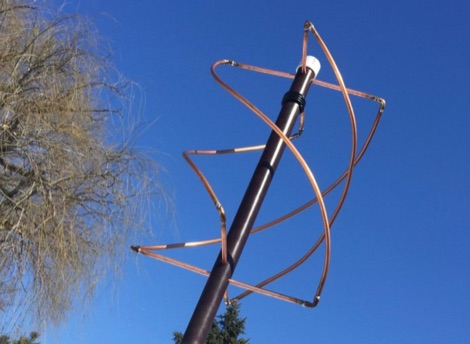 How to build a QFH (Quadrifilar Helix Antenna) to download images from weather satellites. A complete tutorial on assembling QFH antenna at home with simple and common tools
 -
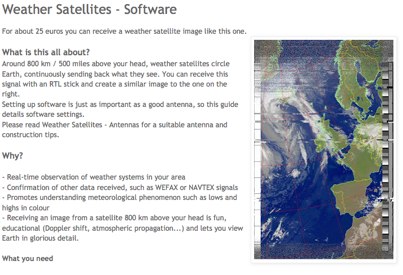 Complete guide to receive weather satelite images with a RTL SDR dongle and free software
 -
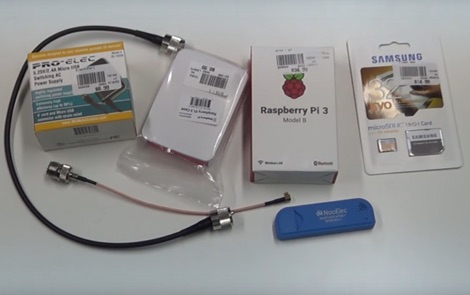 How to receive automatically NOAA wather satellite images with a Raspberry Pi and a RTL SDR. This project requires a Raspberry Pi 3 Model B a common NooElec SDR Dongle and a QFH Antenna in the attic. Article explains how to setup and configure software but no instructions on antenna.
 -
 A source for Information, links and images about the "Northern Lights" on-line since the Web began
 -
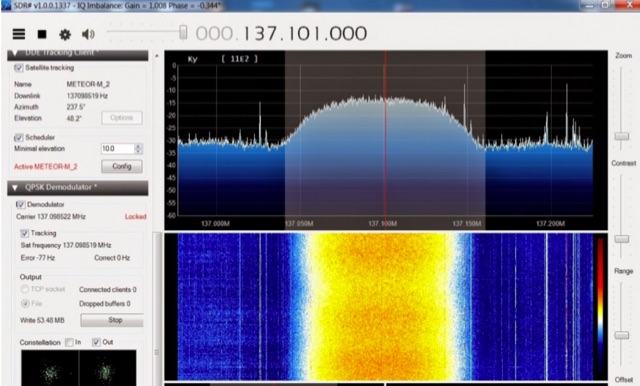 The Meteor-M N2 is a polar orbiting Russian weather satellite that was launched on July 8, 2014. Its main missions are weather forecasting, climate change monitoring, sea water monitoring/forecasting and space weather analysis/prediction. Meteor-M N2 transmits images using the digital LRPT protocol at around 137.1 MHz with can be received with an RTL-SDR.
 -
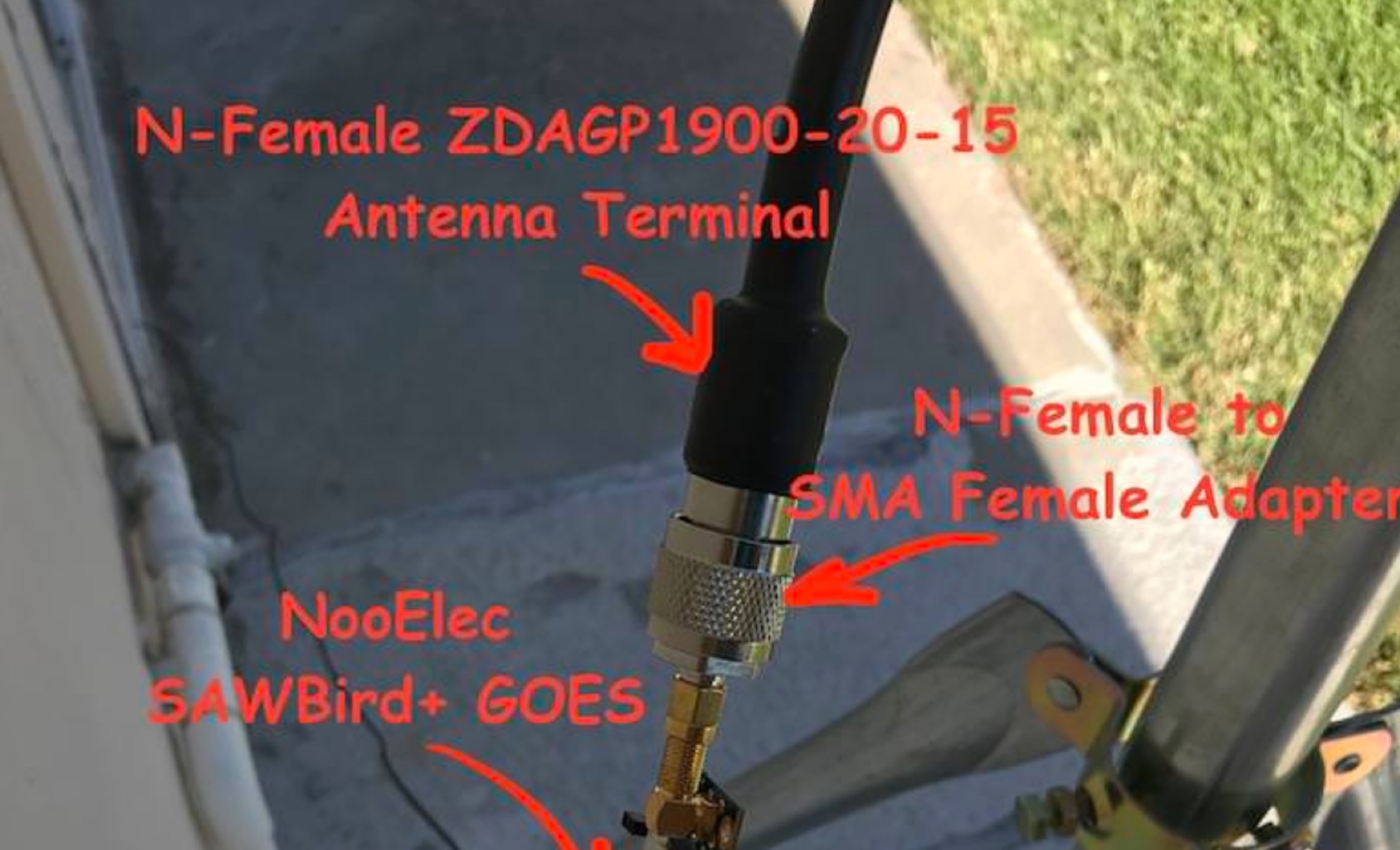 Receiving **GOES-16** and **GOES-17** weather satellite imagery requires a specific hardware and software configuration, detailed in this practical guide. The author outlines the necessary components, including a Raspberry Pi, an RTL-SDR dongle, a suitable LNA with SAW filter for 1.69 GHz, and a parabolic grid antenna. This setup enables direct reception of high-resolution weather data, a fascinating aspect of amateur radio satellite operations. The installation process begins with preparing the Raspberry Pi, followed by updating the system and installing essential dependencies like `git`, `build-essential`, and `cmake`. A critical step involves compiling and installing `librtlsdr` from source, ensuring proper driver setup and blacklisting conflicting DVB drivers. The guide then walks through testing the RTL-SDR dongle to confirm device recognition and troubleshoot common issues like USB power or driver installation problems. Finally, the instructions cover cloning and building `goestools`, a software suite essential for processing the satellite signals. This compilation, while time-consuming on a Raspberry Pi, is crucial for decoding the raw data into usable imagery. The guide concludes with the initial steps for creating the `goesrecv.conf` configuration file, preparing the system for active satellite reception.
 -
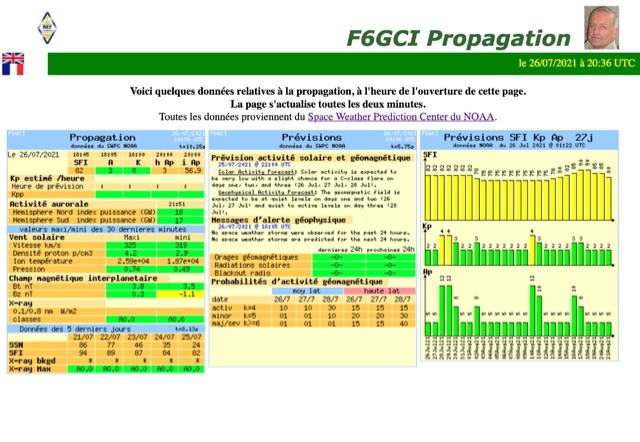 A collection of dynamically produced images based on the daily data of the NOAA Space Weather Prediction Center
 -
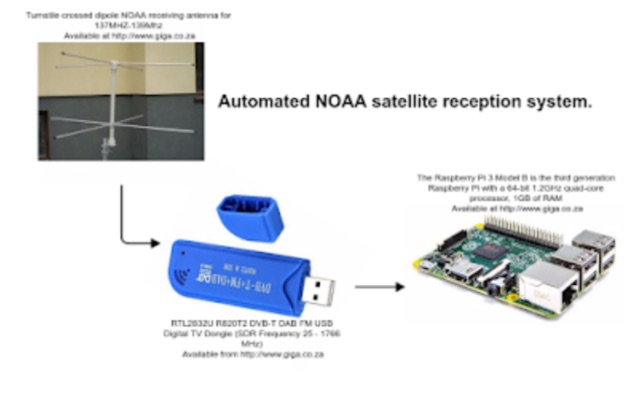 Receiving NOAA weather satellite images using a Raspberry PI with a RTL dongle and a Turnstile crossed dipole automatically.
 -
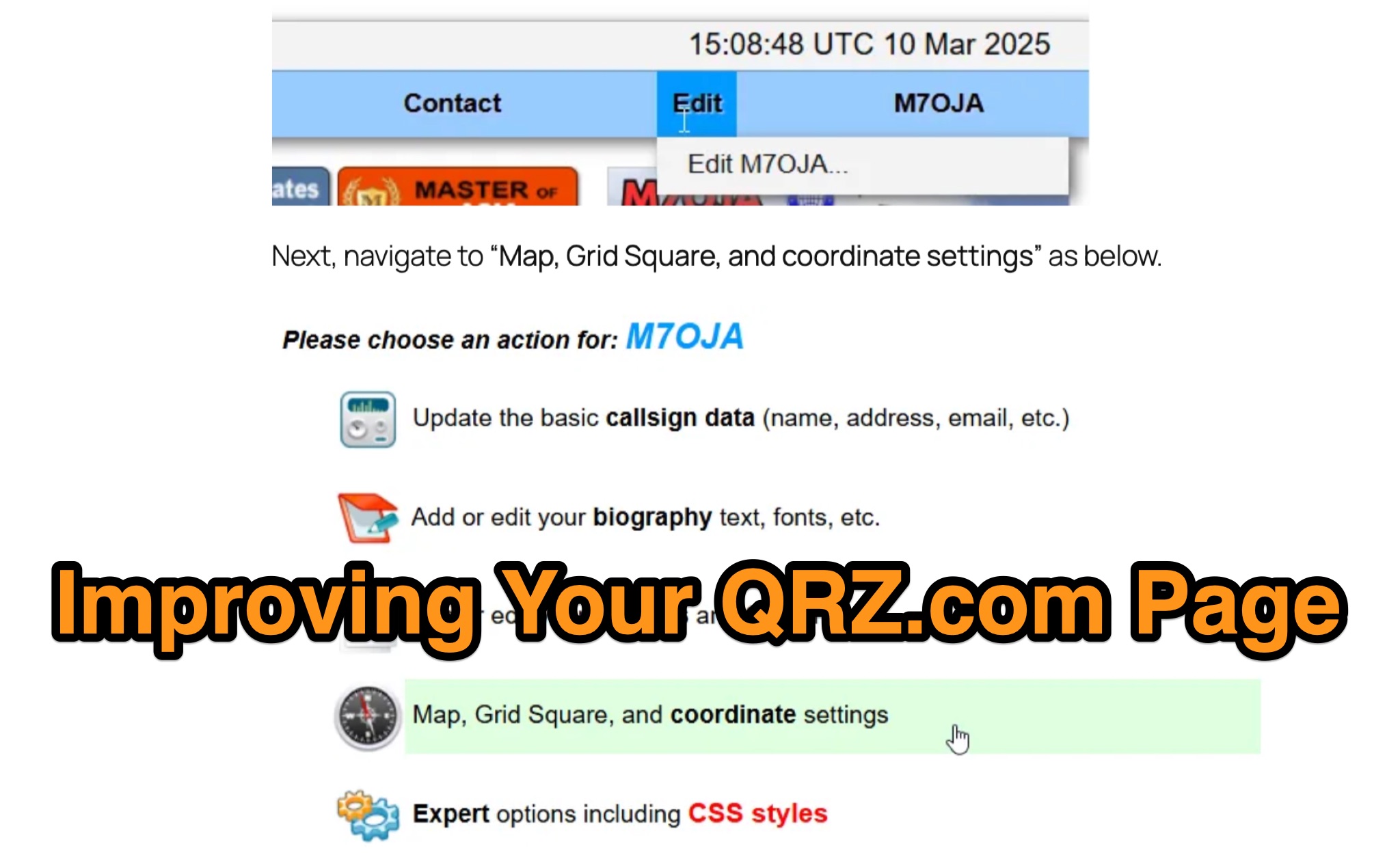 Optimizing a QRZ.com page involves adding essential callsign data, ensuring correct _Maidenhead Gridsquare_ and DXCC information in the Detail tab, and populating the Biography section with relevant station details. Operators should include their operating conditions, specific country references like WAB square, club affiliations, and detailed QSL information, specifying preferences for electronic confirmations (e.g., _LoTW_, Clublog) and paper QSLs (direct, bureau, SASE). The guide emphasizes the importance of accurate data for electronic logging software integration, which fetches Gridsquare, DXCC, and CQ/ITU zones to populate contact logs correctly. Further enhancements include leveraging the QRZ.com photo gallery for images and setting a primary image that logging software like _Log4OM_ can display. Advanced customization involves embedding external services via HTML source code. Examples include integrating HamAlert for DX Cluster spots, Clublog for log searches and Online QSL Requesting (OQRS), and Parks on the Air (POTA) statistics widgets from WD4DAN. Additionally, live weather information from Weather&Radar and solar data banners from HamQSL can be embedded, providing real-time environmental context for visitors to the QRZ page. These embedded tools require creating accounts on respective platforms and often involve copying specific source code snippets into the QRZ biography's HTML editor, ensuring callsign placeholders are updated.
 -
 The Weather Fax plugin for OpenCPN allows you to directly open image files or decode audio faxes into images. With easy calibration, these images can be overlaid on charts. It supports image conversion in Mercator, polar, conic, and uniform coordinates and can transform any image into a raster chart. Additionally, it includes a built-in database for HF radio fax stations via SSB and another for retrieving data from meteorological websites.