Search results
Query: web monitor
Links: 60 | Categories: 1
Categories
-
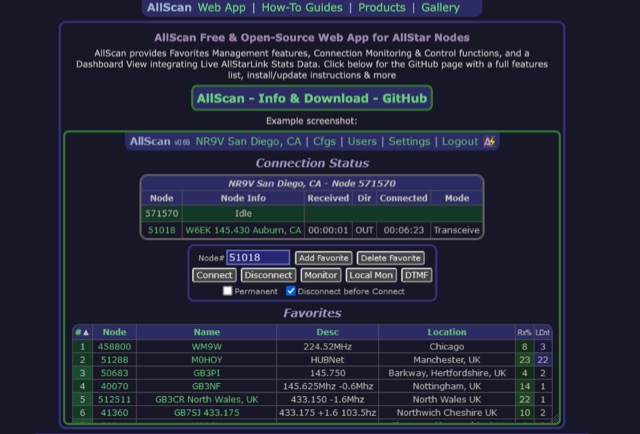 AllScan is a free and open-source web app for AllStar nodes that provides Favorites Management features, AllStarLink Stats integration, and connection monitoring and control functions. Shows your favorites in a Dashboard summary table with Keyed status, Connected Node count and other statistics. Continually scans the status of each favorite using ASL's Stats API data showing which favorites are active and have recently been active. Allows favorites to be connected with a single click (optionally automatically disconnecting any currently connected nodes first). Allows the Favorites Table to be sorted by Node#, Name, Description, Location, etc. Favorites can be added/deleted simply by entering the node# and clicking a button. These features finally give AllStar nodes similar memory management and scan capabilities that analog radios have had for decades. AllScan is mobile-friendly and optimized for ease of use on both small and large screens. AllScan follows the latest web development standards, with PHP, JavaScript, HTML, and CSS cleanly partitioned, runs on both ASL and HamVOIP, and is very easy to install, configure, and update.
 -
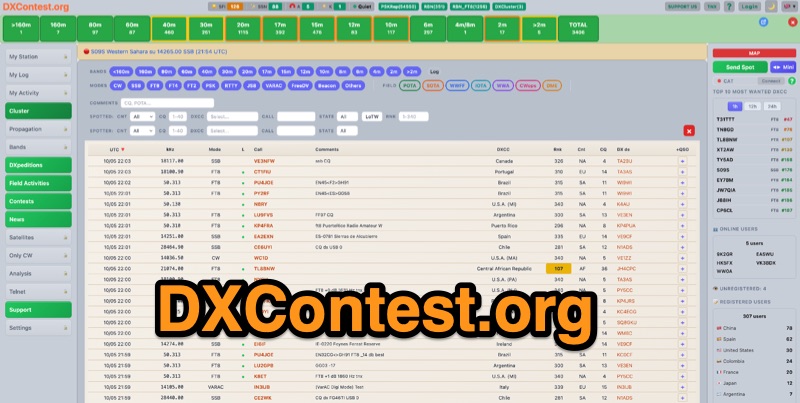 DXContest.org provides a real-time DX cluster, integrating advanced spotting capabilities with features like _propagation maps_, _PSKReporter_, and the _Reverse Beacon Network_. This platform enables radio amateurs to monitor DX activity, apply sophisticated filters to spot data, and even utilize CAT control for their transceivers directly through the web interface. The service is designed for immediate utility, offering free access without requiring user registration. Users can send DX spots, control their radio via CAT, and consult a contest calendar. The platform also provides traditional Telnet access for those preferring client-based cluster interaction. Developed by Pascual R. Salas Vidal, EA5WU, the service aims to be a comprehensive tool for real-time DX operations and contest participation, offering a blend of modern web features and classic cluster functionality.
 -
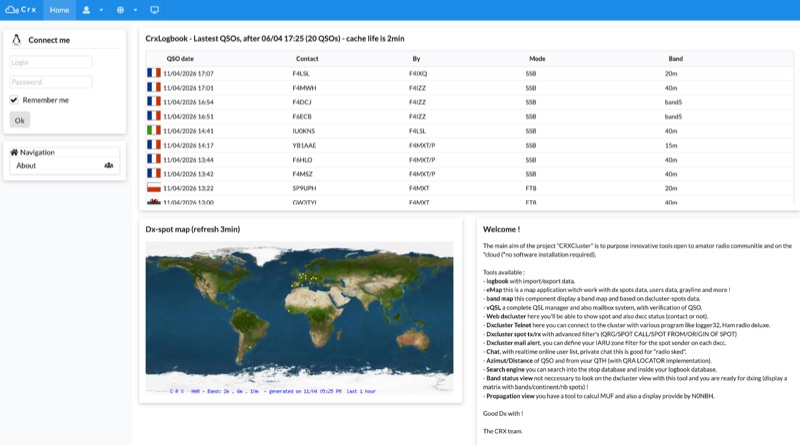 Demonstrates a cloud-based suite of tools for amateur radio operations, eliminating local software installation. The platform integrates a comprehensive logbook with import/export functionality, an _eMap_ application displaying DX spots, user locations, and grayline data, alongside a dynamic band map derived from DX cluster information. It also provides a _vQSL_ system for QSL management and a mailbox with QSO verification. Users can access a Web DX cluster to monitor spots and _DXCC_ status, or connect via Telnet using external programs like _Logger32_ or Ham Radio Deluxe. The cluster supports advanced spot filtering by QRG, spot call, spot from, and origin, with configurable mail alerts based on IARU zone filters. Additional features include a real-time chat for skeds, azimuth/distance calculations from a user's QTH (with QRA locator), a search engine for spot and logbook databases, a band status matrix, and a propagation tool for MUF calculations, leveraging data from N0NBH.
 -
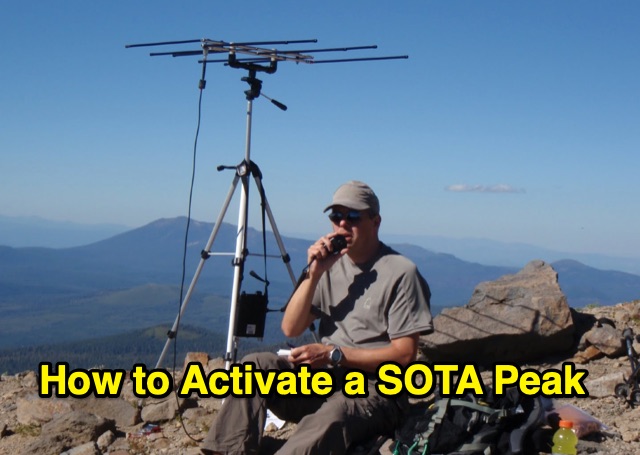 Outlines the essential steps for successfully activating a **Summits on the Air (SOTA)** peak, providing a structured approach for amateur radio operators participating in this popular award program. It details crucial pre-activation planning, including navigating the SOTA website, setting up a SOTA Data account, and consulting the **Association Reference Manual (ARM)** for specific regional rules and peak information. The guide also covers using mapping resources like adventureradio.de and lists ofjohn.com to identify suitable summits and check access conditions. The document emphasizes safety during the activation, advising operators to monitor weather, carry rain gear, and plan ample time for the ascent and descent. It specifies the **4-QSO minimum** requirement within the Activation Zone and recommends calling "CQ SOTA" on traditional QRP or VHF calling frequencies. The guide also suggests using local 2m FM repeaters for safety communications and spotting, while clarifying that repeater QSOs do not count for SOTA points. Post-activation activities include submitting logs to sotadata.org.uk, uploading trip reports to share experiences with future activators, and promoting SOTA participation on various reflectors. The guide highlights the program's appeal through its awards system for both activators and chasers, encouraging new participants in North America.
 -
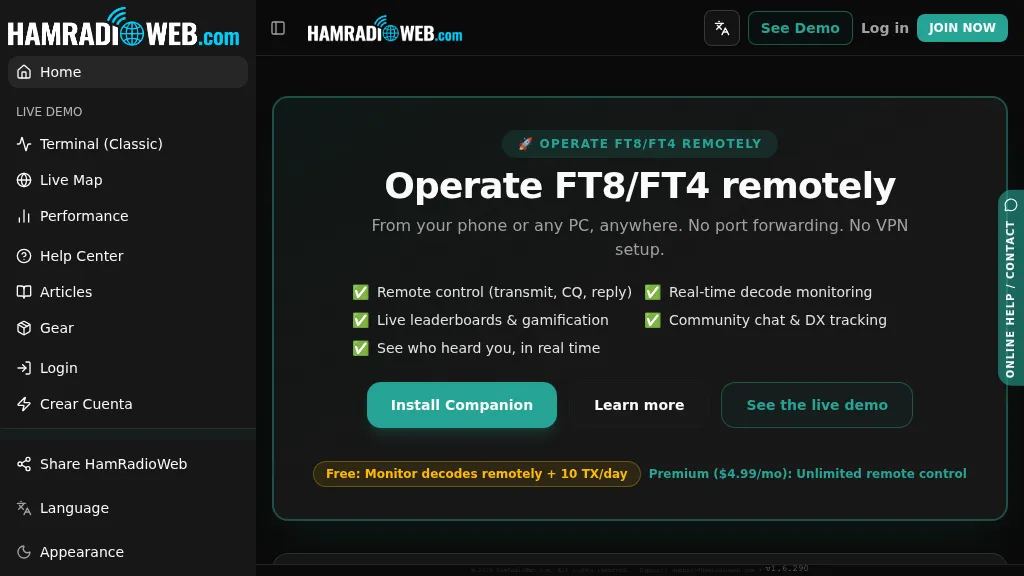 Provides a real-time intelligence layer for **WSJT-X** and **JTDX** operators, enhancing weak-signal digital mode operations. It enables remote monitoring of decodes and transmit control for FT8 and FT4 from any browser or device, eliminating the need for port forwarding or VPNs. The platform integrates with PSKReporter data to compare a station's signal-to-noise ratio (SNR) against nearby operators receiving the same signal, offering immediate feedback on propagation and station performance. Operators can track DXCC entities, grid squares, CQ/ITU zones, and WAC status in real-time through an integrated logbook. A live global band-activity map visualizes who is decoding a station's transmissions, providing tactical intelligence updated every 15 seconds. The system also includes social features like community chat, allowing operators to share station metrics and engage with others. The Companion app, a small bridge application, runs on the shack PC, facilitating seamless remote access and control. This setup transforms the weak-signal operating experience by providing actionable data and real-time insights into propagation openings and station effectiveness.
 -
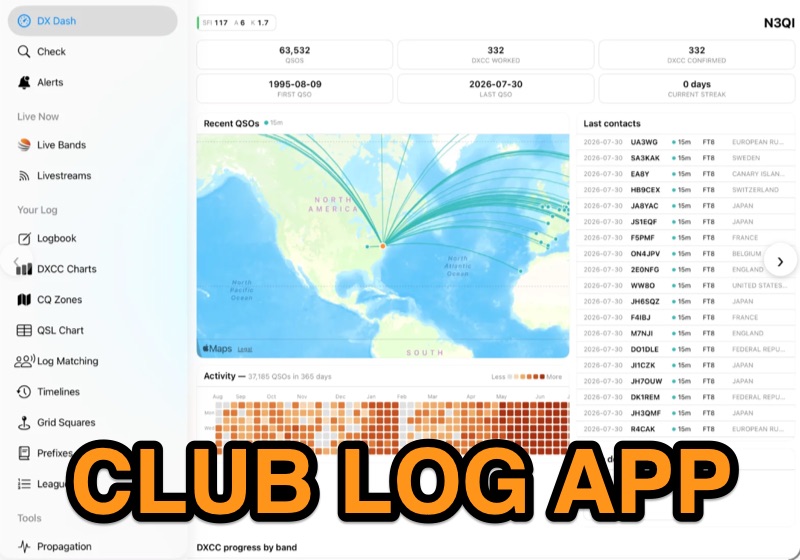 Examines the Club Log mobile application, detailing its functionality for **DXCC** and **DXCC Challenge** enthusiasts on HF and 6 meters, across SSB, CW, and data modes. The application provides real-time push notifications by monitoring live QSO activity across the entire Club Log database, cross-referencing it with the user's specific needs for new entities or band-mode slots. Users can also pin specific callsigns to receive immediate alerts when those stations become active on the air. The resource highlights the app's ability to replicate most clublog.org website features natively on mobile devices, including international translations for 22 languages. It also integrates an offline logbook that synchronizes with the online platform when connectivity is available. The app requires a Club Log account and supports real-time logging from external software or offers an integrated logbook tool for direct QSO submission. Further, the page explains the subscription model necessary to sustain the app's development and operational costs, particularly for the innovative real-time alerting system. It clarifies how subscriptions are managed through App Store or Google Play, with pricing varying by region.
 -
 Since 1988 and after few decades of activities, Romeo Charlie is an International DX group and counts more than 1700 members in 150 divisions. Serious QSL management * Unique eQSL system, cluster & spot-push-notifications. * Online logs monitors. * Free contests, trophies & Challenges. * Activations all around the world. * Free fee for most of divisions. * Personal web page for members. * One of the most active DX group on 11m band. It's time for a change... Join a modern DX group... Looking to the future !
 -
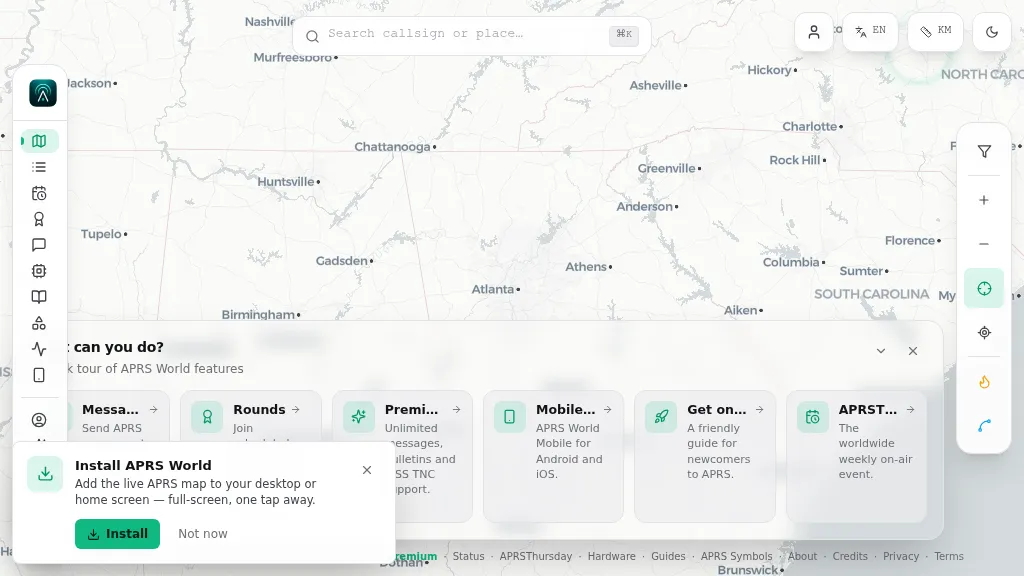 Operating on the Automatic Packet Reporting System (APRS) network, this platform provides a real-time, visual representation of amateur radio stations globally. Users can track callsigns, locate nearby stations, and even send APRS messages directly from a web browser, all without requiring a login. The system integrates live APRS-IS data, presenting it in an intuitive, map-based interface that supports 11 different languages, making it accessible to a broad international audience. Beyond basic station tracking, the platform offers detailed per-station pages, including historical weather data and telemetry logs. This functionality extends to companion Android and iOS applications, which incorporate an RF / KISS-TNC mode, allowing mobile devices to interface directly with APRS via radio. My own field experience with similar APRS visualization tools confirms the utility of such a resource for situational awareness during events or simply monitoring local and regional ham radio activity. The inclusion of weather and telemetry history adds significant value for those interested in environmental data or remote station performance.
 -
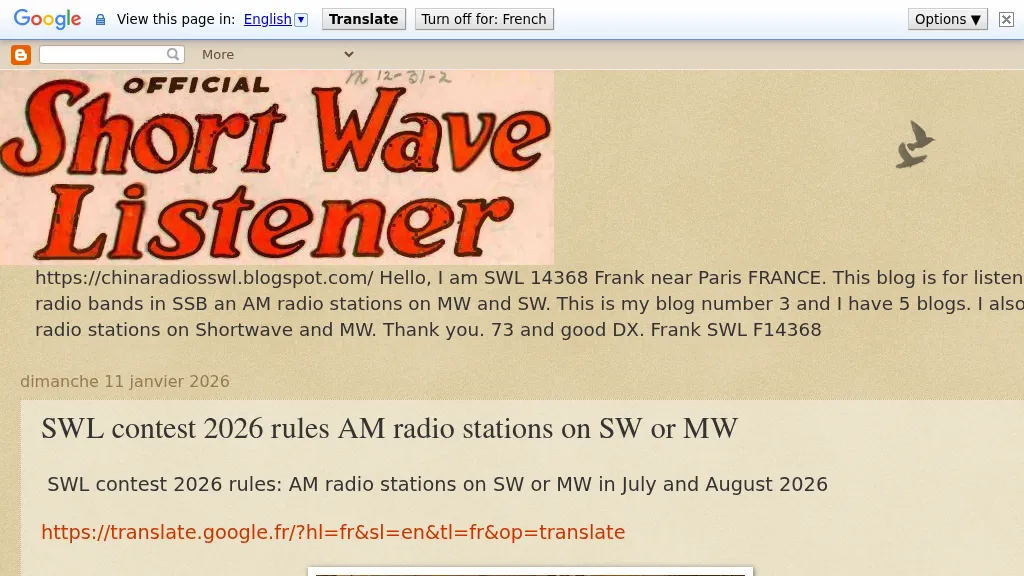 Define the SWL contest 2026 as an event for monitoring a variety of languages on _medium wave_ (MW) and _shortwave_ (SW) AM radio stations. Participants can utilize either traditional radio receivers or _WEB SDR_ platforms to log their findings. The contest encourages the use of both analog and digital methods to maximize the diversity of languages captured. The contest rules specify that entries must include detailed logs of the stations received, including frequency, time, and language identified. Logs should be submitted in a standardized format to ensure consistency and accuracy in judging. The use of WEB SDR is particularly highlighted for its ability to access distant stations that may not be reachable with local equipment. The contest is open to all SWL enthusiasts worldwide, with a focus on European WEB SDR access. The event aims to foster a deeper understanding of global broadcasting patterns and linguistic diversity. Participants are encouraged to explore various bands within the MW and SW spectrum, enhancing their skills in signal identification and language recognition. The contest offers a unique opportunity to engage with the global SWL community and share insights into the art of listening.
 -
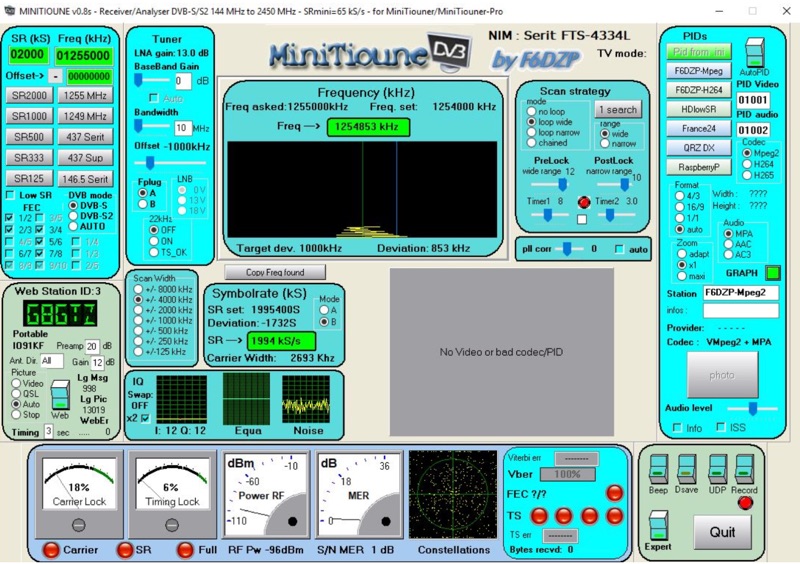 Receiving Digital Amateur Television (DATV) signals requires specialized software to interface with hardware tuners and decode the video stream. The _MiniTioune_ software, developed by F6DZP, serves this purpose, providing a Windows-based application for DVB-S and DVB-S2 reception and analysis. It is designed to work in conjunction with _MiniTiouner_ hardware, enabling hams to monitor DATV transmissions, including those from the QO-100 geostationary satellite. The resource outlines the initial setup process, including connecting the MiniTiouner hardware via a high-quality USB2 mini cable and running diagnostic test software. It details how to configure essential parameters such as symbol rate (SR), FEC rate, and DVB mode for various signal sources, from domestic satellite dishes to local DATV transmitters. Troubleshooting steps for common issues like "no video displayed" are also provided, often pointing to corrupted software filters or incorrect _Auto PID_ settings. Advanced features like the Web monitor for remote signal reporting and integration with _VLC_ media player for more tolerant decoding of non-DVB compliant signals are covered. The document also references a comprehensive user guide by W6HHC for the _MiniTiouner-Express_ system, which utilizes the same software, offering further in-depth assistance for operators.