Search results
Query: audio decoder
Links: 26 | Categories: 1
Categories
-
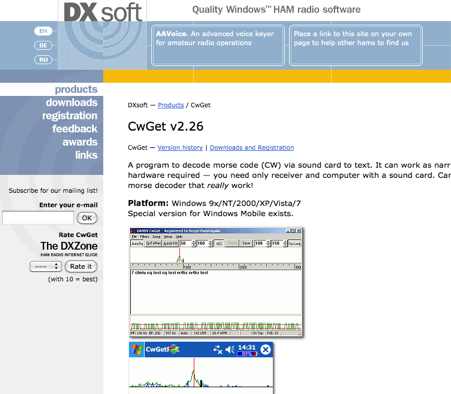 CwGet v2.55 is a software application for amateur radio operators designed to decode Morse code (CW) signals into text using a standard computer sound card, eliminating the need for specialized hardware. The program features a customizable interface with a spectrum display for visualizing signal frequencies and peaks, an oscillogram for monitoring signal presence and setting detection thresholds, and a received symbols window for displaying decoded text. Key functionalities include Automatic Frequency Control (AFC) to lock onto signals, adjustable FIR and IIR filters for noise reduction, and a burst filter to mitigate short noise impulses. It also supports automatic CW speed detection, multiple character sets, and the ability to record and replay received audio. Integration with logging software like AALog is facilitated through double-click word transfer, and transceiver frequency control is possible via the Omni-Rig interface, allowing for automatic tuning of the radio's VFO or RIT. The multi-channel decoder feature can simultaneously decode up to five strong signals within a 1600 Hz bandwidth, displayed in a separate Multi-RX Window with an adjustable squelch. CwGet also offers the capability to decode signals from pre-recorded WAVE files and can function as a narrow-band sound DSP filter for aural decoding. This is a commercial version and it has been tested on latest MS Winows versions.
 -
 CW Decoder provides a robust solution for amateur radio operators aiming to decode Morse code directly on their computer. The software processes incoming audio, presenting the decoded CW as text on the screen, which can be particularly useful during crowded band conditions or for those refining their copying skills. Additionally, it offers the capability to generate a sidetone, allowing operators to monitor the decoded audio in real-time. The application features a **spectrum display** of the audio input, complete with a sliding cursor. This visual aid enables precise selection of a specific audio frequency for decoding, helping to isolate desired signals from QRM. My field experience with similar decoders confirms that a clear visual representation of the signal greatly improves decoding accuracy, especially when dealing with weak signals or multiple stations. Beyond decoding, the program integrates a **keying function**, allowing users to transmit CW directly from their keyboard. This feature supports full CW break-in operation, which is essential for efficient contesting and DXing, providing immediate switching between transmit and receive modes without manual intervention.
 -
 MRP40, a successor to the well-regarded MRP37, offers robust Morse code decoding capabilities by processing analog audio signals via a sound card and displaying the decoded text on a computer monitor. My own field tests with similar sound card decoders confirm that the quality of the audio input and proper signal conditioning are paramount for achieving reliable decoding, especially with _weak signals_. The program also facilitates CW transmission, converting keyboard input into Morse code to key a transceiver, a feature I've found useful for practicing sending or for quick contest exchanges. Beyond its core CW functions, MRP40 incorporates a convenient mini-logbook, which automatically checks for prior contacts and allows for quick logging by double-clicking callsigns in the receive window. This integration streamlines the logging process, a significant advantage during busy operating sessions where every second counts. The software also generates Morse tones using the sound card, a handy utility for testing tone sequences or for basic code practice. Additionally, the suite includes a DTMF decoder and generator, which can be used for decoding telephone dial tones or data transmissions over amateur radio frequencies. It also features MF-TeleType, a sound card-based audio data modem for transmitting text via radio, utilizing a principle similar to DTMF for encoding and decoding, offering a simple method for digital text communication.
 -
 The JACK Audio Connection Kit provides a robust, cross-platform solution for routing audio and MIDI data between various software applications with minimal latency. It addresses the common challenge of directing the output of one program, such as a digital mode decoder or SDR application, into the input of another, like a logging program or audio recorder. Jack audio is a multi platform application, runs on Linux, Windows and MacOS. This virtual audio cable functionality allows for complex signal flows, enabling users to simultaneously send audio from a single source to multiple destinations and even loop it back for recording or further processing within the same or different applications. For amateur radio operators, JACK facilitates advanced configurations for digital modes, contesting, and signal analysis. It supports intricate setups where a single radio's audio output can feed multiple decoders, spectrum analyzers, or recording utilities concurrently. The API is designed for real-time performance, crucial for applications requiring precise timing and minimal delay in audio processing.
 -
 CWLab02 demonstrates a Windows-based software solution for Morse code enthusiasts, enabling both CW and CCW (Computer-Generated CW) sending and receiving within a single, integrated window. The program incorporates an improved CW interface, aiming to simplify the process of decoding and generating Morse code signals. It provides a straightforward method for hams to practice their CW skills or integrate computer-generated code into their operations, supporting real-time interaction with Morse code transmissions. The software's design focuses on ease of use for CCW operations, allowing operators to quickly generate and transmit code. While specific technical details on its decoding algorithms or WPM range are not provided, the emphasis on an "improved CW" suggests refinements in its signal processing capabilities. The ability to send and receive in the same window streamlines the user experience, offering a practical tool for training, casual QSOs, or integrating into a digital shack setup.
 -
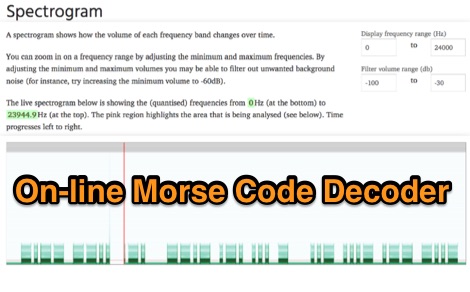 Demonstrates an online **CW** audio decoder tool, currently under active development, designed for analyzing and decoding Morse code. Users can upload audio files containing Morse code or record live audio input via a microphone, with processing handled entirely in JavaScript using the Web Audio API. The software analyzes the audio, attempting to determine the pitch and speed, and then decodes the message, providing options to compare the decoded output against a predefined message or a perfectly timed version. The interface allows for setting optional comparison messages, character speed in WPM, and Farnsworth speed. It also features interactive charts for visualizing the audio analysis, where users can zoom with the mouse wheel and pan by dragging. Specific buttons highlight different element types such as intra-character space, inter-character space, extra elements, missing elements, and replaced elements, aiding in detailed signal analysis. Built-in test files are available for immediate analysis, allowing users to quickly evaluate the decoder's performance. The tool is noted to work with specific browsers and is presented as a testing platform for user feedback, indicating ongoing refinement of its decoding algorithms and user interface.
 -
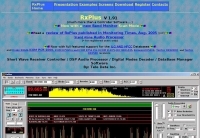 A full featured Receiver Controller for TenTec Rx320 with Audio Processor, digital modes decoder, ILG DataBase Manager and much more. Support for Drake R8A/B,ICOM PCR-1000, ICOM R756Pro and ICOM R756 Pro I ICOM IC-R75, JRC NRD-535, Kenwood R5000, TenTec RX320(D) and TenTec RX350D receivers
 -
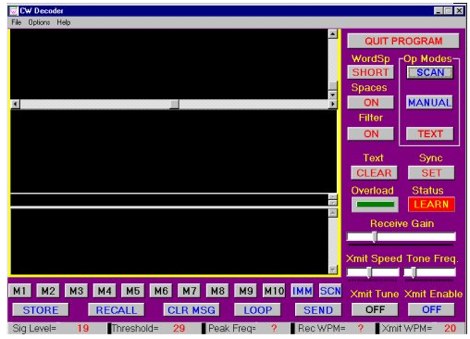 The CW Decoder program facilitates copying Morse code with a computer, displaying decoded CW as text, and generating a sidetone. It incorporates a spectrum display of the audio, allowing operators to select a specific audio frequency for decoding via a sliding cursor. This utility also enables keyboard-based transmitter keying, supporting full CW break-in operation for efficient QSO management. Developed by WD6CNF, the software is a Windows-compatible application designed to assist amateur radio operators in their CW activities. Its features cater to both decoding received signals and transmitting via keyboard input, streamlining the CW operating experience. Functionality includes real-time audio analysis and signal processing, providing a visual representation of the CW signal. The program's integrated keying capability offers a direct interface for transmitting, enhancing its utility as a comprehensive CW station tool.
 -
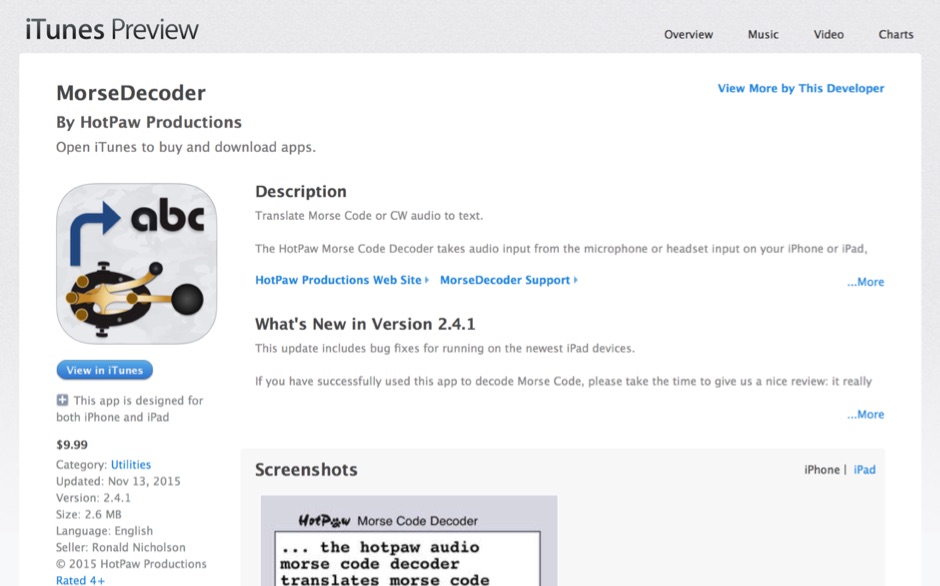 HotPaw MorseDecoder, an iOS application, provides real-time translation of Morse Code audio signals into plain text, leveraging the device's microphone or headset input. It incorporates a DSP narrow-band audio filter, adjustable from 300 to 2400 Hz, to mitigate background noise and QRM, enhancing signal clarity for decoding. The application offers both an automatic decoding mode and manual controls for fine-tuning parameters such as audio filter frequency, WPM dot/dash speed, noise threshold, and Farnsworth timing. The WPM detection automatically adapts from 8 to 40 WPM, with a QRQ High Speed mode extending this range to 30-80 WPM for faster code. A built-in spectrogram aids in identifying the precise audio frequency of the CW tones. User feedback indicates effective performance with various transceivers like the Yaesu FT-857 and Icom IC-R8600, particularly when manual settings are optimized. The app's ability to visually tune stations within the passband and decode speeds beyond an operator's manual capability has proven beneficial during contests and general QRP operation.
 -
 RSCW demonstrates a Linux/Unix command-line utility engineered for **Morse code** decoding via a computer's sound card. It specifically targets the extraction of weak CW signals from noise, operating on 8-bit, 8000 samples/second audio input, typically from `/dev/dsp`. The program outputs decoded characters to `stdout`, supporting user-specified speeds in words per minute (WPM) and carrier frequencies. While effective for machine-sent signals, it exhibits a 2-second decoding lag and requires manual speed input, making it less suitable for general-purpose, real-time contest operation. The resource details the program's components, including `rscw` (the main decoder), `rscwx` (an X11 graphical auxiliary for spectrum and internal signal visualization), `rs12tlmdec` (a specialized decoder for RS-12 amateur radio satellite telemetry), and `noisycw` (a utility for generating noisy Morse signals for testing). Installation instructions involve downloading a `.tgz` file, compiling with `Make`, and requiring the FFTW library (and GTK 2.0 for `rscwx`). Performance is illustrated with a .wav file example of a 12 WPM, 800 Hz CW signal at 12 dB Eb/N0, showcasing RSCW's near-error-free decoding of a test message. The site provides command-line examples utilizing `sox` for audio conversion and `noisycw` for signal generation, inviting comparisons with other decoding software and human operators, particularly for weak signal conditions.
 -
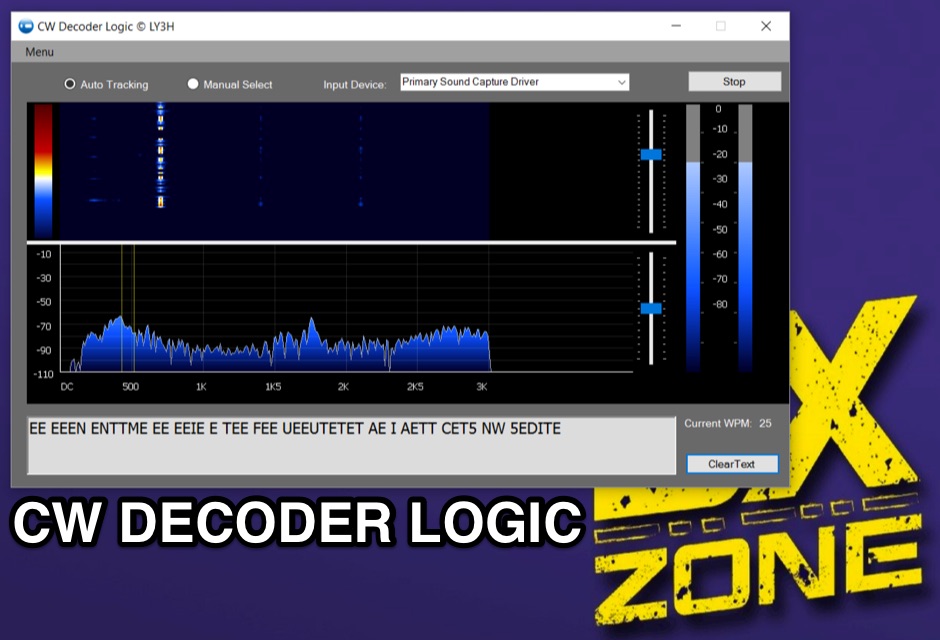 Demonstrates CW Decoder Logic, a freeware application for Windows Vista SP2, 7, 8, and 10, designed to decode Morse code signals. The software incorporates an optimized 80 Hz DSP filter, enabling reception of CW signals across a speed range of 5 to 60 WPM. Key features include automatic signal tracking within a 3 KHz range, real-time speed detection, and an auto squelch function, enhancing decoder sensitivity and accuracy. The application provides station selection directly on a waterfall display and includes a "Tips" feature for word annotations. It supports sending decoded text to external logging software via UDP protocol, with a logger source code example provided for developers. Configuration options allow users to set speed limitations and customize interface elements. Released initially on October 17, 2016, with subsequent updates, the program requires Microsoft .NET Framework 4.5 or higher. Changelogs detail improvements such as increased program stability, code optimizations for speed, and fixes for display issues across different Windows versions.
 -
 Approximately 400 kHz is the primary frequency for Navtex broadcasts, a crucial maritime safety information system. This legacy software, _Frisnit Navtex Decoder_ version 2.1.5, provides a means to decode these messages directly from an amateur radio receiver's audio output, fed into a PC's microphone input. It operates by processing the audio stream, extracting the FSK (Frequency Shift Keying) data, and presenting the decoded text on a Windows platform. Despite being unsupported and no longer under active development, the application remains functional across a wide range of Microsoft operating systems, from _Windows 95_ through _Windows 11_. Its utility lies in offering a straightforward, no-cost solution for hams and SWLs interested in monitoring Navtex transmissions without specialized hardware. The software's design focuses on simplicity, allowing users to quickly set up and begin decoding maritime weather forecasts, navigation warnings, and other safety-critical information. It leverages the PC's sound card, making it accessible with minimal additional equipment beyond a receiver capable of tuning to the Navtex frequencies.
 -
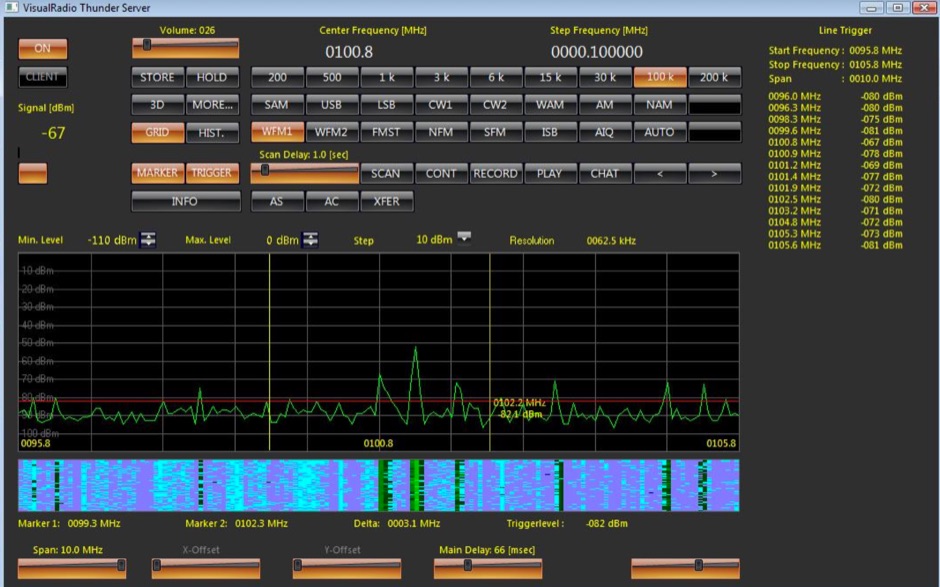 Commercial interactive radio control software tun under Windows Controls up to 16 Devices simultaneously with audio, in a client server mode, support for WAVECOM decoders and ROHDE & SCHWARZ receivers
 -
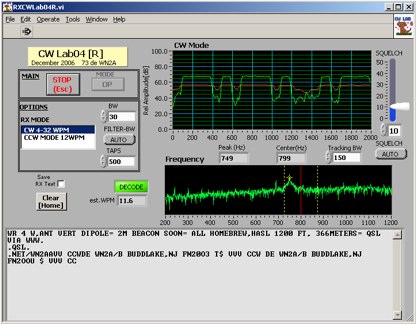 Deciphering weak or noisy **CW** (Continuous Wave) signals often presents a challenge for amateur radio operators, particularly in contest environments or during DXpeditions. CWLab04X addresses this by providing a software solution that leverages **DSP** (Digital Signal Processing) capabilities of a soundcard to decode Morse code. It functions as both a receiver and a sender, supporting traditional CW and a unique "CCW" mode designed to enhance copyability of signals struggling against high noise floors. The program offers two installation methods: a Windows-specific installer for straightforward setup or a zipped package compatible with Windows and Linux systems running Wine. Users must first download and review the accompanying PDF documentation, CWLab04.pdf and CWLab04_Hardware.pdf, which detail the software's operation and the necessary soundcard interface circuit. The hardware PDF outlines a direct connection from the receiver audio output to the soundcard input, with optional conversion of the soundcard output for hard-keying or microphone input. CWLab04X is intended as an operational aid rather than a replacement for skilled human copy, particularly highlighting the effectiveness of its CCW mode in adverse signal conditions. The software was last revised in April 2009, with installation requiring the LV Runtime 602.
 -
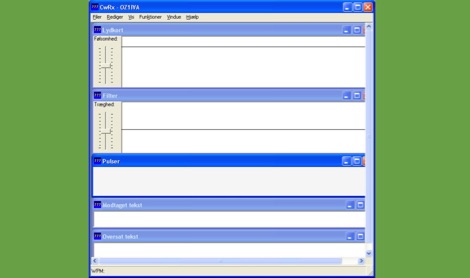 CWRX, a freeware Windows application, decodes Morse code (CW) signals directly from a sound card's audio input, presenting the decoded text on screen. It supports various receive bandwidths and filtering options, allowing operators to optimize signal reception in different QRM conditions. The program's core functionality focuses on robust CW decoding algorithms, crucial for weak signal work and contesting environments. Developed by OZ1IVA, Lars Harbo, this utility provides a straightforward interface for real-time CW interpretation. It integrates basic logging capabilities, enabling users to record decoded transmissions for later review or contest submission. The software is specifically tailored for the Windows operating system, ensuring compatibility with common shack computer setups. Its design emphasizes ease of use for amateur radio operators seeking a dedicated CW decoding solution. The program's small footprint and direct functionality make it a practical tool for both casual listening and more intensive operating sessions, without requiring extensive system resources.
 -
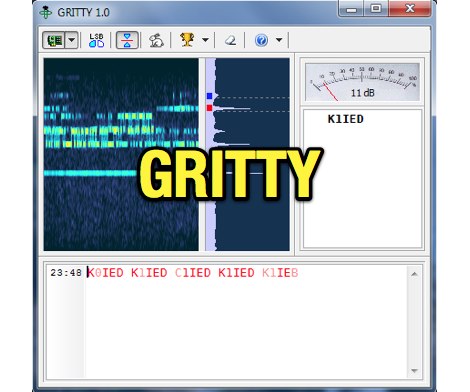 Processing a single RTTY signal from a transceiver's 3-kHz audio, GRITTY employs _Bayesian statistics_ for superior decoding accuracy compared to traditional trial-and-error methods. This approach not only decodes 5-bit Baudot codes but also calculates the probability of error for each bit, enabling features like color-highlighting unreliable characters and smart squelching based on error probability rather than signal amplitude. This allows decoding of very weak signals while suppressing strong, undecodable interference, resulting in minimal garbage text. The program intelligently analyzes decoded text, comparing similar callsigns bit by bit and merging probabilities using the Bayes formula. This often allows GRITTY to determine the correct callsign and place it on the call stack even when all received copies are corrupt. The same methodology is applied to correct errors in exchange numbers and CQ/DE keywords, and to fix incorrect shift states. GRITTY offers an open API interface, documented in its Help file, for integration with other programs, allowing them to receive decoded data and mouse click events.
 -
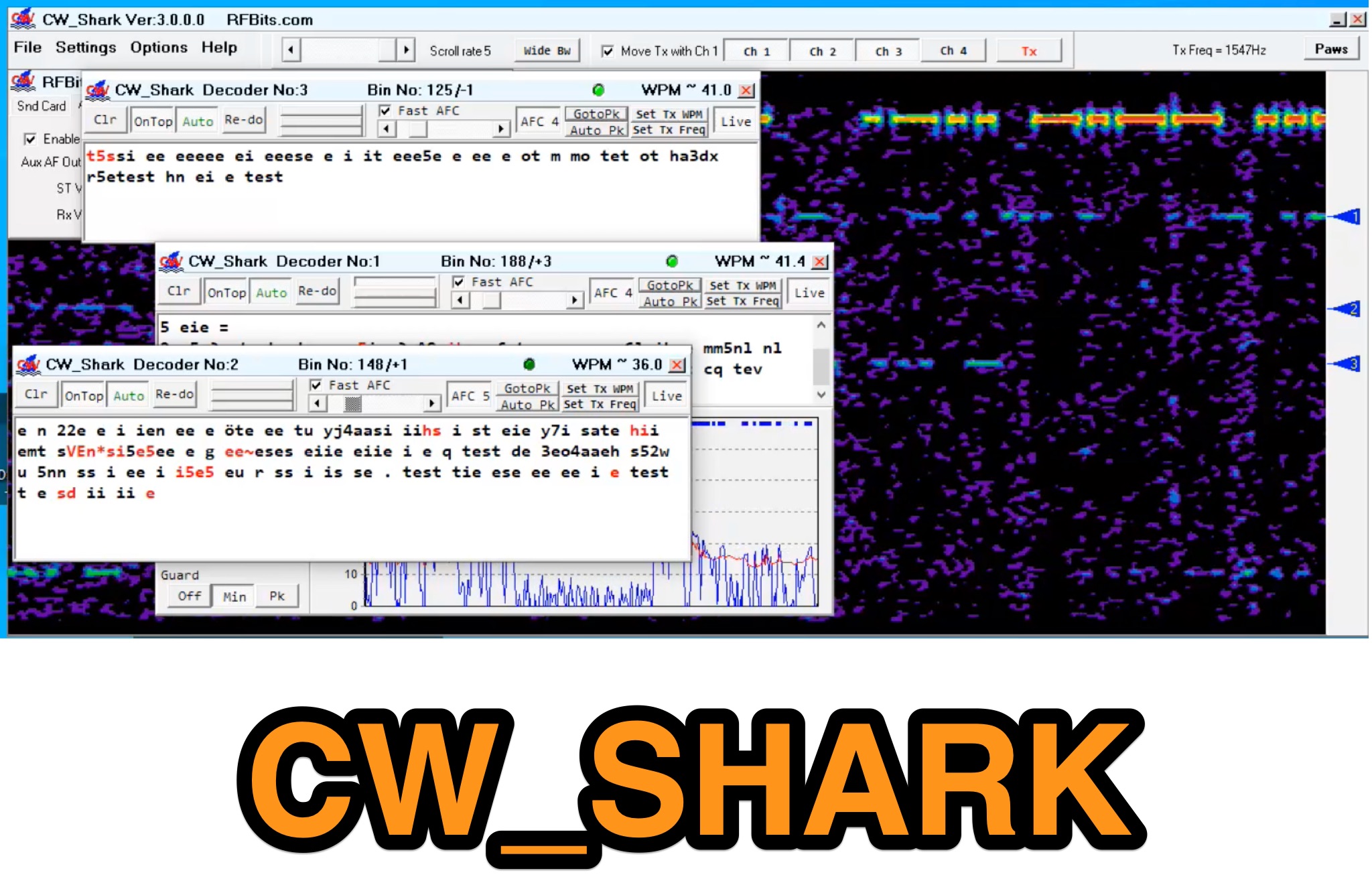 Demonstrates the capabilities of CW_Shark, a dedicated 32-bit Windows application for Morse code operations. This software facilitates the analysis, decoding, and encoding of CW signals, providing hams with a versatile tool for various aspects of amateur radio communication. It supports four distinct modes: Decode Only, Keyboard QSO, Straight or Paddle Key QSO, and Straight or Paddle Key Practice, catering to different user needs from passive listening to active keying. Operators can utilize the Decode Only mode for signal analysis, while the Keyboard QSO mode allows for text-based interaction. The Straight or Paddle Key QSO mode offers a direct interface for traditional keying, enabling real-time communication. For skill development, the Straight or Paddle Key Practice mode provides a structured environment to hone Morse code proficiency. CW_Shark integrates essential functions for CW enthusiasts, supporting both learning and active participation in Morse code exchanges. Its focused design aims to assist operators in mastering and enjoying the art of _CW communication_.
 -
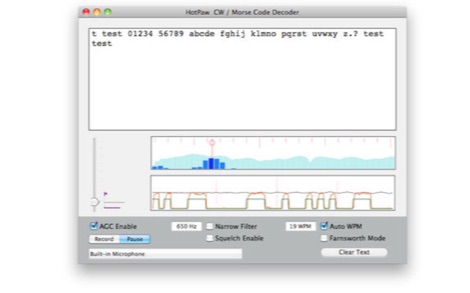 The HotPaw Morse Code Decoder application for macOS processes audio input to transcribe Morse code characters into text. It presents both an audio spectrum graph and a tone amplitude graph, which aid in configuring a narrow band audio filter. Operators can set the audio filter for tone frequencies between 400 and 1600 Hz, optimizing reception for various CW signals. The software offers user-configurable settings, including WPM dot/dash speed detection, a noise threshold level, and the option to use Farnsworth timing for inter-character spacing. The Morse code WPM detection automatically adapts from approximately 8 to 40 WPM, with a lock feature for the estimated speed. A High Speed WPM Mode is available for code speeds ranging from 40 to 80 WPM, catering to faster CW operators. The application's decoding performance is influenced by signal level, signal-to-noise ratio, frequency and WPM stability, keying quality, and proper configuration, with an initial learning phase required for WPM estimation to stabilize. An external microphone or line-in may be necessary for optimal performance on some MacBook models to mitigate fan noise or room reverberations. Version 1.4.4, updated on November 11, 2021, includes compatibility improvements for newer macOS releases. The developer, Ronald Nicholson of HotPaw Productions, does not collect any user data from the application.
 -
 Several HD video overlay devices are offered, including the GeoStamp HD, which overlays GPS latitude, longitude, heading, speed, altitude, date, time, and depth onto AHD, HD-TVI, and HD-CVI (720p/1080p) video sources. The VideoStamp HD allows user-defined text overlays on similar HD video inputs, while the VideoStamp Keyboard HD enables text input via a PS/2 keyboard for video overlay. For commercial applications, the PostMark HD integrates with cash registers and POS terminals to overlay transaction data onto security camera feeds. Beyond HD video solutions, the DTMF-8 DTMF Decoder provides remote control capabilities for up to eight devices or relays using touch tones from a radio or other audio source. This decoder supports four operational modes and includes password protection, storing all settings in non-volatile EEPROM memory. The product line also includes standard definition OSD, RS-232, GPS, and POS text inserters, along with various DTMF encoders and DVR solutions.
 -
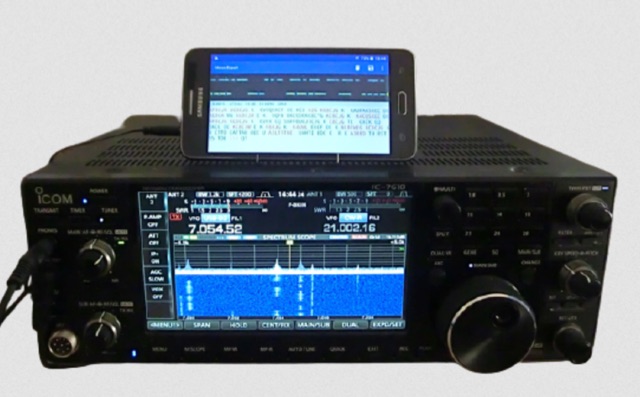 MorseExpert 1.15 decodes Morse Code audio to text, leveraging algorithms from CW Skimmer for optimal performance on weak, fading signals amidst interference on amateur radio bands. It processes audio from the device's built-in microphone or an external radio receiver via cable, optionally highlighting Ham callsigns and keywords. The application features a waterfall display with a bandwidth of 200-1200 Hz, decodes frequencies between 300-1100 Hz, and supports keying speeds from 12-45 WPM with automatic CW pitch detection. Recent updates include support for Android 15, edge-to-edge mode, improved stability, and a pause decoding button. A premium version offers an ad-free experience and user-selected text colors. Users can switch between General Text mode and Ham Radio QSO mode, which enhances word segmentation and highlights callsigns. The app also includes a frequency lock mode, text selection capabilities for copying, sharing, or saving decoded text, and provides guidance on reducing acoustic echo and constructing an audio attenuator for optimal radio interfacing.
 -
 Operating the UoSAT-2 (OSCAR-11) satellite, launched in 1984, presents unique challenges due to its age and current eclipse schedule. This resource provides a historical archive of news, telemetry data, and specialized software for decoding its 145.826 MHz FM beacon. It includes tools like _CTERM_ for terminal emulation and capture, and U2TM for processing ASCII telemetry, enabling hams to analyze the satellite's health and performance. The site also offers audio samples of the beacon and S-band signals, along with details on hardware and software decoders. Reception reports are actively solicited for the satellite's intermittent transmissions, which occur for less than an orbit every 21 days during its eclipse period. The site details how to process raw telemetry data, including instructions for skipping initial frames to improve decoding accuracy with U2TM. It also provides software like SATILL for predicting solar eclipses and tools for determining the satellite's spin period from magnetometer or solar array telemetry, offering insights into its operational status despite its advanced age.
 -
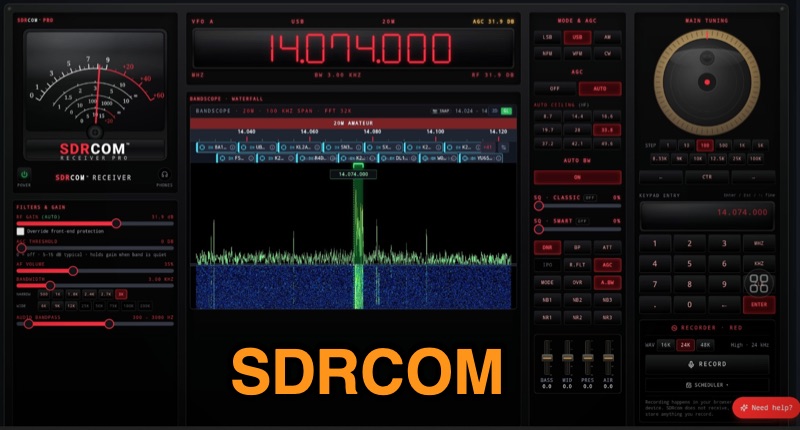 The SDRcom platform provides a unique browser-native Software Defined Radio experience, emulating a traditional radio with a physical VFO dial, switches, and an analog meter. It integrates a high-resolution 64k FFT waterfall display, supporting essential modes like AM, FM, SSB, and CW. The **SDRcom Blue** version interfaces with SDRplay® receivers via a local WebSocket, while the free **Red Lite** version supports RTL-SDR V3/V4 dongles through WebUSB, including basic audio EQ and 100 memory slots, along with FT8 decoding. For advanced operators, the Red Pro version expands capabilities with 1000 memory slots, upgraded high-resolution waterfalls, and enhanced W4PAH FT8, FT4, and WSPR decoder engines. It also incorporates 4-band DSP noise reduction and an intelligent band scanner, proving beneficial for weak-signal work. The Network edition extends functionality to access hundreds of global remote SDRs, and an ADS-B aircraft decoding feature with 3D positioning and mapping is also available. All SDRcom applications are designed to run directly in a web browser, eliminating the need for any software installation. This approach simplifies access and setup for radio enthusiasts, from casual SWLs to dedicated digital mode operators, allowing immediate engagement with the airwaves.
 -
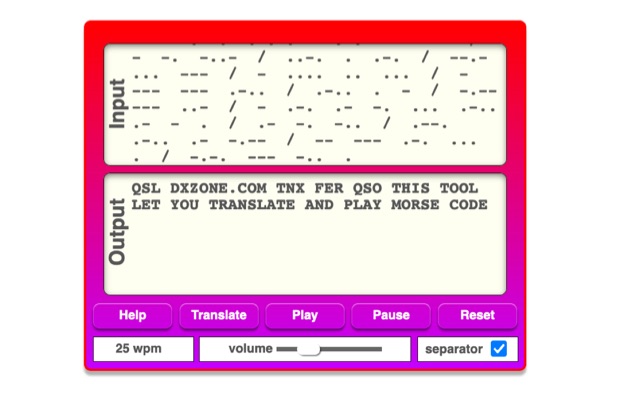 The online Morse code translator and decoder provides functionality for converting plain text into Morse code and decoding Morse code back into text. Users can input text directly into a designated box for translation to Morse, with the tool ignoring characters that lack a Morse equivalent. Conversely, Morse code can be entered using periods for dots and minus signs for dashes, requiring a single space to separate letters and a forward slash to delineate words. The interface also supports direct Morse input via a button, where a half-second pause separates letters and a 1.5-second pause separates words. The resource details the historical context of Morse code, noting its invention by _Samuel F.B. Morse_ in the 1830s for telegraphy, and its continued use by amateur radio operators for recreational purposes and emergency signaling, such as the **SOS distress signal**. Guidance on learning Morse code suggests using online translators for practice and listening to amateur radio transmissions. The tool offers an audio playback feature for translated Morse, allowing users to hear the code at various words per minute (WPM) settings. It also includes a visual chart to aid in memorizing the dot and dash sequences for the alphabet.
 -
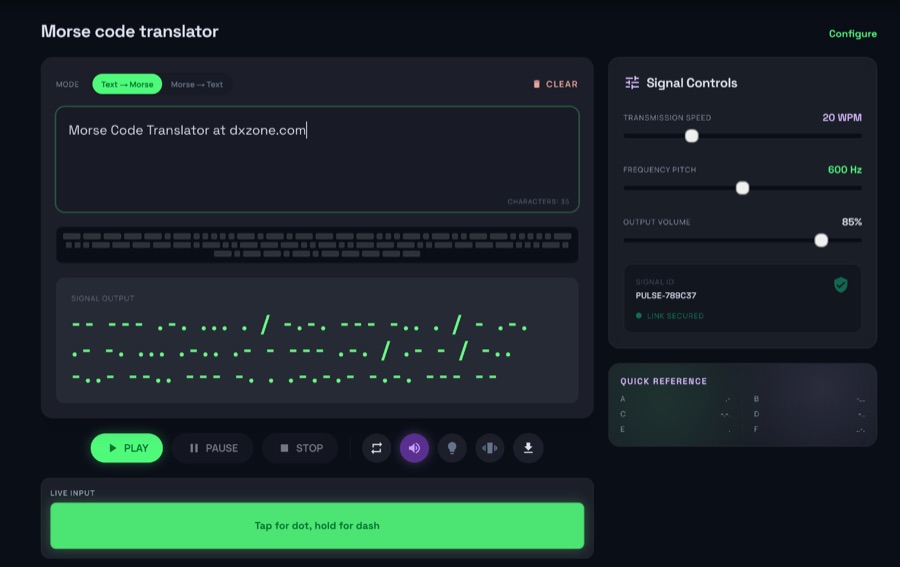 The morsecodeworld.org web application provides an online Morse code decoder and encoder, facilitating real-time conversion between text and International Morse code. It supports adjustable transmission speed (Words Per Minute), sidetone frequency pitch (Hz), and output volume, allowing users to customize their learning and practice environment. The tool includes a quick reference chart for the Morse alphabet and focuses exclusively on International Morse, aligning with contemporary amateur radio licensing and on-air practices, distinguishing it from historical American Morse code. This web-based utility enables users to type text for encoding into Morse audio or paste Morse code for decoding into plain text, offering immediate feedback on timing and character spacing. It supports both visual and auditory learning by providing adjustable parameters for speed and tone. The platform is designed for self-assessment, encouraging users to practice copying and sending, and to identify and correct common errors in character recognition and timing.
 -
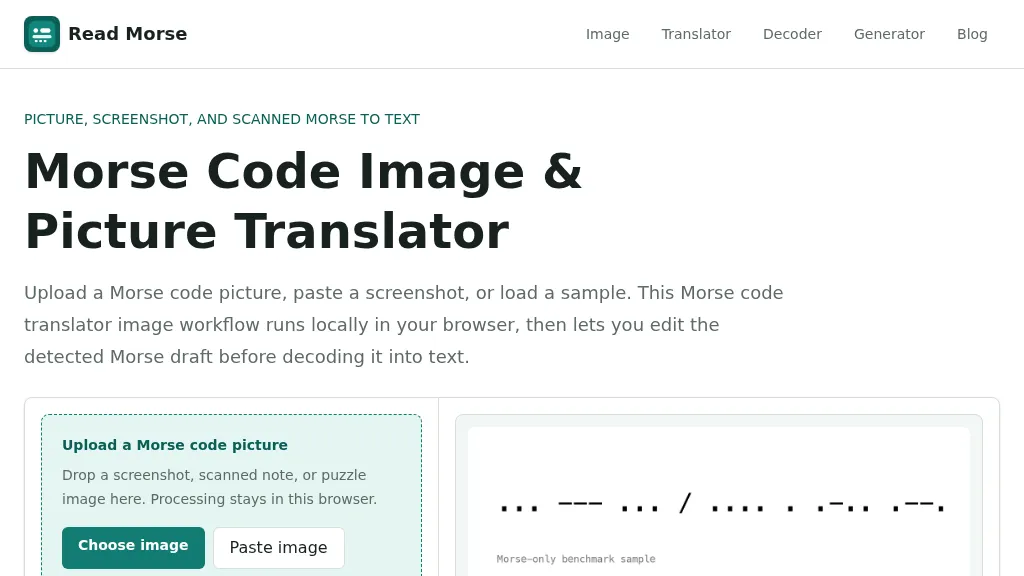 Decoding Morse code from visual sources like screenshots, scanned documents, or photographs presents unique challenges compared to audio-based reception. This web-based utility addresses these by allowing users to upload or paste images containing Morse code, which is then processed entirely within the user's browser, ensuring privacy. The tool identifies individual marks, classifying them as dots or dashes, and estimates letter and word spacing to generate an editable Morse draft. Users can refine the detection by utilizing controls for cropping, rotation, contrast boosting, and manual threshold adjustment, which are crucial for overcoming issues like low contrast, skewed baselines, or extraneous graphics. After the initial detection, the generated Morse draft, such as _... --- ... / .... . .-.. .--?_, can be manually corrected before being translated into plain text. The system provides confidence indicators and warnings to highlight potential ambiguities in the decoded output, prompting users to review and make necessary edits. This specialized approach differs from general OCR engines by focusing on the distinct patterns of Morse marks and gaps, rather than attempting to read standard alphanumeric characters. The tool supports common image formats like PNG, JPG, JPEG, and WebP, and includes sample images for benchmarking its performance, demonstrating its capability to handle various image qualities and complexities.
 -
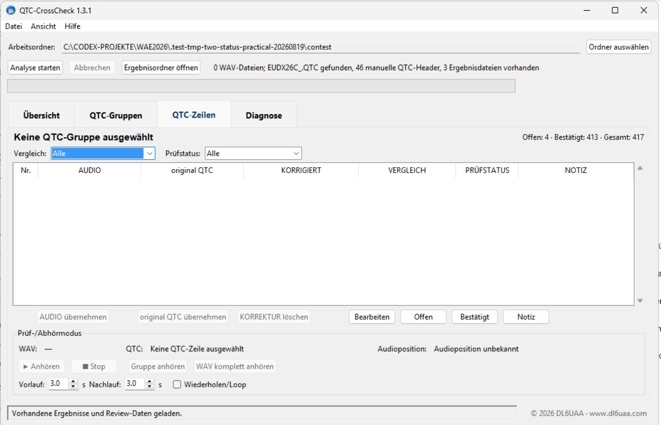 Version 1.3.1 of QTC-CrossCheck provides an offline Windows solution for radio amateurs engaged in **CW QTC** traffic during the Worked All Europe DX Contest (WAEDC). This specialized tool decodes received QTC groups directly from local WAV audio recordings, offering a critical aid for post-contest log verification. It facilitates a detailed comparison of the decoded QTC time, callsign, and serial data against an optional, manually created UCXLog QTC file, streamlining the often-tedious process of cross-referencing contest exchanges. The software integrates audio playback controls, allowing operators to review specific QTC lines with their corresponding audio segments. This feature is particularly useful for resolving discrepancies or confirming marginal decodes, ensuring accuracy in contest submissions. The application operates entirely offline, requiring no internet connection or formal installation, making it highly portable and convenient for contest stations. Operators can download the Windows ZIP archive, extract its contents, and run the `QTC-CrossCheck.exe` executable. A SHA-256 hash is provided for integrity verification, ensuring the downloaded file matches the official release. The utility is designed to assist with the rigorous demands of WAEDC QTC management.