Search results
Query: setup
Links: 455 | Categories: 47
Categories
- Technical Reference > 3D Printed Projects
- Shopping and Services > Accessories
- Shopping and Services > Antenna Mount
- Manufacturers > Antenna Rotators
- Manufacturers > Antenna Switches
- Operating Modes > Satellites > AO-51
- Technical Reference > Batteries > Battery Charger
- Radio Scanning > Beginner's guides
- Shortwave Radio > Beginner's guides
- DX Resources > IOTA > Blogs & Personal homepages
- Radio Equipment > HF Portable Antenna > Buddipole
- Antennas > C-Pole
- Manufacturers > Cable and Connectors
- Shopping and Services > Cables and Connectors
- Technical Reference > Coax Cables and Connectors
- Antennas > Feed Lines > Coax Stubs
- Radio Equipment > HF Vertical Antenna > Cushcraft R8
- DX Resources > DX Stories
- Operating Modes > EME
- Ham Radio > Personal Pages > Europe
- Ham Radio > Blogs > Europe
- Ham Radio > Ham Shack
- Operating Modes > HSMM
- Radio Equipment > HF Amplifiers > Icom PW-1
- Antennas > Installation
- Radio Equipment > HF Transceivers > Kenwood TS-990
- Antennas > Masts and mounts
- Manufacturers > Microphones
- Technical Reference > Microphones
- Operating Modes > Mobile > Motorcycle
-
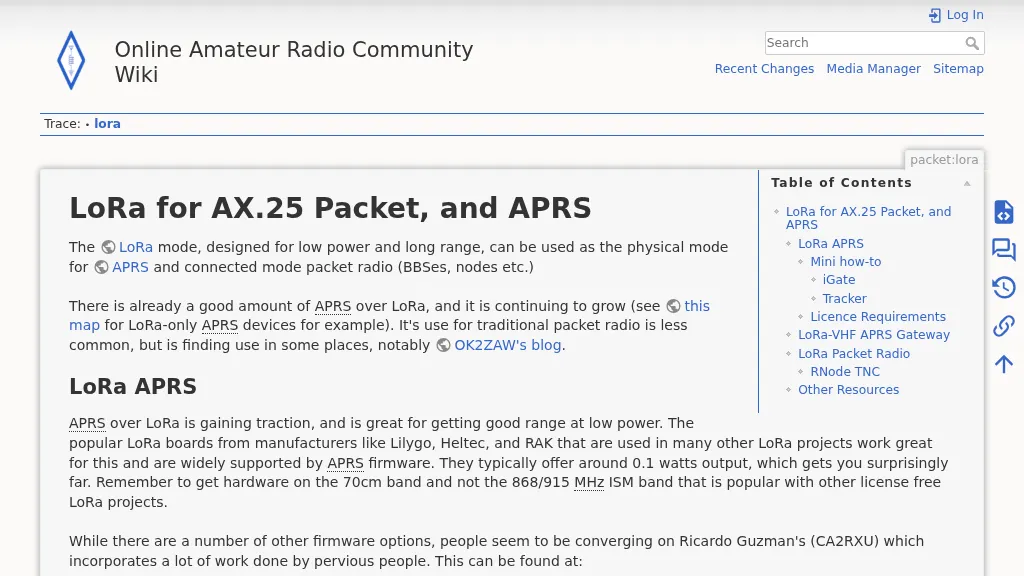 The resource details the use of LoRa for AX.25 packet radio and APRS, focusing on practical implementation. It specifies UK LoRa APRS frequency and modulation settings: **439.9125 MHz**, 125kHz bandwidth, SF12, and CR 4/5. The content provides a mini how-to for setting up an iGate using VS Code and _Platformio IDE_, with specific instructions for a Lilygo LoRa32 V2.1_1.6 board, including configuration for Wi-Fi, beaconing, and APRS-IS passcode. It also covers tracker setup using a Lilygo T-Beam Supreme, detailing firmware flashing and configuration for mobile operation. The guide differentiates LoRa APRS from traditional connected-mode packet radio, explaining why common LoRa APRS firmware is unsuitable for full AX.25 packet due to its TNC2-style payload structure. It explores alternative solutions for true LoRa packet radio, such as using an _RNode_ TNC or Raspberry Pi LoRa TNCs, and provides commands for RNode firmware installation and configuration for serial KISS operation. The resource also touches upon licensing requirements for unattended Digipeaters in the UK, noting the need for ETCC coordination and MB7Uxx callsigns.
 -
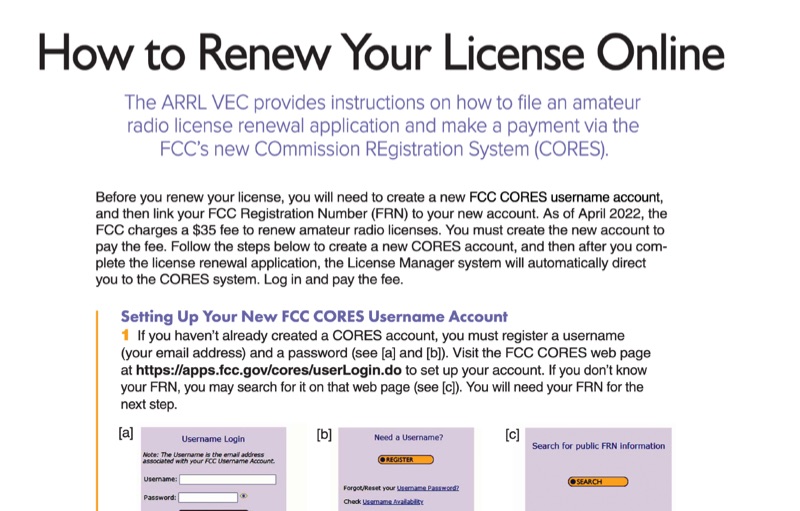 This resource provides a procedural guide for renewing an amateur radio license online through the FCC's COmmission REgistration System (CORES) and Universal Licensing System (ULS). It details the steps for creating a new FCC CORES username account, linking an FCC Registration Number (FRN) to the account, and managing FRN passwords. The document outlines the process for submitting a renewal application via the FCC ULS License Manager system, including payment of the **$35** renewal fee. Instructions cover license renewal eligibility within **90 days** before expiration and during the 2-year grace period post-expiration. The guide specifies the use of the FCC CORES web page at `https://apps.fcc.gov/cores/userLogin.do` for account setup and the FCC ULS License Manager system at `https://wireless2.fcc.gov/UlsEntry/licManager/login.jsp` for application submission. The process concludes with receiving an email from the FCC containing a link to the official license, valid for 30 days.
 -
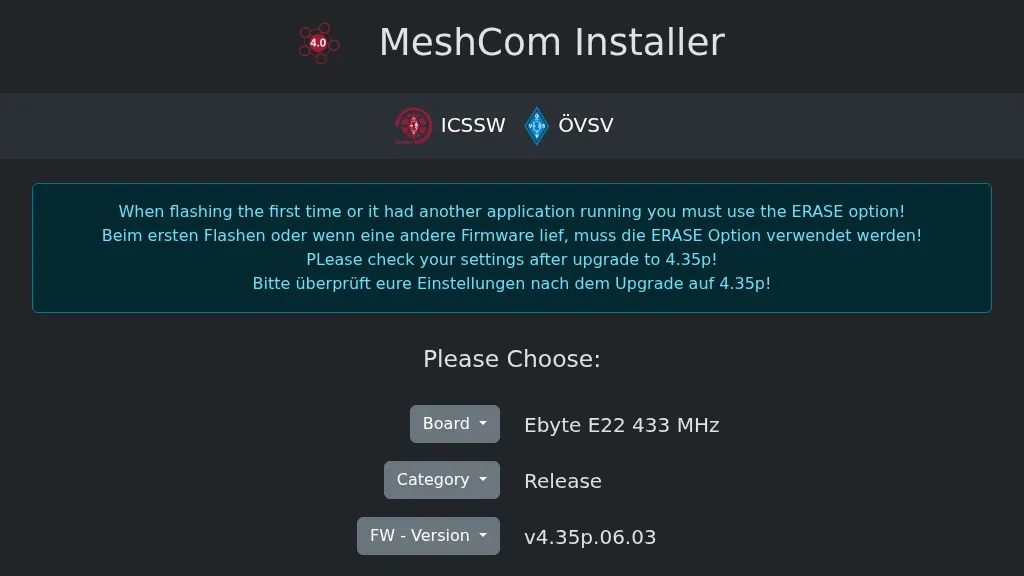 Operating a _MeshCom_ node requires specific firmware, and this web-based installer, developed by OE1KFR, streamlines the process for ESP devices. It provides a user-friendly interface for flashing and updating the MeshCom firmware, emphasizing the critical step of using the ERASE option during initial installations or when transitioning from other applications. The tool also advises users to verify their device settings after upgrading to firmware version **4.35p**, ensuring proper operation and configuration retention. This installer simplifies the deployment of MeshCom for amateur radio operators interested in mesh networking and LoRa applications. By offering a direct web interface, it removes the need for complex local toolchain setups, making it accessible for a broader range of hams. The direct download option for firmware versions further enhances its utility, providing flexibility for users to select the appropriate release for their specific ESP hardware.
 -
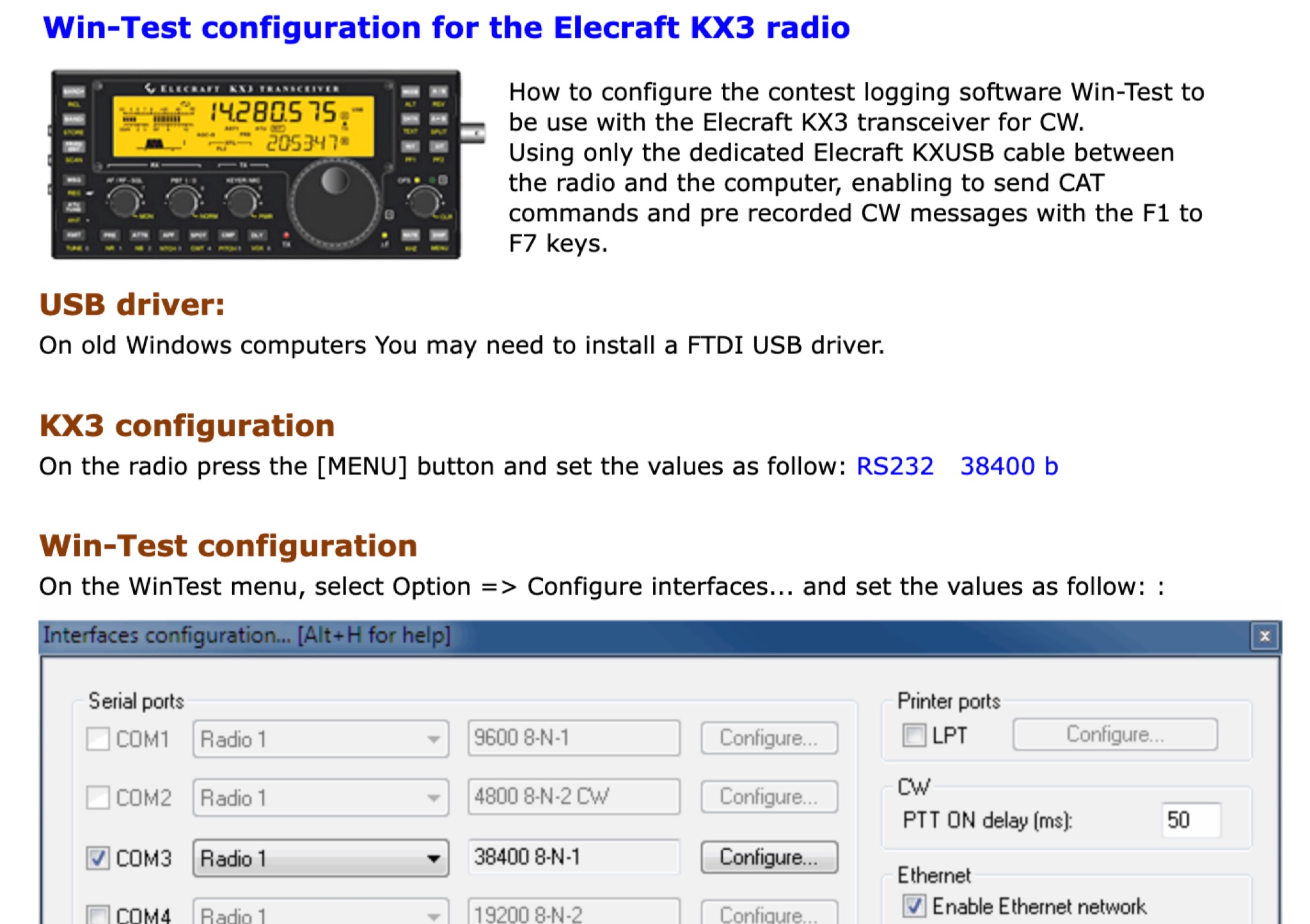 This page provides a detailed instructions on how to setup the KX3 transceiver with the Win-Test software. How to configure the contest logging software Win-Test to be use with the Elecraft KX3 transceiver for CW. Using only the dedicated Elecraft KXUSB cable between the radio and the computer, enabling to send CAT commands and pre recorded CW messages with the F1 to F7 keys.
 -
 Operating an **Echolink** gateway on the 4-meter band presents unique opportunities for extending VHF communications, as demonstrated by the EI4FMG node. Situated at Fieldstown, Monasterboice, this gateway provides coverage across a significant portion of Ireland's east coast, leveraging a Tait TM8100 radio and an EI4JR Echolink interface logic. My own experience with similar setups confirms the importance of strategic site selection for maximizing reach, particularly with a 122-meter elevation above sea level. Access to the EI4FMG gateway, identified by node 57006, requires a **CTCSS** tone of 88.5 Hz, a standard practice for managing access and minimizing interference on shared frequencies. The system transmits with 15 watts of power and utilizes a Sigma CAT70 @5MAGL antenna, a configuration well-suited for regional VHF coverage. The gateway also features an auto-ID every 8 minutes, ensuring compliance and clear station identification. Users can interact with the gateway using various DTMF commands, allowing for connections to specific nodes, random repeater/link or conference nodes, and managing disconnections. These functionalities streamline the process of linking into the broader Echolink network, enabling local VHF operators to communicate globally through the internet backbone.