Search results
Query: maidenhead
Links: 34 | Categories: 1
Categories
-
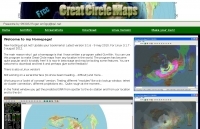 GCM is a freeware great circle map plotting software for windows, you can choose colours, scale, meridians, fields and or squares from the maidenhead locator system.
 -
 Windows application that will allow you to perform calculations with the popular Maidenhead Grid Square system. This grid system is used worldwide by amateur radio operators for many aspects of ham radio.
 -
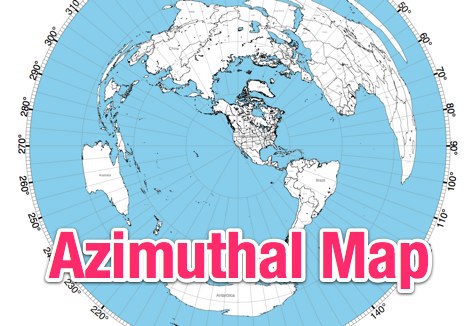 NS6T's Azimuthal Map generator provides a web form for creating custom azimuthal projections centered on a user-specified QTH. Users can input their location using latitude/longitude coordinates, a Maidenhead grid square (e.g., IO91um), or a city name, with support for both US and international locations. The system processes these inputs to render a map displaying true bearings from the specified origin. Output customization includes options for distance, with a recommendation for 17500 kilometers and 8.5" x 11" paper size for integration with PSTRotator software. The generated PDF can be zoomed and clipped for use as a .jpg file in PSTRotator/Maps directories. The tool also offers an experimental color azimuthal map variant. City data for non-US locations is sourced from The World Gazetteer. The resource encourages user feedback and problem reports via comments on the associated blog, aiming for continuous improvement of the mapping utility.
 -
 A large jpeg DX World map that include ITU Zones, grid squares and prefixes. This high-resolution DX World Map is an essential tool for amateur radio operators. It clearly displays ITU zones, CQ zones, grid squares (Maidenhead Locator), and DXCC prefixes, helping you to plan QSOs, track propagation paths, and participate in global contests. Whether you are a seasoned DXer or a beginner, this map provides a clear, detailed view of the radio world, improving your station's efficiency and geographic awareness. Available in JPEG format, it's perfect for display
 -
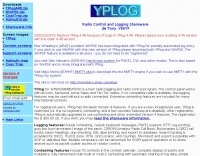 The AZIMUTH program plots a world map in either azimuth (beam heading) or Mercator projections. If you specify your home location in latitude and longitude, the azimuth projection is centred on your location. The Azimuth map program can display Maidenhead grids - this is useful for 6m, 2m, and UHF DX communication display. Various features of the map are: Azimuth or Mercator projections , Maidenhead grid display, Simple map zooming, Print maps with adequate resolution up to one meter sized map
 -

-
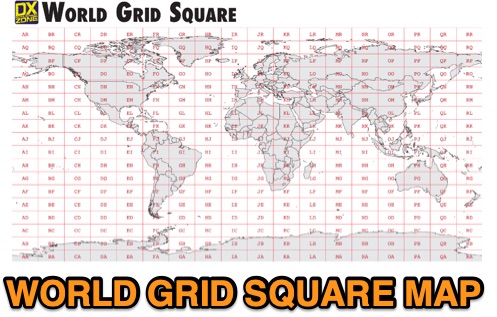 This free PDF file contains two Worldwide grid square maps. The first map displays the fields (first two letters of a maidenhead locator) while the second includes also squares (third and fourth digit) and it can be useful to determine what is your ham radio grid square. PDF file can be enlarged and scaled to A3 and higher dimensions.
 -
 Maidenhead grid maps for VHF/UHF, These maps make excellent wallpaper for your contest setup.
 -
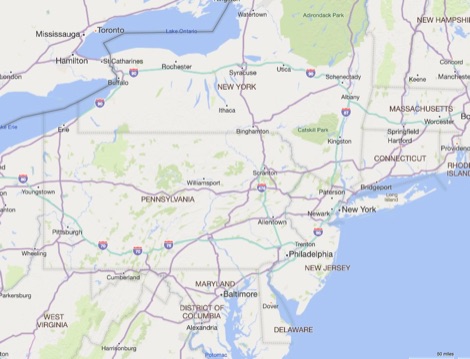 Amateur Radio Ham Radio Maidenhead Grid Square Locator Map online. This map allow just a point and click to determine dynamically the correct six characters locator. Other functions allow to calculate the distances among two given locators, or coordinates. Hover over map, specify grid, or enter latitude and longitude to show grid and/or calculate distance. Map is powered by Bing Maps.
 -
 Mapping software which links a Garmin GPS receiver to your Macintosh. Includes Maidenhead grid squares and beam-pointing maps.
 -
 This free program displays the location of any locator on a map. It calaculates between two Maidenhead locators the distance (km and miles) azimuth longitude latitude Show the location, direction and distance as you move your mouse on a map! Graphical Locator Program, By ON6MU
 -
 The Super Check Partial database files provide a list of callsigns used by active contesters. The data comes from Cabrillo logs contributed by contesters themselves. Contributed logs from the past 24 months are used to create the database. These logs are combined and filtered so that they result in a fairly good (but not perfect) list. The files do not contain any QSO data, such as state, CQ zone, Maidenhead Grid Locator, etc. The dta files can be used with CT, WriteLog, TRlog, SD, N1MM Logger, NA, Win-Test, and others
 -
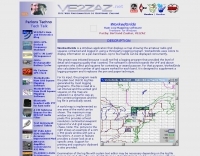 Displays amateur radio grid squares worked from third-party logging programs, providing a visual representation of contacts on a world map. This Windows application uses colors to differentiate up to four bands concurrently, calculating the total number of grid squares worked per band. It reads plain-text log files, including fixed-width, character-delimited, ADIF, and Cabrillo formats, dynamically updating the map as log files are saved during contests or general operation. Primarily targeting **VHF** and above operators, WorkedGrids aids in grid square collection for contesting and awards. The software offers a fixed-resolution continental viewpoint, zoom-in capabilities, and supports printing or copying the map to the clipboard. It operates on Windows 95 through Windows 11, requiring minimal CPU and RAM, and features a non-invasive installation. The program has undergone several updates, with version 7 released on March 3, 2024, addressing minor fixes and improving stability.
 -
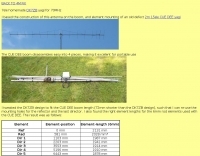 Demonstrates the adaptation and construction of a 7-element DK7ZB Yagi antenna for the 4-meter band (70 MHz), utilizing components from a defunct 2-meter CUE DEE Yagi. The resource details the modifications made to the original DK7ZB design to fit the shorter CUE DEE boom length, specifically adjusting element lengths for 6mm rod elements while reusing existing mounting holes for the reflector and last director. It provides precise element lengths for the reflector, dipole (12mm aluminum tube), and five directors, along with a note on cutting elements for transport. The article includes a 4NEC2 simulation file for performance analysis and an SWR plot, confirming the antenna's electrical characteristics. It also specifies the calculation for the quarter-wavelength matching cable using SAT752F coaxial cable, resulting in a 909mm length. Practical application is shown with the finished antenna in operation at JO20XC, listing several activated Maidenhead squares such as JO56PA and JP40KS, validating its effectiveness for portable 70 MHz operations.
 -
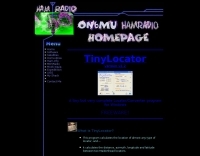 This free program calculates the location of any locator. It calaculates the distance, azimuth, longitude and latitude between two Maidenhead locators. Converts longitude/latitude coordinates to Maidenhead locator Converts Maidenhead locator to longitude/latitude coordinates
 -
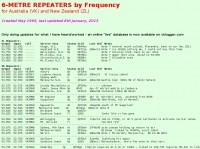 Presents a detailed compilation of **6-meter** voice repeaters operating within the 53-54 MHz segment across Australia (VK) and New Zealand (ZL), providing essential data for local and visiting radio amateurs. Each entry specifies the repeater's output and input frequencies, its assigned callsign (where applicable), the primary service area, current operational status (e.g., operational, under construction, scrapped), and a **Maidenhead grid locator**. The resource also includes the date the repeater was last heard or updated, offering insights into its recent activity. This listing is meticulously maintained by VK2KFJ, who updates entries based on personal observations and confirmed reports from other operators. It serves as a practical reference for hams seeking to utilize the 6-meter band for local communication via repeaters, particularly for those engaged in mobile or portable operations within the specified regions. The data helps operators configure their transceivers correctly for accessing these vital communication hubs. Beyond the repeater details, the page also notes common 6-meter FM voice simplex frequencies, such as the 52.525 MHz international call frequency, and lists historical packet simplex frequencies, though their current operational status is uncertain. This comprehensive approach ensures that operators have a broad overview of 6-meter activity in VK and ZL.
 -
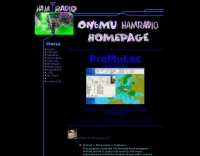 This program combines the formerly know programs PreFind and MU-Locator into one but with many improvements to find the location of any prefix, country or Maidenhead locator! Display and find locators on any map and calculate the distance and direction between two locators.
 -
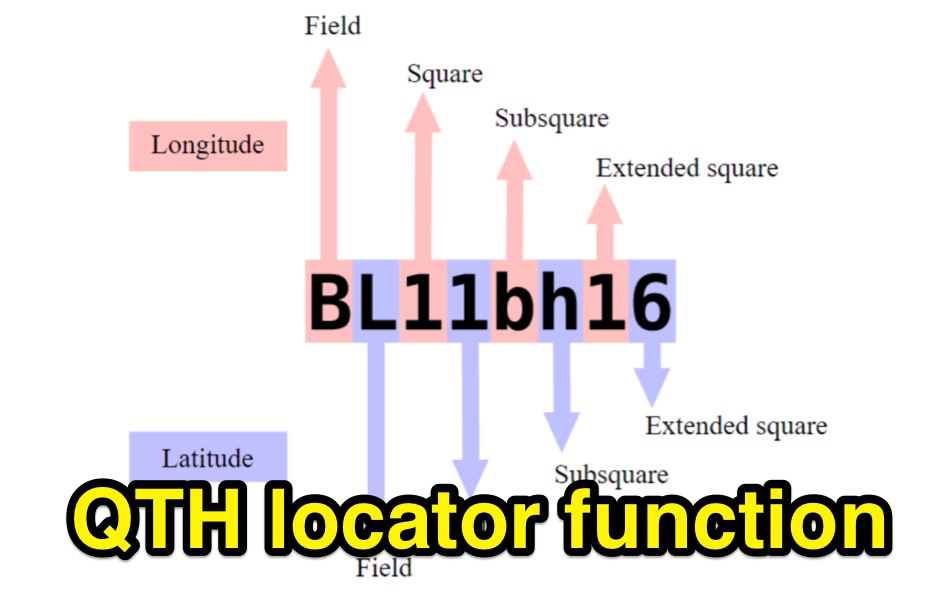 Python functions for converting decimal coordinates to QTH locator and backwards. Useful for program software developers to determine grid square locator, also known as maidenhead locator system.
 -
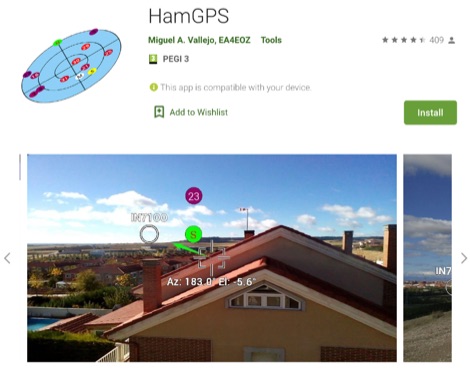 Display your current Maidenhead locator with 10 digit precision. It also computes bearing and distance to a set of target locations using locator or latitude / longitude. Useful to align antennas in VHF / UHF / microwave DX activities. No network or fancy maps usage, so it can be used even in remote locations.
 -
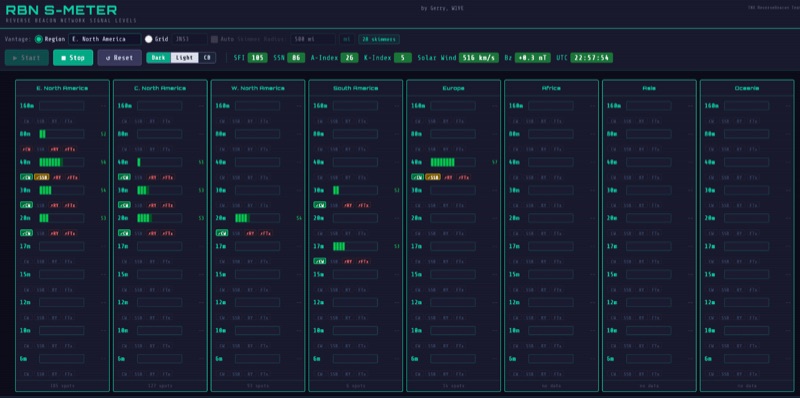 The RBN S-Meter visualizes real-time HF propagation data from the Reverse Beacon Network (RBN). It processes thousands of automated spots per hour, providing a real-time picture of active RF paths on HF bands. Users can set their vantage point using _Region Mode_ or _Grid Square Mode_. Region Mode allows selection from broad geographic areas like E. North America or Europe, while Grid Square Mode uses a Maidenhead grid square and radius for more precise data. The app displays eight region panels, each with horizontal bars for bands 160m through 6m, indicating signal strength with a color ramp from green to red. A dimmer trail shows peak hold values, and an S-unit readout provides additional detail. The app is a free web application accessible on any device, offering a practical tool for ham radio operators interested in CW, RTTY, and FT8 signals. It features a Progressive Web App installation option for enhanced usability on mobile and desktop platforms. Users can install it on Android, iOS, and Windows devices, providing a native app-like experience. The app replaces the previous Windows standalone executable, incorporating user feedback to improve features like grid square mode and automatic location detection.
 -
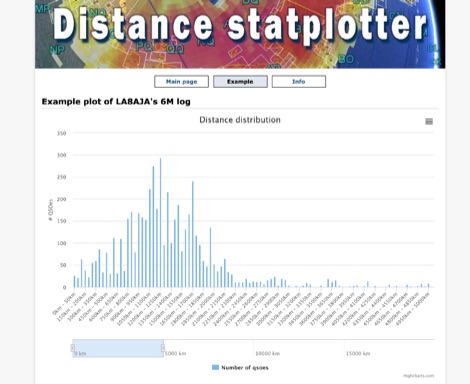 You can upload your adif-file It then checks the qso for specified band and if a maidenhead locator is specified. It then builds an array and plot a graph.
 -
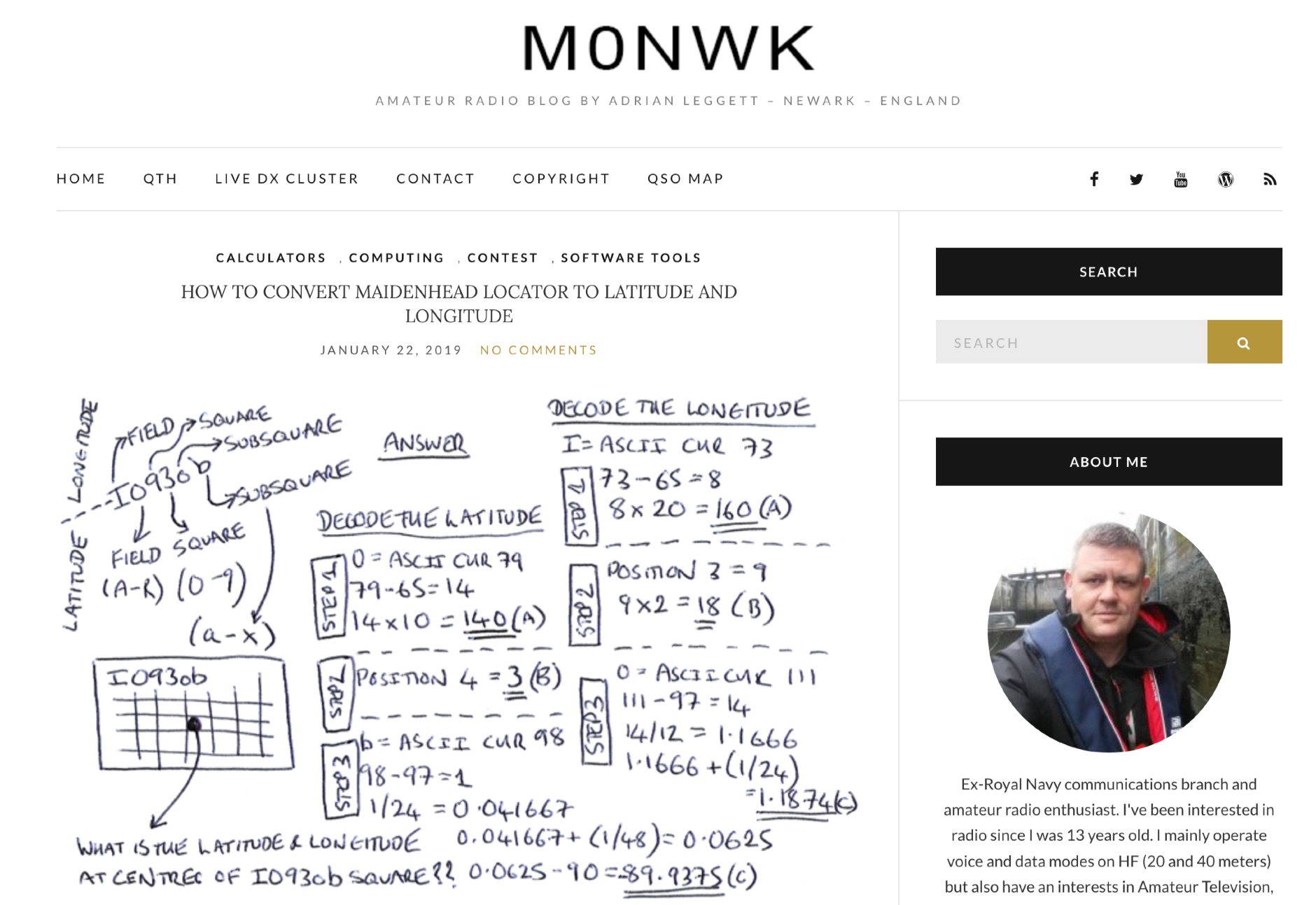 Blog post by Adrian M0NWK showing how to calculate the latitude and longitude at the centre of a Maidenhead locator using basic maths.
 -
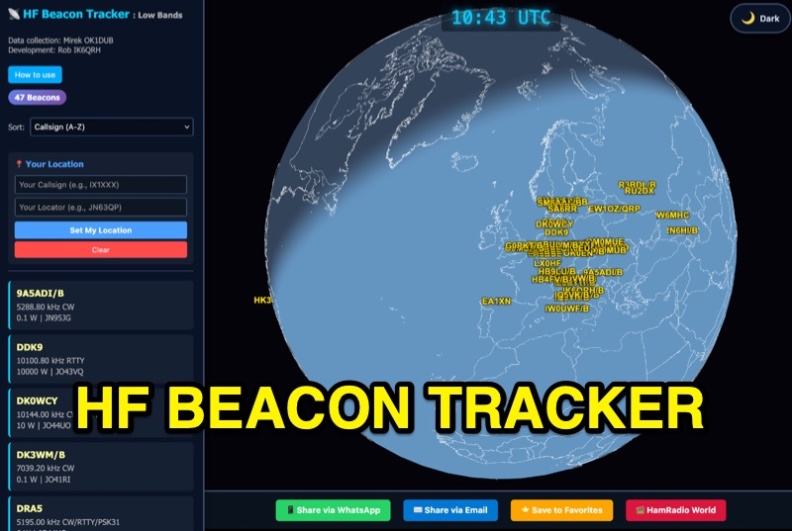 The HF Beacon Tracker is an advanced interactive tool designed for DXers and ham radio opoerators in general to monitor active beacons operating below 14 MHz. Built upon a high-fidelity 3D Earth globe, the application provides a spatial perspective on signal paths by integrating real-time environmental data with a comprehensive beacon database curated by Mirek OK1DUB. Beacons are plotted using precise Maidenhead locators and feature a real-time day/night terminator overlay to help operators identify Gray Line propagation opportunities. With a single click, users can calculate the exact distance from their own QTH to any beacon, visualized via an animated Great-Circle Path arc on the globe surface. To enhance its diagnostic capabilities, the tool seamlessly integrates with PSK Reporter, allowing users to right-click CW beacons to instantly fetch current reception reports and signal strength data. The interface is fully optimized with a mobile-responsive design, smooth globe rotation, and togglable Dark/Light themes suitable for any shack environment. Whether you are performing antenna gain tests, conducting ionospheric research, or simply hunting for band openings, the HF Beacon Tracker transforms raw database information into an intuitive, visual diagnostic suite. It serves as an essential asset for any operator looking to master HF band conditions.
 -
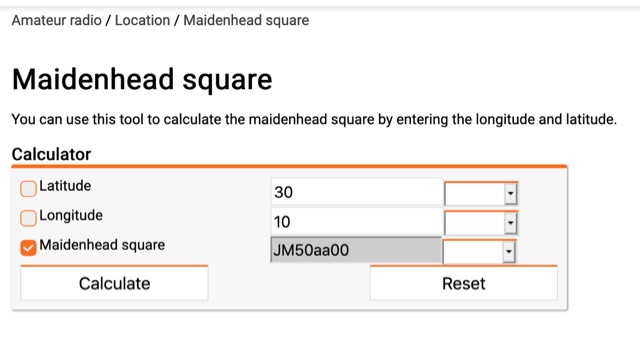 You can use this tool to calculate the maidenhead square by entering the longitude and latitude.
 -
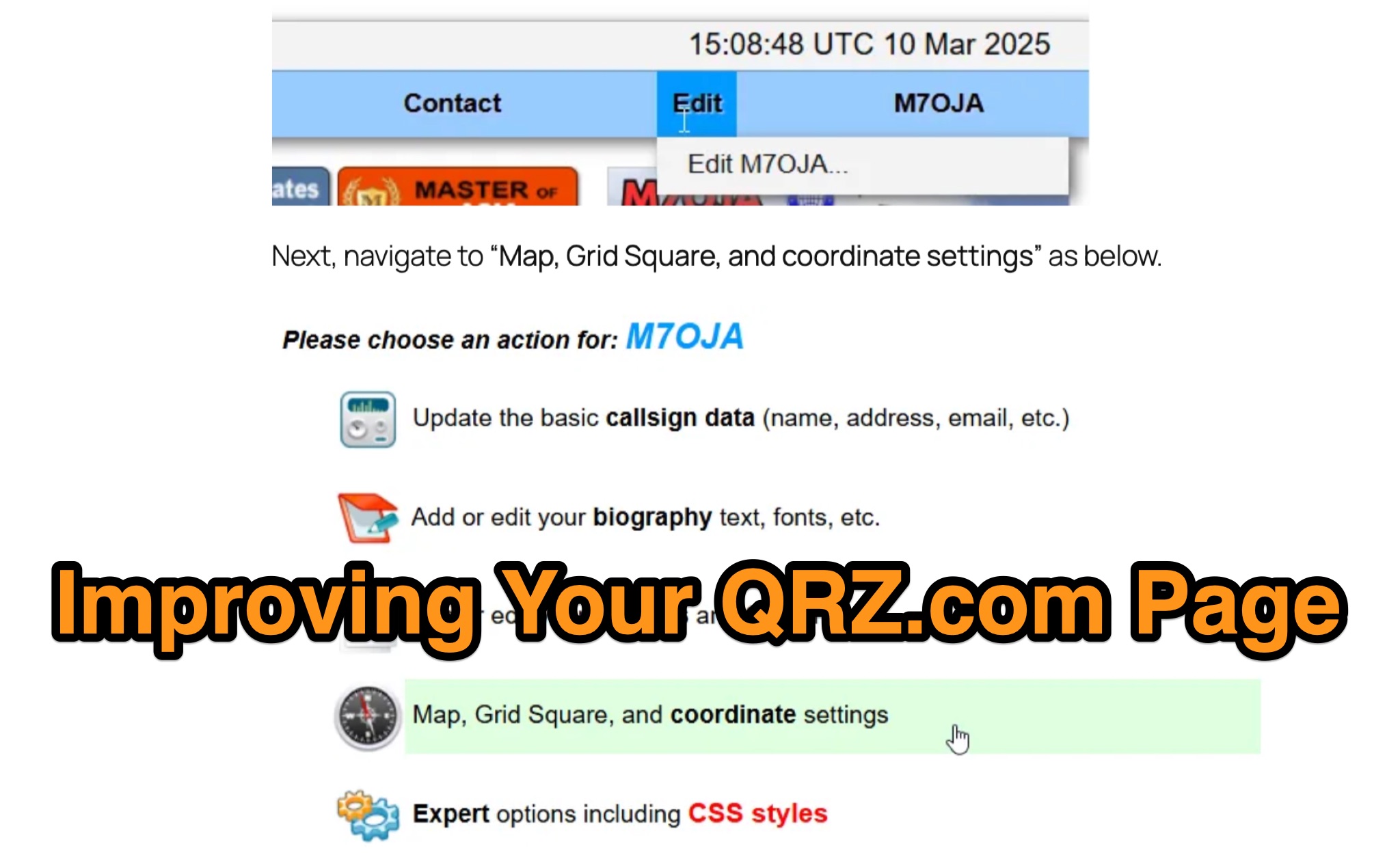 Optimizing a QRZ.com page involves adding essential callsign data, ensuring correct _Maidenhead Gridsquare_ and DXCC information in the Detail tab, and populating the Biography section with relevant station details. Operators should include their operating conditions, specific country references like WAB square, club affiliations, and detailed QSL information, specifying preferences for electronic confirmations (e.g., _LoTW_, Clublog) and paper QSLs (direct, bureau, SASE). The guide emphasizes the importance of accurate data for electronic logging software integration, which fetches Gridsquare, DXCC, and CQ/ITU zones to populate contact logs correctly. Further enhancements include leveraging the QRZ.com photo gallery for images and setting a primary image that logging software like _Log4OM_ can display. Advanced customization involves embedding external services via HTML source code. Examples include integrating HamAlert for DX Cluster spots, Clublog for log searches and Online QSL Requesting (OQRS), and Parks on the Air (POTA) statistics widgets from WD4DAN. Additionally, live weather information from Weather&Radar and solar data banners from HamQSL can be embedded, providing real-time environmental context for visitors to the QRZ page. These embedded tools require creating accounts on respective platforms and often involve copying specific source code snippets into the QRZ biography's HTML editor, ensuring callsign placeholders are updated.
 -
 A real-time, responsive map view of APRS (Automatic Packet Reporting System) information, CWOP (Citizens Weather Observer Program), and other APRS-IS sources across the world. The N2RWE Real-time APRS Map leverages cutting-edge technologies and custom software to present a dynamic and user-friendly platform for visualizing Automatic Packet Reporting System (APRS) data. This web application aggregates real-time station locations from various public sources, offering a comprehensive view of APRS activity. It caters to both novice and experienced users by providing features like Maidenhead Grid maps, station lists, license plate searches, and advanced tools for geolocation, address lookup, and data analysis. Additionally, the platform integrates with Summits on the Air (SOTA) information, enhancing the experience for SOTA enthusiasts. By actively supporting the #APRSThursday net, the N2RWE Real-time APRS Map fosters a collaborative environment for the APRS community.
 -
 Open source code to add CQ Zone, ITU Zone and Maidenhead Locator to your leaflet maps.
 -
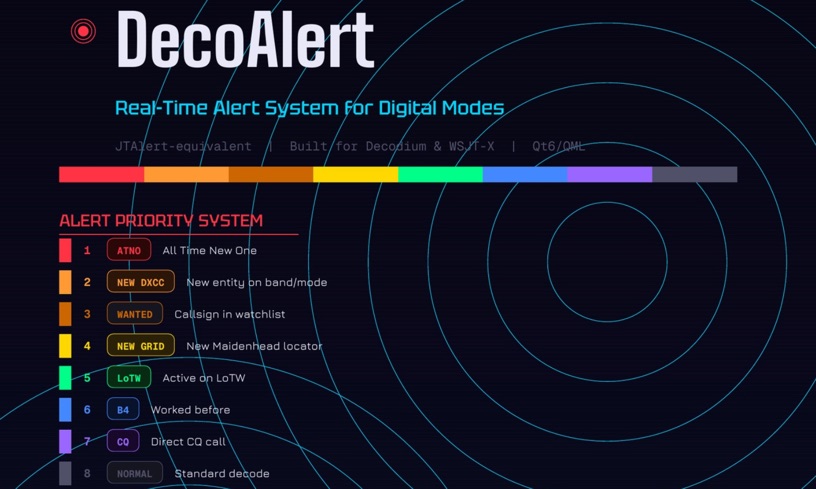 DecoAlert 1.0 Beta is a companion application designed to enhance the digital mode operating experience, specifically for FT8, FT4, and FT2. It operates by monitoring UDP data streams from primary decoding software like _Decodium_ and _WSJT-X_ on port 2237. The software provides real-time, priority-based audio alerts using WAV sounds for various conditions, including All Time New Ones (ATNO), new DXCC entities per band/mode, user-defined watchlist callsigns, new Maidenhead grid squares, and LoTW-active stations. It also highlights previously worked stations (B4) and integrates live DX spots from Telnet clusters, offering a comprehensive suite of tools for serious digital mode operators. The application features a built-in SQLite database for tracking worked stations and integrates with LoTW user lists to identify confirmed contacts. A DX Cluster client supports multiple Telnet servers, providing a broad view of propagation. PSKReporter statistics are available by band and mode, offering insights into signal paths. The QSO log viewer includes search and filter capabilities, while an _OpenStreetMap_ (OSM) interface visualizes spot locations, aiding in situational awareness. DecoAlert requires Windows 10/11 (64-bit) and compatible digital mode software configured to send UDP data.
 -
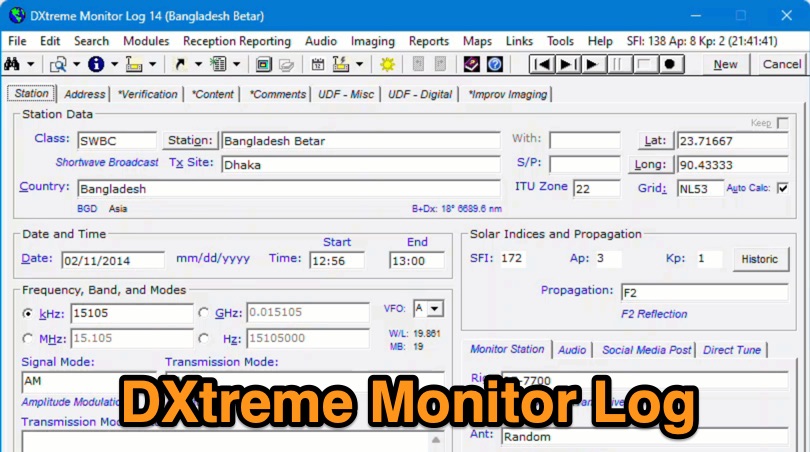 Demonstrates the capabilities of DXtreme Monitor Log 14, a specialized software application designed for radio spectrum monitoring and logging. The resource details its core functionality, which includes logging stations across various bands and supporting multiple transmission modes such as AM, CW, FM, LSB, USB, and RTTY. It highlights features like the ability to select country formats for new databases and the **Schedule Checker** tool, which assists users in identifying broadcast stations for monitoring. The software facilitates tracking **Maidenhead grid squares**, particularly useful for VHF and UHF monitoring activities. It also supports QSL management and offers tools for efficient contact logging, catering to both amateur radio operators and shortwave listeners. Specific information includes its version number, Monitor Log 14, and its utility for DXers and other radio enthusiasts in managing their monitoring experiences and logging contacts effectively.
 -
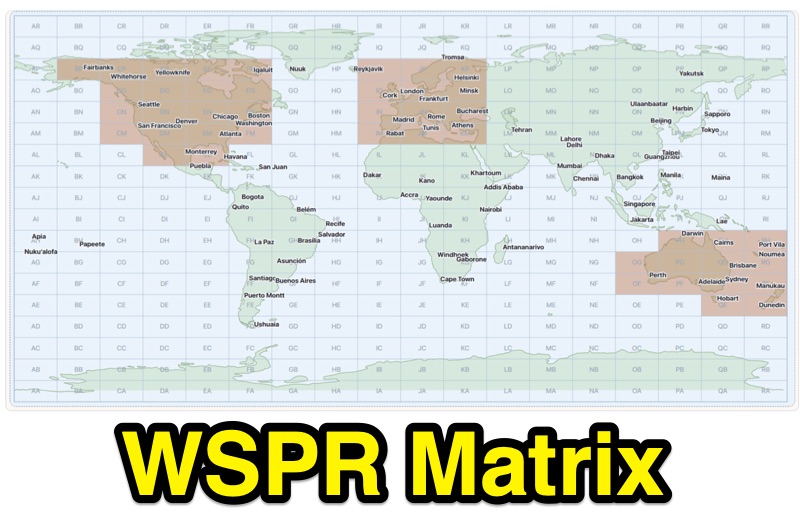 Demonstrates WSPR propagation activity, presenting observed data by reporter, band, UTC time, local time, and user-selected global destination areas. The application allows users to analyze WSPR spots from a live data server or import saved WSPRnet query files, bypassing the 10,000-row download limit by collecting individual band files for busy bands. Users can configure band preferences and destination modes, choosing between city radius or Maidenhead map grids for filtering path destinations. The interface provides options to start current-day live collection, a 7-day continuous archive, or load previously saved data to build the propagation matrix. Diagnostic information and archive history are accessible, alongside map setup controls for grid contrast and visibility. The tool supports both Path 1 and Path 2 map destinations, enabling detailed analysis of WSPR signal paths.
 -
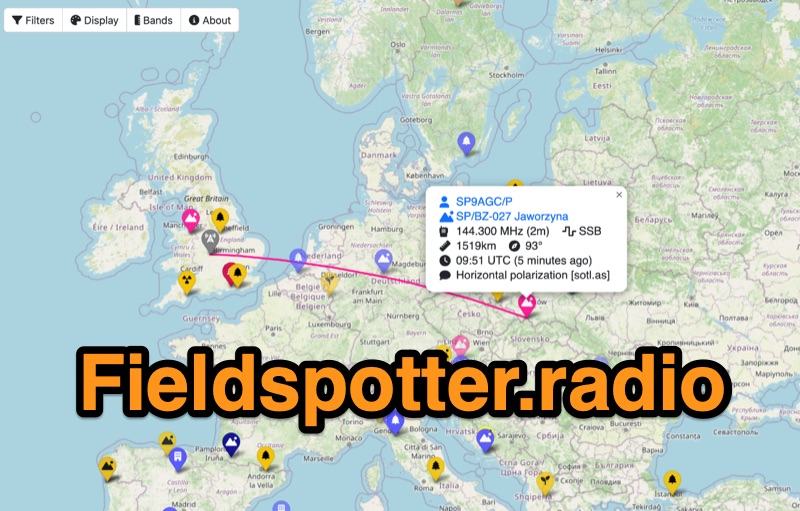 Field Spotter is a **web-based spotting tool** specifically engineered for portable amateur radio operations such as POTA, SOTA, and WWFF. It presents real-time activity on an interactive map, allowing users to visualize activator details, park/summit codes, distance, and spot age, with older spots gradually fading for clarity. The interface includes robust filtering capabilities by program, mode, and band, alongside extensive display configurations for map styles, the **terminator (greyline)**, Maidenhead grid, CQ zones, ITU zones, and WAB/WAI grids. Users can customize spot display duration, show QRT and pre-QSY spots, and select from various map providers like OpenStreetMap and ESRI. Authored by Ian Renton M0TRT, Field Spotter also incorporates features for re-spotting and provides convenient popup links to external callsign lookup services, program websites, and WebSDRs, including a 750Hz offset option for CW reception. The platform operates with a strong emphasis on user privacy, collecting no personal data and storing any location or callsign information exclusively on the user's local device, ensuring a secure and private spotting experience for portable ops.
 -
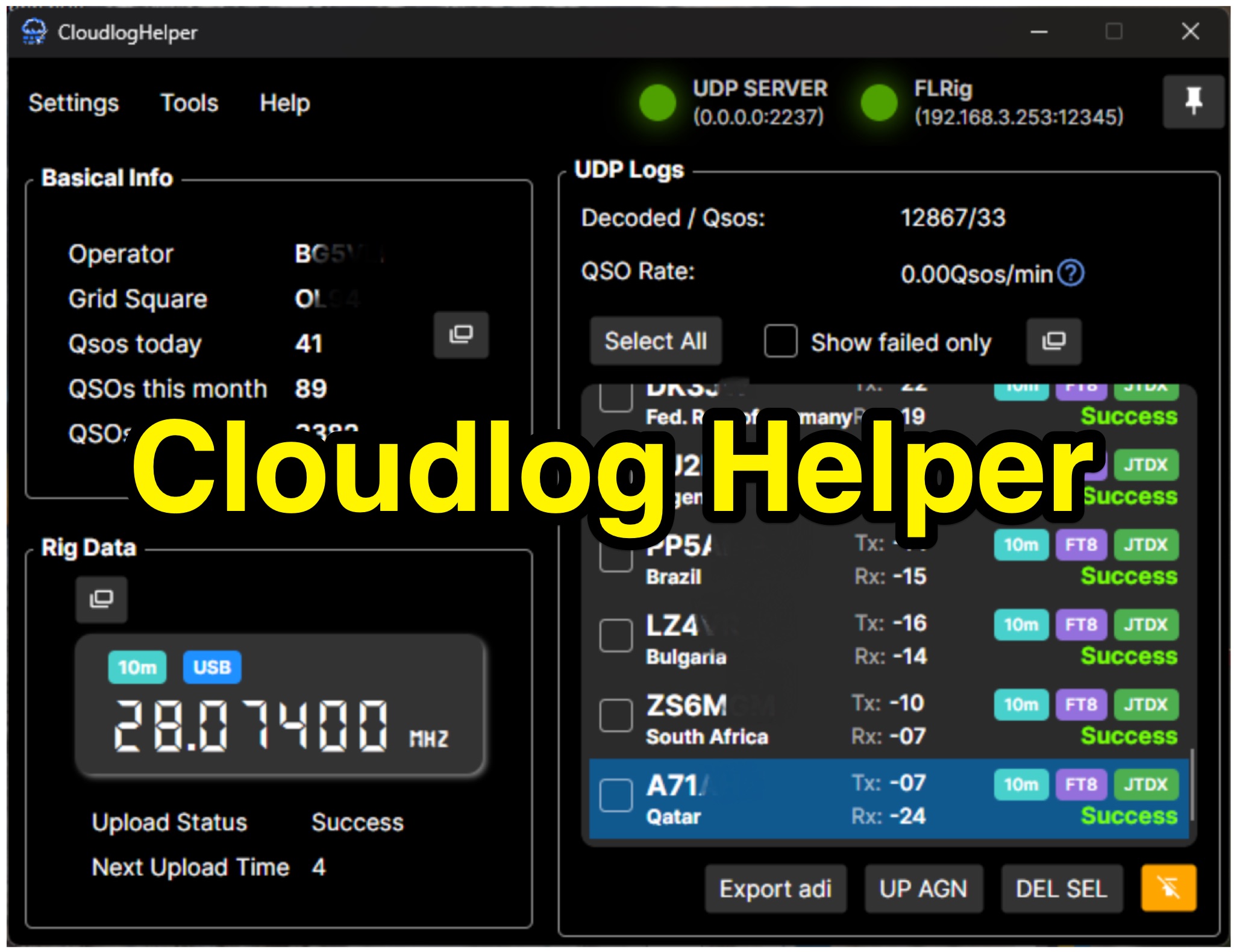 Cloudlog Helper addresses the need for streamlined, automated logging of amateur radio contacts, particularly for operators utilizing digital modes like FT8 or those with limited system resources. This utility syncs real-time rig data and QSO information to various logging platforms, including _Cloudlog_ and Wavelog, supporting mainstream transceivers. It integrates seamlessly with popular digital mode software such as JTDX and WSJT-X, ensuring that contact details are captured and uploaded without manual intervention. Operators can compile the software themselves and configure essential settings, including their Maidenhead locator, Cloudlog server address, API key, and station ID. The application's design prioritizes efficiency and portability, making it a practical solution for hams who prefer automated logging processes. While an unofficial community project, Cloudlog Helper provides a robust framework for automating the often-tedious task of logging, supporting multiple logging services beyond its primary integration. It offers a direct method for hams to maintain accurate and up-to-date logbooks with minimal effort, potentially improving their DXCC or other award tracking by ensuring no QSO is missed.
 -
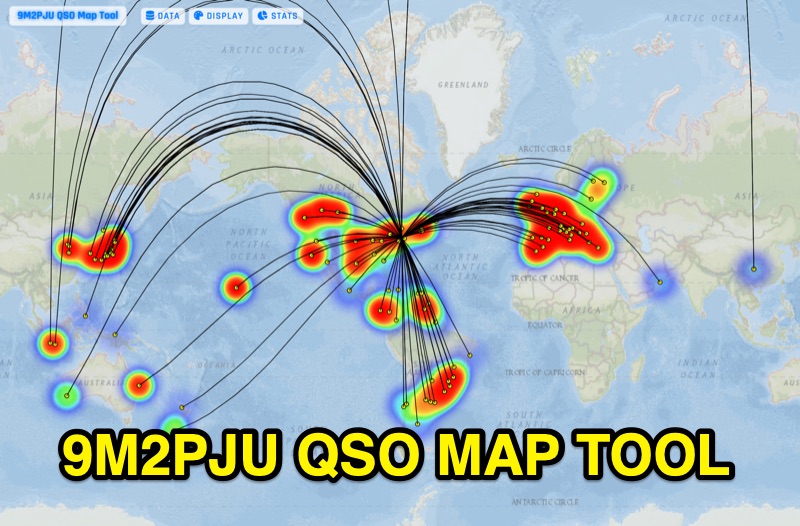 Presents the 9M2PJU QSO Map Tool, a web-based utility designed by Ian Renton for visualizing amateur radio contacts. This tool processes ADIF, Cabrillo, and SOTA CSV log files, allowing operators to plot their QSOs on a selection of base maps, including ESRI NatGeo World Map and OpenStreetMap Mapnik. Users can configure display options such as simple dot markers or xOTA hunter markers, QTH location, outlines, shadows, and geodesic lines, with coloring by band or a fixed hue. The application supports drawing per-band heatmaps and offers overlays for Maidenhead grid squares, CQ zones, ITU zones, and Worked All Britain/Ireland grids. It also provides QSO filtering capabilities and displays comprehensive log statistics, including unique calls, grid squares, CQ zones, ITU zones, and worked DXCCs. Customizable band and mode colors, alongside specific xOTA icons for programs like POTA, SOTA, WWFF, IOTA, and WCA, enhance the visual analysis of operating activity.