Search results
Query: Morse to text
Links: 43 | Categories: 1
Categories
-
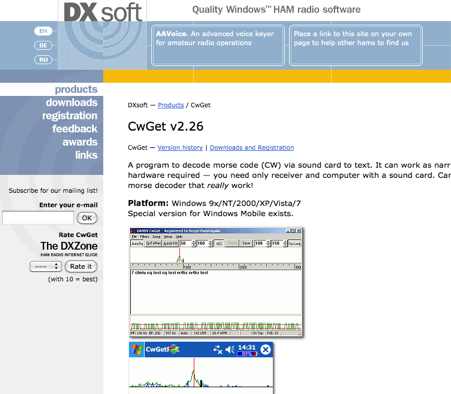 CwGet v2.55 is a software application for amateur radio operators designed to decode Morse code (CW) signals into text using a standard computer sound card, eliminating the need for specialized hardware. The program features a customizable interface with a spectrum display for visualizing signal frequencies and peaks, an oscillogram for monitoring signal presence and setting detection thresholds, and a received symbols window for displaying decoded text. Key functionalities include Automatic Frequency Control (AFC) to lock onto signals, adjustable FIR and IIR filters for noise reduction, and a burst filter to mitigate short noise impulses. It also supports automatic CW speed detection, multiple character sets, and the ability to record and replay received audio. Integration with logging software like AALog is facilitated through double-click word transfer, and transceiver frequency control is possible via the Omni-Rig interface, allowing for automatic tuning of the radio's VFO or RIT. The multi-channel decoder feature can simultaneously decode up to five strong signals within a 1600 Hz bandwidth, displayed in a separate Multi-RX Window with an adjustable squelch. CwGet also offers the capability to decode signals from pre-recorded WAVE files and can function as a narrow-band sound DSP filter for aural decoding. This is a commercial version and it has been tested on latest MS Winows versions.
 -
 CW Decoder provides a robust solution for amateur radio operators aiming to decode Morse code directly on their computer. The software processes incoming audio, presenting the decoded CW as text on the screen, which can be particularly useful during crowded band conditions or for those refining their copying skills. Additionally, it offers the capability to generate a sidetone, allowing operators to monitor the decoded audio in real-time. The application features a **spectrum display** of the audio input, complete with a sliding cursor. This visual aid enables precise selection of a specific audio frequency for decoding, helping to isolate desired signals from QRM. My field experience with similar decoders confirms that a clear visual representation of the signal greatly improves decoding accuracy, especially when dealing with weak signals or multiple stations. Beyond decoding, the program integrates a **keying function**, allowing users to transmit CW directly from their keyboard. This feature supports full CW break-in operation, which is essential for efficient contesting and DXing, providing immediate switching between transmit and receive modes without manual intervention.
 -
 MRP40, a successor to the well-regarded MRP37, offers robust Morse code decoding capabilities by processing analog audio signals via a sound card and displaying the decoded text on a computer monitor. My own field tests with similar sound card decoders confirm that the quality of the audio input and proper signal conditioning are paramount for achieving reliable decoding, especially with _weak signals_. The program also facilitates CW transmission, converting keyboard input into Morse code to key a transceiver, a feature I've found useful for practicing sending or for quick contest exchanges. Beyond its core CW functions, MRP40 incorporates a convenient mini-logbook, which automatically checks for prior contacts and allows for quick logging by double-clicking callsigns in the receive window. This integration streamlines the logging process, a significant advantage during busy operating sessions where every second counts. The software also generates Morse tones using the sound card, a handy utility for testing tone sequences or for basic code practice. Additionally, the suite includes a DTMF decoder and generator, which can be used for decoding telephone dial tones or data transmissions over amateur radio frequencies. It also features MF-TeleType, a sound card-based audio data modem for transmitting text via radio, utilizing a principle similar to DTMF for encoding and decoding, offering a simple method for digital text communication.
 -
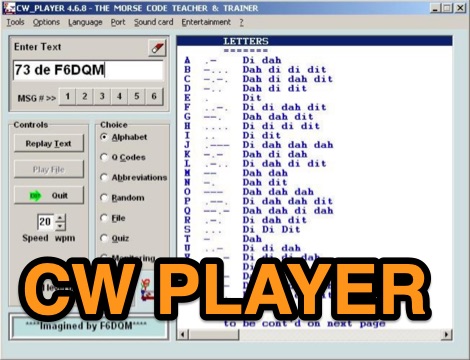 CW Player version 4 is a simple freeware program generates Morse characters and Q codes. It needs a sound card and at least Windows XP. It can generate morse code from text files, and it includes also a simple decoder function. This is a useful piece of software if you want to learn morse code reception.
 -
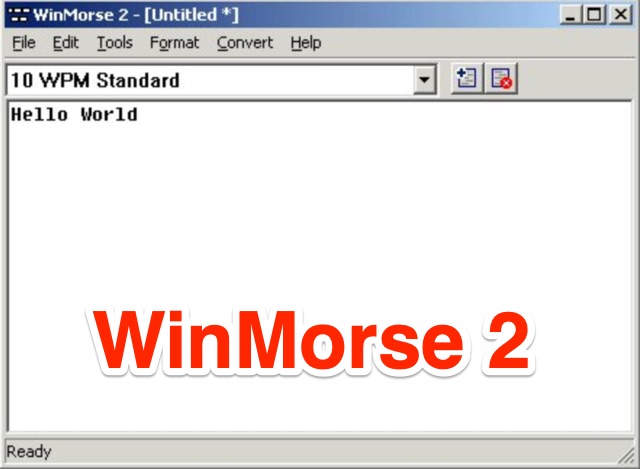 Convert text into morse code. It does this by reading text from one of three sources: the Windows clipboard, a file, or you may directly type the text. WinMorse outputs the morse code as a standard windows wav file
 -
 A program to decode Morse code via sound input of PDA to text. No additional hardware required - your need only receiver and PDA with sound input. Built-in microphone of device can be used also.
 -
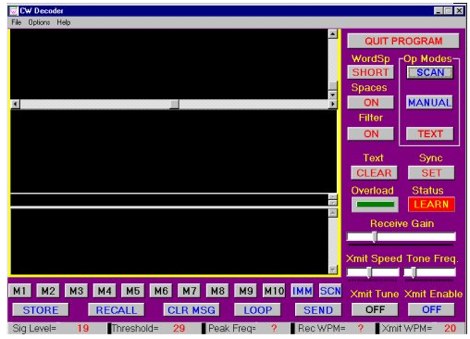 The CW Decoder program facilitates copying Morse code with a computer, displaying decoded CW as text, and generating a sidetone. It incorporates a spectrum display of the audio, allowing operators to select a specific audio frequency for decoding via a sliding cursor. This utility also enables keyboard-based transmitter keying, supporting full CW break-in operation for efficient QSO management. Developed by WD6CNF, the software is a Windows-compatible application designed to assist amateur radio operators in their CW activities. Its features cater to both decoding received signals and transmitting via keyboard input, streamlining the CW operating experience. Functionality includes real-time audio analysis and signal processing, providing a visual representation of the CW signal. The program's integrated keying capability offers a direct interface for transmitting, enhancing its utility as a comprehensive CW station tool.
 -
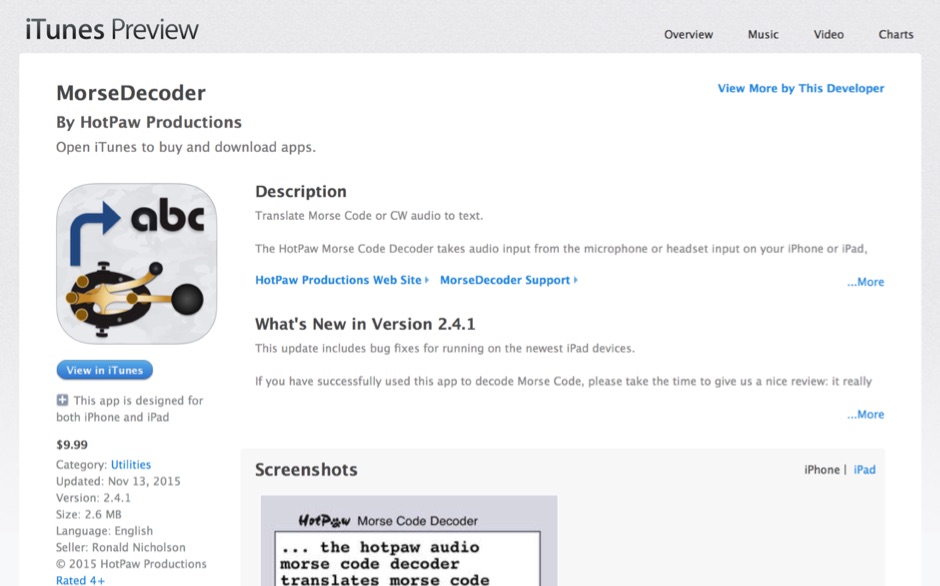 HotPaw MorseDecoder, an iOS application, provides real-time translation of Morse Code audio signals into plain text, leveraging the device's microphone or headset input. It incorporates a DSP narrow-band audio filter, adjustable from 300 to 2400 Hz, to mitigate background noise and QRM, enhancing signal clarity for decoding. The application offers both an automatic decoding mode and manual controls for fine-tuning parameters such as audio filter frequency, WPM dot/dash speed, noise threshold, and Farnsworth timing. The WPM detection automatically adapts from 8 to 40 WPM, with a QRQ High Speed mode extending this range to 30-80 WPM for faster code. A built-in spectrogram aids in identifying the precise audio frequency of the CW tones. User feedback indicates effective performance with various transceivers like the Yaesu FT-857 and Icom IC-R8600, particularly when manual settings are optimized. The app's ability to visually tune stations within the passband and decode speeds beyond an operator's manual capability has proven beneficial during contests and general QRP operation.
 -
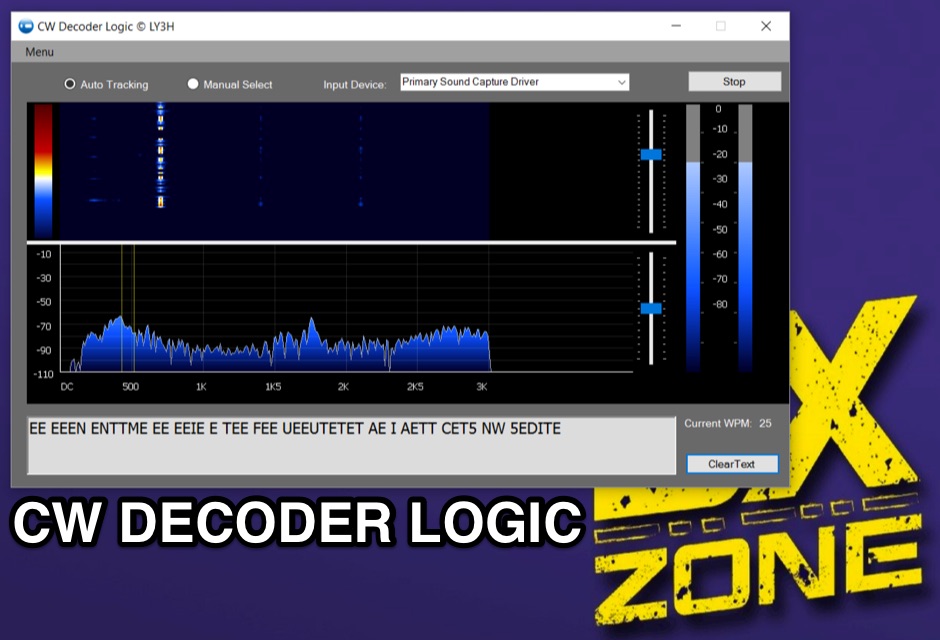 Demonstrates CW Decoder Logic, a freeware application for Windows Vista SP2, 7, 8, and 10, designed to decode Morse code signals. The software incorporates an optimized 80 Hz DSP filter, enabling reception of CW signals across a speed range of 5 to 60 WPM. Key features include automatic signal tracking within a 3 KHz range, real-time speed detection, and an auto squelch function, enhancing decoder sensitivity and accuracy. The application provides station selection directly on a waterfall display and includes a "Tips" feature for word annotations. It supports sending decoded text to external logging software via UDP protocol, with a logger source code example provided for developers. Configuration options allow users to set speed limitations and customize interface elements. Released initially on October 17, 2016, with subsequent updates, the program requires Microsoft .NET Framework 4.5 or higher. Changelogs detail improvements such as increased program stability, code optimizations for speed, and fixes for display issues across different Windows versions.
 -
 The **Black Cat CW Keyer** is a macOS application designed for amateur radio operators to transmit Morse code directly from their computer. It provides functionality for typing text to be sent, either immediately or buffered, and allows for the creation and transmission of pre-defined messages via single-key shortcuts. This software addresses the need for a flexible and accessible CW keying solution, particularly for Mac users who might find fewer dedicated ham radio applications compared to other operating systems. It integrates basic text-to-CW conversion, offering a straightforward interface for generating Morse code signals. Operators can utilize the Black Cat CW Keyer for various CW activities, including casual QSOs, contesting, or beacon operation. Its ability to buffer text allows for smoother transmission, while the single-key macro feature streamlines repetitive message sending, such as CQ calls or contest exchanges. While specific comparisons to other CW keying software are not detailed, its macOS focus provides a niche solution for Apple users. The program's utility lies in its direct approach to computer-based CW transmission, making it a practical tool for those seeking a dedicated **CW keyer** on the Macintosh platform.
 -
 CwType v2.35 provides a dedicated terminal interface for **CW operators**, facilitating Morse code transmission from a Windows PC. Users can input characters via the keyboard or a connected paddle, supporting iambic keying. The software manages transceiver control, including PTT and CW keying, through COM or LPT ports. It offers adjustable speed, dash/dot ratio, and inter-letter spacing, with real-time speed display in LPM and WPM calculated by the "PARIS" method. The program includes features like MOX mode for automatic TX on/off, configurable weighting to compensate for transceiver element clipping, and programmable F-key macros for sending predefined text or special sequences. CwType can integrate with logging software such as AALog (V1.0.3 and later) for data transfer, and supports various character sets including English, Russian, and Swedish. A beacon mode is also available, executing the Alt-F12 macro periodically at a user-defined interval. Audio output for monitoring can be routed through the internal PC speaker or a sound card, with options for sine waveform and smooth envelope generation for SSB transmitters. The software is compatible with **Windows XP/Vista/7/8/10** and is distributed as freeware.
 -
 Macintosh morse code software, Fast Morse will convert any text you enter into the original Morse code equivalent, and play it on your speakers. The speed can be adjusted to anything from 1 to 35 words per minute if your computer can keep up, allowing you to send Morse signals at a rate your friends and fellow Morse enthusiasts can follow!
 -
 Generating Morse code audio files from text input is the primary function of _MorseGen v1.2_, a utility designed for amateur radio operators. The software allows users to specify the tone frequency and words-per-minute (WPM) speed for the generated CW. A key feature is its ability to create a WAVE audio file containing the Morse code, which can then be used in various applications. The program also supports repeating the generated CW sequence at user-defined intervals, making it particularly useful for creating station identification signals or beacons. The practical application of this tool extends to automated station identification, especially for repeaters or digital mode gateways that require a CW ident. By producing a standard _WAVE file_, the output is compatible with most audio playback systems and software. This functionality provides a straightforward method for integrating custom Morse code messages into existing amateur radio setups, eliminating the need for external hardware keyers for simple identification tasks. The adjustable parameters offer flexibility to match specific operational requirements or personal preferences for CW characteristics.
 -
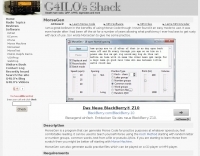 MorseGen is a simple program the purpose of which is to generate Morse Code at whatever speed you feel comfortable reading, for practice purposes. It wasn't designed to be a tutor for those who know no Morse at all, although you might find it useful for that purpose. It doesn't have a feature for sending small character groups over and over, although this can easily be achieved by creating text files containing the character groups you want to practice.
 -
 Enables users to convert plain text into _Morse Code_ and, conversely, decode Morse sequences back into readable text. This web-based utility provides a straightforward interface for rapid translation, proving useful for both learning and practical application. It processes input efficiently, displaying the corresponding Morse or text output instantly. Operators can leverage this tool for generating practice copy or for deciphering received CW signals, making it a handy resource for those honing their code skills. The translator handles various character inputs, converting them into standard International Morse Code elements. This simple utility supports quick lookups and real-time conversions, facilitating a better understanding of CW structure and timing. It operates entirely online, requiring no software installation.
 -
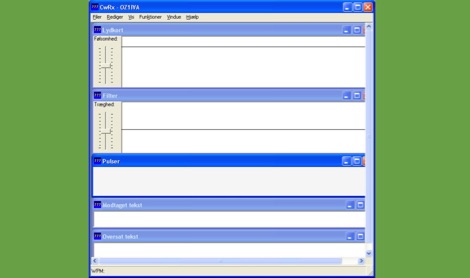 CWRX, a freeware Windows application, decodes Morse code (CW) signals directly from a sound card's audio input, presenting the decoded text on screen. It supports various receive bandwidths and filtering options, allowing operators to optimize signal reception in different QRM conditions. The program's core functionality focuses on robust CW decoding algorithms, crucial for weak signal work and contesting environments. Developed by OZ1IVA, Lars Harbo, this utility provides a straightforward interface for real-time CW interpretation. It integrates basic logging capabilities, enabling users to record decoded transmissions for later review or contest submission. The software is specifically tailored for the Windows operating system, ensuring compatibility with common shack computer setups. Its design emphasizes ease of use for amateur radio operators seeking a dedicated CW decoding solution. The program's small footprint and direct functionality make it a practical tool for both casual listening and more intensive operating sessions, without requiring extensive system resources.
 -
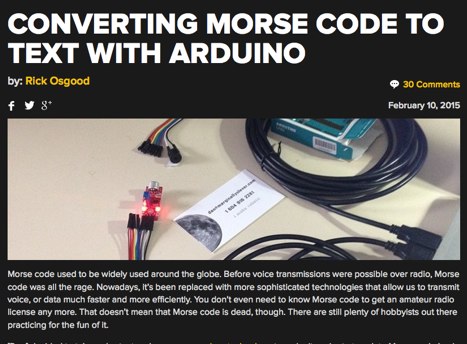 A sketch to read the input from the microphone and translate the dots and dashes into ASCII characters.
 -
 Amateur radio operators frequently seek efficient methods for logging contacts, particularly during contests or DXing sessions where speed and accuracy are paramount. MiniLogBook addresses this need by providing a streamlined logging utility designed for Windows environments. The software facilitates rapid entry of QSO data, offering an automated lookup feature for previous contacts based on recent callsigns, which significantly reduces redundant data entry. The application's distinctive utility lies in its integration capabilities with other ham radio software, specifically _MRP40_. Users can select text within the MRP40 receive window and, with a double-click, automatically insert that text into MiniLogBook. This feature is particularly advantageous for operators engaged in digital modes like RTTY or PSK, where copying callsigns and exchange information accurately and quickly is critical. The tool aims to simplify the logging workflow, allowing operators to focus more on the contact itself rather than manual data transcription. While primarily a logging tool, its focus on quick entry and interoperability with specific third-party software distinguishes it from more feature-rich logging suites. The software is distributed as freeware by _Polar Electric_, making it accessible without cost. Its small footprint and direct functionality cater to operators who prefer a minimalist approach to logging, prioritizing efficiency over extensive database management or advanced reporting features.
 -
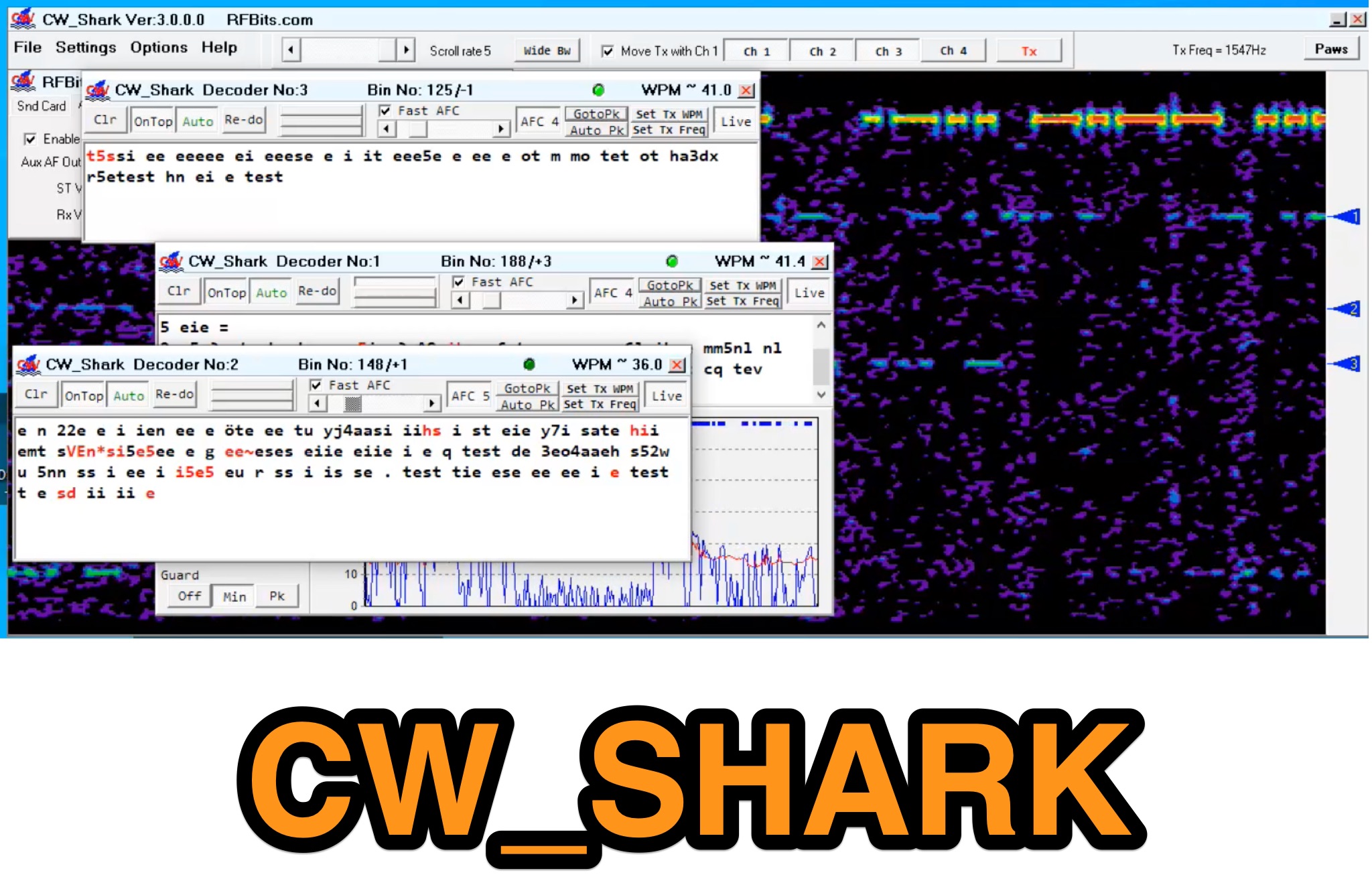 Demonstrates the capabilities of CW_Shark, a dedicated 32-bit Windows application for Morse code operations. This software facilitates the analysis, decoding, and encoding of CW signals, providing hams with a versatile tool for various aspects of amateur radio communication. It supports four distinct modes: Decode Only, Keyboard QSO, Straight or Paddle Key QSO, and Straight or Paddle Key Practice, catering to different user needs from passive listening to active keying. Operators can utilize the Decode Only mode for signal analysis, while the Keyboard QSO mode allows for text-based interaction. The Straight or Paddle Key QSO mode offers a direct interface for traditional keying, enabling real-time communication. For skill development, the Straight or Paddle Key Practice mode provides a structured environment to hone Morse code proficiency. CW_Shark integrates essential functions for CW enthusiasts, supporting both learning and active participation in Morse code exchanges. Its focused design aims to assist operators in mastering and enjoying the art of _CW communication_.
 -
 ebook2cw is a command line program (optional GUI available) which converts a plain text ebook to morse code MP3 files. It works on several platforms, including Windows and Linux.
 -
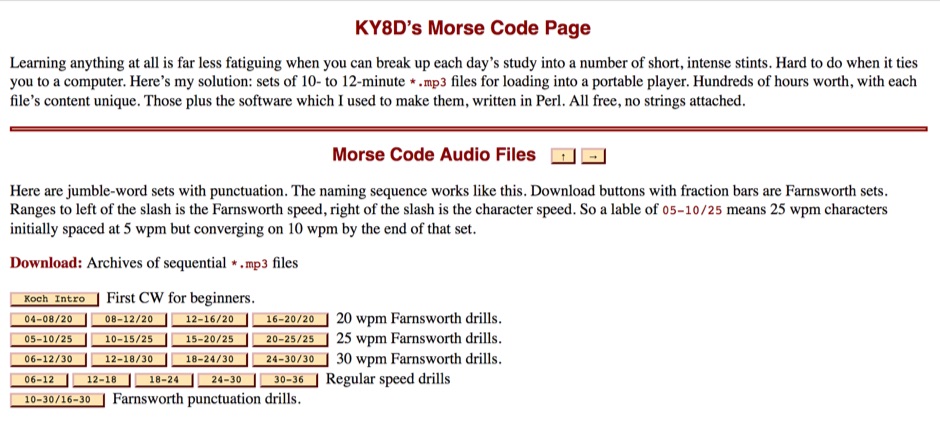 To aid in learning and improving Morse code proficiency, this resource offers an extensive collection of downloadable MP3 audio files. The content includes character practice groups, common words, punctuation, and full-length novels, all rendered in CW. Speeds incrementally increase, catering to both beginners and those aiming to build speed, with options for _Farnsworth_ spacing at lower WPM and standard spacing for higher rates. The resource also provides a Perl script, `gus_morse.pl`, allowing users to generate custom audio files from UTF-8 text. Users can download archives of sequential MP3 files, with options for English, German, Spanish, Esperanto, and Italian content. The audiobooks progress from **5 WPM** to over **40 WPM**, with some archives offering _omnibus_ collections of multiple works. The site emphasizes the importance of consistent daily practice and patient aural observation to develop procedural memory, moving beyond conscious dit and dah counting to direct character recognition. It also details the transition from Farnsworth to normal spacing, aligning with FCC and ARRL recommendations.
 -
 Examines the historical role of telegraphy within Canadian railway operations, detailing the evolution of communication systems crucial for train dispatch and coordination. It covers the technical substance of railway telegraphy, including equipment, operational procedures, and the personnel involved, such as agents and operators. The resource provides insights into the **F59PH locomotive** history, development, and components, alongside diagrams of various parts like antennae and traction motors. The content also explores the practical application of these systems by documenting specific railway events, such as the CPR Galt Sub operations from 1895-1971 and GO Transit's operational history. It includes photo galleries, schematics, and diagrams of locomotives and cab cars, offering a visual and technical comparison of different railway equipment. The site also features information on **GO Transit** rolling stock, including MP40s and commuter coaches, providing a historical context for railway communication and transportation.
 -
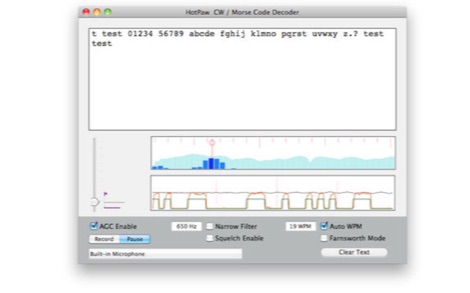 The HotPaw Morse Code Decoder application for macOS processes audio input to transcribe Morse code characters into text. It presents both an audio spectrum graph and a tone amplitude graph, which aid in configuring a narrow band audio filter. Operators can set the audio filter for tone frequencies between 400 and 1600 Hz, optimizing reception for various CW signals. The software offers user-configurable settings, including WPM dot/dash speed detection, a noise threshold level, and the option to use Farnsworth timing for inter-character spacing. The Morse code WPM detection automatically adapts from approximately 8 to 40 WPM, with a lock feature for the estimated speed. A High Speed WPM Mode is available for code speeds ranging from 40 to 80 WPM, catering to faster CW operators. The application's decoding performance is influenced by signal level, signal-to-noise ratio, frequency and WPM stability, keying quality, and proper configuration, with an initial learning phase required for WPM estimation to stabilize. An external microphone or line-in may be necessary for optimal performance on some MacBook models to mitigate fan noise or room reverberations. Version 1.4.4, updated on November 11, 2021, includes compatibility improvements for newer macOS releases. The developer, Ronald Nicholson of HotPaw Productions, does not collect any user data from the application.
 -
 A Morse code TEXT-to-MIDI converter that creates a Morse code standard MIDI file from ASCII text.
 -
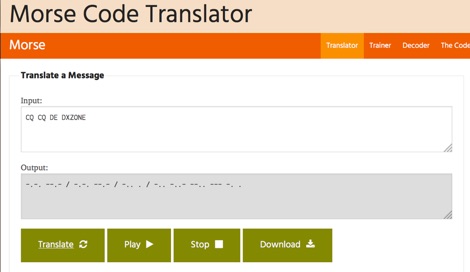 One hundred and fifty words per minute (WPM) is a configurable speed setting in this online Morse code translator, which facilitates bidirectional conversion between plain text and **Continuous Wave (CW)**. Users can input text to generate corresponding Morse code, or enter Morse code using dots and dashes to receive a text translation. The tool supports various alphabets, including Latin, Cyrillic, Ukrainian, Hebrew, and Arabic, broadening its utility for international communication. The platform offers multiple output methods for the generated Morse code, including audible playback, visual flashing, and device vibration. Advanced configuration options allow for precise control over the sound's pitch (frequency), volume, and overall speed, including a **Farnsworth speed** setting. This flexibility enables users to customize the learning or communication experience to their specific needs. Additional features include the ability to save the generated Morse code audio as a WAV file and to create shareable links for messages, which can be sent with or without the accompanying text. The interface is entirely web-based, built with HTML5 and JavaScript, ensuring broad compatibility across modern browsers.
 -
 Morse code trumps SMS in head-to-head speed texting combat
 -
 Marshall G. Emm, N1FN, meticulously examines iambic keying, dissecting its historical introduction in the late 1950s with transistorized electronic keyers and its purported advantages. The resource defines keying systems, electronic keyers, and various paddle types, including single-lever and dual-lever paddles, clarifying the distinction between iambic keyers and the iambic sending technique itself. It details the two main types of squeeze keying: true squeeze for alternating dot-dash strings and character insertion for specific elements within a character. N1FN critically evaluates the actual efficiency gains of iambic keying, referencing Chuck Adams, K7QO's, keystroke analysis. While a straight key to bug transition yields a 34.1% reduction and a bug to non-iambic keyer offers 16.1%, iambic keying provides only an 11% theoretical improvement. However, considering typical QSO text and Morse code's inherent optimization for common letters, the practical efficiency gain is estimated at a modest 4-6%. The article also highlights how iambic keying's reliance on precise timing gates can impose a speed limit, making it less effective above 40 WPM, where many operators revert to non-iambic methods or single-lever paddles.
 -
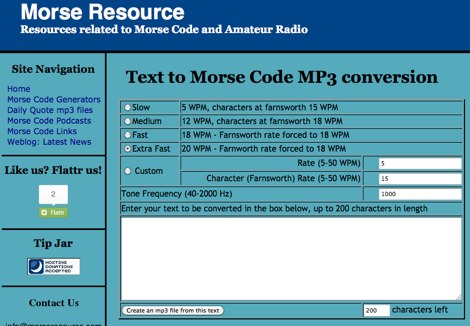 Convert any text in morse code mp3 file, you can choose speed from 5 to 50 wpm and tone frequency
 -
 Over 15 years of operational notes are documented on the AA6E Station Log, covering diverse amateur radio topics. The blog presents detailed accounts of station setup, antenna experiments, and digital mode operations, often featuring specific equipment like the _Ten-Tec Orion_ transceiver. It includes practical discussions on **station grounding techniques** and insights into PSK31 Morse code communication. The resource provides a chronological record of Martin Ewing's amateur radio activities, offering firsthand perspectives on equipment performance and operational challenges. Content often includes technical observations and solutions developed through practical experience, such as optimizing antenna systems for various bands. Specific entries detail contest participation and DX chasing, providing context for operational decisions and results.
 -
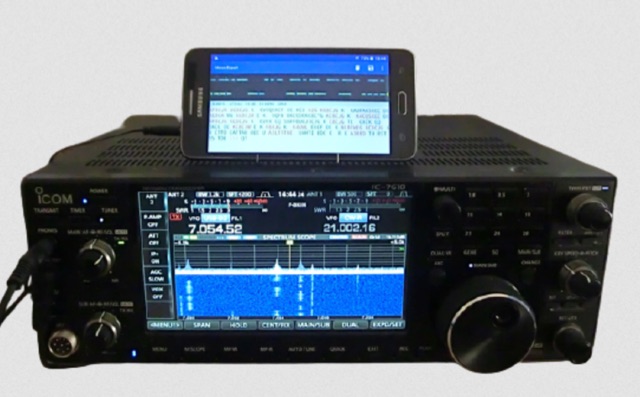 MorseExpert 1.15 decodes Morse Code audio to text, leveraging algorithms from CW Skimmer for optimal performance on weak, fading signals amidst interference on amateur radio bands. It processes audio from the device's built-in microphone or an external radio receiver via cable, optionally highlighting Ham callsigns and keywords. The application features a waterfall display with a bandwidth of 200-1200 Hz, decodes frequencies between 300-1100 Hz, and supports keying speeds from 12-45 WPM with automatic CW pitch detection. Recent updates include support for Android 15, edge-to-edge mode, improved stability, and a pause decoding button. A premium version offers an ad-free experience and user-selected text colors. Users can switch between General Text mode and Ham Radio QSO mode, which enhances word segmentation and highlights callsigns. The app also includes a frequency lock mode, text selection capabilities for copying, sharing, or saving decoded text, and provides guidance on reducing acoustic echo and constructing an audio attenuator for optimal radio interfacing.
 -
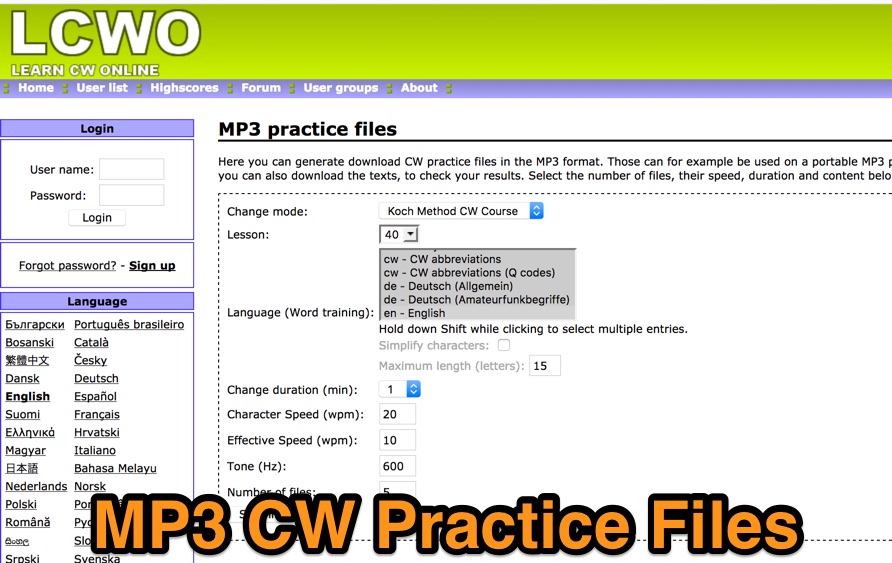 Generate and download morse code practice files in the mp3 format. You can even download the texts to check the resources. Files can be generated online by selecting speed, tone and duration.
 -
 Online morse code conversion tool
 -
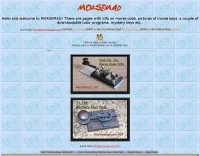 Operating Morse code (CW) relies on a diverse array of **telegraph keys**, each with unique characteristics and historical significance. This resource presents a personal collection of such keys, offering visual documentation and details on various models. It features early Marconi keys from the 1900s, including specific models like the Marconi Air Ministry Key and Marconi Coastal Station Keys, alongside **Vibroplex** bugs and JRC keys. The collection also highlights rare items such as the Brown Brothers Magnetic Twin Paddle Key, the Eddystone Bug Key, and Swedish SRA Ericsson Keys. Enthusiasts can view examples of GPO Double Current & Single Current Keys, Navy NATO Keys, and specialized aircraft and maritime keys. The site includes information on historical training devices like the OMNIGRAPH and a Morse Inker from 1900, providing context for the evolution of telegraphy equipment. Additionally, the resource showcases unique items like the B2 Spy Set SOE Agents Key and a WW2 Junker U-BOAT KEY, illustrating the varied applications of Morse keys throughout history. The author, G0RDO, also shares details on a home-made paddle key and invites inquiries for acquiring interesting Morse keys.
 -
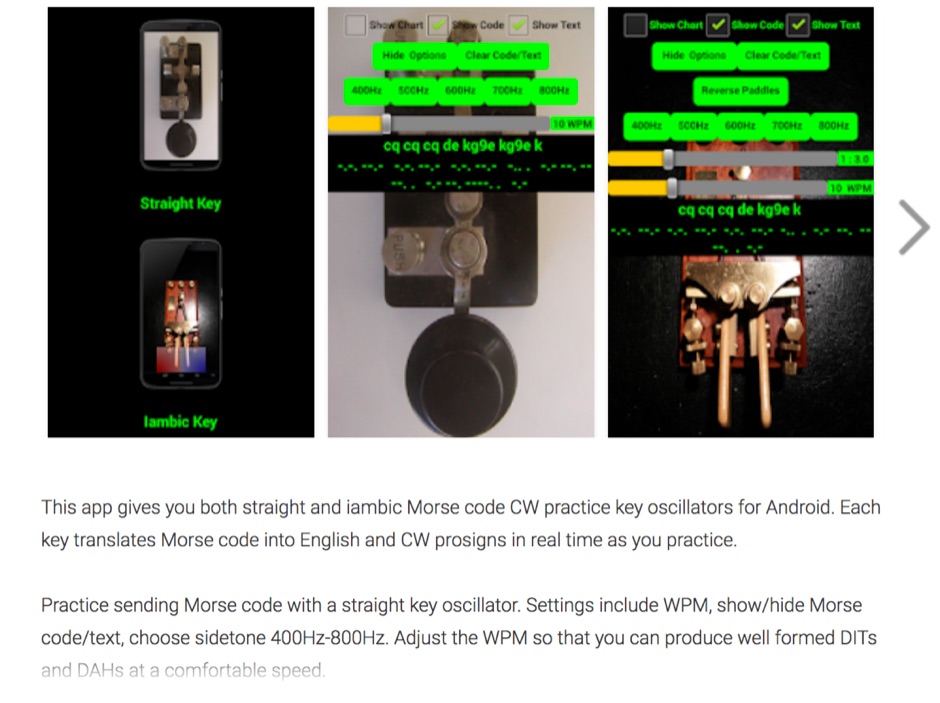 Iambic and Straight key amateur ham radio CW Morse code practice oscillators for Android. This Android app gives you both straight and iambic CW Morse code practice key oscillators. Each key translates Morse code into English and CW prosigns in real time as you practice. Practice sending Morse code with a straight key oscillator. Settings include WPM, show/hide Morse code/text, choose sidetone 400Hz-800Hz. Adjust the WPM so that you can produce well formed DITs and DAHs at a comfortable speed.
 -
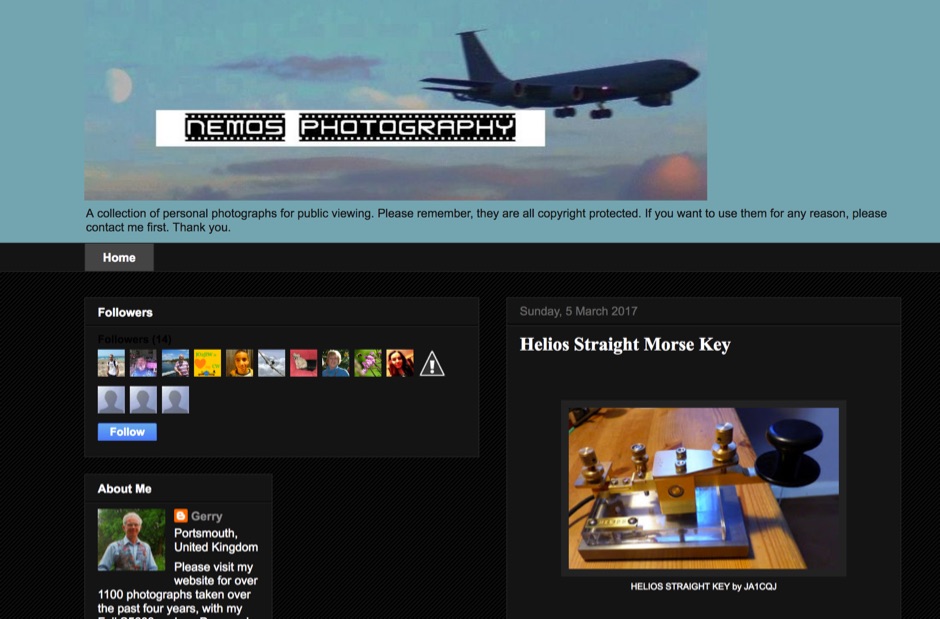 The _Nemos Photography_ blog presents a curated visual gallery focusing on _Morse keys_, offering a detailed photographic exploration of various telegraphy instruments. Each entry typically features high-resolution images of specific keys, highlighting their design, construction, and historical context. The content serves as a visual reference for collectors and enthusiasts interested in the aesthetics and mechanics of CW sending devices, often including close-ups of key components and unique features. This resource allows for comparative study of different key types, from vintage straight keys to modern paddles, without delving into technical specifications or operational performance. The emphasis is purely on the visual documentation of these artifacts, providing a unique perspective on the evolution and diversity of Morse key designs. It is a specialized collection for those who appreciate the craftsmanship and historical significance of telegraphy hardware.
 -
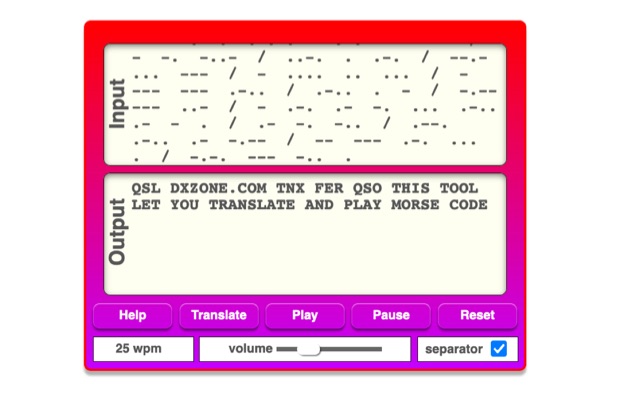 The online Morse code translator and decoder provides functionality for converting plain text into Morse code and decoding Morse code back into text. Users can input text directly into a designated box for translation to Morse, with the tool ignoring characters that lack a Morse equivalent. Conversely, Morse code can be entered using periods for dots and minus signs for dashes, requiring a single space to separate letters and a forward slash to delineate words. The interface also supports direct Morse input via a button, where a half-second pause separates letters and a 1.5-second pause separates words. The resource details the historical context of Morse code, noting its invention by _Samuel F.B. Morse_ in the 1830s for telegraphy, and its continued use by amateur radio operators for recreational purposes and emergency signaling, such as the **SOS distress signal**. Guidance on learning Morse code suggests using online translators for practice and listening to amateur radio transmissions. The tool offers an audio playback feature for translated Morse, allowing users to hear the code at various words per minute (WPM) settings. It also includes a visual chart to aid in memorizing the dot and dash sequences for the alphabet.
 -
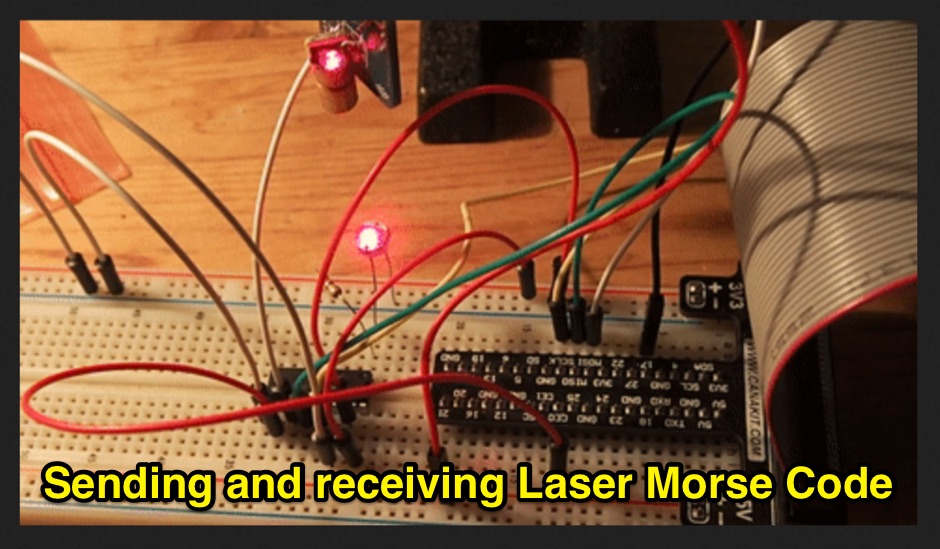 Sending and receiving text with Morse code light pulses across the room is a fun and cheap project you can do on a Raspberry Pi or Arduino or any other microcontroller. This post explains how I did it, and how you can do it too.
 -
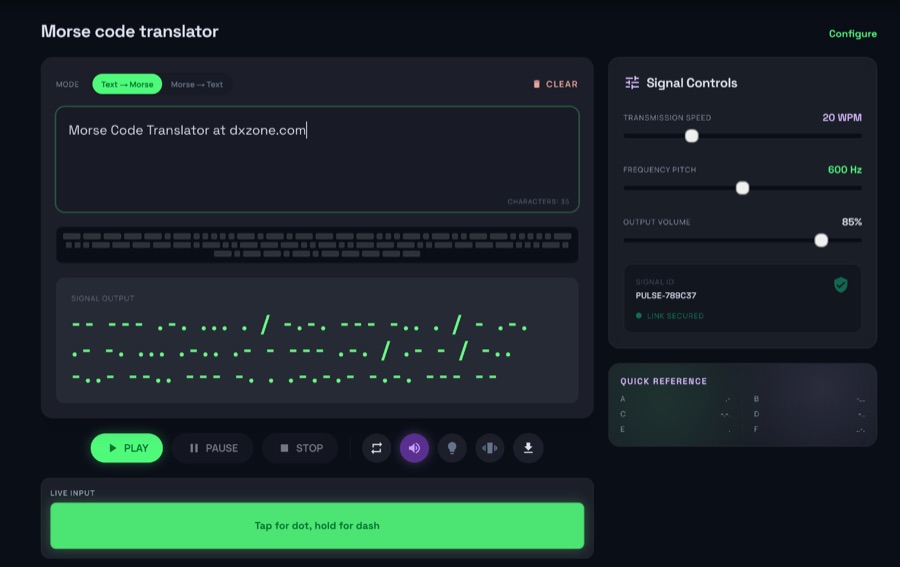 The morsecodeworld.org web application provides an online Morse code decoder and encoder, facilitating real-time conversion between text and International Morse code. It supports adjustable transmission speed (Words Per Minute), sidetone frequency pitch (Hz), and output volume, allowing users to customize their learning and practice environment. The tool includes a quick reference chart for the Morse alphabet and focuses exclusively on International Morse, aligning with contemporary amateur radio licensing and on-air practices, distinguishing it from historical American Morse code. This web-based utility enables users to type text for encoding into Morse audio or paste Morse code for decoding into plain text, offering immediate feedback on timing and character spacing. It supports both visual and auditory learning by providing adjustable parameters for speed and tone. The platform is designed for self-assessment, encouraging users to practice copying and sending, and to identify and correct common errors in character recognition and timing.
 -
 CW_Player is a freeware Morse code training program designed for aspiring and experienced radio amateurs. It generates Morse characters, Q codes, abbreviations, and random text, offering 20 customizable lessons for learning Morse code. The software includes a quiz for knowledge testing, CW signal monitoring to decode morse code live, and the ability to create personalized local characters. It generates .wav files for playback, supports Windows features like copy-paste, and integrates easily with transceivers for on-air training. Ideal for beginners, instructors, and hobbyists, CW_Player boosts confidence in CW operations.
 -
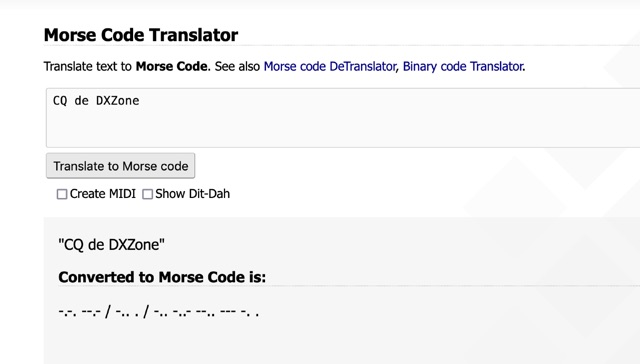 One primary function of this online utility is to convert plain text into _Morse code_, presenting the output in either a visual dit-dah sequence or as a downloadable MIDI file for auditory practice. The tool also provides the reverse capability, allowing operators to input Morse code and receive a decoded text translation. This bidirectional functionality supports both encoding messages for transmission practice and decoding received signals for improved copy. Operators can utilize the web interface for quick translations, making it accessible without software installation. The resource focuses on the fundamental aspects of CW communication, aiding in both learning and practical application of the code. Its design emphasizes simplicity and direct utility for amateur radio enthusiasts working with CW.
 -
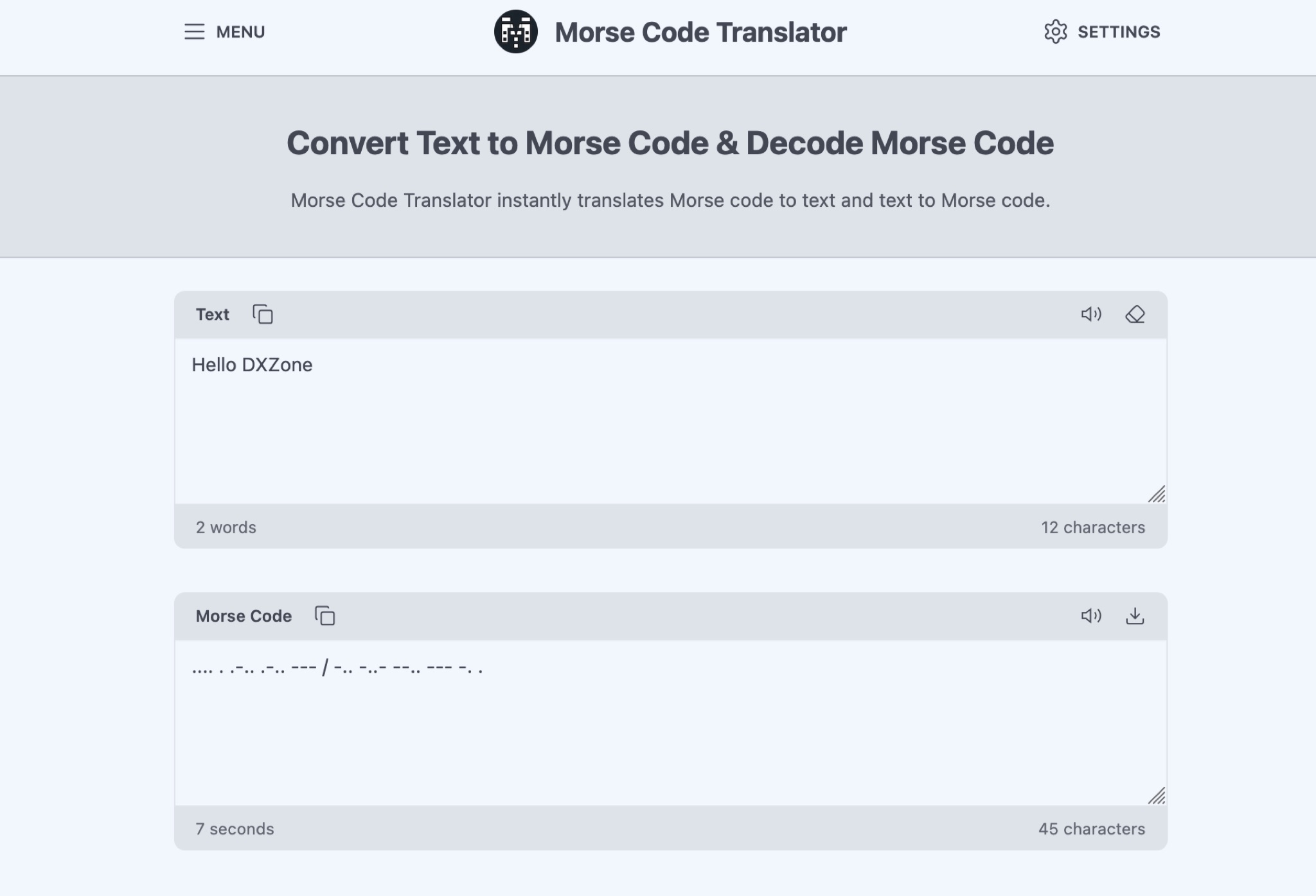 The Morse Code Translator allows anyone to easily convert text into Morse code and vice versa. Simply enter the text to translate or Morse code to decode. This tool is useful for amateur radio operators, scouts, educators, or anyone interested in learning Morse code for educational, professional, or recreational purposes. Discover hidden messages, learn the Morse code alphabet, and practice decoding signals. The tool offers advanced options like adjusting frequency, words per minute, characters, and spacing. Experience Morse code visually with the light translator. Explore the history and uses of Morse code, from military and emergency communications to fun secret messages among friends.
 -
 Morsle.fun is a user-friendly web application designed for practicing Morse code reception by guessing transmitted text, which can be either words or call signs. Users can adjust the volume and tone frequency of the Morse code playback. The application tracks performance and generates activity statistics. Call signs are typically more complex than words, containing up to six characters and at least one digit. Users can practice Morse code at speeds ranging from 10 to 60 wpm.
 -
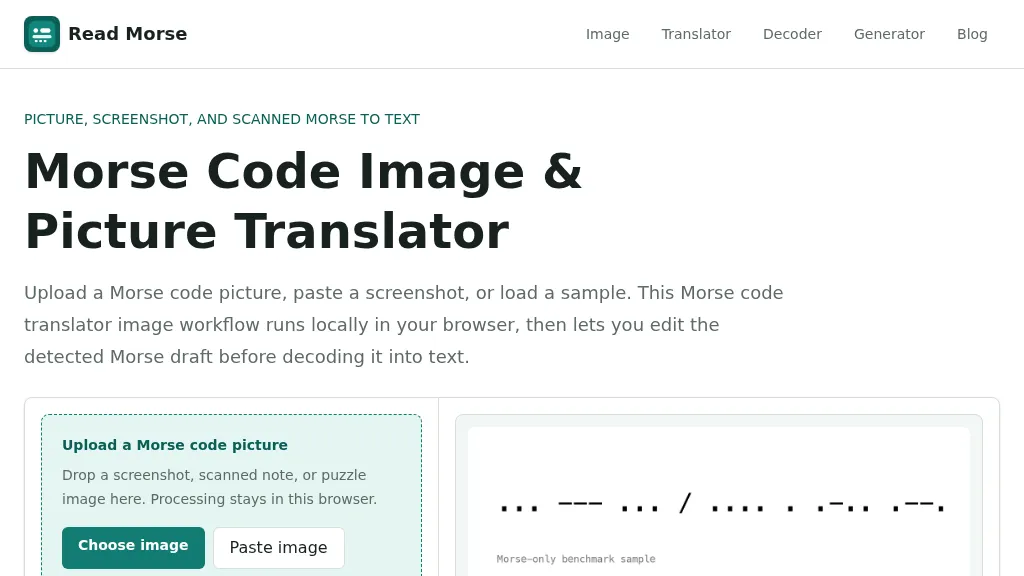 Decoding Morse code from visual sources like screenshots, scanned documents, or photographs presents unique challenges compared to audio-based reception. This web-based utility addresses these by allowing users to upload or paste images containing Morse code, which is then processed entirely within the user's browser, ensuring privacy. The tool identifies individual marks, classifying them as dots or dashes, and estimates letter and word spacing to generate an editable Morse draft. Users can refine the detection by utilizing controls for cropping, rotation, contrast boosting, and manual threshold adjustment, which are crucial for overcoming issues like low contrast, skewed baselines, or extraneous graphics. After the initial detection, the generated Morse draft, such as _... --- ... / .... . .-.. .--?_, can be manually corrected before being translated into plain text. The system provides confidence indicators and warnings to highlight potential ambiguities in the decoded output, prompting users to review and make necessary edits. This specialized approach differs from general OCR engines by focusing on the distinct patterns of Morse marks and gaps, rather than attempting to read standard alphanumeric characters. The tool supports common image formats like PNG, JPG, JPEG, and WebP, and includes sample images for benchmarking its performance, demonstrating its capability to handle various image qualities and complexities.