Search results
Query: WSJT-X
Links: 49 | Categories: 0
-
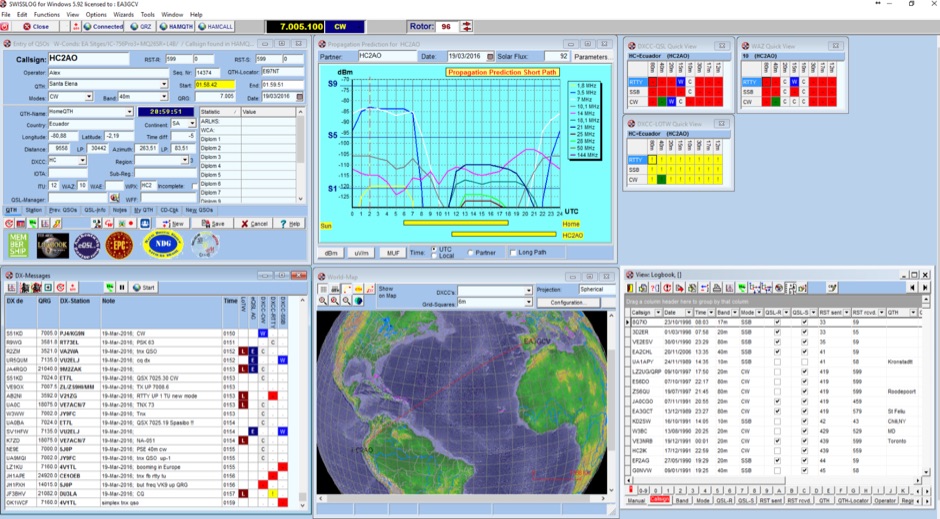 Swisslog, a robust freeware logging program, integrates seamlessly with various external devices and online services, making it a central hub for station operations. My field experience with similar logging software confirms the critical importance of features like real-time logging to services such as eQSL, QRZ, and Club Log, which Swisslog supports with both upload and download synchronization. The program also offers comprehensive award tracking for approximately 150 built-in awards, with the flexibility to add more, alongside detailed statistical reports. Beyond basic logging, Swisslog provides advanced functionalities like direct interfacing with popular digital mode software including WSJT-X, JTDX, and FLDIGI, ensuring accurate and rapid QSO entry for FT8 and other modes. It also supports multiple transceiver control (up to 8) from major manufacturers like Yaesu, Kenwood, and ICOM, and integrates with rotor control systems such as ARS-USB and Hy-Gain DCU. The _DX-Cluster_ integration is particularly useful, displaying spots with real-time award status and automatic detection for SOTA, POTA, and WFF from spot comments, which can significantly improve DXing efficiency. The software's world map feature includes various projections and layers for DXCC, IOTA, and WAZ, with a **double-clicking** function to turn the rotor, and provides accurate propagation predictions. It also supports multiple callbook and QSL manager databases, including QRZ and HamCall, and offers _multilanguage_ support in English, French, German, Italian, Portuguese, and Spanish.
 -
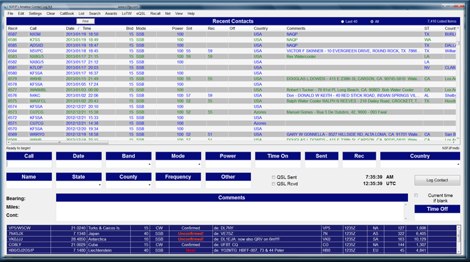 Amateur Contact Log (AC Log) by N3FJP is a commercial Windows-based general logging program designed for amateur radio operators, supporting Windows 7 through 11. It provides comprehensive tracking for various operating awards, including Worked All States (WAS), Worked All Counties, Worked All Countries (WAC), DXCC, VUCC, Grids, Zones, IOTAs, and Lighthouses. The software features a customizable user interface, allowing operators to display specific data fields and adjust font sizes. It includes built-in databases for counties and countries, facilitates queries by band, mode, or power level, and offers a bearing and distance calculator for DX contacts. AC Log also provides DX spotting via Telnet or packet TNC, supports keyboard CW, and can play wave files. The program offers full support for ADIF import and export, enabling seamless integration with external services like eQSL, QRZ, Club Log, and the ARRL's Logbook of the World (LoTW) for QSO uploads and confirmation downloads. It interfaces with popular transceivers from Elecraft, Icom, Kenwood, Ten Tec, and Yaesu, and connects with digital mode software such as WSJT-X, Fldigi, and JTAlert via API. AC Log includes a Net Manager form for group logging, prints basic QSL label strips, and integrates with QRZ and Ham Call lookup services. The software is fully networkable for multi-PC operation, supports Parks on the Air (POTA) logging, and displays worked entities and DX spots on a real-time world map. Full featured Trial version available for 45 days
 -
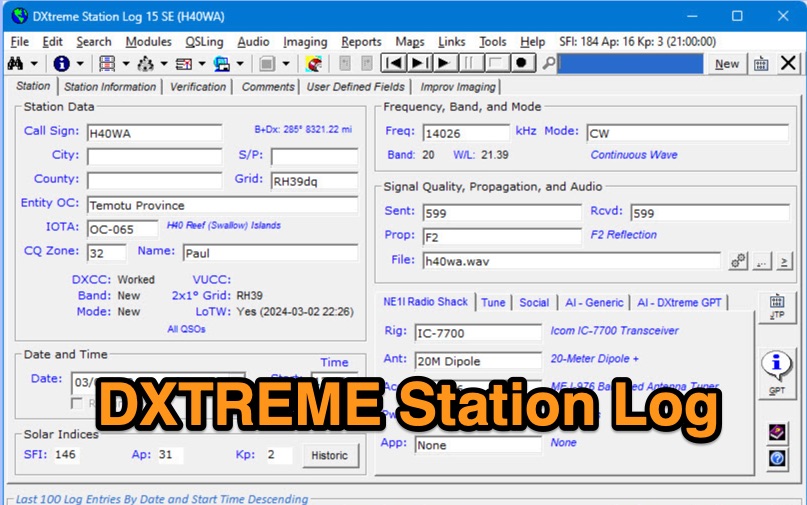 DXtreme Station Log 15 SE provides comprehensive logging functionalities for Amateur Radio operators, featuring robust _Logbook of the World_ (LoTW) support for automatic uploads, QSO record status capture, and QSL processing. The software integrates with _Afreet Omni-Rig_ for rig control and offers worked-before notifications for _WSJT-X_ and JTDX, streamlining digital mode operations. Its DX Spot Checker queries servers to indicate DXCC/VUCC status based on the user's database, utilizing Rich Site Feed or Grid Feed options. Key features include Improv Imaging and QSL Imaging for managing screenshots, documents, and QSLs, alongside Performance Reports for tracking station activity. The application incorporates AI functionalities, such as a Generic AI feature and a dedicated DXtreme GPT for specific instructions. DXtreme Interchange facilitates digitizing paper logbooks into ADIF-based project files, enabling rapid data entry and automatic field population. DXtreme Monitor Log 14, designed for radio monitoring, logs stations across the spectrum, including a Schedule Checker for broadcast stations from Aoki, EiBi, and FCC AM sites. It integrates with Afreet Band Master to identify needed Amateur Radio entities and supports reception report creation for QSLs.
 -
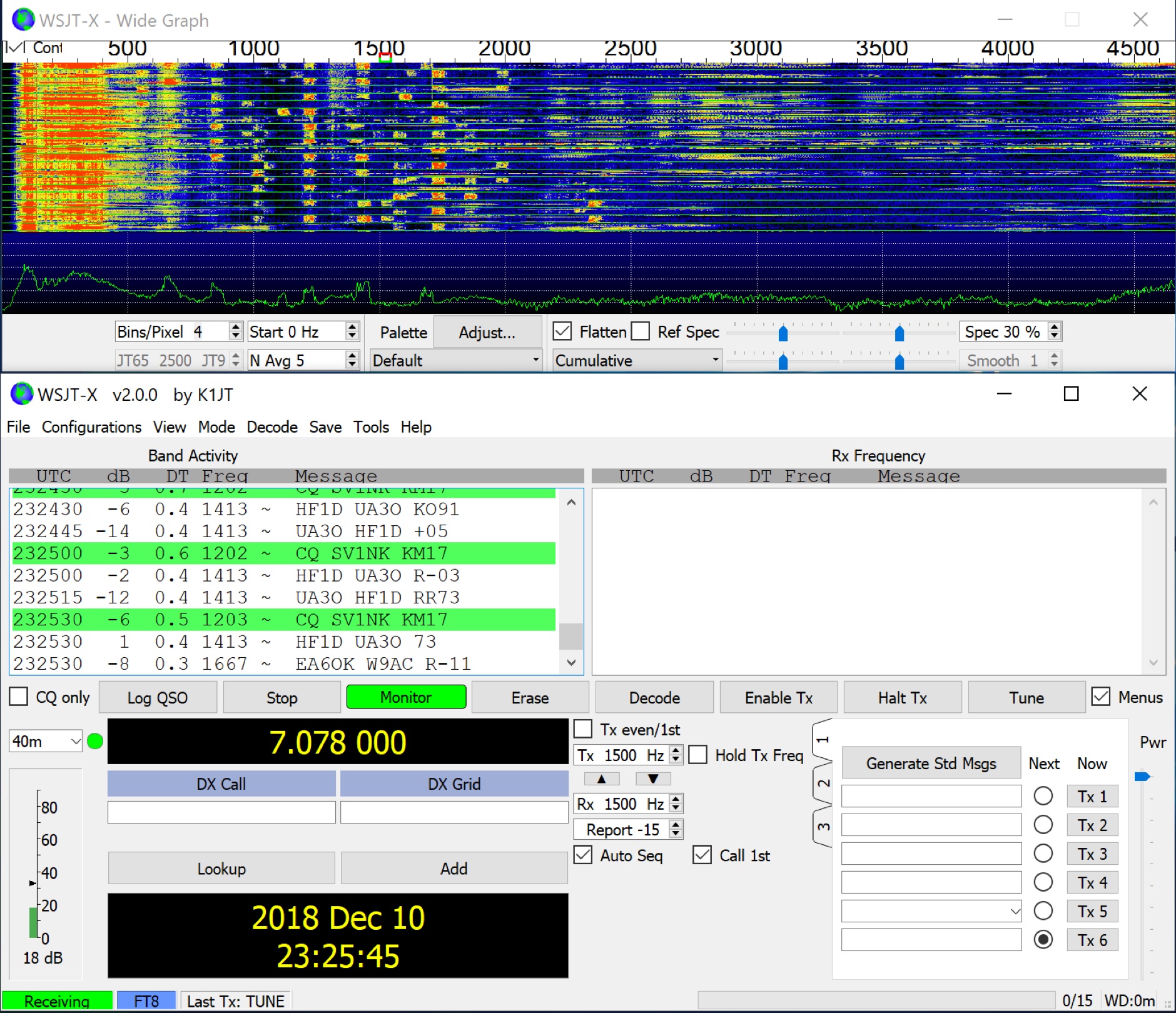 Facilitates reliable two-way communication under challenging propagation conditions, WSJT-X provides a suite of digital modes optimized for weak-signal operation across the amateur bands. These modes, including FT8, FT4, and Q65, are designed to decode signals significantly below the noise floor, enabling DX contacts, EME (Earth-Moon-Earth), and meteor scatter QSOs with modest station setups. The software supports various T/R sequence lengths and tone spacings, tailored for specific propagation phenomena and band characteristics, such as JT9 for MF/HF with **2 dB** greater sensitivity than JT65, and MSK144 for VHF meteor scatter. WSJT-X also integrates specialized tools like _MAP65_ for wideband EME reception with polarization matching to counter _Faraday rotation_, and QMAP for wideband Q65 reception with Earth-Moon-Earth Doppler correction. These companion programs extend the software's capabilities for advanced weak-signal work, particularly on VHF, UHF, and microwave frequencies. The project, maintained by Joe Taylor, K1JT, and the WSJT Development Team, is the official home and reference implementation for these weak-signal digital communication protocols. Recent releases, such as _WSJT-X 3.0.2_, introduce enhancements like the QMAP program, Q65 Pileup, and SuperFox mode, which offers approximately **+10 dB** system gain for Fox-and-Hound operations.
 -
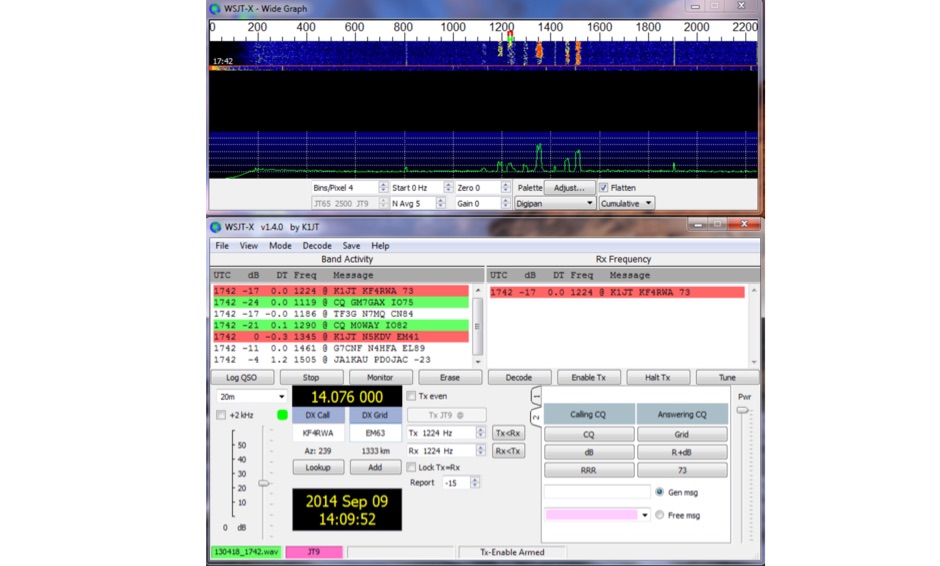 WSJT-X, a creation of K1JT, offers specialized digital protocols meticulously optimized for challenging propagation paths such as EME (moonbounce), meteor scatter, and ionospheric scatter. This software excels at VHF/UHF frequencies, and also provides robust performance for LF, MF, and HF DXing, enabling contacts far below the audible threshold. The program decodes signals from ionized meteor trails and steady signals more than 10 dB below the audible threshold, a testament to its advanced digital signal processing. It integrates nearly all popular features from its predecessors, WSJT and WSPR, while adding comprehensive rig control and numerous other enhancements for the serious weak signal operator. Available for Windows, Linux, and Mac OS X, WSJT-X is an open-source project, allowing hams worldwide to download the latest versions and engage in cutting-edge weak signal communication.
 -
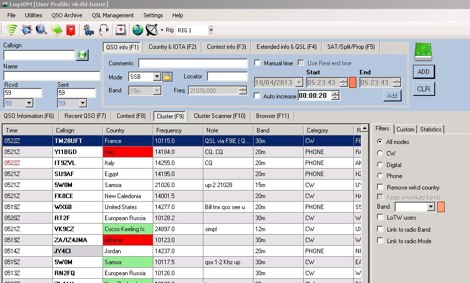 Log4OM is a free logging software designed for amateur radio operators who require an integrated environment for station management and QSO logging. It is widely used by DXers due to its strong database capabilities and its integration with common online services. The program uses a structured SQL database and supports large logbooks without noticeable performance degradation. One of its key features is **CAT Control**, which allows direct communication with many transceivers for automatic frequency and mode detection. The **DX Cluster Client** provides real-time spotting with filtering and band/mode tracking, helping operators quickly identify new DX opportunities. Log4OM integrates with several external confirmation systems. Built-in support for **Logbook of The World (LoTW)** and **eQSL** allows automatic upload and download of confirmations. The software also includes **Award Tracking**, enabling operators to monitor progress toward DXCC and other award programs directly from the log. Additional capabilities include **Callbook lookup** via services such as QRZ, **ADIF import/export**, and customizable **QSL management** for both electronic and paper cards. The interface is modular, with panels that can be arranged depending on operating preferences. Log4OM does not include integrated digital mode engines, so digital operation normally relies on external programs such as WSJT-X or FLdigi connected through standard interfaces. Overall, Log4OM provides a comprehensive logging environment suitable for both casual operation and serious DX chasing, with a feature set comparable to many commercial logging applications.
 -
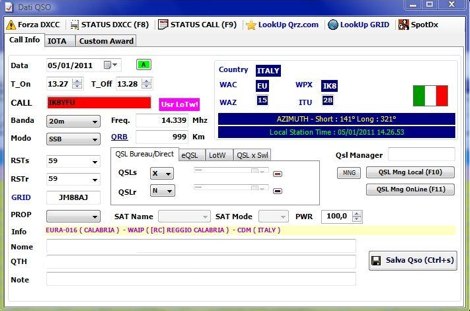 Demonstrates BBLogger, a **freeware** logging application designed for both amateur radio operators and Short Wave Listeners (SWLs). Developed by IK2VIW, IZ2BKT, and IK2UVR, this software provides comprehensive station management capabilities, including **CAT control** for various transceivers, integration with digital mode software like WSJT-X, JTDX, and MSHV, and robust QSL management features. The application supports a wide array of functions such as DX cluster interfacing, mapping, awards tracking (including custom awards), and direct integration with services like LoTW, eQSL.cc, and ClubLog for QSL confirmations and OQRS requests. It also includes utilities for ADIF to CSV conversion and vice-versa, catering to diverse logging and data management needs. Recent updates, such as version 13.1, introduce a web server for log management from any device, allowing remote access and control. The software has improved ADIF import capabilities, including time settings for duplicate QSO detection, and enhanced filtering options for log searches. Performance improvements include faster automatic updates and manager database synchronization, along with optimized log checking at startup. Earlier versions added support for FT8 and FT4 modes, refined OQRS integration with ClubLog, and expanded QSL/label printing functionalities, enabling users to select specific callsign types (OM, SWL) for printing. The developers emphasize compatibility with Windows 10/11 for full functionality, noting limitations when running on older operating systems like Windows 7 due to modern security protocol requirements.
 -
 FT2 is an innovative digital mode for amateur radio, developed by IU8LMC with support from ARI Caserta. It utilizes the same codec as FT8 and FT4 but compresses the transmission cycle to just 3.8 seconds, allowing for a complete QSO in as little as 11 seconds. This remarkable speed enables operators to achieve approximately 240 QSOs per hour, making it particularly advantageous for contests and DXpeditions. The FT2 protocol has been rigorously tested on-air, with successful QSOs verified down to -12 dB SNR on both 40m and 80m bands. The mode's efficiency and speed are a significant advancement in digital communications, providing a new tool for amateur radio operators looking to maximize their contact rates. As an experimental release, the software is subject to updates, ensuring continuous improvement and adaptation to user feedback.
 -
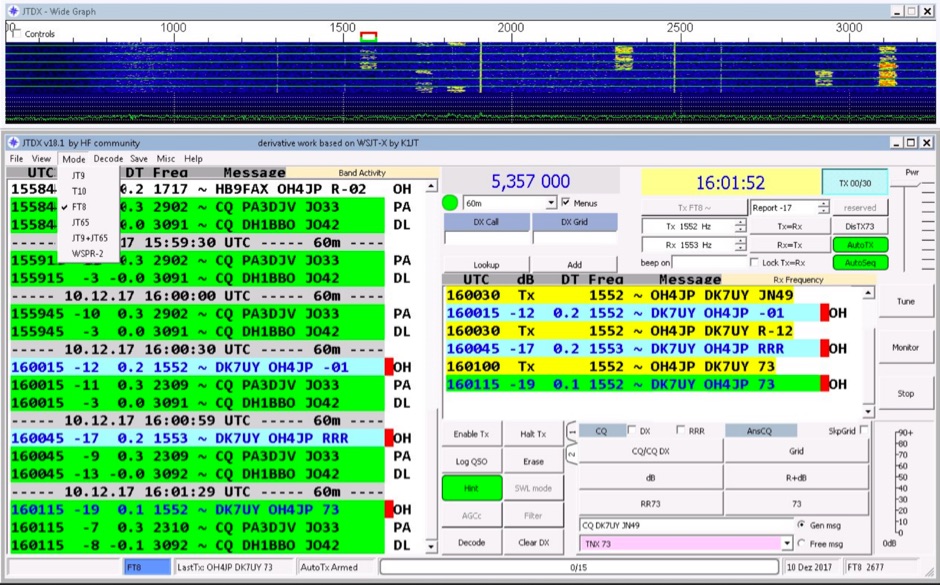 JTDX is an open-source software application for amateur radio weak-signal digital communication. It supports digital modes including FT8 and JT9. The software operates on _Windows_, _Linux_, and _macOS_ platforms. JTDX is designed for improved decoding of weak signals, a function also performed by WSJT-X and MSHV. The software facilitates weak signal decoding and transmission. It integrates with logging systems for QSO management and can automate tasks such as call management and remote RTX control. JTDX is utilized in contexts such as DXing and contests. DXZone Focus: FT8 | JT9 | Weak Signal | Multi-platform
 -
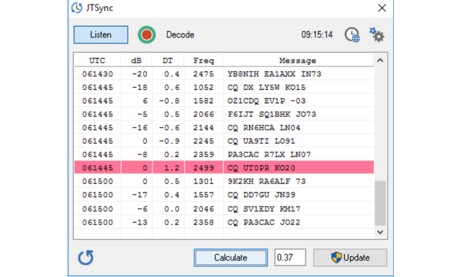 JTSync is a simple utility that provides the ability to synchronize your computer clock over a network with world-wide NTP servers. When the Internet connection is not available, JTSync allows you to make time adjustments based on decoded QSOs within the WSJT-X application.
 -
 WSJT-X and MAP65, open-source amateur radio programs, facilitate weak-signal digital communication. WSJT-X covers VHF/UHF to HF, decoding subthreshold signals. MAP65 optimizes for VHF/UHF EME with JT65. Free and GNU GPL licensed, WSJT-X is on Windows, Linux, and OS X, while MAP65 is Windows-only, supporting SDR hardware.
 -
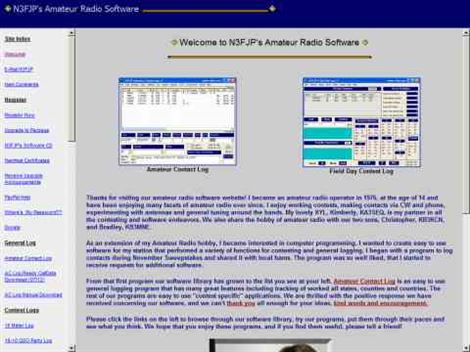 N3FJP's ARRL Field Day Contest Log 6.6.10 is a dedicated software solution for Windows 7 through Windows 11, specifically tailored for the annual ARRL Field Day event in June. This program provides essential contesting features such as duplicate checking, including partials, and a dynamic list of sections that change color upon being worked. It seamlessly interfaces with popular digital mode software like WSJT-X, Fldigi, and JTAlert via API, and supports rig control for most Elecraft, Icom, Kenwood, and Yaesu transceivers. The software also generates computer-generated CW via serial port or Winkeyer, plays wave files, and offers DX spotting capabilities. Operators can leverage its fully networkable design to allow multiple PCs to update a single log file simultaneously, enhancing club operations during Field Day. The program outputs ASCII log, dupe, and summary files for contest submission and provides real-time statistics. A quick start video is available to guide new users through the basics of the software. Registration for permanent use costs $8.99, or it can be obtained as part of the N3FJP Software Package, which includes over one hundred amateur radio programs for a one-time fee of $59.99.
 -
 Breakaway Pipeline allows you to send audio to or from another program on the same computer. This will permit to forward audio streams, virtually like connected via a cable taken form any radio receivers, like online web sdr or your digital modes receiver like WSJT-X or fldigi to anther application running on the same PC.
 -
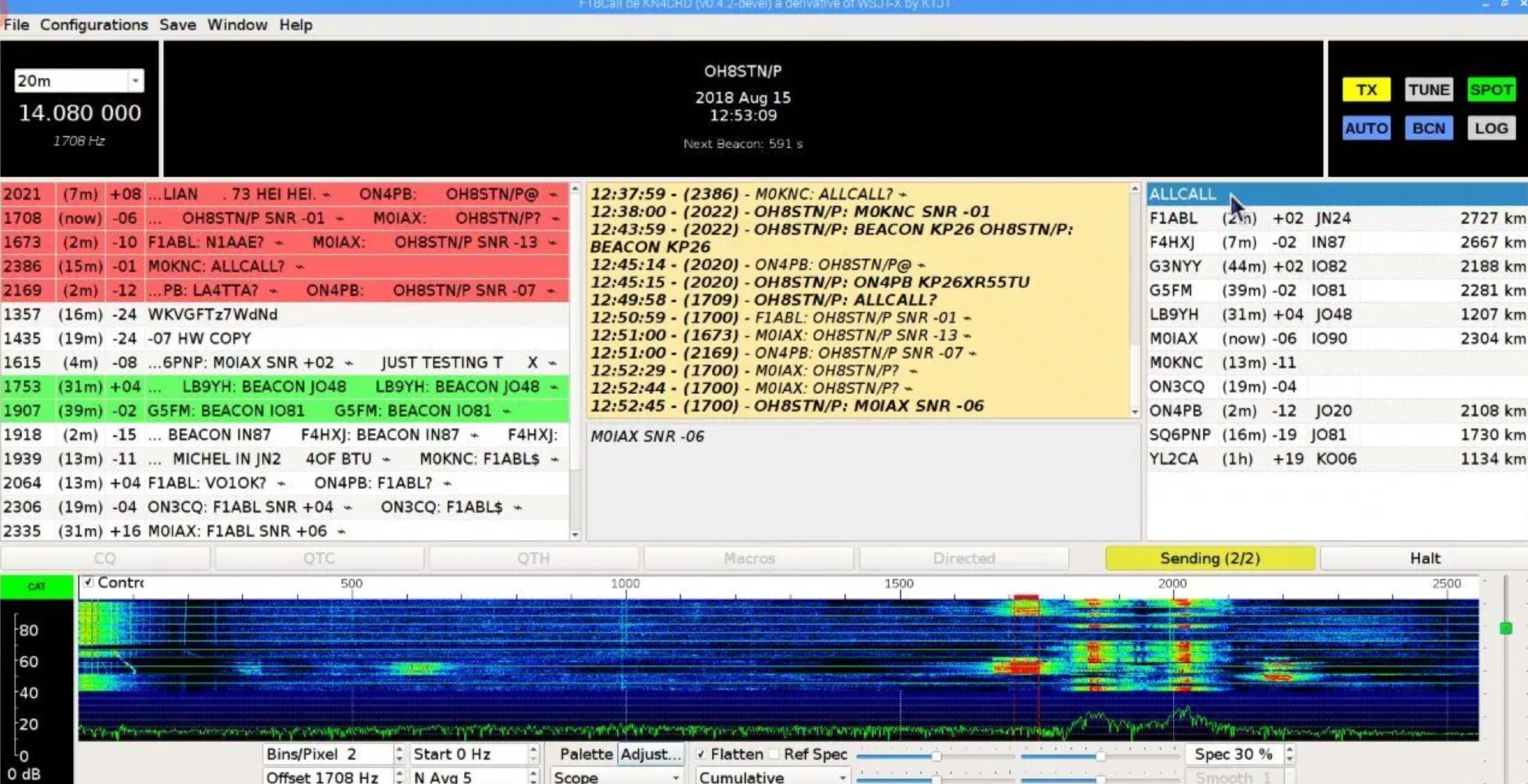 Js8Call is communication software designed for keyboard-to-keyboard message passing. Based on the WSJT-X application and implementing the FT8 protocol techniques, it's a separate project run on Linux, Windows and MacOS
 -
 The KP3AV Systems website offers a detailed listing of amateur radio repeaters across Puerto Rico, including operational frequencies and tones for VHF and UHF bands. It features sections dedicated to digital modes like DMR and C4FM, as well as information on FRS, GMRS, and MURS. The resource also includes articles on emergency communications protocols and provides access to Spanish-language manuals for various radio equipment. Recent content covers the new open-source FT2 mode for WSJT-X Improved, upcoming 60-meter band frequency allocations and power restrictions effective February 13, 2026, and discussions on 2-meter contacts with Desecheo Island from Puerto Rico. The site also presents U.S. amateur radio band plans and highlights local contesters like Manuel WP4TZ, offering practical insights into portable operations and contest participation.
 -
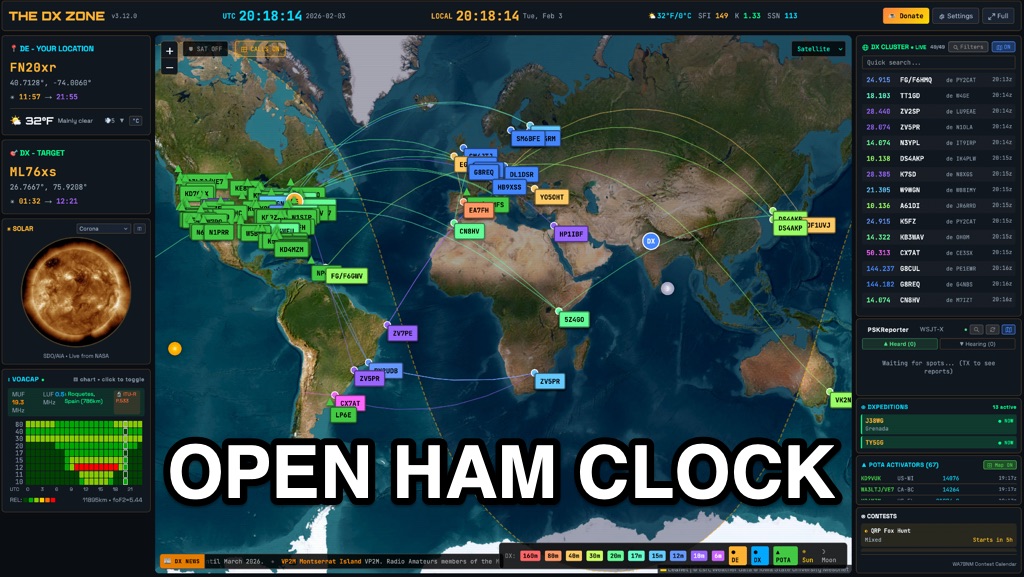 OpenHamClock is a modern, open-source dashboard for amateur radio operators, designed as a web-based successor to the original HamClock. Deployable locally on a Raspberry Pi or via the cloud, it centralizes essential DX operations into a single, intuitive interface. At its core is an interactive world map that visualizes real-time DX spots, signal paths, satellite tracking, and POTA activators. The software seamlessly integrates critical tools like WSJT-X, DX Cluster, and PSKReporter for monitoring digital traffic. Additionally, it provides vital environmental data, including real-time space weather indices, solar activity, and personalized HF propagation predictions. With customizable themes and a modular architecture, OpenHamClock offers modern operators comprehensive, at-a-glance situational awareness of global radio conditions
 -
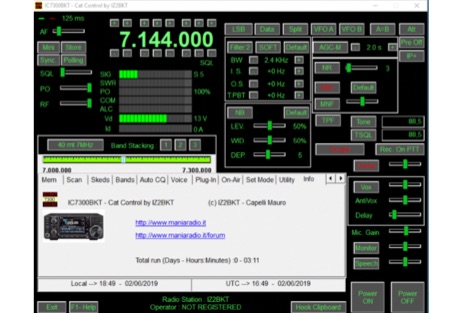 Windows PC control program for the Icom IC-7300 transceiver. Power-on and Power-off by software BktNetInterface for JTDX and WSJT-X, audio recording, memory management, cw keyer management, Interface for other software
 -
 Twenty-four repeaters, including D-STAR and Fusion systems, are maintained and operated by MARCA Inc., primarily located on Arizona mountaintops and around the Phoenix metropolitan area. The organization, holding the callsign _W7MOT_, facilitates a wide range of amateur radio activities, such as ARRL Field Day events near Forest Lakes, Arizona, and participation in ARRL FMT contests. Members engage in antenna experimentation, construction, and maintenance trips to repeater sites. The club's interests span diverse topics, including HF voice, digital modes like _WSPR_, _WSJT-X_ (FT8, FT4), and CW, alongside DXing, MESH networking, and EOC operations. It supports technologies from SDR radio building to antique radio restoration and computer-based operations like Echolink, fostering a Single Board Computer (SBC) and Raspberry Pi group. Monthly meetings, held on the third Tuesday, feature business discussions and guest presentations, with informal summer gatherings and an annual holiday dinner in December. Monthly VE testing sessions for Technician, General, and Extra Class licenses are conducted by Ray Vasquez, K4RMV. Post-meeting discussions often cover specialized interests such as repeater operations, technical topics, D-STAR, SDR, APRS, Fusion, and Raspberry Pi projects.
 -
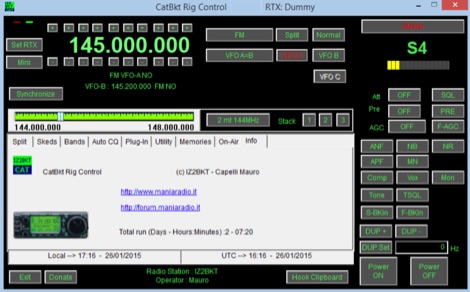 Program for the control of the transceiver from your PC. Works on windows and has been tested with different serial and USB interfaces, Based on hamlib libraries , Auto CQ for repetitive calls, Audio Recorder, BktNetInterface for JTDX and WSJT-X
 -
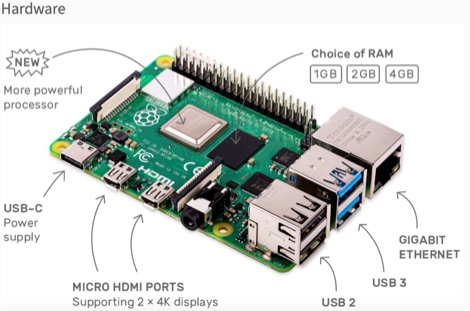 This resource is an online tutorial focused on setting up the Raspberry Pi for amateur radio applications. It covers the installation and configuration of various software packages tailored for digital communications and protocols, including _Packet Radio_ with Hamlib and Direwolf, as well as data modes like FLDigi and WSJT-X. The guide also details the integration of hardware components such as GPS clocks for time synchronization and real-time clocks for enhanced functionality. Users will find instructions for installing software like GPredict for satellite tracking and GQRX for software-defined radio (SDR) applications. The tutorial emphasizes practical steps, including the use of command-line inputs in the Raspberry Pi OS terminal, and provides troubleshooting tips for common issues such as faulty SD cards or insufficient power supplies. Operators are encouraged to explore various applications, including APRS iGates and WSPR beacons, to enhance their ham radio experience. The material is designed for licensed amateur radio operators with basic knowledge of electronics and computing.
 -
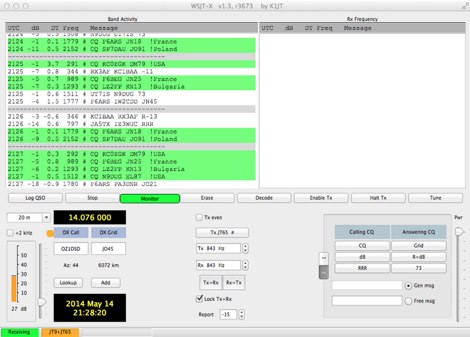 Operating WSJT-X modes JT-65 and JT-9 on Apple Mac OSX computers
 -
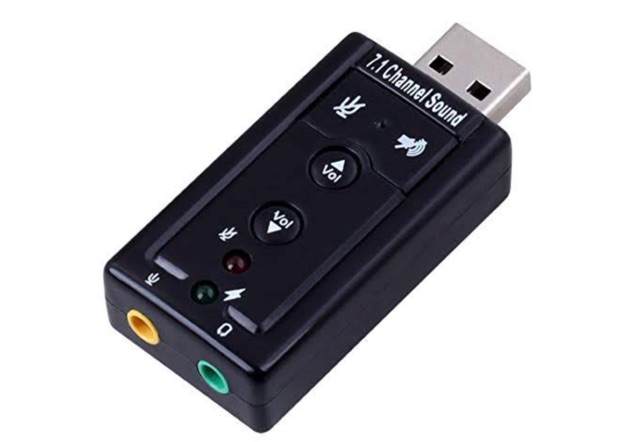 This project is a USB Audio, Serial and PTT interface for rigs that does not directly support digital modes provided by applications such as FLDIGI, WSJT-X and JS8CALL. Plug these interface devices into your Windows or Linux laptop or Raspbian Raspberry Pi and you can send and receive digital tones to/from your rig and automate the frequency and mode control and PTT control.
 -
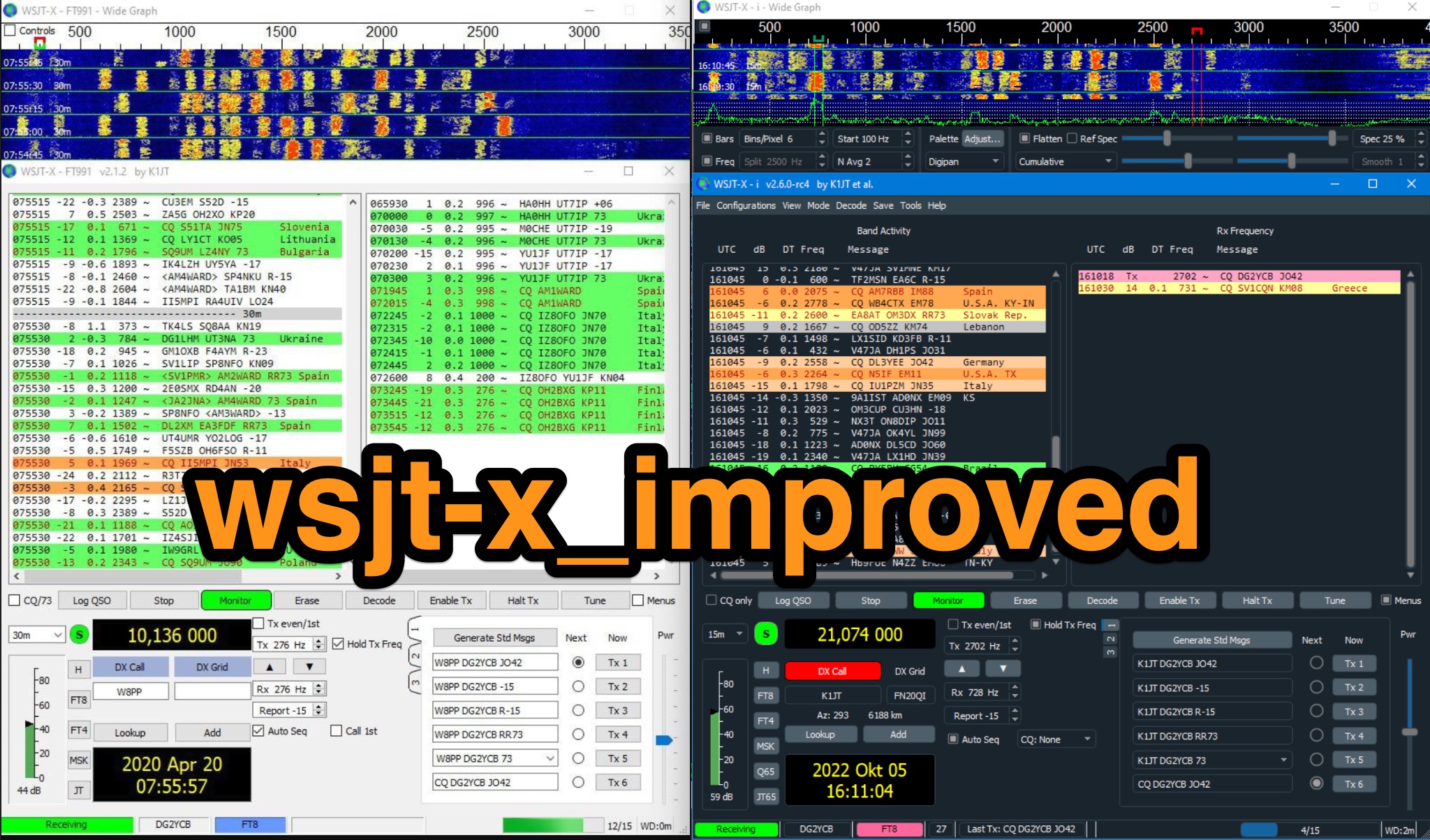 The home page of WSJT-X Improved, an enhanced version of WSJT-X, the popular tool for hams interested in digital modes such as FT8 and JT65. The software provides enhancements and improvements to the original WSJT-X program, making it easier and more efficient for ham operators to communicate digitally. Whether you are a beginner or an experienced operator, this download can help enhance your digital communications capabilities. Free downlaod and full description of improved features.
 -
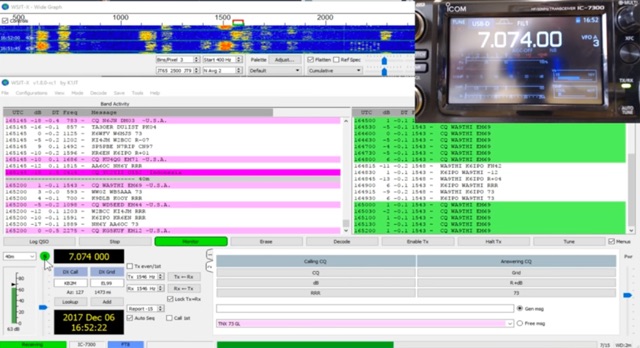 The _Icom IC-7300_ transceiver, a popular SDR rig, can be readily configured for digital modes like FT8 using _WSJT-X_ software. This guide details the necessary steps, from downloading the correct version of WSJT-X to configuring the radio's USB audio and CAT control settings. It emphasizes a straightforward approach, aiming to simplify the often complex initial setup for new digital mode operators. K0PIR shares his practical experience, outlining the specific menu settings on the IC-7300, such as USB SEND/DPT and USB MOD LEVEL, which are crucial for proper signal modulation and transmission. The resource also covers the integration of WSJT-X's built-in logging capabilities, streamlining the process of recording digital contacts without needing external logging software immediately. This setup allows for efficient operation on various HF bands. Two embedded videos further illustrate the configuration process, providing visual aids for each step, from initial software installation to making the first FT8 contact. The author's method focuses on minimizing common setup hurdles.
 -
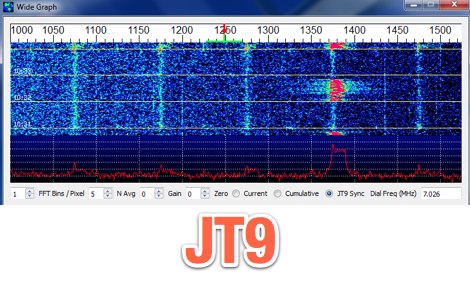 WSJT-X is an experimental version of WSJT implementing JT9, a mode designed for making QSOs under extreme weak-signal conditions
 -
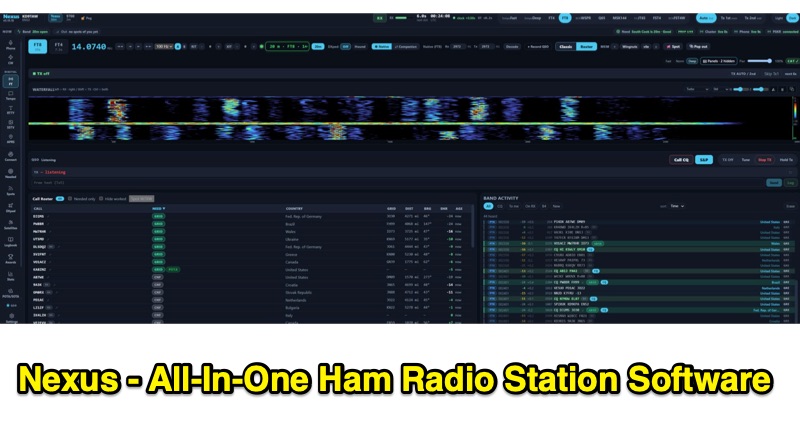 Nexus is a free and open-source ham radio software application, built in Rust by KD9TAW, designed to integrate multiple station functions into a single program. It supports fifteen operating modes, including FT8, FT4, CW, SSB, FM, RTTY, SSTV, and APRS, with both transmit and receive capabilities across Windows, Linux, and Raspberry Pi platforms. The software provides band activity displays with country, distance, and bearing information, a call roster, a 3-D propagation globe with live spots, and alerts for new DXCC, WAS, WAZ, VUCC, and IOTA entities. It also features a native RF panadapter for Icom CI-V and Flex radios, or a live audio scope for other transceivers. Nexus integrates a comprehensive logbook, computes awards offline without requiring an account, and includes repeater search functionality with curated memory packs. It offers CHIRP CSV round-trip compatibility for approximately 1,000 radio models and is compatible with WSJT-X, JTDX, and MSHV via UDP protocol for seamless integration with existing workflows. The application supports ADIF import/export for log data management and provides accessibility features for operators with hearing or visual impairments, including screen reader compatibility and keyboard-navigable interfaces.
 -
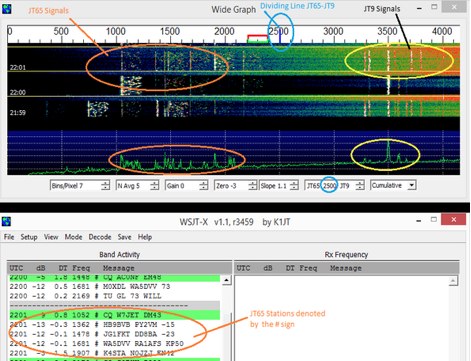 Guide to JT65A and JT9 via WSJT-X Software by Andy K3UK
 -
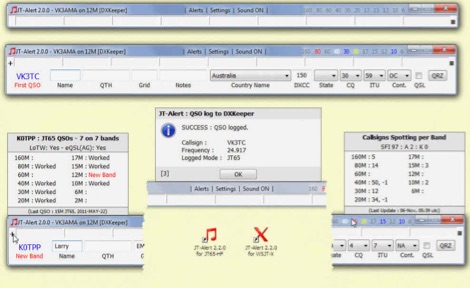 JTAlert provides several audio and Visual alerts for WSJT-X & JTDX software. JTAlert generate audio and visual alerts for several alert conditions, logs automatically to several ham radio log books software like hrd dxkeeper,log4om, interoperates with web services and it supports dxlab suite.
 -
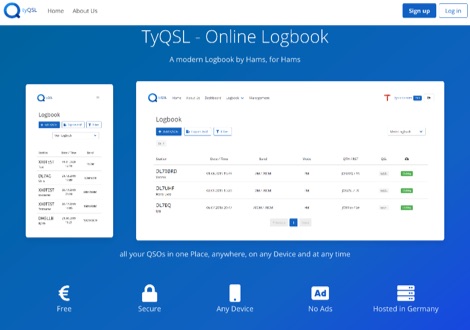 TyQSL provides a web-based online logbook platform, enabling users to manage all QSOs from any device with features like fast ADIF import, supporting up to **100,000 QSOs** per file. The platform facilitates real-time uploads to services such as _Clublog_ and _eQSL_, either automatically or with a single click, ensuring logs are current across multiple platforms. Operators can manage multiple callsigns and create various logbooks within a single account, allowing for flexible QSO organization. The integrated logger features a streamlined layout with live DXCC checking, duplicate QSO alerts, and autofill for satellite operations. It also supports one-click logging from _WSJT-X_. Users can share public profiles, displaying QSO statistics and searchable logbooks, enhancing community interaction. A PRO account offers additional features like an interactive QSO map, showing worked grids and future activities of other users.
 -
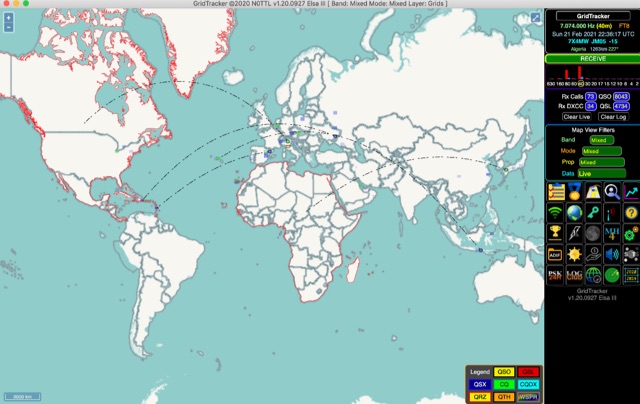 GridTracker listens to live traffic from WSJT-X or JTDX and displays it on a map. It can also load ADIF log files, load clublog, lotw, hrdlog.net and other sources to diplay your logbook statistics and map your QSOs. GridTracker is a free application for windows Linux and MacOS.
 -
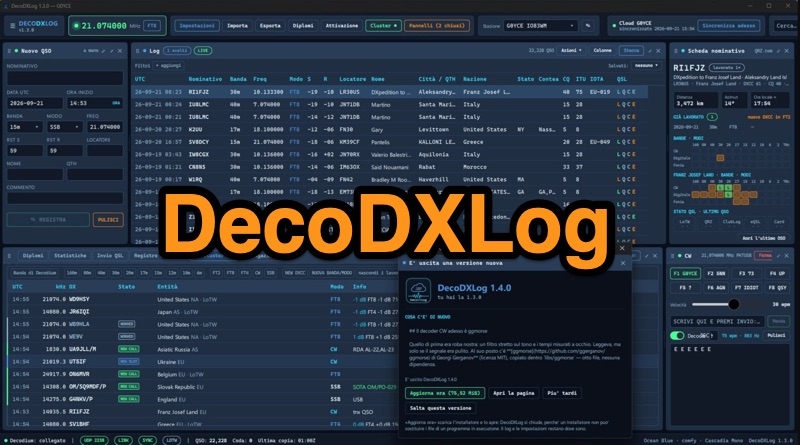 DecoDXLog is a station logbook application for Windows, designed to integrate seamlessly with the _Decodium_ family of software, as well as _WSJT-X_ and JTDX, by receiving QSOs via UDP. It operates around a local SQLite file, providing automatic callbook lookups from QRZ.com XML or HamQTH to complete log entries with name, QTH, and locator data. The software tracks 15 different awards, including DXCC, WAZ, WAS, WPX, IOTA, POTA, and SOTA, calculating progress in real-time and allowing confirmation via LoTW, paper cards, or eQSL. It also features comprehensive statistics, a world map displaying worked locators and cluster spots, and a built-in DX Cluster client that aggregates data from DX Spider/CC Cluster, Reverse Beacon Network, HamAlert, and POTA activations, providing alerts for new DXCC, band, or mode. The application includes a CW keyer/decoder, a contest mode with real-time scoring and Cabrillo export, and robust QSL management for LoTW, QRZ Logbook, eQSL, and Club Log. An optional DecoDXLog Cloud feature enables synchronization of QSOs, station profiles, and settings across multiple devices, ensuring a consistent operating environment. The software is open-source under the GPL-3.0 license, developed by IU8LMC and contributors, and supports lossless ADIF import/export, making it compatible with existing logs. It also integrates with _DecoRotor_ for antenna control, allowing operators to point their antenna directly from the logbook interface.
 -
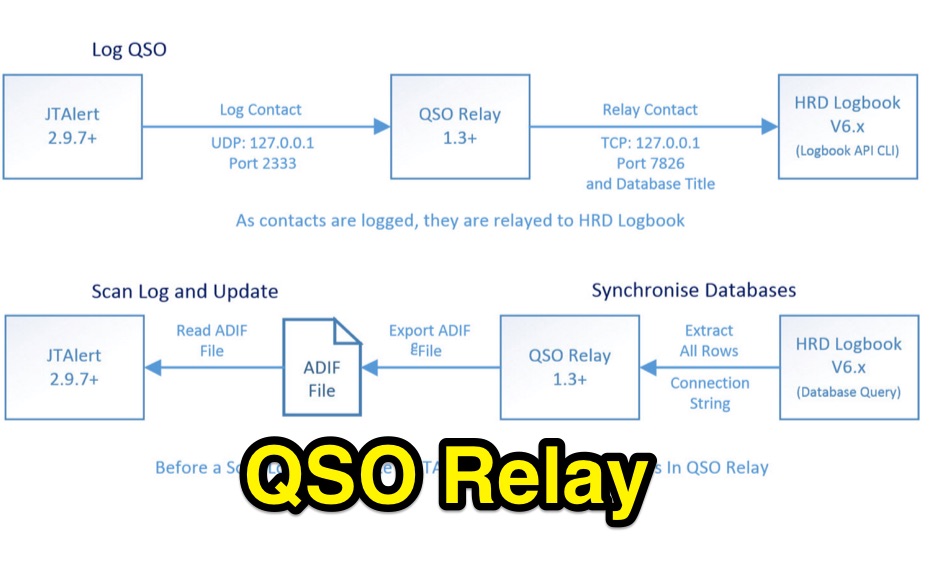 QSO Relay is a Windows desktop application that listens for contacts being forwarded from WSJT-X/JT65-HF and JTAlertX and write to Ham Radio Deluxe Logbook v6.x database
 -
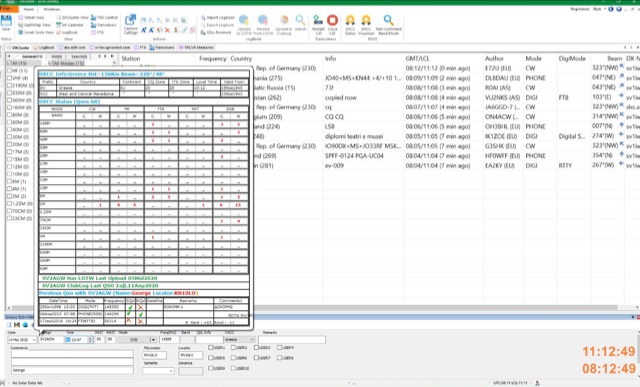 DxDozer is a Windows-based amateur radio logbook designed for both new and experienced DXers, featuring a robust logging system with extensive search capabilities. It offers seamless integration with FT8, displaying received stations from WSJT-X in a DX Cluster-like view, indicating LoTW status and prior contacts, and initiating QSOs directly. The software supports an unlimited number of callsign logbooks and allows multiple operators to log simultaneously to a single database, enhancing its utility for multi-operator stations or contest operations. The application includes a sophisticated DX Cluster with highly configurable filters based on band, mode, continent, worked/confirmed status, and LoTW participation, enabling users to monitor specific calls or countries. DxDozer simplifies QSL management by facilitating one-button uploads to LoTW and ClubLog, and downloads of new confirmed QSOs, with a dedicated field for QSL medium. The software provides both 'Easy' and 'Expert' modes to cater to different user proficiency levels, and is available via a yearly subscription after an initial free trial period.
 -
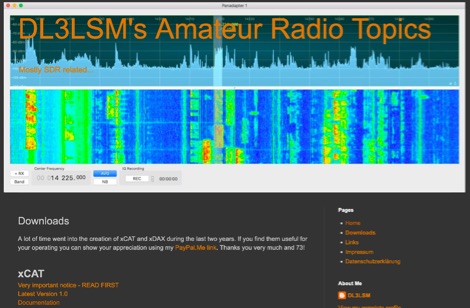 xCAT is an helper application for the FlexRadio 6000 series running on macOS computers to control via CAT protocol tranceivers, while xDAX purpose is to provide a way for Digital Mode Software like Fldigi, WSJT-X to access the digital audio data (DAX) of the FlexRadioTM
 -
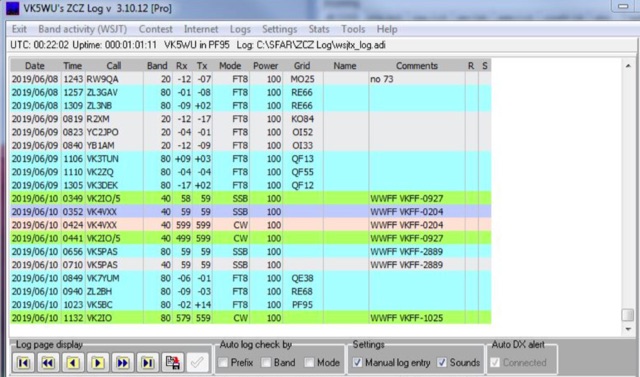 A log utility for WSJT-X and JTDX Provides functionality missing from WSJT-X and JTDX and more
 -
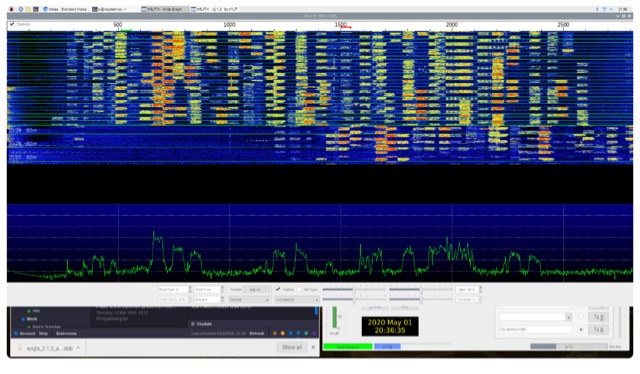 How to install WSJT-X ona a raspberry Pi and start operating with FT8
 -
 WSJTX-Controller-v2, or Otto, functions as an assistant for the WSJT-X amateur radio program, specifically designed to enhance operational efficiency for weak signal digital modes. The software automates several key tasks, including call management, prioritizing DX stations based on user-defined criteria, and optimizing frequency selection within the WSJT-X interface. It requires a modified version of WSJT-X to function correctly, integrating directly with its core processes to provide augmented control. Otto supports various digital modes, facilitating auto-logging of contacts and generating specific alerts for desired stations or conditions. It is engineered to streamline the workflow for operators engaged in DXing and general weak signal communication, offering features like automatic CQ responses and intelligent band monitoring. The utility is not compatible with certain other amateur radio software and is explicitly noted as unsuitable for contest operations or the WSJT-X Hound mode, indicating its specialized focus on non-contest DX and casual operating. The project's GitHub repository provides the source code and documentation, allowing users to review its implementation and contribute to its development. The software's design emphasizes automation to reduce operator intervention during routine digital mode operations.
 -
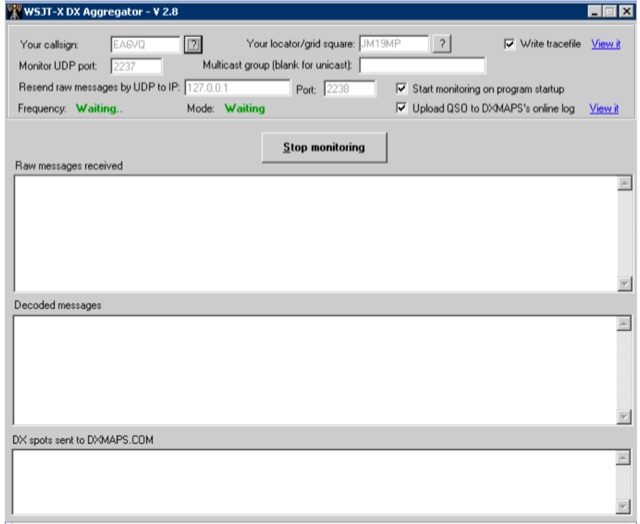 WSJT DX Aggregator is a program that allows the stations using the WSJT-X or JTDX or MSHV programs to automatically upload DX reports to DXMAPS.com
 -
 Otto enhances WSJT-X, the popular weak-signal digital modes program for amateur radio. It automates tasks like managing QSOs, prioritizing DX stations, replying to specific calls, and optimizing band usage. Otto works with a modified WSJT-X version (v2.7.0) to add advanced features such as directed CQs, automatic logging, and multi-stream replies. Its intuitive modes streamline operations, while safety measures ensure controlled transmissions. Ideal for DX enthusiasts, Otto improves efficiency and focus, making weak-signal operations more engaging and productive.
 -
 Official PDF guide to WSJT-X FT8 SuperFox operating mode published on June 2024 by Joe Taylor, K1JT
 -
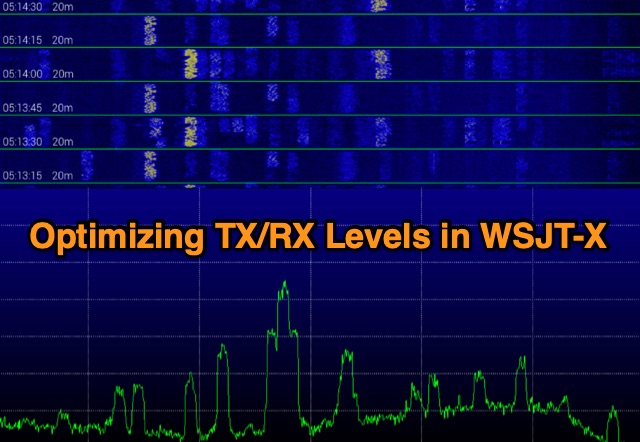 Exploring digital radio modes, the author rethinks how to adjust transmit and receive levels in WSJT-X. Despite effective communication using Yaesu's settings, a new procedure aims for better performance. For RX, set audio device levels to 100%, disable AGC, and adjust RF gain. For TX, enable "Remember power settings" and adjust power output to avoid ALC engagement. This method ensures reliable communication without signal degradation, enhancing dynamic range and minimizing noise.
 -
 HAMRS v2.52.0 provides a portable logging solution for amateur radio operators, supporting macOS, Windows, Ubuntu, Raspbian, iOS, and Android platforms. The software includes offline databases for POTA parks and US callsigns, facilitating logging without internet connectivity. It features ADIF import/export capabilities, enabling one-click uploads to QRZ.com. Rig control is supported through native _Hamlib_ and _FLRIG_ integration, alongside compatibility with _WSJT-X_ for digital modes. Recent updates in v2.50 introduced a QSO Map for visualizing contacts with band colors and filtering, real-time solar and HF/VHF propagation conditions, and a dedicated logging template for ARRL Field Day exchanges. An interactive US Band Plan displays privileges and sub-bands, while a live POTA Spots Map highlights the active park and offers license-aware spot filtering.
 -
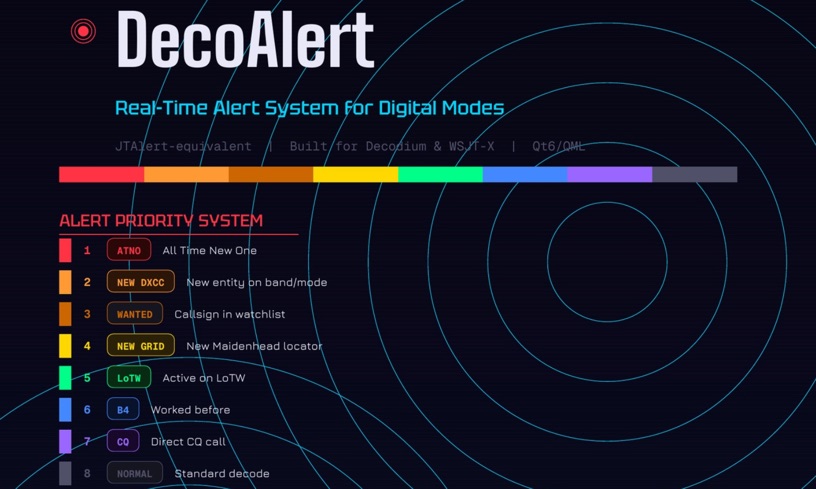 DecoAlert 1.0 Beta is a companion application designed to enhance the digital mode operating experience, specifically for FT8, FT4, and FT2. It operates by monitoring UDP data streams from primary decoding software like _Decodium_ and _WSJT-X_ on port 2237. The software provides real-time, priority-based audio alerts using WAV sounds for various conditions, including All Time New Ones (ATNO), new DXCC entities per band/mode, user-defined watchlist callsigns, new Maidenhead grid squares, and LoTW-active stations. It also highlights previously worked stations (B4) and integrates live DX spots from Telnet clusters, offering a comprehensive suite of tools for serious digital mode operators. The application features a built-in SQLite database for tracking worked stations and integrates with LoTW user lists to identify confirmed contacts. A DX Cluster client supports multiple Telnet servers, providing a broad view of propagation. PSKReporter statistics are available by band and mode, offering insights into signal paths. The QSO log viewer includes search and filter capabilities, while an _OpenStreetMap_ (OSM) interface visualizes spot locations, aiding in situational awareness. DecoAlert requires Windows 10/11 (64-bit) and compatible digital mode software configured to send UDP data.
 -
 The QubeDX is a modular CubeSat-style QRP transceiver designed for digital mode operation with remote Wi-Fi control via VNC. This project integrates a QRPLabs QDX 5W transceiver, an ATU-100 antenna tuner, and a Raspberry Pi 5 in a custom 14x14x14cm 3D-printed enclosure inspired by CubeSat design. Prioritizing affordability and functionality, the system operates on a single 13.8V power supply and includes auto-tuning and software like WSJT-X. With a total cost of under €250, it offers a decorative and portable ham radio solution.
 -
 Twigger is a very lightweight, free ham radio logger designed for Windows, offering seamless integration with transceivers via _TCI_ or OmniRig. This software stores all logged contacts in a SQLite database, with the flexibility to export daily ADIF files for import into a main logger or to send real-time QSO data via UDP in N1MM XML format. It also supports direct, real-time uploads to popular online logbooks like Clublog and QRZ.com, streamlining the logging process for active operators. The application has seen continuous development, with version 1.1.34 fixing an ADIF log importer bug and earlier versions adding crucial features like WSJT-X/JTDX UDP support. Author OE3IDE, Ernst, has incorporated user feedback, including ideas and testing from MW0LGE, to refine the software. Key enhancements include the transition to SQLite for data storage in version 1.1.32, allowing for easy import of previous Twigger ADIFs upon initial startup. The logger also features integrated DX cluster support, enabling users to send spots directly and query QRZ.com for callsign information, which is then cached to reduce redundant queries. The software's compact design and essential logging capabilities make it a practical tool for casual logging or as a secondary logger during contests, with the ability to handle **25 downloads** for version 1.1.34.
 -
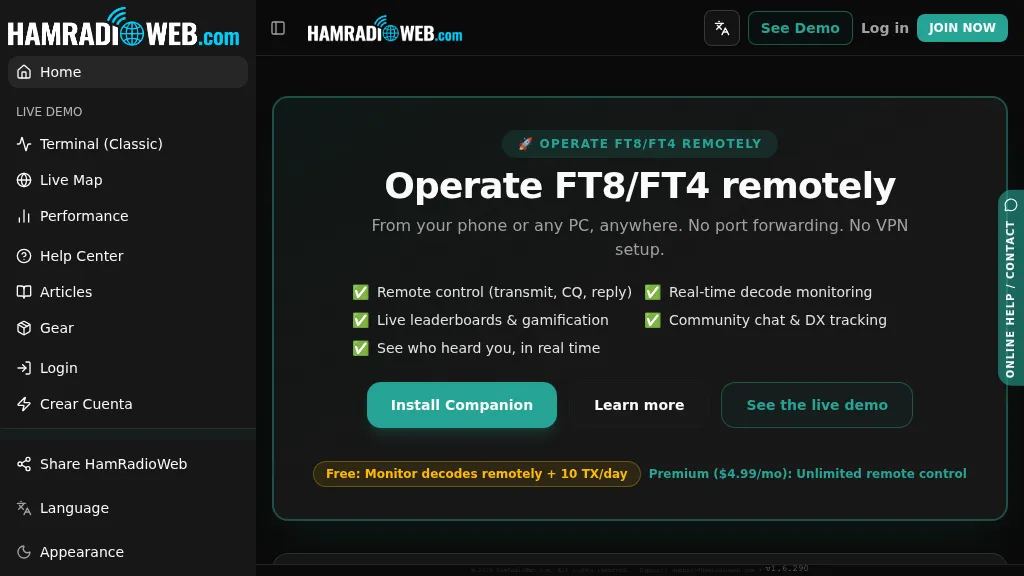 Provides a real-time intelligence layer for **WSJT-X** and **JTDX** operators, enhancing weak-signal digital mode operations. It enables remote monitoring of decodes and transmit control for FT8 and FT4 from any browser or device, eliminating the need for port forwarding or VPNs. The platform integrates with PSKReporter data to compare a station's signal-to-noise ratio (SNR) against nearby operators receiving the same signal, offering immediate feedback on propagation and station performance. Operators can track DXCC entities, grid squares, CQ/ITU zones, and WAC status in real-time through an integrated logbook. A live global band-activity map visualizes who is decoding a station's transmissions, providing tactical intelligence updated every 15 seconds. The system also includes social features like community chat, allowing operators to share station metrics and engage with others. The Companion app, a small bridge application, runs on the shack PC, facilitating seamless remote access and control. This setup transforms the weak-signal operating experience by providing actionable data and real-time insights into propagation openings and station effectiveness.
 -
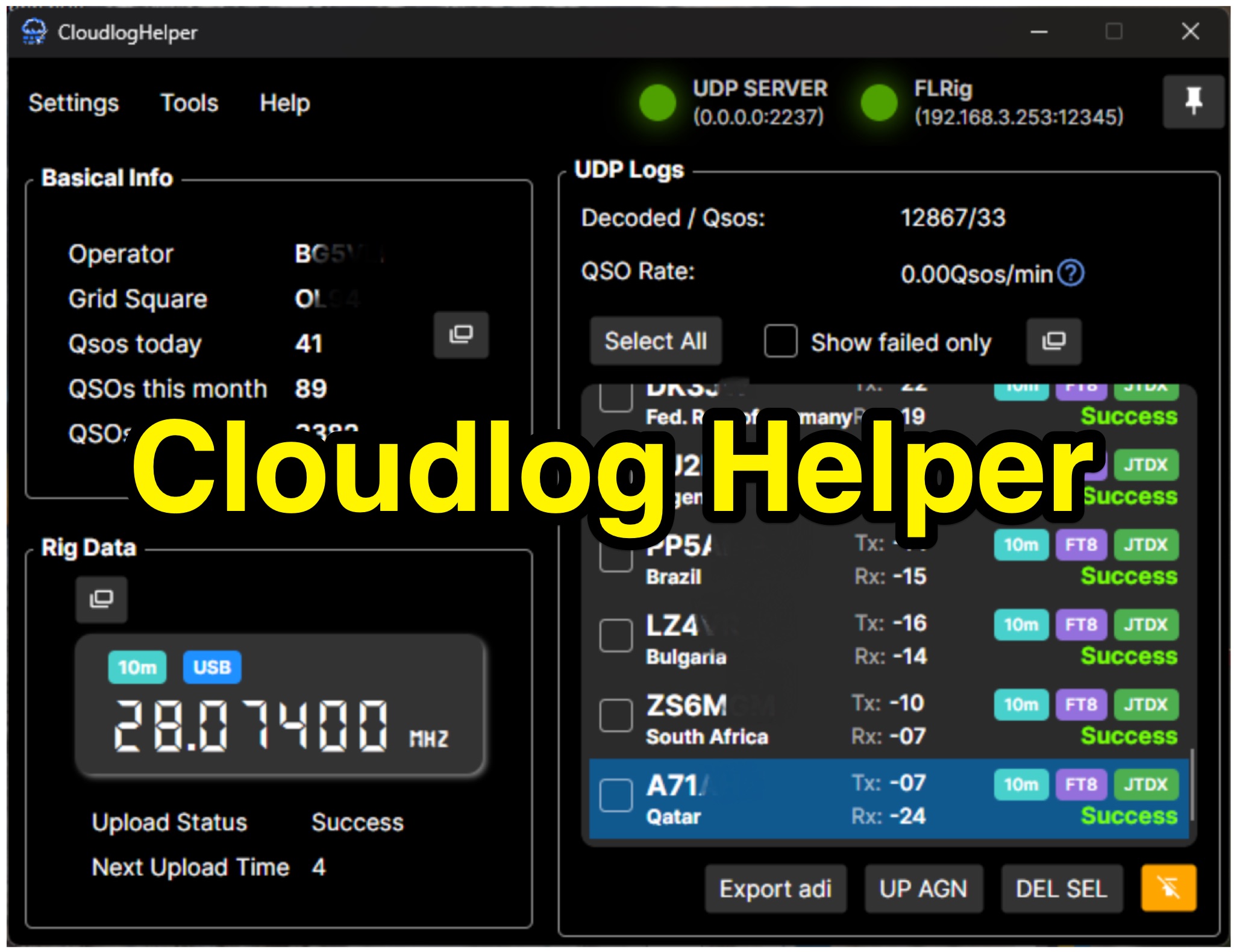 Cloudlog Helper addresses the need for streamlined, automated logging of amateur radio contacts, particularly for operators utilizing digital modes like FT8 or those with limited system resources. This utility syncs real-time rig data and QSO information to various logging platforms, including _Cloudlog_ and Wavelog, supporting mainstream transceivers. It integrates seamlessly with popular digital mode software such as JTDX and WSJT-X, ensuring that contact details are captured and uploaded without manual intervention. Operators can compile the software themselves and configure essential settings, including their Maidenhead locator, Cloudlog server address, API key, and station ID. The application's design prioritizes efficiency and portability, making it a practical solution for hams who prefer automated logging processes. While an unofficial community project, Cloudlog Helper provides a robust framework for automating the often-tedious task of logging, supporting multiple logging services beyond its primary integration. It offers a direct method for hams to maintain accurate and up-to-date logbooks with minimal effort, potentially improving their DXCC or other award tracking by ensuring no QSO is missed.
 -
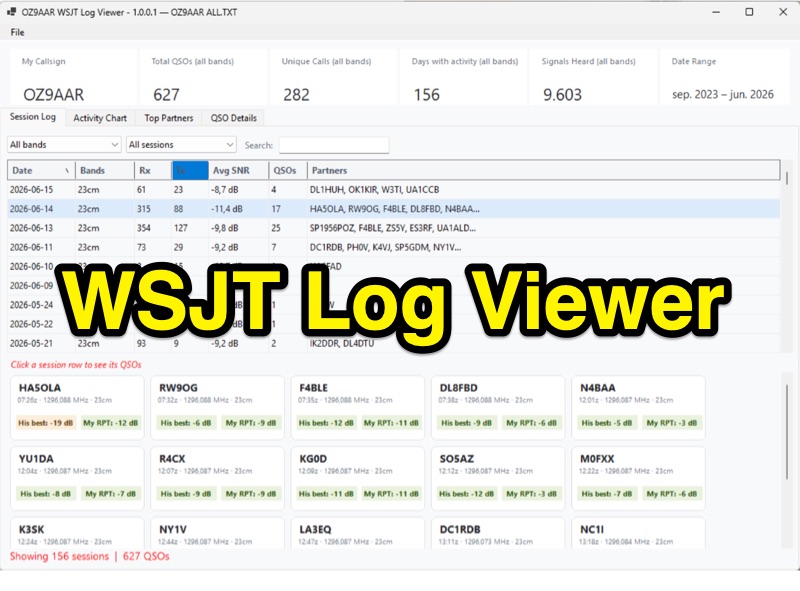 The WSJT Log Viewer, version 1.0.0.10 as of 2026-08-02, is a freeware Windows application developed by Carsten Groen (OZ9AAR) for analyzing signal strengths from WSJT digital mode contacts. It processes the ALL.TXT log file generated by WSJT-X, extracting and presenting data from decoded TX and RX messages. Initially designed for EME operations on 70cm and 23cm, the software has expanded to include all HF bands, 6m, 4m, 2m, 1.25m, 70cm, 23cm, 24GHz, and 47GHz. Key features include displaying total QSOs, unique callsigns, days with activity, and signals heard, with filtering options by band and completed QSOs. The application also monitors the ALL.TXT file for live updates every two seconds, reflecting new decodes in real-time. Users can view session logs, activity charts showing daily signal counts and decoded signals, and a "Top Partners" tab listing the 25 most frequent contacts. The software provides detailed QSO information, including best received SNR and sent reports, with graphical representations of SNR over time. It supports multiple "My Callsign" entries within a single ALL.TXT file and offers a function to generate a text list of initials worked per band. The program is distributed as a single executable file, requiring no installation, and stores its configuration in a LogViewer.cfg file, allowing for different setups via command-line arguments.
 -
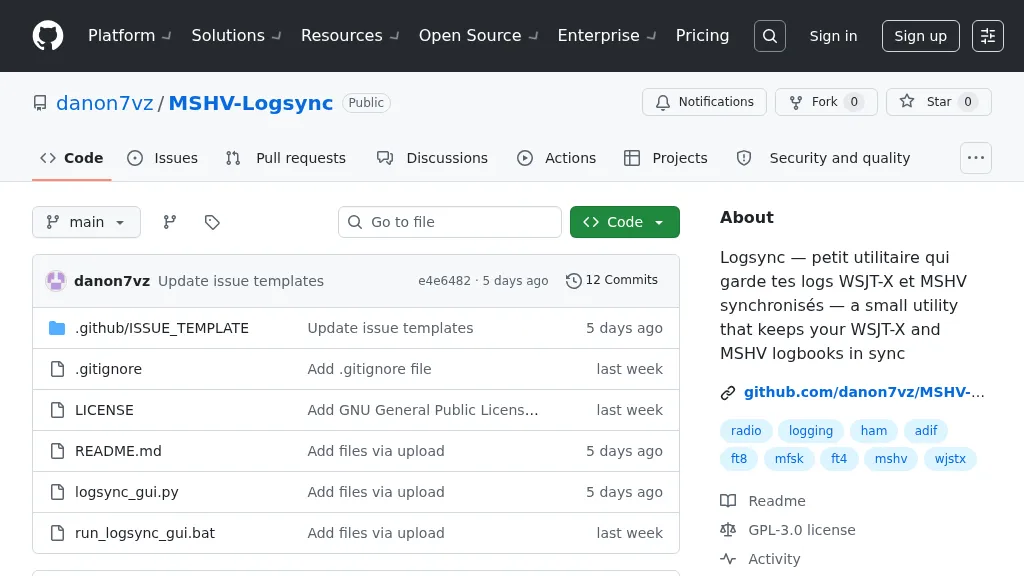 Manages log consistency across multiple digital mode applications, specifically addressing the common issue of log divergence between _MSHV_ and _WSJT-X_ for FT8, FT4, and other weak-signal modes. This prevents duplicate contacts and ensures accurate DX tracking when using both programs. The utility computes a deduplicated union of entries from both `_mshvlog.edim` and `_wsjtx.log` files, then updates each log with missing QSOs. It supports a deduplication key based on callsign, date, time (to the minute), band (derived from frequency), and mode. The tool is available as a standalone Windows executable or a Python version requiring Python 3 with _Tkinter_. Users select log folders, close both applications, and initiate the 'Merge' function. The process includes automatic timestamped backups of log files before any modifications, safeguarding QSO data.