Search results
Query: software installation
Links: 51 | Categories: 0
-
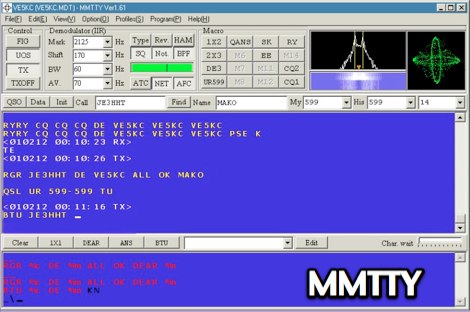 MMTTY V1.70K, released June 4, 2017, provides a full 3.5MB installation for RTTY operations on Windows platforms including XP, Vista, and Win7. The software, developed by JE3HHT, utilizes a soundcard for RTTY decoding and encoding, with support for external FSK keying via parallel or serial ports, including USB serial adapters. An MMTTY Engine V1.70K is also available, specifically designed for integration into other commercial amateur radio programs requiring RTTY functionality. Older versions such as MMTTY V1.68A (September 29, 2010) and MMTTY V1.66G are accessible, alongside a non-installer version (MMTTY168A-i.zip) for experienced users. The resource includes an updated ARRL.DX file for callsign lookup and offers a comprehensive 18MB PDF help file for offline viewing or download. Support for the software is directed to a group.io community. MMTTY integrates with **COMFSK** and **EXTFSK/EXTFSK64** for precise FSK keying, enabling direct radio control. The site also hosts MMJARTS V1.03, a 254KB utility released September 6, 2002, which generates log and summary sheets specifically for the JARTS RTTY contest, linking to the official JARTS website for contest information.
 -
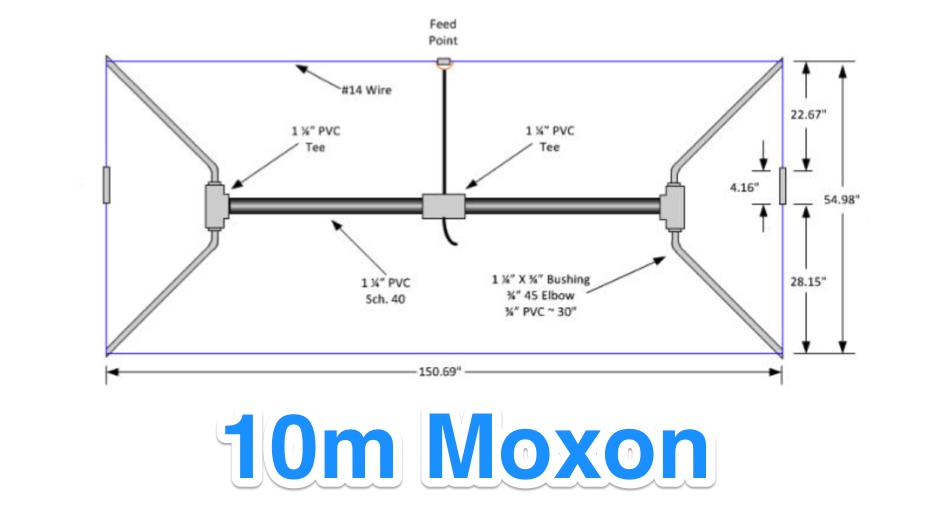 For amateur radio operators seeking a compact, directional antenna for the 10-meter band, this resource details the construction of a Moxon Yagi beam. The design utilizes readily available PVC pipe for the boom and elements, with specific measurements derived from the Moxon Rectangle Generator software. It outlines the assembly process for the main boom and end sections, providing critical dimensions for element spacing and overall length to achieve resonance at 28 MHz. The Moxon configuration offers a smaller footprint compared to a traditional Yagi, making it suitable for limited space installations. The article provides practical guidance for hams interested in a DIY antenna project, emphasizing the use of common hardware store materials. It specifies a 1 1/4" PVC schedule 40 pipe for the main boom and details the use of tees, reducing bushings, and 45-degree elbows for the element ends. Key measurements like the 55" spacing for the ends and the 150 3/4" overall length are provided, enabling replication of the design. The Moxon's inherent wide beamwidth and good front-to-back ratio make it an effective choice for DXing on 10 meters.
 -
 The resource details the construction and performance of a dual-band 40/30 meter _Moxon_ antenna, evolving from an initial single-band 30-meter design that failed in a storm. It specifies materials such as four 10-meter fishing rods, galvanized iron TV antenna support pipes, 1mm diameter PVC-covered copper wire, and a piece of 75-ohm TV satellite cable for feedline. The document outlines the iterative design process, including initial resonance measurements of 9.9 MHz for 30 meters and subsequent recalculations to shift the center frequency by 300 kHz using _Moxon software_. Initial testing on a roof yielded SWR readings of 1.4:1 at 7.200 MHz and 1.5:1 at 10.280 MHz. After installation atop a 30-meter tower, the final SWR measurements were 1.1 at 7.130 MHz and 1.4 at 10.230 MHz, with a notable 30 dB front-to-back ratio on 40 meters. The 30-meter performance, while good, showed a front-to-back ratio of approximately 15 dB, suggesting a slightly high resonance. The antenna's placement on a 700-meter hill, with a significant ground drop in certain directions, is noted as a potential factor in its excellent DX performance, enabling daily contacts with the USA West Coast on 30 and 40 meters with 100 watts.
 -
 RSCW demonstrates a Linux/Unix command-line utility engineered for **Morse code** decoding via a computer's sound card. It specifically targets the extraction of weak CW signals from noise, operating on 8-bit, 8000 samples/second audio input, typically from `/dev/dsp`. The program outputs decoded characters to `stdout`, supporting user-specified speeds in words per minute (WPM) and carrier frequencies. While effective for machine-sent signals, it exhibits a 2-second decoding lag and requires manual speed input, making it less suitable for general-purpose, real-time contest operation. The resource details the program's components, including `rscw` (the main decoder), `rscwx` (an X11 graphical auxiliary for spectrum and internal signal visualization), `rs12tlmdec` (a specialized decoder for RS-12 amateur radio satellite telemetry), and `noisycw` (a utility for generating noisy Morse signals for testing). Installation instructions involve downloading a `.tgz` file, compiling with `Make`, and requiring the FFTW library (and GTK 2.0 for `rscwx`). Performance is illustrated with a .wav file example of a 12 WPM, 800 Hz CW signal at 12 dB Eb/N0, showcasing RSCW's near-error-free decoding of a test message. The site provides command-line examples utilizing `sox` for audio conversion and `noisycw` for signal generation, inviting comparisons with other decoding software and human operators, particularly for weak signal conditions.
 -
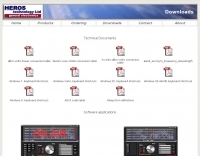 Windipoles is a free passive real time filter simulator. Developed under Visual Studio .NET. No software installation required. Allows design, analysis, optimizations and plots, all graphically.
 -
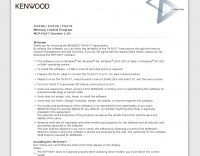 The MCP-F6/F7 software facilitates memory channel and menu data creation for the Kenwood TH-F6A, TH-F7A, and TH-F7E transceivers. It operates on _Windows_ XP (SP3+), Vista (SP2+), Windows 7 (RTM+), Windows 8 (RTM+), Windows 8.1 (RTM+), Windows 10, and Windows 11. System requirements include a CPU faster than the OS recommendation, RAM exceeding the OS recommendation, and **2 MB** of free hard drive space. Display resolution must be XGA (1024 x 768) or higher. Connectivity to the transceiver requires an optional PG-4Y (RS-232) or KPG-22U (USB 2.0) programming cable. The KPG-22U cable necessitates a virtual COM port driver installation. The software supports COM1 through COM20 for RS-232 communication. Installation requires administrator privileges and involves executing "setup.exe" from the extracted MFX101.zip archive. Uninstallation is performed via the Control Panel's "Uninstall a program" function or by re-executing "setup.exe." Created data files are not removed during uninstallation and require manual deletion. The software version is **1.01**. DXZone Focus: Kenwood TH-F6 F7 | Memory Management | Windows | RS-232
 -
 LOGvrr, a **freeware logging software** developed by IN3VRR, provides amateur radio operators with essential tools for managing their contacts. The resource details various downloadable components, including the core LOGvrr application, an international callbook with approximately 1.8 million callsigns, and utility programs for installation and data conversion. It supports functionalities like logging QSOs, managing awards, and interfacing with PacketCluster systems, with specific instructions for installation on Windows operating systems, including compatibility notes for Windows 10 and 11 using Hyper-V or DOSBOX. The site also offers external tools and documentation, such as the FAQ_VRR.PDF manual which covers installation, printer configuration, ADIF conversion, and Packet setup. It references third-party software like Mercurio and BV QSL Management for QSL printing, and ADIF2QSL for label printing, highlighting LOGvrr's ability to export QSOs in **ADIF format** for integration with services like LoTW. The resource includes historical updates, with the latest core component update in August 2014, and notes on the CallBook's maintenance up to 2015.
 -
 This document serves as a comprehensive guide for amateur radio operators looking to enhance their Yaesu FT-2000 or FT-950 transceivers with pan-adapter capabilities. A pan-adapter is an invaluable tool that allows operators to visualize the frequency spectrum, making it easier to identify signals and improve operational strategies. The guide details the necessary hardware modifications, including the RF Space IF-2000 board and various SDR options, along with their costs and installation procedures. The document caters to operators of varying technical expertise, providing step-by-step instructions and troubleshooting tips. It emphasizes the importance of using a sound card and software like PowerSDR and HRD for optimal functionality. By implementing these modifications, users can monitor multiple frequencies simultaneously, leading to a more productive and enjoyable amateur radio experience. This resource is particularly beneficial for those looking to modernize their equipment and remain competitive in the ever-evolving world of amateur radio.
 -
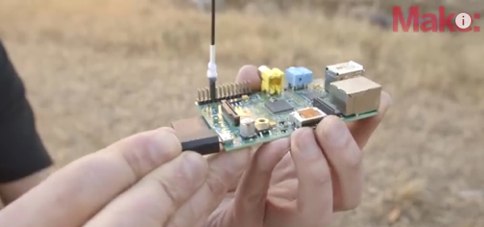 The project outlines the process for constructing a low-power FM broadcast transmitter using a Raspberry Pi Zero, a simple wire antenna, and battery power. It details the software installation steps for PiFM and MPG123, essential for generating and transmitting audio. The resource provides instructions for configuring the Raspberry Pi to broadcast FM signals, including command-line operations for initiating transmission and playing audio files. It specifically focuses on the Raspberry Pi Zero's capabilities for this application, highlighting its cost-effectiveness and minimal hardware requirements. The content presents a practical, hands-on approach to creating a basic FM transmitter, suitable for short-range, experimental broadcasting. It includes guidance on testing the FM output and ensuring proper operation of the software components. The project emphasizes the use of readily available components and open-source software to achieve functional RF output.
 -
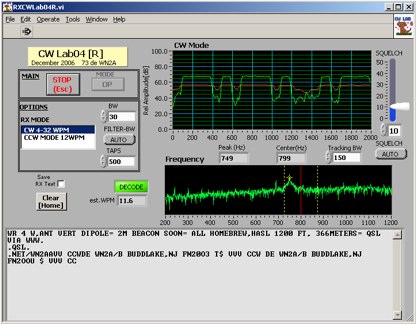 Deciphering weak or noisy **CW** (Continuous Wave) signals often presents a challenge for amateur radio operators, particularly in contest environments or during DXpeditions. CWLab04X addresses this by providing a software solution that leverages **DSP** (Digital Signal Processing) capabilities of a soundcard to decode Morse code. It functions as both a receiver and a sender, supporting traditional CW and a unique "CCW" mode designed to enhance copyability of signals struggling against high noise floors. The program offers two installation methods: a Windows-specific installer for straightforward setup or a zipped package compatible with Windows and Linux systems running Wine. Users must first download and review the accompanying PDF documentation, CWLab04.pdf and CWLab04_Hardware.pdf, which detail the software's operation and the necessary soundcard interface circuit. The hardware PDF outlines a direct connection from the receiver audio output to the soundcard input, with optional conversion of the soundcard output for hard-keying or microphone input. CWLab04X is intended as an operational aid rather than a replacement for skilled human copy, particularly highlighting the effectiveness of its CCW mode in adverse signal conditions. The software was last revised in April 2009, with installation requiring the LV Runtime 602.
 -
 QRPPAL, developed by WB2QAP, functions as a freeware QRP logging application for Windows 3.1 and Windows 95, initially introduced at the 1996 Dayton Hamvention FDIM QRP symposium. The software integrates the original "Logger" program, which was specifically designed for ARCI contest dupe checking and logging, alongside versions tailored for NW-QRP, MI-QRP Club, and Colorado QRP Club contests. It is distributed as a self-extracting archive, _qrppal!.exe_, approximately 1.2 MB in size, which unpacks _qrppal.exe_ and _setup.exe_ for installation. The program's modular design incorporates extensive QRP-centric databases, covering ARCI awards, QRP club listings, QRP periodicals, kit/vendor directories, and detailed rig reviews, often with photos. Noted reviewer Bob Gobrick, _VO1DRB_, described it as a "QRP Internet Web Site in a box" due to its comprehensive data modules, which are also user-modifiable. Installation involves running _setup.exe_ to create batch files like _setup95.bat_, which then establish a c:\qrppal directory and deploy the program files. Users initiate the application by typing "qrp pal.tkn" after setup. The Colorado QRP Club contest version should be avoided due to specific first name exchange requirements not supported by that module.
 -
 Enables users to convert plain text into _Morse Code_ and, conversely, decode Morse sequences back into readable text. This web-based utility provides a straightforward interface for rapid translation, proving useful for both learning and practical application. It processes input efficiently, displaying the corresponding Morse or text output instantly. Operators can leverage this tool for generating practice copy or for deciphering received CW signals, making it a handy resource for those honing their code skills. The translator handles various character inputs, converting them into standard International Morse Code elements. This simple utility supports quick lookups and real-time conversions, facilitating a better understanding of CW structure and timing. It operates entirely online, requiring no software installation.
 -
 Despite the title referencing the callsigns 3C5J and MW0BRO, the content of this resource focuses entirely on the _Cleddau Computer Clinic_, an IT services company operating in Pembrokeshire since 1999. The site outlines a broad range of computer-related services, including custom-built new PCs starting from £399, sales of used systems, and comprehensive repair and upgrade options for existing units. Services extend to anti-virus and spyware removal, system installation, and broadband connection setup. The clinic also provides tuition for hardware and software applications, website design, and video to DVD transfer. They specialize in both fixed and wireless network solutions, enabling clients to share files and broadband connections efficiently. Repairs can be conducted either in their workshop or at the client's home or office, offering flexibility. For situations where on-site repair is not feasible, the Cleddau Computer Clinic offers a temporary replacement computer service. This includes transferring essential data to minimize disruption, a practical approach for local businesses and individuals in areas like Pembroke, Milford Haven, and Haverfordwest.
 -
 URLog, version 0.1.10, functions as a freeware amateur radio logging application designed for basic QSO record-keeping. The software provides core functionalities for inputting contact details, including callsign, date, time, frequency, and mode, which are fundamental for maintaining an amateur radio logbook. Its design emphasizes ease of use, making it accessible for operators who require straightforward logging capabilities without extensive advanced features. The application's utility lies in its simplicity for everyday logging tasks, particularly for those who prefer a local software solution over web-based loggers. While specific data formats supported are not detailed, standard logging practices suggest ADIF compatibility for export, facilitating integration with other ham radio software or online logbooks. The software's compact download size of approximately 4.5 MB indicates a lean installation, minimizing system resource usage.
 -
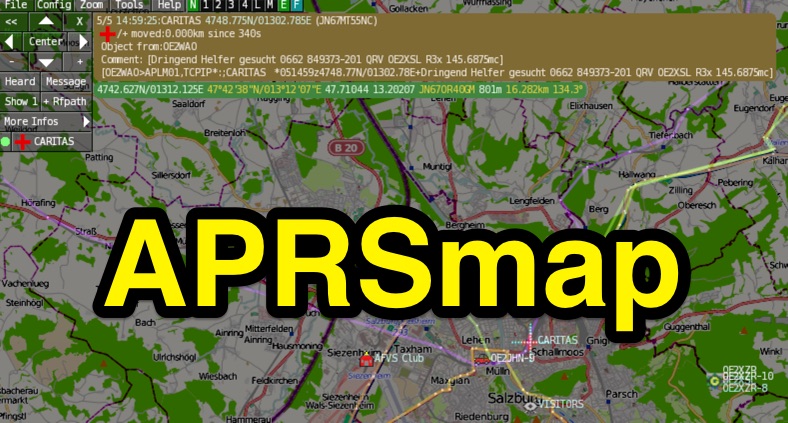 APRSmap is a new APRS client software by OE5DXL, which is based on the OSM map source. It allows a lot of features in only one program by a good usability. NO installation is required, just put it on a disk an run it
 -
 Displays amateur radio grid squares worked from third-party logging programs, providing a visual representation of contacts on a world map. This Windows application uses colors to differentiate up to four bands concurrently, calculating the total number of grid squares worked per band. It reads plain-text log files, including fixed-width, character-delimited, ADIF, and Cabrillo formats, dynamically updating the map as log files are saved during contests or general operation. Primarily targeting **VHF** and above operators, WorkedGrids aids in grid square collection for contesting and awards. The software offers a fixed-resolution continental viewpoint, zoom-in capabilities, and supports printing or copying the map to the clipboard. It operates on Windows 95 through Windows 11, requiring minimal CPU and RAM, and features a non-invasive installation. The program has undergone several updates, with version 7 released on March 3, 2024, addressing minor fixes and improving stability.
 -
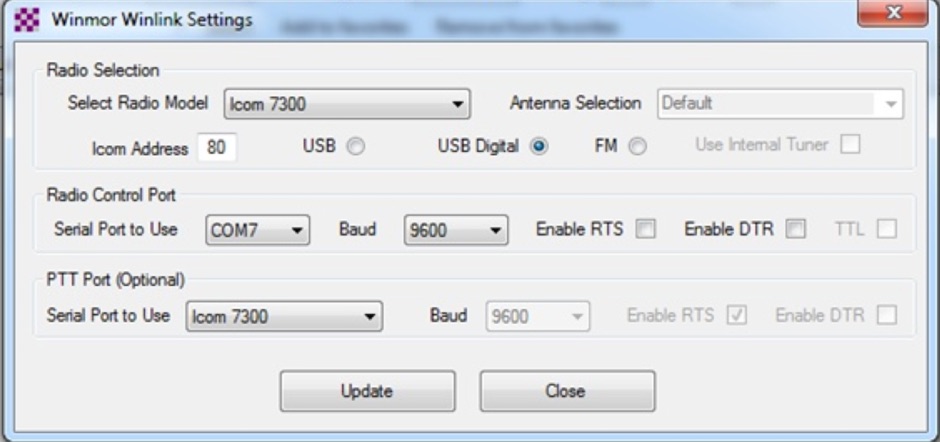 This tutorial provides step-by-step instructions for setting up the ICOM IC-7300 to work with WinLink and WinMor. The process begins with downloading the necessary USB driver from ICOM Japan, followed by configuring the radio settings through the menu. Key settings include selecting the correct output and data modes, as well as ensuring the USB serial function is properly set. Once the radio is connected to the PC via USB, the drivers will install automatically, allowing for seamless communication. After confirming the installation of the USB Audio CODEC and COM port, users are guided to download the RMS Client Software for WinLink. The tutorial emphasizes the importance of understanding the WinLink system and provides links to additional resources for setup. Finally, it details how to configure the WinMor modem settings, ensuring the ICOM IC-7300 is ready for effective digital communication. This guide is essential for operators looking to enhance their digital capabilities using the IC-7300.
 -
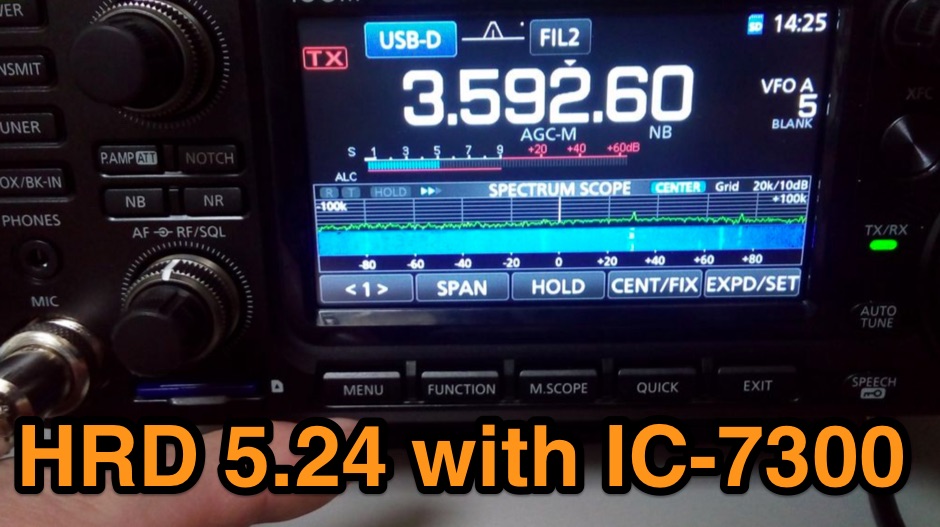 The Icom IC-7300 is a popular HF transceiver among amateur radio operators, known for its advanced features and ease of use. However, integrating it with software like Ham Radio Deluxe (HRD) can be challenging due to compatibility issues. This guide provides step-by-step instructions on how to configure the IC-7300 to work seamlessly with HRD 5.24, the last freeware version available. It covers the installation of necessary drivers, setting up virtual COM ports, and configuring audio settings for digital modes. To begin, users must download and install the Icom USB driver, which creates a virtual serial COM port for communication between the radio and the computer. The guide details how to check for this new port and adjust the CI-V address settings to ensure proper communication. It also explains how to set up the soundcard settings in HRD for digital modes, allowing operators to transmit and receive audio effectively. Following these instructions will enable IC-7300 owners to maximize their radio's capabilities with HRD.
 -
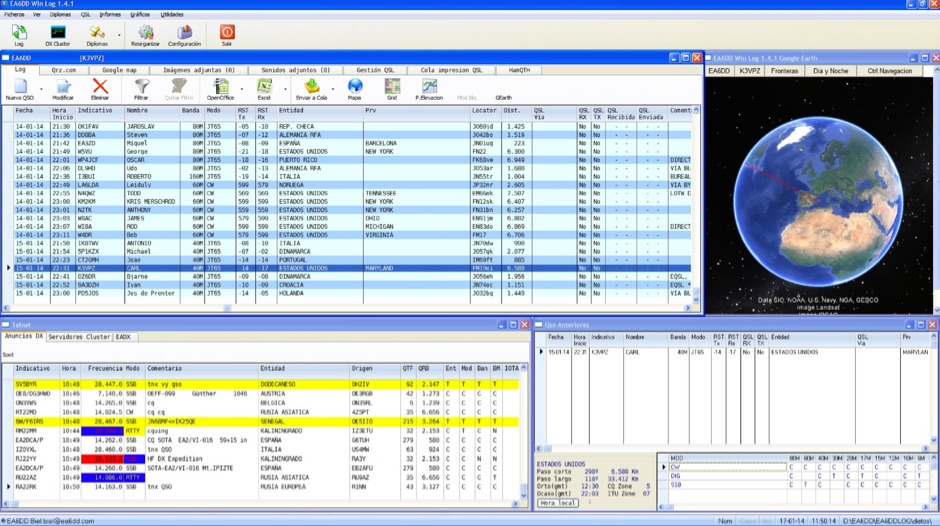 Win EA6DDlog is a freeware logging application for Windows, developed by EA6DD Biel. It integrates features from existing software like Swislog, Urelib, Logger, and HamRadio Deluxe, presenting a Multi-Document Interface (MDI) similar to Logger. The program prioritizes simplicity, practicality, and operational speed, allowing functionality even on less powerful PCs. It does not require a formal installation; users can run it directly from a portable drive or any directory. This logging utility supports CAT control through Omnirig by Alex Shovkoplyas, VE3NEA, which is automatically installed if not already present on the system. It also offers QSL printing capabilities and connections to online callbook services such as QRZ and HamQTH for contact information. EA6DDlog includes an automatic update mechanism that checks for new versions upon startup, requiring internet access. For Windows Vista users, disabling User Account Control (UAC) is recommended for proper update functionality. The software is part of a broader development effort aiming for cross-platform compatibility, with future versions planned for Windows Mobile, Linux, and macOS.
 -
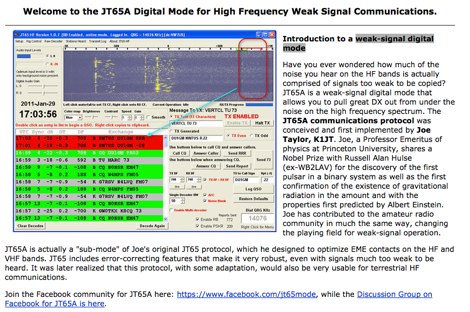 A very exaustive and complete article on JT65A and JT65-HF operating mode, including software download links, installation notes, how to make JT65A QSO and videos to correctly work with weak signals by NW7US
 -
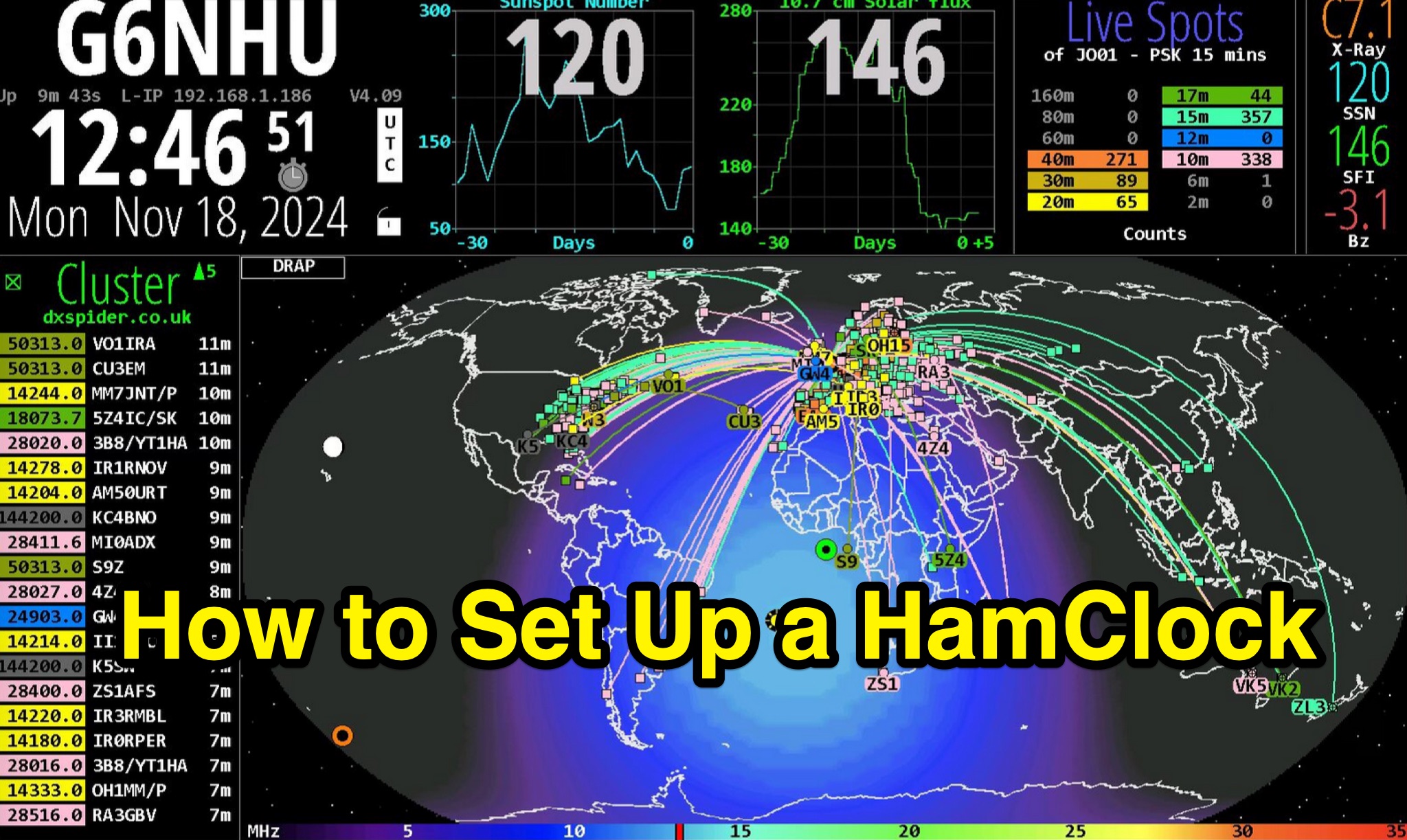 Demonstrates the complete process of setting up a _HamClock_ for an amateur radio shack, utilizing a Raspberry Pi and the HamClock 4.21 software. The guide meticulously covers hardware recommendations, including specific Raspberry Pi models like the Pi 4, suitable SD cards, power supplies, and display options. It provides step-by-step instructions for preparing the SD card with Raspberry Pi OS, performing initial system updates, and executing the HamClock installation script. Detailed configuration steps are outlined for HamClock's seven setup pages, addressing callsign, grid square, DX Cluster settings (e.g., `dxspider.co.uk` port **7300**), map centering, and crucial features like automatic space weather map rotation and auto-upgrades. The resource further explains how to customize HamClock's display panels, such as replacing default panels with a large DX Cluster display or a dedicated Space Weather panel. It illustrates configuring the Live Spots panel to show _PSKReporter_ data, filtering spots by grid square and time (e.g., **15 minutes**), and selecting specific bands for monitoring. The author, G6NHU, shares personal preferences for map types, recommending the DRAP style with Robinson projection for optimal amateur radio utility. Additionally, the guide provides specific DX Cluster filtering commands to manage spot overload, including methods to exclude data modes like FT8 and FT4, ensuring a cleaner display of relevant DX activity.
 -
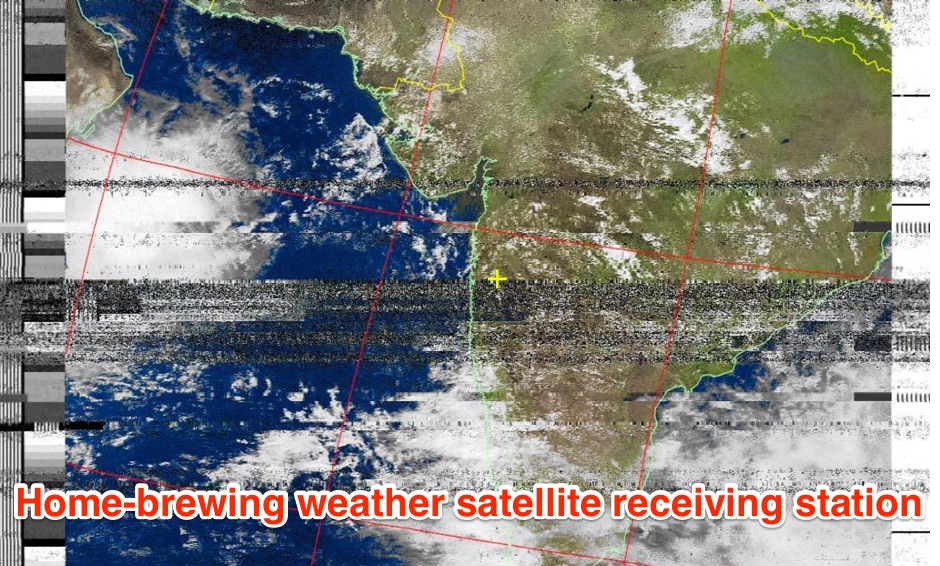 The page provides a detailed guide on how to build your own NOAA weather satellite receiving station, covering hardware, antenna, computer setup, and software installation. It offers a straightforward explanation suitable for beginners and serves as an educational project. The content includes step-by-step instructions and tips for observing satellites in the night sky.
 -
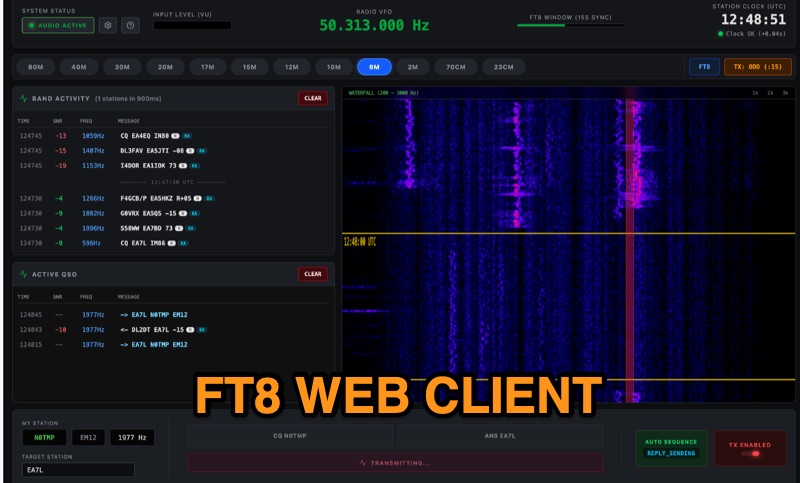 Demonstrates FT8Web, a browser-based FT8/FT4 client developed by OK1CDJ, which operates entirely within a web browser without requiring any installation. This free, open-source software functions as an installable Progressive Web App (PWA), enabling offline use, making it particularly suitable for portable operations like SOTA, POTA, and Field Day. The client integrates CAT control via WebSerial for desktop environments and WebUSB for Android devices, offering automated QSO handling, a real-time waterfall display, and ADIF logbook export for seamless logging. FT8Web has undergone testing with popular Icom transceivers, specifically the IC-7300 and IC-705, confirming its compatibility and performance with these rigs. Its browser-native design eliminates the complexities of traditional software installations, providing a streamlined experience for digital mode enthusiasts. The project is licensed under GPLv3, with its source code readily available on GitHub, fostering community contributions and transparency.
 -
 First released around 1995 and significantly redesigned as QWTelnet 2, this software provides a dedicated interface for monitoring DX-Cluster traffic via Telnet. It integrates a **SOTAwatch parser** with configurable audio alerts, allowing operators to receive notifications for specific search patterns in DX-Cluster remarks without constant screen attention. The application also supports parsing for **GMAwatch (German Mountain Award)**, providing alerts for German Mountain Award activations. QWTelnet 2.4.0, released on 07-APR-2012, runs on Windows (tested on W7) and is distributed as a ZIP file containing the `qwtelnet.exe` executable. It does not require a formal installation process; users simply extract and run the program. The software can display DX information for single bands, integrate with the Reverse Beacon Network, and link to external web resources for DXCC and SOTA information. It also supports local reference files for IOTA, WFF, and RDA awards, which users must source and place in the `qwtelnet/files` directory. For IOTA data, users can convert `IOTA.CSV` from UCX-Log or `DX4WIN_IOTA.TXT` into `iota.csv`. WFF and RDA reference files are directly sourced from their respective websites.
 -
 Loki5ace version 5.3.39.1 is a freeware amateur radio logging program designed for Windows operating systems (XP, Vista, 7) and compatible with Linux Wine. The software offers multiple installation methods, including a portable version (loc5portable.zip or Loce5pack.zip) that does not require administrator rights or Windows Registry modifications, making it suitable for USB stick deployment or limited user accounts. An official installation (loc5acest.zip) is also available, typically installing to C:\Program Files\Hamlok\LokiAce\ and requiring administrator privileges for initial setup and updates, with user-specific settings and database files stored in application data folders. The program's database, Loc4ac.mdb, can be renamed to the user's callsign for personalization. Loki5ace supports context-sensitive help, which requires WinHlp32.exe installation on Windows Vista and 7. The software includes features such as special print functions, Telnet Watch with comment display, and an 'Own QTH' field for location management. Updates can be performed via an in-program function or by manually copying the Loki5ace.zip file, which contains the main executable, Loki5ace.exe, to the program folder. The latest version 5.3.39.0 includes repairs for special prints and enhancements to the Telnet Watch feature.
 -
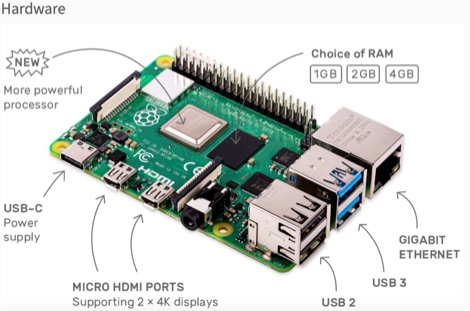 This resource is an online tutorial focused on setting up the Raspberry Pi for amateur radio applications. It covers the installation and configuration of various software packages tailored for digital communications and protocols, including _Packet Radio_ with Hamlib and Direwolf, as well as data modes like FLDigi and WSJT-X. The guide also details the integration of hardware components such as GPS clocks for time synchronization and real-time clocks for enhanced functionality. Users will find instructions for installing software like GPredict for satellite tracking and GQRX for software-defined radio (SDR) applications. The tutorial emphasizes practical steps, including the use of command-line inputs in the Raspberry Pi OS terminal, and provides troubleshooting tips for common issues such as faulty SD cards or insufficient power supplies. Operators are encouraged to explore various applications, including APRS iGates and WSPR beacons, to enhance their ham radio experience. The material is designed for licensed amateur radio operators with basic knowledge of electronics and computing.
 -
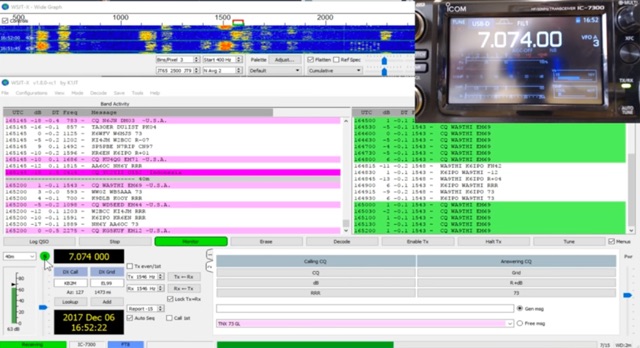 The _Icom IC-7300_ transceiver, a popular SDR rig, can be readily configured for digital modes like FT8 using _WSJT-X_ software. This guide details the necessary steps, from downloading the correct version of WSJT-X to configuring the radio's USB audio and CAT control settings. It emphasizes a straightforward approach, aiming to simplify the often complex initial setup for new digital mode operators. K0PIR shares his practical experience, outlining the specific menu settings on the IC-7300, such as USB SEND/DPT and USB MOD LEVEL, which are crucial for proper signal modulation and transmission. The resource also covers the integration of WSJT-X's built-in logging capabilities, streamlining the process of recording digital contacts without needing external logging software immediately. This setup allows for efficient operation on various HF bands. Two embedded videos further illustrate the configuration process, providing visual aids for each step, from initial software installation to making the first FT8 contact. The author's method focuses on minimizing common setup hurdles.
 -
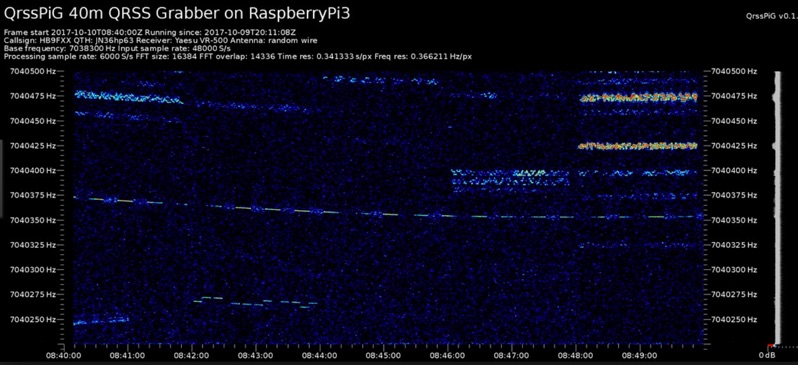 Monitoring extremely weak signals in the QRSS (Very Slow Morse) mode requires specialized receiving and processing capabilities to extract information below the typical noise floor. This project provides a software solution, _QrssPiG_, designed to run on a Raspberry Pi, enabling it to function as a dedicated QRSS grabber. It interfaces with various Software Defined Radio (SDR) devices, including the popular _rtl-sdr_ dongles and _HackRF_ units, to acquire raw I/Q data streams. The software then performs the necessary signal processing to visualize and decode these faint, long-duration CW transmissions, often operating with milliwatts of power. The system leverages the computational power of the Raspberry Pi for real-time signal analysis, allowing hams to participate in QRSS experiments and monitor distant beacons. It supports different SDR hardware, offering flexibility in setup and deployment for home stations or remote monitoring sites. The project includes detailed instructions for installation and configuration, making it accessible for those familiar with Linux environments. This grabber is particularly useful for tracking propagation on the LF and HF bands where QRSS activity is common, providing a visual representation of signal presence over extended periods.
 -
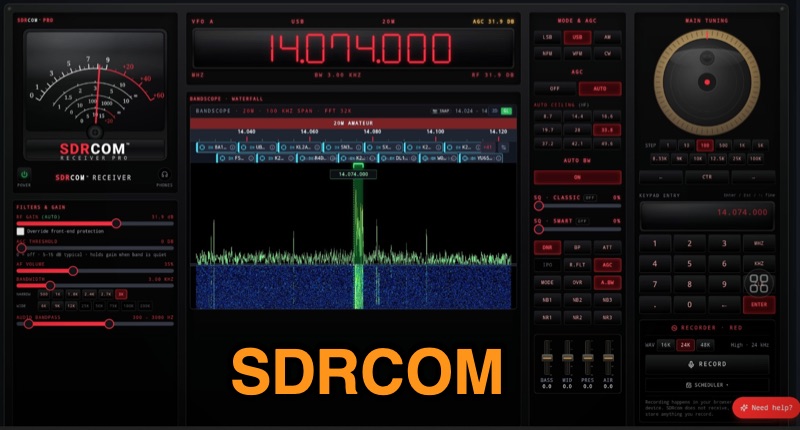 The SDRcom platform provides a unique browser-native Software Defined Radio experience, emulating a traditional radio with a physical VFO dial, switches, and an analog meter. It integrates a high-resolution 64k FFT waterfall display, supporting essential modes like AM, FM, SSB, and CW. The **SDRcom Blue** version interfaces with SDRplay® receivers via a local WebSocket, while the free **Red Lite** version supports RTL-SDR V3/V4 dongles through WebUSB, including basic audio EQ and 100 memory slots, along with FT8 decoding. For advanced operators, the Red Pro version expands capabilities with 1000 memory slots, upgraded high-resolution waterfalls, and enhanced W4PAH FT8, FT4, and WSPR decoder engines. It also incorporates 4-band DSP noise reduction and an intelligent band scanner, proving beneficial for weak-signal work. The Network edition extends functionality to access hundreds of global remote SDRs, and an ADS-B aircraft decoding feature with 3D positioning and mapping is also available. All SDRcom applications are designed to run directly in a web browser, eliminating the need for any software installation. This approach simplifies access and setup for radio enthusiasts, from casual SWLs to dedicated digital mode operators, allowing immediate engagement with the airwaves.
 -
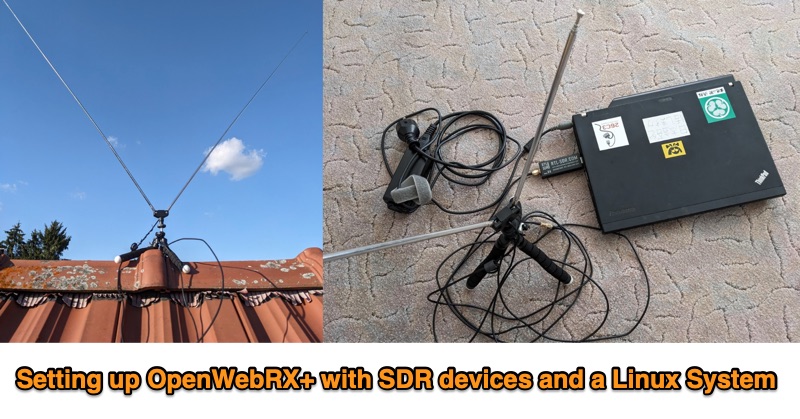 This PDF document outlines the process for establishing an **OpenWebRX+** station utilizing Software Defined Radio (SDR) devices on a Linux platform, specifically Debian Bookworm. It details the capabilities of such a setup, including reception across various frequency bands supported by the SDR hardware and the decoding of multiple modes like FM, WideFM, SSB, AM, ADSB, FT8, and CW, with examples provided for FT8 reception and mapping, sensor data, and ADSB. The guide recommends specific hardware configurations, suggesting older x86-64 laptops with 4GB RAM or Raspberry Pi 4 models for the host system. For SDR devices, it endorses **RTL-SDRv3/v4** or HackRF, noting the necessary driver installations for RTL-SDR. The software installation sequence is meticulously laid out, from installing Debian Bookworm to adding OpenWebRX+ repositories, installing the application, and configuring device-specific drivers. Authored by Christian Horn (JL1AYH), the resource also includes a brief personal background of the author. It concludes with instructions for accessing the OpenWebRX+ interface via a web browser, either locally or remotely over a network, and provides contact information for further inquiries.
 -
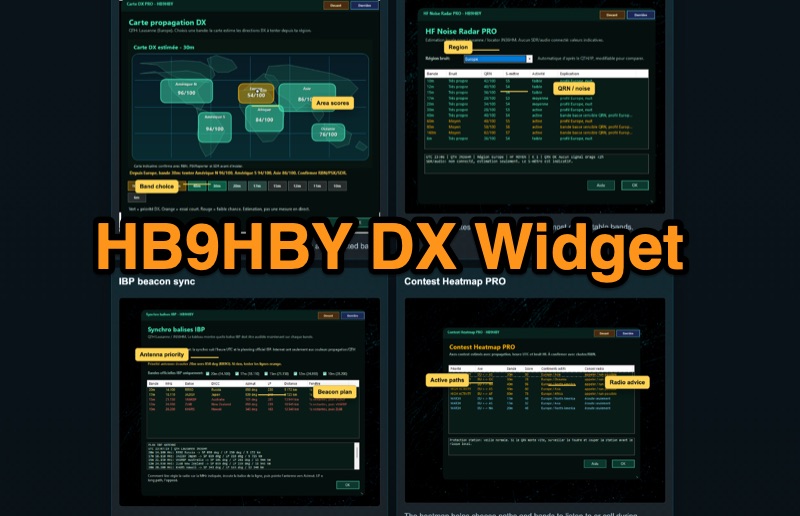 Demonstrates the _Widget DX HB9HBY_ software, a compact desktop application for amateur radio operators, providing essential real-time information. The widget displays UTC time, current HF propagation conditions, local weather, and thunderstorm risk. It also integrates radio-related links and offers advanced PRO functions, such as a DX map, HF noise radar, IBP beacon synchronization, contest heatmap, aurora radar, and a rare DX radar. The software is available for Windows 10/11 and Linux, with a macOS version planned for future release, and supports both French and English interfaces. Author HB9HBY highlights the widget's simple installation process and automatic update capabilities, which can be silent for minor fixes or include notifications for significant changes. The free version provides core functionalities, while a 15-day free trial unlocks the PRO features. A lifetime PRO license is available for a one-time payment of CHF 10, activating advanced tools that help operators make quicker decisions at the station by correlating propagation, UTC, DX activity, and local conditions, though results remain indicative and require confirmation via listening or tools like _RBN_ or _PSKReporter_.
 -
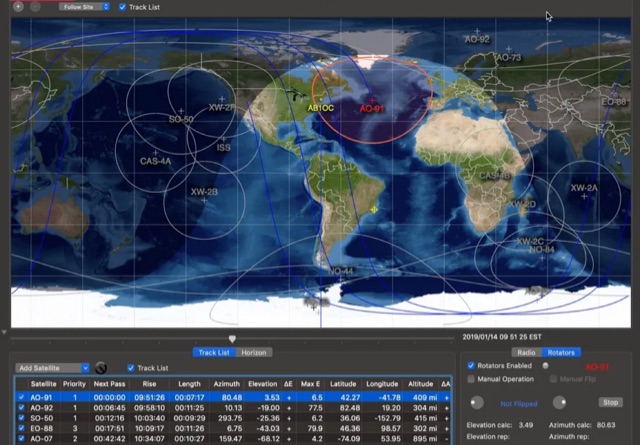 This article provides a step-by-step guide for assembling a Raspberry Pi-based Satellite Tracker Interface, designed to work with Green Heron Engineering's RT-21 controllers and MacDoppler software. The guide covers hardware assembly, SD card image installation, and system configuration for satellite tracking.
 -
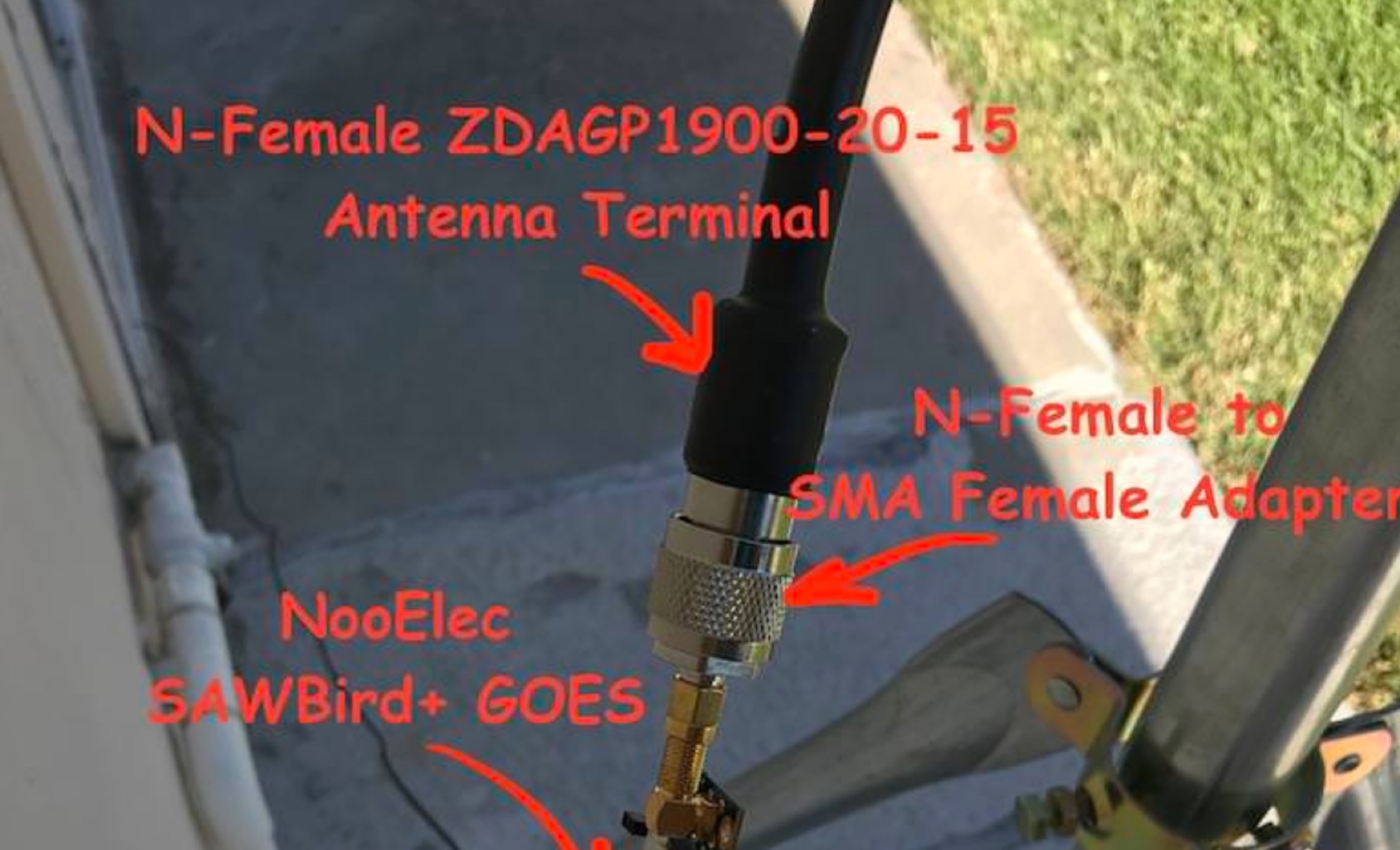 Receiving **GOES-16** and **GOES-17** weather satellite imagery requires a specific hardware and software configuration, detailed in this practical guide. The author outlines the necessary components, including a Raspberry Pi, an RTL-SDR dongle, a suitable LNA with SAW filter for 1.69 GHz, and a parabolic grid antenna. This setup enables direct reception of high-resolution weather data, a fascinating aspect of amateur radio satellite operations. The installation process begins with preparing the Raspberry Pi, followed by updating the system and installing essential dependencies like `git`, `build-essential`, and `cmake`. A critical step involves compiling and installing `librtlsdr` from source, ensuring proper driver setup and blacklisting conflicting DVB drivers. The guide then walks through testing the RTL-SDR dongle to confirm device recognition and troubleshoot common issues like USB power or driver installation problems. Finally, the instructions cover cloning and building `goestools`, a software suite essential for processing the satellite signals. This compilation, while time-consuming on a Raspberry Pi, is crucial for decoding the raw data into usable imagery. The guide concludes with the initial steps for creating the `goesrecv.conf` configuration file, preparing the system for active satellite reception.
 -
 Tips and tricks on programming the Yaesu FT-991A, from software installation and connecting to the PC via the USB Port, to properly programming memories.
 -
 Quansheng Dock v0.32.22q is a specialized software application designed for remote operation of Quansheng UV-K5 (and equivalent) handheld radios using a programming cable. The software enables various advanced functionalities and features for these radios, enhancing their usability and flexibility. Quansheng Dock is a Windows application designed for remote control of Quansheng UV-K5 handheld radios using a programming cable. It offers enhanced features such as advanced preset and channel scanning, customizable LCD displays, spectrum analysis, and audio passthrough. The software requires firmware version 0.32.21q and the .NET 6 runtime. An AIOC cable is recommended for full audio functionality. Installation is straightforward and portable.
 -
 This document details the construction, programming, and operation of a modular WSPR transmitter. The transmitter utilizes an ESP8266 NodeMCU, an SI5351 synthesizer with a TCXO for stability, and selectable low pass filters. Construction involves soldering headers, components, and assembling filter module. The ESP8266 is programmed via the Arduino IDE, requiring library installations and code modifications, including network credentials, callsign, and frequency . The transmitter is powered by USB or Vin terminals and its frequency is selected by jumpers and software settings. The document also covers FCC restrictions and how to use the WSPR network
 -
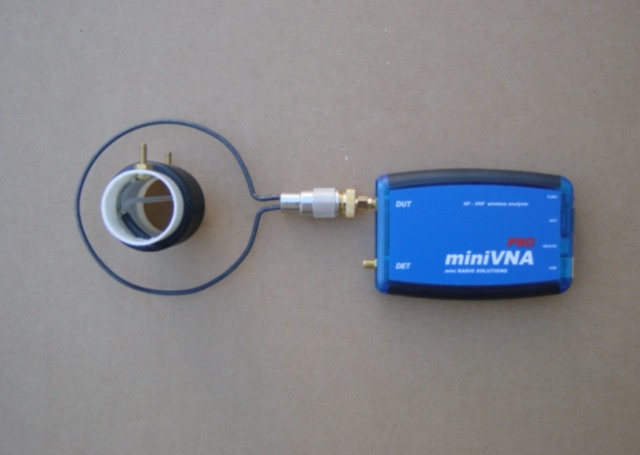 Notes on installing the miniVNA PRO software, making a calibration standard, a trap tuning loop.
 -
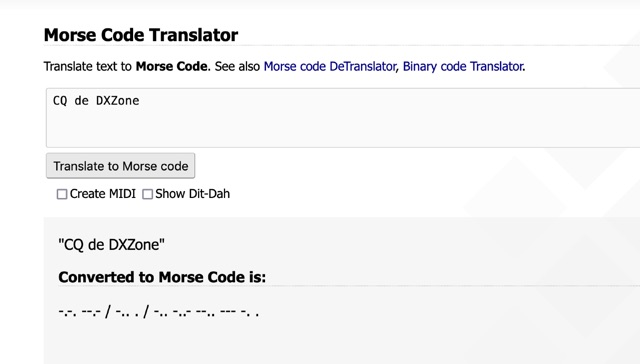 One primary function of this online utility is to convert plain text into _Morse code_, presenting the output in either a visual dit-dah sequence or as a downloadable MIDI file for auditory practice. The tool also provides the reverse capability, allowing operators to input Morse code and receive a decoded text translation. This bidirectional functionality supports both encoding messages for transmission practice and decoding received signals for improved copy. Operators can utilize the web interface for quick translations, making it accessible without software installation. The resource focuses on the fundamental aspects of CW communication, aiding in both learning and practical application of the code. Its design emphasizes simplicity and direct utility for amateur radio enthusiasts working with CW.
 -
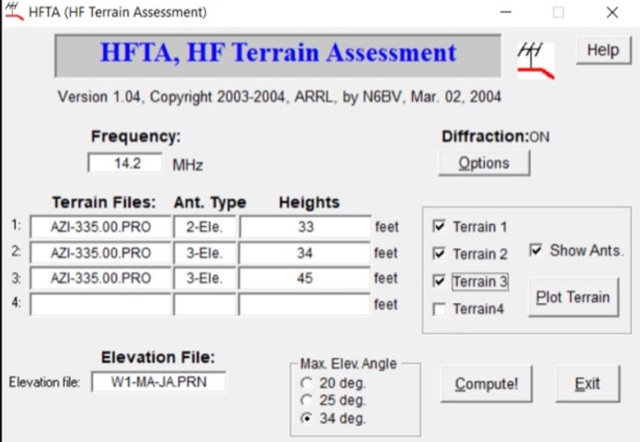 A complete guide to plan antenna installation by using several tools and resources including the popular HFTA High-Frequency Terrain Assessment software distributed by ARRL. A full tutorial on how to use it and how to interpretate reports produced by this antenna setup analysis tool.
 -
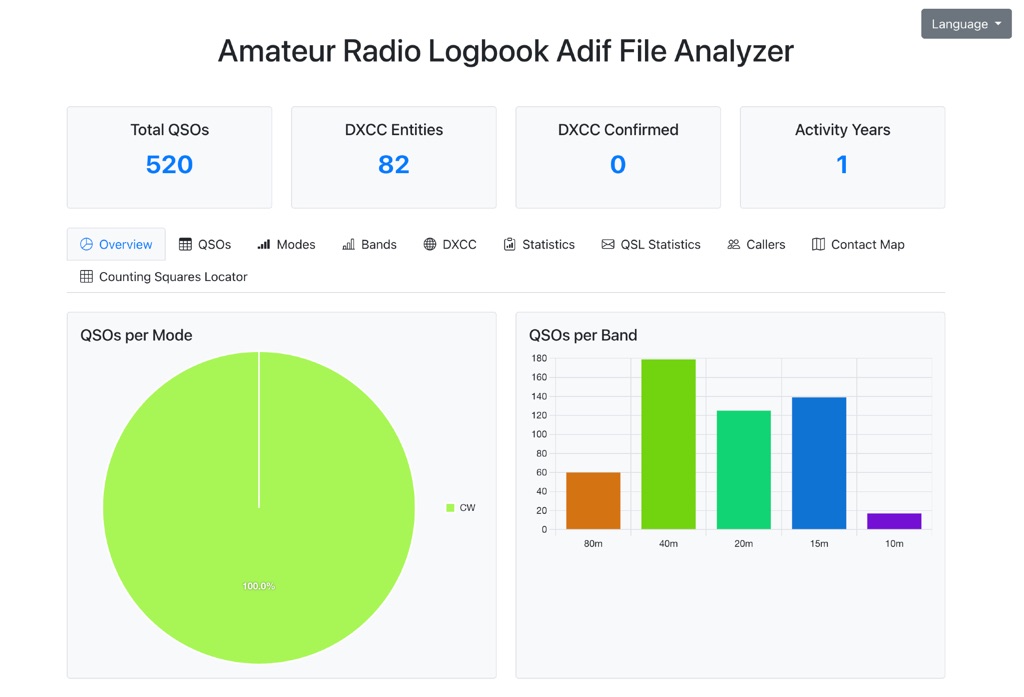 The Amateur Radio Logbook ADIF File Analyzer available at loganalyzer.sv5fri.eu is a convenient web-based tool that allows you to upload your ADIF log and instantly generate a visual map of your QSO contacts along with detailed statistics—by band, mode, time, grid squares, DXCC, and more. It provides an intuitive overview of your operating patterns and performance without requiring any software installation.
 -
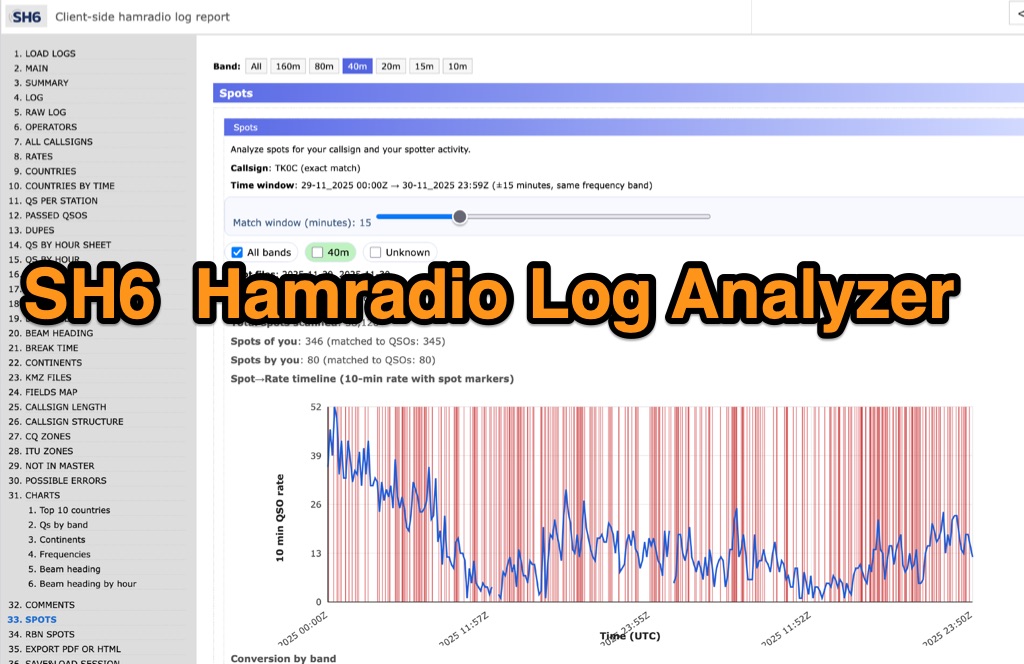 SH6 is a versatile, browser-based utility designed for the detailed analysis and visualization of amateur radio contest logs. Supporting standard formats such as Cabrillo and ADIF, the tool allows operators to upload personal files via drag-and-drop or access a searchable public archive containing over one million logs. Key capabilities include comprehensive performance metrics, offering summaries of band breakdowns, QSO rates, and beam headings. Furthermore, SH6 provides advanced geographic visualization through interactive maps, analyzing contacts by country, zone, and continent. A standout feature is the side-by-side comparison mode, enabling users to contrast two distinct logs for strategic assessment. SH6 transforms raw log data into actionable insights regarding operator performance without requiring software installation.
 -
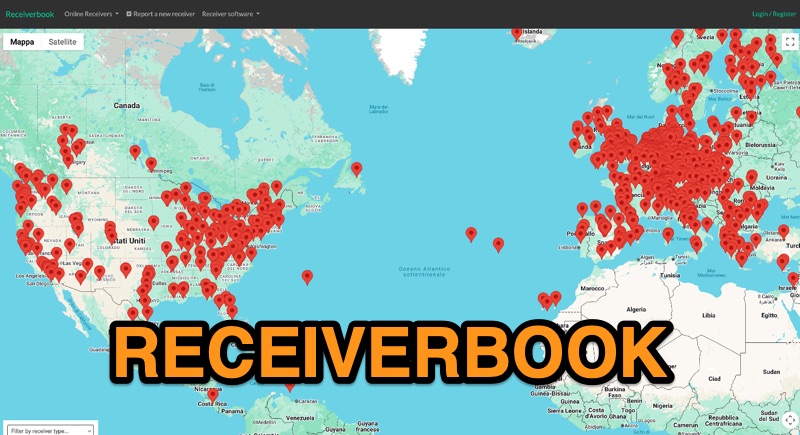 Monitoring radio communications through web-accessible Software Defined Radios (SDRs) has become a popular facet of the hobby, and Receiverbook serves as a centralized directory for locating these remote assets. The platform aggregates listings for both **OpenWebRX+** and **KiwiSDR** installations, providing a gateway to a diverse array of frequencies and operating modes. My own experience with similar directories highlights their utility for casual listening, DXing, and even troubleshooting local RFI by comparing signals across different geographic locations. The directory details specific receiver locations, from Bedford, England, to Marahau, New Zealand, and Berlin, Germany. Each entry often specifies the supported frequency ranges, which can span LF, MF, HF, VHF, and UHF bands, including dedicated segments like 80m, 40m, 2m, and 70cm. Many listings explicitly note support for HAM radio, broadcast services, and public two-way radio, making it a versatile tool for various listening interests. Beyond general frequency coverage, some entries provide granular details about the underlying hardware, such as the **SDRPlay RSP1A** or RTL-SDR Blog V3, and even the antenna types employed, like the Sirio Gain-Master. This level of detail is invaluable for serious SWLs and hams looking to understand the capabilities and limitations of a particular remote receiver before tuning in.
 -
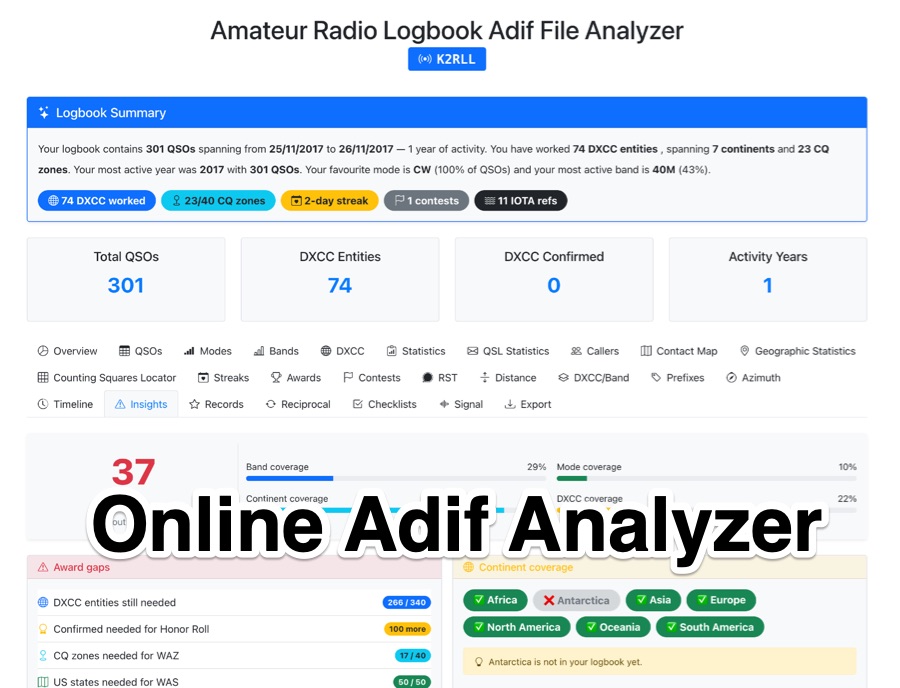 The _Amateur Radio Logbook ADIF File Analyzer_ processes ADIF files locally within the user's browser, ensuring no QSO data is uploaded to a server. It generates a visual map of contacts and detailed statistics across various parameters, including band, mode, time, grid squares, and DXCC entities. The tool offers insights into operating patterns and station performance without requiring any software installation. Users upload their ADIF log files directly, and the analysis is performed client-side, providing immediate results. The output includes charts and graphs that visualize QSO distribution and activity. This approach prioritizes user privacy and data security, as logbook information remains on the user's computer throughout the analysis process. The analyzer supports standard ADIF formats, enabling hams to quickly review their log data for trends and achievements. It is a free, open-source utility designed for general amateur radio log analysis.
 -
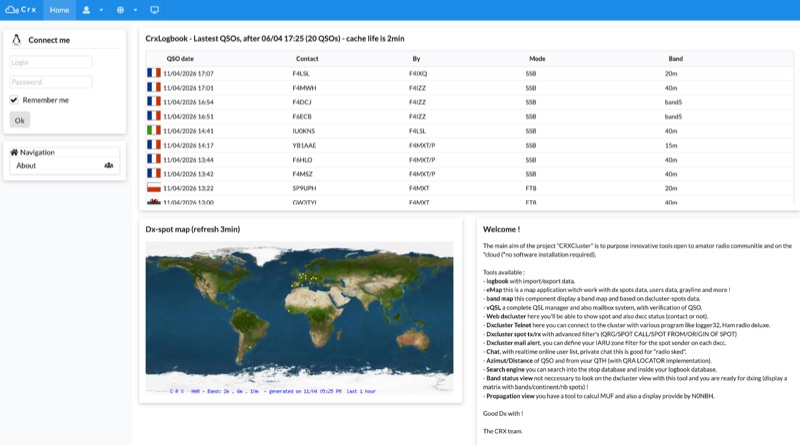 Demonstrates a cloud-based suite of tools for amateur radio operations, eliminating local software installation. The platform integrates a comprehensive logbook with import/export functionality, an _eMap_ application displaying DX spots, user locations, and grayline data, alongside a dynamic band map derived from DX cluster information. It also provides a _vQSL_ system for QSL management and a mailbox with QSO verification. Users can access a Web DX cluster to monitor spots and _DXCC_ status, or connect via Telnet using external programs like _Logger32_ or Ham Radio Deluxe. The cluster supports advanced spot filtering by QRG, spot call, spot from, and origin, with configurable mail alerts based on IARU zone filters. Additional features include a real-time chat for skeds, azimuth/distance calculations from a user's QTH (with QRA locator), a search engine for spot and logbook databases, a band status matrix, and a propagation tool for MUF calculations, leveraging data from N0NBH.
 -
 Demonstrates a **Progressive Web App** (PWA) approach to amateur radio logging, providing a platform-agnostic solution for hams. The resource details its core functionality, including offline callsign and reference lookups, auto-formatting for data entry, and integration with **POTA spots** and saved re-spots. It highlights support for various logging templates such as General, Contest, POTA, and Field Day, indicating its adaptability for different operating activities. The application emphasizes seamless log synchronization across multiple devices, eliminating the need for manual file transfers. It operates effectively both online and offline, with installation options available for full offline functionality on Windows, Android, iOS, macOS, and Linux, or direct use within any web browser. The documentation further outlines features like rig control and the continuous development of additional templates, positioning Smart Logger as a flexible and efficient tool for managing amateur radio contacts.
 -
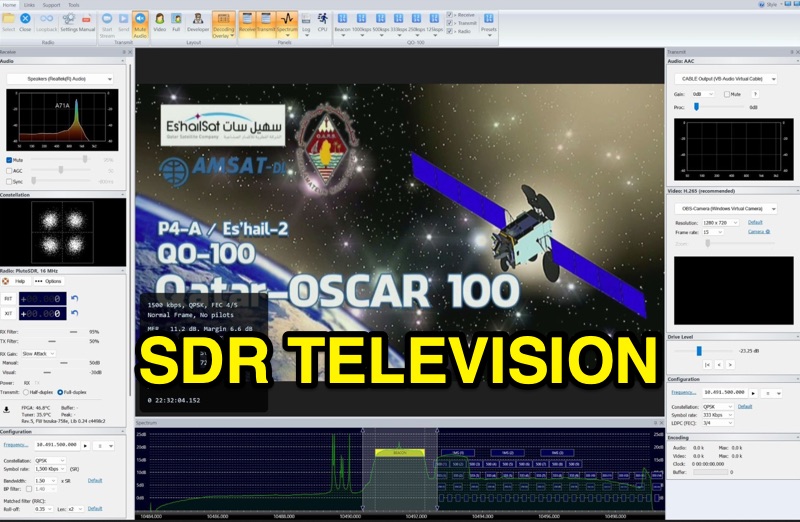 SDR Television v1.0 operates as a DVB-S2 / AAC / H264 / H265 program, specifically engineered for QO-100 satellite Digital Amateur Television (DATV) operations. It provides a full-duplex solution on modern x86 computers running Windows 10 or 11 (64-bit, 8+ cores, AVX2 support recommended), leveraging DLLs from _SDR Console_ for control of devices like _Pluto_ and _LibreSDR.TV_. The software requires installation of the SDR Radio kit for wideband mode support. Initial development focused on a proof-of-concept for QO-100, with future enhancements planned to include H266 / AV1 / Opus codecs and an improved cross-band user interface. The current stable release functions reliably for QO-100 DATV. Users must install the SDR Radio kit, followed by the SDR Television kit, into the same directory. Support inquiries are handled via the SDR-Radio.com mailing list, ensuring direct assistance for operational questions.
 -
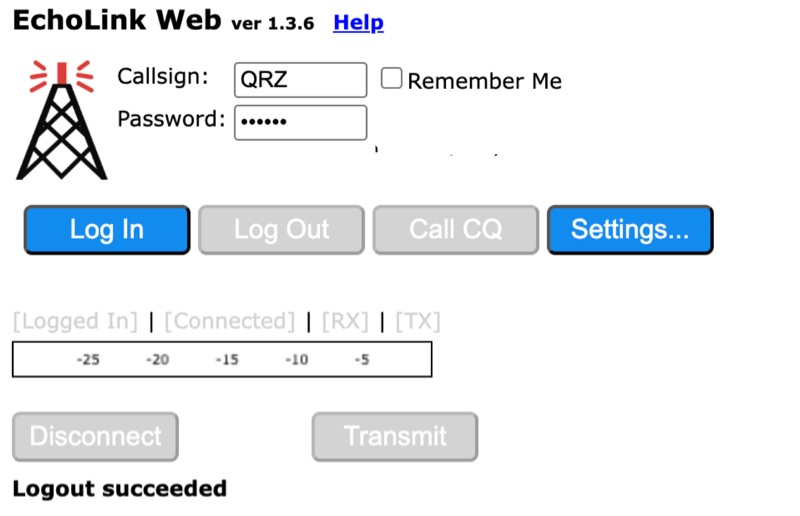 Connecting to the global *EchoLink* network via a web browser simplifies internet linking for licensed amateur radio operators. This web application provides a direct interface, eliminating the need for client software installation. Users can log in with their validated callsign and password to access the system, facilitating contacts with other stations, repeaters, and conferences worldwide, much like traditional VoIP applications but tailored for amateur radio. The interface offers essential controls for managing connections, including selecting specific stations or conferences from a dropdown list, initiating a connection, and disconnecting. Features such as a 'Call CQ' button allow users to signal their availability for a contact, while options for low bandwidth operation and accepting incoming connections optimize performance and accessibility. Audio device selection ensures proper microphone and speaker integration with the web client. Validation of an amateur radio license is a prerequisite for full access, ensuring that only authorized operators utilize the network. The system prompts unvalidated users to provide an email address and password to begin the validation process, which typically involves submitting proof of license. This free service extends the reach of amateur radio communications globally, bridging geographical distances through internet connectivity.
 -
 This project focuses on the transformation of DXSpider deployment into a seamless Docker experience for the global amateur radio community. It highlights the key features, installation process, and documentation, while acknowledging Dirk Koopman (G1TLH) for creating DXSpider. The project aims to simplify the deployment and management of DX Cluster nodes for amateur radio operators by containerizing the software. With a Docker-native architecture and intelligent defaults, the project offers an easier setup process without compromising on the powerful features of DXSpider.
 -
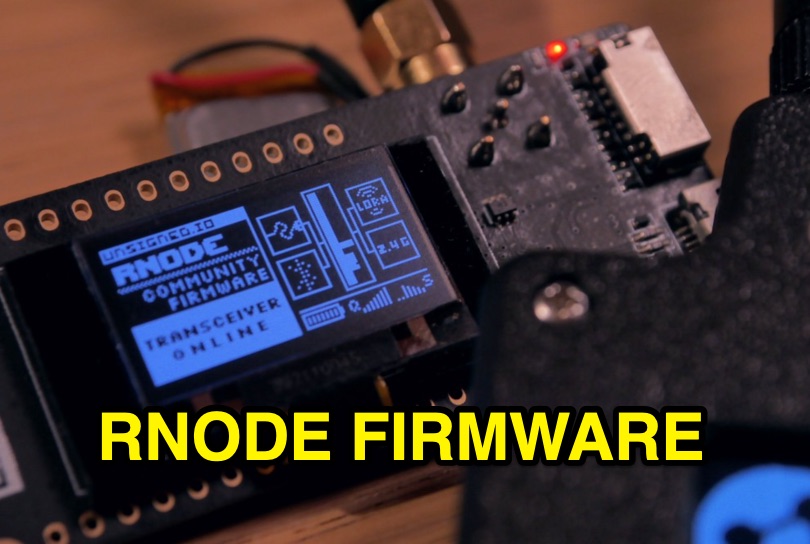 Enables digital radio transceivers to function as versatile data communication nodes, supporting applications like _Reticulum_ networking, messaging with Sideband, and acting as a LoRa-based KISS-compatible amateur radio TNC. This firmware transforms off-the-shelf development boards into powerful, long-range data radios, facilitating robust communication over significant distances, potentially achieving **hundreds of kilometers** with optimal setups. It supports a range of hardware, including unsigned.io's Handheld RNodes (v2.x and v1.x), LilyGO T-Beam v1.1, LilyGO LoRa32 (v2.0, v2.1), and Heltec LoRa32 v2 devices. Compatibility extends to transceiver modules utilizing Semtech SX1276, SX1278, SX1262, SX1268, and SX1280 chips, provided they have an SPI interface and exposed interrupt pins. Installation is streamlined via the `rnodeconf` utility, part of the `rns` package, simplifying the flashing process for users. The project operates under the GNU General Public License v3.0, promoting open development and user freedom. It encourages community involvement in building and deploying RNodes for various purposes, from personal communication to establishing resilient, decentralized networks. The firmware's design emphasizes flexibility, allowing for diverse configurations to suit specific operational requirements.
 -
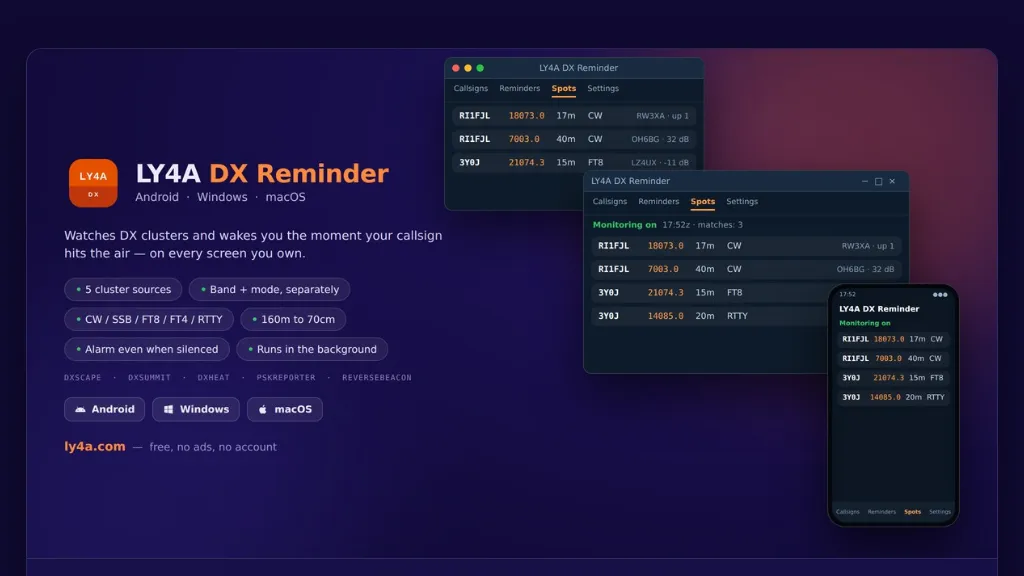 The LY4A DX Reminder application monitors five distinct DX cluster sources—DXScape, DXSummit, DXHeat, PSK Reporter, and Reverse Beacon—to alert amateur radio operators when a specific call sign appears. It supports a wide range of bands from 160 meters to 70 centimeters, including 60m, 6m, 2m, and 70cm, accommodating **CW**, SSB, FT8, FT4, and RTTY modes. The software operates in the background, checking clusters at user-defined intervals of 1, 5, 10, or 30 minutes, and persists across device restarts. Alarm functionality is robust, activating even if the mobile device is silenced, by utilizing the alarm channel and illuminating the locked screen. On desktop platforms, notifications remain active in the system tray. Users can directly manage alarms—stopping, snoozing, or deleting them—from the notification interface, enhancing operational flexibility during DX pursuits. Available in 15 languages, including English, Italian, German, and Spanish, the application is provided free of charge and without advertisements. It offers optional donation support for continued development. Installation instructions are detailed for Android, Windows 10/11 (64-bit), and macOS 12+, addressing common system security prompts for unsigned applications.