Search results
Query: decode
Links: 161 | Categories: 6
-
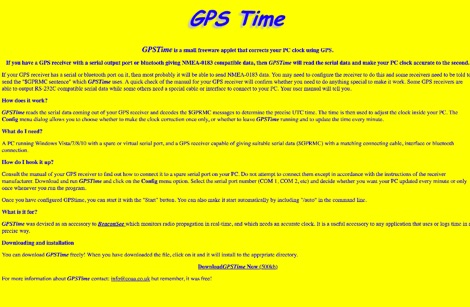 GPSTime is a small freeware applet that corrects your PC clock using GPS. GPSTime reads the serial data coming out of your GPS receiver and decodes the $GPRMC messages to determine the precise UTC time. Works on Windows Vista/7/8/10 with PC with serial ports.
 -
 This article describes how to build a general purpose DTMF decoder with a low-price chip from MITEL
 -
 A DIY Automatic Band Decoder (ABD) project, designed for dual-radio operation, addresses the common challenge of integrating band data with older transceivers lacking dedicated outputs. This particular build utilizes an AVR AT90S8515 microcontroller and a 16x2 Liquid Crystal Display (LCD) to provide band information, specifically targeting Kenwood rigs via a computer's LPT port. The design aims for cost-effectiveness while maintaining functionality, offering a solution for hams seeking to add automatic band switching capabilities to their station without significant expense. The project outlines the core components required, including the microcontroller, LCD, and an enclosure, noting that the Printed Circuit Board (PCB) fabrication and AVR programming might present challenges for some builders. It details the input requirements, such as a four-pin input and PTT for each radio, along with a 13.8V DC power supply. The decoder provides 2x6 outputs capable of sinking 500mA, suitable for controlling external devices like antenna switches or filters. Despite the original unit being damaged by a lightning strike in 2004, the author confirms its successful operation prior to the incident and mentions plans for a revised version. The resource includes a schematic in PDF format and images of the finished PCB and assembled unit, demonstrating the practical implementation of the design.
 -
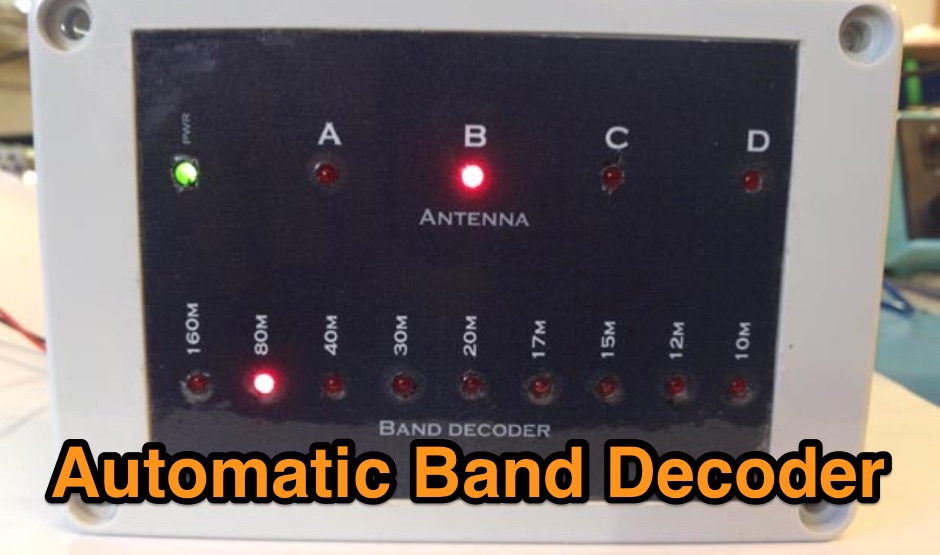 An automatic band decoder made into a nice enclosure with LED indicators for the chosen band
 -
 Bonito, butel wavecom and bogger products dealer. Accessories to decode encode and process radio communication transmissions for Radio Receivers, Transceivers and Scanners
 -
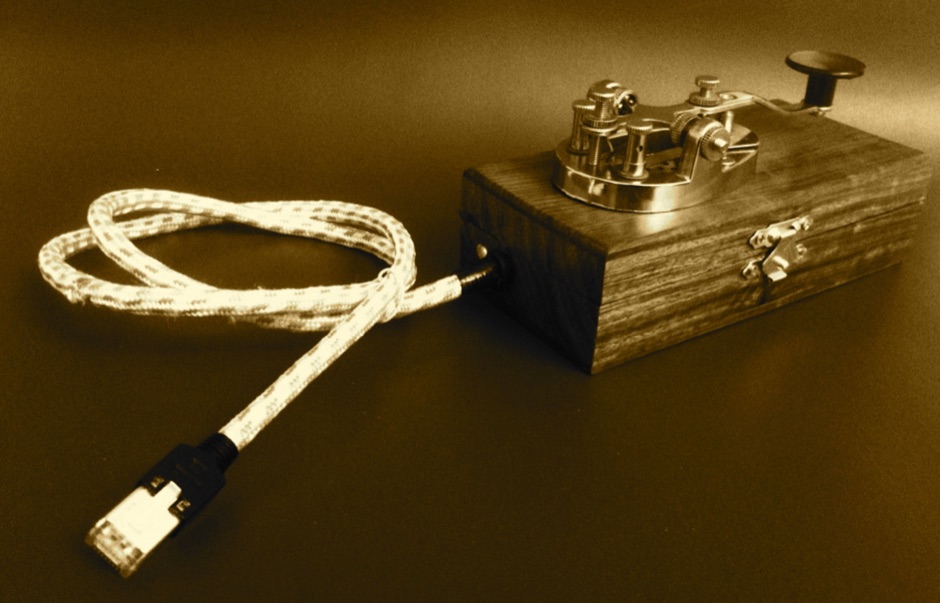 An open design exercise in interface archaeology, that decodes the input from a classic Morse key to send twitter messages
 -
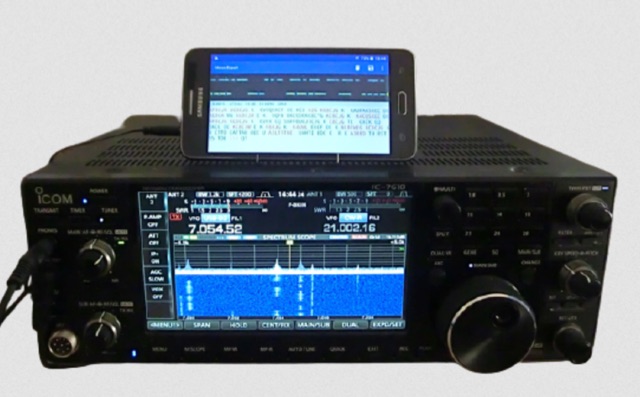 MorseExpert 1.15 decodes Morse Code audio to text, leveraging algorithms from CW Skimmer for optimal performance on weak, fading signals amidst interference on amateur radio bands. It processes audio from the device's built-in microphone or an external radio receiver via cable, optionally highlighting Ham callsigns and keywords. The application features a waterfall display with a bandwidth of 200-1200 Hz, decodes frequencies between 300-1100 Hz, and supports keying speeds from 12-45 WPM with automatic CW pitch detection. Recent updates include support for Android 15, edge-to-edge mode, improved stability, and a pause decoding button. A premium version offers an ad-free experience and user-selected text colors. Users can switch between General Text mode and Ham Radio QSO mode, which enhances word segmentation and highlights callsigns. The app also includes a frequency lock mode, text selection capabilities for copying, sharing, or saving decoded text, and provides guidance on reducing acoustic echo and constructing an audio attenuator for optimal radio interfacing.
 -
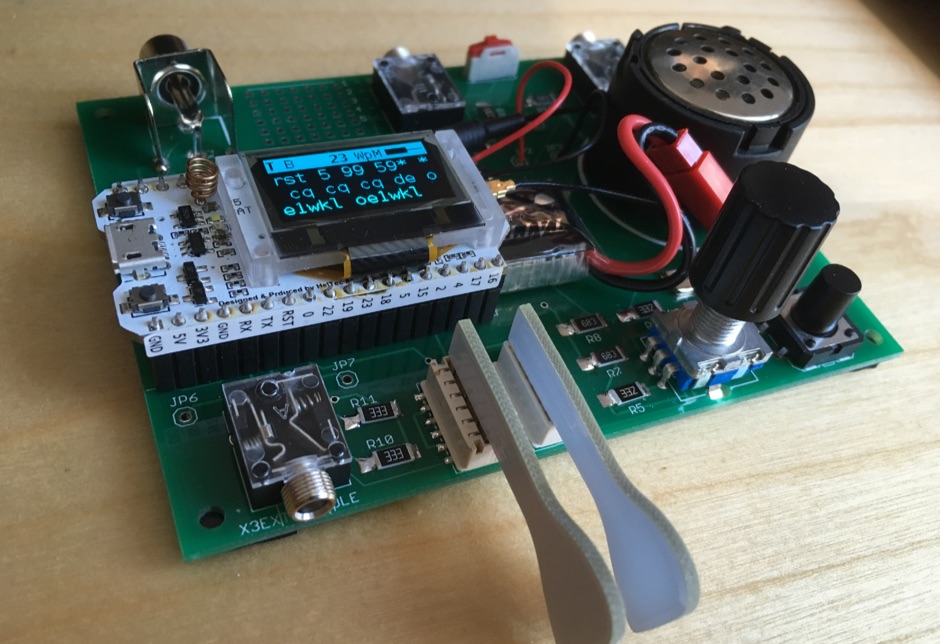 CW Keyer Kit with capacitive touch paddle, with a lot of nice features. Easily expandable to a Morse code decoder
 -
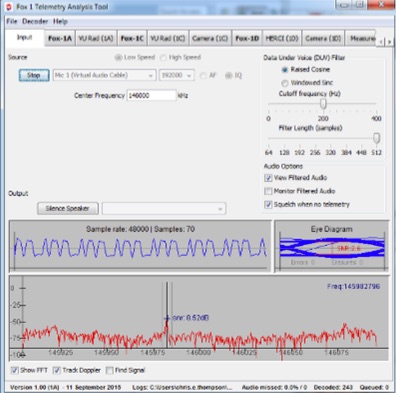 Fox Telemetry Decoder Software is a free telemetry software that run on Windows MacOSX and Linux. With Fox Telem will be able to track, store and analyze FOX series and Cubesat satellites
 -
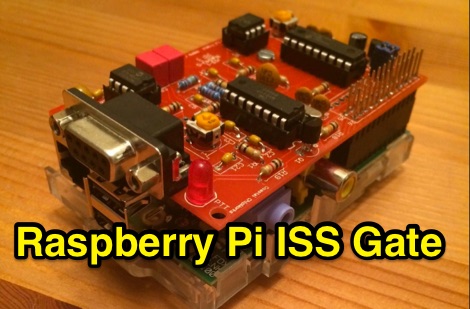 This project is an APRS iGate for digipeater aboard the ISS. As the ISS pass over the iGate location, the TNC decoded the audio tones and creates data packets the Raspberry Pi can receive.
 -
 Operating the UoSAT-2 (OSCAR-11) satellite, launched in 1984, presents unique challenges due to its age and current eclipse schedule. This resource provides a historical archive of news, telemetry data, and specialized software for decoding its 145.826 MHz FM beacon. It includes tools like _CTERM_ for terminal emulation and capture, and U2TM for processing ASCII telemetry, enabling hams to analyze the satellite's health and performance. The site also offers audio samples of the beacon and S-band signals, along with details on hardware and software decoders. Reception reports are actively solicited for the satellite's intermittent transmissions, which occur for less than an orbit every 21 days during its eclipse period. The site details how to process raw telemetry data, including instructions for skipping initial frames to improve decoding accuracy with U2TM. It also provides software like SATILL for predicting solar eclipses and tools for determining the satellite's spin period from magnetometer or solar array telemetry, offering insights into its operational status despite its advanced age.
 -
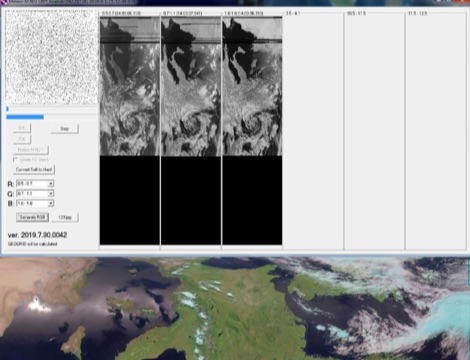 A portable decoder for METEOR M weather satellite LRPT signal, available for windows and Linux
 -
 LA6EIA Ole's DX-blog details shortwave listening (SWL) and amateur radio DX operations from Norway, providing insights into propagation conditions and station reception. The blog frequently features specific reception reports, often including details such as frequency, mode, and signal strength, alongside observations of various broadcast and utility stations. It documents the author's personal experiences in chasing DX, offering a practical perspective on radio propagation and equipment performance. The content includes logs of received stations, sometimes accompanied by audio clips or screenshots of waterfall displays, illustrating successful decodes or strong signal captures. This resource presents a chronological record of DX achievements and challenges, reflecting the dynamic nature of radio propagation across different bands and times. The blog distinguishes itself by its focus on real-world SWL and amateur radio DXing from a Nordic QTH, offering a unique regional perspective on global radio phenomena. It serves as a personal journal of radio exploration, highlighting specific callsigns, frequencies, and operational details encountered during DX sessions.
 -
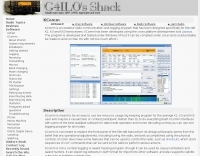 KComm, a logging and communication program, was specifically engineered for Elecraft K2, K3, and KX3 transceivers, leveraging the Lazarus cross-platform development tool. It operates natively on Windows XP and can be compiled for Linux, with potential for macOS, prioritizing low resource usage for casual DXers and contest participants. The software integrates with external applications like Fldigi for diverse digital modes and CW Skimmer for advanced Morse decoding, enhancing its functionality beyond basic logging. The design philosophy of KComm emphasizes utilizing the physical radio controls for operational adjustments, rather than replacing the transceiver's front panel. It facilitates keyboard CW operation via the Elecraft serial protocol and capitalizes on the K3 and KX3's built-in decoders for RTTY and PSK31. Additionally, KComm supports PSK31, PSK63, and PSK125 through the AE4JY PSK Core DLL on Windows and integrates with PSKReporter.info for spotting. While not a dedicated contest logging or award tracking program, KComm supports ADIF and Cabrillo export for casual use, allowing logs to be imported into other software. The author, G4ILO, ceased all software development, providing KComm "as is" without further support or updates; however, the source code is available under the GNU GPL for community continuation.
 -
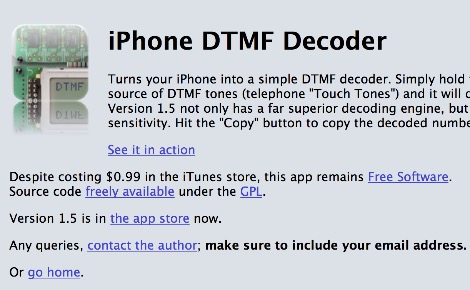 Decode DTMF from your iPhone. Hold your smartphone close to a DTMF source and this app will decode the numbers being dialled.
 -
 Next Generation Beacon hardware platform encompasses both analog and digital modes, i.e. CW FSK and MGM in a mixed mode configuration. The advantage of the mixed mode is that humans can decode the CW FSK by ear and the MGM can be decoded by computers way below what is audible. Therefore the MGM can be used for pre-human-conditions or early warning monitoring.
 -
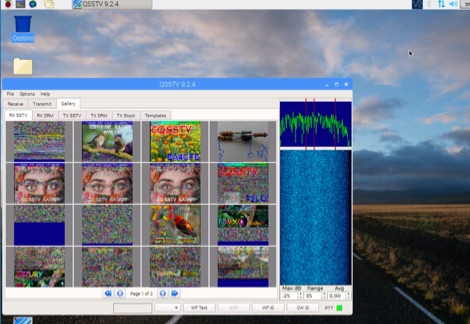 A tutorial on how to setup a receiver capable to decode SSTV signals with a small RaspberryPi version 2 and a RTL-SDR dongle. The author explains how to install the needed software to interface the RTL-SDR and a step by step guide to install the QSSTV software used to decode the signals.
 -
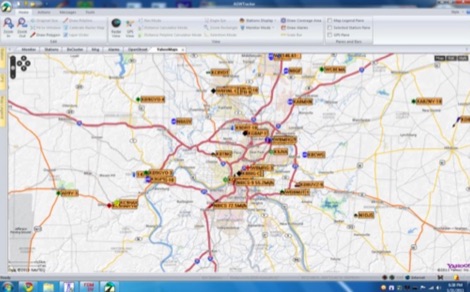 How-to decode and Display APRS Packets from WebSDR Audio using linux computer
 -
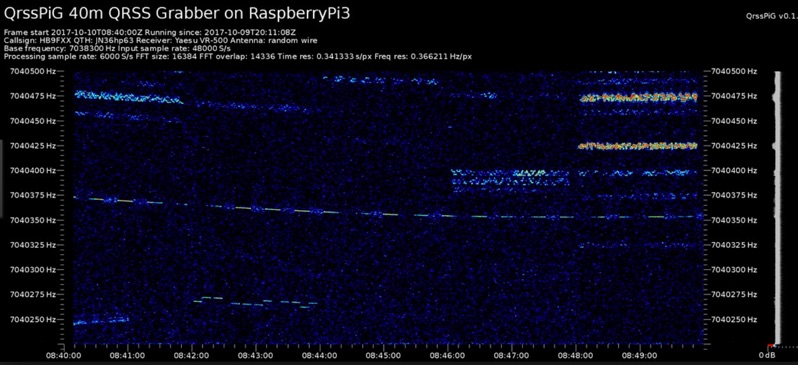 Monitoring extremely weak signals in the QRSS (Very Slow Morse) mode requires specialized receiving and processing capabilities to extract information below the typical noise floor. This project provides a software solution, _QrssPiG_, designed to run on a Raspberry Pi, enabling it to function as a dedicated QRSS grabber. It interfaces with various Software Defined Radio (SDR) devices, including the popular _rtl-sdr_ dongles and _HackRF_ units, to acquire raw I/Q data streams. The software then performs the necessary signal processing to visualize and decode these faint, long-duration CW transmissions, often operating with milliwatts of power. The system leverages the computational power of the Raspberry Pi for real-time signal analysis, allowing hams to participate in QRSS experiments and monitor distant beacons. It supports different SDR hardware, offering flexibility in setup and deployment for home stations or remote monitoring sites. The project includes detailed instructions for installation and configuration, making it accessible for those familiar with Linux environments. This grabber is particularly useful for tracking propagation on the LF and HF bands where QRSS activity is common, providing a visual representation of signal presence over extended periods.
 -
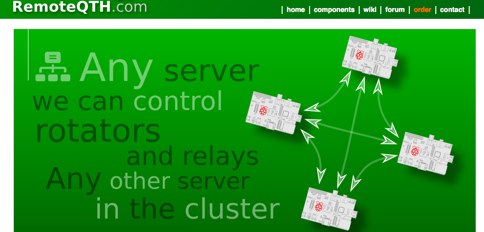 Software running on the Raspberry PI, Control up to 8 arduino rotators modules, Azimuth maps, Cluster support, Band decoder, contest Web Log, Webcam with RaspiCam support
 -
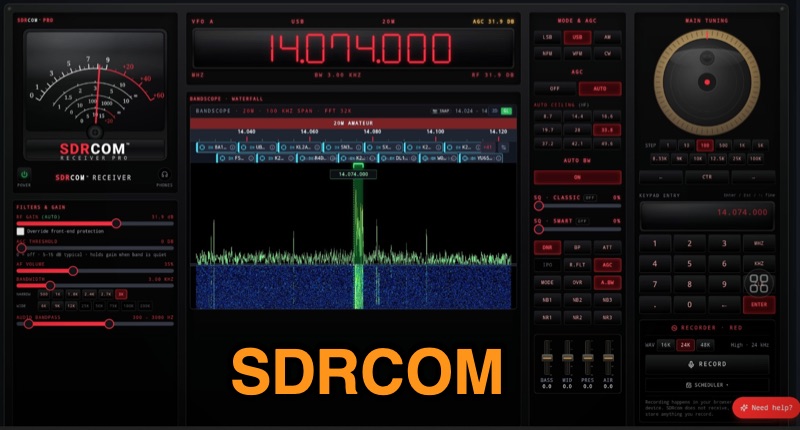 The SDRcom platform provides a unique browser-native Software Defined Radio experience, emulating a traditional radio with a physical VFO dial, switches, and an analog meter. It integrates a high-resolution 64k FFT waterfall display, supporting essential modes like AM, FM, SSB, and CW. The **SDRcom Blue** version interfaces with SDRplay® receivers via a local WebSocket, while the free **Red Lite** version supports RTL-SDR V3/V4 dongles through WebUSB, including basic audio EQ and 100 memory slots, along with FT8 decoding. For advanced operators, the Red Pro version expands capabilities with 1000 memory slots, upgraded high-resolution waterfalls, and enhanced W4PAH FT8, FT4, and WSPR decoder engines. It also incorporates 4-band DSP noise reduction and an intelligent band scanner, proving beneficial for weak-signal work. The Network edition extends functionality to access hundreds of global remote SDRs, and an ADS-B aircraft decoding feature with 3D positioning and mapping is also available. All SDRcom applications are designed to run directly in a web browser, eliminating the need for any software installation. This approach simplifies access and setup for radio enthusiasts, from casual SWLs to dedicated digital mode operators, allowing immediate engagement with the airwaves.
 -
 Encode/decode On-Off audio pulses for remote control of projects
 -
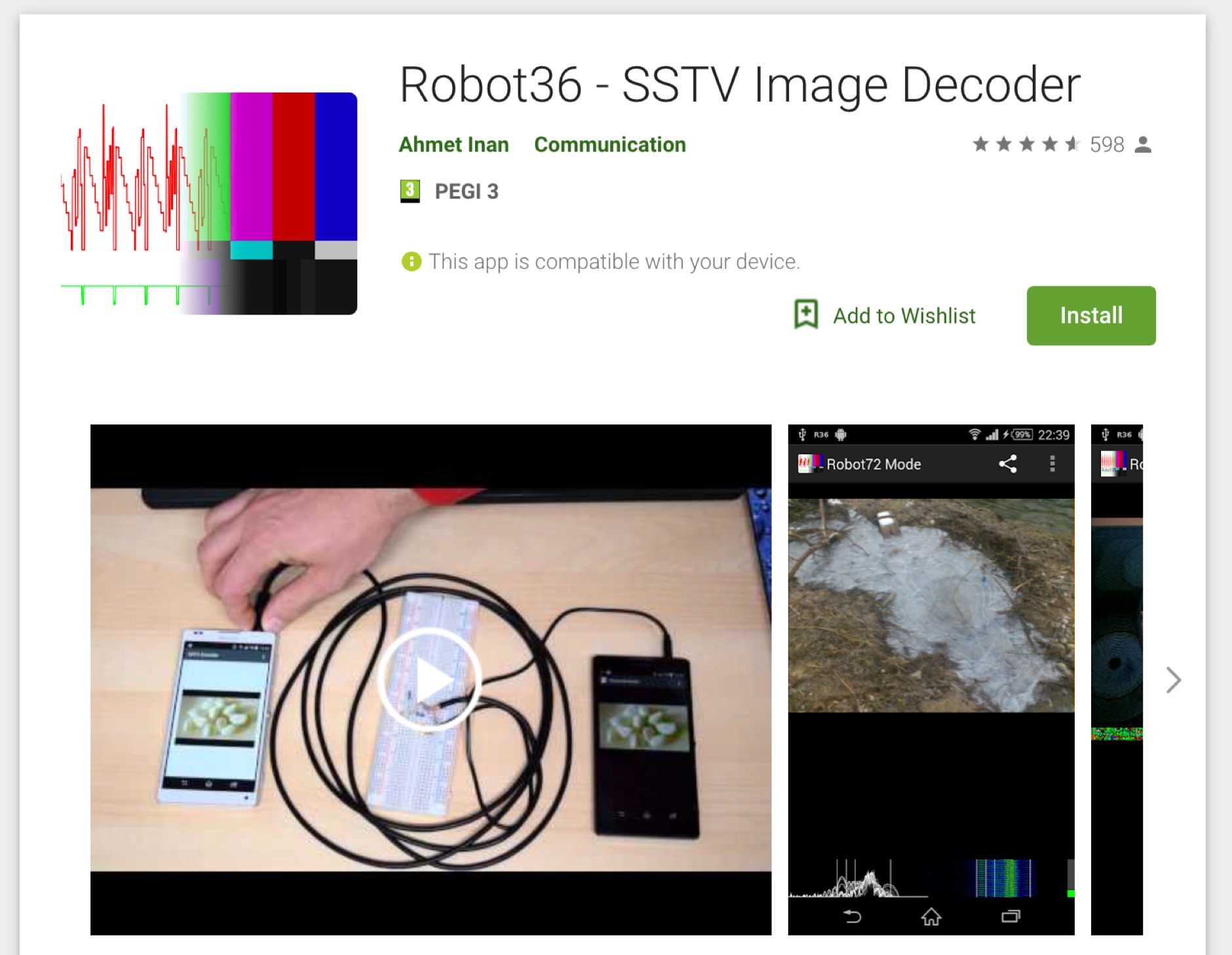 Receive and decode SSTV amateur radio SSTV signals with this small and powerfull SSTV decoder app for Android devices. Requires access to microphone.
 -
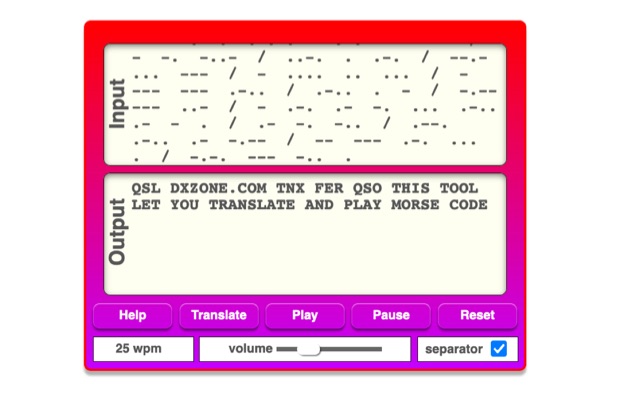 The online Morse code translator and decoder provides functionality for converting plain text into Morse code and decoding Morse code back into text. Users can input text directly into a designated box for translation to Morse, with the tool ignoring characters that lack a Morse equivalent. Conversely, Morse code can be entered using periods for dots and minus signs for dashes, requiring a single space to separate letters and a forward slash to delineate words. The interface also supports direct Morse input via a button, where a half-second pause separates letters and a 1.5-second pause separates words. The resource details the historical context of Morse code, noting its invention by _Samuel F.B. Morse_ in the 1830s for telegraphy, and its continued use by amateur radio operators for recreational purposes and emergency signaling, such as the **SOS distress signal**. Guidance on learning Morse code suggests using online translators for practice and listening to amateur radio transmissions. The tool offers an audio playback feature for translated Morse, allowing users to hear the code at various words per minute (WPM) settings. It also includes a visual chart to aid in memorizing the dot and dash sequences for the alphabet.
 -
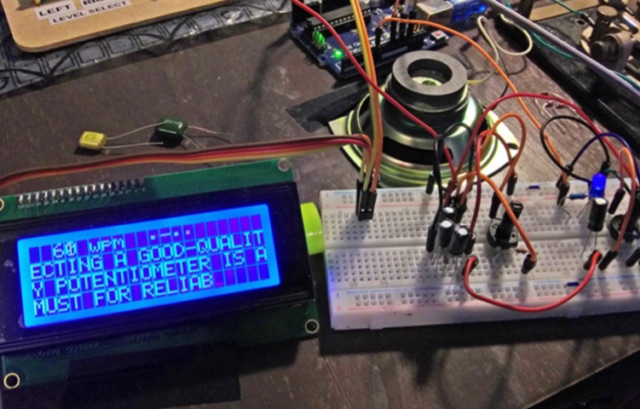 While there are quite a few standalone Morse Code or CW decoders out there, I wanted to tackle the problem myself and end up with both a great Arduino learning project and a decent portable decoder for when I'm out in the field operating QRP
 -
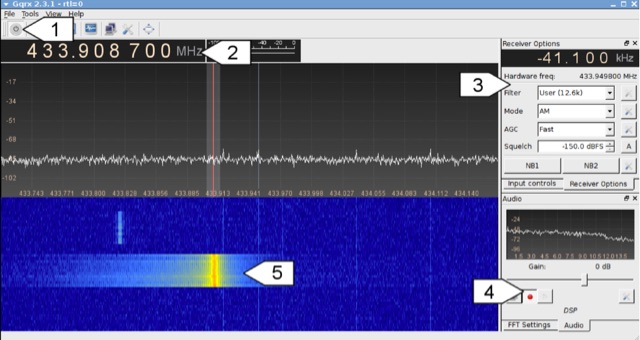 Analyzing 433 MHz radio signals from common wireless devices, such as temperature sensors and remote controls, involves understanding **On-Off Keying (OOK)** modulation. This resource details the process of capturing these signals using a Software Defined Radio (SDR) like Gqrx and then visually inspecting the captured audio data in a sound editor such as Audacity. It differentiates between **Pulse Width Modulation (PWM)** and Pulse Position Modulation (PPM) encoding schemes, illustrating how to identify and decode binary data by eye based on pulse and gap durations. The article provides a step-by-step walkthrough for decoding a wireless thermometer's data, correlating bit patterns with known temperature, humidity, and channel values. It also demonstrates decoding an RF remote control's button presses, highlighting the constant and varying parts of the transmitted packets. The content further introduces automated decoding using tools like RTL_433, explaining its capabilities in parsing various device protocols and showing how to interpret its output, including modulation type and decoded data. Specific examples include analyzing Prologue sensor protocol specifications from RTL_433's source code and noting common operating frequencies like 433.92 MHz in Europe and 915 MHz in the US.
 -
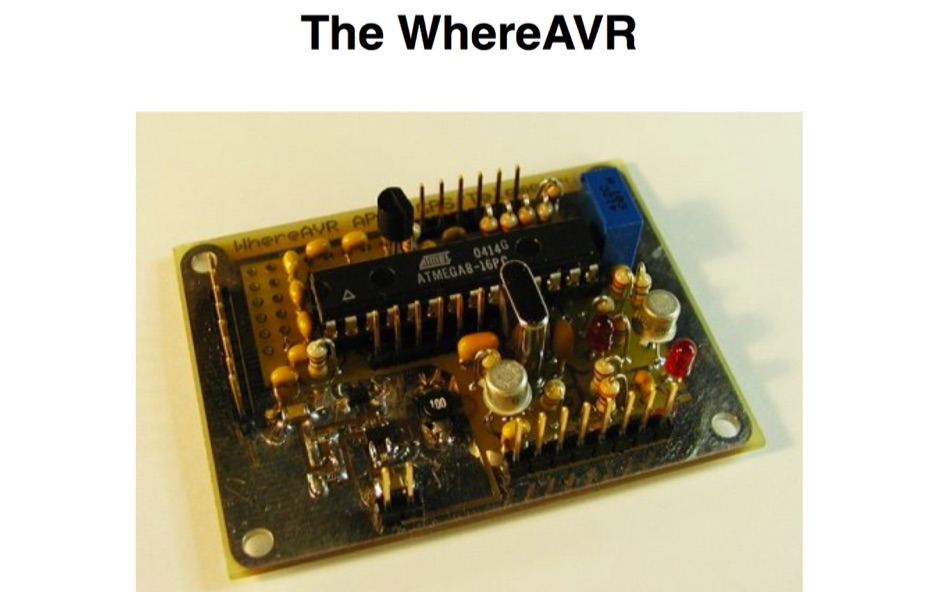 The WhereAVR is a small, lightweight, low-power, and low-cost APRS tracker with a full compliment of analog and digital I/O, as well as the ability to decode ax.25 packets. This allows for the reception of remote commands without the need for a real TNC.
 -
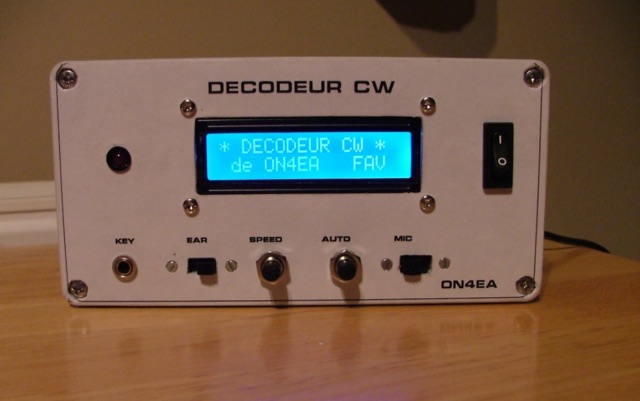 A homemade morse code decoder project, providing a detailed schematic and pictures
 -
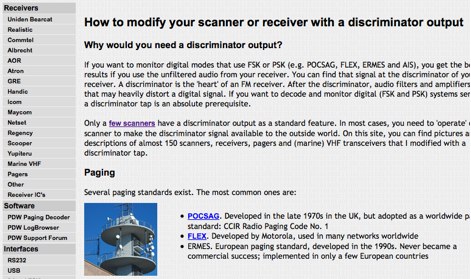 How to modify your scanner or receiver with a discriminator output. If you want to decode and monitor digital (FSK and PSK) systems seriously, a discriminator tap is an absolute prerequisite.
 -
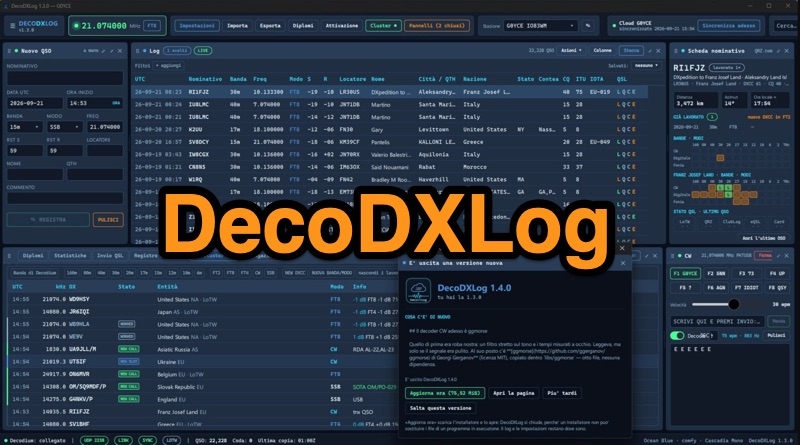 DecoDXLog is a station logbook application for Windows, designed to integrate seamlessly with the _Decodium_ family of software, as well as _WSJT-X_ and JTDX, by receiving QSOs via UDP. It operates around a local SQLite file, providing automatic callbook lookups from QRZ.com XML or HamQTH to complete log entries with name, QTH, and locator data. The software tracks 15 different awards, including DXCC, WAZ, WAS, WPX, IOTA, POTA, and SOTA, calculating progress in real-time and allowing confirmation via LoTW, paper cards, or eQSL. It also features comprehensive statistics, a world map displaying worked locators and cluster spots, and a built-in DX Cluster client that aggregates data from DX Spider/CC Cluster, Reverse Beacon Network, HamAlert, and POTA activations, providing alerts for new DXCC, band, or mode. The application includes a CW keyer/decoder, a contest mode with real-time scoring and Cabrillo export, and robust QSL management for LoTW, QRZ Logbook, eQSL, and Club Log. An optional DecoDXLog Cloud feature enables synchronization of QSOs, station profiles, and settings across multiple devices, ensuring a consistent operating environment. The software is open-source under the GPL-3.0 license, developed by IU8LMC and contributors, and supports lossless ADIF import/export, making it compatible with existing logs. It also integrates with _DecoRotor_ for antenna control, allowing operators to point their antenna directly from the logbook interface.
 -
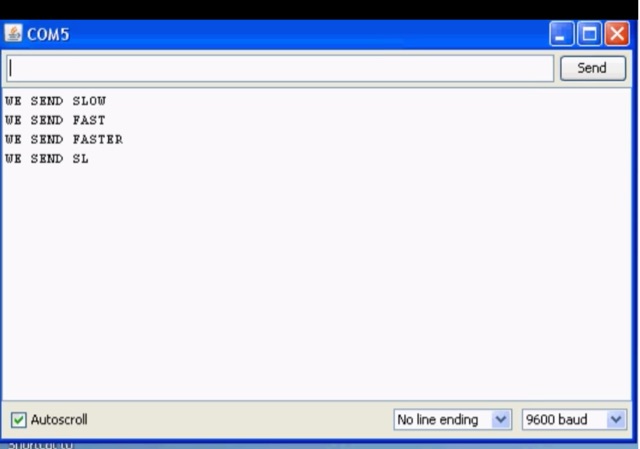 CW decoder using a PIC microcontroller. This is a morse code decoder made using a PIC(16F88) microcontroller, this project supports displays with multiple controller chips
 -
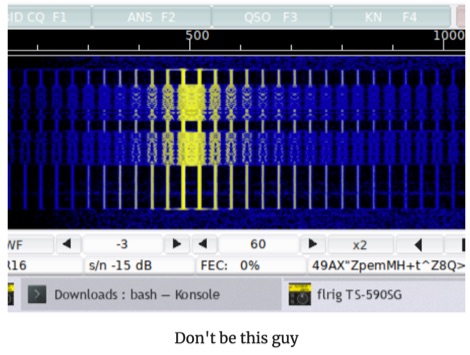 Start by getting your audio levels sorted out, Having your levels correct is critical to maximum effectiveness in both TX quality and also for being able to decode signals properly. Guide to Filters and other Rig Settings to optimize your output signal
 -
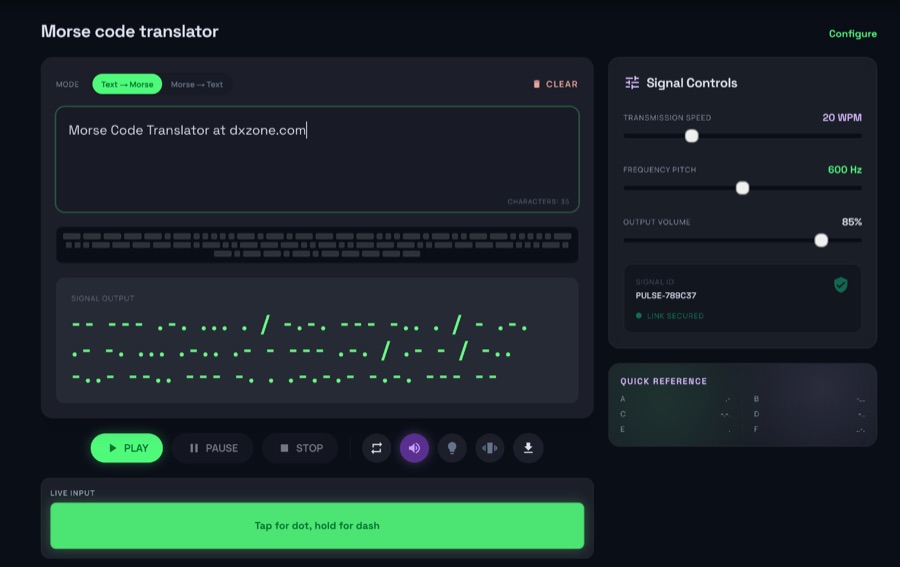 The morsecodeworld.org web application provides an online Morse code decoder and encoder, facilitating real-time conversion between text and International Morse code. It supports adjustable transmission speed (Words Per Minute), sidetone frequency pitch (Hz), and output volume, allowing users to customize their learning and practice environment. The tool includes a quick reference chart for the Morse alphabet and focuses exclusively on International Morse, aligning with contemporary amateur radio licensing and on-air practices, distinguishing it from historical American Morse code. This web-based utility enables users to type text for encoding into Morse audio or paste Morse code for decoding into plain text, offering immediate feedback on timing and character spacing. It supports both visual and auditory learning by providing adjustable parameters for speed and tone. The platform is designed for self-assessment, encouraging users to practice copying and sending, and to identify and correct common errors in character recognition and timing.
 -
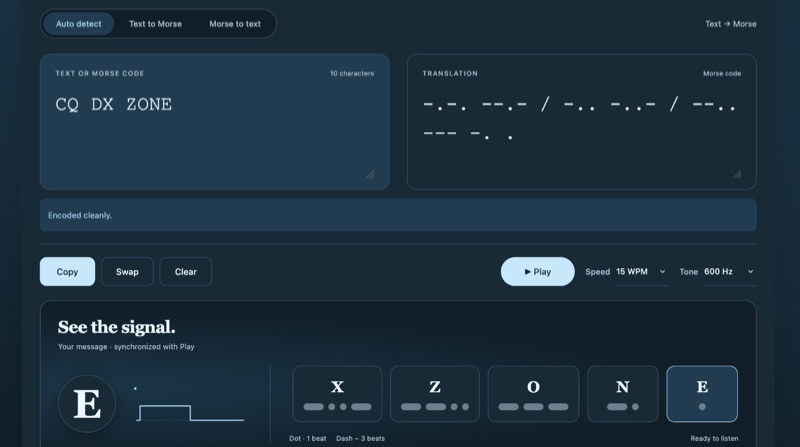 Txtopia provides a browser-based Morse code translator that converts plain text to International Morse Code and decodes Morse back into text, supporting various Unicode dot and dash representations. The tool automatically detects translation direction, normalizes common input variations like middle dots (·), bullets (•), em dashes, and underscores, and explicitly flags unsupported characters or ambiguous sequences with visible placeholders rather than silently dropping them. It accepts spaces, tabs, newlines, and pipes as letter separators, and slashes or blank lines for word boundaries, recording collapsed separators for user review. Users can adjust playback speed from 5 to 40 WPM and tone frequency from 300 to 1000 Hz for CW practice, with playback adhering to international Morse timing. The application operates entirely client-side, ensuring user input remains in the browser without server transmission. It includes a comprehensive reference for the supported Morse alphabet, numbers, and punctuation, aiding in learning and verification. The tool is suitable for checking game clues, verifying tattoo designs, and transcribing messages for ham radio CW practice.
 -
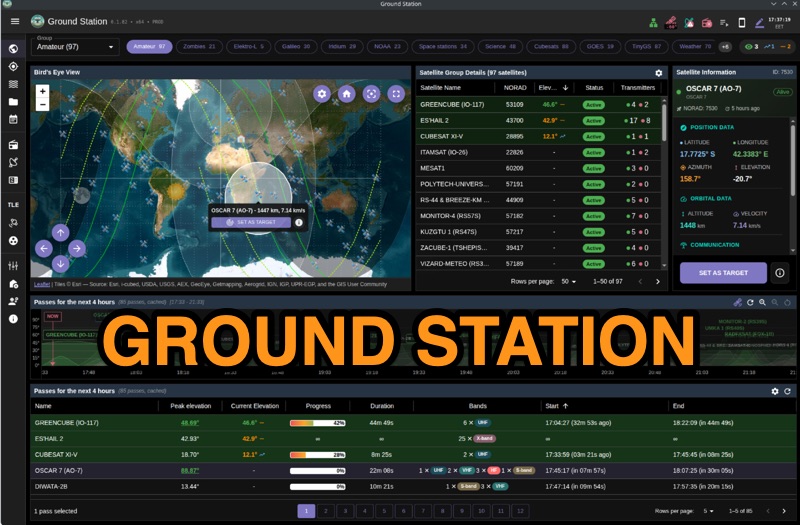 Ground Station offers real-time satellite tracking and radio communication capabilities, primarily for amateur radio operators engaged in satellite operations. It utilizes **TLE data** from sources like CelesTrak and SatNOGS for precise orbital prediction and integrates with various SDR devices, including RTL-SDR, SoapySDR, and UHD/USRP radios, to receive live signals. The software provides automated antenna rotator control and **Hamlib-compatible** rig control with Doppler correction, crucial for maintaining signal lock on fast-moving LEO satellites. It supports IQ recording in SigMF format and decodes several digital modes such as SSTV, FSK, GFSK, GMSK, and BPSK with AX25 USP Geoscan framing. Dedicated interfaces are available for satellite tracking, SDR waterfall displays with live transcription and packet decoding, and telemetry packet viewing. Users can manage TLE data synchronization and SDR hardware, along with browsing decoded outputs through an integrated file browser. An observations dashboard and DSP topology view further enhance the operational experience, providing comprehensive tools for monitoring and analyzing satellite passes.
 -
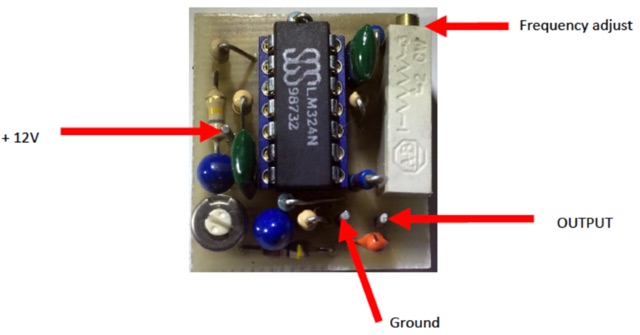 About Continuous Tone Coded Squelch System. In the amateur radio community CTCSS encode is referred to as Tone in radio programming and CTCSS decode is referred to as tone squelch
 -
 CW_Player is a freeware Morse code training program designed for aspiring and experienced radio amateurs. It generates Morse characters, Q codes, abbreviations, and random text, offering 20 customizable lessons for learning Morse code. The software includes a quiz for knowledge testing, CW signal monitoring to decode morse code live, and the ability to create personalized local characters. It generates .wav files for playback, supports Windows features like copy-paste, and integrates easily with transceivers for on-air training. Ideal for beginners, instructors, and hobbyists, CW_Player boosts confidence in CW operations.
 -
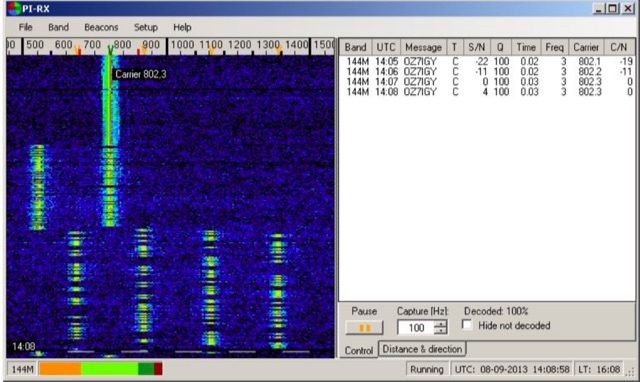 PI-RX is a beacon monitoring program capable of decoding PI4 and showing the performance of the decoded signal
 -
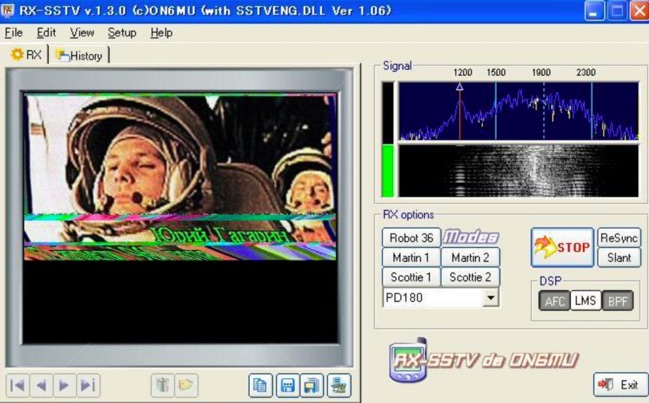 To get this award one should receive and decode at least one picture in the session. The quality of the received image does not have to be perfect, but good enough to be able to identify. The picture does not have to be full. It is acceptable to send just some part of the picture as well.
 -
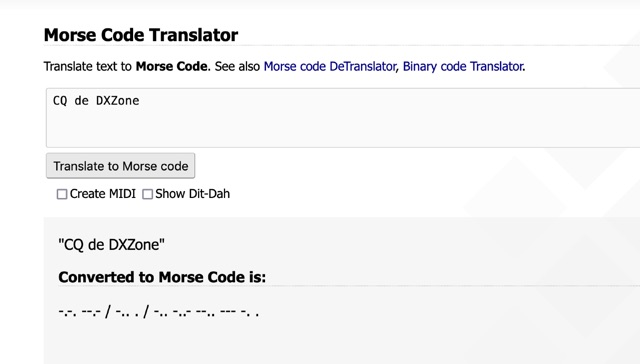 One primary function of this online utility is to convert plain text into _Morse code_, presenting the output in either a visual dit-dah sequence or as a downloadable MIDI file for auditory practice. The tool also provides the reverse capability, allowing operators to input Morse code and receive a decoded text translation. This bidirectional functionality supports both encoding messages for transmission practice and decoding received signals for improved copy. Operators can utilize the web interface for quick translations, making it accessible without software installation. The resource focuses on the fundamental aspects of CW communication, aiding in both learning and practical application of the code. Its design emphasizes simplicity and direct utility for amateur radio enthusiasts working with CW.
 -
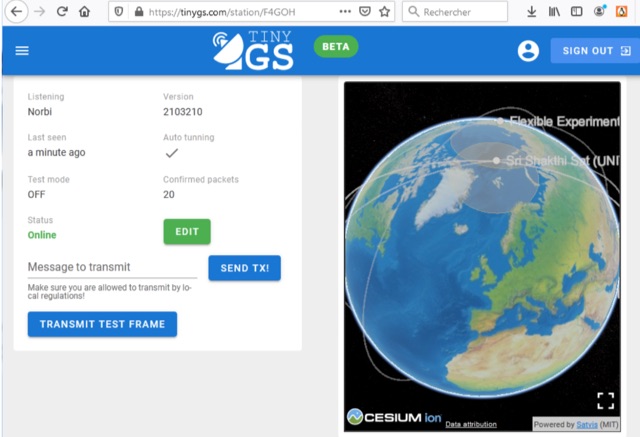 How to easily receive and decode CubeSat telemetry
 -
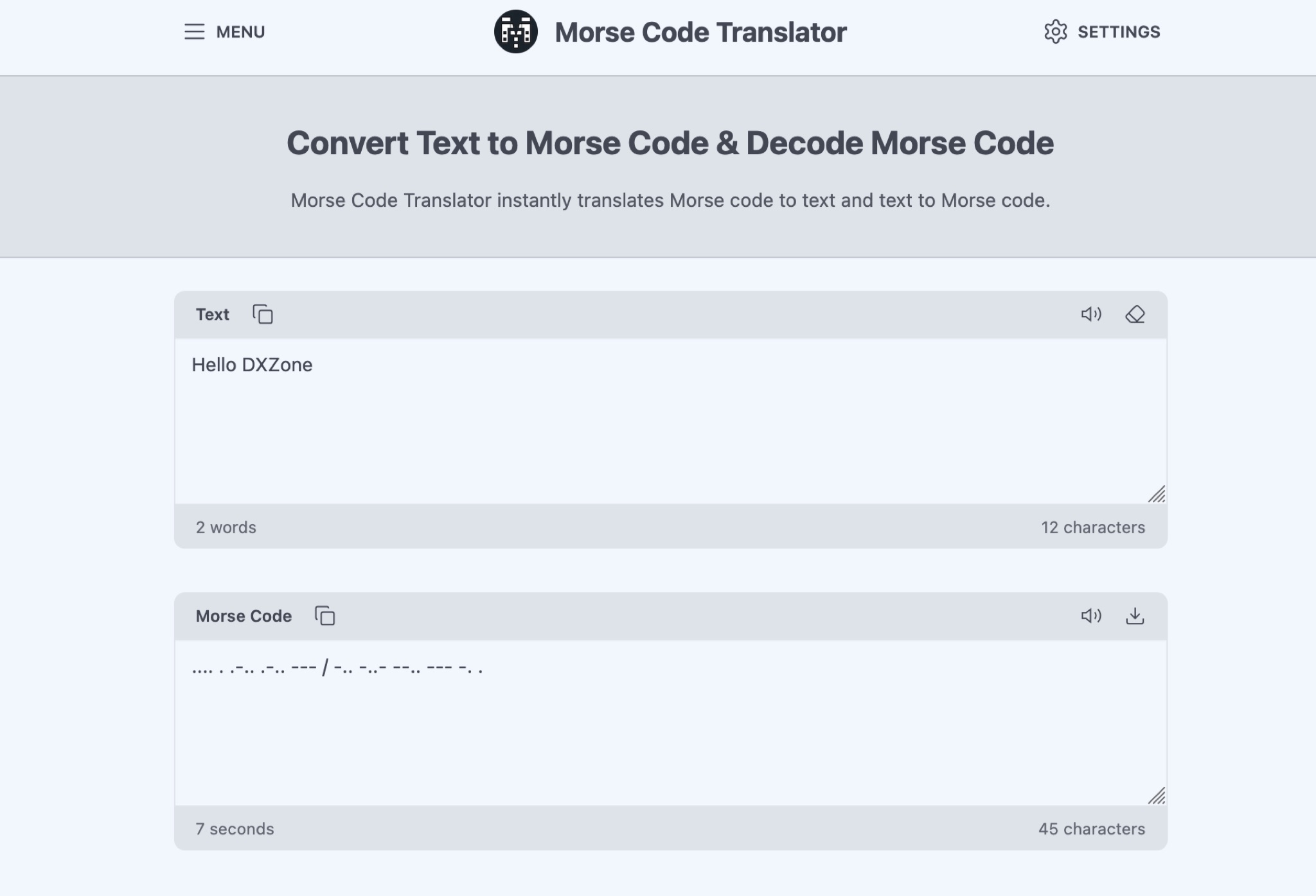 The Morse Code Translator allows anyone to easily convert text into Morse code and vice versa. Simply enter the text to translate or Morse code to decode. This tool is useful for amateur radio operators, scouts, educators, or anyone interested in learning Morse code for educational, professional, or recreational purposes. Discover hidden messages, learn the Morse code alphabet, and practice decoding signals. The tool offers advanced options like adjusting frequency, words per minute, characters, and spacing. Experience Morse code visually with the light translator. Explore the history and uses of Morse code, from military and emergency communications to fun secret messages among friends.
 -
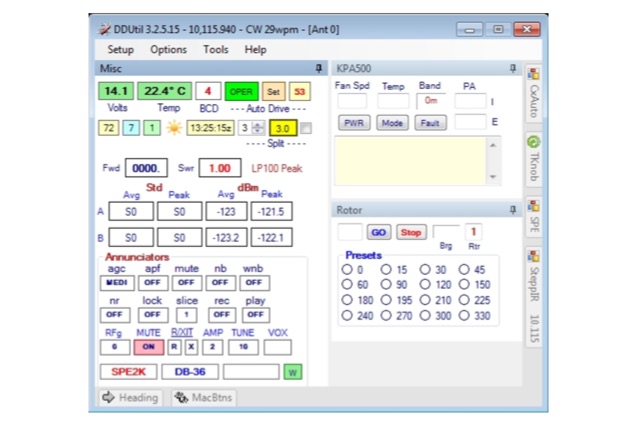 Data Decoder Utility is designed to enhance the operating experience for Flex Radio users by providing advanced connectivity to Peripheral equipment and radio control programs (RCPs) otherwise not available.
 -
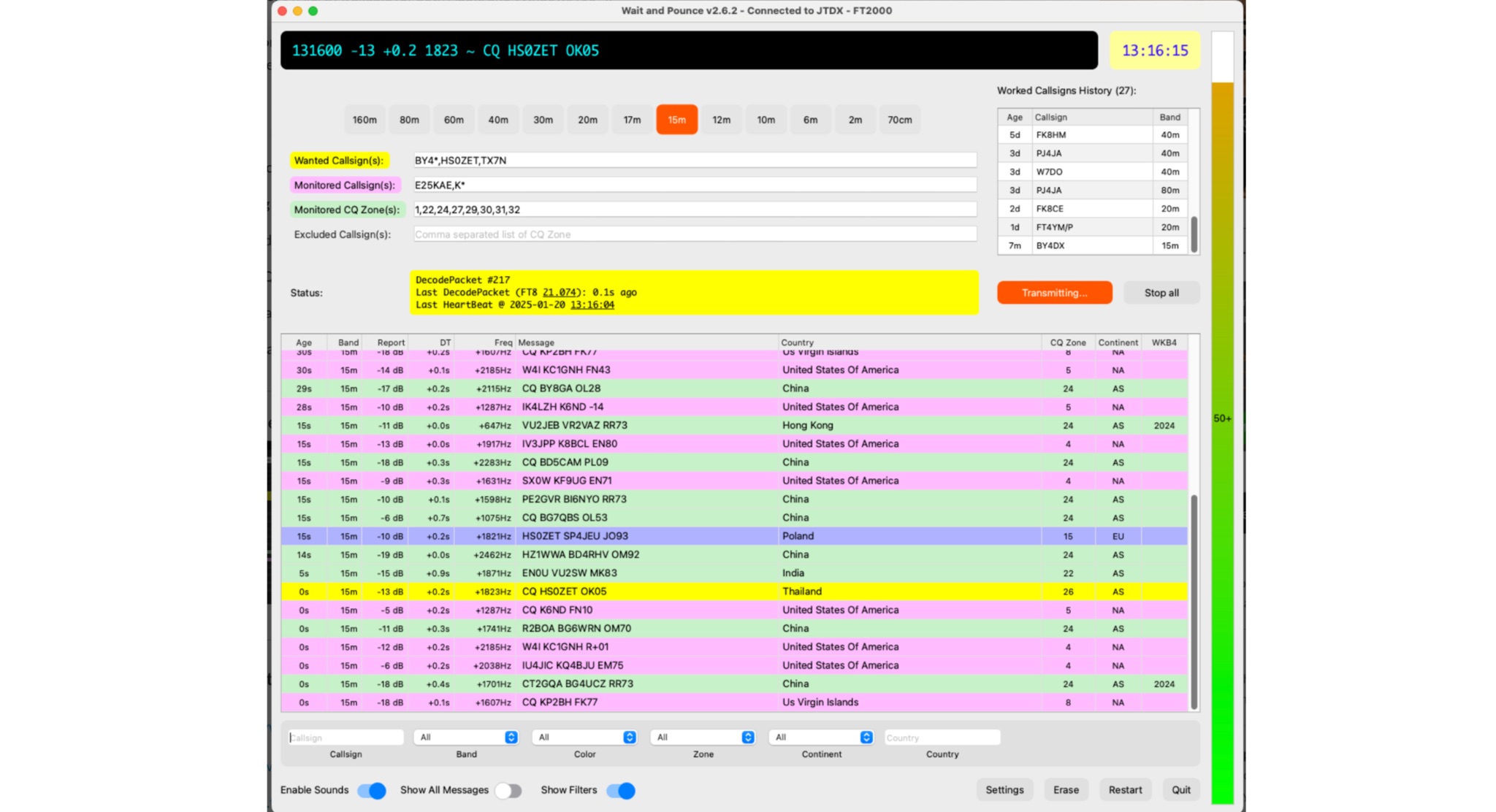 Wait to decode callsigns, then call them using UDP protocol. This utility auto respond to wanted call-signs it is a neat alternative for JTAlert. Automatic logging. Available for both MacOS and Windows (10+). Make sure to automatically call any Wanted callsigns specified. Can also be used to monitor band opening. Can handle callsign exclusions, can even handle wanted callsigns according to your worked before Rules. Works either with JTDX or WSJT.
 -
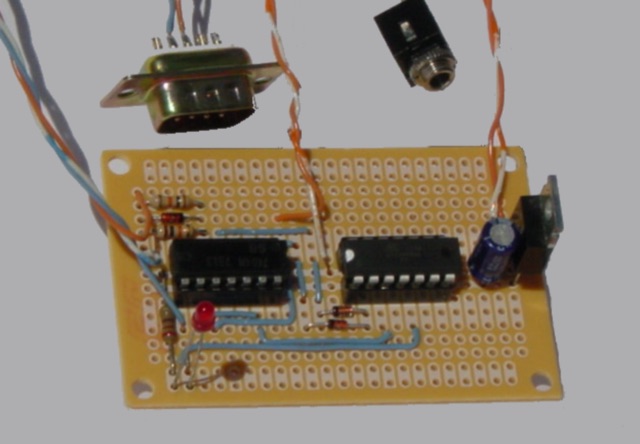 Arduino/ATtiny Based (Ham Radio) ICOM CIV to Yaesu BCD Band Decoder. Build a ICOM CIV to Yaesu BCD Band to automatically band switch the Yaesu Quadra Amplifier.
 -
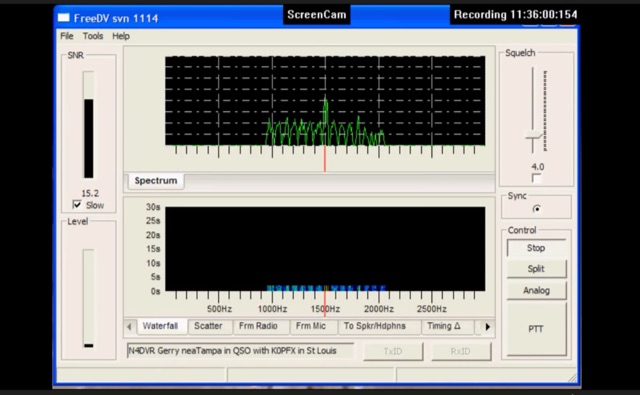 FreeDV uses an audio codec as a software based modem to decode and encode the voice and text data from your computer. The data is encoded and then is transmitted over the HF radio using AF signals that can then in turn be decoded by the receiving station.
 -
 The Weather Fax plugin for OpenCPN allows you to directly open image files or decode audio faxes into images. With easy calibration, these images can be overlaid on charts. It supports image conversion in Mercator, polar, conic, and uniform coordinates and can transform any image into a raster chart. Additionally, it includes a built-in database for HF radio fax stations via SSB and another for retrieving data from meteorological websites.
 -
 The MSF radio signal is a dedicated standard-frequency and time broadcast that provides an accurate and reliable source of UK civil time. It is available 24 hours a day across the whole of the UK and beyond. The signal operates on a frequency of 60 kHz and carries a time and date code that can be received and decoded by a wide range of readily-available radio-controlled clocks.
 -
 M2 CW decoder Kit, is an Arduino based morse code decoder, kit produced and delivered by WB7FHC
 -
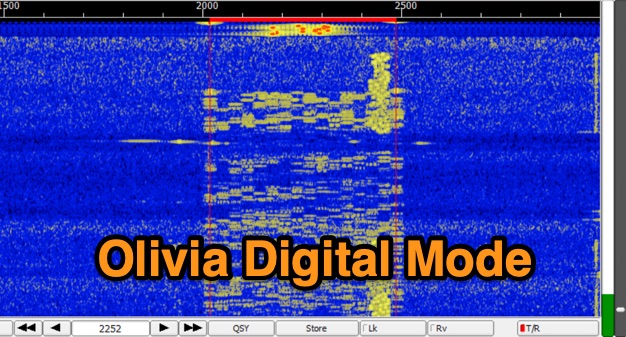 The Olivia digital mode, a **Multi-Frequency Shift Keying (MFSK)** radioteletype protocol, is specifically engineered for robust communication under difficult propagation conditions on shortwave radio bands from 3 MHz to 30 MHz. Developed by Pawel Jalocha in 2003, Olivia signals can be decoded even when the noise amplitude exceeds the digital signal by over ten times, making it highly effective for transmitting ASCII characters across noisy channels with significant fading and propagation phasing. Early on-the-air tests by Fred OH/DK4ZC and Les VK2DSG on the Europe-Australia 20-meter path demonstrated intercontinental contacts with as little as one-watt RF power under favorable conditions. Common Olivia modes are designated as X/Y, where X represents the number of tones and Y is the bandwidth in Hertz, with examples including 8/250, 16/500, and 32/1000. The resource clarifies that Olivia, unlike some other digital modes, produces a constant envelope, allowing RF power amplifiers to achieve greater conversion efficiencies and making it less prone to non-linearity. Operators are advised that **Automatic Level Control (ALC)** can be set higher than no meter movement for MFSK modulation, as long as it's not driven past its high limit, contrary to common misinformation about other digital modes. The Olivia community encourages voluntary channelization on suggested calling frequencies, such as 14.0725 MHz for 8/250, to facilitate initial contacts, especially for signals below the noise floor. The Olivia Digital DXers Club provides links to Groups.io, Facebook, and Discord for community engagement and offers details on QSO parties.